Chose Logi Symphony
Across the board Dundas BI was superior to its competitors. It's way way easier to use and develop relative to MicroStrategy and Microsoft, and their team was much easier (and better) to work with than Tableau.

| Product | Rating | Most Used By | Product Summary | Starting Price |
|---|---|---|---|---|
 Logi Symphony | N/A | Logi Symphony is a business intelligence and data visualization software that includes customizable dashboards, reporting, and visual data analytics. It can be integrated into users’ existing business applications and its visualization and reporting tools can be customized. | N/A | |
 Tableau Desktop | N/A | Tableau Desktop is a data visualization product from Tableau. It connects to a variety of data sources for combining disparate data sources without coding. It provides tools for discovering patterns and insights, data calculations, forecasts, and statistical summaries and visual storytelling. | $1,380 per year (purchased via a Creator license) | |
 Tableau Server | N/A | Tableau Server allows Tableau Desktop users to publish dashboards to a central server to be shared across their organizations. The product is designed to facilitate collaboration across the organization. It can be deployed on a server in the data center, or it can be deployed on a public cloud. | $12 Per User Per Month |
| Logi Symphony | Tableau Desktop | Tableau Server | ||||||||||||||||||||||
|---|---|---|---|---|---|---|---|---|---|---|---|---|---|---|---|---|---|---|---|---|---|---|---|---|
| Editions & Modules | No answers on this topic |
|
| |||||||||||||||||||||
| Offerings |
| |||||||||||||||||||||||
| Entry-level Setup Fee | No setup fee | No setup fee | No setup fee | |||||||||||||||||||||
| Additional Details | — | All pricing plans are billed annually. A Creator license includes Tableau Desktop, Tableau Prep Builder, and Tableau Pulse. Discounts sometimes available for volume. | — | |||||||||||||||||||||
| More Pricing Information | ||||||||||||||||||||||||
| Logi Symphony | Tableau Desktop | Tableau Server | |
|---|---|---|---|
| Considered Multiple Products |  Logi Symphony  John Florio President & Chief Operating Officer Chose Logi Symphony  Dan Hooper Principal Chose Logi Symphony  Shachar Hallas Front End BI Team Leader Chose Logi Symphony I have used dozens of BI tools, a ew for many years like IBM Cognos and other for several months POCs like microstrategy, Panorama, Tableau etc... For our industry and our daily use Dundas BI wins since it is very flexible and can bring us the greater value we can achieve from a …  Ole Christian Valstad Senior Data Scientist and BI Expert Chose Logi Symphony We choose Dundas mainly because: - Dashboard flexibility - Data preparation features  Saurav Gupta Team Lead (BI India) Chose Logi Symphony It is the Powerful bi tool with many features to quickly build up reports, dashboard etc. You can customize everything and it is easy to use.  Mohammad Khalili Professional Services Manager Chose Logi Symphony I selected Dundas BI to be our preferred partner since we saw that it the most flexible tool that allows our customers to design their dashboards in they way that they are not restricted in their development process.  Gavin Steinberg Managing Director Chose Logi Symphony It is much more powerful to build more interactive and feature rich dashboards. Most of the above are great at ad hoc analysis but not for providing a full feature and rich guided dashboard experience. Dundas BI is great to build a suite of dashboards and easy to deploy …  Ric Ravier Cloud Advisor Chose Logi Symphony Since the release of Dundas BI, Dundas has raised the bar of what you can get for your money. If you are even considering any of the other players, you would be doing your company a disservice by not putting Dundas head to head against any product out there. It is a lot more …  LeAnn Nowicki Business Intelligence Analyst Chose Logi Symphony Dundas BI provided all of the connectivity, flexibility, and visualizations we needed - all at the right price. We compared total cost of ownership over 5-years, and Dundas was the clear winner. In our experience, they also had the strongest sales support staff. After using …  Kevin Ocie Thompson Managing Partner & Solution Architect Chose Logi Symphony Dundas stacks up particularly well against other platforms when it comes to business user friendliness.  Rony Arafin Head of Performance Information Chose Logi Symphony Dundas BI definitely matched all of the functionalities we were after. |  Tableau Desktop  Clinton Shields Health Information Analytics Analyst Chose Tableau Desktop When we first looked at getting a visualization software for analytics we looked into two options Microsoft Power BI and Tableau Desktop, and even though Power BI is more cost-effective we decided to go with Tableau Desktop as it had more options that we are looking for such as …  Diana Doan Business Analyst / Project Manager Chose Tableau Desktop Tableau was easy to find people that had the skill set and a company server was already available.  MeghanMarie Fowler-Finn Performance Analyst Chose Tableau Desktop Tableau Desktop is less complex and has a better array of visualizations.  Agni G Research Assistant Chose Tableau Desktop If any changes had to be made to existing visualizations when we used QlikView, a lot of security constraints existed and I had to run to the IT team for every change I had to implement.
Tableau gives easy security change rights to the developer environment.  Abanish Mishra Business Intelligence Analyst Chose Tableau Desktop My current work environment uses both Tableau Online, MicroStrategy & SSRS in parallel. Tableau is much closer to the SSRS in terms of visualization tool where as MicroStrategy is an enterprise data modeling and reporting tool. Based on the use case we use different tools. Here …  Mashhood Syed BI Analyst Chose Tableau Desktop I have used SSRS, Crystal Reports, Microsoft Excel, and Business Objects. Tableau offers more functionality than the rest and is pretty intuitive. I think SSRS is the easiest to use. Query speed is excellent with SSRS (at least when you are connected to SQL Server). Microsoft …  Ivan Miller Business Intelligence Engineer Chose Tableau Desktop In comparison to Tableau, the other dashboarding/BI tools I've used feel clunky, are very slow to develop in, and seem to lack features of a more modernized tool like Tableau. In Pentaho Analyzer, for instance, trying to include multiple worksheets or reports in a single …  James Northway Enterprise Program Analyst Chose Tableau Desktop  Stéphane Hamel Renowned digital analytics consultant, innovator, speaker, thought leader Chose Tableau Desktop I haven't used other tools for a number of years - when I made the selection my criteria were ease of use (including, slicing & dicing data at will), connectivity to various data sources (especially REST API - which Tableau doesn't support natively but now has a way to use …  Tom Bertolino Product Development Chose Tableau Desktop  Matthew McLaughlin Systems Analyst Chose Tableau Desktop I had the trial version of Tableau Desktop downloaded, installed, configured and was creating meaningful dashboards in almost 15 minutes. While other software we used had great features, none of them were able to compare with this trial experience. Tableau's user forums were …  Larry Keller CEO Chose Tableau Desktop We evaluated QlikView and Tableau for a Fortune 500 corporation 15 months ago in full disclosure. To be all too brief we found QlikView to be a very good tool but more IT dependent than Tableau. Newer features and functions may offset some this one significance. Spotfire is …  James Martin Measurement Solutions Designer Chose Tableau Desktop Tableau is the most powerful and easy to use of the alternatives, as long as the data sources are properly connected. None of the other tools have allowed us to connect and integrate data into one report in the way that Tableau's data connectivity allows us to. Then the ability …  Bethany Klebanov Chief Data Scientist Chose Tableau Desktop Qlikview, SiSense - I find Tableau to be more intuitive. I found the others to have a steeper learner curve.  Brad Llewellyn Associate Data Analytics Consultant Chose Tableau Desktop We have evaluated QlikView as well. QlikView is another tool in the "Self-Service BI" world. However, it's focus is mainly on creating ad-hoc data models and using these models to make visualizations. Tableau, on the other hand, will take an existing data model and make much … | Tableau Server  Siggy Tetteh, CSSGB, MBA, MCP Lead Systems Analyst/Project Manager Chose Tableau Server There were a lot of reasons why we chose Tableau and the least is the cost but also the way Tableau stores data in the columnar fashion instead of in Cubes. We went through a painstaking selection process and at the end, came down to a couple of vendors and we ended up with the …  Chris Metropulos Product Manager Chose Tableau Server We still use Microsoft Excel for much of the lighter, day-to-day pivot tables or calculations. We see Tableau as the future however and are slowly tying more and more of our standard work with Tableau. Smartsheet isn't a 1:1 example, but it was considered for importing …  Heidi Hiemstra Business Data Analyst in Institutional Research Chose Tableau Server I did not choose Tableau for my organization, but did choose my organization in part because they use Tableau! Fantastic flexibility combined with relative ease of visualization.  Sergio Martinez Director, Data Engineering & Automation Chose Tableau Server Tableau is extremely self intuitive to use and has a large supporting community  Pooja Takavale Software Engineer Chose Tableau Server  Sudhakar Kamanboina Software Engineer Chose Tableau Server  Jonathan Drummey Quality Management Data Analyst Chose Tableau Server QlikView, Tibco Spotfire, SAS, and SAP. At the time, all cost more than Tableau for our (small) needs, SAS and SAP were in some ways overqualified in terms of breadth, and none of them had the ease of use of Tableau.  Andrew Porter Associate Consultant Chose Tableau Server Tableau Server has many competitors, two primary ones would be SAP Business Objects and Microsoft PowerView through Tabular Analysis Services. I have worked with all three products. First and foremost, in terms of data visualization Tableau is the best by far. However there are … Chose Tableau Server This search turned up a number of candidates. I think the main alternative considered was SiSense. Tableau Server with Tableau Desktop was the most expensive solution but I was convinced it actually represented the best value.  David Shi Financial Analyst Chose Tableau Server Tableau by far has the most intuitive interface and best out of the box looks for presentation. The speed of development and ease of development is unbeatable.  Carl Ek Senior Software Engineer Chose Tableau Server Tableau server was easier to setup  George McCarrolle Senior Business Intelligence Developer- Tableau Chose Tableau Server I've personally have used a vast majority of the Business Intelligence products on the marketplace. I've used all of the Oracle products over the past few years. I've used all of the products in the Microsoft stack, along with Cognos, Qlikview, etc. Each are effective if your …  Charles Hooper Owner Chose Tableau Server Looked at Cognos, Microstrategy and Business Objects. All were too IT / technical intensive. Moved to Tableau due to ease of use.  Anish Koppula Senior Statistical Marketing Analyst Chose Tableau Server We evaluated SAS Web Report Studio, SAS Visual Analytics and Spotfire.  Dwight Taylor Principal Chose Tableau Server IBM COGNOS Insight and Qlik View  Nelson Davis, MSCE, EIT Sr. Data Analyst and Tableau SME for North America Chose Tableau Server We also looked at Spotfire and Qilkview  Kevin Owens Vice President of Product Management & Engineering Chose Tableau Server We evaluated Tableau Server against all the major players out there. We had a bad experience with one of the major players and switched them out for Tableau. It was one of the best business decisions we have made due to our experience with Tableau and their team. Tableau offers … |
| Logi Symphony | Tableau Desktop | Tableau Server | |||||||||||||||||||||||||||
|---|---|---|---|---|---|---|---|---|---|---|---|---|---|---|---|---|---|---|---|---|---|---|---|---|---|---|---|---|---|
| BI Standard Reporting |
| ||||||||||||||||||||||||||||
| Ad-hoc Reporting |
| ||||||||||||||||||||||||||||
| Report Output and Scheduling |
| ||||||||||||||||||||||||||||
| Data Discovery and Visualization |
| ||||||||||||||||||||||||||||
| Access Control and Security |
| ||||||||||||||||||||||||||||
| Mobile Capabilities |
| ||||||||||||||||||||||||||||
| Application Program Interfaces (APIs) / Embedding |
|
| Logi Symphony | Tableau Desktop | Tableau Server | |
|---|---|---|---|
| Small Businesses |  Yellowfin Score 8.7 out of 10 | Yellowfin Score 8.7 out of 10 | Yellowfin Score 8.7 out of 10 |
| Medium-sized Companies |  Reveal Score 10.0 out of 10 | Reveal Score 10.0 out of 10 | Reveal Score 10.0 out of 10 |
| Enterprises |  Kyvos Semantic Layer Score 9.5 out of 10 | Kyvos Semantic Layer Score 9.5 out of 10 | Kyvos Semantic Layer Score 9.5 out of 10 |
| All Alternatives | View all alternatives | View all alternatives | View all alternatives |
| Logi Symphony | Tableau Desktop | Tableau Server | |
|---|---|---|---|
| Likelihood to Recommend | 8.3 (52 ratings) | 8.8 (203 ratings) | 8.0 (111 ratings) |
| Likelihood to Renew | 7.0 (1 ratings) | 7.5 (41 ratings) | 10.0 (20 ratings) |
| Usability | 8.0 (6 ratings) | 8.3 (73 ratings) | 8.0 (17 ratings) |
| Availability | - (0 ratings) | 10.0 (11 ratings) | 9.0 (9 ratings) |
| Performance | - (0 ratings) | 8.0 (10 ratings) | 8.1 (8 ratings) |
| Support Rating | 8.8 (11 ratings) | 1.0 (57 ratings) | 3.0 (18 ratings) |
| In-Person Training | - (0 ratings) | 9.4 (4 ratings) | 8.0 (4 ratings) |
| Online Training | - (0 ratings) | 8.0 (5 ratings) | 9.0 (9 ratings) |
| Implementation Rating | 7.3 (1 ratings) | 8.0 (34 ratings) | 9.1 (13 ratings) |
| Configurability | - (0 ratings) | 7.0 (3 ratings) | 8.0 (1 ratings) |
| Ease of integration | - (0 ratings) | 10.0 (1 ratings) | - (0 ratings) |
| Product Scalability | - (0 ratings) | 9.0 (4 ratings) | - (0 ratings) |
| Vendor post-sale | - (0 ratings) | 10.0 (1 ratings) | - (0 ratings) |
| Vendor pre-sale | - (0 ratings) | 10.0 (1 ratings) | - (0 ratings) |
| Logi Symphony | Tableau Desktop | Tableau Server | |
|---|---|---|---|
| Likelihood to Recommend | Insightsoftware, Inc
| Tableau
 Karol Kozłowski Project manager | Tableau
|
| Pros | Insightsoftware, Inc
 James Davis System Architect | Tableau
 Afia Tamanna Information Technology Business Consultant | Tableau
|
| Cons | Insightsoftware, Inc
Ric Ravier Cloud Advisor | Tableau
| Tableau
 Jacob Rasmussen Data Engineer |
| Likelihood to Renew | Insightsoftware, Inc No answers on this topic | Tableau
| Tableau
 Mathieu Gaouette Consultant BI senior/Administrateur - spécialité SAS |
| Usability | Insightsoftware, Inc
| Tableau
 Al Mubassir Muin Software Engineer | Tableau
|
| Reliability and Availability | Insightsoftware, Inc No answers on this topic | Tableau
Brad Llewellyn Associate Data Analytics Consultant | Tableau
|
| Performance | Insightsoftware, Inc No answers on this topic | Tableau
| Tableau
Jonathan Drummey Quality Management Data Analyst |
| Support Rating | Insightsoftware, Inc
| Tableau
| Tableau
 Henry Yennie Program Manager |
| In-Person Training | Insightsoftware, Inc No answers on this topic | Tableau
 Jon Boeckenstedt Associate Vice President | Tableau
Mashhood Syed BI Analyst |
| Online Training | Insightsoftware, Inc No answers on this topic | Tableau
| Tableau
|
| Implementation Rating | Insightsoftware, Inc
 Luis Silva BI developer and consultant | Tableau
 David Fickes Decision Sciences - Modeling, Simulation & Analysis | Tableau
|
| Alternatives Considered | Insightsoftware, Inc
 George Robbins Integration/Analytics Consultant | Tableau
| Tableau
|
| Scalability | Insightsoftware, Inc No answers on this topic | Tableau
| Tableau No answers on this topic |
| Return on Investment | Insightsoftware, Inc
| Tableau
| Tableau
|
| ScreenShots | Logi Symphony Screenshots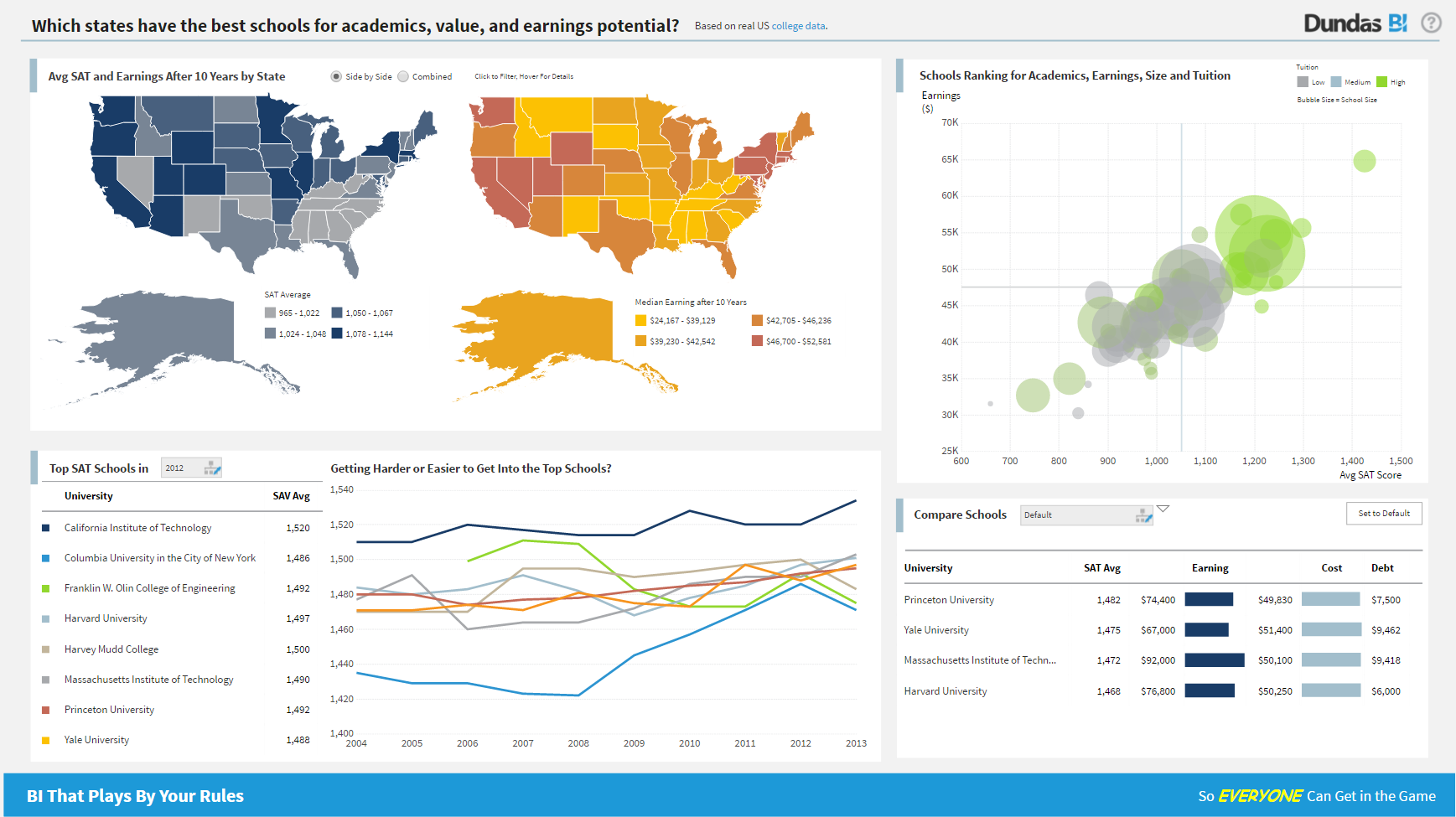 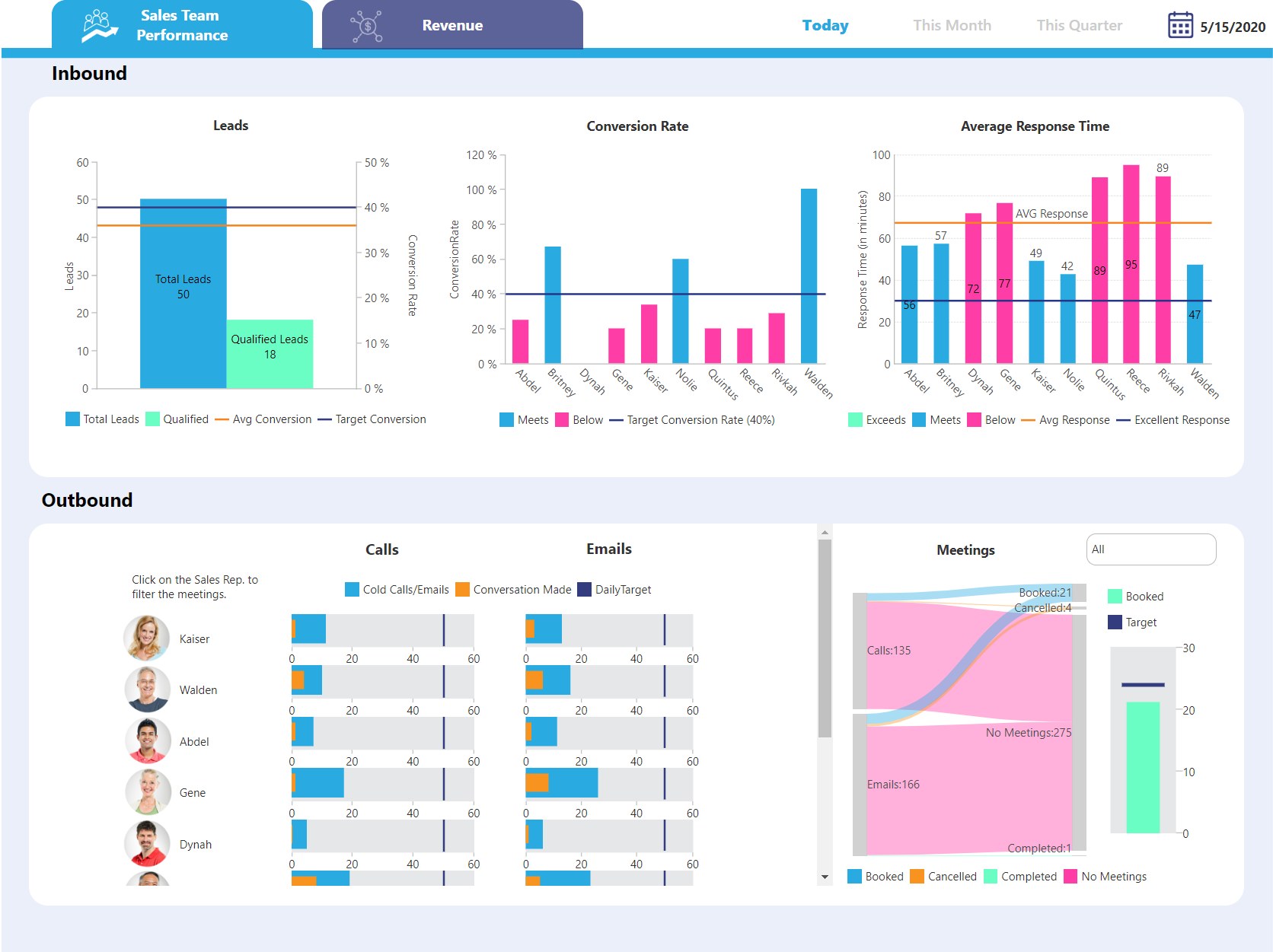  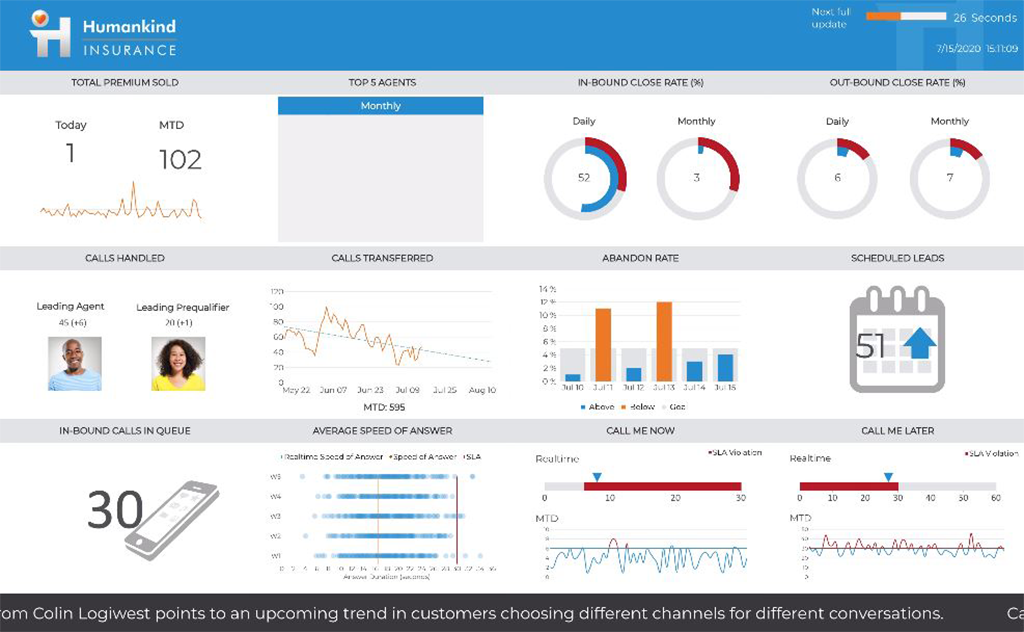   | Tableau Server Screenshots     |
