Lyssna (formerly UsabilityHub) is a user research platform used to test digital products with real users and gain insights into their audience. Its tools and features help Lyssna to optimize users' designs and create more engaging user-friendly experiences. Lyssna is a research platform, offering a broad range of testing features including: Five Second Testing - Used to quickly test the effectiveness of landing pages, messaging and designs by showing users a…
$0
per month (3 seats included)
Quadient Inspire
Score 9.5 out of 10
Enterprise companies (1,001+ employees)
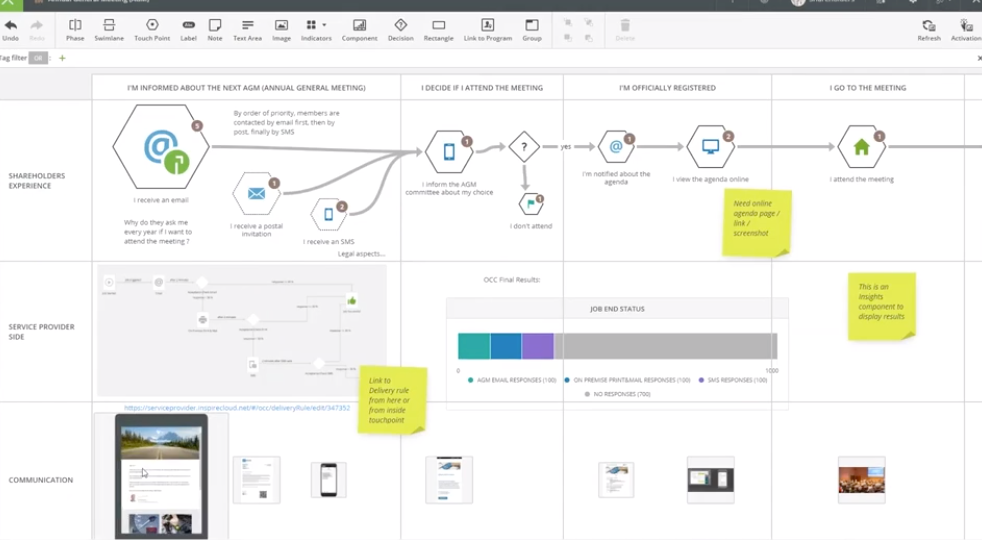
Quadient Inspire offers a customer experience management portfolio that provides human-centric communication solutions that span the entire customer lifecycle, to help organizations to create meaningful connections with their customers, wherever, whenever they prefer.
N/A
UserTesting
Score 8.2 out of 10
N/A
UserTesting helps UX researchers, designers, product teams, and marketers gather actionable insights through research, testing, and feedback. With a network of real people ready to share their perspectives, UserTesting enables organizations to make customer-first decisions at scale.
N/A
Pricing
Lyssna
Quadient Inspire
UserTesting
Editions & Modules
Free
$0
3 seats included
Starter
$99
per month 5 seats included
Growth
$199
per month 15 seats included
Enterprise
Contact Sales
custom seats
No answers on this topic
No answers on this topic
Offerings
Pricing Offerings
Lyssna
Quadient Inspire
UserTesting
Free Trial
Yes
No
Yes
Free/Freemium Version
Yes
No
No
Premium Consulting/Integration Services
No
Yes
No
Entry-level Setup Fee
No setup fee
No setup fee
No setup fee
Additional Details
Discount available for annual plan. Panel responses are priced seperately.
The solution is highly modular. Pricing may differ a lot depending on usage and configuration.
Lyssna is certainly the least expensive, most basic and easy to use out of the range of usability tools I have used in the past. Depending on your maturity as a business and the projects that you are doing, this can be a great starting point before scaling up.
We have evaluated two other platforms - UserZoom and UsabilityHub. We ultimately decided to maintain our relationship with UserTesting due to the overall usability and the functionality that it offers. The features better suited our needs, and it met a price point that worked …
UserTesting is more robust. We also use UsabilityHub, but for different purposes - one off tests that don't require many screens but do require more responses.
UsabilityHub is well suited for remote unmoderated testing. Responses are captured very quickly and live updates allow the user to keep track of how the test is performing. The types of testing that make the most sense to use on UsabilityHub are preference test, first click test, navigational, and design surveys. It is less appropriate for one-on-one testing and lengthy questionnaires.
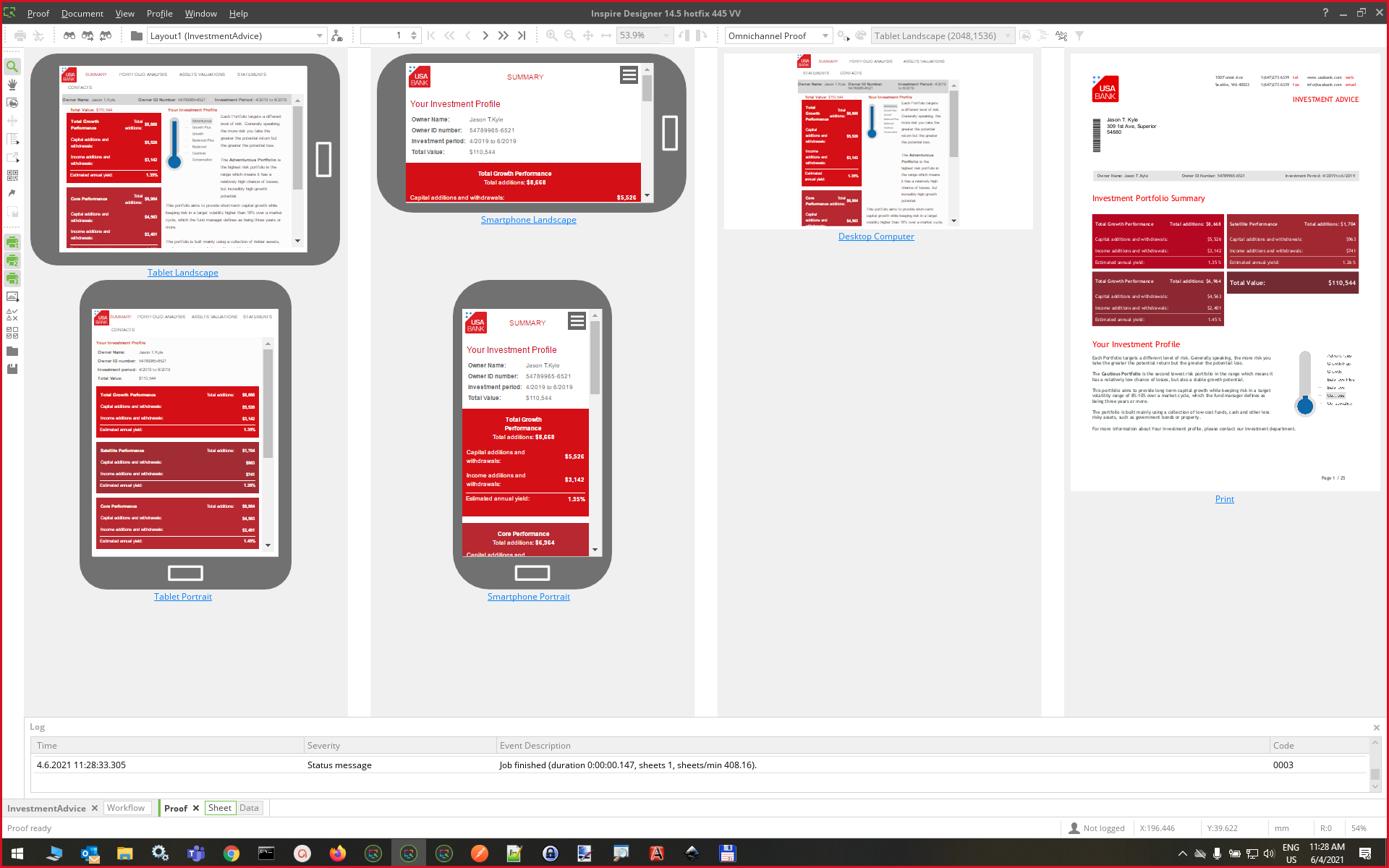
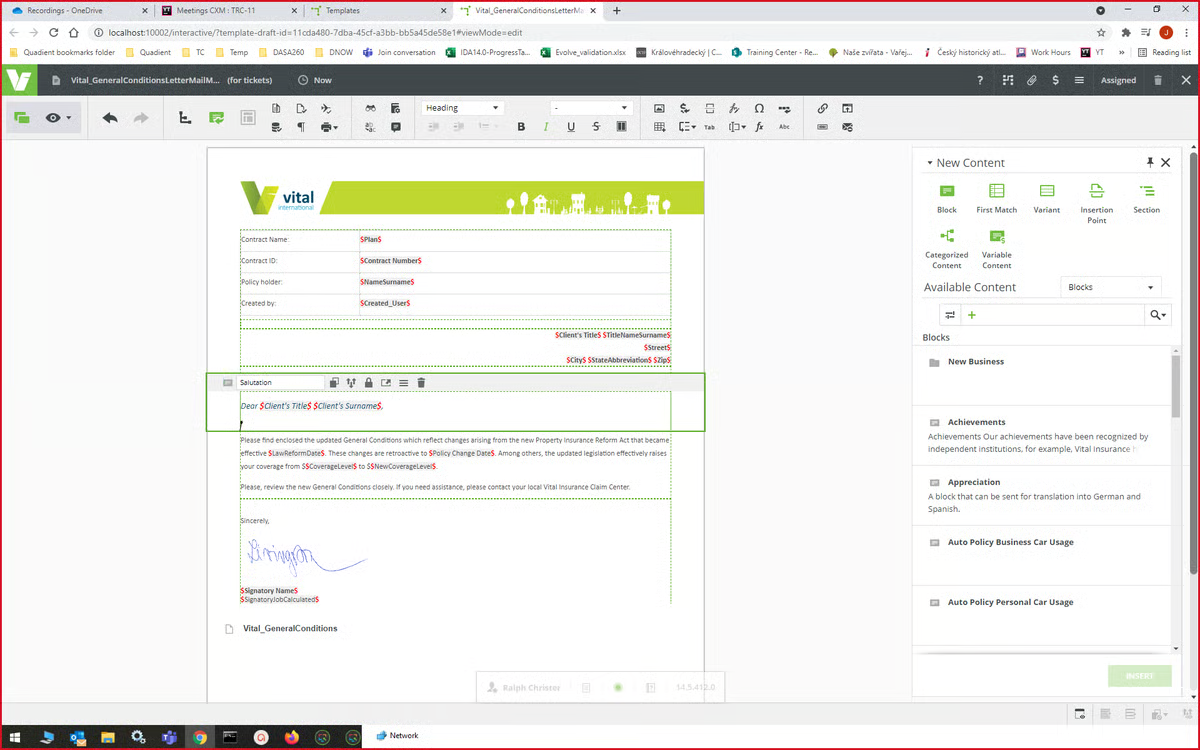
Scenarios where Quadient Inspire is well suited - When we want to create some content which can be reused, as we create blocks in Quadient which has some data in it, and these blocks can be reused. When we want to create consistent content and want to deliver it through omni-channel medium in large volume, as Quadient Inspire makes delivery of large volume communications possible, and it does so in mere seconds. Scenarios where Quadient Inspire is less appropriate - sometimes it feels like editing in a Word document is easier than Quadient Inspire, e.g., when we need to add bullet points in the content.
UserTesting has been great for moderated customer interviews/usability testing as well as for unmoderated testing of messaging, imagery, prototypes and live experiences. I would say that the scope of what you want needs to be limited, as the participants are only paid so much and tests are supposed to not exceed a certain amount of time. For customer interviews, I think it can be difficult to onboard customers to UserTesting if they have never used it before. If I set up interviews, I don't even have them use the UserTesting scheduling tool, I actually set up all the interviews with the customers myself through the tool (being mindful of time zones!). When we run the meeting, they really don't even know UserTesting is involved. Might be nice for UserTesting to allow the upload/connecting to of a Zoom interview and let it do the transcription/analysis from there.
Clear and powerful workflow design that makes support easy to understand as teams evolve
Great internal debugging tool that simplifies and accelerates the development cycle
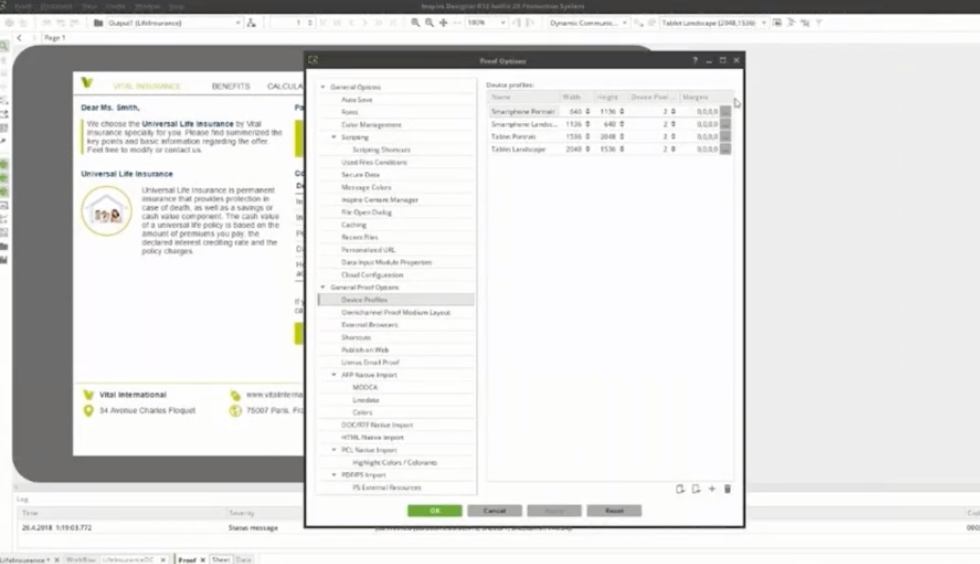
Powerful scripting structure available at nearly every aspect of data management, composition, and finishing allowing for specialized requirements not available in the standard toolset to be met
Add additional demographic sorting options for the audience to better meet the needs of B2B users - for example include industry type, functional area, etc.
Sometimes there are restrictions around types of research that can be used for moderated user-testing with our own users.
For tests on relatively small areas of a website or app, the AI analysis seems rather overblown, like it's trying too hard to come up with something insightful when the test is actually about something quite small (e.g. structure of a mobile app menu).
It's difficult to invite our own users to unmoderated user-testing because they wouldn't know how the UserTesting interface works - this is particularly an issue for mobile research.
We are using Quadient Inspire products since last 5 years. And we are able to achieve everything with respect to the customer's needs and desired output. Quadient is adding new very important features every day that make document structure very easy for developers and end users. We would like to stick with Quadient for a long time.
I'm very happy with my experience of the product and the level of service and learning resources they provide. If the service becomes more expensive than it currently is then we might not be able to justify additional cost - but this is theoretical. I would recommend UserTesting and would ideally renew our contract.
Due to its simplicity and design it is really easy to navigate. You can clearly understand which sections you have completed and which are still left to be done. It is also really easy to change ordering of content etc, which I have found hasn’t been an option in other tools which means it is a really lengthy task of rewriting all of the tasks or questions to get them in the correct order that is desired.
There are parts of the product that are extremely easy to use, but it can be hard to build it up to get to that point. I'm a power user and I know I've only barely scratched the surface, but the transactional users barely have to lift a finger to get their letters out. There's a lot more that can be done if I had the time and resources to devote to improving our letters more and there are times when the interface is in my way as to meeting those goals, but by and large, it's a swift and easy to use program.
It's very good, I have used other tools in the past and this is by far the most intuitive and user friendly. Testament to this is the ease with which other non researchers who have been onboarded to the tool with our additional seat have found it easy to use
I am giving this rating because Quadient products are highly available. Most of the time all Quadient products are available. In some cases Quadient always follows the planned schedule and maintenance. They always inform all the partners and clients a day or two in advance so that the clients can work accordingly.
I want you to rate the performance of the Quadient Inspire 9 out of 10. Because every time we work with Quadient products I never feel any sluggishness and any performance issue. Along with this, one thing that we all should understand is that the performance of any application also depends on the computer hardware. So along with the software application, your hardware should also meet the minimum requirements.
Overall Quadient team is very responsive and willing to come to the table and provide valuable information and resolution for problems. What tier of support you have would defiantly impact the experience you have. Had some challenges with a few members of the support team , but when brought up with the vendor it was quickly resolved
I have contacted UserTesting's customer service online, by email, or by phone a few times, and each time, I have encountered the same professionalism and expertise. Even in person during a work event, they were there, and it was the same experience.
I had a couple of weeks of training back in 2005 on the Quadient premises in Hradec Kralowe. The instructor was just great! Besides showing as normal functionalities, he went so far to solve our concrete challenges. He actually encouraged me to become a "real" programmer. I have written my first lines of code in Inspire (GMC PrintNetT) and never looked back.
Quadient offers online training for all of its products (paid service). You can choose your pace and go through the material and then solve real challenges. At the end, you can choose to take a final assignment and get certification which is a really good thing to do. If you get stuck, the training team will answer any of your questions and give you guidance.
As you consider your digital transformation, think of the people who may object. They have valid criticisms, valuable insights and information critical to your success. Quadient’s advice is to build a strong internal team and confront these questions early. When everyone understands the project from their perspective, the project has a better chance of success.
From a technical perspective, the implementation was extremely smooth. Most of the change management / implementation hurdles were clearing use of the tool through our various security, legal, and information privacy teams. Once these concerns were addressed (UserTesting.com was very helpful in providing all the needed documentation), the implementation process was very simple and we were able to get going right away.
UsabilityHub provides very fast, short responses to specific questions about a static image of a website. This is useful for checking what is most prominent on a page, what they would click on, what they see/read within the first 5 seconds of landing etc. WhatUsersDo is a broader tool, that records the screen and audio as a user navigates the website. You can set tasks and ask questions, but it much more about the user journey experience and their opinion, rather than testing a particular feature. Feedback also takes a bit longer. Hotjar is a combination of both, its a screen recording which helps you to see where users click and move to, but there is no audio or text feedback, just heatmaps/click maps for watching user behaviour.
The above drop down would not allow me to pick the similar products that I have used previously. Planet Pres : Good in its time. Now very slow compared with Quadient. Compart: As quick... If not slightly quicker than Quadient. This does not counteract how difficult this software is to use. It has no GUI interface and even advanced programmers struggle to use it. Both of these products are inferior to Quadient when it comes to implementing within a normal organisation.
The quality of the participants: they usually have good feedback and act like "professional" users. Which is good when we want a few insights in a short amount of time. Also, the interface is good. I miss having more features, like a good transcription tool like we have in Condens
Not really. It's not cheap, but it's a great value for what you get. This is enterprise-level software and the cost reflects that. The pay-per-page aspect makes sense too. We get a lot of sheets included in our contract and we use them all. It's a good contract with pricing that makes sense.
I am giving this rating because Quadient products are very reliable. Quadient products can be deployed across multiple departments and sites as needed. We can integrate Quadient products with other applications and tools in a very effective, efficient and flexible way. We can deploy Quadient products in Cloud as well.
The PSO team is very involved and knowledgeable. Some times there are availability issues due to the number of companies they are supporting but they do their best to deliver on time. PSO cost aren't cheap, but they deliver a big bang for the buck especially on critical projects or involving them in strategic approaches/decisions.
Since purchasing Inspire we have won many business opportunities as it enables us to create documents we couldn't do before, for example: Council Tax Bills.
It is a lot faster at processing than our previous software. We had one job we had to extract addresses from, it was 56,000 records from a 5.5million line text file. Our previous software took 26 hours to pull out the addresses, Quadient Inspire took 43 seconds!
We are able to automate processes through Inspire via CLI batch files, where a job would normally take 30 minutes to set up and process, a bit of time spent on the workflow and automation script means we can just double click a batch file for repeat jobs and the print file is created in seconds.