
Julia Romanchenko
Digital Marketing
Chose ActiveCollab
ActiveCollab has fewer functions than Wrike and a simpler interface, but generally, the team collaboration purpose is fulfilled.

| Product | Rating | Most Used By | Product Summary | Starting Price |
|---|---|---|---|---|
 ActiveCollab | N/A | Active Collab is a project management solution built around features such as task management, collaboration, time tracking, and invoicing. | $8 per member/per month | |
 Planview AdaptiveWork | N/A | Planview AdaptiveWork is a web-based collaborative work management software. Planview AdaptiveWork enables users to connect employees and partners and create documents, reports and specialized workflow automation. Planview AdaptiveWork is designed to work across multiple teams to enable cross-company task, project, and resource management. | N/A | |
 Wrike | Mid-Size Companies (51-1,000 employees) | Wrike is a project management and collaboration software. This solution connects tasks, discussions, and emails to the user’s project plan. Wrike is optimized for agile workflows and aims to help resolve data silos, poor visibility into work status, and missed deadlines and project failures. | $240 per year 2 users (minimum) |
| ActiveCollab | Planview AdaptiveWork | Wrike | ||||||||||||||||||||||
|---|---|---|---|---|---|---|---|---|---|---|---|---|---|---|---|---|---|---|---|---|---|---|---|---|
| Editions & Modules |
| No answers on this topic |
| |||||||||||||||||||||
| Offerings |
| |||||||||||||||||||||||
| Entry-level Setup Fee | $6.25 per member, per month, annual billing | Optional | No setup fee | |||||||||||||||||||||
| Additional Details | — | — | Every premium plan begins with a 14-day trial period. | |||||||||||||||||||||
| More Pricing Information | ||||||||||||||||||||||||
| ActiveCollab | Planview AdaptiveWork | Wrike | |
|---|---|---|---|
| Considered Multiple Products |  ActiveCollab Julia Romanchenko Digital Marketing Chose ActiveCollab ActiveCollab has fewer functions than Wrike and a simpler interface, but generally, the team collaboration purpose is fulfilled.  Chris Lesner Founder & CEO Chose ActiveCollab ActiveCollab is 100% better than any of the other tools we have used. We had previously spent thousands of dollars trying out different software that was comparable, but this has been one of the best decisions we have made as a company. It's also the cheapest ongoing option, … | Planview AdaptiveWork  Rebekah Ryan, PMP Senior Implementation Manager Chose Planview AdaptiveWork Clarizen has a cleaner, easier-to-use UI than both Wrike and Microsoft Project in my opinion. Clarizen is overall pretty intuitive and you can use it on a daily basis to manage your projects without it taking up an exorbitant amount of time. Although I would say Wrike is …  Chris Carpenter Lead Systems Analyst Chose Planview AdaptiveWork Clarizen's ease of use, ease of setup, out-of-the-box delivery, project management, and time management were the factors for choosing Clarizen. All were good products but we are happy to have selected Clarizen.  Mandy Langston Manley Editor Chose Planview AdaptiveWork The decision makers in my agency ended up switching back to Open Air because it was a much simpler way of having employees track time and seeing bookings and availability. It was less expensive and did all of what we needed it to do and none of what we didn't. It wasn't as … |  Wrike Rebekah Ryan, PMP Senior Implementation Manager Chose Wrike I have used both Clarizen and Microsoft Project. I think that Wrike falls between these two platforms. Wrike is easily a better tool to use than MS Project, but I think it lacks some of the expanded capabilities that support PM work that Clarizen has--such as capacity planning, …  Alfredo García Infraestructura Chose Wrike Wrike involves the wellness of both softwares, cheap and easier to use, Clarizen its much more expensive than wrike, and Smartsheet its just for small projects with a little descrption tasks, and the task assignation its no so easy as in wrike, in Wrike you can extend the task … |
| ActiveCollab | Planview AdaptiveWork | Wrike | |||||||||||||||||||||||||||||||||||||||||||||||||||||||||||
|---|---|---|---|---|---|---|---|---|---|---|---|---|---|---|---|---|---|---|---|---|---|---|---|---|---|---|---|---|---|---|---|---|---|---|---|---|---|---|---|---|---|---|---|---|---|---|---|---|---|---|---|---|---|---|---|---|---|---|---|---|---|
| Project Management |
| ||||||||||||||||||||||||||||||||||||||||||||||||||||||||||||
| Professional Services Automation |
|
| ActiveCollab | Planview AdaptiveWork | Wrike | |
|---|---|---|---|
| Small Businesses |  Stackby Score 8.9 out of 10 |  HaloPSA Score 8.2 out of 10 | Stackby Score 8.9 out of 10 |
| Medium-sized Companies |  InEight Score 8.3 out of 10 |  Teamwork.com Score 8.5 out of 10 | InEight Score 8.3 out of 10 |
| Enterprises | InEight Score 8.3 out of 10 | Wrike Score 8.6 out of 10 | InEight Score 8.3 out of 10 |
| All Alternatives | View all alternatives | View all alternatives | View all alternatives |
| ActiveCollab | Planview AdaptiveWork | Wrike | |
|---|---|---|---|
| Likelihood to Recommend | 1.6 (13 ratings) | 7.7 (78 ratings) | 8.5 (888 ratings) |
| Likelihood to Renew | - (0 ratings) | 7.5 (26 ratings) | 8.5 (103 ratings) |
| Usability | - (0 ratings) | 7.3 (5 ratings) | 8.2 (225 ratings) |
| Availability | - (0 ratings) | 8.2 (3 ratings) | 7.9 (23 ratings) |
| Performance | - (0 ratings) | 9.1 (5 ratings) | 6.4 (20 ratings) |
| Support Rating | 7.1 (3 ratings) | 10.0 (7 ratings) | 7.5 (90 ratings) |
| In-Person Training | - (0 ratings) | 8.2 (2 ratings) | 8.2 (5 ratings) |
| Online Training | - (0 ratings) | 5.4 (5 ratings) | 8.2 (13 ratings) |
| Implementation Rating | - (0 ratings) | 8.2 (4 ratings) | 7.7 (32 ratings) |
| Configurability | - (0 ratings) | 8.0 (1 ratings) | 8.3 (12 ratings) |
| Contract Terms and Pricing Model | - (0 ratings) | - (0 ratings) | 7.3 (4 ratings) |
| Ease of integration | - (0 ratings) | 8.2 (1 ratings) | 6.9 (7 ratings) |
| Product Scalability | - (0 ratings) | - (0 ratings) | 8.0 (14 ratings) |
| Professional Services | - (0 ratings) | - (0 ratings) | 6.8 (3 ratings) |
| Vendor post-sale | - (0 ratings) | 9.1 (1 ratings) | 9.0 (7 ratings) |
| Vendor pre-sale | - (0 ratings) | 9.1 (1 ratings) | 6.6 (8 ratings) |
| ActiveCollab | Planview AdaptiveWork | Wrike | |
|---|---|---|---|
| Likelihood to Recommend | ActiveCollab
 Sourav Singla ,Safe Agilist, CSP, ICP-ACC, CSM, CSPO, SSM, LSSG Enterprise Agile Coach | Planview
| Wrike
 Deanna Reis Production Director |
| Pros | ActiveCollab
 Jorden Beatty Digital Marketing Director | Planview
| Wrike
|
| Cons | ActiveCollab
| Planview
| Wrike
 Alicia Stacy Account Executive |
| Likelihood to Renew | ActiveCollab No answers on this topic | Planview
| Wrike
|
| Usability | ActiveCollab No answers on this topic | Planview
| Wrike
|
| Reliability and Availability | ActiveCollab No answers on this topic | Planview
 Shel Hankley Information Systems Analyst, IT Project Manager and Clarizen Administrator | Wrike
 Cristi Radulian Senior Design Engineer |
| Performance | ActiveCollab No answers on this topic | Planview
 Jason Beamer Senior Implementation Manager | Wrike
 Mark Ferrer Senior Web Developer |
| Support Rating | ActiveCollab
| Planview
 Mike Narumiya President, Principal | Wrike
|
| In-Person Training | ActiveCollab No answers on this topic | Planview
| Wrike
 Ashley Pauls Assistant director of communications |
| Online Training | ActiveCollab No answers on this topic | Planview
| Wrike
|
| Implementation Rating | ActiveCollab No answers on this topic | Planview
 Wallace Kesler Group Leader Product Development | Wrike
|
| Alternatives Considered | ActiveCollab
 Mike Muller Executive Vice President | Planview
| Wrike
 Alysen Boston Content marketing writer |
| Contract Terms and Pricing Model | ActiveCollab No answers on this topic | Planview No answers on this topic | Wrike
 Nuha Abdi Learner engagement |
| Scalability | ActiveCollab No answers on this topic | Planview No answers on this topic | Wrike
 Michael Fank Quality Manager |
| Professional Services | ActiveCollab No answers on this topic | Planview No answers on this topic | Wrike
|
| Return on Investment | ActiveCollab
 Ali Zakeri Data Analyst | SEO Specialist | Planview
| Wrike
|
| ScreenShots | ActiveCollab Screenshots      | Planview AdaptiveWork Screenshots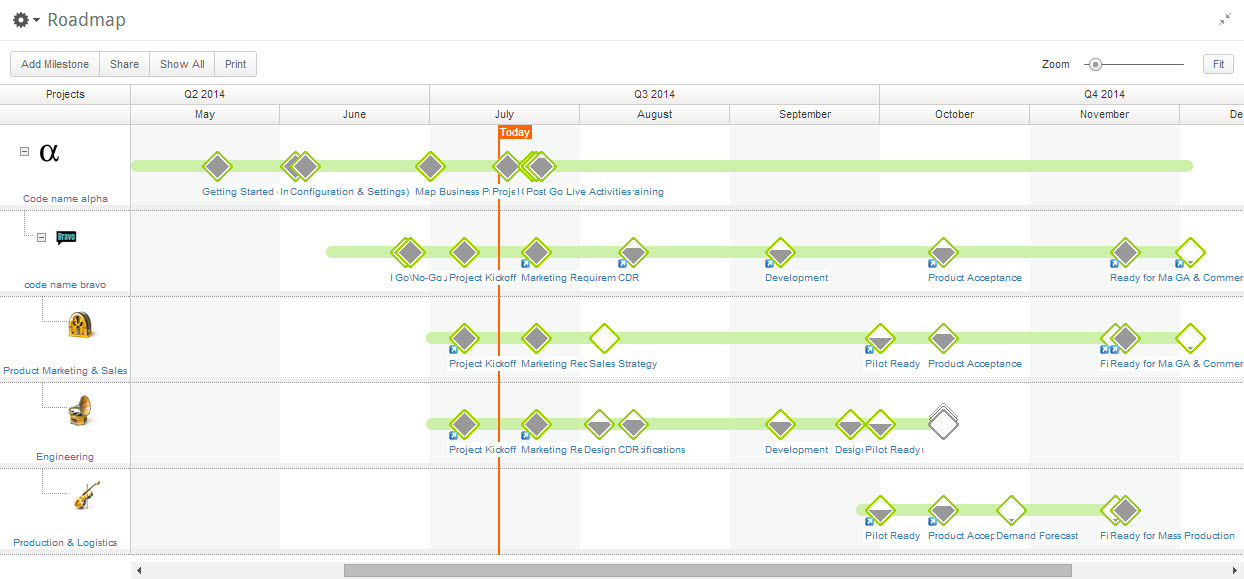 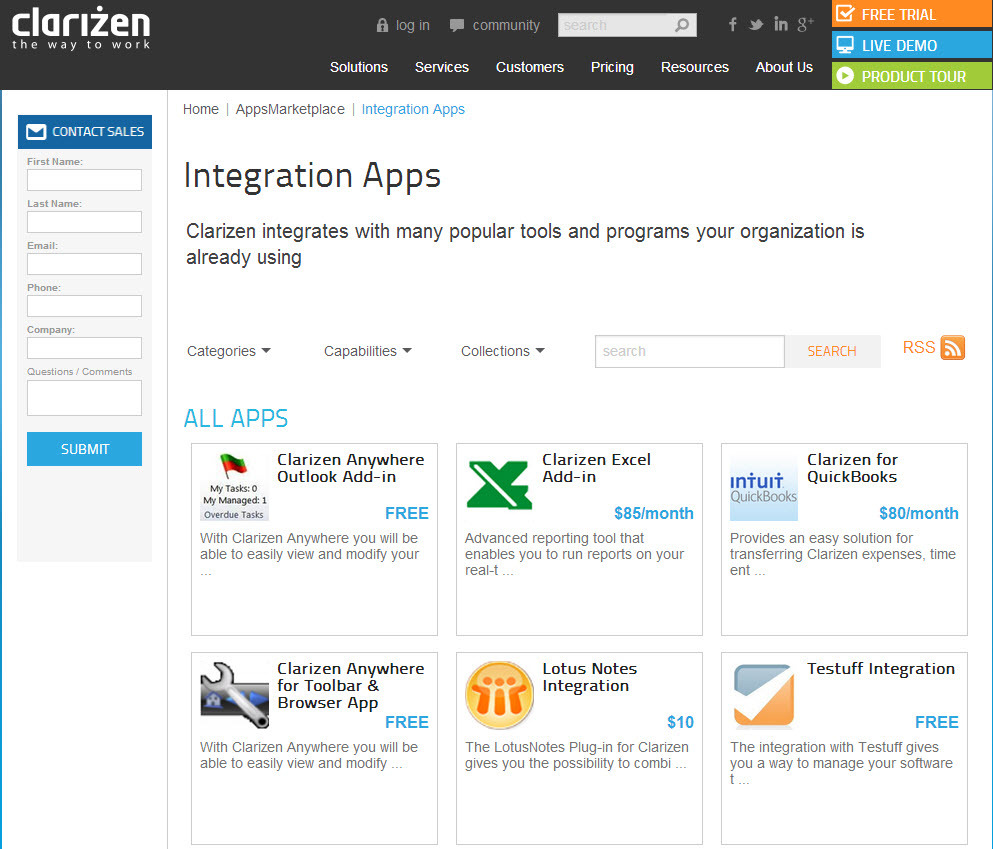  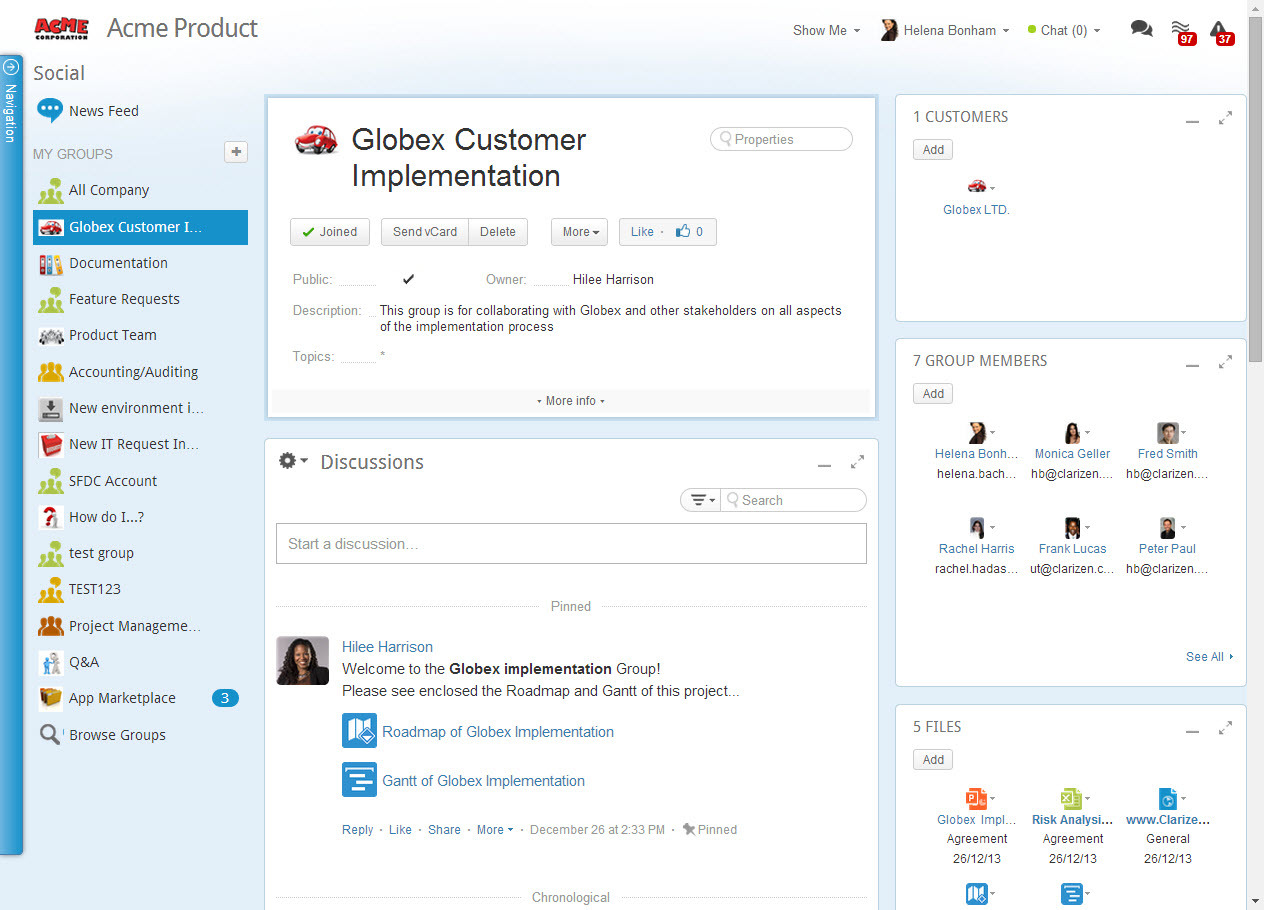 | Wrike Screenshots      |