Overview
ProductRatingMost Used ByProduct SummaryStarting Price
Autodesk Build
Score 8.1 out of 10
N/A
Autodesk Build, based on the former PlanGrid, is construction productivity software. It includes tools to collaborate, collect, and manage project information throughout the project’s construction and operations lifespan. It enables document centralization and tracking.
$39
user per month
CMiC Construction Platform
Score 7.8 out of 10
Mid-Size Companies (51-1,000 employees)
CMiC Project Management is a construction project collaboration and management solution. It centralizes project-related communications and documents onto one platform, and connects the job site with the back-end office.N/A
Procore
Score 8.7 out of 10
N/A
Procore is a project management software designed specifically for the construction industry. Procore is cloud-based and allows unlimited users per instance, so that construction team members and stakeholders can all access project information and documents.N/A
Pricing
Autodesk BuildCMiC Construction PlatformProcore
Editions & Modules
Nailgun
$39
user per month
Dozer
$59
user per month
Crane
$139
user per month
No answers on this topic
Custom Bundle
Custom Quote
annually
Offerings
Pricing Offerings
Autodesk BuildCMiC Construction PlatformProcore
Free Trial
YesNoNo
Free/Freemium Version
NoNoNo
Premium Consulting/Integration Services
YesNoNo
Entry-level Setup FeeNo setup feeNo setup feeNo setup fee
Additional DetailsProcore charges an upfront annual fee by product and based upon Annual Construction Volume (ACV) - the aggregate dollar value of the construction work across the customer's projects. Procore contracts include access for unlimited users, customer support, unlimited data storage, and product enhancements, at no additional cost. Multi-year pools: Contract volume is set for the entire multi-year term and can be consumed at any time during that period to help smooth out variability in consumption. Volume opt-in: Up-front contractual pricing is put in place for additional volume that might need to be added mid-term, to increase predictability of costs. Renewal rate protection: Up-front setting of rates is locked now, so businesses can budget accordingly for future renewals and improve cost predictability in future years.
More Pricing Information
Community Pulse
Autodesk BuildCMiC Construction PlatformProcore
Considered Multiple Products
Autodesk Build
Chose Autodesk Build
Bluebeam and PlanGrid work great together, not sure one could replace the other. Bluebeam is really great for more detailed markups, better than PlanGrid in that respect. When you zoom out on the markups for PlanGrid, markups get really thick and unreadable.

For me, Procore is …
Chose Autodesk Build
PlanGrid provides the perfect balance of simplicity and accuracy. As I've noted, Procore is more robust but the learning curve is steep, and, for my company, the majority of features would go unused (and thus would be a waste of money). PlanGrid offers a few solid features and …
Chose Autodesk Build
PlanGrid is an easier system to use then Procore; however, Procore offers more of a full management software than PlanGrid does with plan distribution.
Chose Autodesk Build
Compared on pricing, PlanGrid was best. Procore does submittals and pay apps, but GoBridgit was completely unrealistic in price for us to consider them. The overall use of PlanGrid along with current pricing makes it worthwhile for us. If pricing goes up, it would no longer be …
Chose Autodesk Build
PlanGrid is very similar to Procore but offers a slightly more straightforward user interface and seems not to be loaded with extra options that rarely would get used like Procore. PlanGrid is a much smoother software than Submittal Exchange or CMiC due to that same interface. …
Chose Autodesk Build
Plangrid would sit in between these two when it comes to mobile job site collaboration and document management. Procore is more a full-featured product but it is 2X-3X the cost and there is some question whether the extra costs actual turns in to an ROI at the end of the day. …
Chose Autodesk Build
Procore and PlanGrid are the most direct competitors. The pricing structures are very dynamically different between PlanGrid and Procore. Procore tends to succeed better in the "project management" realm, while PlanGrid succeeds far beyond Procore in its ability to deal with …
Chose Autodesk Build
Procore is a web-based service and is very slow. While PlanGrid updates and is not web based it is much quicker. PlanGrid is also much easier to use.
Chose Autodesk Build
I have only used Autodesk Build at work. Compared to Procore which I have recently been introduced to, Autodesk Build has a more modern look and accessibility features. I can not give an in-depth review between the two products as I do not spend a lot of time using Procore.
Chose Autodesk Build
BlueBeam is a program that some of our customers use as their management tool. It is a little more cumbersome than Plan Grid. We would certainly prefer using PlanGrid over other products that we have tried. Our field staff prefers to have a consistent platform to share the …
Chose Autodesk Build
They have similar platforms and uses. At this time we use both because General Contractors require we use some of these programs to work on their projects, and we don't have a choice which one we use. It's tough because we then have multiple platforms to learn, manage and use …
Chose Autodesk Build
It's easier to use, more user-friendly, has ready access, and is more cost effective.
Chose Autodesk Build
Bluebeam is easier to use for plan markups, but the punch list function of PlanGrid is far better.
Chose Autodesk Build
Plangrid, while not serving the external document distribution function, is unrivaled for internal document distribution and sharing in the construction industry. The speed at which documents are navigatable, the ability to download your projects for viewing without an internet …
Chose Autodesk Build
I haven't really used anything else extensively, but I have touched Procore a little. Not enough to compare though.
Chose Autodesk Build
Haven't actually used anything else like PlanGrid. I studied Procore but have never gotten a chance to use it in practice.
CMiC Construction Platform
Chose CMiC Construction Platform
Similar to Prolog with user interface and operations - but Prolog was not as robust and didn't have all the modules or abilities.
Procore is not as robust - didn't have the advantages or timesheets - but much more user friendly with interfaces and intuitiveness in features for a …
Chose CMiC Construction Platform
Procore had a much better user interface, required much less training, allowed better subcontractor and designer collaboration, included drawing management, and had a much better punch-list function. However, it required outside software and spreadsheets to manage financials.
Chose CMiC Construction Platform
I have used Procore prior and would move back in a heartbeat. The field/PM side of Procore is leaps and bounds better than CMiC. CMiC had a better financial tools side, which is why Brinkman moved to CMiC.
Chose CMiC Construction Platform
CMiC is a better database and talks to the accounting side. Procore is apparently better with field apps and more user friendly.
Chose CMiC Construction Platform
Procore actually has a better and prettier project management platform, but at the end of the day it was nearly the same cost for our team as CMiC, and we still would have had to purchase another construction accounting software, then double-entry (or at best import/export) …
Chose CMiC Construction Platform
Procore is better for document management than CMiC. We use a combination of Procore and CMiC currently.
Chose CMiC Construction Platform
Worse than all 3. PlanGrid: Smoother use than CMiC. The way it is formatted and shows the plans in order is the best. CMiC shows plans in the order they were uploaded instead of plan order (A100, A101, etc.). Procore: Same reason as PlanGrid. It just feels as though CMiC's plan …
Chose CMiC Construction Platform
CMiC incorporates more features and reduces the need to use additional software platforms. We found that Foundation Software is not as user-friendly and can be limited in the various types of reports that are available. PlanGrid and Procore both would have had to be partnered …
Chose CMiC Construction Platform
I previously used Procore Technologies and loved it. Was extremely easy to use, had an online course that you could watch for each specific job title and would run through everything you needed to know, and if you needed to know other job title information you could take that …
Chose CMiC Construction Platform
Procore does Project Management better, however, we selected CMiC because of the single unified database for Project Management and Accounting.
Chose CMiC Construction Platform
CMiC Construction Platform is more powerful than Vista with more features...works well with GCPay. Procore did not have accounting which was a huge drawback and we had to ERP data back and forth which can be a pain especially when there were issues. The downside of being on …
Chose CMiC Construction Platform
CMiC Construction Platform and GCPay works well together. Their integration provides an efficient working system for our company. Before these two platforms our workflow was a lot less efficient. It is all around better for us and our clients.
Chose CMiC Construction Platform
Better looking platform. Easy to use as well. CMiC Construction Platform is what was selected by the general contractor for us to use for RFIs and submittals.
Chose CMiC Construction Platform
CMiC Construction Platform is the best price point in the market. Others are revenue-based billings, and the annual fees reflect as such. CMiC Construction Platform support staff is generally amazing and offers real-time support on critical issues. The imaging and workflow …
Chose CMiC Construction Platform
CMiC is a very powerful tool with the ability to integrate into other software platforms and transfer information between programs. With the click of a button, we can transfer data from CMiC to our MSR software and only have a few manual entry points to complete a monthly …
Chose CMiC Construction Platform
CMiC has far more capability than these other software platforms. We had to use all of the other software together to meet the same capability as CMiC alone.
Chose CMiC Construction Platform
The look and feel of CMiC is very similar to PlanGrid but when you get into the nitty-gritty of using CMiC for drawing management, it's lacking features our employees have pointed out. Submittal Exchange is much cleaner for submittal management. The interface is better. The …
Chose CMiC Construction Platform
In addition to PlanGrid, I have used a purpose-built in-house system, about 10 years ago. It was build using forms designed with Word & Excel. These forms were infilled, saved as signed PDFs, and uploaded to Google Cloud. The in-house user base was small and use was managed …
Chose CMiC Construction Platform
We chose CMiC because it has an accounting system.
Chose CMiC Construction Platform
I have heard this is a viable alternative but have not had experience using it.
Chose CMiC Construction Platform
CMiC is not there yet in terms of usability when compared to PlanGrid. I have attended the conferences and have seen the plans to improve usability and look forward to these changes. Unfortunately, until it is at this point it does not compete in regards to construction plan …
Procore
Chose Procore
Procore is far more userfriendly and adaptable than Plangrid or CMIC. It's a much more intuitive platform with better functionality and ease of use.
Chose Procore
Procore is the most comprehensive of all. Pricing on size rather than the user is another reason that we used in deciding on Procore.
Chose Procore
We selected Procore because it offered a complete project management and bidding software program. It didn't offer pieces but a complete picture of each project. The mobile and web option was a big reason for the choice.
Chose Procore
Procore is over priced, and other competitors have come a long way.
Chose Procore
Procore is leaps and bounds better than any other product on the market. While there is room for improvement, the other programs out there are cumbersome to use or do not have all of the functionality that Procore has as of today. I have yet to see anything that stands up to …
Chose Procore
Procore is very much the industry-standard software, I personally preferred using field wire because it was considerably more user-friendly for field operators to understand. Procore is utilized more readily between different trades, so often we would see Procore to be better …
Chose Procore
We evaluated both PlanGrid and Procore at the same time in the field. We had numerous users in each. We implemented both products. Even paid PlanGrid to train. (Procore implementation is free.) Our teams on PlanGrid abandoned their projects within 2 months and begged to be …
Chose Procore
Procore allows multiple team members to work together from different locations and access all the documents and project reports. The Engineering files and various information can also be handled securely and easily through the Procore data management environment. The estimates …
Chose Procore
Procore was the first platform we witnessed that appeared to be designed by, or at least in tandem, with construction professionals. The tool itself fits in with how construction operations staff currently do their work and require minimal training in order to roll-out. We also …
Chose Procore
Since Procore attempts to be an all-in-one solution, it comes with more capability than just about any other system we have seen or used. However, that does not always mean it is better. Using PlanGrid as an example, Procore's plan viewing is inferior to the more professional …
Chose Procore
Procore is significantly better than e-Builder but on par with PlanGrid. In my experience, Procore is hands-down the best product of its kind. The Procore customer and technical support is excellent, they are always available to help with any issues or questions you may have. …
Chose Procore
Procore has no equal in the GC Market.
Chose Procore
Overall the best single-platform solution right now, but it comes at a high price. Main reason for selecting back in 2016 was integration with accounting/ERP. While Procore has done well improving the product overall, some specific pain points persist and really frustrate …
Chose Procore
Much easier to use. Because I learned Procore first, it set a good foundation of what I should be looking for as I hunt and peck to navigate other program management software.
Chose Procore
Procore is more intuitive and easy to pick up and to navigate.
Chose Procore
I have previously used these other software's at other companies, and Procore is ahead of the game when it comes to these tools. These tools are all useful when it comes to one area of expertise in construction, but Procore is good at covering all of these areas and being a one …
Chose Procore
I can't compare Procore to most other construction software because they tend to focus more on one specific module (e.g. PlanGrid is only on drawing, RFI, and submittal management). I heard there's another company that is trying to build something like Procore that …
Chose Procore
To be honest, PlanGrid was far superior as a Drawing / Punchlist tool back when it came out. Procore did a major revision on their Tools in the last year or two, and now Procore is an excellent tool.
Chose Procore
We first utilized Procore because it was mandated by the Owner. However, after using it for a few years, I've found that it's my preferred platform. It works just as well (if not better!) than the other programs that I've used. It's typically more user-friendly.
Features
Autodesk BuildCMiC Construction PlatformProcore
Construction Project & Field Management
Comparison of Construction Project & Field Management features of Product A and Product B
Autodesk Build
6.5
58 Ratings
13% below category average
CMiC Construction Platform
8.0
106 Ratings
8% above category average
Procore
8.4
762 Ratings
13% above category average
Plan distribution & viewing7.057 Ratings7.967 Ratings8.8732 Ratings
Plan markups & sharing6.057 Ratings7.963 Ratings7.7705 Ratings
Issue tracking & punchlists5.052 Ratings7.981 Ratings8.8684 Ratings
Photo documentation9.049 Ratings7.977 Ratings8.6734 Ratings
Jobsite reports9.037 Ratings7.988 Ratings8.3696 Ratings
Document sharing8.056 Ratings7.989 Ratings8.8752 Ratings
RFI tools5.039 Ratings8.090 Ratings8.8713 Ratings
Collaboration & approvals8.043 Ratings8.995 Ratings8.4691 Ratings
As-built drawings5.043 Ratings7.954 Ratings8.3119 Ratings
Mobile app3.055 Ratings8.064 Ratings8.0704 Ratings
Submittal design and management00 Ratings8.085 Ratings8.6214 Ratings
Checklists00 Ratings7.847 Ratings00 Ratings
Meeting Minutes00 Ratings7.951 Ratings7.5202 Ratings
Specifications00 Ratings7.939 Ratings8.8211 Ratings
Change orders00 Ratings8.160 Ratings8.2175 Ratings
Human Resource Management
Comparison of Human Resource Management features of Product A and Product B
Autodesk Build
-
Ratings
CMiC Construction Platform
8.0
30 Ratings
13% above category average
Procore
7.9
60 Ratings
12% above category average
Employee demographic data00 Ratings8.020 Ratings00 Ratings
Employment history00 Ratings8.024 Ratings00 Ratings
Job profiles and administration00 Ratings8.020 Ratings00 Ratings
Workflow for transfers, promotions, pay raises, etc.00 Ratings8.019 Ratings00 Ratings
Organizational charting00 Ratings8.014 Ratings00 Ratings
Organization and location management00 Ratings8.014 Ratings00 Ratings
Compliance data (COBRA, OSHA, etc.)00 Ratings8.019 Ratings7.960 Ratings
Payroll Management
Comparison of Payroll Management features of Product A and Product B
Autodesk Build
-
Ratings
CMiC Construction Platform
8.0
24 Ratings
17% above category average
Procore
7.6
54 Ratings
12% above category average
Pay calculation00 Ratings8.024 Ratings00 Ratings
Support for external payroll vendors00 Ratings8.015 Ratings7.654 Ratings
Off-cycle/On-Demand payment00 Ratings8.015 Ratings00 Ratings
Benefit plan administration00 Ratings8.017 Ratings00 Ratings
Direct deposit files00 Ratings8.021 Ratings00 Ratings
Salary revision and increment management00 Ratings8.020 Ratings00 Ratings
Reimbursement management00 Ratings8.015 Ratings00 Ratings
Asset Management
Comparison of Asset Management features of Product A and Product B
Autodesk Build
-
Ratings
CMiC Construction Platform
7.9
19 Ratings
15% above category average
Procore
-
Ratings
Tracking of all physical assets00 Ratings7.919 Ratings00 Ratings
Reporting & Analytics
Comparison of Reporting & Analytics features of Product A and Product B
Autodesk Build
-
Ratings
CMiC Construction Platform
8.0
56 Ratings
4% above category average
Procore
7.8
197 Ratings
2% above category average
Dashboards00 Ratings8.043 Ratings7.7182 Ratings
Standard reports00 Ratings7.955 Ratings7.9189 Ratings
Custom reports00 Ratings7.946 Ratings7.6184 Ratings
Data exportability00 Ratings8.153 Ratings8.1177 Ratings
Estimating
Comparison of Estimating features of Product A and Product B
Autodesk Build
-
Ratings
CMiC Construction Platform
8.0
56 Ratings
6% above category average
Procore
8.4
114 Ratings
10% above category average
Takeoff tools00 Ratings8.021 Ratings10.04 Ratings
Job costing00 Ratings8.052 Ratings7.5100 Ratings
Cost databases00 Ratings8.043 Ratings8.14 Ratings
Cost calculator00 Ratings8.030 Ratings9.04 Ratings
Bid creation00 Ratings7.929 Ratings7.6107 Ratings
Best Alternatives
Autodesk BuildCMiC Construction PlatformProcore
Small Businesses
FollowUp CRM
FollowUp CRM
Score 2.0 out of 10
FollowUp CRM
FollowUp CRM
Score 2.0 out of 10
FollowUp CRM
FollowUp CRM
Score 2.0 out of 10
Medium-sized Companies
InEight
InEight
Score 8.4 out of 10
InEight
InEight
Score 8.4 out of 10
InEight
InEight
Score 8.4 out of 10
Enterprises
InEight
InEight
Score 8.4 out of 10
InEight
InEight
Score 8.4 out of 10
InEight
InEight
Score 8.4 out of 10
All AlternativesView all alternativesView all alternativesView all alternatives
User Ratings
Autodesk BuildCMiC Construction PlatformProcore
Likelihood to Recommend
7.0
(70 ratings)
7.8
(115 ratings)
8.9
(865 ratings)
Likelihood to Renew
10.0
(1 ratings)
9.4
(7 ratings)
8.7
(70 ratings)
Usability
5.0
(2 ratings)
9.0
(7 ratings)
10.0
(57 ratings)
Availability
-
(0 ratings)
9.0
(1 ratings)
9.9
(15 ratings)
Performance
-
(0 ratings)
7.0
(1 ratings)
9.5
(15 ratings)
Support Rating
9.0
(52 ratings)
4.7
(96 ratings)
9.6
(69 ratings)
In-Person Training
-
(0 ratings)
7.5
(2 ratings)
8.1
(5 ratings)
Online Training
-
(0 ratings)
8.0
(1 ratings)
9.3
(13 ratings)
Implementation Rating
-
(0 ratings)
6.9
(5 ratings)
10.0
(114 ratings)
Configurability
-
(0 ratings)
8.0
(1 ratings)
9.3
(15 ratings)
Ease of integration
-
(0 ratings)
-
(0 ratings)
9.1
(310 ratings)
Product Scalability
-
(0 ratings)
9.0
(1 ratings)
9.8
(15 ratings)
Vendor post-sale
-
(0 ratings)
9.0
(1 ratings)
9.9
(13 ratings)
Vendor pre-sale
-
(0 ratings)
9.0
(1 ratings)
9.8
(14 ratings)
User Testimonials
Autodesk BuildCMiC Construction PlatformProcore
Likelihood to Recommend
Autodesk
PlanGrid performs really well in all aspects of construction from the general to the sub/trade. The platform distributes and communicates project documentation in an extremely user-friendly manner. As with most software, it is cheaper the larger the scale of the project. In situations where the project is relatively small, and the trade contracts are also of relatively low dollar value, the product can be cost-prohibitive.
Read full review
CMiC
CMiC is a robust platform best suited for large companies with resources for implementation and management of the program. One analogy is CMiC is like a droid phone where the user must decide how to use all the features of the program (as opposed to an iPhone where most configuration decisions are made for the user). Smaller companies with limited resources can struggle with CMiC both with the expense and configuration.
Read full review
Procore Technologies
It works great for project management and putting all job-specific documents in one place. We are able to share drawings, submittals, and forms with our customers and subcontractors in a safe and reliable platform. However, getting reporting data is somewhat lacking, so if your business needs advanced options, you might try and find a better product.
Read full review
Pros
Autodesk
  • Plangrid is the best SaaS I have seen for ease of uploading construction plans and automated organization of those plans.
  • For companies that are not using other products for mobile access, the Plangrid mobile apps are perfect to allow people on and off site to share and collaborate in many phases of construction project documentation.
  • Plangrid has a very responsive technical support team (although it is pretty much email only).
  • Plangrid's website layout is easy to use and understand and allows new users to jump right in and do basic to moderate tasks without little training.
Read full review
CMiC
  • The user interface is similar to that of other project management software applications so folks in our company that had previously used other applications have been able to switch over fairly easily.
  • I really like the software and it was much less expensive than other applications.
  • I like the mobile application so that our superintendents can view the documentation on their phones.
  • I really like the punch list capability mobile field, however, we have a hard time getting our superintendents to use it for some reason.
Read full review
Procore Technologies
  • Does well Emailing me (If i am subscribed to a project) to let me know when revisions have been updated.
  • Easy to navigate
  • Great at Allowing me as a project Engineer to Upload my drawings to Procore. Not a lot of steps, and very easy to do.
Read full review
Cons
Autodesk
  • The photo attachment process is a bit complicated. In ProCore (another similar software I've used), you can upload photos directly into RFIs for your reference, or into e-mails. For PlanGrid, you have to first upload the photo into the documents tab, then link them into the RFI. It's not intuitive and can add confusion to the documents tab.
  • Photos can't be directly uploaded. Between different devices and colleagues, it's possible you'll get an important photo outside of the PlanGrid photo capture feature within its app. Again, it's complicated for users to use.
  • In their new drawings viewer, the icons for actions do not have icons available. I had to use them all in order to understand what they meant, and I'm fairly tech savvy. I'm not sure if a new person to PlanGrid will pick up on each icon's abilities very easily.
  • There's no all-in-one solution in CM, but PlanGrid is fairly barebones, and I don't believe it has any ability to connect to other software. There's no ability to take meeting munites; you can hack the field reports feature to accomplish this, but it's clear that was not the intent of the designers.
Read full review
CMiC
  • Needs to be more user friendly on the mobile side of the platform. Ease of use is key here.
  • There is not much instruction or support in standing up some programs like deploying ECM for outlook, making Collaboration Gateway work, or setting up the system for getting Plans available on the mobile devices.
  • Security configuration is extremely detailed and spread throughout the system. It is extremely hard to make adjustments to a person's security unless you know exactly where to look, which requires years of experience but shouldn't.
Read full review
Procore Technologies
  • Downloading drawing sets sometimes involves an extra step that holds up the process
  • The dashboard is simplistic to the point that I don't feel like I am getting enough information about a specific project from the get-go
  • Granting access to a project on Procore is not very straightforward as a consultant- restrictions sometimes cause hold-ups
Read full review
Likelihood to Renew
Autodesk
We are at the point where we have shown our teams what is possible with this software. We cannot take it away and go back to the way we used to do things. I think that they would push back on us to give them access to something electronic. It is a good program that we will continue to use
Read full review
CMiC
This is a platform that would continue to be in the best interest for our company. I just hope that CMiC support removes the gaps between the enhancements that they create to better the system to what they currently have
Read full review
Procore Technologies
We will undoubtedly renew Procore as it has proven itself to be a means to better track and improve upon our efficiency and communications between job sites and their project managers as well as all other departments. Procore has made an incredible impact on how we, as a company, do our job on all levels; it is one of our most powerful and effective resources.
Read full review
Usability
Autodesk
Hard to get the hang of this software, but with time it become very repetitive and easier to navigate. I have used this software for over a year now and the constant updates by Autodesk have made the software better and better to use at work. This allows me to use this tool more effectively
Read full review
CMiC
I believe it isn't easy to use and is unintuitive. Undecipherable error messages appear throughout the application without indicating what is wrong or how to correct it, in my experience. The terminology on the screens is specific to Canada, which adds to the confusion.
Read full review
Procore Technologies
90% of Procore is very intuitive and any user can pick it up and go. There are a few elements, more so on the Financials side that need some prior knowledge of systems in order to understand how and why it functions as it does. Once this is understood, it flows effortlessly
Read full review
Reliability and Availability
Autodesk
No answers on this topic
CMiC
Sometimes since this is a cloud based product the system can become slow but we haven’t had any issues of availability without CMiC first letting us know it would be down
Read full review
Procore Technologies
If you are working in an area with little to no signal, Procore will still allow you to get in the system and use it fully and will then update once you are at a place with a strong enough signal. Whether it be with wifi or LTE cell phone reception.
Read full review
Performance
Autodesk
No answers on this topic
CMiC
Reports are pretty shown to run but general pages typically load pretty quick.
Read full review
Procore Technologies
For the most part Procore is very responsive. However there are times when it's a little slow but it's minimal.
Read full review
Support Rating
Autodesk
Online chat during business hours is extremely helpful. The Plangrid staff has gone above and beyond many times to help us. One time they even offered to completely rebuild our 900+ sheet project so I could slip sheet a few old drawing revisions! This undoubtedly would have taken hours on Plangrid's end. They are always responsive and are continually improving, listening to user feedback.
Read full review
CMiC
The support team [has] been in touch with our deployment team and has given them effective guidance up to completion. It has helped us in [the] best methods of resource allocation and secure record-keeping process. We have tracked all our billing information and made the right payments with documentation and avoided [unnecessary losses]. [The] support team has [to] lead our teams to the right channels and empowering our team with the right skills for maximum production.
Read full review
Procore Technologies
General Support for Project Management and Financials is consistent. The ERP support is never consistent and I do end up at times in a black hole. I have to continually reach out to get the issue resolved or get an update. The ERP support needs more of Procore's attention
Read full review
In-Person Training
Autodesk
No answers on this topic
CMiC
The training was on system functions and not really how best to use it for our business. It would have been nice to be provided recommendations for use rather than just a blank slate of functionality.
Read full review
Procore Technologies
Procore's Implementation Team does a great job of ensuring users are confident in using the system. They run through a process of training sessions based on the tools you have purchased, and lay ou ta plan to help the power users configure the tool to suit the company's needs. They provide useful resources for certifications, support and ongoing training as well.
Read full review
Online Training
Autodesk
No answers on this topic
CMiC
I felt the training was good and the trainers knew the software.
Read full review
Procore Technologies
Procore's certification program and focused how-to training videos allowed for easy training that did not feel overwhelming. The way the certification programs were broken up into small parts made it seem much less daunting to complete. The training feels focused and does not overload users with too much information all at once.
Read full review
Implementation Rating
Autodesk
No answers on this topic
CMiC
Lots of confusion between sales and implementation regarding what was included and not included...the security encountered a "bug" and made it extremely difficult to set up roles and individual responsibilities
Read full review
Procore Technologies
Iron out your cost code list in your accounting software before you link with Procore. Once the link is established that list is more or less permanent. Review the permission matrix carefully. It controls so much. You want to ensure the information provided to your users adequate but you also want to protect your sensitive data. Procore Financials are organized in a total contract value style. Any markup or Profit will need to be sent somewhere on your budget. This may be significantly different than the Cost budgeting that many contractors do
Read full review
Alternatives Considered
Autodesk
Plangrid, while not serving the external document distribution function, is unrivaled for internal document distribution and sharing in the construction industry. The speed at which documents are navigatable, the ability to download your projects for viewing without an internet connection, and the document mark-up and photo tools place it head and shoulders above the competition.
Read full review
CMiC
CMiC Construction Platform is the best price point in the market. Others are revenue-based billings, and the annual fees reflect as such. CMiC Construction Platform support staff is generally amazing and offers real-time support on critical issues. The imaging and workflow functions are real-time savers. CMiC Construction Platform is generally a smaller and in touch organization that treats your team like their own and stays with you after the purchase.
Read full review
Procore Technologies
Procore has a clearer user interface and a wider variety of tools than any program I've used. Procore also lives up to their name in terms of helpful and fast customer service. There is always a Procore rep. that is available to contact, making any problems just a mini hurdle.
Read full review
Scalability
Autodesk
No answers on this topic
CMiC
CMiC has several key features that can either work together or independently depending on your companies needs.
Read full review
Procore Technologies
once in awhile Procore is down for a period of time, its frustrating when it happens but doesn't tend to last long.
Read full review
Return on Investment
Autodesk
  • It helped us "wow" a joint commission survey in 2016 and have a successful survey because he loved how we could access plans on an iPad, check suite sizes, and didn't have to carry around huge, heavy sets of life safety plans.
Read full review
CMiC
  • Better project visibility, surely. I can step into a former project and see how well/poorly it was run.
  • Forecasting underway - nearly complete with year 2.
  • Cost status tracking - this has been valuable, especially when figuring out how much of a liquid budget is left over.
Read full review
Procore Technologies
  • The Procore service impacts on construction projects are effective and reliable on production acceleration.
  • The collaboration is stable and easy files access and uploading of engineering drawings and plans is excellent.
  • New project planning and project financial data management on Procore functions are excellent.
Read full review
ScreenShots

Autodesk Build Screenshots

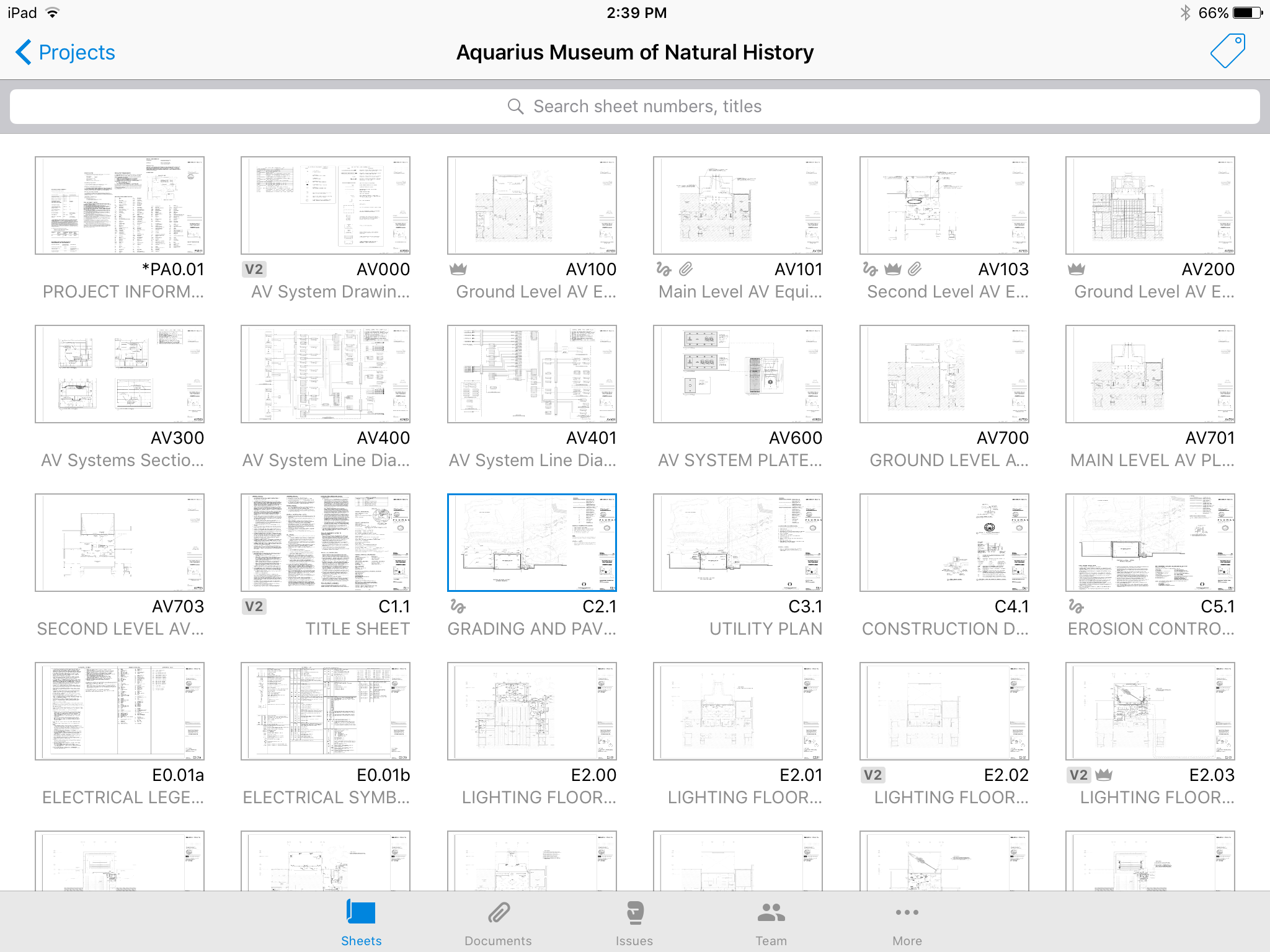
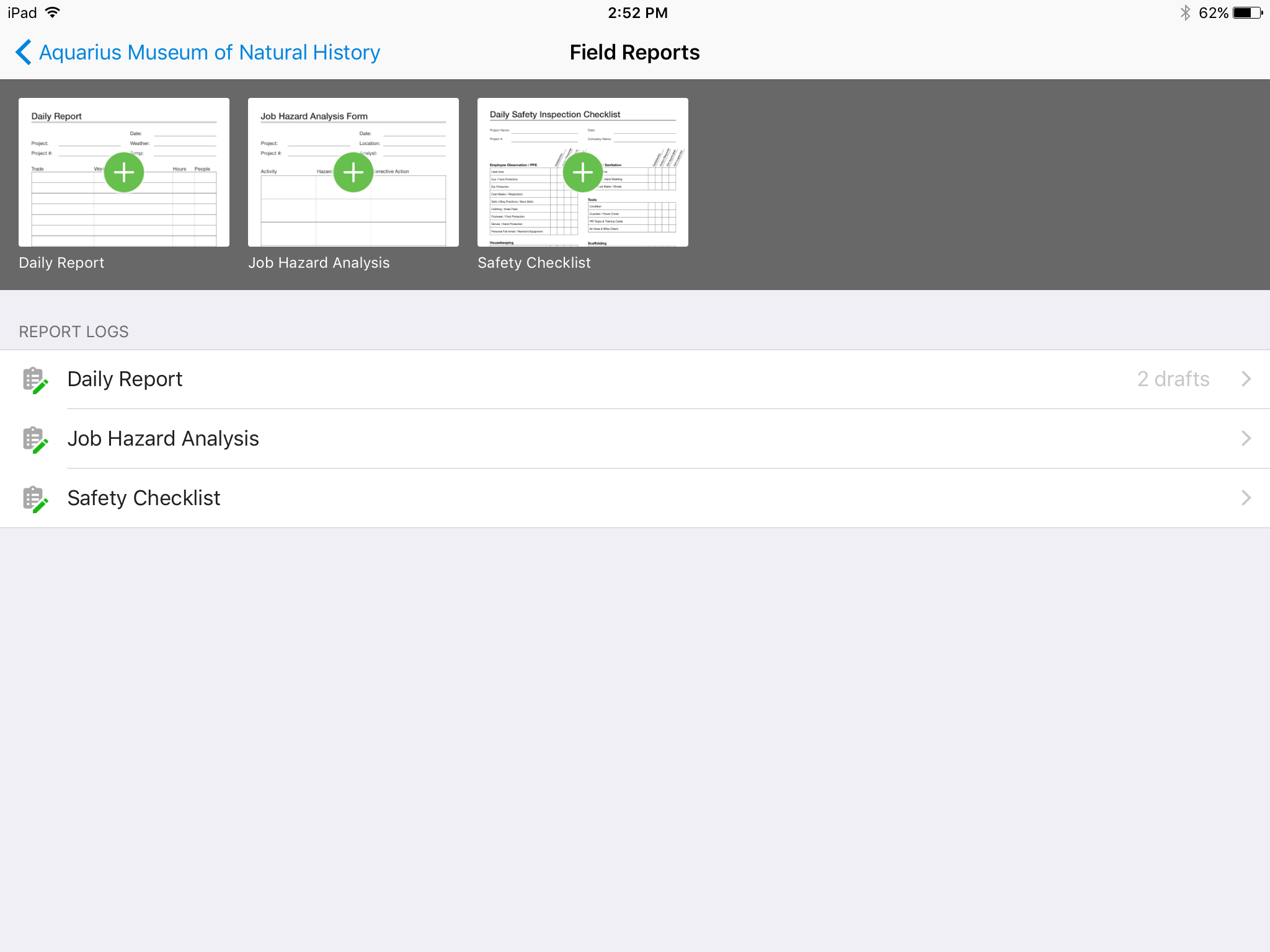
Screenshot of No confusing folders - all your plans at your fingertips.Screenshot of Easy overlay to visually detect changes or clashes.Screenshot of Track issues directly on the plan, including descriptions, photos, cost, and schedule impacts.Screenshot of Mark up plans for instant communication between field and office.Screenshot of Attach any kind of construction documents to your plans, including 360 photos.Screenshot of Track, review, and submit all your field reports on a mobile device.

CMiC Construction Platform Screenshots

Screenshot of CMiC FIELDScreenshot of CMiC AnalyticsScreenshot of CMiC Drawing ManagementScreenshot of CMiC FIELD