Box is an online Intelligent Content Management solution that caters to individual users as well as businesses.
$20
per month 3 users (minimum)
Lifesize Video Conferencing
Score9 out of 10
N/A
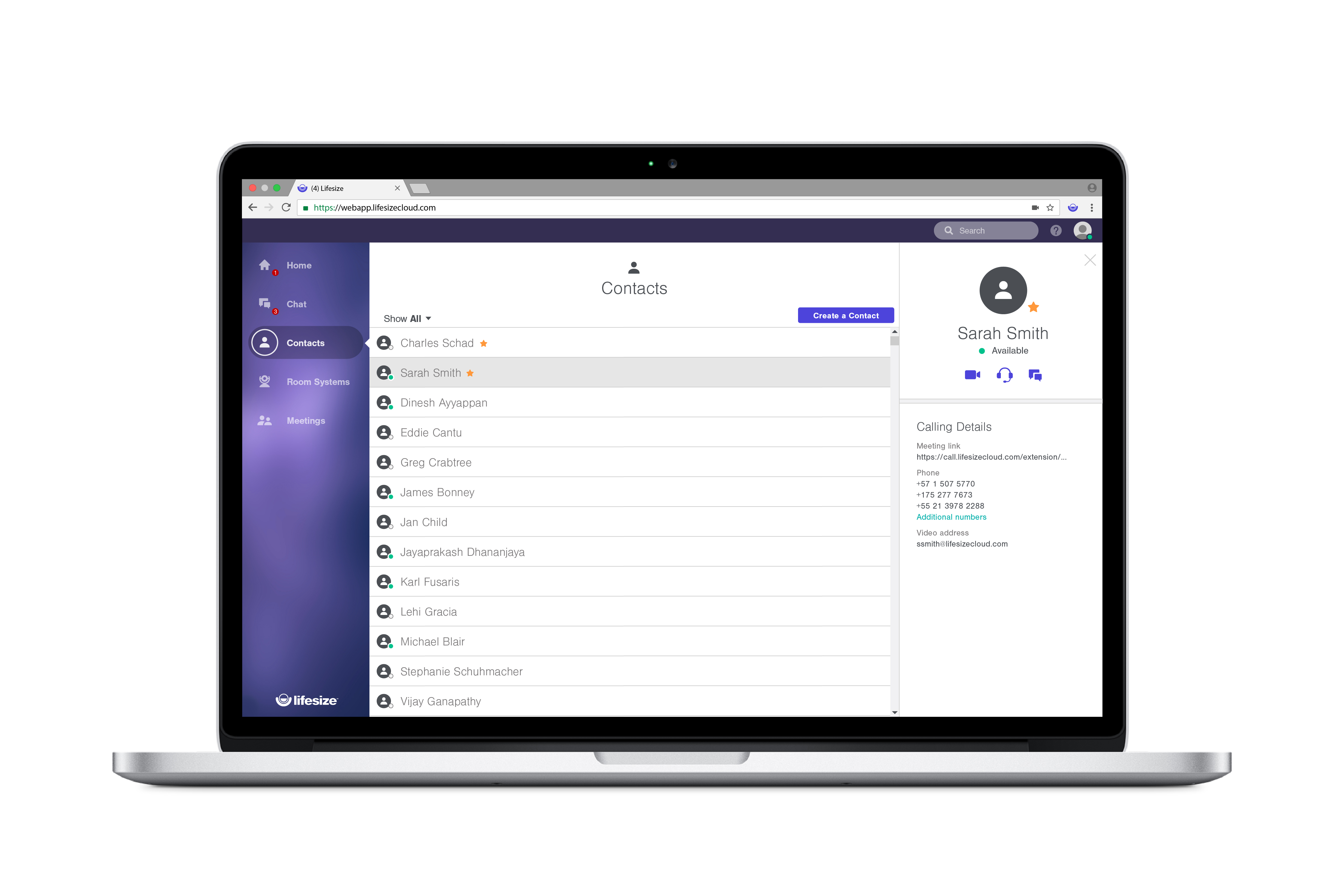
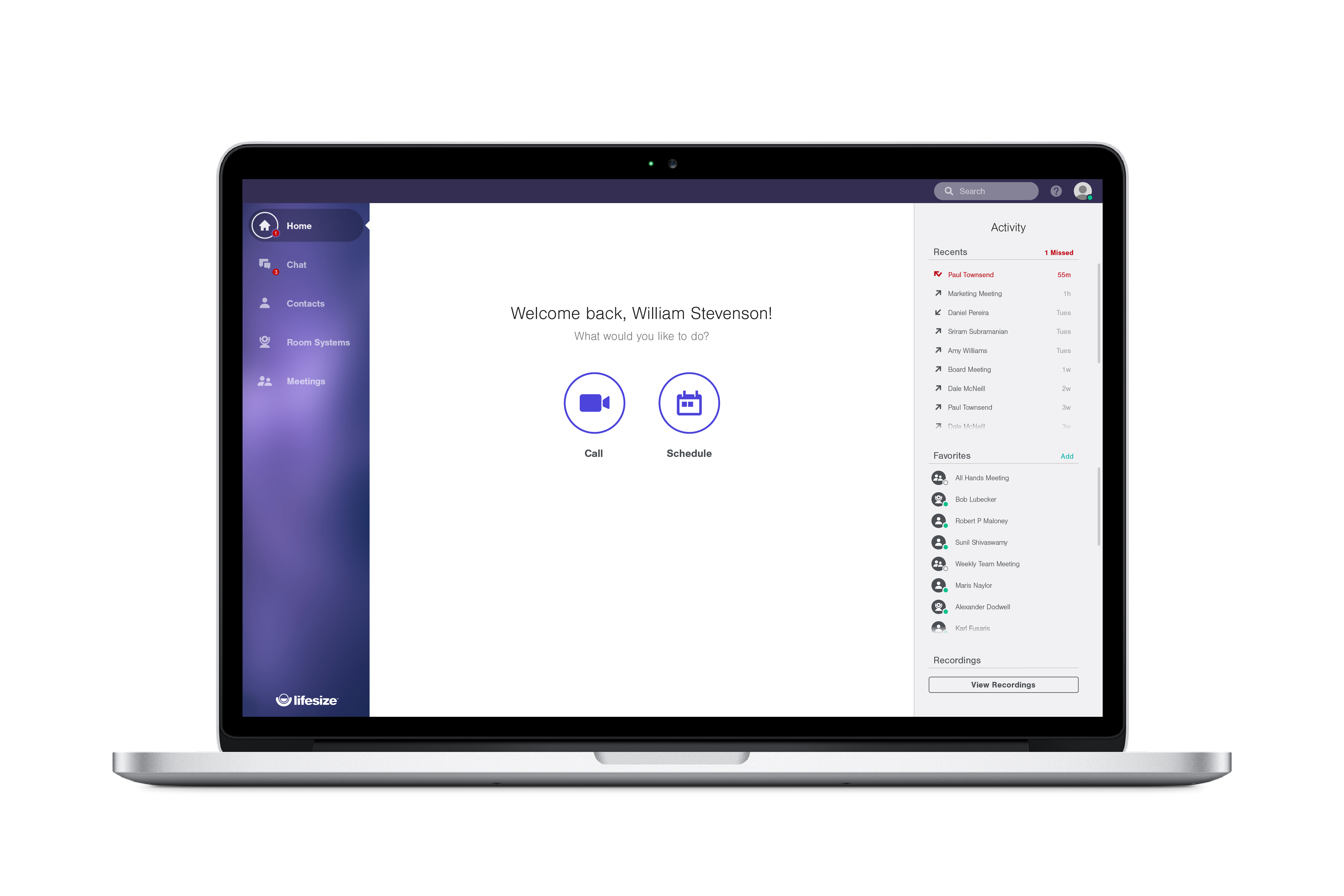
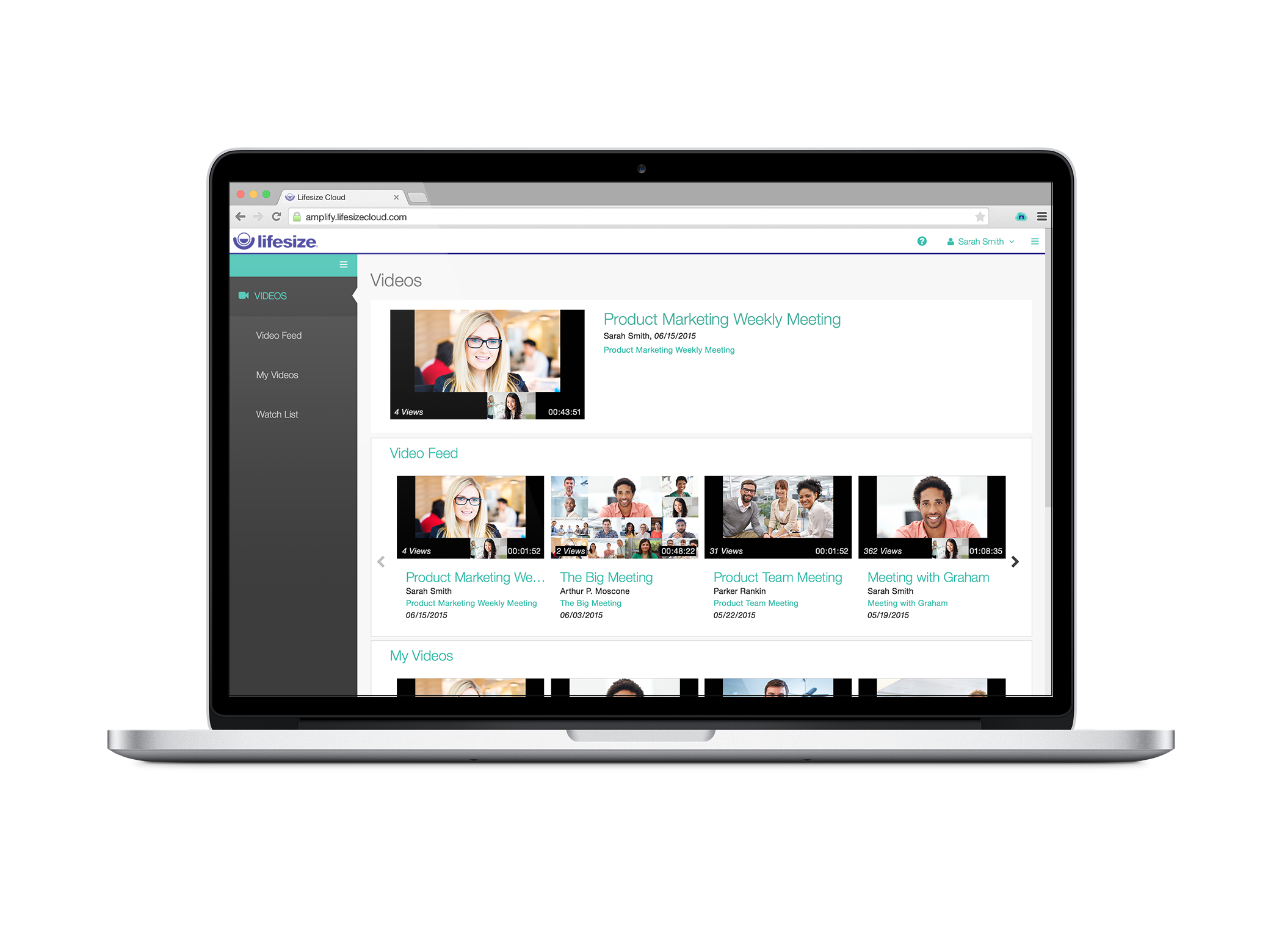
Lifesize is a web conferencing platform focused on making video conferencing systems and video conferencing apps work well together, while still being easy-to-use. Their platform incorporates web conferencing software with meeting room devices and wireless screen sharing.
$12.95
Call for pricing
Microsoft Teams
Score8.3 out of 10
N/A
Microsoft Teams combines video conferencing software with team collaboration tools. The communications platform allows MS Office users to conduct conference calls and share files via SharePoint, and join or initiate a group chat.
$4.80
per month per user
Pricing
Box
Lifesize Video Conferencing
Microsoft Teams
Editions & Modules
Business Starter
$7
per month per user (3 minimum)
Business
$20
per month per user (3 minimum)
Business Plus
$33
per month per user (3 minimum)
Enterprise
$47
per month per user (3 minimum)
Enterprise Plus
$50
per month (billed annually) per user (3 minimum)
Enterprise Advanced
Contact us
per month per user (35 minimum)
Enterprise
$12.95 per user/month
Call for pricing
Plus
$14.95 per user/month
Call for pricing
Standard
$16.95 per user/month
Call for pricing
Microsoft Teams Essentials
$4.80
per month per user
Microsoft Teams Enterprise
$5.25
per month (paid yearly) per user
Microsoft Teams Enterprise
$5.25
per month per user
Microsoft 365 Business Basic
$7.20
per month per user
Microsoft 365 Business Standard
$15
per month per user
Offerings
Pricing Offerings
Box
Lifesize Video Conferencing
Microsoft Teams
Free Trial
Yes
Yes
Yes
Free/Freemium Version
Yes
Yes
Yes
Premium Consulting/Integration Services
Yes
No
No
Entry-level Setup Fee
Optional
No setup fee
No setup fee
Additional Details
A discount is available for annual pricing.
With every plan, you get the collaboration features you use everyday, at no additional cost:
• Unlimited video conferences
• Downloadable desktop and mobile apps
• Secure encryption set by default
• Unlimited meeting duration
• Free, browser-based web app
• Two-way and group chat with popular chat integrations
• Centralized, name-based directory
• Online reporting and account management
• Email and calendar scheduling
Discounts are available for non profit organizations.
A de minimis incentive was given to thank the reviewer for their time. The incentive was not used to bias or drive a particular response, nor was the incentive contingent on a positive endorsement. More Info
Verified User
Chose Box
Simply put, having unlimited file storage is a clear differentiator. Furthermore, the number of integrations offered by Box is simply unmatched. If you are looking for pure document and file sharing, I don't think there is a better product on the market. The benefits from …
A de minimis incentive was given to thank the reviewer for their time. The incentive was not used to bias or drive a particular response, nor was the incentive contingent on a positive endorsement. More Info
Verified User
Chose Box
Our university previously used a private VPN, and we've used Google Drive as well before. At a previous university, I had experience with Dropbox. While I was unhappy about the switch to Box at first (change is always hard), Box seems superior in ease of use and collaboration …
A de minimis incentive was given to thank the reviewer for their time. The incentive was not used to bias or drive a particular response, nor was the incentive contingent on a positive endorsement. TR verified that a representative sample of customers was invited. More Info
Verified User
Chose Box
Box is infinitely more reliable and easy to use, without the sometimes days-at-a-time delay when the site was down, nor the data loss we experienced when our content was housed in SharePoint. Our day to day workflow has been hugely positively impacted by the switch to Box.
A de minimis incentive was given to thank the reviewer for their time. The incentive was not used to bias or drive a particular response, nor was the incentive contingent on a positive endorsement. More Info
Graduate Research Assistant in Research & Development at Utah State University (Higher Education, 5001-10,000 employees)
Chose Box
I prefer Box over Dropbox. I found the online interface more intuitive and user-friendly. In addition, Box is integrated with more software than Dropbox, and it is also easier to share files of any size using Box. Finally, Box comes with slightly more enhanced security features …
A de minimis incentive was given to thank the reviewer for their time. The incentive was not used to bias or drive a particular response, nor was the incentive contingent on a positive endorsement. More Info
Verified User
Chose Box
Box is agnostic, so it makes it a little easier to sell to MAC and Windows users alike. We also enjoy the 1TB of space per user available in Enterprise. Box seems to have pinned down all the options that are important to corporate/enterprise customers as opposed to One Drive, …
A de minimis incentive was given to thank the reviewer for their time. The incentive was not used to bias or drive a particular response, nor was the incentive contingent on a positive endorsement. More Info
Verified User
Chose Box
My organization selected Box because it's a product that many organizations use, so it was easy to get users up to speed and collaborating together. The interface is very user friendly and intuitive. This has saved us time and effort in allowing users to become proficient in …
A de minimis incentive was given to thank the reviewer for their time. The incentive was not used to bias or drive a particular response, nor was the incentive contingent on a positive endorsement. More Info
Verified User
Chose Box
OneDrive is also being used in tandem since our licensure is through Microsoft. While one is not trying to replace the other, we just utilize both for redundancy and integration purposes. They can have files moved between the two manually by the end users to ensure they're …
A de minimis incentive was given to thank the reviewer for their time. The incentive was not used to bias or drive a particular response, nor was the incentive contingent on a positive endorsement. More Info
System Support in Information Technology at Merrick Natural Petworks (Food Production, 501-1000 employees)
Chose Lifesize Video Conferencing
Microsoft Teams can be integrated with a myriad Logitech or Jabra devices, many of the same or better quality than Lifesize. The cost for these devices is also significantly less.
A de minimis incentive was given to thank the reviewer for their time. The incentive was not used to bias or drive a particular response, nor was the incentive contingent on a positive endorsement. TR verified that a representative sample of customers was invited. More Info
Verified User
Chose Lifesize Video Conferencing
While it is not the most resourceful, it meets our needs and comes at a cost that our business can afford. Why pay more? That's why we have Lifesize Video Conferencing.
A de minimis incentive was given to thank the reviewer for their time. The incentive was not used to bias or drive a particular response, nor was the incentive contingent on a positive endorsement. More Info
Verified User
Chose Lifesize Video Conferencing
Lifesize Video Conferencing is providing all major features at a reasonable cost as compared to other competitors. The audio and video qualities on offer are also comparable and sometimes superior w. r. t. other players in market. There are no issues in hardware/software …
A de minimis incentive was given to thank the reviewer for their time. The incentive was not used to bias or drive a particular response, nor was the incentive contingent on a positive endorsement. More Info
A de minimis incentive was given to thank the reviewer for their time. The incentive was not used to bias or drive a particular response, nor was the incentive contingent on a positive endorsement. More Info
Verified User
Chose Lifesize Video Conferencing
Cisco Webex required us to have webcams on all users, whereas Lifesize can utilize a single device (camera) that multiple employees can use at once. I also think that the video quality on the Lifesize camera is exceptional. The meeting software is relatively easy to use and is …
A de minimis incentive was given to thank the reviewer for their time. The incentive was not used to bias or drive a particular response, nor was the incentive contingent on a positive endorsement. More Info
Verified User
Chose Lifesize Video Conferencing
For the TOC, I would say Lifsize has been good. We do use a combination of Lifesize and Polycom endpoints. Polycom does have more capabilities but at a higher cost.
A de minimis incentive was given to thank the reviewer for their time. The incentive was not used to bias or drive a particular response, nor was the incentive contingent on a positive endorsement. More Info
Verified User
Chose Lifesize Video Conferencing
As per my knowledge, Lifesize Video Conferencing is the only OEM that provides hardware, video conferencing software, integration of both hardware & software as a one-stop-shop for a variety of hardware devices, & a number of software plans. [We are interested in] 4 k; lifesize …
A de minimis incentive was given to thank the reviewer for their time. The incentive was not used to bias or drive a particular response, nor was the incentive contingent on a positive endorsement. More Info
Verified User
Chose Lifesize Video Conferencing
We only implemented the Lifesize video conferencing system because a bullheaded C level executive demanded it. I recommended against it throughout the entire process, as it is a poor implementation of all the technology it uses.
A de minimis incentive was given to thank the reviewer for their time. The incentive was not used to bias or drive a particular response, nor was the incentive contingent on a positive endorsement. TR verified that a representative sample of customers was invited. More Info
A de minimis incentive was given to thank the reviewer for their time. The incentive was not used to bias or drive a particular response, nor was the incentive contingent on a positive endorsement. More Info
Material Planner in Sales at Cranswick Gourmet Pastry (Food Production, 501-1000 employees)
Chose Microsoft Teams
[I believe] Microsoft [T]eams is better than both of these apps for a business like ours. [I]ts quick chat and perfect notification system helps us to chat fluid without any problems. It performs better than the chat systems on Zoom, and therefore this is the reason we stayed …
A de minimis incentive was given to thank the reviewer for their time. The incentive was not used to bias or drive a particular response, nor was the incentive contingent on a positive endorsement. More Info
Marketing Content Manager in Marketing at Impartner Software (Computer Software, 51-200 employees)
Chose Microsoft Teams
We moved most of our tech to Microsoft, which is why we made the switch from Slack to Microsoft Teams. The interface is pretty similar and we are able to complete all our tasks within this program. No downfalls - I would like to see a basic user video or demo of some sort to …
A de minimis incentive was given to thank the reviewer for their time. The incentive was not used to bias or drive a particular response, nor was the incentive contingent on a positive endorsement. More Info
Verified User
Chose Microsoft Teams
We used a very old version of Lifesize. Microsoft Teams is more modern, so this is not really a fair comparison. Teams does the same and so much more! Again, being part of the Office 365 E3 offering meant we had it available anyway.
A de minimis incentive was given to thank the reviewer for their time. The incentive was not used to bias or drive a particular response, nor was the incentive contingent on a positive endorsement. More Info
I think Box is great for research teams or anyone that has a large number of files that need to be securely stored. Particularly in the case of social science research, where it is important to protect identifying data, Box is a great option. In cases where teams need a more reliable means for real-time collaboration, I would probably consider a different alternative
Lifesize Video Conferencing is a real-time meeting and video conferencing solution that works simply and immediately with features that fit our needs. I recommend it because it is professional, easy to configure, with maximum security, and where collaboration and teamwork are essential. possible, increasing workflow and productivity, to increase communication and efficiency in projects, it offers positive results and a pleasant experience for all.
It's amazing as a daily driver for team communication, and document search/store. Also, if you're doing a lot of LONG meetings and have trouble remembering details, the AI summarization is amazing and convenient. It just works. I'm not saying I always do this, of course, but if I need to 'skim' instead of really digging into every detail from a meeting, the AI-generated summary is generally good enough that I can get away with it.
The main feature that I like the most in Box is that it makes collaboration seamless, workers can easily check the documents any time and make changes according to the needs.
Box manages and backs up all of your files on its cloud servers, and provides a very nice interface for creating, viewing, editing, and collaborating on the most commonly used file types (PDF, XLS, DOC, etc.).
Over the past few years, Box has built on top of its basic cloud storage management with a host of other tools, such as workflows, AI, monitoring, and analytics.
It is helping us to make good connections with clients and our workers themselves as to its syncing and viewing feature to all is very much helpful and easy to go.
A de minimis incentive was given to thank the reviewer for their time. The incentive was not used to bias or drive a particular response, nor was the incentive contingent on a positive endorsement. More Info
A de minimis incentive was given to thank the reviewer for their time. The incentive was not used to bias or drive a particular response, nor was the incentive contingent on a positive endorsement. More Info
A de minimis incentive was given to thank the reviewer for their time. The incentive was not used to bias or drive a particular response, nor was the incentive contingent on a positive endorsement. More Info
A de minimis incentive was given to thank the reviewer for their time. The incentive was not used to bias or drive a particular response, nor was the incentive contingent on a positive endorsement. TR verified that a representative sample of customers was invited. More Info
A de minimis incentive was given to thank the reviewer for their time. The incentive was not used to bias or drive a particular response, nor was the incentive contingent on a positive endorsement. More Info
The webinars feature has some missing functionally such as the ability for all users to use the Q&A feature (only those with a Microsoft Teams account can use it now), the ability to upload documents for attendees to easily access and download, and the ability for presenters and organizers to easily chat amongst themselves throughout the webinar.
The "Channels" organization hierarchy could be more clear. If you have several channels set up, it can get clunky and hard to find the specific channel you are looking for.
The MS Planner tool lacks functionality and organization. You cannot assign more than one person to a task and it's confusing when you try to share tasks with people - it would be nice if they were automatically added to someone's calendar.
A de minimis incentive was given to thank the reviewer for their time. The incentive was not used to bias or drive a particular response, nor was the incentive contingent on a positive endorsement. More Info
I like the security features and I like the website. It's easy to use and create and move things around as needed. The main reason for a lower rating is because the Box Sync app is just not a good program. It's a memory hog, it's slow, transfer speeds are slow, and it's not the most efficient route. If you have a large Box account and you need to get a computer up to speed on a large amount of data within Box, you are in for the long haul. Last time I had to do this, it took 3 days to sync all of the files and we are talking around 100 GB worth of data
Other than the HIPAA compliance, we have no compelling reason to retain LifeSize when we can already pay for similar services included with our UCaaS service. Our UCaaS vendor, Fuze, includes video conferencing with the VoIP services via single, integrated client software package. Additional limitations include minimal implementation assistance, training service, training materials and assistance driving internal adoption. Issues with slow speed for desktop sharing and audio quality make the technical aspects of Lifesize inferior to competitors.
A de minimis incentive was given to thank the reviewer for their time. The incentive was not used to bias or drive a particular response, nor was the incentive contingent on a positive endorsement. More Info
Microsoft Teams is included with our Office 365 subscription and we have no intention of migrating off of Office 365 and Microsoft products. Since Microsoft Teams is included for free with our Office 365 subscription, and since we enjoy all the features, benefits, and functionality, there is no question that our team will continue to use the product
A de minimis incentive was given to thank the reviewer for their time. The incentive was not used to bias or drive a particular response, nor was the incentive contingent on a positive endorsement. More Info
Everything with Box is seamless. It can be integrated into virtually any other software or application. You can even get the app for your phone or tablet to work on the go. File syncing is so quick. The only reason I gave it a 9 is the issue I discussed earlier about the local file application rebooting and not continuing to sync files. Other than that, it's great!
A de minimis incentive was given to thank the reviewer for their time. The incentive was not used to bias or drive a particular response, nor was the incentive contingent on a positive endorsement. More Info
Overall experience with Lifesize Video Conferencing has been great. While it serves it's basic purpose of allowing smooth video/audio meetings of people located at different places with option of screen sharing/chatting/ recording, what add to it's pros are it's accessibility from various platforms, flexibility to switch to a listen only mode in case of network issues and ease of operation.
A de minimis incentive was given to thank the reviewer for their time. The incentive was not used to bias or drive a particular response, nor was the incentive contingent on a positive endorsement. More Info
If you have the full Microsoft Office suite, it works really well because it's integrated well within its ecosystem, but if not, it can be annoying because it tries to open a shared file in the web versions of the file equivalents. The web version is also a bit slow, and the login is very difficult to handle if you have multiple Microsoft or Outlook accounts.
A de minimis incentive was given to thank the reviewer for their time. The incentive was not used to bias or drive a particular response, nor was the incentive contingent on a positive endorsement. More Info
Yeah, it's always worked, I've never had any kind of connection issues, the only issues I've had it I've been on our end when the Internet hasn't worked.
A de minimis incentive was given to thank the reviewer for their time. The incentive was not used to bias or drive a particular response, nor was the incentive contingent on a positive endorsement. More Info
Since we are an educational institution we not only have scheduled classes which must be available, but we have staff members in a variety of areas ranging from recruiting and admissions to advancement and the President's office who need to connect with students, alumni and other interest groups, often at odd hours. I have not, since using Lifesize had anyone complain of not being able to connect
A de minimis incentive was given to thank the reviewer for their time. The incentive was not used to bias or drive a particular response, nor was the incentive contingent on a positive endorsement. More Info
A de minimis incentive was given to thank the reviewer for their time. The incentive was not used to bias or drive a particular response, nor was the incentive contingent on a positive endorsement. More Info
The general operation and management of Box is very efficient, both when accessing the account, and when adding files, downloading or modifying any document directly. The web platform, mobile and desktop versions work really well and quickly, making all the work and process flow smoothly and without setbacks. So far I have not been able to observe any inconvenience
A de minimis incentive was given to thank the reviewer for their time. The incentive was not used to bias or drive a particular response, nor was the incentive contingent on a positive endorsement. More Info
Lifesize is an amazing platform for VC. However, it is a costly solution for any scaling startup. However, implementation and user acceptability was fairly easy and worth the additional spend. Quality has always been on point and support has always taken care of us. Our account manager also ensured a seamless transition process for Google Hangouts. Will go with this solution again at any other organization.
A de minimis incentive was given to thank the reviewer for their time. The incentive was not used to bias or drive a particular response, nor was the incentive contingent on a positive endorsement. More Info
A de minimis incentive was given to thank the reviewer for their time. The incentive was not used to bias or drive a particular response, nor was the incentive contingent on a positive endorsement. More Info
I found their support community lacking in clarity when I experienced a login issue. The error messaging was poor on my Box Sync application. I did not reach out to support staff for help, instead, I reasoned that I should try downloading the Box Sync application again and reinstall it. That fixed my issue, thankfully. I think a less computer-savvy user would've been much more frustrated.
A de minimis incentive was given to thank the reviewer for their time. The incentive was not used to bias or drive a particular response, nor was the incentive contingent on a positive endorsement. More Info
Support has been decent throughout our use of Lifesize Video Conferencing. There were times we needed to make changes, customizations and additions to the application which took a little longer than expected. Overall the support team for Lifesize was very responsive to our requests. When we experienced issues with the application they were resolved to our expectations.
A de minimis incentive was given to thank the reviewer for their time. The incentive was not used to bias or drive a particular response, nor was the incentive contingent on a positive endorsement. More Info
The overall support provided by Microsoft for Microsoft Teams has been quite good but there is still some room for improvements. Microsoft needs to proactively work on fixing the open bugs in order to provide a seamless experience to the users. But over the service and experience provided by the Microsoft team have been quite satisfactory.
A de minimis incentive was given to thank the reviewer for their time. The incentive was not used to bias or drive a particular response, nor was the incentive contingent on a positive endorsement. More Info
A de minimis incentive was given to thank the reviewer for their time. The incentive was not used to bias or drive a particular response, nor was the incentive contingent on a positive endorsement. More Info
Sensus was really helpful in the initial setup and training of our technical Support Team. Sensus gave us training on site so that it would be our own equipment that was set up. Then the in house tech team took over to train other users who would be using the system. When needed the Sensus and Lifesize tech support were really helpful in trouble shooting or guiding us through any difficulty.
A de minimis incentive was given to thank the reviewer for their time. The incentive was not used to bias or drive a particular response, nor was the incentive contingent on a positive endorsement. More Info
The documentation is good. Since Box is a popular service, there were also a number of YouTube videos and other sources that were helpful as we were considering the product and planning for deployment. Also, the ability to try the free version helped to prepare us.
I gave this rating because Lifesize's website offers multiple quality videos that shows you exactly how the software works. The videos are divided into different categories which makes searching for a video fairly simple! If for some reason you have a question not answered in one of the how-tos you can always contact support. Excellent product, excellent service!
A de minimis incentive was given to thank the reviewer for their time. The incentive was not used to bias or drive a particular response, nor was the incentive contingent on a positive endorsement. More Info
Be careful with settings. It is easy to get overwhelmed with updates. For example, you don’t want to be updated when doing historical data uploads. I recommend taking off notifications initially and then turn on post you have done your historical data upload.
Great for companies that need to accomplish multiple things at once while at different places. From our experience, broadcasting news is most favorable considering the level of excellence you get with the product plus the affordability. It can be used both privately amongst employees, or shared publicly through covering events
A de minimis incentive was given to thank the reviewer for their time. The incentive was not used to bias or drive a particular response, nor was the incentive contingent on a positive endorsement. TR verified that a representative sample of customers was invited. More Info
A de minimis incentive was given to thank the reviewer for their time. The incentive was not used to bias or drive a particular response, nor was the incentive contingent on a positive endorsement. TR verified that a representative sample of customers was invited. More Info
They are kind of the same. And both of them do their job as promised. But for company and project wise I think that Box slightly wins for some points. Which [makes him] win over Google Drive (don't forget that Google Drive is very easy to use and has a lot [of] nice features too).
When compared to Zoom, one of the massive benefits that Lifesize brings is total peace of mind with security. Call encryption is part of the core in Lifesize and not an optional feature as in Zoom. I don't know about you, but every conversation can contain private and confidential information, so protecting me, my team, and my customers is totally covered with Lifesize! When compared with other providers, the quality of the video and lip sync on Lifesize is simply flawless. With the ability to deliver a call at 4k ultra high definition at 60 frames per second, the platform is simply awesome! Zoom is only 720p and the data share is only 5 frames per second. Zoom is simply substandard when compared to Lifesize. We often speak with clients who are using Teams or Skype for Business, but when you compare the video and audio quality with that achieved by Lifesize, they simply do not match up. If you want excellent quality video and ultra-sharp audio, then Lifesize is the only way to go!
Microsoft Teams offers a much more integrated experience between their chat and video call function compared to Google Chat and Slack. Both other tools are much better for internal communications are they have simpler UI without other features. Whereas Microsoft Teams can be used for more critical conversations, particularly between external companies, and has been very useful in sales conversations which is what we chose it for when speaking to companies that work exclusively through Microsoft.
A de minimis incentive was given to thank the reviewer for their time. The incentive was not used to bias or drive a particular response, nor was the incentive contingent on a positive endorsement. More Info
Honestly, this tool is worth every penny. Yes, it's not free and you pay for the quality of services and the license. But the ROI and the benefits are all there. Also, the renewal, negotiation, and contract terms are all very well explained by our Microsoft account manager, and she's a charm.
A de minimis incentive was given to thank the reviewer for their time. The incentive was not used to bias or drive a particular response, nor was the incentive contingent on a positive endorsement. More Info
With LifeSize Cloud, it's very easy to simply add another Icon to your system and join it to your cloud. You can easily and instantly create meetings and add users both in your organization and out without any difficulty. The cooperation between the Icons and cloud users running on their laptops makes it easy to scale this out to your entire company, including joint venture without difficulty.
A de minimis incentive was given to thank the reviewer for their time. The incentive was not used to bias or drive a particular response, nor was the incentive contingent on a positive endorsement. More Info
A de minimis incentive was given to thank the reviewer for their time. The incentive was not used to bias or drive a particular response, nor was the incentive contingent on a positive endorsement. More Info
I used Skype for Business to take calls, hold conferences, and provide remote assistance to users. Microsoft Teams, on the other hand, is superior to Skype for Business in my opinion. My job entails a lot of screen sharing.
Box has been an only positive experience. It provides a seamless way for me and my team to collaborate on documents in such a way where we're not sending the document back/forth via email. It's a huge timesaver.
Box reduces the risk of sharing a sensitive document to the wrong person via email.
Box has provided a platform where my team can share notes in meetings - this has helped streamline and organize our meetings. Our meetings are more productive and actionable.
A de minimis incentive was given to thank the reviewer for their time. The incentive was not used to bias or drive a particular response, nor was the incentive contingent on a positive endorsement. TR verified that a representative sample of customers was invited. More Info
Training users on how to use the software is quick and easy.
Calling abroad saves a good chunk of money for both the end user and company.
Does save on travel as remote users are able to have a similar experience as the people attending the meetings and no need to travel to the other locations for meetings.
A de minimis incentive was given to thank the reviewer for their time. The incentive was not used to bias or drive a particular response, nor was the incentive contingent on a positive endorsement. TR verified that a representative sample of customers was invited. More Info
Personally, I would say that by using Microsoft Teams, it upped my collaboration with my colleagues by around 50% or around more than half of what I usually did prior to using it.
I had 100% show rate and attendance on all of my meetings in the past 6 months.
If I may add, I also have been chattier & collaborative towards my colleagues in past 3 months particularly the month of December when we had huge traffic at work. I would estimate this behavior to have been increased by around 60% than what I usually incur during normal operating days.
A de minimis incentive was given to thank the reviewer for their time. The incentive was not used to bias or drive a particular response, nor was the incentive contingent on a positive endorsement. More Info