
Allison Kallo
Instructional Designer
Chose Class for Web
Blackboard Collaborate meets the needs of a conferencing tool. It is especially great used in sync with other Blackboard products.

| Product | Rating | Most Used By | Product Summary | Starting Price |
|---|---|---|---|---|
 Class for Web | N/A | Class for Web, formerly Blackboard Collaborate, is an online, collaborative learning platform for the education industry and corporate learning needs. It includes features such as screen and application sharing, and web conferencing. | $300 per year | |
 GoTo Meeting | N/A | From GoTo (formerly LogMeIn), GoToMeeting is an online meeting, desktop sharing, and video conferencing software that enables users to connect via the internet. It hosts a suite of online meeting tools, including real-time screen sharing and integrated audio. | $12 per month | |
 GoTo Webinar | N/A | GoToWebinar is GoTo’s webinar and online conferencing solution, and offers features like audience polling and Q&A, flexible scheduling experiences, and webinar templates. It offers CRM integrations and reporting & analytics tools to help engage clients’ audiences. | $49 per month per organizer |
| Class for Web | GoTo Meeting | GoTo Webinar | ||||||||||||||||||||||
|---|---|---|---|---|---|---|---|---|---|---|---|---|---|---|---|---|---|---|---|---|---|---|---|---|
| Editions & Modules |
|
|
| |||||||||||||||||||||
| Offerings |
| |||||||||||||||||||||||
| Entry-level Setup Fee | No setup fee | No setup fee | No setup fee | |||||||||||||||||||||
| Additional Details | — | Pricing available by monthly or annual subscription, with discounts for annual commitments. | — | |||||||||||||||||||||
| More Pricing Information | ||||||||||||||||||||||||
| Class for Web | GoTo Meeting | GoTo Webinar | |
|---|---|---|---|
| Considered Multiple Products |  Class for Web Allison Kallo Instructional Designer Chose Class for Web Blackboard Collaborate meets the needs of a conferencing tool. It is especially great used in sync with other Blackboard products. |  GoTo Meeting  Ashley Love System Administrator Chose GoTo Meeting GoTo Meetings has no time limit for sessions with more than x attendees. GoTo Meetings provides an easy way to allow attendees to share their screens. GoTo Meeting does not require membership/license/registration attendees; they are not required to download the desktop …  Jessica Davis Game Programmer Chose GoTo Meeting When exploring virtual meeting solutions, we evaluated alternatives such as Zoom and Microsoft Teams. GoTo Meeting stood out for its user-friendly interface, robust features, and a reputation for reliability, making it the preferred choice for our organization's diverse virtual …  Garrett Schmitt CEO & Managing Editor Chose GoTo Meeting Similar functionality. GoTo Meeting has better Outlook integration, but a lower quality picture, bandwidth, and recording capabilities.  Shannon Davis Web Content Specialist Chose GoTo Meeting GoToMeeting is a solid basic option for remote meetings/teleconferencing. Although my team uses Zoom now, we had great experiences with GoToMeeting. I rarely if ever experienced poor video or audio quality, and I never heard my logistics team complain about GoToMeeting's …  Nate Casimiro Marketing Operations Manager Chose GoTo Meeting GoToMeeting is about as easy to use as Zoom and BlueJeans. It is comparable to Amazon Chime, but less integrated than Google Hangouts/Chat. Almost all these solutions include file sharing, screen sharing, chat, and polling. The most helpful features are dial-in numbers and …  YagneshKumar Patel Software Engineer Chose GoTo Meeting GoToMeeting out competes all, simply because GoToMeeting UI is so simple to use there is no need for additional manuals or tutorials to read on how to use it. The benefits and features are very helpful to us, and also getting on a session instantly is very quick without any …  Erik Ziemer IT & Networking Associate Chose GoTo Meeting Cost is more when you use GoToMeeting compared to ScreenConnect but with that you do gain easier setup and a few more features. The integration of both are very easy to use and the customization of both are equivalent as well.  Chris Ude Sales Director Chose GoTo Meeting All have nice features, and no single one seems to have everything, but I like GoToMeeting best because it is an industry standard that most people are familiar with and it works consistently even when some people connect by phone and others by VoIP.  Zack Parnell Vice President & Chief Operating Officer Chose GoTo Meeting ITI has considered join.me as an alternative to GTM. Join.me did not have the full functionality like GTM and we could not record and download meetings for future reference. The one benefit of join.me was that it did not require attendees to download any software on their end …  Jodi Sassana Program Manager, MetroChicago HIE Chose GoTo Meeting I used WebEx at my last job. GoToMeeting seems to have a friendlier interface and is easier to log in, record presentations, as well as tracking attendees froma moderator perspective. I like that GoToMeeting will automatically create an Outlook invitation to forward onto … | GoTo Webinar  Ryan Barrett Solutions Consultant Chose GoTo Webinar It stacks up very well for what it is designed for. I found no alternative that I could do as good of job at registration, conferencing, and capturing responses in one platform. I prefer the join.me interface and desktop UI to gotomeeting, but they do not have a competing tool …  Adria Moskowitz Office Coordinator Chose GoTo Webinar We needed more participant seats. Plus you can either buy a GoTo Meeting, or buy a GoTo Webinar and get a free GoTo Meeting with it. It is more cost effective that way.  Alice Zinesi Freelance Chose GoTo Webinar The tool was one of the first and most used tools before pandemic struck and many other IT companies converted and/or launched their live stream8ng softwares for education management. The system is reliable, accessible through different devices and optimal for managing large …  Nicola Daniels Marketing & Course Creation Assistant Chose GoTo Webinar We preferred the GoToWebinar interface over WizIQ. GoToWebinar controls are simple and intuitive. Our teaching staff are scattered around the globe, so we have to have a platform that is super easy to use. We don't have resources for a lot of face-to-face training. We haven't …  Matt Stephens-Rich Projects Manager Chose GoTo Webinar  Dino Nedelko Professional network marketer Chose GoTo Webinar I selected gotowebinar as it was offering trial mode and I liked it. But I still think with number of participants that gotowebinar is allowing comparing to others they will need to think about lowering price and extending their capacities. |
| Class for Web | GoTo Meeting | GoTo Webinar | |||||||||||||||||||||||||||
|---|---|---|---|---|---|---|---|---|---|---|---|---|---|---|---|---|---|---|---|---|---|---|---|---|---|---|---|---|---|
| Performance & Compatibility of Online Events Software |
| ||||||||||||||||||||||||||||
| Screen Sharing |
| ||||||||||||||||||||||||||||
| Online Meetings / Events |
| ||||||||||||||||||||||||||||
| Online Events Collaboration |
| ||||||||||||||||||||||||||||
| Online Events Security |
| ||||||||||||||||||||||||||||
| Reporting & Analytics |
| ||||||||||||||||||||||||||||
| Online Events Marketing |
|
| Class for Web | GoTo Meeting | GoTo Webinar | |
|---|---|---|---|
| Small Businesses |  Zoom Workplace Score 8.4 out of 10 |  Whereby Score 9.9 out of 10 |  BigMarker Score 6.0 out of 10 |
| Medium-sized Companies |  Schoology Learning Score 8.0 out of 10 |  JioMeet Score 9.8 out of 10 |  Zoho Meeting Score 8.8 out of 10 |
| Enterprises | Schoology Learning Score 8.0 out of 10 |  Webex Meetings Score 8.6 out of 10 |  ON24 Score 7.6 out of 10 |
| All Alternatives | View all alternatives | View all alternatives | View all alternatives |
| Class for Web | GoTo Meeting | GoTo Webinar | |
|---|---|---|---|
| Likelihood to Recommend | 8.5 (31 ratings) | 8.1 (442 ratings) | 7.6 (226 ratings) |
| Likelihood to Renew | 9.0 (1 ratings) | 7.5 (51 ratings) | 9.2 (8 ratings) |
| Usability | 8.5 (8 ratings) | 5.1 (35 ratings) | 8.6 (222 ratings) |
| Availability | 8.0 (1 ratings) | 9.1 (2 ratings) | 9.0 (2 ratings) |
| Performance | 9.0 (1 ratings) | 9.1 (2 ratings) | 7.9 (2 ratings) |
| Support Rating | 8.9 (6 ratings) | 7.6 (52 ratings) | 7.3 (4 ratings) |
| Online Training | - (0 ratings) | 7.3 (3 ratings) | - (0 ratings) |
| Implementation Rating | - (0 ratings) | 8.9 (8 ratings) | 7.0 (5 ratings) |
| Configurability | - (0 ratings) | 4.5 (2 ratings) | 5.8 (2 ratings) |
| Ease of integration | - (0 ratings) | 3.0 (1 ratings) | - (0 ratings) |
| Product Scalability | 8.0 (1 ratings) | 9.0 (1 ratings) | 7.8 (2 ratings) |
| Vendor post-sale | - (0 ratings) | 4.0 (1 ratings) | 7.9 (2 ratings) |
| Vendor pre-sale | - (0 ratings) | 10.0 (1 ratings) | 7.0 (2 ratings) |
| Class for Web | GoTo Meeting | GoTo Webinar | |
|---|---|---|---|
| Likelihood to Recommend | Class Technologies, Inc
| GoTo (formerly LogMeIn)
Ashley Love System Administrator | GoTo (formerly LogMeIn)
|
| Pros | Class Technologies, Inc
 Becca Guler Learning Specialist | GoTo (formerly LogMeIn)
| GoTo (formerly LogMeIn)
|
| Cons | Class Technologies, Inc
 Carly Pietrzyk, PhD Teacher/Curricululm Consultant | GoTo (formerly LogMeIn)
| GoTo (formerly LogMeIn)
|
| Likelihood to Renew | Class Technologies, Inc
| GoTo (formerly LogMeIn)
 Asif Ali Khan Software company | GoTo (formerly LogMeIn)
 Samantha Safin Data Analyst & System Admin |
| Usability | Class Technologies, Inc
 Mariann Hawken Acting Director, Instructional Director | GoTo (formerly LogMeIn)
 Rusty Angell Field Correspondent | GoTo (formerly LogMeIn)
|
| Reliability and Availability | Class Technologies, Inc
| GoTo (formerly LogMeIn)
 Erin Easterberg Director of Billing & accounts receivable | GoTo (formerly LogMeIn)
 Ankit Lohar geology |
| Performance | Class Technologies, Inc
| GoTo (formerly LogMeIn)
Erin Easterberg Director of Billing & accounts receivable | GoTo (formerly LogMeIn)
Ankit Lohar geology |
| Support Rating | Class Technologies, Inc
| GoTo (formerly LogMeIn)
 Parker O'Very Marketing Operations | GoTo (formerly LogMeIn)
|
| Implementation Rating | Class Technologies, Inc No answers on this topic | GoTo (formerly LogMeIn)
 James Roy Office Manager | GoTo (formerly LogMeIn)
Alice Zinesi Freelance |
| Alternatives Considered | Class Technologies, Inc
 Laura Abercrombie Adjunct English Professor | GoTo (formerly LogMeIn)
| GoTo (formerly LogMeIn)
|
| Scalability | Class Technologies, Inc
| GoTo (formerly LogMeIn) No answers on this topic | GoTo (formerly LogMeIn)
Ankit Lohar geology |
| Return on Investment | Class Technologies, Inc
| GoTo (formerly LogMeIn)
 Mahedi Hassan Network Engineer | GoTo (formerly LogMeIn)
|
| ScreenShots | GoTo Meeting Screenshots     | GoTo Webinar Screenshots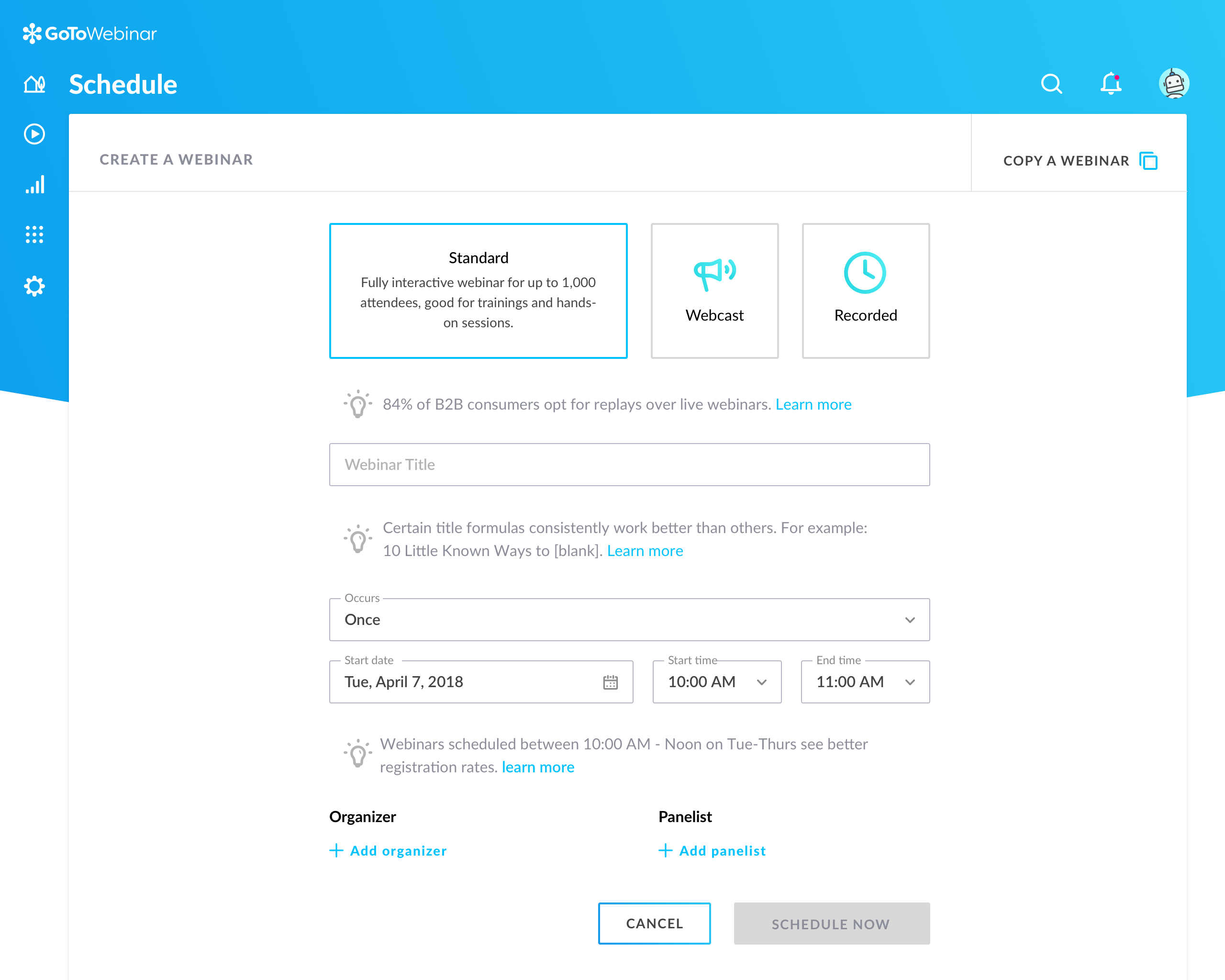  |