Evernote is a suite of software and services designed for notetaking and archiving. A "note" can be a piece of formatted text, a full webpage or webpage excerpt, a photograph, a voice memo, or a handwritten "ink" note. Notes can also have file attachments. Notes can be sorted into folders, then tagged, annotated, edited, given comments, searched and exported as part of a notebook. Evernote supports a number of operating system platforms (including OS X, iOS, Chrome OS, Android, Microsoft…
$14.99
per month
Veeam Data Cloud for Azure
Score7.9 out of 10
N/A
Veeam Data Cloud supports Azure resilience, combining SaaS-based backup with built-in immutability and automated management. Purpose-built for cloud workloads, it unifies organizations' data protection strategy into a solution that simplifies recovery, secures critical data against threats, and keeps costs clear and predictable. One platform, full coverage: Policy-automated protection that's purpose-built for Azure and unified with other apps, services and data. Resilient by…
$42
Veeam Data Cloud for Microsoft 365
Score8.7 out of 10
Mid-Size Companies (51-1,000 employees)
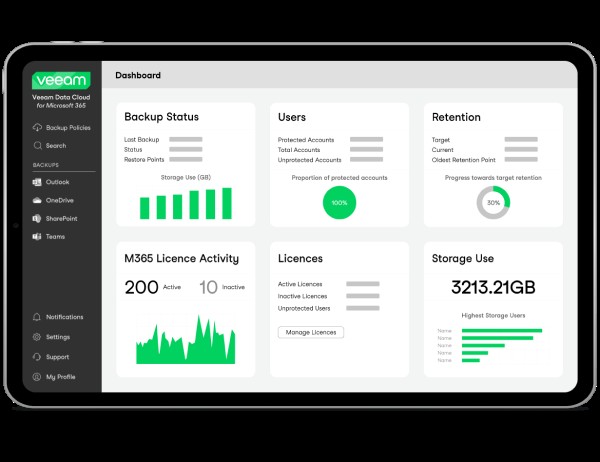
Veeam Data Cloud for Microsoft 365 is a BaaS (Backup as a Service) solution used to back up and restore Microsoft 365 data, including Microsoft Exchange, Microsoft SharePoint, Microsoft OneDrive for Business and Microsoft Teams data.
N/A
Pricing
Evernote
Veeam Data Cloud for Azure
Veeam Data Cloud for Microsoft 365
Editions & Modules
Starter
$14.99
per month
Advanced
$24.99
per month
Enterprise
Contact Sales
Veeam Data Cloud for Microsoft Azure
42 per TB
BYOL edition (Hybrid-/multi-cloud)
VUL Portable licensing
Backup and recover anything, anywhere via Veeam Universal License for any supported workload – cloud, virtual and physical – interchangeably
Computer and Information Systems Manager in Information Technology at Housing Authority of the Cherokee Nation (Government Administration, 201-500 employees)
Chose Veeam Data Cloud for Azure
We chose Veeam Backup for Azure over Rubrik and Cohesity for the flexibility of working across virtual, physical and cloud workloads with hardware dependencies. All inclusive pricing was also nice and we could avoid the sticker shock common with capacity based models. Built in …
A de minimis incentive was given to thank the reviewer for their time. The incentive was not used to bias or drive a particular response, nor was the incentive contingent on a positive endorsement. More Info
Verified User
Chose Veeam Data Cloud for Azure
Veeam Backup for Microsoft 365 is an excellent backup solution that provides fast and reliable backups. The software is easy to use and has a great interface. The backup process is quick and efficient, and the software provides excellent support. I would highly recommend Veeam …
A de minimis incentive was given to thank the reviewer for their time. The incentive was not used to bias or drive a particular response, nor was the incentive contingent on a positive endorsement. More Info
Infrastructure Analyst in Information Technology at Data interchange (Computer Software, 51-200 employees)
Chose Veeam Data Cloud for Azure
Veeam allows much more flexibility in scheduling backup jobs, It also allows you to copy backups to an on prem server or another cloud if you wanted to, it also allowed you to restore Azure VMs on premise or to another cloud.
A de minimis incentive was given to thank the reviewer for their time. The incentive was not used to bias or drive a particular response, nor was the incentive contingent on a positive endorsement. More Info
Verified User
Chose Veeam Data Cloud for Azure
Veeam Backup for Azure is very similar to all the above. its just how large a backup set you have, what backup storage systems do you have, backup network requirements, recovery point objectives, ransomware protection level you want, recoverability options, and how much you …
A de minimis incentive was given to thank the reviewer for their time. The incentive was not used to bias or drive a particular response, nor was the incentive contingent on a positive endorsement. More Info
Veeam Software
Verified User
Chose Veeam Data Cloud for Microsoft 365
Veeam Backup for Microsoft 365 is specifically focused at Microsoft 365 data. The other products are good backup products. They all have similar interfaces and functionality. It is my oppinion that the Veeam series of software is more user friendly and works very well. I have …
A de minimis incentive was given to thank the reviewer for their time. The incentive was not used to bias or drive a particular response, nor was the incentive contingent on a positive endorsement. More Info
A de minimis incentive was given to thank the reviewer for their time. The incentive was not used to bias or drive a particular response, nor was the incentive contingent on a positive endorsement. More Info
A de minimis incentive was given to thank the reviewer for their time. The incentive was not used to bias or drive a particular response, nor was the incentive contingent on a positive endorsement. More Info
Evernote is an excellent tool for keeping track of client relationships and taking notes. The indexing is excellent, with text in images and text. However, a Wiki might be better for large-scale collaboration. It is a perfect use case for it, and it is hard to beat. To-do lists that need to be tracked or have due dates assigned do not work well in Evernote. It's almost like a library that anyone can add to, edit, tag, and reference. Evernote has a limited checklist function in terms of tasks meant to be kept in one place rather than reviewed and organized over time.
A de minimis incentive was given to thank the reviewer for their time. The incentive was not used to bias or drive a particular response, nor was the incentive contingent on a positive endorsement. More Info
For our purposes I can't particularly find any shortcomings of Veeam Backup for Azure. It has been working well for our needs for a few years now. Maybe for someone with a larger cloud footprint or more complex needs, or maybe someone who wants to be able to deploy and configure the appliance using infrastructure as code it may not be as practical.
A de minimis incentive was given to thank the reviewer for their time. The incentive was not used to bias or drive a particular response, nor was the incentive contingent on a positive endorsement. More Info
Analyzing campaign performance is a great area where the Veeam Data Cloud for Microsoft 365 is well-suited, and it’s working well. In the past, when we analyzed campaign performance, we had to use outside vendors, which was a time-consuming, laborious, and costly process.
A de minimis incentive was given to thank the reviewer for their time. The incentive was not used to bias or drive a particular response, nor was the incentive contingent on a positive endorsement. More Info
A de minimis incentive was given to thank the reviewer for their time. The incentive was not used to bias or drive a particular response, nor was the incentive contingent on a positive endorsement. More Info
Reduce storage costs and minimizing the impact on network consuption.
Veaam Backup for Azure provides application-aware backups for Microsoft SQL Server, ensuring that our data is backed up and available for recovery correctly.
Replication: Veeam Backup for Azure helps us to replicate our workloads to another Azure region or on-premises environment for disaster recovery purposes and compliance needs.
A de minimis incentive was given to thank the reviewer for their time. The incentive was not used to bias or drive a particular response, nor was the incentive contingent on a positive endorsement. More Info
A de minimis incentive was given to thank the reviewer for their time. The incentive was not used to bias or drive a particular response, nor was the incentive contingent on a positive endorsement. More Info
A de minimis incentive was given to thank the reviewer for their time. The incentive was not used to bias or drive a particular response, nor was the incentive contingent on a positive endorsement. More Info
A de minimis incentive was given to thank the reviewer for their time. The incentive was not used to bias or drive a particular response, nor was the incentive contingent on a positive endorsement. More Info
I would like the option to remove users from the backup and set them to an alternate storage location/ archive location. Currently, my backups are at 7 TB, and I would like to segment out data with lower data retention requirements.
A de minimis incentive was given to thank the reviewer for their time. The incentive was not used to bias or drive a particular response, nor was the incentive contingent on a positive endorsement. More Info
I can't really imagine how much they'd have to charge me to make me quit Evernote. I can't really think of any technology that has changed my life as much without going back to email in the 90s, or the introduction of the iPhone. I know I sound ridiculous, but it would be really tough for me to live without it. If I were forced to choose between my smart phone (and keep in mind that I get lost in my driveway) and my Evernote, I'd probably choose my Evernote.
A de minimis incentive was given to thank the reviewer for their time. The incentive was not used to bias or drive a particular response, nor was the incentive contingent on a positive endorsement. More Info
Veeam Backup for Microsoft 365 just works so well and is so easy to use. I researched multiple options for Office 365 backup and none seemed to be as easy to setup and use as Veeam Backup for Microsoft 365 and the pricing was very comfortable to us. I can't imagine any reason why we would change away from Veeam Backup for Microsoft 365.
A de minimis incentive was given to thank the reviewer for their time. The incentive was not used to bias or drive a particular response, nor was the incentive contingent on a positive endorsement. More Info
Basic visual organization - ability to create a notebook and store user notes inside of it.
Basic easy navigation - You can quickly move in and out of files and notes.
User intuitive addition - whatever you need to add to your document, it's relatively easy to understand and use.
We find overall that we still want some functionality in creating better task lists, boards, and other things that we find in Notion - which is the tool that we use as a team notebook/storage space.
A de minimis incentive was given to thank the reviewer for their time. The incentive was not used to bias or drive a particular response, nor was the incentive contingent on a positive endorsement. More Info
It was so easy that you thought it wasn't working. Once you saw data and was able to recover it or do a restore with the product those beliefs in the system went to the roof. Once you get a product that does everything you want it to do, you will give it it's props.
A de minimis incentive was given to thank the reviewer for their time. The incentive was not used to bias or drive a particular response, nor was the incentive contingent on a positive endorsement. More Info
The interface is simple, but powerful. It's easy to setup, easy to use. It's able to restore individual files and emails with ease. Would like to see the wording on some features cleared up, as it's caused us some confusing learning the tool.
A de minimis incentive was given to thank the reviewer for their time. The incentive was not used to bias or drive a particular response, nor was the incentive contingent on a positive endorsement. More Info
Generally issues are by connectivity and not Evernote availability but I have had issues in the past with cross-client consistency of data which Evernote Support has ID'd as bugs that are still unresolved as far as I know
A de minimis incentive was given to thank the reviewer for their time. The incentive was not used to bias or drive a particular response, nor was the incentive contingent on a positive endorsement. More Info
We have a lot of data, and pulling backups out of the store sometimes takes a bit of time - but this is within acceptable tolerances. I don't expect restores to be instantaneous, and I can't quantify if the speed is software or data repository.
A de minimis incentive was given to thank the reviewer for their time. The incentive was not used to bias or drive a particular response, nor was the incentive contingent on a positive endorsement. More Info
I bet you won’t even need to call their support. Their product has never failed me. Simply put. But if you were to email them to gather some details or help, I bet they won’t disappoint you. Don’t worry about the support, it’s the last thing you should worry about this product.
A de minimis incentive was given to thank the reviewer for their time. The incentive was not used to bias or drive a particular response, nor was the incentive contingent on a positive endorsement. More Info
A de minimis incentive was given to thank the reviewer for their time. The incentive was not used to bias or drive a particular response, nor was the incentive contingent on a positive endorsement. More Info
The setup support we received was extremely helpful. They allowed us to learn as they created the policies and managed the handoff between setup and guided setup very well. This resulted in active, usable policies and us having the knowledge to adapt these as our needs change in the future.
A de minimis incentive was given to thank the reviewer for their time. The incentive was not used to bias or drive a particular response, nor was the incentive contingent on a positive endorsement. More Info
Make sure you think about your tags. If you end up with multiple similar tags then things aren't grouped together as you might prefer. For instance if you have a tag called Disney and Walt Disney, this will split up your articles. Evernote makes it simple to correct, but I suggest you make sure your users look closely at the existing tags before creating new ones.
A de minimis incentive was given to thank the reviewer for their time. The incentive was not used to bias or drive a particular response, nor was the incentive contingent on a positive endorsement. More Info
The most similar program I have used is OneNote by Microsoft, and other note taking programs exist like Notepad and Microsoft Word but those programs do not offer syncing like Evernote does. There are newer programs in the space like Dropbox Paper and Google Docs which would be on a list of ones to consider.
A de minimis incentive was given to thank the reviewer for their time. The incentive was not used to bias or drive a particular response, nor was the incentive contingent on a positive endorsement. More Info
Backup Exec was a very clunky application and took forever to backup to and restore from. We would backup to SSD external hard drives from a flash array, but the process still took forever to finish. Sending our data to the Azure blob storage via Veeam is a faster and more secure process than saving to the external hard drives with Backup Exec.
A de minimis incentive was given to thank the reviewer for their time. The incentive was not used to bias or drive a particular response, nor was the incentive contingent on a positive endorsement. More Info
First and foremost, Veeam's reputation stood out. They have been a leader in the backup vendors for a few years. That reputation along with recommendations from colleagues sold us on Veeam Data Cloud for Microsoft 365. The other vendors that we did demo's with were lacluster in setup and performance. Veeam Data Cloud for Microsoft 365 immediately won us over.
A de minimis incentive was given to thank the reviewer for their time. The incentive was not used to bias or drive a particular response, nor was the incentive contingent on a positive endorsement. More Info
A de minimis incentive was given to thank the reviewer for their time. The incentive was not used to bias or drive a particular response, nor was the incentive contingent on a positive endorsement. More Info
Evernote has allowed our school's over 3000 students and staff members to work more efficiently instead of spending time on making physical notes, clicking pictures, and uploading them to the cloud in order to share them
The investment in Evernote Premium has also allowed for heavier files to be attached in each note such as student work that allows teachers to be certain that students have followed deadlines and finished assigned tasks
Evernote has allowed our school to smoothly transition in and out of online learning as the local COVID-19 protocols change and student work requires one platform to be based on throughout
A de minimis incentive was given to thank the reviewer for their time. The incentive was not used to bias or drive a particular response, nor was the incentive contingent on a positive endorsement. More Info
We have had fast recovery of documents when needed; sub 10 minutes from start of restore to complete and in the users hands
Easily a value add for backing up files outside of the given Microsoft retention period; piece of mind
Easy tool to use with minimal training required to use it and set up backups
When you do change your cloud licensing it does require manual intervention to update backup data requirements. if the business makes changes then your backup person may not know to make these changes
A de minimis incentive was given to thank the reviewer for their time. The incentive was not used to bias or drive a particular response, nor was the incentive contingent on a positive endorsement. More Info
The only real impact is from a compliance standpoint. Our company is expected at a regulatory level to be protecting our data and even though the tenant has little traffic there could still be some regulated data in there. We have to be able to tell an auditor that it's being backed up by an enterprise grade solution, and that's what VDC was intended for.
A de minimis incentive was given to thank the reviewer for their time. The incentive was not used to bias or drive a particular response, nor was the incentive contingent on a positive endorsement. More Info