Google Analytics is perhaps the best-known web analytics product and, as a free product, it has massive adoption. Although it lacks some enterprise-level features compared to its competitors in the space, the launch of the paid Google Analytics Premium edition seems likely to close the gap.
$0
per month
Agentforce Marketing
Score 7.7 out of 10
N/A
Marketing Cloud is a cloud-based digital marketing platform, used by marketers can segment their audience, deliver personalized messages, track campaign performance, engage leads and accounts, and optimize strategies based on real-time insights.
$1,250
per month per installation
Springbot
Score 6.0 out of 10
N/A
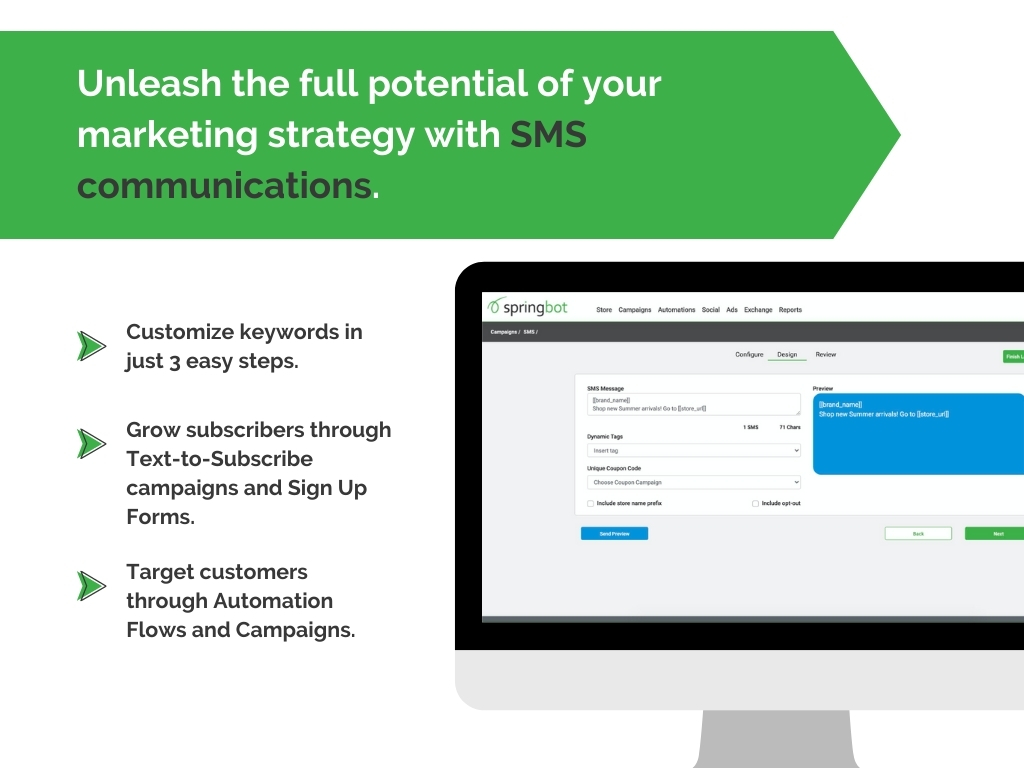
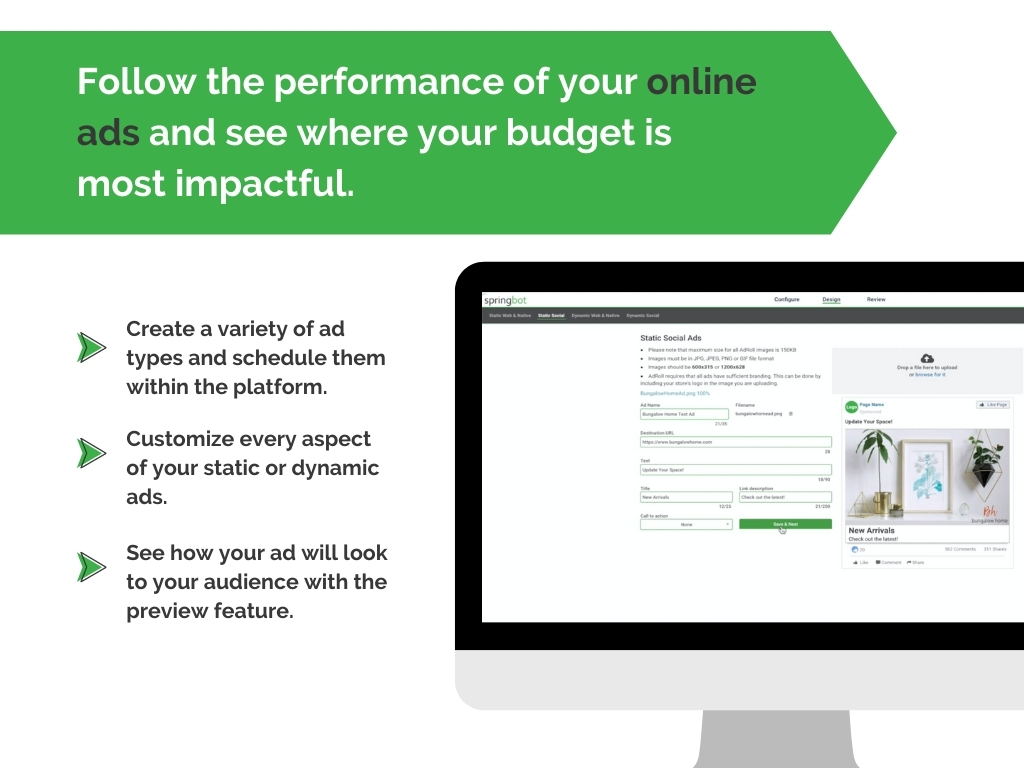
Springbot aims to bring all the marketing capabilities large retailers have to small businesses at a fraction of the cost. Through Springbot, online stores will be able to leverage automated marketing on channels such as email, SMS, social and online ads. Business owners and marketers who find themselves wearing many hats can still send the right message at the right time with confidence. With an all-in-one marketing automation platform designed with ease of use in mind, business…
$199
for up to 5,000 subscribers (includes email marketing, social hub, reporting and dashboards, signup forms, automations, account management, support and onboarding. See website for additional package options.
Pricing
Google Analytics
Salesforce Agentforce Marketing
Springbot
Editions & Modules
Google Analytics 360
150,000
per year
Google Analytics
Free
Account Engagement
$1,250
per month
Engagement
$1,250
per month
Intelligence
$3,000
per month
Loyalty Management
$20,000
per month
Personalization
$100,000
per year
Data Cloud for Marketing
$108,000
per year
Platform Base Package
$199/month
for up to 5,000 subscribers (includes email marketing, social hub, reporting and dashboards, signup forms, automations, account management, support and onboarding. See website for additional package options.
Offerings
Pricing Offerings
Google Analytics
Agentforce Marketing
Springbot
Free Trial
No
Yes
Yes
Free/Freemium Version
Yes
No
No
Premium Consulting/Integration Services
No
Yes
No
Entry-level Setup Fee
No setup fee
No setup fee
No setup fee
Additional Details
—
—
See website for pricing calculator for additional pricing options.
Google Analytics is the only tool of its kind (that I'm aware of). Other tools, like website builders, may have built-in analytics, but they're nothing compared to what Google Analytics offers.
I have used Moz and Google Analytics. They provide overlapping information, but they also provide unique information. I like that Moz shares broken images and links and points out problems on the site that are slowing down the site and effecting the site's performance and …
We also use Pardot to monitor traffic to our site. Google Analytics gives you a lot more data. Pardot is more focused on once the traffic to our site identifies themselves (by filling out a form) and how they engage with us after that (email opens, website views, etc.).
Pardot out-ranks the competition in regards to the integration with Salesforce. It is hard to beat the ability to use your already-made customer profiles and contact information in your marketing campaigns. Where it is lacking is the usability. MailChimp is a much more user …
The only other product we evaluated was HubSpot. We felt that for the cost, Pardot was a better option for us.
Verified User
Employee
Chose Salesforce Agentforce Marketing
I have used Bitly to track the performance of social media links. I found Pardot to be superior because of its capability to identify and track individuals. I prefer using Pardot to Adobe because it provides details about individual customers. I also prefer Pardot over Google …
We used HubSpot before and it performed well. However, as we were planning to adopt NetSuite as our ERP, we needed a marketing solution that integrated well with it. That's where HubSpot fell short. Pardot had a built in integration with NetSuite via a Pardot connector. Also, …
Eloqua was too expensive. Marketo, is a very slick product, and the pricing they offered us for the lowest-level version (Small and Medium Business) was competitive, but still about $3,000 per year more than Pardot. One big issue with Marketo though was …
We are looking at using Tealium to segment our customers now, something we had hoped Springbot would allow us to do. Tealium allows us to segment and send to any channel and any ESP. Springbot would allow us to create segments based on a few demographic, product and purchase …
Google Analytics is particularly well suited for tracking and analyzing customer behavior on a grocery e-commerce platform. It provides a wealth of information about customer behavior, including what products are most popular, what pages are visited the most, and where customers are coming from. This information can help the platform optimize its website for better customer engagement and conversion rates. However, Google Analytics may not be the best tool for more advanced, granular analysis of customer behavior, such as tracking individual customer journeys or understanding customer motivations. In these cases, it may be more appropriate to use additional tools or solutions that provide deeper insights into customer behavior.
I think the product, by definition, is meant for marketing — and we use it exactly for that, for running campaigns. That’s the best-suited use case for the product. I don’t think it’s really meant to be used for anything else — that’s just not how it’s designed.
The demographic data was great. I could see how many males vs. females, ages, income, married, with or without children. It gave me a good idea of who my customers were.
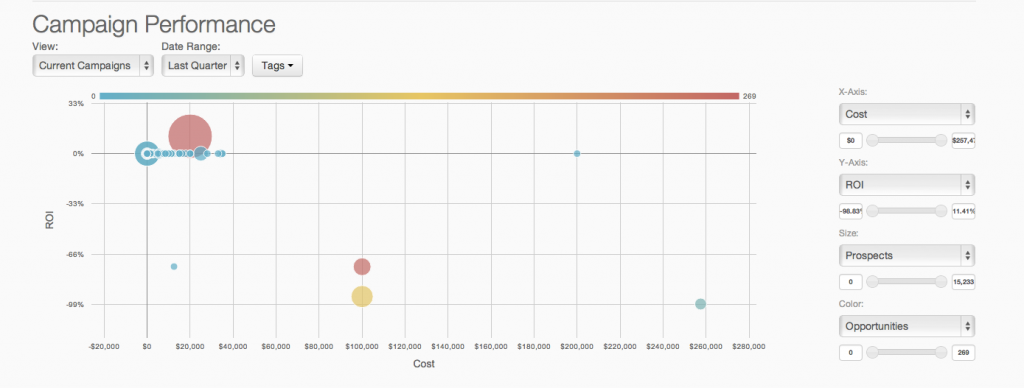
Using their tracking URLs in all of our campaigns allowed us to get a better idea of what exactly was driving revenue.
Not only could I see top performing products, which I can do within Magento, I could also see top selling categories and colors.
I can pull a Coupon Usage report our of Magento, but Springbot gave me additional info like AOV and ROI on those codes.
Springbot also gave me a lot of info about our abandoned carts. It shows us which products are most abandoned along with views, conversion rates, etc.
Springbot gave us an Instagram Shop page that allowed us to curate social shares and then tie them to products on our site.
After our purchase, I let spring or know that I was currently too busy to implement the system and to put things on hold. They ignored this request and kept charging us a monthly fee without using any of their systems. I have only logged in once. Nothing has been set up. They can see that from their side.
After multiple emails back and forth their out was in the user agreement. I never asked for my money back only credit so I can regroup and when I have time get on to implant the systems. They tell me they don't do that.
They don't care about any of the customer's needs. They only care about charging you that monthly fee. Terrible bus plan. With enough bad feedback, they will suffer from such a narrow plan.
I wish we had actual information about the cons using the system. Unfortunately I was not given the opportunity to do unless I wanted to keep paying while not using the system.
We will continue to use Google Analytics for several reasons. It is free, which is a huge selling point. It houses all of our ecommerce stores' data, and though it can't account for refunds or fraud orders, gives us and our clients directional, real time information on individual and group store performance.
As of right now we have not seen any other program that integrates as seamlessly into our Salesforce platform. We have barely scratched the surface of all the features and use cases. It would be irresponsible to make a move to another platform in the near future. We have not come up against any limitations that would prompt a need to switch
Google Analytics provides a wealth of data, down to minute levels. That is it's greatest detriment: find the right information when you need it can be a cumbersome task. You are able to create shortcuts, however, so it can mitigate some of this problem. Google is continually refining Analytics, so I do not doubt there will be improvements
You won't find another solution that has as many features as Salesforce Marketing Cloud Interaction Studio. We all know Salesforce, we all know how big they are and it's not for nothing... Their tools do most of the things you want, need and even imagine. Using it is complicated, but the usability is infinite.
We all know Google is at top when it comes to availability. We have never faced any such instances where I can suggest otherwise. All you need is a Google account, a device and internet connection to use this super powerful tool for reporting and visualising your site data, traffic, events, etc. that too in real time.
Upgrades and timing of the upgrades were communicated well and planned during off hours for our work. If we did have a campaign scheduled during that time, it would kick-off after the system was back active. There were a few unplanned system down times, but it was a rare occurrence and those times were also short in duration.
This has been a catalyst for improving our site's traffic handling capabilities. We were able to identify exit% from our sites through it and we used recommendations to handle and implement the same in our sites. We have been increasing the usage of Google Analytics in our sites and never had any performance related issues if we used Analytics
Though the make up of MA apps is not built this way today, it would be nice to see them become more real-time. The integration between Salesforce and Pardot is not a true real-time integration. If I modify something in Salesforce, those changes are not automatically reflected in Pardot immediately. There is a delay of about 15 minutes before the systems sync. This delay, although not long, is less than ideal We would love the systems to be integrated real time such that changes are propagated from one system to the other immediately.
The Google reps respond very quickly. However, sometimes they can overly call you to set up an apportionment. I'm very proficient and sometimes when I talk to reps, they give beginner tutorials and insights that are a waste of time. I wish Google would understand my level of expertise and assign me to a rep (long-term) that doesn't have to walk me through the basics.
They are really responsive and more than not solve the problem or give you insight to how you can manage the solution yourself. I do find however sometimes a long delay on the more complex issues when they need to loop in other departments. but overall a good experience with support
We have raved about Springbot's support because they always get back with us so quickly. Our rep, Jared has been phenomenal in helping us, always being available to chat with us and explaining some of the metrics with us so we can better understand. He completely handles our ads, checks on them, and lets us know when to update and why.
The trainers at the Pardot user conference (Elevate and Connections) were very knowledgeable and presented the material well. Again, the content was targeted to more of a new user audience, and was not really relevant for folks who had been using the product for 2+ years.
love the product and training they provide for businesses of all sizes. The following list of links will help you get started with Google Analytics from setup to understanding what data is being presented by Google Analytics.
Pardot's online training touches on all topics briefly and vaguely without much indepth exploration into how a final outcome could look, such as Nurturing Campaigns, Email templates, landing page templates, etc... The only true way to uncover Pardot's full capabilities is to have Front End design and coding experience. Without this key skill set, I would not recommend Pardot to another business.
I think my biggest take away from the Google Analytics implementation was that there needs to be a clear understanding of what you want to achieve and how you want to achieve it before you start. Originally the analytics were added to track visitors, but as we became more savvy with the product, we began adding more and more functionality, and defining guidelines as we went along. While not detrimental to our success, this lack of an overarching goal resulted in some minor setbacks in implementation and the collection of some messy data that is unusable.
From an IT perspective, once you set up the Javascript beacon and start collecting data there is a waiting game. During this time you can start labeling your site actions which can be labor intensive for a single person, but you don't really have the final end-users on the platform yet. We did a lot of training so users were experienced, but it wasn't until they had their first tasks to accomplish that they started using the system and had questions. I'd recommend setting up some immediate goals for an end-user to start segmenting for the purpose of displaying message campaigns so you can jump start end-user action.
I have not used Adobe Analytics as much, but I know they offer something called customer journey analytics, which we are evaluating now. I have used Semrush, and I find them much better than Google Analytics. I feel a fairly nontechnical person could learn Semrush in about a month. They also offer features like competitive analysis (on content, keywords, traffic, etc.), which is very useful. If you have to choose one among Semrush and Google Analytics, I would say go for Semrush.
We use Salesforce Marketing Cloud for lead management, generating reports, tracking customer and dealer information, inputting orders, and more. I prefer HubSpot for email marketing and automation because it is easier to use and the emails are designed much better. We currently use Salesforce and HubSpot, and we are very happy to have both, as they have different pros/cons.
Google Analytics is currently handling the reporting and tracking of near about 80 sites in our project. And I am not talking about the sites from different projects. They may have way more accounts than that. Never ever felt a performance issue from Google's end while generating or customising reports or tracking custom events or creating custom dimensions
Prior to this, we had no solution and literally were doing things on paper in a world where technology is outpacing paper. Having this process optimized has made it easier for the sales and marketing people to change information. From the training perspective, it has allowed us to see holes in where we could create additional support training, so the ROI here has been a lot more than just the optimization of a process.
Salesforce Marketing Cloud allows us to more efficiently reach out to a higher number of prospects.
Salesforce Marketing Cloud allows us to nimbly communicate important messages in a timely fashion to facilitate conversion.
Salesforce Marketing Cloud allows us to track who is opening our messages so that we can stop sending to those not interested and focus on the most engaged audiences.
Springbot gave us a better idea of who our customer was. We just launched in January 2015 having been B2B previously. So we weren't really sure who we were marketing to.
I only paid $200/month for the service so I didn't waste a ton of money trying it out. They have a 30 day cancellation policy so I wasn't stuck in a year long contract.
It was a let down because I had such high hopes of everything it would allow me to do and see with one platform. Give them a couple more years and I think they will work out the kinks.