HipChat (discontinued) vs. Zoom Workplace

Overview
ProductRatingMost Used ByProduct SummaryStarting Price
HipChat (discontinued)
Score 9.7 out of 10
N/A
Hipchat was discontinued by Atlassian. Users are being migrated to Slack.N/A
Zoom Workplace
Score 8.5 out of 10
N/A
Zoom Workplace, Zoom’s open collaboration platform with an AI Companion, empowers teams to be more productive, and strengthen customer relationships throughout the customer lifecycle with Zoom’s Business Services for sales, marketing, and customer experience teams, including Zoom Contact Center.
$16.99
per month per user
Pricing
HipChat (discontinued)Zoom Workplace
Editions & Modules
No answers on this topic
Add-On Zoom Translated Captions
$5
per month per license
Pro
$16.99
per month per user
Business
$21.99
per month per user
Add-On - Conference Room Connector
$499
per year
Basic
Free
Enterprise
Custom
Add-On - Zoom Whiteboard
starting at $2.49
per month per user
Add-On - Large Meetings
starting at $600
per year
Add-On - Cloud Storage
starting at $120
per year
Add-On Audio Conferencing
starting at $1200
per year
Add-On Zoom Phone Power Pack
Starting at $300
per year per user
Add-On - Quality of Service Subscription
Contact Sales
Offerings
Pricing Offerings
HipChat (discontinued)Zoom Workplace
Free Trial
YesYes
Free/Freemium Version
YesYes
Premium Consulting/Integration Services
YesYes
Entry-level Setup FeeNo setup feeNo setup fee
Additional DetailsDiscount available for annual billing.
More Pricing Information
Community Pulse
HipChat (discontinued)Zoom Workplace
Considered Both Products
HipChat (discontinued)

No answer on this topic

Zoom Workplace
Chose Zoom Workplace
While Webex has good call quality, we frequently ran into delays getting a meeting started. It always seemed like some piece of equipment wasn't working or someone had issues joining. Webex has the name recognition, but I think they are resting on their laurels. If they don't …
Chose Zoom Workplace
Zoom has higher quality video streams than the competition and provides the ability to record meetings; however, Google Hangouts is more user-friendly and takes little to no training to be able to utilize all of its features (although there are fewer bells and whistles). GoToMee…
Chose Zoom Workplace
Compared to WebEx, it's super user-friendly and recording is easy as pie.
Compared to Hangouts, its capacity is wider (recording, passing control etc.).
Compared to Join.me, it's simpler to use.
Chose Zoom Workplace
Zoom is easily the best video conferencing service that we have used due to its ease of use and the functionality of Zoom Rooms. Previously, we had trouble even allowing everyone to connect to view the video stream, but now it's a quick and easy process. The video and audio …
Features
HipChat (discontinued)Zoom Workplace
Project Management
Comparison of Project Management features of Product A and Product B
HipChat (discontinued)
7.3
106 Ratings
6% below category average
Zoom Workplace
-
Ratings
Mobile Access7.397 Ratings00 Ratings
Search7.2103 Ratings00 Ratings
Communication
Comparison of Communication features of Product A and Product B
HipChat (discontinued)
7.3
132 Ratings
9% below category average
Zoom Workplace
-
Ratings
Chat7.7132 Ratings00 Ratings
Notifications7.7130 Ratings00 Ratings
Discussions6.5110 Ratings00 Ratings
Surveys7.834 Ratings00 Ratings
Internal knowledgebase7.043 Ratings00 Ratings
Integrates with GoToMeeting7.023 Ratings00 Ratings
File Sharing & Management
Comparison of File Sharing & Management features of Product A and Product B
HipChat (discontinued)
6.3
95 Ratings
24% below category average
Zoom Workplace
-
Ratings
Video files6.585 Ratings00 Ratings
Audio files6.873 Ratings00 Ratings
Access control6.660 Ratings00 Ratings
Advanced security features5.949 Ratings00 Ratings
Integrates with Google Drive6.027 Ratings00 Ratings
Device sync6.055 Ratings00 Ratings
Performance & Compatibility of Online Events Software
Comparison of Performance & Compatibility of Online Events Software features of Product A and Product B
HipChat (discontinued)
-
Ratings
Zoom Workplace
8.4
994 Ratings
1% above category average
High quality audio00 Ratings8.7986 Ratings
High quality video00 Ratings8.8986 Ratings
Screen Sharing
Comparison of Screen Sharing features of Product A and Product B
HipChat (discontinued)
-
Ratings
Zoom Workplace
8.7
994 Ratings
4% above category average
Desktop sharing00 Ratings9.3993 Ratings
Online Meetings / Events
Comparison of Online Meetings / Events features of Product A and Product B
HipChat (discontinued)
-
Ratings
Zoom Workplace
8.6
1000 Ratings
3% above category average
Calendar integration00 Ratings8.8911 Ratings
Meeting initiation00 Ratings9.0974 Ratings
Record meetings / events00 Ratings9.0949 Ratings
Online Events Collaboration
Comparison of Online Events Collaboration features of Product A and Product B
HipChat (discontinued)
-
Ratings
Zoom Workplace
8.4
862 Ratings
3% above category average
Live chat00 Ratings9.0844 Ratings
Online Events Security
Comparison of Online Events Security features of Product A and Product B
HipChat (discontinued)
-
Ratings
Zoom Workplace
8.8
852 Ratings
13% above category average
User authentication00 Ratings8.8746 Ratings
Participant roles & permissions00 Ratings8.6817 Ratings
Cloud PBX
Comparison of Cloud PBX features of Product A and Product B
HipChat (discontinued)
-
Ratings
Zoom Workplace
7.9
227 Ratings
6% below category average
Hosted PBX00 Ratings8.0107 Ratings
Multi-level Interactive Voice Response (IVR)00 Ratings7.7133 Ratings
Directory of employee names00 Ratings8.1210 Ratings
Call Management
Comparison of Call Management features of Product A and Product B
HipChat (discontinued)
-
Ratings
Zoom Workplace
8.0
254 Ratings
6% below category average
Answering rules00 Ratings8.5185 Ratings
Call recording00 Ratings8.5231 Ratings
Call park00 Ratings7.6141 Ratings
Call screening00 Ratings7.7159 Ratings
Message alerts00 Ratings8.1202 Ratings
Business SMS/External Messaging00 Ratings8.0128 Ratings
Voicemail Transcription00 Ratings7.5177 Ratings
Mobile apps
Comparison of Mobile apps features of Product A and Product B
HipChat (discontinued)
-
Ratings
Zoom Workplace
8.7
285 Ratings
1% below category average
Mobile app for iOS00 Ratings8.6251 Ratings
Mobile app for Android00 Ratings8.8173 Ratings
Unified Communications Platform and Collaboration
Comparison of Unified Communications Platform and Collaboration features of Product A and Product B
HipChat (discontinued)
-
Ratings
Zoom Workplace
8.7
239 Ratings
5% above category average
Centralized communications management00 Ratings8.8190 Ratings
Team messaging00 Ratings8.8206 Ratings
Team document sharing00 Ratings8.6183 Ratings
Call and meeting analytics00 Ratings8.6192 Ratings
Best Alternatives
HipChat (discontinued)Zoom Workplace
Small Businesses
Kintone
Kintone
Score 9.7 out of 10
Broadvoice | GoContact
Score 9.1 out of 10
Medium-sized Companies
Kintone
Kintone
Score 9.7 out of 10
Webex Calling
Webex Calling
Score 8.8 out of 10
Enterprises
HCL Connections
HCL Connections
Score 9.0 out of 10
Webex Calling
Webex Calling
Score 8.8 out of 10
All AlternativesView all alternativesView all alternatives
User Ratings
HipChat (discontinued)Zoom Workplace
Likelihood to Recommend
6.8
(133 ratings)
8.7
(1057 ratings)
Likelihood to Renew
9.8
(2 ratings)
9.0
(26 ratings)
Usability
7.2
(8 ratings)
9.4
(46 ratings)
Availability
-
(0 ratings)
9.1
(2 ratings)
Performance
-
(0 ratings)
9.0
(3 ratings)
Support Rating
7.1
(7 ratings)
6.4
(46 ratings)
In-Person Training
-
(0 ratings)
9.1
(1 ratings)
Implementation Rating
8.4
(3 ratings)
6.3
(11 ratings)
Configurability
-
(0 ratings)
9.1
(2 ratings)
Contract Terms and Pricing Model
-
(0 ratings)
8.0
(13 ratings)
Ease of integration
7.6
(8 ratings)
7.3
(2 ratings)
Product Scalability
7.2
(10 ratings)
9.8
(3 ratings)
Professional Services
-
(0 ratings)
9.2
(8 ratings)
Vendor post-sale
-
(0 ratings)
9.1
(2 ratings)
Vendor pre-sale
-
(0 ratings)
7.3
(2 ratings)
User Testimonials
HipChat (discontinued)Zoom Workplace
Likelihood to Recommend
Discontinued Products
Well suited for
Cross-teams communication.
Webhooks support. Easy integrations with Atlassian products and other systems as well. File sharing directly or in a group. Video/Audio calls.
Not suited for:
Lacks apps integration like Slack.
Lacks quality with video calls.
Slow file transfer for large files.
Frequent downtime due to app instability.
Read full review
Zoom
In most cases, and I mean almost all, Zoom is vastly superior to Teams in terms of functionality and ease of use. Case in point: I recently tried to join a Teams meeting in the web browser, and it took me multiple attempts to access it. This NEVER happens with a Zoom link.
Read full review
Pros
Discontinued Products
  • HipChat is very stable and reliable. I have never had issues with not being able to connect or being able to communicate with others on HipChat.
  • HipChat integrates quite well with other applications, such as Jira and Stash. This is a main selling point for my team. It provides a convenient feed of actions on a JIRA story or Stash pull request.
  • HipCat does a good job of allowing 1-1 and group chats. It is simple to start a new conversation and it is easy to hold a group conversation and keep track of who is in the room.
  • I like how HipChat has away/here/on mobile statuses. This makes it easy to see if a person is available to be contacted.
Read full review
Zoom
  • Audio quality of phone calls is spot on. Calls are clear and crisp.
  • Video quality of video meetings are clear and there aren't any pixelization artifacts that some systems can have.
  • Having AI summaries have been life changing for us. We no longer have to concentrate on note taking, like we did in the past. The summaries are accurate and enable us to put our efforts in the meeting or conversation. Plus, we can save them into our practice management system as required.
Read full review
Cons
Discontinued Products
  • Mobile app is not very responsive on iOS. Sometimes connection to Hipchat servers is taking too long even on good networks.
  • Both mobile and desktop versions have no alphabetical or recent sorting for groups and chat rooms.
  • Video and audio calls are pretty useless, they're slow and not always work.
  • The whole user interface is simple but very outdated - apparently Atlassian didn't focus too much on Hipchat even though they tried in the last 2 years.
Read full review
Zoom
  • Love notes - allow insertion of table or grid
  • Allow admin to turn off DND
  • Allow a way to group individual people chats - not channels just individual peeps into groups for ease of finding - like how you can group shared calendars into sections in Outlook
Read full review
Likelihood to Renew
Discontinued Products
If they fix the bugs the last update gave that are causing hipchat to crash more often.
Read full review
Zoom
We're sticking with Zoom for the foreseeable future--given its compelling feature set, ease of use, and advanced technology, there's just no other competition to be excited about. Plus it's a Gartner-recognized industry leader, so it's a rather easy choice.
Read full review
Usability
Discontinued Products
The app itself had a pleasant if not generic interface. As a user experience expert and engineer I can say the interface is fairly intuitive if not bland. It does what you expect it to do and it's available on iOS and Android devices. If I recall it was generally pretty light weight in terms of installation size.
Read full review
Zoom
Zoom is made for the non tech office. It has features that can be made to do what you need to run things on a day to day basis. Immediately we we able to get meetings going with remote employees. The ability to be able to add smartphone connected people was a big plus. Zoom met our needs at the time.
Read full review
Reliability and Availability
Discontinued Products
No answers on this topic
Zoom
There have been less than a handful of outages during our two years with Zoom, and whenever there was one, an email informing us of the outage went out immediately, and they had the issue resolved shortly thereafter.
Read full review
Performance
Discontinued Products
No answers on this topic
Zoom
Zoom has among the best performance of any video conference platform, as I've mentioned several times. Besides that, their Chat platform works great, and their back end always runs smooth. It's unfortunate that reporting can now only be done by one month at a time, but nonetheless, it only takes a second to run any kind of Zoom report, whether it's an attendee report, Poll results, a user report, a list of meetings from the past month, etc.
Read full review
Support Rating
Discontinued Products
HipChat support is good . Responds in timely manner when ever we have raised the request via email , phone and gives us continue update on the request .Though most of the questions are answered by HipChat FAQs , but they can still improve it and add more to the knowledge base .
Read full review
Zoom
Because I got a response right away, and was assigned one specific individual to work with me from the beginning to the resolution. I had an actual email address and direct contact with this person without having to start over and over every time I contacted Zoom - this singular individual remained attentive and was well informed on the subject matter and quite able to resolve my needs.
Read full review
Implementation Rating
Discontinued Products
I don't have insights as I was not a part of the implementation. However, I love the end product
Read full review
Zoom
If you receive any pushback from higher ups, point to any of the various positive reviews like this one. Or show Zoom's excellent Gartner report, or articles describing Zoom's partnership with Sequoia capital. It's not difficult to show how Zoom is a trustworthy industry leader with best-in-class technology.
Read full review
Alternatives Considered
Discontinued Products
We tried a lot of chat clients before choosing HipChat. The Skype for Business UI on the Mac side was 5 years old and terrible. Mac users hated the app including our CTO. Cisco Jabber was expensive to license and maintain; Skype was open to the public which took time away due to users dealing with spam and could allow viruses and malware. HipChat being a closed product, centrally managed and available to try without an upfront investment was perfect for our environment. All our Agile teams have their own room, chat and can communicate with others quickly and easily.
Read full review
Zoom
Zoom Workplace is typically on the more expensive end against other options, but it's the industry leader for a reason. It has the most brand credibility by far, but that doesn't mean it's perfect. There are limitations when it comes to technical performance, customization and video/audio quality. I prefer Slack myself for communication apps, but Zoom Workplace is a good alternative.
Read full review
Contract Terms and Pricing Model
Discontinued Products
No answers on this topic
Zoom
The billing and price model is really fair for so many functions that they offer, our remote work requires each of the features that Zoom offers, so accepting payment for a tool like this is the least we can do. I like that billing arrives on time and that they offer opportunities and payment times.
Read full review
Scalability
Discontinued Products
Actually I never shared of HipChat using with more than 25 persons in team simultaneously, but I believe it can be scaled for much largest collaboration teams. At least it works flawlessly for us, with transparent integration with Jira, and I am not see any reasons for some troubles for work at big scale.
Read full review
Zoom
Because the Basic licenses are completely free, and because it's very easy to configure and install Zoom, and because anyone can join Zoom from a link without needing an account, scaling is a Breeze. There are absolutely no roadblocks. My company keeps adding more Zoom Pro license every week since it's so in demand. We were able to convert users from several different platforms onto Zoom with no trouble at all.
Read full review
Professional Services
Discontinued Products
No answers on this topic
Zoom
Zoom is perfect for our business. We use it to video chat with prospective clients. The name recognition alone gives us credibility and it is very easy to screen share and send content out.
Read full review
Return on Investment
Discontinued Products
  • HipChat has increased the effiency with which I am able to communicate with my coworkers, particularly those who work out of other offices. Having a light, portable messaging solution has been beneficial for checking in on small things without the need to send emails or schedule phone calls.
Read full review
Zoom
  • We have not lost much productivity in our teamwork during the pandemic because of the ability to have Zoom video calls and keep everyone in touch. This is definitely a positive.
  • We are able to have more people participate in coaching sessions (described earlier) because we don't have room space limitations. This is a big positive.
  • Being able to start a meeting instantly is great when we are doing support and/or training with a client over the phone and need to be able to share a visible
Read full review
ScreenShots

HipChat (discontinued) Screenshots

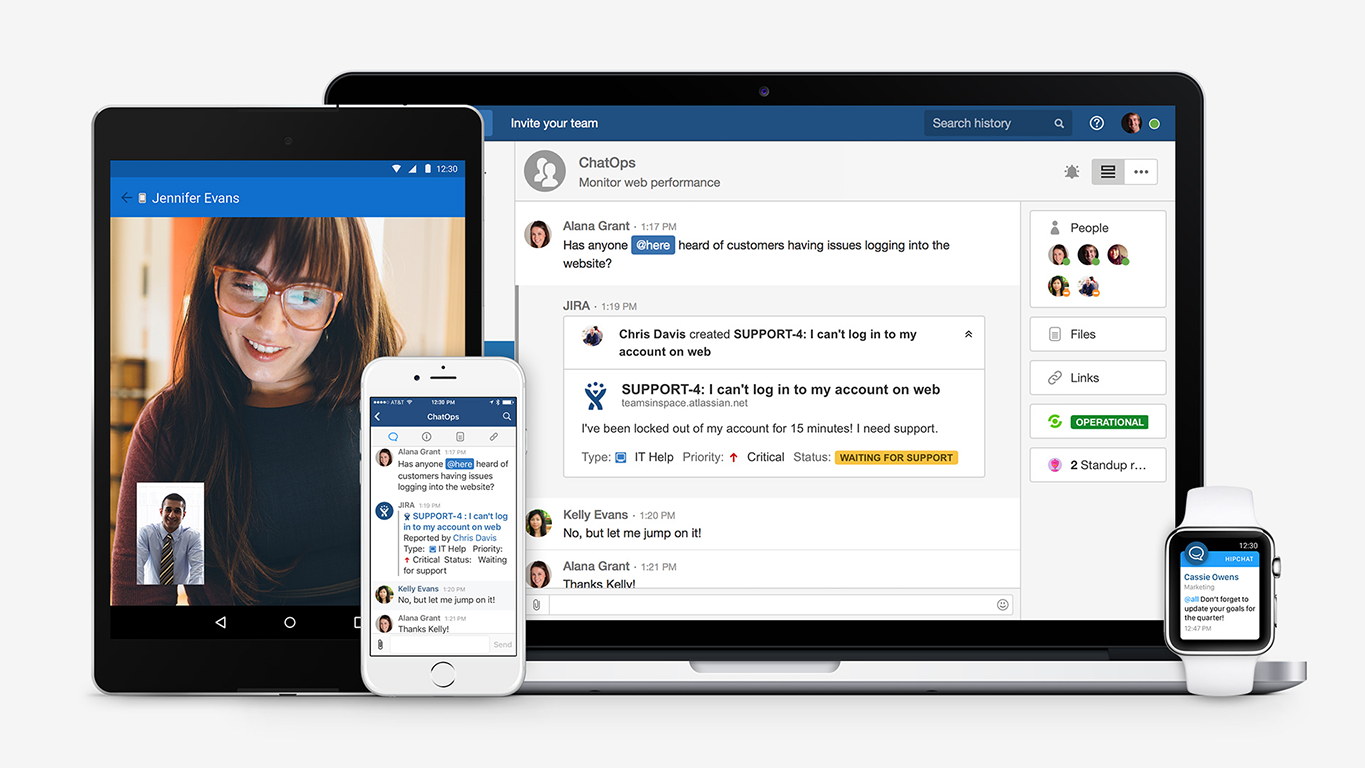
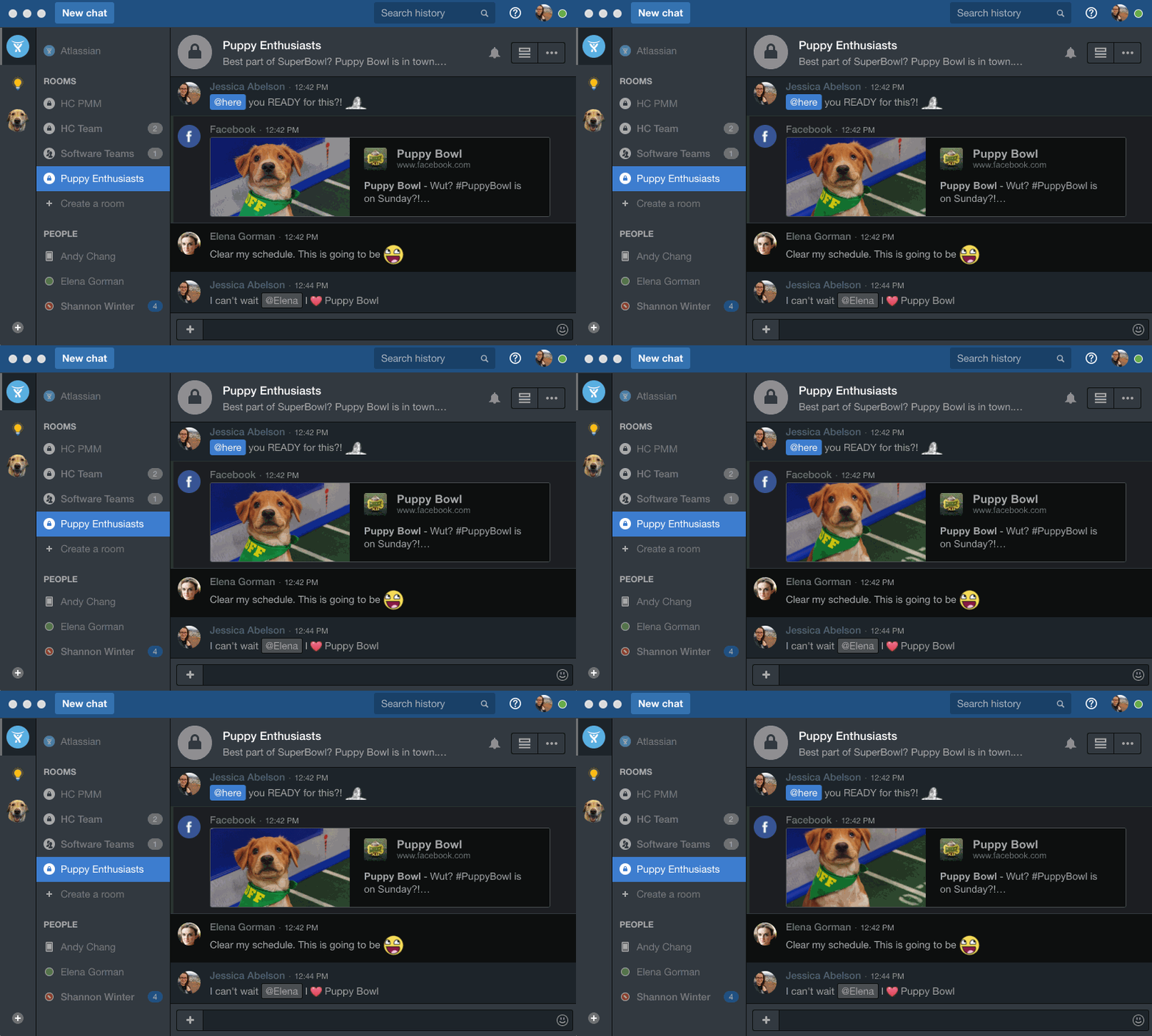
Screenshot of HipChat is with your team, whenever, wherever. Try it on your desktop, web, mobile, tablet, & wearable.Screenshot of Give your eyes the respite they deserve from your blaring white screen with HipChat dark mode!Screenshot of HipChat becomes your command center by integrating with over 100 awesome apps/tools your team already loves (like Uber!).

Zoom Workplace Screenshots

Screenshot of an example collaboration feature. These are used to:
Transcribe, summarize, and capture action items with AI Companion from your in-person meetings.
Improve visibility and alignment by sharing emails to chats
Elevate a chat to a meeting or phone call to get to resolution faster. 
Continue meeting conversations and easily access shared information in Team Chat.Screenshot of an example of Zoom's productivity features. These features are used to:
Improve productivity across teams, locations, and time zones.
Organize project deliverables and assets in a centralized, collaborative doc.
Collaborate and map out projects visually on a whiteboard.
Jumpstart brainstorming sessions using AI and templates.
Gather valuable team input for well-informed decision-making with surveys and polls.
Stay on top of action items surfaced from across Zoom Workplace.Screenshot of some additional collaboration features. These are used to:
Optimize office experiences and in-person time.
Make sure remote participants feel connected with what is going on in the room.
Collaborate across remote and in-person teams on a virtual whiteboard.
Easily know and identify who is in the room and who is speaking in a Zoom Room with smart name tags and smart speaker tags.Screenshot of an example of Zoom's AI companion. This feature is used to streamline communications, improve productivity, increase employee engagement, and optimize flexible work.Screenshot of additional AI Companion features. The tools is also used to:
Launch internal campaigns.
Deliver visually rich updates with live streams, billboards, and videos.
Ensure critical comms are never missed with read receipts.
Send updates to deskless workers with Workvivo TV and Chat.