
Chose Hotjar
Hotjar vs. VWO vs. Woopra
Hotjar vs. VWO vs. Woopra
| Product | Rating | Most Used By | Product Summary | Starting Price |
|---|---|---|---|---|
 Hotjar | N/A | Hotjar is a conversion rate optimization tool for digital marketers. Features include heatmapping, visual session recording, conversion funnel analytics, form analytics, feedback polls and surveys, and usability testing. The tool is used by digital analysts, UX designers, web developers and product marketers. Hotjar was acquired by Contentsquare September 2021, and is now a Contentsquare brand. | $39 per month 100 daily sessions | |
 VWO | N/A | VWO is an A/B testing and conversion optimization platform that enables growing businesses to conduct qualitative and quantitative visitor research, build an experimentation roadmap and run continuous experiments on their digital properties. With its 5 capabilities Plan, Track, Test, Analyze, and Target, it brings the entire CRO (conversion rate optimization) process at one place. VWO helps online businesses follow the process- and data-driven conversion… | $49 per month | |
 Woopra | Enterprise companies (1,001+ employees) | Woopra provides real-time customer analytics. It begins by tracking users across digital touch points (website, mobile app, help desk, marketing automation, etc.) and building a comprehensive behavioral profile for each user. These Customer Profiles are Woopra's building blocks, which are used to generate custom analytics reports, funnel analytics, retention analytics, and more. | $80 per month |
| Hotjar | VWO | Woopra | ||||||||||||||||||||||
|---|---|---|---|---|---|---|---|---|---|---|---|---|---|---|---|---|---|---|---|---|---|---|---|---|
| Editions & Modules |
|
|
| |||||||||||||||||||||
| Offerings |
| |||||||||||||||||||||||
| Entry-level Setup Fee | No setup fee | No setup fee | Optional | |||||||||||||||||||||
| Additional Details | Discount available for annual pricing. | — | — | |||||||||||||||||||||
| More Pricing Information | ||||||||||||||||||||||||
| Hotjar | VWO | Woopra | |
|---|---|---|---|
| Considered Multiple Products | Hotjar  Rachel Harrison UX & CRO Analyst Chose Hotjar I have moved jobs, so that is why I am now using Hotjar. I think that Decibel Insight has more functionality than what Hotjar does, as it allows you to be able to automatically view pages and heatmaps, rather than needing to wait for the data to gather.  Markus Kapferer Head of E-Commerce Chose Hotjar We used different tools but Hotjar combines several functionalities in one tool. So we used and are still using SurveyMonkey for bigger Surveys but it's handy to also have a tool where we can create short single questions surveys. We selected Hotjar because it is a good …  Sarah O'Donnell UX & CRO Executive Chose Hotjar I did not choose Hotjar but would recommend it.  Andrew Richardson UX Designer Chose Hotjar Hotjar is robust and incredibly affordable. It's insane how cheap it is for what it provides. Recordings and heatmaps alone are worth the price tag. Add on the other feedback gathering functionality and it's a really good bargain. It comes at a slight cost at the manual … |  VWO  Michel Zurkirchen Content manager Chose VWO I used Google Optimize when it had just launched. It was therefore not yet a competitor to VWO. I haven't used it in roughly half a year time, so a lot has probably changed. I still use Hotjar for certain features that VWO offers, but which I think function better in Hotjar. I …  Dominic Walker Trainee Marketing Manager Chose VWO We use VWO not in competition with, but alongside other tools, as we believe a mixture is the best recipe for success. Hotjar is a slightly different offering and has some very strong heatmap/ journey mapping capabilities. We tend to use it for that, with the insight feeding …  Lee Preston Conversion Rate Optimisation Lead Chose VWO As I mentioned, VWO is a great all-in-one tool that lets clients research & test all within one tool. It's a little on the expensive side so it might not deliver the desired ROI for smaller clients and can also encourage the small clients to run small, insignificant A/B tests …  Mark Harding CRO | UX Manager Chose VWO We enquired and looked into using Optimizely and Qubit before deciding on VWO. All appear to be great tools that would have done the job required, however, when compared, we didn't hit the level of traffic for Qubit to consider a partnership, and Optimizely was a lot more …  Marijn Tijhuis Senior Conversie specialist Chose VWO VWO is much cheaper than Optimizely, while most of the features offered are similar.  Parker Boyack Business Analyst Chose VWO VWO has come a long way since we first started using their software. With their new full-featured conversion optimization platform, we are able to connect things at a deeper level than ever before. Because of this we have ended our contracts with several vendors in order to …  Robyn Benensohn Cofounder and COO Chose VWO
|  Woopra |
| Hotjar | VWO | Woopra | |||||||||||||||||||||||||||||||||||||||||||||||
|---|---|---|---|---|---|---|---|---|---|---|---|---|---|---|---|---|---|---|---|---|---|---|---|---|---|---|---|---|---|---|---|---|---|---|---|---|---|---|---|---|---|---|---|---|---|---|---|---|---|
| Testing and Experimentation |
| ||||||||||||||||||||||||||||||||||||||||||||||||
| Audience Segmentation & Targeting |
| ||||||||||||||||||||||||||||||||||||||||||||||||
| Results and Analysis |
|
| Hotjar | VWO | Woopra | |
|---|---|---|---|
| Small Businesses |  Matomo Analytics Score 8.6 out of 10 |  Convert Experiences Score 9.9 out of 10 |  Fullstory Score 9.1 out of 10 |
| Medium-sized Companies |  Siteimprove Score 9.1 out of 10 |  Dynamic Yield Score 9.0 out of 10 |  Whatfix Score 9.9 out of 10 |
| Enterprises |  Contentsquare Score 7.5 out of 10 | Dynamic Yield Score 9.0 out of 10 | Whatfix Score 9.9 out of 10 |
| All Alternatives | View all alternatives | View all alternatives | View all alternatives |
| Hotjar | VWO | Woopra | |
|---|---|---|---|
| Likelihood to Recommend | 10.0 (103 ratings) | 7.7 (108 ratings) | 7.0 (16 ratings) |
| Likelihood to Renew | 5.1 (2 ratings) | 8.7 (20 ratings) | 9.0 (7 ratings) |
| Usability | 9.7 (6 ratings) | 8.7 (5 ratings) | 9.0 (1 ratings) |
| Availability | - (0 ratings) | 9.1 (3 ratings) | - (0 ratings) |
| Performance | - (0 ratings) | 8.2 (1 ratings) | - (0 ratings) |
| Support Rating | 9.6 (4 ratings) | 9.1 (4 ratings) | 10.0 (1 ratings) |
| Online Training | - (0 ratings) | 6.4 (1 ratings) | - (0 ratings) |
| Implementation Rating | - (0 ratings) | 9.1 (3 ratings) | 10.0 (1 ratings) |
| Configurability | - (0 ratings) | 8.2 (1 ratings) | - (0 ratings) |
| Ease of integration | 9.0 (1 ratings) | 3.6 (1 ratings) | - (0 ratings) |
| Product Scalability | - (0 ratings) | 8.2 (1 ratings) | - (0 ratings) |
| Vendor post-sale | - (0 ratings) | 9.1 (1 ratings) | - (0 ratings) |
| Vendor pre-sale | - (0 ratings) | 8.2 (1 ratings) | - (0 ratings) |
| Hotjar | VWO | Woopra | |
|---|---|---|---|
| Likelihood to Recommend | Contentsquare
| Wingify Pvt Ltd
 Diego Polanco CRO Consultant | Woopra
 Cindy Romanowski Marketing Manager |
| Pros | Contentsquare
Sarah O'Donnell UX & CRO Executive | Wingify Pvt Ltd
| Woopra
 Ross Reynolds Senior Director of Product |
| Cons | Contentsquare
 Zach Ettelman Director, Digital Innovation | Wingify Pvt Ltd
 Joseph Collins Account Supervisor | Woopra
|
| Likelihood to Renew | Contentsquare
 Patrick Eng Marketing Technologist | Wingify Pvt Ltd
 Tom Kerwin Head of User Experience | Woopra
 Brent Pearson VP of Employer Products |
| Usability | Contentsquare
 Halima Satheya Digital Optimisation Lead | Wingify Pvt Ltd
| Woopra
Ross Reynolds Senior Director of Product |
| Reliability and Availability | Contentsquare No answers on this topic | Wingify Pvt Ltd
| Woopra No answers on this topic |
| Performance | Contentsquare No answers on this topic | Wingify Pvt Ltd
| Woopra No answers on this topic |
| Support Rating | Contentsquare
Zach Ettelman Director, Digital Innovation | Wingify Pvt Ltd
| Woopra
Ross Reynolds Senior Director of Product |
| Online Training | Contentsquare No answers on this topic | Wingify Pvt Ltd
| Woopra No answers on this topic |
| Implementation Rating | Contentsquare No answers on this topic | Wingify Pvt Ltd
| Woopra
Ross Reynolds Senior Director of Product |
| Alternatives Considered | Contentsquare
| Wingify Pvt Ltd
 Kevin McLallen Program Manager | Woopra
 Brian Alonzo Owner - Web Designer & Developer |
| Scalability | Contentsquare No answers on this topic | Wingify Pvt Ltd
| Woopra No answers on this topic |
| Return on Investment | Contentsquare
 Santiago Valdés Cofounder / Marketing, Growth, Technology, Experience | Wingify Pvt Ltd
| Woopra
|
| ScreenShots | VWO Screenshots  | Woopra Screenshots     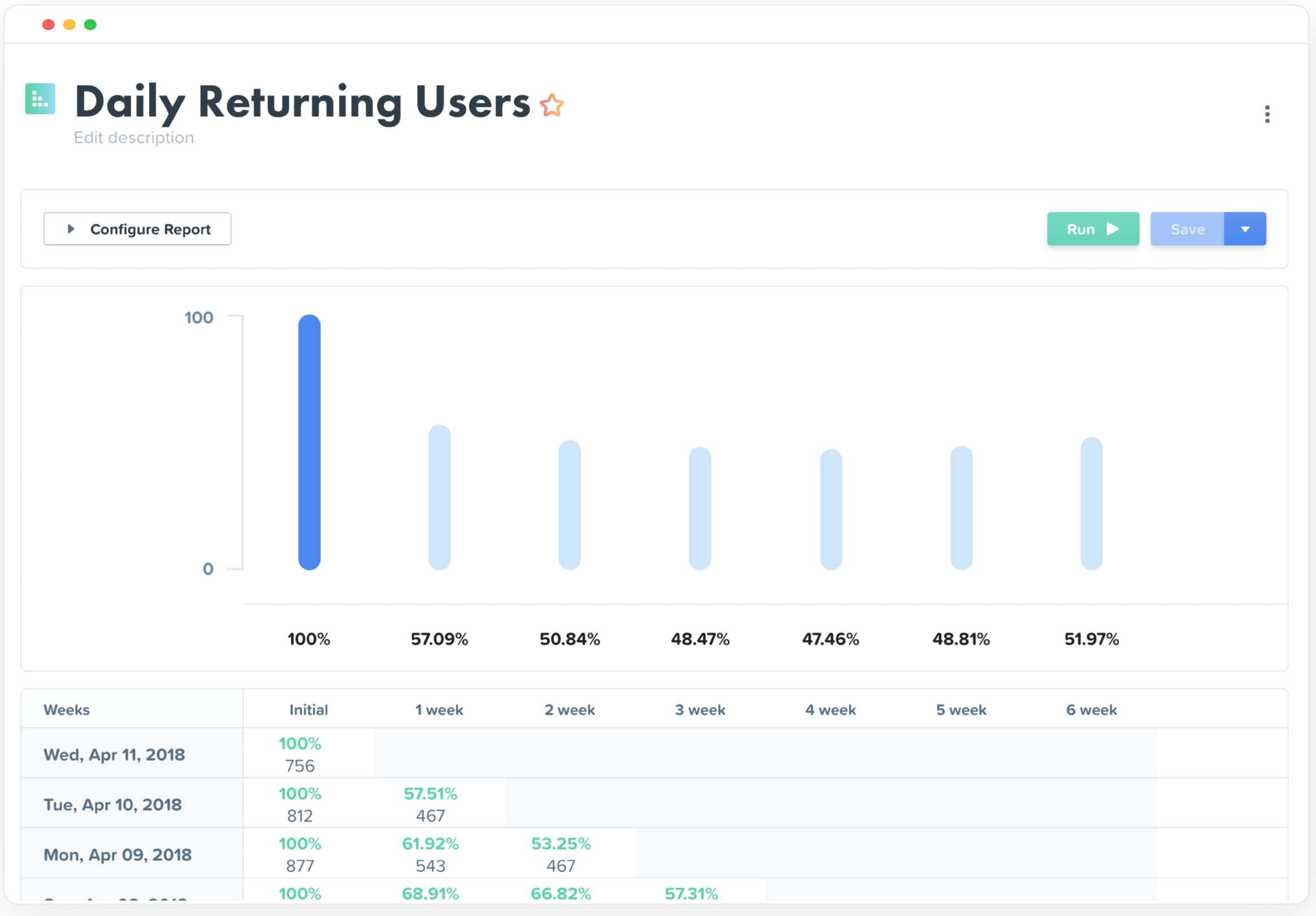 |