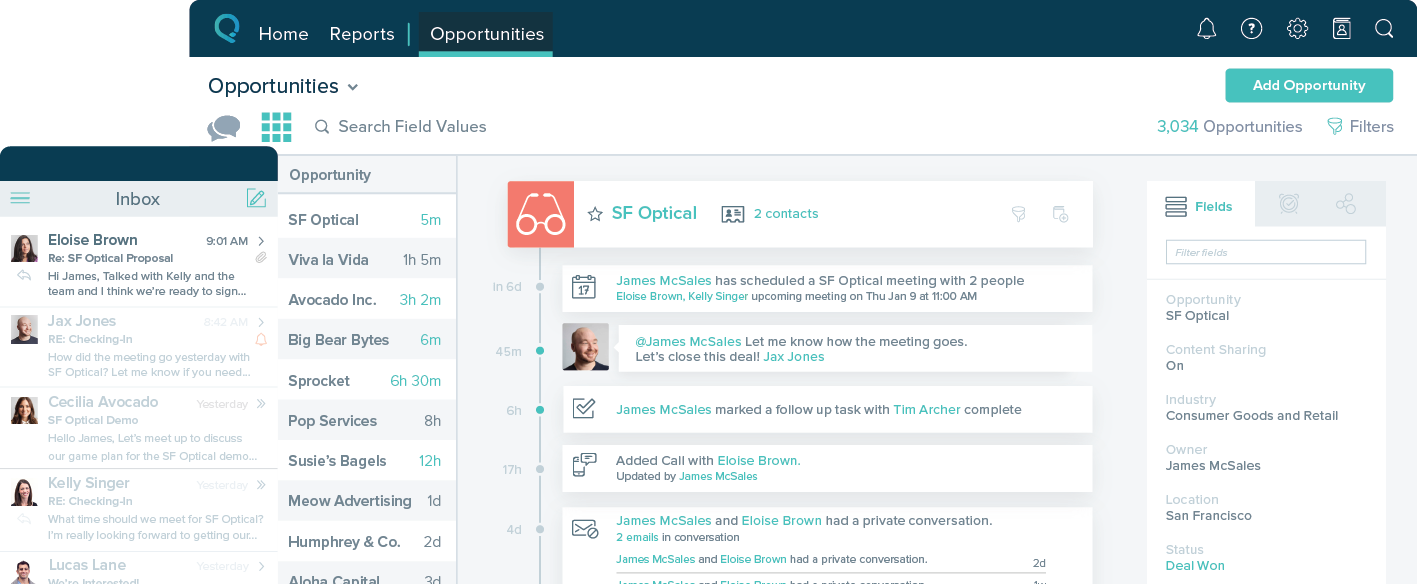
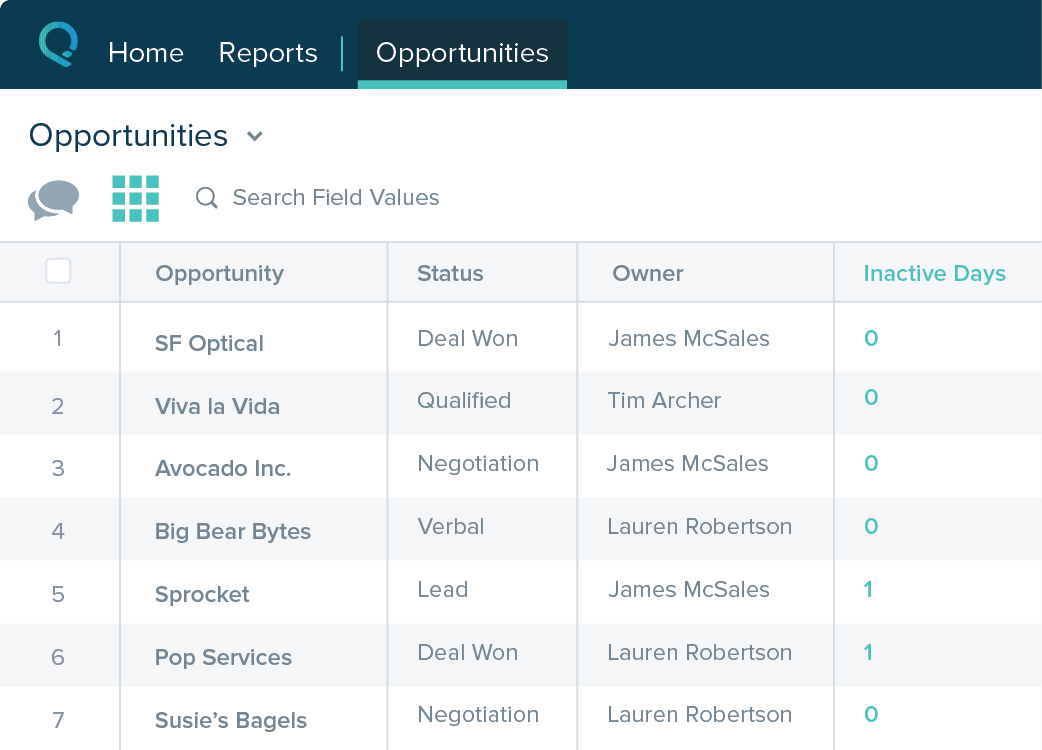
Overview
ProductRatingMost Used ByProduct SummaryStarting Price
HubSpot CRM
Score 8.4 out of 10
N/A
HubSpot’s CRM enables growth-minded businesses to optimize their relationships with leads and customers. Through harnessing the power of carefully crafted sales, marketing, customer service, content management, and operations tools, the software aims to make it easy to unify team strategy and drive conversion. Additionally, the software allows users to connect with over 875 integration apps, APIs, and solutions partners to create a customizable user experience that suits the way teams work.…
$0
Per Month [Unlimited Users]
LeadSquared
Score 7.5 out of 10
N/A
LeadSquared is a marketing automation and CRM platform. It includes landing pages, email marketing, lead management, analytics, connectors, and WordPress Plugins.
$50
per month per user
Salesforce Starter
Score 8.9 out of 10
Small Businesses (1-50 employees)
Salesforce Starter (formerly Salesforce Essentials) is a small business CRM that replaces the former SalesforceIQ product. It is priced at $35 per user, on a monthly basis, or at $25 per month for if billed annually ($300) and can be tried free for 14 days on a trial.
$35
per month per user
Pricing
HubSpot CRMLeadSquaredSalesforce Starter
Editions & Modules
Free Forever
$0
Per Month [Unlimited Users]
CRM Bundle
$50
per month
Sales Super
$50
per month per user
LeadSquared Sales Pro
$60
per month per user
No answers on this topic
Offerings
Pricing Offerings
HubSpot CRMLeadSquaredSalesforce Starter
Free Trial
YesYesYes
Free/Freemium Version
YesNoNo
Premium Consulting/Integration Services
YesYesYes
Entry-level Setup FeeNo setup feeOptionalNo setup fee
Additional DetailsAdditional add-ons and modules available for expanded functionality.
More Pricing Information
Community Pulse
HubSpot CRMLeadSquaredSalesforce Starter
Considered Multiple Products
HubSpot CRM
Chose HubSpot CRM
Best value for money and clean ui with ease of use and something which is super easy to navigate.
Chose HubSpot CRM
Compared to Outreach + SFDC combo in many other answers in the review. Overall find it gives the same experience for a rep in a little bit cleaner package.
Chose HubSpot CRM
Daily visibility on deals is better on HubSpot. Calendar integration makes it easy to schedule my entire week. Custom filters and views to see the saved filter in 1 click.
Chose HubSpot CRM
The biggest and most notable reason for using HubSpot was price. We don't have a big budget so this was a viable option for us to use for our new and growing sales department. I had used HubSpot previously for a brief time and thought it was a good CRM but liked Salesforce
Chose HubSpot CRM
I was not a part of the initial selection process of HubSpot, but I will say that I'm glad we use HubSpot instead of Salesforce. The primary driving force for this is that HubSpot's base level layout if far more intuitive that that of Salesforce, and overall it seems like a …
Chose HubSpot CRM
HubSpot is easy to customize and implement without an architect
Chose HubSpot CRM
HubSpot CRM offers a user-friendly interface and robust marketing tools, making it ideal for small to medium-sized businesses. Salesforce Essentials, while powerful, can be more complex and better suited for larger organizations. We chose HubSpot CRM for its simplicity, …
Chose HubSpot CRM
I can see it us more use friendly compare to others and have more flexibility to our business alliance
Chose HubSpot CRM
(NOT SURE IF I TAGGED THE RIGHT VERSION OF Salesforce) My previous organization built so many customizations in Salesforce that it made it nearly impossible to use them efficiently, and it wasn't very good. Finance ran the show on the CRM adoption and didn't consult sales …
Chose HubSpot CRM
HubSpot blows the other products I have used in the past out of the water.
Chose HubSpot CRM
Like I mentioned previously, I love the built-in sequencing software that is in HubSpot. You don't need to spend extra money to pay for services like Outreach and Salesloft, and it's much cheaper than Salesforce!
Chose HubSpot CRM
HubSpot is more applicable for the business we are in compared to Salesforce & ClubReady because of the simplicity of it. The option to log phone calls, emails, LinkedIn messages, WhatsApp messages, etc. is incredibly valuable and saves time. The quote & deals functionality is …
Chose HubSpot CRM
HubSpot provides a robust amount of tools and integrations at an affordable cost. Most other systems have more overall limitations at a higher price point. HubSpot allows smaller businesses to grow as needed, and offers even more detailed tools when the time is right.
Chose HubSpot CRM
I think HubSpot CRM one of the best in the markets specially with its feature rich CRM and a user friendly User interface. HubSpot CRM has established itself in the CRM industry through it's reliable customer service in the segment. Marketing mails have been a game changer for …
Chose HubSpot CRM
Salesforce is like this juggernaut that takes a lot of customization to get it working correctly. I have worked with Salesforce when the admin did a great job modifying the platform in such a way that it worked well, and I have worked with a company who did a terrible job of …
Chose HubSpot CRM
Salesforce was used for 2 years, and it's just too much. Wasnt a big fan of it and from feedback from management, it's overpriced for the use of the salesperson. I'm sure it has better uses for management but for the day-to-day task and sales flow, Hubspot is hard to beat and …
Chose HubSpot CRM
I’d say it only ranks behind Salesforce and Odoo in customization, and wins amongst all four when it comes to ease of use and scalability in startups and scaleups
Chose HubSpot CRM
After evaluating other products, we settled on Hubspot for ease of setup, and the person performing the setup already had experience with Hubspot. Also, we found for the price we were paying; there were more features available than some of the other CRMs researched. Hubspot, we …
Chose HubSpot CRM
HubSpot is providing email tracking to get in touch with the leads at the right time. Calendar integration helps a lot of time to schedule meetings for both clients and the team side. Calling features will help the team to connect all the teams in one place. Google app …
Chose HubSpot CRM
HubSpot offers more personalization possibilities, filters and features in general. Dashboards helps having real-time statistics and evaluate actions to take. After events such as trade shows the follow-up through automated sequences with lists of contacts per sales are smooth.
Chose HubSpot CRM
Because it is very user-friendly.
LeadSquared

No answer on this topic

Salesforce Starter
Chose Salesforce Starter
Salesforce Starter is exactly what it says. It's specific to getting a small business up and running effectively, without unnecessary development or internal overhead required. It doesn't allow for a ton of customization, but it provides more than most other providers across …
Features
HubSpot CRMLeadSquaredSalesforce Starter
Sales Force Automation
Comparison of Sales Force Automation features of Product A and Product B
HubSpot CRM
8.1
1657 Ratings
4% above category average
LeadSquared
-
Ratings
Salesforce Starter
8.8
7 Ratings
12% above category average
Customer data management / contact management8.91595 Ratings00 Ratings7.87 Ratings
Workflow management8.51564 Ratings00 Ratings00 Ratings
Territory management4.9184 Ratings00 Ratings7.77 Ratings
Opportunity management8.61500 Ratings00 Ratings9.07 Ratings
Integration with email client (e.g., Outlook or Gmail)8.71613 Ratings00 Ratings9.76 Ratings
Contract management7.9185 Ratings00 Ratings00 Ratings
Quote & order management8.21098 Ratings00 Ratings9.35 Ratings
Interaction tracking8.71557 Ratings00 Ratings8.36 Ratings
Channel / partner relationship management8.2186 Ratings00 Ratings9.75 Ratings
Customer Service & Support
Comparison of Customer Service & Support features of Product A and Product B
HubSpot CRM
8.0
1114 Ratings
5% above category average
LeadSquared
-
Ratings
Salesforce Starter
-
Ratings
Case management8.31036 Ratings00 Ratings00 Ratings
Call center management7.6891 Ratings00 Ratings00 Ratings
Help desk management8.1951 Ratings00 Ratings00 Ratings
Marketing Automation
Comparison of Marketing Automation features of Product A and Product B
HubSpot CRM
8.7
1465 Ratings
12% above category average
LeadSquared
-
Ratings
Salesforce Starter
7.8
6 Ratings
1% above category average
Lead management8.91383 Ratings00 Ratings7.86 Ratings
Email marketing8.51395 Ratings00 Ratings00 Ratings
CRM Project Management
Comparison of CRM Project Management features of Product A and Product B
HubSpot CRM
8.2
1515 Ratings
7% above category average
LeadSquared
-
Ratings
Salesforce Starter
8.4
5 Ratings
9% above category average
Task management8.41449 Ratings00 Ratings9.45 Ratings
Billing and invoicing management7.9763 Ratings00 Ratings6.95 Ratings
Reporting8.31344 Ratings00 Ratings9.05 Ratings
CRM Reporting & Analytics
Comparison of CRM Reporting & Analytics features of Product A and Product B
HubSpot CRM
8.2
1483 Ratings
7% above category average
LeadSquared
-
Ratings
Salesforce Starter
9.0
5 Ratings
17% above category average
Forecasting8.11171 Ratings00 Ratings9.05 Ratings
Pipeline visualization8.41410 Ratings00 Ratings8.85 Ratings
Customizable reports8.21369 Ratings00 Ratings9.35 Ratings
Customization
Comparison of Customization features of Product A and Product B
HubSpot CRM
7.9
1418 Ratings
3% above category average
LeadSquared
-
Ratings
Salesforce Starter
7.6
6 Ratings
1% below category average
Custom fields8.51389 Ratings00 Ratings8.06 Ratings
Custom objects8.51211 Ratings00 Ratings8.05 Ratings
Scripting environment6.3132 Ratings00 Ratings6.75 Ratings
API for custom integration8.5992 Ratings00 Ratings8.05 Ratings
Security
Comparison of Security features of Product A and Product B
HubSpot CRM
8.9
1377 Ratings
6% above category average
LeadSquared
-
Ratings
Salesforce Starter
9.0
6 Ratings
7% above category average
Single sign-on capability9.01235 Ratings00 Ratings9.06 Ratings
Role-based user permissions8.91314 Ratings00 Ratings9.06 Ratings
Social CRM
Comparison of Social CRM features of Product A and Product B
HubSpot CRM
7.9
946 Ratings
6% above category average
LeadSquared
-
Ratings
Salesforce Starter
8.2
5 Ratings
10% above category average
Social data7.8928 Ratings00 Ratings00 Ratings
Social engagement8.0915 Ratings00 Ratings8.25 Ratings
Integrations with 3rd-party Software
Comparison of Integrations with 3rd-party Software features of Product A and Product B
HubSpot CRM
8.2
1058 Ratings
10% above category average
LeadSquared
-
Ratings
Salesforce Starter
8.0
5 Ratings
7% above category average
Marketing automation8.41051 Ratings00 Ratings8.25 Ratings
Compensation management7.9694 Ratings00 Ratings7.85 Ratings
Platform
Comparison of Platform features of Product A and Product B
HubSpot CRM
8.0
1247 Ratings
6% above category average
LeadSquared
-
Ratings
Salesforce Starter
8.4
6 Ratings
11% above category average
Mobile access8.01247 Ratings00 Ratings8.46 Ratings
Email & Online Marketing
Comparison of Email & Online Marketing features of Product A and Product B
HubSpot CRM
-
Ratings
LeadSquared
7.4
39 Ratings
8% below category average
Salesforce Starter
-
Ratings
WYSIWYG email editor00 Ratings7.035 Ratings00 Ratings
Dynamic content00 Ratings7.027 Ratings00 Ratings
Landing pages00 Ratings5.832 Ratings00 Ratings
A/B testing00 Ratings8.110 Ratings00 Ratings
Mobile optimization00 Ratings6.033 Ratings00 Ratings
Email deliverability reporting00 Ratings5.039 Ratings00 Ratings
List management00 Ratings9.038 Ratings00 Ratings
Triggered drip sequences00 Ratings10.024 Ratings00 Ratings
Lead Management
Comparison of Lead Management features of Product A and Product B
HubSpot CRM
-
Ratings
LeadSquared
8.5
40 Ratings
11% above category average
Salesforce Starter
-
Ratings
Lead nurturing automation00 Ratings10.038 Ratings00 Ratings
Lead scoring and grading00 Ratings9.039 Ratings00 Ratings
Data quality management00 Ratings5.116 Ratings00 Ratings
Automated sales alerts and tasks00 Ratings10.036 Ratings00 Ratings
Campaign Management
Comparison of Campaign Management features of Product A and Product B
HubSpot CRM
-
Ratings
LeadSquared
4.1
25 Ratings
56% below category average
Salesforce Starter
-
Ratings
Calendaring00 Ratings2.114 Ratings00 Ratings
Reporting & Analytics
Comparison of Reporting & Analytics features of Product A and Product B
HubSpot CRM
-
Ratings
LeadSquared
6.0
39 Ratings
23% below category average
Salesforce Starter
-
Ratings
Dashboards00 Ratings6.039 Ratings00 Ratings
Standard reports00 Ratings8.039 Ratings00 Ratings
Custom reports00 Ratings4.033 Ratings00 Ratings
Platform & Infrastructure
Comparison of Platform & Infrastructure features of Product A and Product B
HubSpot CRM
-
Ratings
LeadSquared
9.0
35 Ratings
11% above category average
Salesforce Starter
-
Ratings
API00 Ratings10.031 Ratings00 Ratings
Role-based workflow & approvals00 Ratings8.030 Ratings00 Ratings
Customizability00 Ratings10.035 Ratings00 Ratings
Best Alternatives
HubSpot CRMLeadSquaredSalesforce Starter
Small Businesses
Salesmate
Salesmate
Score 10.0 out of 10
Salesmate
Salesmate
Score 10.0 out of 10
Salesmate
Salesmate
Score 10.0 out of 10
Medium-sized Companies
Creatio
Creatio
Score 9.1 out of 10
LocaliQ
LocaliQ
Score 8.8 out of 10
Creatio
Creatio
Score 9.1 out of 10
Enterprises
Creatio
Creatio
Score 9.1 out of 10
Agile CRM
Agile CRM
Score 8.7 out of 10
Creatio
Creatio
Score 9.1 out of 10
All AlternativesView all alternativesView all alternativesView all alternatives
User Ratings
HubSpot CRMLeadSquaredSalesforce Starter
Likelihood to Recommend
8.5
(1702 ratings)
7.0
(41 ratings)
9.0
(7 ratings)
Likelihood to Renew
10.0
(31 ratings)
8.8
(9 ratings)
4.0
(1 ratings)
Usability
8.3
(1550 ratings)
9.0
(4 ratings)
8.7
(4 ratings)
Availability
8.2
(1 ratings)
-
(0 ratings)
-
(0 ratings)
Performance
6.4
(1 ratings)
-
(0 ratings)
-
(0 ratings)
Support Rating
6.1
(24 ratings)
9.8
(4 ratings)
-
(0 ratings)
Implementation Rating
7.6
(9 ratings)
-
(0 ratings)
-
(0 ratings)
Configurability
4.5
(1 ratings)
-
(0 ratings)
-
(0 ratings)
Contract Terms and Pricing Model
5.5
(1 ratings)
-
(0 ratings)
-
(0 ratings)
Ease of integration
7.3
(1 ratings)
-
(0 ratings)
-
(0 ratings)
Product Scalability
7.3
(1 ratings)
-
(0 ratings)
-
(0 ratings)
Vendor post-sale
6.4
(1 ratings)
-
(0 ratings)
-
(0 ratings)
Vendor pre-sale
7.3
(1 ratings)
-
(0 ratings)
-
(0 ratings)
User Testimonials
HubSpot CRMLeadSquaredSalesforce Starter
Likelihood to Recommend
HubSpot
I am giving it a 9 rating out of 10 because it has saved my job and helped my team to cracks very big deals. Last year, we were supposed to give a presentation to a client as we were about to sign him for a project. The client asked for our numbers in a real meeting, but we hadn't prepared them for our presentation. I logged in to HubSpot CRM and created a small report that included the relevant numbers. This turned out to be a very good decision for our company, as we subsequently signed that client.
Read full review
LeadSquared
1. Very suitable for an omnichannel business, as it can capture both online and offline lead sources and allows for follow ups. 2. Very suitable for call centers as lead and call tracking can be done very easily using LeadSquared. 3. Not very suitable for on field sales. Even though the mobile app does facilitate portability, the overall experience does not come close to the desktop version which is not feasible for an on field sales representative to use.
Read full review
Salesforce
If you own a business that has complex selling processes or requires integrations with 3rd party tools/systems, you should look at Professional, Enterprise, or Unlimited editions. Salesforce operates very well across pretty much every industry, but not all sales, marketing, and operational processes are created equal. If your marketing process requires a long list of sendable contacts then I would recommend adding on Pardot or Hubspot. Always start small and scale up, to avoid boxing yourself in down the road.
Read full review
Pros
HubSpot
  • Timeline view and conversation log is extremely helpful and an underrated feature; this is in addition to the entire user profile view.
  • Task management is simple but effective.
  • Deal and company tracking with stakeholder management inside companies / deals is very handy; we know what is happening even though we might not be directly working on it.
  • Gmail integration is quite smooth along with email tracking.
Read full review
LeadSquared
  • Call history is recorded like dialed calls, connected calls, total talktime in a daily, weekly, monthly, yearly, and on a custom basis.
  • The activity history of both customers, and employees are shown clearly, which help us a lot in understanding the interest of the customer, and their communication history with the organization.
  • Daily attendance history and man-days management can be done.
  • Sales performance and their values are mapped clearly.
Read full review
Salesforce
  • Tracking phone calls is extremely easy when using the app on the iphone. After a phone call is complete it prompts the user to enter in call details.
  • SalesforceIQ also automatically logs emails for us. This has saved us time from entering in information manually.
  • SalesforceIQ was easy to set up and allowed us customization for fields that were relevant to our business.
Read full review
Cons
HubSpot
  • More of an integration issue I think than a problem with HubSpot CRM, but we have AirCall integrated for direct phone lines and synching with individual users for outbound calls. Opening Aircall to make an outbound call automatically generates a new client - unattached to a company record as an orphan.
  • Historical records with activities is awesome but when creating a deal it isn't always a choice to capture last 30 days of history. When it is an option and you click to add that to a deal you can see all the activity items and people who have done anything with the "file".
  • I would like to see more native options for automation.
Read full review
LeadSquared
  • LeadSquared is a little bit expensive compared to other slimmer products, so they need to think about it.
  • Sometimes LeadSquared gets stuck when I use it to run a large campaign, I would like them to improve this.
  • LeadSquared creates a problem in slow internet connections, so I guess this is also an improvement area for them.
Read full review
Salesforce
  • Table views can be sorted by column. Filters can be applied, but only to one column. Multi-column filtering like Excel allows would be extremely useful and a big improvement.
  • The ability to quick copy data in a table view would also be helpful, like (ctrl ') in excel.
Read full review
Likelihood to Renew
HubSpot
Thus far, our company has found HubSpot CRM to be a reliable service that serves its purpose well: a centralized business contacts database, accessible remotely, with a simple and visually-pleasing interface. Issues are non-existent or resolved quickly, and when the service is experiencing interruptions, notifications and/or updates are sent regularly.
Read full review
LeadSquared
It is an excellent value for money solution and is fulfilling all our needs quite efficiently. They keep working on the product and each month sees an update allowing for a bug free experience and faster incorporation of newer tools. I see no reason why I would not like to renew the subscription for this fabulous product.
Read full review
Salesforce
No answers on this topic
Usability
HubSpot
I am giving it this rating because it has helped us keep track of leads, it saved us a lot of time by automating tasks, and it makes it easy for different teams to work together. It is user-friendly and has improved our approach to communicating with customers and closing deals.
Read full review
LeadSquared
Having talked about all other things in detail in my previous responses, this question I feel is redundant but then I will highlight the points again - Easy to Use - Flexible - Robust System - Ever-evolving - Support & Service - Integrations with third party tools & technologies - LMS - Data Management & Reports - Landing Page Options
Read full review
Salesforce
The system is very user-friendly on a desktop but lacks mobile friendliness. The Customer relationship manager disappears after the deal is signed. We struggled to get the system in a usable format, which was not cost-effective. The CRM system on desktop was great but way more complicated than it should be.
Read full review
Support Rating
HubSpot
Because when I needed help HubSpot responded immediately and provided me with the information I needed which enabled me to realize that HubSpot was even more customizable and easier to use than I thought! And I already thought HubSpot was very user friendly and easy to use, and then Support showed me how to manipulate the settings, columns and the appearance of the tool.
Read full review
LeadSquared
Great to work with and also Easy to work with Do not just listen to the problem but provide upfront solutions Always available and are ready to support on holidays Considerate of user's knowledge and always ready to explain the smallest / dumbest doubt a user can ask Always available to help with the internal tasks as well like creating automations, drip creations etc
Read full review
Salesforce
No answers on this topic
Implementation Rating
HubSpot
If you've had any prior experience with cloud based marketing automation or group communication tools, you can do the implementation without paid outside support. Though getting to a SLA (service level agreement) would be best achieved with the help of a third party who can facilitate
Read full review
LeadSquared
No answers on this topic
Salesforce
No answers on this topic
Alternatives Considered
HubSpot
We've been using Hubspot for years and don't foresee making any changes away from it. It has been fully integrated into how our business operates. We ultimately selected HubSpot CRM because it had all the features and functions that our marketing, sales, and operations teams wanted. And it offered those features and functions at the right price point for our organization.
Read full review
LeadSquared
I looked closely at Infusionsoft. While the nurturing/decision tree tool of Infusionsoft was far more sophisticated, the many negative reviews of Infusionsoft lead me to look elsewhere. Leadsquared had very positive reviews and aggressive pricing. It has less features, but the features they have were the ones I wanted to focus on.
Read full review
Salesforce
more expensive but as an industry leader and go, the learning curve pays for itself in ROI in lost time in onboarding
Read full review
Return on Investment
HubSpot
  • We were able to track good quality leads and push them to closure.
  • The leads were contacted within 24 hours so lead drops were minimum.
  • The sales and marketing team were accountable for generating leads and driving revenue becasue of AI-generated Targets.
Read full review
LeadSquared
  • Leads Management has become very easy.
  • Automated Lead Nurturing helps reduce a lot of manual work.
  • A lot of our time goes into creating custom reports. Making the reporting feature more flexible and robust will help in saving a lot of time and energy.
Read full review
Salesforce
  • It made the job more efficient for staff so they can spend time doing other tasks rather than configuring and maintaining Salesforce Starter.
Read full review
ScreenShots

HubSpot CRM Screenshots

Screenshot of Store, track, manage, and report on the deals (sometimes referred to as “opportunities”) your sales team is working.Screenshot of Our contact record enables your team to record and retrieve information on anyone your business interacts with, helping everyone to stay on the same page.Screenshot of The product library gives you visibility into the goods and services you sell, then associates them with individual deals. With products, you can easily track what you're selling to your customers and from what channels.

LeadSquared Screenshots

Screenshot of Lead CaptureScreenshot of Lead DistributionScreenshot of Lead NurturingScreenshot of Sales AutomationScreenshot of Sales TrackingScreenshot of Workflow Automation

Salesforce Starter Screenshots

Screenshot of Screenshot of Screenshot of Screenshot of