Sage Intacct is a cloud ERP system targeted at high-growth small and medium-sized businesses. Intacct includes applications for core financials and accounting, purchasing, order management, and financial reporting and business intelligence. It also integrates with 3rd party software like Salesforce.
N/A
Sage Accounting
Score 7.6 out of 10
N/A
Sage Accounting is online accounting software made to simplify life for small business owners, entrepreneurs, and freelancers by providing the functions needed to take care of daily business to-dos.
Users can create and send professional quotes and invoices, track income and expenses and know where the business' financials stand. Every Sage Business Cloud Accounting subscription includes unlimited access to support as well as automatic backups and product updates.
$19
per month
Xero
Score 8.3 out of 10
N/A
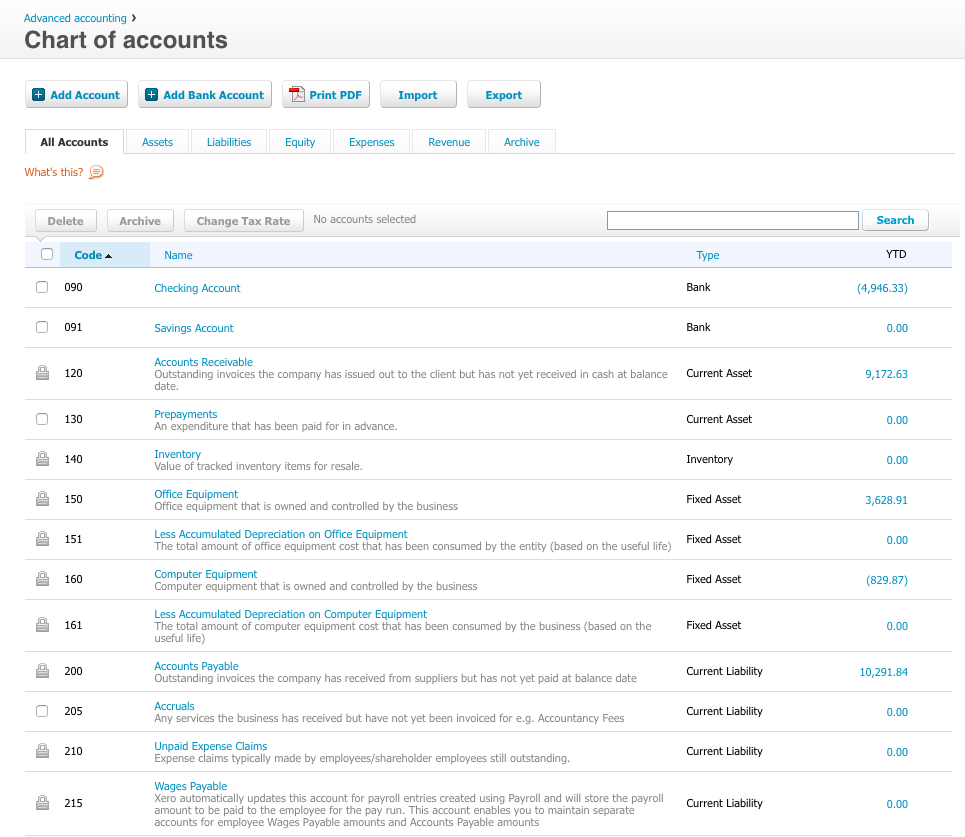
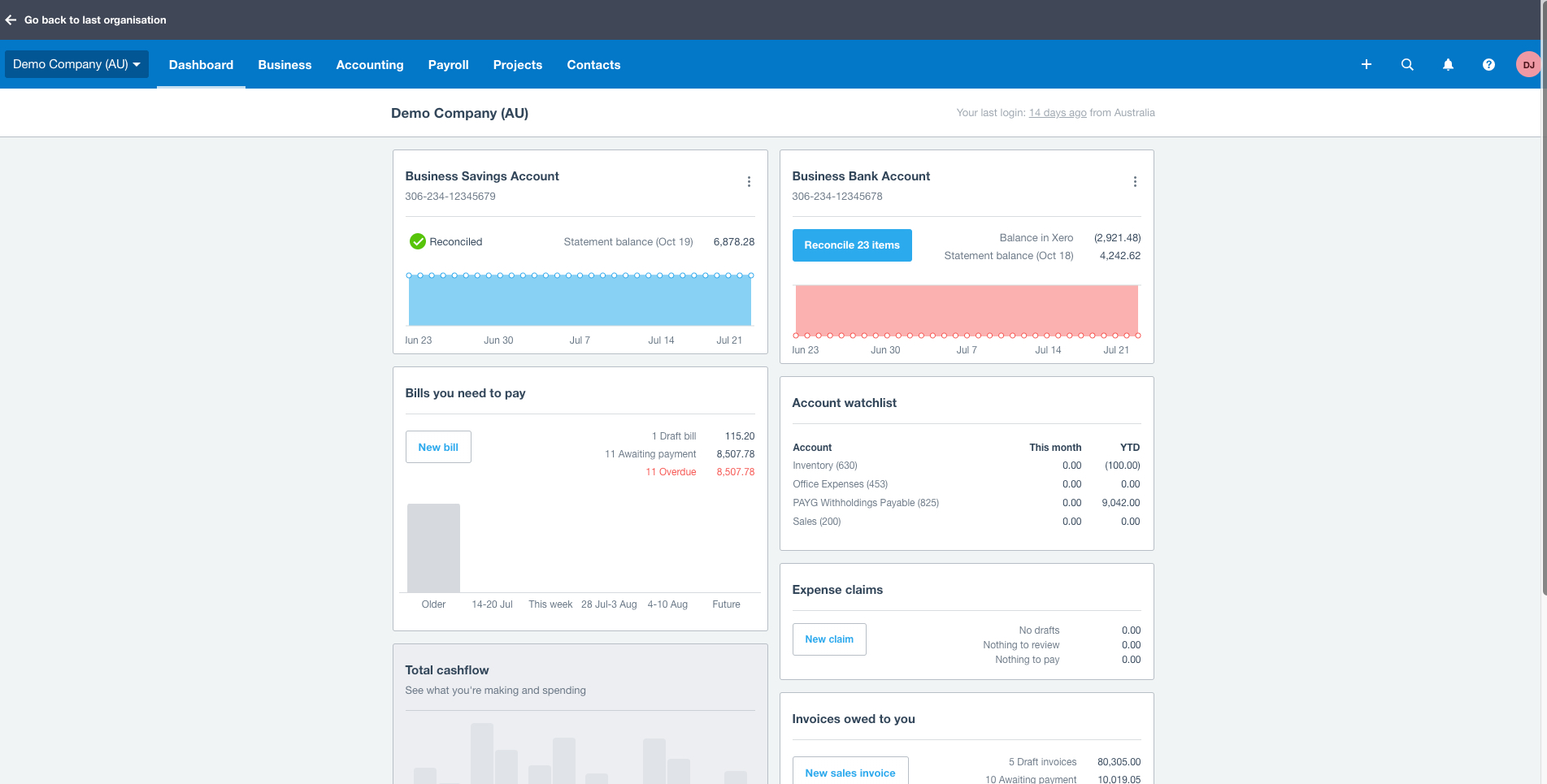
Xero is an online accounting software product for small businesses and personal finance. Its features beyond general ledger and double-bookkeeping include quotable invoicing, bank reconciliation, purchase order and expense management, and tax management. Third party apps can extend its features further.
$13
per month
Pricing
Sage Intacct
Sage Accounting
Xero
Editions & Modules
No answers on this topic
No answers on this topic
Early
$13
per month
Growing
$37
per month
Established
$70
per month
Offerings
Pricing Offerings
Sage Intacct
Sage Accounting
Xero
Free Trial
No
Yes
Yes
Free/Freemium Version
No
No
No
Premium Consulting/Integration Services
Yes
No
No
Entry-level Setup Fee
No setup fee
No setup fee
No setup fee
Additional Details
Must contact sales team for pricing.
Versions and pricing listed are for CA products. Versions available and pricing may vary by country.
* 2 months free to start, or free for 1 month to try, then $19/$43/$62 +tax/mo (tier depending). Offer valid for new customers only on monthly subscriptions of Sage Business Cloud Accounting. After the promotional period, the monthly subscription rate will renew at the then current rate. May not be combined with any other offers or discounts. To ensure continuous service the subscription plan is an automatically renewing plan. Subsequent months will automatically be billed to the same credit card each month on the anniversary date of purchase. Plans can be terminated at any time prior to the renewal data and not charged for renewal.
Prices in table are in USD and just apply to the US - other markets & prices are listed below:
Canada - Starter $18 CAD/month, Standard $45 CAD/month, Premium 5 $58 CAD/month
UK - Starter £14/month, Standard £28/month, Premium £36/month
AU - Starter $29 AUD/month, Standard $59 AUD/month, Premium 5 $76 AUD/month
NZ - Starter $31 NZD/month, Standard $66 NZD/month, Premium $84 NZD/month
One of the multi-entity solution's most significant weaknesses is its inability to handle revaluations of foreign currency accounts. It needs to be manually worked out and posted, which is standard functionality in entry-level systems like Xero/Quickbooks. It has added more …
Sage Intacct is better than Xero, Quickbooks, and SAP. While Netsuite has more customization options it is harder to learn quickly. For large teams Sage Intacct is the way to go. NetSuite is great but without a coach to walk the team through where to go and how to setup it can …
I have used all these software. as discussed earlier Sage Intacct helps us in Inventory management. which is not good in our previous accounting software so we moved to Sage Intacct from that one. Some of the above mentioned software is not good for large scale businesses. I …
Sage Intacct has most of the best features but doesn't have things integrated that I don't need/use. It's very module based so you can add/remove modules as you need to. It's very scalable as well so as I add entities, there's not an incremental software cost like there would …
For starters, ease of access works so much better in Intacct. Additionally, the availability of options for entering information into the software far exceeds what we've seen in other software, enabling more accurate reporting. The audit history also helps a ton when we're …
I think Sage's comparison with the listing system software has a better, friendlier interface that improves the user experience. The support videos are also a plus, as they are not offered by all other software, which makes it easy to train new hires of the company. This saves …
Sage Intacct offers several automation benefits that can help streamline financial processes and improve efficiency. It's features and interface makes is better than similar other applications. Integration with different portals is easier in Intacct as compared to others. It …
Sage Intacct takes care of end to end requirement of a business. I personally find it very user friendly & the interface is very smooth. Everything is very systematically designed.
We still use BILL and Expensify to sync into Sage Intacct. The other accounting systems were not as strong on the multi-entity consolidation setup so Sage Intacct had made it easier for us overall, in terms of processes, closing schedule, and management.
Sage Intacct was selected for its advanced financial management capabilities, scalability for growth, user-friendly interface, and real-time reporting. Unlike competitors like QuickBooks and FreshBooks, it effectively handles multi-entity consolidations and also integrates well …
Sage Intacct act as a ERP where we can manage all the things like accounting to vendor management easily here in Sage Intacct there are lot of Module where as per the organization need we need to install an implement in organization level.
Sage Intacct is much better than Sage One in many ways. Sage One did not have the option for multiple branches. Sage One did not have built in communities for messaging specific departments. Sage One had a very user friendly dashboard which made viewing sales reports on graphs …
Much easier to understand with more traditional accounting concepts with much more flexibility and ease of use .
Verified User
Professional
Chose Sage Intacct
Sage intacct is a much more robost system than Sage 50 cloud accounting. Sage Intacct also offers the benefit of having a web based system over a desktop application like sage 50.
I was not the one who selected it but I am the employee who uses it all day long every day, and I can say this is the easiest system to learn and get around in that I have every used in my 20plus years of doing A/P
Haven't used it, but have had a look. Footprint in SA still very small, but I hear very good things about it. A number of associates use and highly recommend Xero, even over Sage. Due to our level of integration with Sage, the benefits of migrating don't exceed the costs for us.
I'd personally put Sage Accounting on a par with Xero but significantly ahead of Quickbooks. I'd say the choice falls down to individual needs and choice. Sage Accounting offers a fair and not substantial monthly cost, with this being a monthly cost that's helpful particularly …
Verified User
Employee
Chose Sage Accounting
Probably the biggest reason I selected Sage Accounting is the number of years I have been using it. My training was all manual, and with Sage Accounting I can see and understand how it works. I did use Pegasus successfully for a number of years with a different employer, but …
Sage is much easier to use and does not have confusing language for income and expenses i.e. Bills on both Quickbooks and Xero. Using journals is also much easier as these other two programs making it hard to find.
Verified User
Advisor
Chose Sage Accounting
Xero is probably more user friendly, but from an accounting perspective Sage Accounting is up there.
Xero we had multiple issues with where that bank transactions would be lost or doubled up, the system would assume that employees only work monday to friday on the same hours each day. Quickbooks is more user friendly for those in self employment whereas Sage is more user …
Quickbooks is not for me i don't like anything about it, the terminology they use is not clear and the layout is not user friendly. Xero i use in my practice as some clients prefer it. If i have the choice i do use Sage but if the client prefers Xero i will use. It can be …
used Xero and MYOB after Sage Accounting. Sage Accounting was used because we had Sage Payroll and it integrated with Sage Accounting . if you are using Sage Payroll and Accounting than importing journal is very easy and quick job
While Sage Accounting (at least the version I am familiar with), lacks more involvement with the owner (features like Xero's hubdoc encourage owner use of accounting software) I generally prefer the layout, design and overall product that is Sage Accounting. I find that the …
Sage Accounting is good, but Xero is even more beginner friendly. And more affordable and also incorporates Hubdoc. I use Sage Accounting because that's what work is already using, and also for my own clients, I already have the old Desktop version which works just as fine.
I like Sage better, being an accountant, the approach is accounting focused. Whereas Quickbooks tries to make the user experience easier, but messes up the accounting, its easy in Quickbooks to create accounts and post expense items for example to a balance sheet account. …
It's a very good system which is reliable and provides all the basics, I believe it is less flexible in making corrections to mistakes. There is no fixed asset module in the lower levels and therefore depreciation has to be worked out in a separate system which really is a …
I think Sage Accounting is much better than their competitors; Clients have found the 24/7 support invaluable for when our office is closed, including the Help videos on the Sage website and YouTube
Verified User
Employee
Chose Sage Accounting
Sage Accounting produces better-quality reports and is more user-friendly.
Verified User
Director
Chose Sage Accounting
Sage was just easier for me to use and more familiar for my staff, who had some experience with enterprise versions of Sage in the past. It became a no-brainer when I made the final decision about which package to go with.
Sage 50 is more flexible than Sage Accounting, but both serve the needs of the user very well. Sage 50 allows for more detailed analysis of ledgers and reporting functionality. Whereas Sage Accounting is probably more suited to small business on balance, it just depends on …
Although I've used a number of other accounting systems, Sage is really comparable to Xero and QuickBooks Online, as it is competing in the same basic accounting software category. Sage One Accounting has been selected in certain client situations where they were already using …
We looked at Xero and Wave. We chose Sage One because it is available in Canadian dollars allowing us to predict how much the monthly costs will be. Were weren't aware of Wave at the time but would have chosen it instead.
Zoho Books - fairly easy to use in terms of expenses and invoices. However, reporting is basic. The Sales tax report itself isn't user friendly are requires you to work out the different taxes in order to do the return. Pastel (desktop) - there is little integration and …
Verified User
Administrative Assistant
Chose Xero
Xero is more suitable for small and medium enterprises. Intacct is more suited for large scale operations. Reporting is more fluid and more customizable in Intacct than Xero. Both the applications fare well in case of the third party integrations.Consolidation and entity …
Each of the products I listed had their own list of drawbacks, but the one thing they all had in common, which was right on top of that list of drawbacks, was ease of use. I struggled to get myself accustomed to each system and struggled, but when it came to getting a client to …
Verified User
Advisor
Chose Xero
Xero is much more user friendly and easier to use.
I've used a lot of different accounting systems. Many of them so big and powerful, but a hassle to get set up. Xero is light, inexpensive, and easy to use. When I originally selected them they seemed like they were developing new features at a quick rate as well. I was invited …
Sage at the time we moved to Xero did not really have a suitable Cloud offering and the full SaaS solution it did have was only applicable to very small businesses. Quickbooks was very similar to Xero but during testing, most users preferred Xero for various reasons. Xero's UI …
Xero captures all data on one platform with seamless integration with other apps such as EFT systems, CRM, jobflow, etc. Xero processes faster than any other app and has better support systems and user manuals than other products. The price of Xero is very competitive based on …
We used this product before it was cloud software, so the comparison is harder to make. It was easier to pull off top spender reports from sage. However, reconciliation is so much easier on Xero when you link your accounts. A significant factor for us was that our managing …
Xero is the best. Xero thinks about the accountants and supports that role very well. Xero "makes sense" to average business owners and also is very powerful tool for the accountants. They have built the product right and keep improving it with every release they do. We picked …
I did a side by side with Quickbooks online and I find Xero is just much easier to jump in, get things done, and get out. They are very deliberate in the same way Apple is making sure that any feature added works extremely well and adds to the user experience. Very well thought …
Sage has been ideal for our organizations to scale while maintaining functionality. Importing has made growth and acquisitions within our company easy to onboard additional entities from other platforms. The automation features are high quality and necessary for high transaction frequency companies. The reporting is great for overall reviews of business however custom reports can be difficult to create for specific needs. A high amount of training and developer support is needed to get started, however once fully onboarded the workflows and automations do most of the work allowing you to take time to learn the intricacies
Sage is frustrating to work with, and the only way I seem to be able to communicate with them is by chatbot, which never knows the answer to my questions. I always have to wait days for an answer. It is not well-suited for small businesses or non-accounting professionals.
I am a massage and physical therapist. We are not a fancy business but business admin can take a lot of time and effort. Xero came recommended to me by colleagues in the sector. You raise invoices, you get paid. and you pay your bills. These are all daily scenarios for most businesses and Xero does this particularly well. Since my accountant can query my records directly, this greatly saves on bookkeeping time when it is time to do the company returns.
Custom, real-time financial reporting. I am able to streamline my reporting to pull in various account groups and calculations which save me time from having to do it in Excel.
Out of the box standard reports for clients who don't require as custom of reporting or even as a great starting point to build out reports.
Integrations with other platforms, such as Airbase, various banks, Rippling, etc.
The dashboard module is extremely helpful in my monthly review of various entities.
Repeating invoices (most of my business is monthly recurring invoices) - it does these very well.
Reporting - particularly being able to dig into the different lines of the P&L statement.
Tracking categories - I assign a category to every line of every invoice so it's easy to see how much has been sold of each type of service every month and year, and compare them to previous periods.
The packages for integrating with Sage50 desktop application files are not backwards compatible, so we must store many copies in order to support multiple versions of the Sage50 application that our customers use, in case they aren't immediately updating to the latest version at all times.
Having different email addresses for different parts of a customer's business (eg invoices and statements to different places)
Easily seeing the text of emails that have been sent through Xero
More easily archiving old pay items. Our HR software updates rates when awards are updated which means a lot of old pay rates are in the system and they have multiple clicks to archive each one. Clicking the ones to archive in bulk and then just click archive for all would be much more efficient.
Sage Intacct is continuously evolving and increasing it's functionalities. I am excited to attend conferences to learn what is in the roadmap for future releases. Additionally, using Sage Intacct allows me grow as a professional, I am really enjoy the knowledge that I have within the product to be able to share my experiences.
We're very happy with the functionality and overall experience of using Sage Accounting for our accounting needs. Currently, we are not even considering whether we would need to look around for a different option. The only things that would make us consider changing would be a significant increase in price or changes to the software which reduce it's ease of function.
In addition to the matters covered in this review, my reason for renewing this product is that Xero's functionality and the constant updates that the company provides, makes the software even more business friendly. The software therefore builds a brand loyalty among customers.
The ease of use as a seasoned user is wonderful; however, new users struggle to adapt to the program efficiently. Better training videos--all in one location--would be beneficial. The use of a "sandbox" environment is a great tool for new employees or for the fiscal department to test certain journal entries or other transactions to verify accuracy of data.
We have been using Sage Accounting ever since the original Simply Accounting versions. All through the versions, we've noticed that the app has remained consistent with its screen usage; therefore, retraining of staff is not necessary between versions. As well as the ability to have staff members put down and pick up the use of Sage Accounting
As a standalone software, it allows users to fulfill most of the basic functions (e.g. transaction input and report generation) simply and conveniently. It also allows for multiple APIs to help augment various tasks that accounting-adjacent (e.g. claims processing). The cloud based model and portability to mobile devices allows tasks to be carried out in a more convenient way.
There has only been one occurrence where Sage Intacct was not available to me, however I had already been working a number of hours trying to get a project completed. It honestly allowed me to step back and take a much needed break.
Sage has been always available when I want it. If there is any maintenance work to be done by the Sage team, you are told well in advance. Maintenance is generally carried out late at night or before the day begins for most of us. It continues to be the most reliable software I use.
We have been actively using and 100% Xero based for our ecommerce accounting practice for over 4 years. There has on been one real outage for more than 5 minutes. Xero was open and transparent about the outage, what they were doing to resolve the issue, and provided 15 minute updates. Showing how they care about their customers and partners. Plus, showing that their customers care too, were understanding, and went surfing or in our case took a nap. Couldn't run our business without Xero as a partner.
As fas as integration is concerned I don't feel this slows Sage Intacct down at all. However, sometimes I do feel it takes some larger reports more time to load due to all the detail. As well as, I "move very fast" in my motions so sometimes I double click on fuctions too quickly and the system seems to think that I have a duplicate request.
Performance is top notch, if it is not, it is probably your wi-fi connection. It has happened that pages load slowly because of an error on Sage side but almost never. Overall reports load fine, the site is fast, navigation is fine. I have a client that has so many invoices, it is slow or gets stuck when you try to load a report for a whole year but it is just too many invoices, it makes sense. Just take 2 report for 6 months and combine them, its not an issue for me. I am happy with Sage Accounting's performance.
On a good day, things worked but after upgrades, things began to slow and or not work at all at times. I coined the moving circle while I waited as the "Xero Wheel of Death". Sometimes it never stopped and force quitting was necessary.
Only a few times have we had to reach out to support, and every time we did, we received a relatively quick response and a solution was found fairly quickly. Only once was there an issue that took longer than a week to resolve, but it still did eventually get solved.
Sage Accounting are easy to contact and have knowledgeable and helpful staff. Whenever I've encountered a problem I've always been able to get assistance and guidance and it feels like the person at the end of the phone/screen knows the product well.
Always respond and keep issues open until you are satisfied with the result. Generally good responses, in the past, I had some support responses that were really basic and really annoying. They type where "have your tried restarting your computer" style of answers. Well, of course, I went through all the basics before contacting them. Duh, but I suppose not everyone does. Otherwise, it would be a 10. The last year has shown a marked improvement in the support responses however.
I have taken in person training classes at several of the annual Sage Intacct user conferences. It is very interactive and the trainers are very easy to follow and understand. They are great at getting everyone in the class involved. They also make sure everyone has learned to task before moving to a new one.
Staff are always friendly, and patient, always work at a speed that suits you. You are never rushed, and In only a short time they seem to be able to help you make great strides. It has been a pleasure not a chore, learning how SAGE Accounting works and benefits me and the company.
The free training is very minimal. For what we pay for the service, I would like more training. We end up training new users in-house because the provided free training is not nearly comprehensive enough. That being said, the training provided, for the material covered, was adequate and relevant for the given topics.
I find the online training was very informative and they answered all my questions. I am also certified in Sage One and provided online training in the program which I have set up several people on and they love how it keeps them organized.
All of Xero's training is online and available for anyone (business owner or accountants) to learn and become experts in their system. There is a range of content from product training to real world webinars from their partners. Xero is beautiful accounting software and their training is the same.
I would not use a thrid party administrator to implement your system, especially if you are going to be modifying the system at all. Use Intacct implementors as they will be able to better support you on any issues that come up after you go live.
The clients' business owner worked with Sage on implementation before I began working for them. After consultation with them it is clear the process was quickly performed and without complication. The key takeaway was that Sage is seen as a partner to the business. That said, it was always necessary to engage with an accountant such as myself to extract the best out of the software.
If it can be done, time the implementation near a new fiscal year so you can start clean. Otherwise, you have to go back and do historical data from the beginning of the fiscal year, which can be brain draining.
Sage Intacct has most of the best features but doesn't have things integrated that I don't need/use. It's very module based so you can add/remove modules as you need to. It's very scalable as well so as I add entities, there's not an incremental software cost like there would be with QuickBooks and it's less expensive than Oracle.
All Sage products work together, and the systems are set up in similar ways, making training/learning easier. Sage is used by many companies locally and internationally, making managing accounts for both providers and clients/customers easier. It is a complete package for macro enterprises.
Each of the products I listed had their own list of drawbacks, but the one thing they all had in common, which was right on top of that list of drawbacks, was ease of use. I struggled to get myself accustomed to each system and struggled, but when it came to getting a client to even try and use it was when the true struggle started. Just found it easier to make use of Xero from the very beginning.
The pricing structure is fair and offers good value for money. The billing is done through their online system and you can access your bills at any time. Most contacts only require 30 days' notice, so no need to feel tied in, although I can't imagine why you would want to leave Sage.
You can use Sage in your company for various aspects/positions such as bookkeepers, invoicing clerks, accountant, purchasing etc. Everyone can have their own user login and permissions can be set that specific people can do specific jobs without being able to access other peoples progress or accounts of the company.
I have yet to fully stress test the product given the size of the company where I am using it. I am sure as we scale to more customers, more vendors and more reporting requirements, I will have a better understanding of what it is capable of in terms of bandwidth and processing
Positive - It runs better than our old software when we all work together, rather than having to sign off on each other and deal with syncing issues.
Negative - It's not as easy to go back to fix an amount, a date, etc. Sometimes, a very small mistake needs to be corrected by voiding and redoing the entire transaction.
We can successfully sync other software we use with Intacct! It reduces workload when things are automated.
Xero is a basic accounting system that performs basic accounting tasks easily and accurately. For that, it provides a positive impact on our day to day accounting operations.
Because of Xero's basic structure, I feel it lacks some of the sophistication that some users want and need. The ability to create unique custom reports would enhance the impact Xero would have on meeting business objectives by providing current and useful accounting information.
In my opinion, Xero's lack of focus on their customers - their users - is a real issue with me. In my opinion, those of us that are in the trenches that work with the system on a daily basis have to deal with the shortcomings of the system with the knowledge that Xero support refuses to address the operational issues that make their user's lives difficult. I feel if Xero would focus on truly making their software better from a users point of view, it has the potential to be a great system.