Paycom is an automated HCM platform, built on a single database that eliminates redundant data entry through automation. A payroll and HR software solution, Paycom is used by organizations of all sizes to access employee data without navigating multiple systems.
N/A
Webexpenses
Score 8.7 out of 10
N/A
Webexpenses is a global provider of spend management solutions, combining integrated Expense Cards with cloud-based software for businesses of all sizes across 70+ countries. Serving industries such as retail, finance, technology, construction, and not-for-profit, Webexpenses gives businesses control over company spending by automating processes, proactively enforcing policies, and controlling costs. Features The Webexpenses platform includes both desktop…
$10.13
per month per user
Pricing
Paycom
Webexpenses
Editions & Modules
No answers on this topic
Essential
$10.13
per month per user
Scale
$12.15
per month per user
Pro
$18
per month per user
Offerings
Pricing Offerings
Paycom
Webexpenses
Free Trial
No
No
Free/Freemium Version
No
No
Premium Consulting/Integration Services
No
Yes
Entry-level Setup Fee
No setup fee
$250 one-time fee per installation
Additional Details
—
These USD amounts are approximate and provided for guidance only. As exchange rates fluctuate daily with market movements, the actual USD equivalent will vary over time and may differ at the point of transaction or when a formal USD price list is established.
We used Expensify in the past. Expensify wasn't intuitive enough for our Accounting department. Webexpenses was the perfect fit for our Accounting department and is also very user friendly for our employees- win, win!
As I mentioned, the onboarding process is incredibly easy. We have around 300 employees and are constantly hiring, so Paycom has been a huge help. In fact, the ATS functionality was a major factor in our decision to switch to Paycom.
Webexpenses is well suited for payroll to easily track workforce expenses and reducing hours of manual work from approving and processing the submitted claims. I have to highlight the automated custom report generating, which suits any needs to see reports for our teams. At our organization there is no sceniario, where Webexpenses would be less appropriate.
I like the employee self-service feature. It's very straightforward and easy to use. I also like my representative, Mikey. He's been very helpful—every time I call him, I get the assistance I need. I also appreciate how quickly I can get someone on the phone and get help when needed.
I am not a fan of the most recent update. I wasn't prepared for the change especially given it came right before payroll was processed. I'm told given time, I will get used to it and I'm always open to change for the better.
IWant™ feature isn't what I hoped it would be. I haven't used it much given the information I need in Paycom I can find quickly on my own. I have heard however that several employees utilize and appreciate the IWant™ feature.
Would be nice if claims could be organised into certain chronological orders i.e. ordered by date so I don't have to copy and delete claims when adding a claim in that has an earlier date
Would be ideal to have an option to save full routes rather than just addresses maybe?
we are having no problems with how the system works and our support system at paycom is the best - we are learning more and using the system in more ways all the time the only thing that could be better is pricing on some things
There doesn't seem to be anything in the market at the same price point that is better, however if there is an interrupter in the market that provides better value, then we would heavily assess the cost of change to see if we should move on to the alternative offering.
I'm probably going to have to go seven and three-quarter to eight, and that may be user error to me because I know Paycom has got it figured out, but there's times I just can't figure it out, even with some of the tutorials, the university, the show-mes, and calling Alex, our representative. He can hold my hand and walk me through that process, and it just may be I didn't get it, but that's why I gave that score. I'd give it a solid nine.
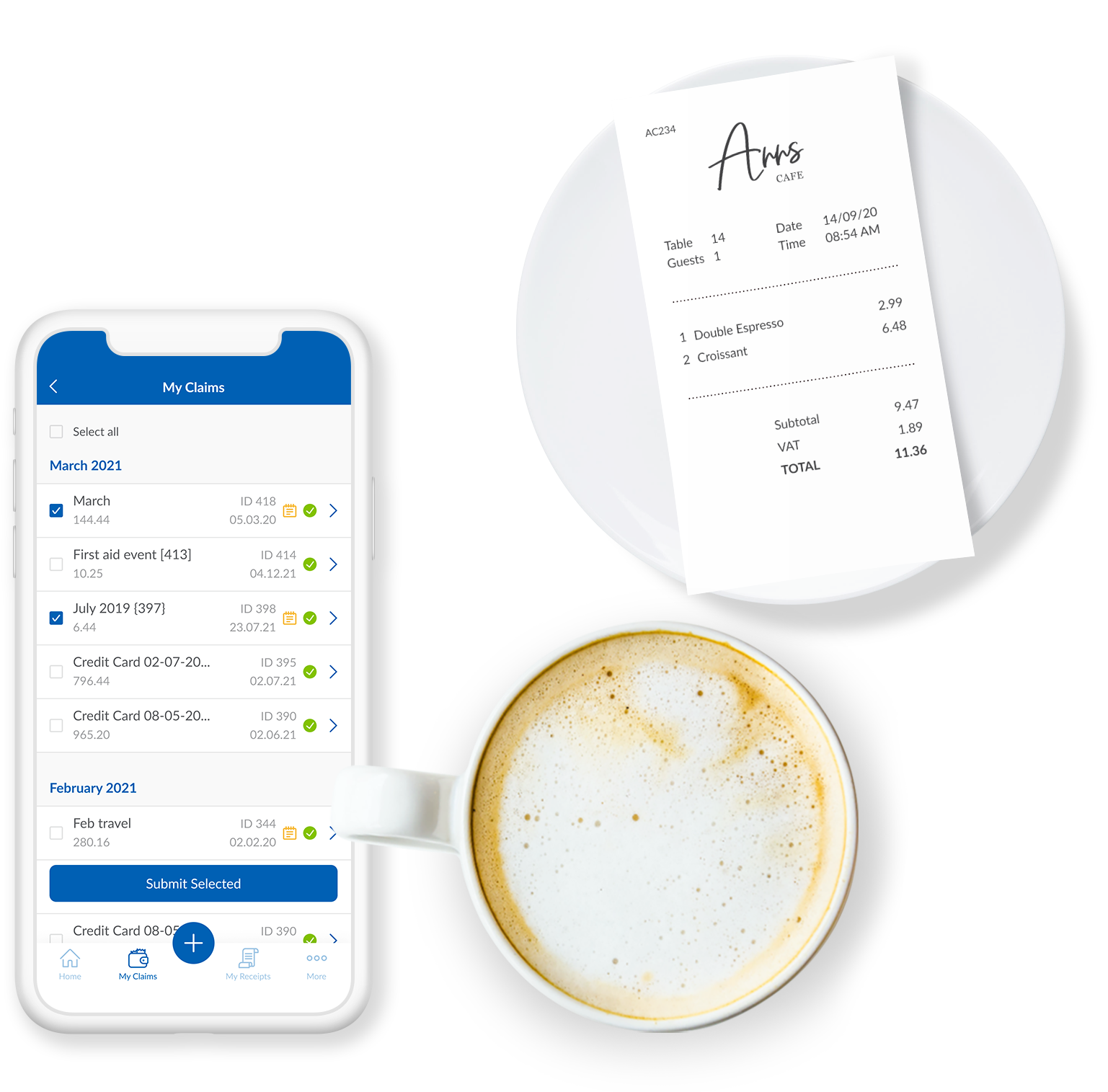
I think this is an easy to use and effective system for expense management. I like how I can upload images and documents directly from my phone onto the mobile app. It's beneficial for continuity that the app and the web browser work the same, and I can save claims to come back to later if I wish.
The soft ware is reliable. The phone app works well and allows you to upload evidence, receipts, log mileage and log expenses. It works well and is rarely locked or there are very few times the app is down. The laptop based software is easy to access and again is always available
The phone based app and the laptop based app always load quickly. It is easy to access. It is quick to use. It easy and quick to upload information and evidence. It is easy to log details. The information goes off to accounting and payroll quickly resulting in prompt payments for staff
In 6 years, we've never had a bad experience with client support. We implemented during COVID, and I was the only person in HR at the time. I was also having to homeschool our children, which meant bizarre work hours and limited time to focus on platform build at times. There were nights that I was literally on calls at 11 pm and the implementation team was unbelievably supportive. Recently, a Position Seat specialist came on site to help us set up for our 5 client codes - the experience was transformative for how we use the platform and an absolute game changer. I trust Paycom because I trust our representatives. They truly are strategic partners for us, and work to ensure we're maximizing the platform and that our needs are being met
The support for the initial setup was great, but since then we have only had to contact support once when we had problems uploading credit card files. The help we received at this time was not good and we ended up trying various things until we resolved the problem ourselves. The online support tutorials are good, but searching for a specific issue is difficult.
Tadd and Ellie have been great! They have show us many aspects that implementation did not. They are very personable and action oriented as well. Anytime we need them they offer to swing in.
It was good, but hard to know what questions you need to ask until you actually get in there and start working with a live product. But Paycom is also very helpful every time I call and can't figure something out. Nathan has been very friendly and helpful no matter what I call him about. He is always eager to help out.
It was difficult to train multiple people via video, as they learned at different speeds, and most of the user champions were not as capable with systems and finance processes as our dept.
Not at all satisfied it was a nightmare we spent over 8 months with the implementation team having issues after issues all related to the Puerto Rico regulations (half my employees are in Puerto Rico) and at the end we were moved over from the implementation team to the production team without all the issues being resolved
I have not currently used any other products. I'm still kind of new to the HR industry. The only other thing that I really have to compare it to is Vonmar's system, which they created themselves, and it was not user-friendly.
I would have to say that Webexpenses does not stack up well in comparison to Expensify. If given a choice, I would choose Expensify for the best user experience and mobile / desktop being more seamless. It accomplishes the same thing but has a more modern, minimal, and streamlined feel to it.
Every department in my organization uses webexpenses. My role and the role of others involves travel, expenses and mileage. Everyone uses the app to log details, upload receipts and to claim allowable expenses. having spoken to everyone within my team and wider directorate, i do not know of anyone who has had issues with the app
It's helped us save time. We've been able to automate a number of payroll and accounting functions. It's also enabled our employees to use the ask gear feature. So it's really saved time, and also we've not gotten hacked, which is always a plus.