Adobe acquired Omniture in 2009 and re-branded the platform as SiteCatalyst. It is now part of Adobe Marketing Cloud along with other products such as social marketing, test and targeting, and tag management.
SiteCatalyst is one of the leading vendors in the web analytics category and is particularly strong in combining web analytics with other digital marketing capabilities like audience management and data management.
Adobe Analytics also includes predictive marketing capabilities that help…
N/A
Gainsight PX
Score 7.6 out of 10
N/A
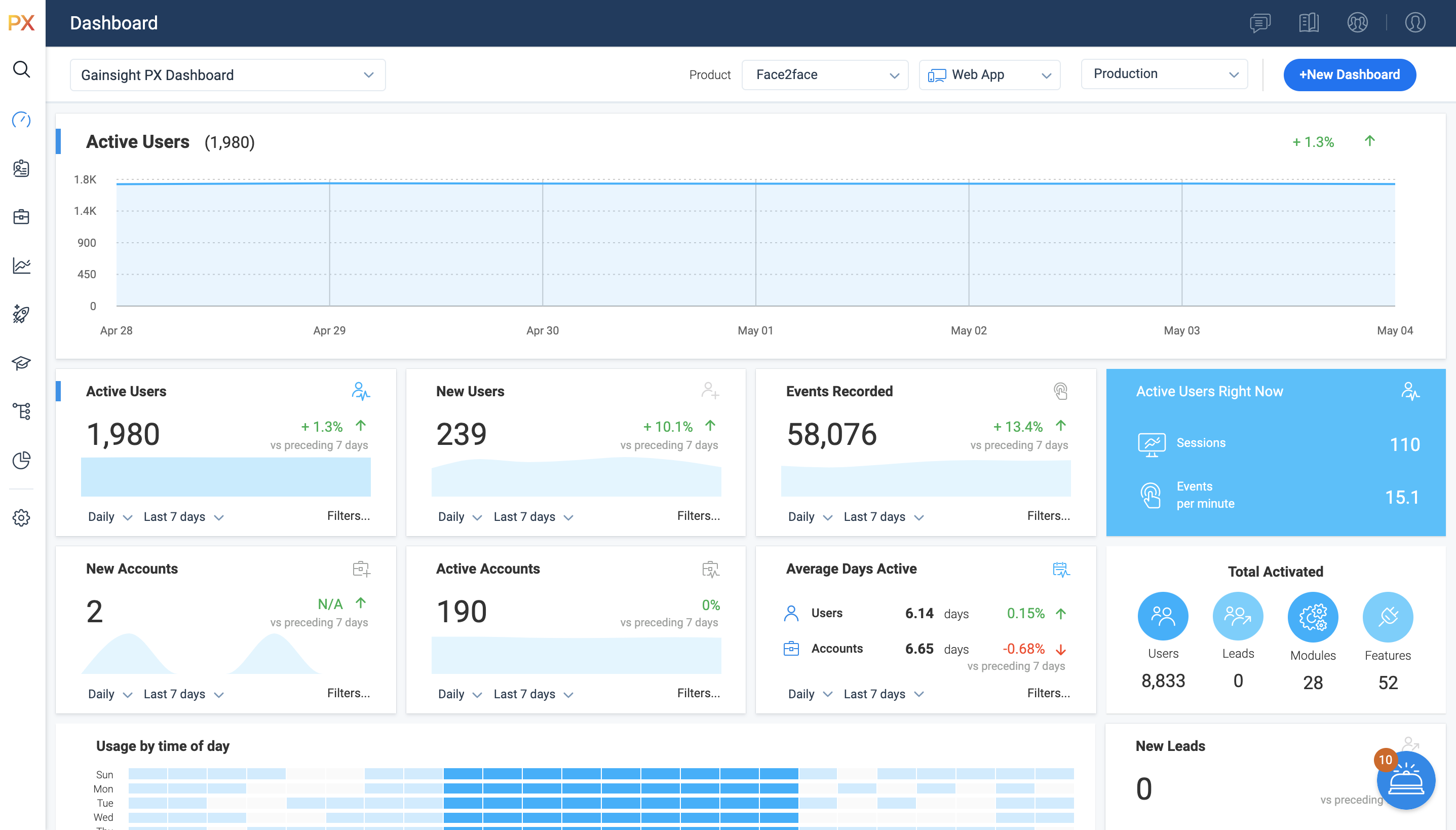
For SaaS products, Gainsight's product experience software enables companies to track every step of their user's journey and fully understand how they're interacting with a product over time.
$0
100 or less MAUs (Monthly Active Users)
Heap
Score 8.2 out of 10
Mid-Size Companies (51-1,000 employees)
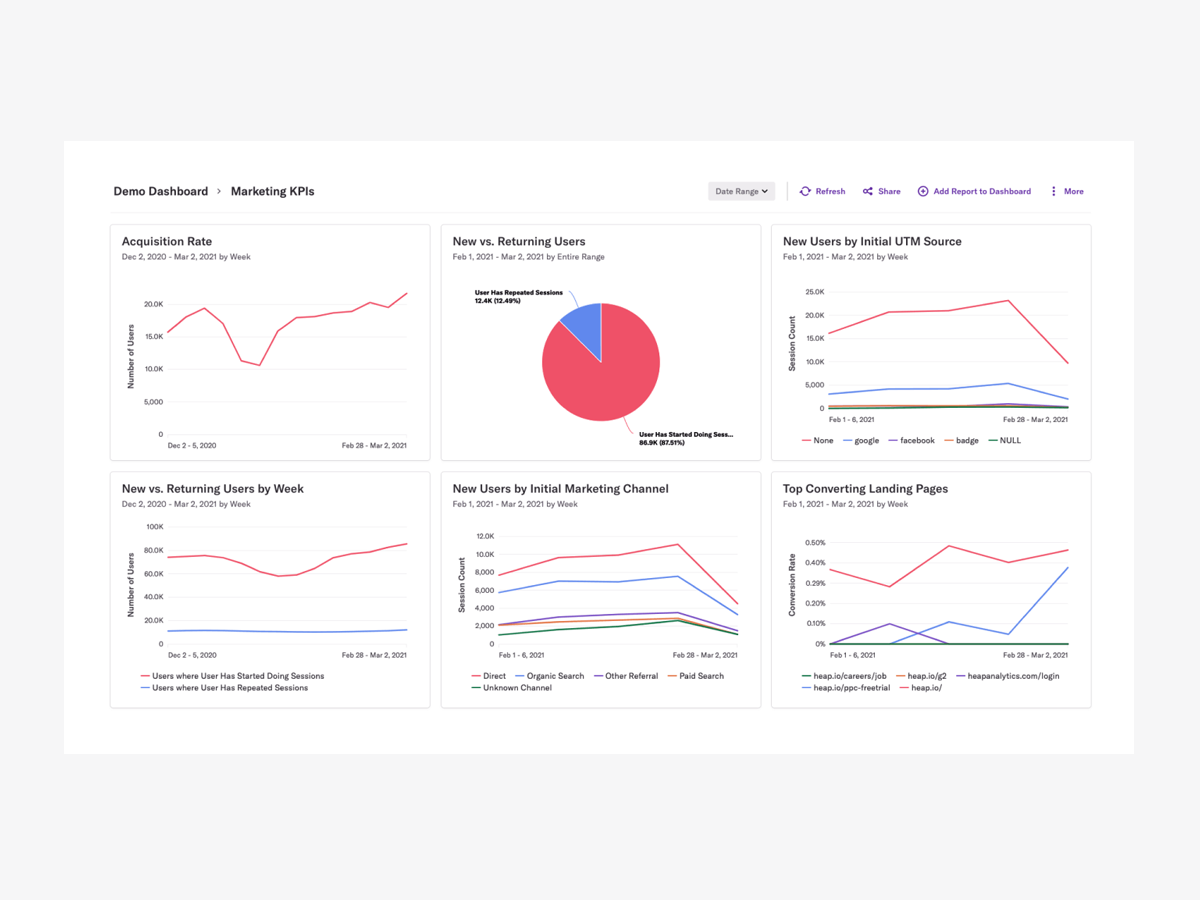
Heap is a web analytics platform captures every user interaction on web iOS with no extra code. The tool allows you to track events and set up funnels to understand user flow and dropoff. It also provides visualization tools to track trends over time.
$0
per month
Pricing
Adobe Analytics
Gainsight PX
Heap
Editions & Modules
No answers on this topic
Starter (Free)
$0
100 or less MAUs (Monthly Active Users)
Starter
Starting at $400/M
500+ MAUs (Monthly Active Users)
Growth
Custom
Per MAUs (Monthly Active Users) and more
Free
$0
Up to 10k sessions/month
Growth
Starting at $3,600 annually
Up to 300k sessions/year
Pro
Contact Heap Sales
Custom sessions per month and unlimited projects
Premier
Contact Heap Sales
Custom sessions per month
Offerings
Pricing Offerings
Adobe Analytics
Gainsight PX
Heap
Free Trial
No
Yes
Yes
Free/Freemium Version
No
Yes
Yes
Premium Consulting/Integration Services
Yes
Yes
Yes
Entry-level Setup Fee
Optional
No setup fee
Optional
Additional Details
—
—
Heap pricing is based on session volume. A session is a period of activity from a single user on your app or website. It can include many pageviews or events.
The best way to describe Adobe Analytics is that it's the enterprise-level of analytics platforms, in every sense of the word. From the sales process, through to the cost to purchase and implement, the need for ongoing training, and the fact that it really takes an Analytics …
Adobe Analytics has a more modern and friendlier user interface and it's easier to use for me. Google analytics has better compatibility with other Google products
Heap has a great value proposition and very nice user experience. But it lacks the clear funnel analysis that Gainsight PX provides. Plus Heap also does not have integration with a lot of CRMs and Customer data platforms. Also, Additionally if you go in the market to find Heap …
Alas, Heap was selected before I got here, but I will say that its chief virtue is ease of implementation. Adobe Analytics is the ultimate workhorse of web analytics and I could make it do absolutely anything I needed it to. Ad Hoc Analysis allowed me enough drill downs, …
I have worked with Adobe Analytics before using Heap. I think Heap is better at getting your hand on quicker comparisons [than] Adobe. However, Adobe does have more analytical power compared to Heap.
For web analytics, I prefer Heap over some of its competitors like Adobe Analytics, Looker, or Google Analytics, primarily because I find it more intuitive to use. For mobile, I actually prefer Amplitude as I'm not sure that has been a priority for Heap (yet) and Amplitude does …
Heap is much easier for me to use. With Adobe Analytics, I needed to work exclusively with a product analyst whose whole job is working in Adobe Analytics. I can create dashboards without help from a specialist and feel confident that they are functional, actionable, and usable …
For me, Heap is much simpler to utilize. I've previously used Google and Adobe Analytics but switched to Heap because it provide better features and is easy to integrate. Without a specialist's assistance, I am able to construct dashboards and am convinced that they are useable …
What really stood out was the auto capture functionality and the ability to do as many custom reporting as we can, and it had very comparable features to a lot of other user analytics tools, but we liked how clean it was at pulling in data as well. definitely recommend for …
From a startup perspective, Heap is one of the best and fastest ways to go from 0 analytics to nearly all of what one would need with the least amount of effort. It's faster and easier to implement than many above and it's better suited for quick quantifiable analytics that …
While Heap is more expensive than the free version of Google Analytics, we find that the cost is well worth it for the unlocks it provides to our product management and analytics team to regularly modify tracking and build reporting.
Heap was selected by my predecessor. Heap does not include a digital adoption component, which is something we did not need. Pendo and Gainsight include DAP, which adds to the overall cost. Mixpanel requires developer resources to add tracking to any new features. In …
Honestly, because Adobe Analytics is so customizable, I found that it is very well-suited for almost any type of web digital experience tracking of behavioral analytics. It has a very robust mech architecture for any type of e-commerce platform. But it is extensible and is easily adaptable to other circumstances. For example, in our university situation, we've been able to use it for student portal experience tracking, how well they are interacting, interfacing with our internal sites, and how well they are working with our task submission processes. But it does a great job of managing all aspects of the key journeys, especially from a marketing perspective. So while it might not be as out-of-the-box for some of those other alternative use cases outside of marketing, it's extensible and customizable enough that it's worked really well and met our needs.
It’s a robust tool that allows you to easily map and track key features and actions within your products. It also allows for in app communications to help guide the user through the path you want them to follow. The ability to connect with Gainsight CS also allows you to leverage that data to drive actions for the account team, incorporate it in health scoring, and use it to trigger digital programs. You do need a well thought out strategy for management of the platform, the data and how you will use it.
Scenarios when Heap was well suited: It is when a user claims that he encountered a bug without giving us the details of the error message. Scenarios where it is less appropriate: Its when we try to capture user interaction in our mobile app
Within my role of advertising, I can come in, and I can see I'm paying for visitors, paying to drive people to the website. So I can see the differences in my different traffic sources, whether that's a Google search campaign or a Facebook social campaign. I can measure the quality of that traffic and see what they're doing, whether they're bouncing right away and leaving the website, or spending more or less time on the website. And whether they're taking the actions. My ad campaign is focused on filling out forms, and ultimately, that's it. Just measure and see if my campaigns are successful or not.
Gainsight PX provides powerful segmentation capabilities to help marketers target the right customers with the right message. Through its segmentation capabilities, Gainsight PX enables marketers to create custom segments based on user behavior, demographics, and other criteria to ensure that the right message is delivered to the right customer.
Gainsight PX offers robust analytics capabilities to help marketers gain insights into customer behavior and engagement. Through its analytics capabilities, Gainsight PX enables marketers to track user engagement, identify customer trends, and gain insights into customer behavior.
Gainsight PX provides an intuitive user interface to help marketers quickly and easily create and manage campaigns. Through its user interface, Gainsight PX enables marketers to create and manage campaigns with ease, allowing them to quickly launch campaigns and track their progress.
I think the biggest room for improvement is performance. When I go in certain times of the day or for certain clients, it's slow and it won't load the reports that I need. And as a result, needing to answer a question where you normally have the expectation of it being a near real-time answer that you get when you have to wait for reports to load or you have to wait because the reports can't load at all. It's a really unfortunate thing. It's a big problem actually. So I'd say that's one area of improvement. It's just improving the performance of the reports so that they'll load consistently all the time quickly and effectively.
Dashboards. There is no way to provide notes to others which would be very beneficial in consuming data across a team. Lacking functionality - no resizing, no organization options, run into bugs when using it frequently, overall hard to design a layout that is easy to follow.
No way to identify what features/elements are being used but aren't tagged. This would be a huge value add.
Retention Analyzer. Default view doesnt allow for filtering and includes test data. In our case this doesnt allow for a true comparison between two segments.
Segments. You can't use segments in areas you should be able to. I shouldnt have to recreate a segment as a saved filter.
We need it to discover threats long before they become a loophole in the security ecosystem. Also, it is very much compliant with customer standards and expectations. It provides marketing intelligence through in-depth analysis. Overall, a very good product to gain customer attention and thereby improve market
It's a great platform. I'm glad that one of our product managers introduced it because it has allowed us to create all kinds of new functionality. We're not only able to create a better product experience from our communications because of Heap, but we're also able to generate all kinds of helpful analysis.
It is necessary to have a minimum knowledge on tracking tools so you can use the tool on full performance. It is not an introduction tool, so please bear that in mind. Once you got the knowledge you just need a small training on how to create your custom reports, where to find the components you need and how to add them to your dashboard. Then you share your report or create a rule for periodic sharing and it's done. Finally, if you have a lot of data stored the tool might be a little slower but that's ok.
It is a good product, but like with every product, there is room for improvement or even just things I, as a user, would prefer, such as the ability to click on a company and have it go to Salesforce instead of Insight. It can also be difficult to find certain reports.
On a scale from 1-10, I find Heap to be incredibly user-friendly and easy to use. I enjoyed the training videos available and was quickly able to pick up how to create events and reports to track user interactions on our product. I would recommend Heap for its usability first and foremost.
I do not ever recall a time when Adobe Analytics was unavailable to me to use in the 8 or so years I have been an end user of the product. My most-used day-to-day analytics tool Parse.ly however, generally has a multiple hours planned offline maintenance every two to four weeks, and sometimes has issues collecting realtime analytics that last anywhere between 15 minutes to an hour, and happen anywhere between 1 to 5 times a month.
I've never run into any issues with Heap's availability, Heap is always there when I need it. I haven't run into any issues like application errors or unplanned outages during my 2+ years of using Heap. Each and every time I log in to Heap I have a completely functional experience
Again, no issues here. Performance within the day updates hourly. other reports are updated overnight and available to access by the next morning. Pages load quickly, the site navigates easily and the UX is quite straightforward to get command over. On this front, I give Adobe kudos for building a great experience to work within
Heap doesn't affect page load times considerably nor has a large impact [on] our overall score, as far as page loading times inside of the tool its pretty reliable to retrieve data as much as "instant" that it can be the delay seems to be on data getting tracked into the servers to be read but it's not significant.
Support for Adobe Analytics is ok, it used to be worse years ago. Now, the technology team at Adobe is way more knowledgeable on the product itself as well as the implementation. They also study your custom implementation and have good knowledge of where your company stands. Dedicated support is something worth considering.
I have not had to contact support frequently but when I have I used the chat and my questions were answered immediately. I've also used their knowledge center, help documentation and training videos which are all very thorough. The support we've received from our Customer Success Manager has been helpful as well.
Heap support has allowed us to troubleshoot and test a lot of different items. Their support team is always helpful and friendly, even when we come to them with the most complicated questions. I think this greatly improves the value proposition of the product because their support team is knowledgable and friendly.
It was a one-day training several years ago that cost the organization several thousand dollars. There were only about 10 people in the training class. Adobe tried to cram so much information into that one-day class that none of our users felt like they really learned anything helpful from the experience. Follow-up training is too expensive
The online training for Adobe SiteCatalyst consists of short product videos. These are ok, but only go so far. For a while Adobe charged a fee for this, but recently made these available for free. There are many great blog posts that help users learn how to apply the product as well.
One of the benefits and obstacles to successfully using Adobe Analytics is a great / more accurate implementation, make sure your analytics group is intimate with the details of the implementation and that the requirements are driven by the business.
The implementation was smooth and easy. The Heap team helped us with implementation and it went great! Within a few weeks, we were fully up and running and utilizing the platform to its full capability. This is an additional thing that has made this platform so great and we couldn't recommend it enough.
We evaluated and we currently use Mixpanel and we have Google Analytics on a couple of our properties. And honestly, once you get the hang of the Adobe Analytics workspace, the other products really don't stack up against it because the segmentation and the ability to create reports pretty rapidly are invaluable.
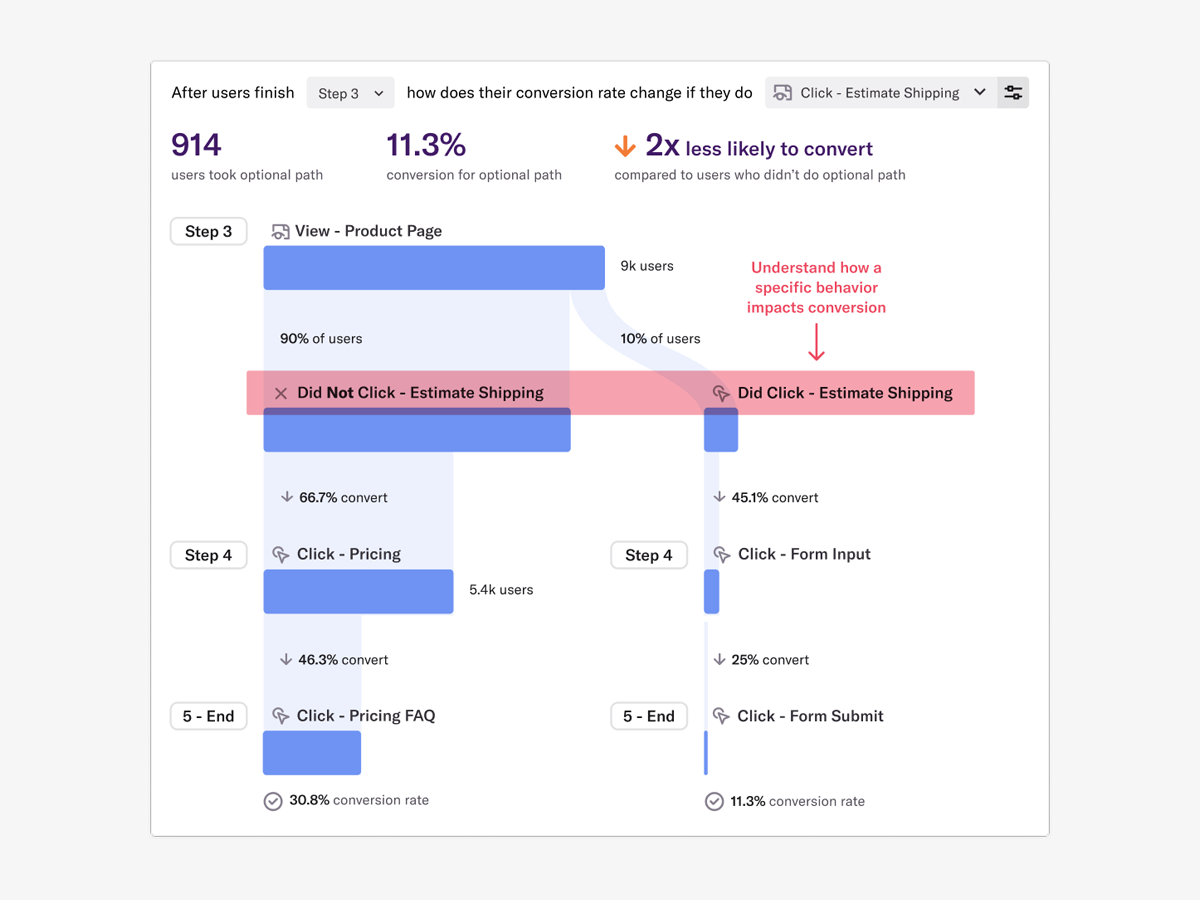
Heap has a great value proposition and very nice user experience. But it lacks the clear funnel analysis that Gainsight PX provides. Plus Heap also does not have integration with a lot of CRMs and Customer data platforms. Also, Additionally if you go in the market to find Heap implementors or SI vendors, you won't find any.
Heap offers a ton of functionality on a single platform.It also has an smart data science layer to offers suggestions for next steps in the analysis, allowing us to explore alternative paths we may not think to take. The low-code option for updating data is appealing, and there is a lot of automation with minimal engineering effort.
Adobe Analytics is relatively affordable compared to other tools, given it provides a range of flexible variables to use that I have not found in any other tools so far. It is worth investing in if your company is medium or large-sized and brings a steady flow of revenue. For small companies, it can be overpriced.
My organization uses Adobe Analytics across a multitude of brand portfolios. Each brand has multiple websites, mobile apps and some even have connected TV apps/channels on Roku and similar devices. Adobe can handle the multitude of properties that have simple, small(ish) websites and the larger brand properties that include web, mobile and connected TVs/OTT devices.
Each of those larger brands has multiple categories and channels to keep track of. We can see the data by channel/device or aggregate all the data together. This gives our executive teams the full picture and the departmental teams the view they need to see their own performance.
The most challenging part of using Heap in a growing organization is the naming and structure in which reports and dashboards are organized. I work within the marketing department and our Heap leader internally works within the IT/Product department, which makes it challenging because we often don't speak the same language, so the learning curve has been steep without any specific use-case examples to leverage online.
The professional services team is one of the best teams for complex adobe analytics implementations, especially for clients having multiple website and mobile applications. However, the cost of professional services is a bit high which makes few clients opt out of it, but for large scale implementations they are very helpful
Adobe Analytics impacts nearly every aspect of a billion plus dollar revenue eCommerce business. From measuring the impact of new build features to marketing campaigns.
We are saving substantial money and resource effort by consolidating all of our properties to Adobe Analytics from alternative solutions, at which point we will finally be able to report on Total Digital, rather than disparate reports.
We support experimentation on every platform and the performance is only known through Adobe Analytics tagging.
Allow us to integrate actual product usage with Salesforce.
Too much developer time went into it, especially when the premise was that this was mostly going to be handled by the Product team. This was mostly because the Gainsight PX event editor doesn't support more complex querying on events.