
Chose Convert Experiences
Adobe Target vs. Convert Experiences vs. VWO
Adobe Target vs. Convert Experiences vs. VWO
| Product | Rating | Most Used By | Product Summary | Starting Price |
|---|---|---|---|---|
 Adobe Target | N/A | Adobe Test and Target is an A/B, multi-variate testing platform which Adobe acquired as part of the Omniture platform in 2009. It is now part of the Adobe Marketing Cloud. It offers tight integration with Adobe analytics and content management products. | N/A | |
 Convert Experiences | Mid-Size Companies (51-1,000 employees) | Convert Experiences is an experimentation platform that offers features and support to run A/B tests across multiple growth channels. Its enterprise-ready advanced features include full stack experimentation, multi-page testing, post-segmentation, sequential testing, targeting with 40+ filters, triggering tests based on data in other apps (data sources), dynamic triggers, complex goal tracking, and a secure API. It includes 90+ out-of-the box integrations in a… | $399 per month up to 100k tested users per month | |
 VWO | N/A | VWO is an A/B testing and conversion optimization platform that enables growing businesses to conduct qualitative and quantitative visitor research, build an experimentation roadmap and run continuous experiments on their digital properties. With its 5 capabilities Plan, Track, Test, Analyze, and Target, it brings the entire CRO (conversion rate optimization) process at one place. VWO helps online businesses follow the process- and data-driven conversion… | $49 per month |
| Adobe Target | Convert Experiences | VWO | ||||||||||||||||||||||
|---|---|---|---|---|---|---|---|---|---|---|---|---|---|---|---|---|---|---|---|---|---|---|---|---|
| Editions & Modules | No answers on this topic |
|
| |||||||||||||||||||||
| Offerings |
| |||||||||||||||||||||||
| Entry-level Setup Fee | No setup fee | No setup fee | No setup fee | |||||||||||||||||||||
| Additional Details | — | 1. Annual contract or monthly payments available 2. Pricing is not feature dependent. Some features like integrations, goals, Live Logs are necessary to test successfully. This is why Convert caps by unique tested users - basically visitors who have been bucketed to see a variation and are unique to that variation. As a result the app tested users are always </= the site's net traffic. | — | |||||||||||||||||||||
| More Pricing Information | ||||||||||||||||||||||||
| Adobe Target | Convert Experiences | VWO | |
|---|---|---|---|
| Considered Multiple Products | Adobe Target No answer on this topic |  Convert Experiences  Scot Chandler Senior Consultant Chose Convert Experiences Although not as robust as Adobe Target, Convert fills the niche with solid functionality at a great price. Comparable to Optimizely and far above Google Optimize.  Aleksander Lach Conversion Rate Optimization Specialist Chose Convert Experiences Three words: value for money. In a due diligence comparison, Convert Experiences came up more than twice less expensive than the nearest competitor, while offering more product features, better performance and a quick response time with support/sales agents that actually …  Jörg Dennis Krüger CEO (Chief Executive Officer) Chose Convert Experiences Excellent value for the price. Straightforward to use. Very reliable.  Matt Beischel Founder & CEO Chose Convert Experiences Convert was selected based on price point, feature set, and UI/UX. All three are very friendly to new testers and small to mid-market size companies. Their UI and tool workflow is the best out of all of the non-enterprise solutions that I have tried. There is some small room …  Auke Vos Owner Chose Convert Experiences The biggest point for Convert Experiences is definitely the price and the completeness of their packages. Their Magento plugin makes it great for running tests on ecommerce stores. One thing that's missing for me is deeper insights into revenue (something Optimizely does …  Francis Teo Founder and eCommerce Conversions Strategist Chose Convert Experiences Visual Website Optimizer's feature set is not as well suited to advanced experiments (it doesn't seem to allow direct editing of variation code). Optimizely is expensive and their agency plan requires a 12 month minimum contract. Support is not as great. Optimizely also does …  Joshua Uebergang Head of Strategy Chose Convert Experiences Visual Website Optimizer costs too much and misses a lot of transactions due to third-party cookies. Optimizely flat out refused to support Shopify. They withdrew their app from the marketplace in 2014. |  VWO  Jeff Blettner Strategist, CRO Chose VWO Optimizely is best in class, but extremely expensive. We found Omniconvert and Convert to have some benefits, but fell short on interface and reliability. Adobe Target is possibly the most-expensive and the hardest, most-unpleasant to use and setup, so we'd never recommend it. …  Lee Preston Conversion Rate Optimisation Lead Chose VWO As I mentioned, VWO is a great all-in-one tool that lets clients research & test all within one tool. It's a little on the expensive side so it might not deliver the desired ROI for smaller clients and can also encourage the small clients to run small, insignificant A/B tests …  Jeremy Kutner Vice President Chose VWO VWO was our ultimate choice because we of the affordability. It also fell more in line with our use case of testing and not necessary for full personalization.  Mark Sullivan Director of Demand Generation Chose VWO We chose VWO after deciding that Optimizely is absurdly expensive. We stopped using VWO months ago due to a number of problems and switched to Convert, which has been fantastic. We highly recommend Convert to other companies now and wished we had found it prior to going with VWO.  Jeremy Weis Director Of User Experience Chose VWO The way that the VWO technology works allows us to test on our clients websites and change presentations of pages without the visitor ever knowing or seeing any elements flash or move. We were unable to achieve that with the Optimizely platform and experienced flickering and …  Olaf Pijl SEM Consultant Chose VWO Visual Website Optimizer is much easier to implement and use. It also doesn't need the extensive (and costly) Adobe Marketing Suite. |
| Adobe Target | Convert Experiences | VWO | |||||||||||||||||||||||||||||||||||||||||||||||||||||||||||||||||||||||||||||||
|---|---|---|---|---|---|---|---|---|---|---|---|---|---|---|---|---|---|---|---|---|---|---|---|---|---|---|---|---|---|---|---|---|---|---|---|---|---|---|---|---|---|---|---|---|---|---|---|---|---|---|---|---|---|---|---|---|---|---|---|---|---|---|---|---|---|---|---|---|---|---|---|---|---|---|---|---|---|---|---|---|---|
| Testing and Experimentation |
| ||||||||||||||||||||||||||||||||||||||||||||||||||||||||||||||||||||||||||||||||
| Audience Segmentation & Targeting |
| ||||||||||||||||||||||||||||||||||||||||||||||||||||||||||||||||||||||||||||||||
| Results and Analysis |
|
| Adobe Target | Convert Experiences | VWO | |
|---|---|---|---|
| Small Businesses | Convert Experiences Score 9.9 out of 10 |  Google Content Experiments (discontinued) Score 7.3 out of 10 | Convert Experiences Score 9.9 out of 10 |
| Medium-sized Companies |  Dynamic Yield Score 9.0 out of 10 | Dynamic Yield Score 9.0 out of 10 | Dynamic Yield Score 9.0 out of 10 |
| Enterprises | Dynamic Yield Score 9.0 out of 10 | Dynamic Yield Score 9.0 out of 10 | Dynamic Yield Score 9.0 out of 10 |
| All Alternatives | View all alternatives | View all alternatives | View all alternatives |
| Adobe Target | Convert Experiences | VWO | |
|---|---|---|---|
| Likelihood to Recommend | 8.4 (46 ratings) | 9.9 (18 ratings) | 7.7 (108 ratings) |
| Likelihood to Renew | 6.3 (24 ratings) | 9.1 (1 ratings) | 8.7 (20 ratings) |
| Usability | 8.1 (14 ratings) | 8.0 (1 ratings) | 8.7 (5 ratings) |
| Availability | 6.1 (4 ratings) | - (0 ratings) | 9.1 (3 ratings) |
| Performance | 8.0 (3 ratings) | - (0 ratings) | 8.2 (1 ratings) |
| Support Rating | 3.5 (9 ratings) | 9.8 (9 ratings) | 9.1 (4 ratings) |
| In-Person Training | 8.1 (3 ratings) | - (0 ratings) | - (0 ratings) |
| Online Training | 6.1 (3 ratings) | - (0 ratings) | 6.4 (1 ratings) |
| Implementation Rating | 7.2 (5 ratings) | - (0 ratings) | 9.1 (3 ratings) |
| Configurability | - (0 ratings) | - (0 ratings) | 8.2 (1 ratings) |
| Ease of integration | - (0 ratings) | - (0 ratings) | 3.6 (1 ratings) |
| Product Scalability | - (0 ratings) | - (0 ratings) | 8.2 (1 ratings) |
| Vendor post-sale | - (0 ratings) | - (0 ratings) | 9.1 (1 ratings) |
| Vendor pre-sale | - (0 ratings) | - (0 ratings) | 8.2 (1 ratings) |
| Adobe Target | Convert Experiences | VWO | |
|---|---|---|---|
| Likelihood to Recommend | Adobe
| Convert
Scot Chandler Senior Consultant | Wingify Pvt Ltd
 Diego Polanco CRO Consultant |
| Pros | Adobe
 Terri Harris Legal Assistant Office Manager | Convert
 Ken Hanson Growth Lead | Wingify Pvt Ltd
|
| Cons | Adobe
| Convert
| Wingify Pvt Ltd
 Joseph Collins Account Supervisor |
| Likelihood to Renew | Adobe
 Richard Hayes Director of Web Analytics & Optimisation | Convert
Ken Hanson Growth Lead | Wingify Pvt Ltd
 Tom Kerwin Head of User Experience |
| Usability | Adobe
| Convert
| Wingify Pvt Ltd
|
| Reliability and Availability | Adobe
 Petrik Oh Senior Web Analytics Manager | Convert No answers on this topic | Wingify Pvt Ltd
|
| Performance | Adobe
 Brett Johnson Digital Producer | Convert No answers on this topic | Wingify Pvt Ltd
|
| Support Rating | Adobe
 Gary Poppe Data Analyst | Convert
 Art Bukowski CRO, UX and GA specialist | Wingify Pvt Ltd
|
| In-Person Training | Adobe
 Sarah Schick Product Analyst | Convert No answers on this topic | Wingify Pvt Ltd No answers on this topic |
| Online Training | Adobe
Sarah Schick Product Analyst | Convert No answers on this topic | Wingify Pvt Ltd
|
| Implementation Rating | Adobe
| Convert No answers on this topic | Wingify Pvt Ltd
|
| Alternatives Considered | Adobe
| Convert
Matt Beischel Founder & CEO | Wingify Pvt Ltd
 Kevin McLallen Program Manager |
| Scalability | Adobe No answers on this topic | Convert No answers on this topic | Wingify Pvt Ltd
|
| Return on Investment | Adobe
| Convert
Scot Chandler Senior Consultant | Wingify Pvt Ltd
|
| ScreenShots | Convert Experiences Screenshots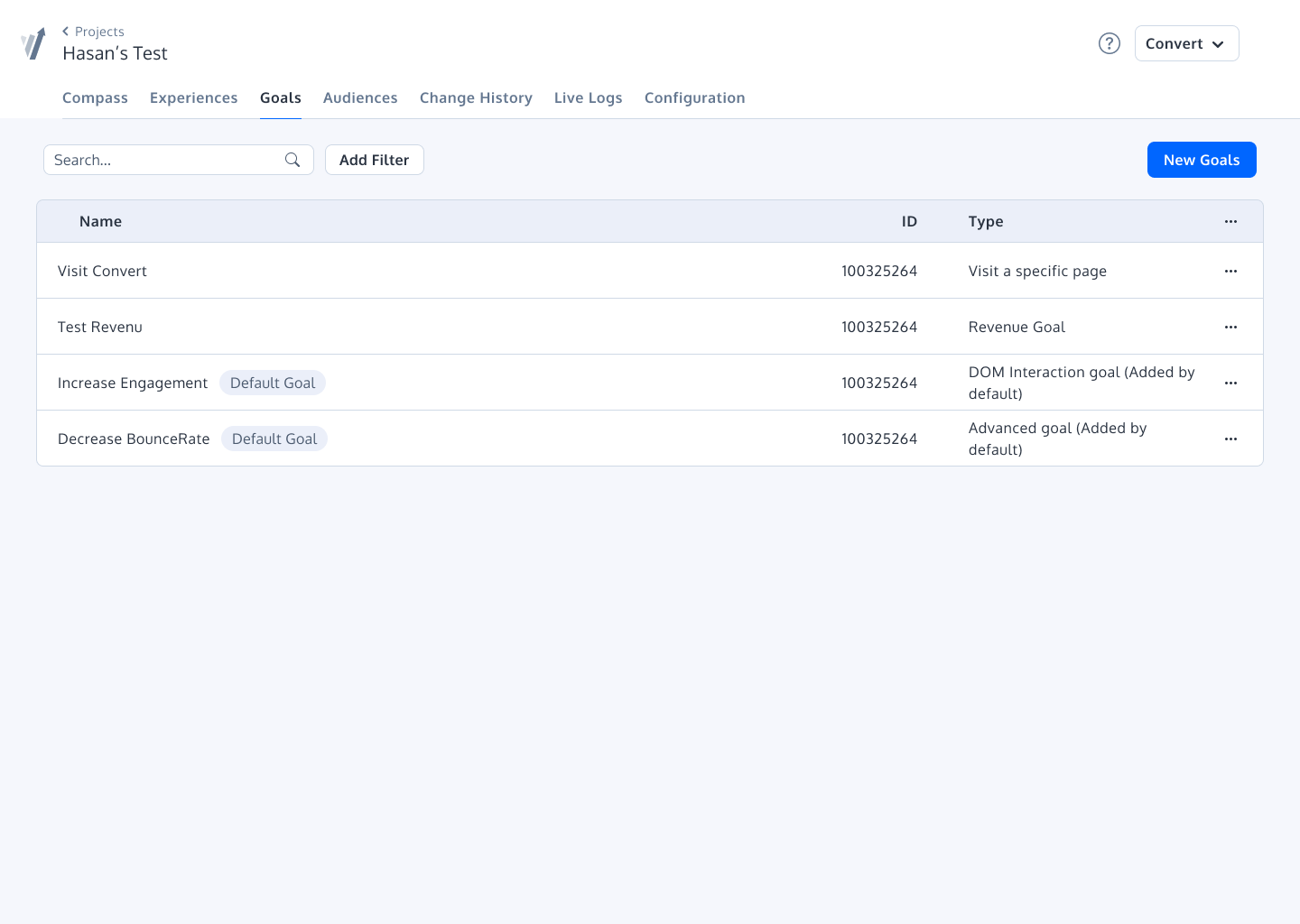 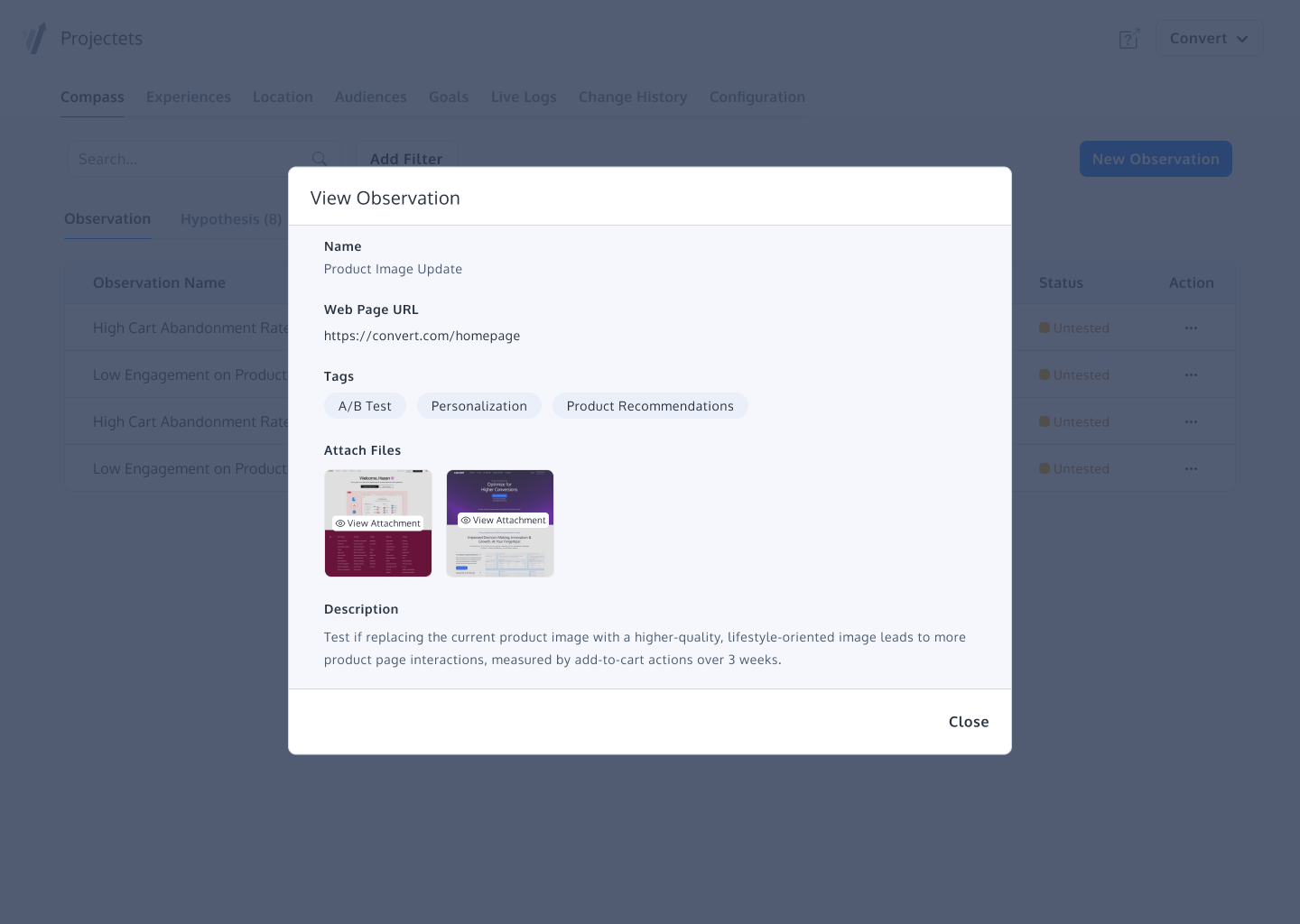     | VWO Screenshots  |