Amazon Simple Email Service (Amazon SES) is an outbound-only email-sending service useful for marketing and transactional email, relying on the infrastructure of Amazon. Amazon SES provides the requisite statistics and built-in notifications for bounces, complaints, and deliveries for optimization of campaigns. Emails are sent via SMTP or the Amazon SES API.
Amazon's pricing is per usage, presently at $.10 per thousand sends. The service is free for users of Amazon EC2 (up to 62,000 messages),…
$0.10
for emails after the first 1,000
Constant Contact
Score 7.9 out of 10
N/A
Constant Contact is a full-featured email marketing solution with capabilities such as social media integration, drag-and-drop editing, and real-time reporting. It is a bulk email tool designed for SMB customers. Since 2019, Constant Contact also offers marketing automation features, a website and landing page builder, and other tools to support midsize businesses.
$12
per month
Emma by Marigold
Score 9.3 out of 10
N/A
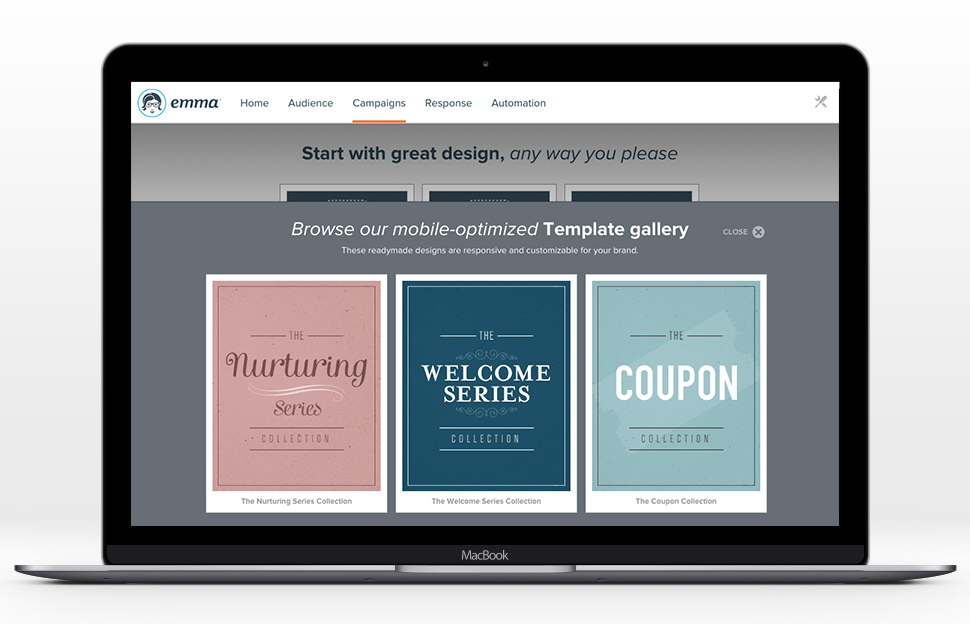
Emma by Marigold is an email marketing solution. Its key features include mobile-ready design templates, email automation, audience segmentation, and dynamic content. The software includes integration with third-party CRM solutions, ecommerce platforms, and social networks.
$500
per year per user
Pricing
Amazon Simple Email Service (SES)
Constant Contact
Emma by Marigold
Editions & Modules
Sending Emails from an Application Hosted in Amazon EC2
$0.10 ($0.12)
for every 1,000 emails after 62,000 (for each GB of storage)
Sending Emails from Another Email Client or Software Package
$0.10 ($0.12)
for every 1,000 emails (for each GB of storage)
Receiving Email
$0.10
for emails after the first 1,000
Sending Emails from an Application Hosted in Amazon EC2
Free
for first 62,000 emails
Receiving Email
Free
for the first 1,000 emails
Lite
Starting at $12.00
per month
Standard
Starting at $35.00
per month
Premium
Starting at $80.00
per month
Basic
$500
per year per user
Offerings
Pricing Offerings
Amazon SES
Constant Contact
Emma by Marigold
Free Trial
No
Yes
Yes
Free/Freemium Version
No
No
No
Premium Consulting/Integration Services
No
No
Yes
Entry-level Setup Fee
No setup fee
No setup fee
No setup fee
Additional Details
—
The SMS Marketing tool can be added to any Standard or Premium Constant Contact account. SMS is only available in the US for Standard and Premium paid plans. SMS can be added when logged in to an account after purchase. Plans start at $10/month for up to 500 messages.
SES is a much lower level technical tool than the other solutions we've used in the past with the exception of Mailgun. We've found SES to actually be much easier to use than Mailgun, although not as powerful. A good way to explain the difference between MailChimp, Constant …
AWeber, Emma Mail, Mail Chimp and Infusion Soft to name a few. They weren't from my opinion easy to use, not as user-friendly as Constant Contact, had a greater learning curve, did not have many templates or automatic A/B testing. No survey feature. …
Constant Contact and MailChimp do not offer a white label option so they were out of the running early on for us. Campaigner does offer white labeling but their pricing is outrageously higher than Emma, their customer service isn't nearly as good and their tool isn't as …
Why I chose Emma over Constant Contact: I felt like I got lost in the sea of people/customers at Constant Contact... plus I felt like their own email marketing messages that they sent weren't very good... in an essence they weren't practicing what they preached well.
Emma is night and day difference from Constant Contact in terms of customer support, feature set, and usability. It is so much better and more affordable. Emma is a step down in feature set and functionality from Pardot, Marketo, or HubSpot, but if you are a company that is not …
Our internal competitors are the individual email platforms our stores have signed up for. In general, they need to take our HTML and upload it themselves, making Constant Contact and MailChimp very cumbersome. Emma, on the other hand, allows us to take charge of that. Users …
At the time we made the decision to move to Emma, my organization was using both MailChimp and Constant Contact. Emma's drag-and-drop template editor surpassed both, and even editing the pre-made template HTML in Emma was easier. List management was much smoother than the …
Mail Chimp: the price was better, but the platform was not predictable. You did not get the same support with MailChimp. Constant Contact: This is an outdated system that does not make it easy to design modern, clean emails and I consider it a dinosaur.
We moved away from Constant Contact because of the reputation it was starting to get with not auditing its domain and not providing us with the best possible brand reputation and also because we just didn't get the analytics we wanted to improve our process. With Emma, we can …
MailChimp seems to offer more customizable options than Emma, but Emma is far less buggy. I used Constant Contact while working with another nonprofit organization and did not anything about it.
Emma is a step up from Constant Contact and two steps up from Mailchimp. Emma is affordable and easy to use for all types of companies, but especially for smaller firms and startups. It’s in compliance with SPAM laws, but has an advanced platform to keep your emails from going …
Emma had a more robust multi-level account structure which empowered individual locations to participate at the ground-level. Additionally corporate was able to maintain oversight, template creation, marketing automation, and data reporting. The goal is to provide the locations …
Emma is the easiest to use platform I've tried so far. It was easy to setup and send the first enewsletter. The functionality is very user friendly and it "makes sense" as you go through to add content and users. It's made being a marketing team of one very efficient.
Emma was the perfect solution for what we were looking for due to its easy to use interface, relatively low cost and basic functionality. We were not looking for expensive, complex tools to send out multiple campaigns with various controls and tests. We also were impressed with …
We chose Emma because at the time we didn't need a full marketing automation platform like Pardot or Marketo and just wanted an easy to use, well priced email communications tool that integrated with our CRM Salesforce.
Amazon Simple Email Service comes with the bundle of Amazon Web Services (AWS) and it also offers a limited number of emails per month for free. One who has a technical background and wants to send custom emails with custom domains in a professional way can go with Amazon Simple Email Service. If you have no technical background or tech team, it might not be useful for you.
Constant Contact is an excellent tool for sending out flyers and newsletters. However, I feel the content's appearance is typically all the same. When I receive an email from Constant Contact, I can immediately identify it - the templates usually all look the same. When sending out communications with images, it is easy to use Constant Contact and link webpages. However, the email layout is always vertical and can get very lengthy. I prefer a more flip-book approach with options to flip the page.
Using Emma for weekly templated email use with minimal changes is awesome. If you want you can create a master and make minor graphic edits quickly and easily from your smartphone. Any edit is possible as long as the artwork is on the online server. Only time I hit a bump in the road is when I was asked to change the style sheet and did not know that the pricing plan I was on did not include this feature. Client had to wait to send new format until Emma performed the requested changes.
As compare to other vendors that I have integrated response is very quick.
You can verify both domain or email to send out the emails from.
While setup you can easily configure it with your domain with few clicks like adding CNAME, DKIM records
Easy to use with or without access key and secret key within aws servers. You can directly map permissions to servers to go without credentials using boto3.
Market segmentation is great: my main segmentation is by region because that's how our sales team is divided.
Lists: making customized email lists is easy and intuitive; the custom fields allow some flexibility in case our fields don't exactly line up with Constant Contact's.
Campaigns: creating campaigns is quick and simple. I especially appreciate the 'resend to non-openers' option. I am constantly using this feature.
Subject line generator: I like using the recommended subject lines. I'm able to plug in their recommended ideas, or sometimes, this feature helps me generate my own ideas.
Enterprise-level email marketing with multi-level account structure allowing for multiple users at different levels to send campaigns
Easy-to-use WYSIWYG email template editors to create dynamic emails with enhanced personalization through merge-fields
A large API index that connects to many different platforms and the ability to work with Emma support to create new connections to new platforms as needed
While the service limits are one of the main points that keep the delivery metrics so reliable, it can be stressful to get a new implementation out the door quickly.
If you're looking for a point-and-click style email delivery tool, this is not the right type of product for you. Amazon Simple Email Service is for a developer-centric approach to implementation into existing applications, processes, and services.
It would be nice if we had more customizable options for emails - like moving around pictures and text boxes, rather than a set spot for everything to go.
I would like it if multiple people could work on a document at one time. So if I'm in charge of graphics, I can get those updated while someone else is entering content, etc.
Their customer service leaves something to be desired. We ran into an issue with one of our campaigns, and we decided to reach out to support, but they didn't get back with us until 3 hours later! Time is money!!
We don't like that their photo editing capabilities are limited, you can only choose small, medium or large photos with no way to resize to exact dimensions. Makes emails a bit of a pain
The upgraded premium tools are buggy and leave something to be desired as well – it's a shame.
There is no doubt that we are going to renew Constant Contact. We have not just invested a lot of time in learning and creating a great looking product but we have developed a strong database of information that allows us to track how we are doing for each newsletter. This supports our goals of creating products that residents desire and are excited to receive.
Emma has been a great tool for our marketing. It's easy to use and I've had no issues in the almost two years we've been with them. It's really been a great way for us to stay connected with customers that takes no time to setup and send
There is always room for improvement. I don't know how they test their systems, but they should invite not-so computer savvy people to test it. If I, as an expert have problems, they need to think like the technophobe. Since I've used Constant Contact in the past as part of my former employment, I have not viewed any of the tutorials and just jumped in to work on my client's newsletter. With that said, I found some areas easy and some a bit cumbersome
While every WYSIWYG software will experience glitches, Emma handles them well. Keep in mind they rarely happen, but they do, it can be of annoyance. Regardless, Emma allows my organization to create seamless email campaigns using fresh data. Emma makes coming up with strategic decisions very easy. The list segmentation that Emma feature allows us to easily manage a large list without issues. Overall, Emma is extremely usable with nearly no learning curve!
The system seemed quite slow sometimes. Specifically, there was sometimes a delay in sends if it was during a high traffic period. There were time-outs when uploading new code for an email, and a lag in reporting analytics which was sometimes as long as 72 hours
We did not have the need of contacting Amazon for support. The documentation they provide is of great quality. Examples are easy to follow. One thing to have into consideration is we didn't have the premium support for AWS, so I can't provide details on how good or bad this service is, but in general, the basic support I had was great.
I think the overall support for Constant Contact has always been incredible; I have nothing negative to say. Our customer support representative was attentive, easy to understand, and very knowledgeable. I never felt like I wasn't a priority of his and my issues, while very small, were fixed in a very short time frame.
I hate that to get support I have to submit a question to a public forum and wait for a response. I just want the ability for a quick live chat to answer my simple help questions quickly or at the very least submit a ticket via email and get a status update.
Implementation is very easy for someone who wants to send out the “batch and blast” type newsletters. If you want to use their templates with no customizations, the product works fine. However, the more customizations you get into involving link color, etc, that’s where things can get tricky for someone who may not be familiar with coding
Mailchimp has a fixed monthly price, and with the number of emails that we sent, it's pretty expensive. Since our mailings are quite infrequent, using Mailchimp didn't make financial sense for us, even though Mailchimp is a more polished, packaged solution for email marketing. We evaluated other email delivery solutions as well and didn't find anything that matches Amazon SES on reliability and pricing.
Constant Contact is much more intuitive for people who are not tech-savvy. Also, while sendgrid offered more options in it's drag and drop interface, it displayed differently across different email clients, which made it very cumbersome to use. It also took much longer to upload contact lists and it was harder to manage existing contacts. Performance in sendgrid was much slower as well, and the Preview feature was quite buggy. Our team initially chose sendgrid because of the integration options that it's API offered, but we ultimately switched to Constant Contact because it was much easier to build campaigns and better suited our requirements.
At the time we made the decision to move to Emma, my organization was using both MailChimp and Constant Contact. Emma's drag-and-drop template editor surpassed both, and even editing the pre-made template HTML in Emma was easier. List management was much smoother than the clunky Constant Contact and MailChimp lists we had. From a design perspective, we chose Emma for its ease of use in creating templates and modifying existing ones, as well as the ability to push out branded templates and brand assets through its master admin/subaccount capabilities. Emma's analytics and reporting were much less frustrating to navigate and understand, such that, rather than spending all of our time trying to make sense of the metrics from a campaign (which we were definitely doing), we were attracted to being able to report easily and then move on to determining how to make real improvements
Very reliable in sending email campaigns and controlling the recipients so that no contact is sent the same email more than once, even if they are on a resent list
I have had nothing but positive impacts from using Constant Contact.
The church is large, and there are many subgroups and axillary groups within the church. Setting up specific groups based on responsibility, interest, member goals, and service needs allows me to send information quickly, saving valuable time for other tasks.
Constant Contact allows leadership to stay personally engaged with the members I work with, without over-taxing my time. It feels so seamless.
Stores using the platform have seen good deliverability stats. Open rates and click-through rates are high with the templates that Emma creates. We still face the challenge of getting more users on the platform.
User satisfaction is high for our users who are regularly using the platform.