Asana is a web and mobile project management app. With tasks, projects, conversations, and dashboards, Asana lets an entire team know who's doing what by when, enabling workload balancing. Users can also add integrations for GANTT charts, time tracking and more.
$13.49
per month per user
Basecamp
Score 8.7 out of 10
N/A
Basecamp is a web-based project-management tool. Basecamp offers features standard to project management platforms, as well as mobile accessibility, unlimited users, and 3rd party integrations. Basecamp is priced by space requirements and concurrent projects.
$15
per month per user
LiquidPlanner
Score 8.3 out of 10
Mid-Size Companies (51-1,000 employees)
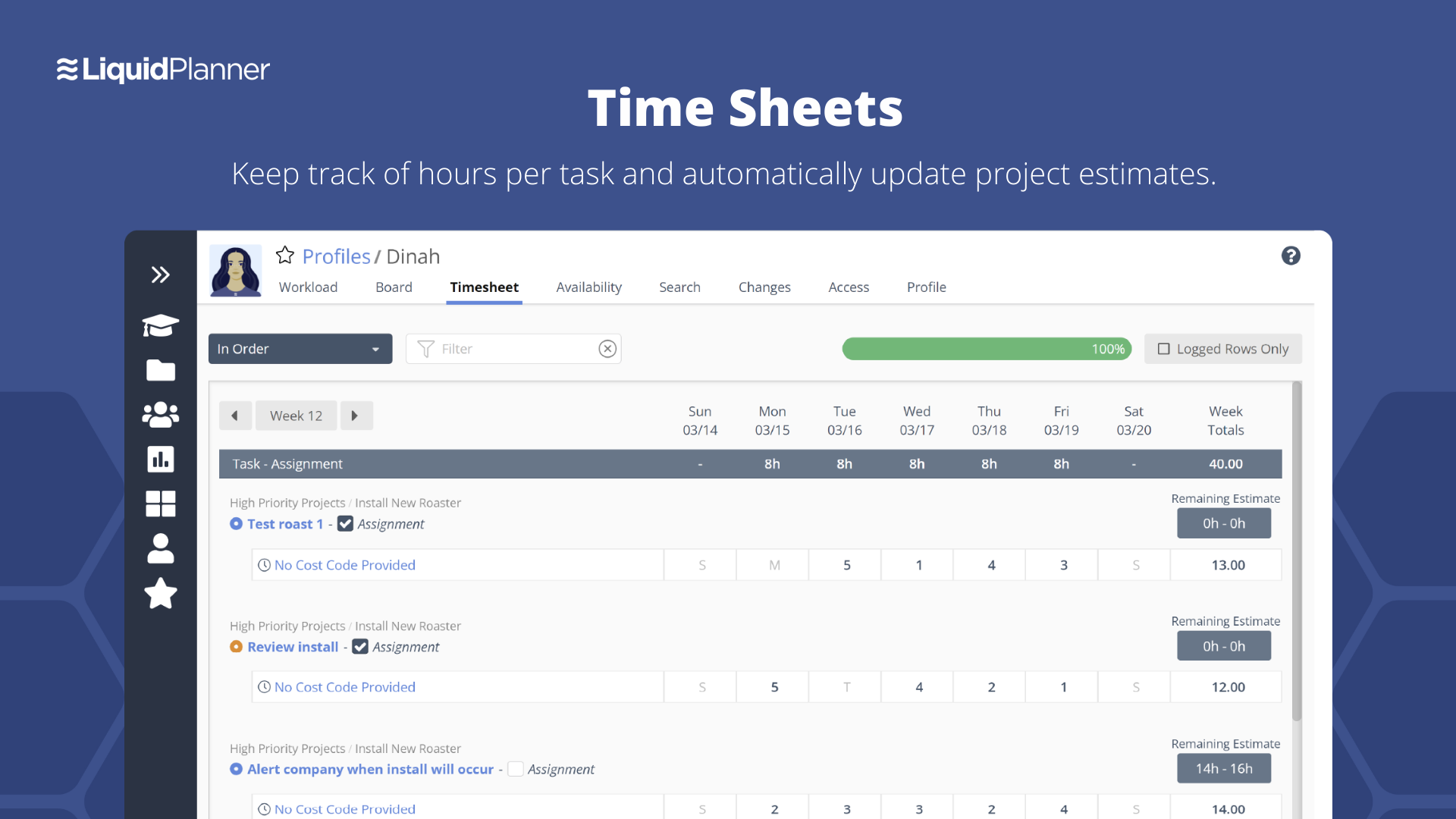
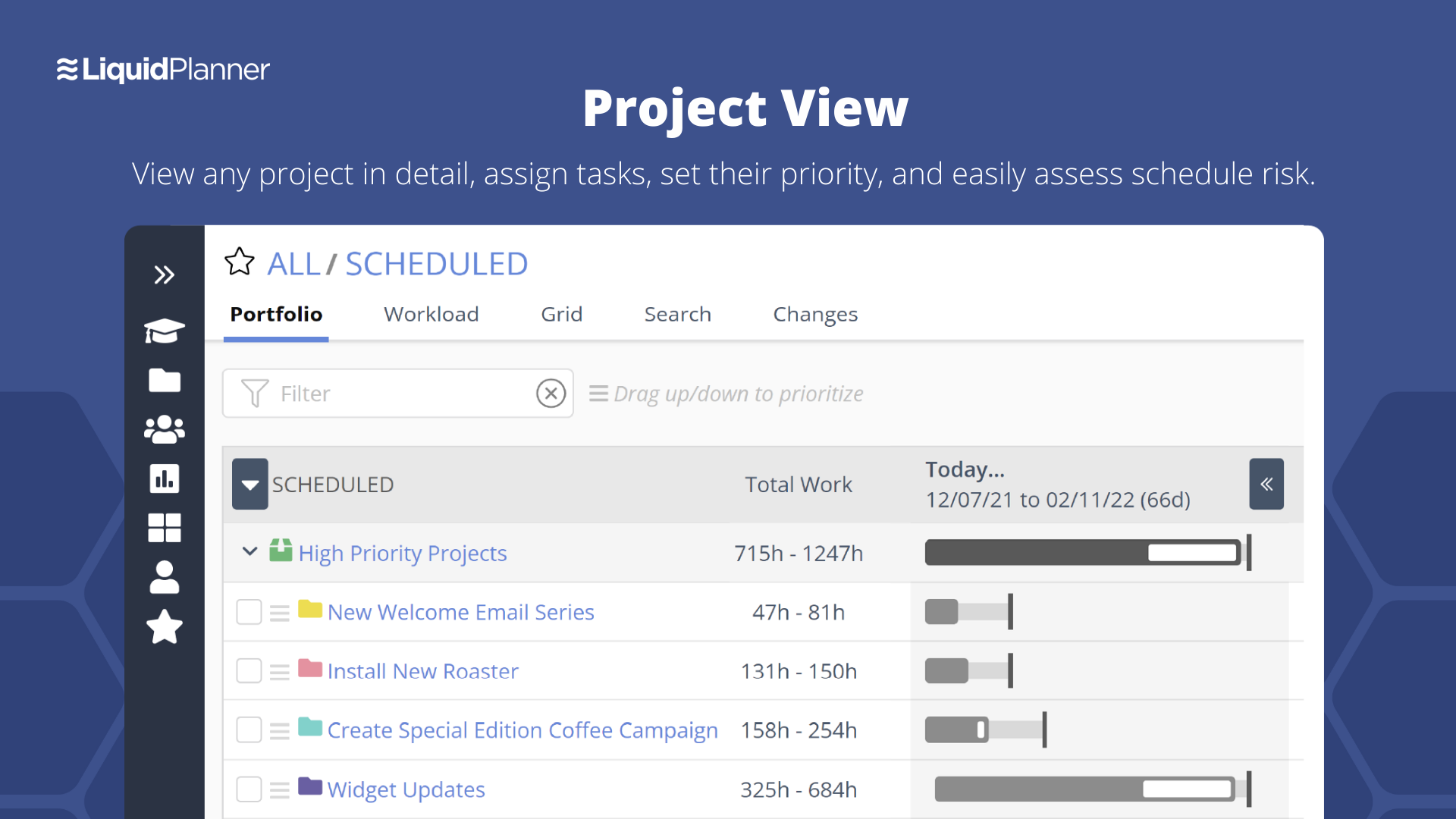
LiquidPlanner is a cloud based predictive project management solution. Some key features include: Dynamic Timeline View, Workload View, and Real-Time Activity Stream.
$0
per month per user
Pricing
Asana
Basecamp
LiquidPlanner
Editions & Modules
Starter
$13.49
per month per user
Advanced
$30.49
per month per user
Enterprise
Contact Sales
Personal
Free
Basecamp Plus
$15
per month per user
Basecamp Pro Unlimited
$299
per month (billed annually)
Basecamp Free
Free
Limited Capabilities
Free
$0
per month per user
Essentials
$15.00
per month per user
Professional
$25
per month per user
Ultimate
$35
per month per user
Enterprise
CALL FOR VOLUME PRICING
Offerings
Pricing Offerings
Asana
Basecamp
LiquidPlanner
Free Trial
Yes
Yes
Yes
Free/Freemium Version
Yes
Yes
Yes
Premium Consulting/Integration Services
Yes
No
Yes
Entry-level Setup Fee
Optional
No setup fee
No setup fee
Additional Details
A discount is offered for annual billing.
—
—
More Pricing Information
Community Pulse
Asana
Basecamp
LiquidPlanner
Considered Multiple Products
Asana
Verified User
Account Manager
Chose Asana
I'd choose Asana as a solution in case I need to deal with project management and working with other people. In case I need to also have private conversations with anyone involved in a project, I'd prefer Slack. And in case I'd like just a task management tool without too …
Trello is really just more on boards and the con with that is if you list lots of task under one headboard some tasks are buried from the view since the boards are a bit big. I like the list feature of Asana, especially for project management. Trello on the other is a great …
Basecamp is a great tool but looks a bit juvenile next to Asana. Basecamp treated us very well but Asana is a perfect fit for us now. It's easy to use and clients use it, which is a big win.
Teamwork was extremely complex and cluttered. Something that made is really hard for my …
Asana is simpler and easier to manage than Teamwork Projects and Wrike for smaller teams, but still offers more features than Basecamp and requires a lot less customization than monday.com.
Asana is better organized than Basecamp and less visually confusing. It's more user intuitive and clear about what exactly needs to get done and what elements depend on others being executed. Overall, the list and kanban views allow for a more natural, more organized viewing …
Basecamp is more for individual work tasks and it fails to provide an overall bigger picture of how the project is going as a whole. I like Asana much better because it gives visual cues to let you know whether you're going to hit a deadline or if there are bottlenecks in the …
Asana generally takes less time to set up, so for my small team that has limited experience working with project management tools, Asana is great. We didn't need anything with lots of bells and whistles so Asana works well. ClickUp takes much more time to set up initially, but …
I liked Asana's user interface and ability to assign tasks to others and check on the status of them. However, the calendaring function is inferior to Basecamp's, so my team preferred to use Basecamp only.
Basecamp was a great tool, but it was paid and things like recurring tasks and opening new projects was a pain. Asana, as a free tool, has been better for our organization as it serves the basic functions very well and is not complicated otherwise. I really like the …
In my personal opinion, I think that Asana is the easiest one to use out of Basecamp and JIRA. I know that our devs like JIRA but for our marketing team, we prefer Asana hands-down. Basecamp is clunky and awkward when trying to use. I always felt like things were falling …
Against Jira it offers a more modern experience with less complex user interfaces. The admin and setup experience is also way faster with less (or no) legacy complexity.
Against other modern players like Linear and Basecamp it offers way more integrations so we can pull in data …
We have a lot of different software available and different teams are using different products. I think Asana is comparable to many of the other software that we use. It was slightly less intuitive than I would have expected, but it did help keep everyone updated on the project …
The other agency we were working with selected Asana as it's a tool with easy access. Other more broad project management tools require contracts and setup time, this is easy to create an account and login to. We used it for one project and it helped give a full picture of the …
Some features are better; some are too much. Not huge differences.
Verified User
Analyst
Chose Asana
We tried it as one my developers swore up and down how good it was at the startup... well it crashed in our office, since we didn't end up working the way they did. We are more of a dev ops company than a social media or open source
When we were researching project management systems for our small business, Asana gave us the most for free. It really allowed us to dive into the product before we committed to it. The features allowed us to customize aspects of the system to use it for projects as well as …
We made Asana our task manager because it offers us the necessary tools, and the most important thing is that it can be used from any device and place.
We are evaluating Forecast as another project management option. The benefit of Asana is that is it usable on mobile whereas Forecast is not. Asana is also more affordable, making it easy to add teammates and clients. Since Asana does not manage resources/time allocation like …
Asana has its proper place in task management. There are better tools that provide similar functionality but the decision depends heavily on the actual requirements. If you own a small business or a start up, Asana is excellent. If you are an enterprise level organization, …
Verified User
Professional
Chose Asana
Workamajig builds timelines and in Asana you have to do it manually. It would be great if we could build templates to see what days we will need certain projects by.
Both software are very similar to each other, even in the economic factor, the reason we choose Asana over the others is because of its usability, the software is very easy to use which helps to get the most out of it, in addition to the integrations that provide Asana with …
Asana has a lot of great free tools and makes it easy to create projects and add team members to the project. I think it's a good value compared to others and is the most straight forward to use. I find it to be the most helpful for both personal and team projects.
We loved the fun design hacks (e.g., flying celebratory unicorns when you complete a task, Tab+B puts tabby cats on your screen temporarily; themed backgrounds). We're marketers–can you blame us?! But in all seriousness, we chose Asana over other similar products because of the …
Verified User
Employee
Chose Asana
After trying several other options, including Zoho and Basecamp we settled on Asana. The time to value was the shortest when we factored in the learning curve, relevant functionality, mobile friendliness and most importantly the team calendar. Another great aspect is that it …
I have used both Asana and Basecamp and have liked both for different reasons. I like Asana for solo projects and to keep a running to do list. I think the layout and interface just works well for that. For client projects, I think Basecamp is better because it's a bit easier …
Both Basecamp and Asana are great project management tools. I think where Basecamp excels is with tracking. Teams can keep track of schedules and deadlines. You have deadlines with Asana but need 3rd-party applications to keep track of how work has been done in a particular …
Basecamp is probably towards the bottom of the totem pole here based on what our needs were. Trello lacks reporting as well, but there's much more customization with Trello. Asana has more reporting and integration capabilities. monday.com is my favorite so far. The amount of …
Asana has lots of features but no Gantt charts which is kind of the basis for a lot of work that we do. On the other hand, the campfire discussion here is an absolute innovation.
Trello is heavy on features but locks us to a certain view which may not be suitable for all the …
I love both of these other products and would use them specifically for my own personal use or in other situations but hands down, I believe that Basecamp offers better flexibility and ease of use for an organization that has never used a project management tool before. …
Basecamp is better than alternatives like TeamWork and Asana. There are many software that are similar however the interface for me is better in Basecamp. It's user-friendly and it's a clean and simple way to communicate with groups and manage projects. It's cheaper than other …
Asana has a free tier that has fewer features than Basecamp, so we opted for Basecamp for the additional ways we could use it. The Kanban board style in Asana is nice, but the document repository, chat features, recurring templates, etc. were selling points for Basecamp. It …
In my opinion, Basecamp has a better interface than Asana and Jira. I remember it took me sometime to get used to Asana and even longer to get used to Jira, but adoption for Basecamp was instant. Things are so clearly labeled and displayed that I was able to get comfortable …
Asana has an expanded list of capabilities over Basecamp. If you're looking for a simple tool, Basecamp is your go-to. If you need something that makes it easy to schedule recurring tasks, dependencies, mass updates, seeing a project map, and capacity of your team, Asana is the …
I've also used ClickUp and Asana. My personal favorite is ClickUp although it is limited in how it integrates with Slack which caused me to switch to Asana. ClickUp has a ton of features, including on their free plan and in my opinion is much better than Basecamp. Asana is …
Basecamp is the best application we've found for our team to interface with external clients. It makes project management simple, and allows our clients visibility into their projects, which in turn builds trust, fosters open communication, and improves customer satisfaction. …
Basecamp is probably my least favorite. As a project manager, I'm always auditing our workflow and processes, so I try to run at least trials of project management software to get a feel for if they would help us do things more efficiently. I struggled the most with Basecamp.
Basecamp if far simpler than ClickUp. We use ClickUp to manage our internal task management, as it provides more customization, additional views and more room for extreme detail in tasks. We used Basecamp for clients because of its simplicity and ease-of-use. Basecamp requires …
There is a simplicity that basecamp offers where most other project management systems seem to miss. They've worked hard at keeping the right things in place and not adding so many of the extra features that just get in the way of getting work done. The thing I liked most …
We selected Basecamp for the low cost of entry for the org and the number of users who had previous experience on Basecamp. We ultimately will be transitioning to another project management tool that includes relational decision capability and Gantt chart capacity.
Comparatively, Basecamp has been found to be the easiest to use and onboard new users. Additionally the cost model for our organisation is much lower on Basecamp compared to the competition.
Other products are more aligned with Agile practices but for most of our operational …
Basecamp is perfect for small-time collaboration. It's suited for projects that need organization but not granular detail. When you need more than a simple little bit of help, you'll be looking at other solutions at that point. Very straight forward and to the point but that is …
My previous company felt that it was an "all in one" platform because it was one place to house our documents, it has the messaging option, and it was easy to keep track of important dates through it where clients/assisting teams could see.
Basecamp links all of the functionalities of a messenger feature (thanks to Pings) with task delegating and managing the project. Marketer's life became much easier with Basecamp.
Basecamp helps groups work together by keeping all messages, documents, work lists and calendar in a single location that is easy to access anytime and from anywhere. Manages tasks and reporting of tasks completing. It can be accessed through a mobile app or through web …
Haven't tried any other software or platform other than Basecamp, but before the purchase process we reviewed other products and they seem very similar and the decision that got us to buy Basecamp was because of the price and the understanding of the web page related to the …
LiquidPlanner is far more robust. Basecamp worked great for managing smaller projects, but LiquidPlanner was a great improvement as our company and project management needs grew.
I have tried many project trackers, and in my opinion LiquidPlanner fits in somewhere in the middle of them. It's more powerful than some of the trackers I've used (such as Trello), but it's also more complicated and harder to navigate and collaborate with others on than some …
LiquidPlanner offers centralized tools to manage the requirements and objectives of each project, as well as the management of deliveries, monitoring, and team management. The tool integrates with Hubstaff and other platforms.
The usability of Asana is broad since it's available in a variety of platforms that are widely used nowadays. I think that it would be great for people who are constantly on the move and switching devices, since it has allowed me to work from my phone, too. I also think that Asana has proven itself to handle a large quantity of work
Basecamp is a wonderful tool for teams of varying degrees of technical knowledge, teams managing lots of different types of "agifall" and waterfall projects, and teams that are remotely distributed. It's probably less useful for more strictly agile-focused development teams, compared to other more flexible software applications like Jira and Asana.
LiquidPlanner is amazing for any time of project management scenario where you have to manage several teams and details. Running a project through LiquidPlanner is so easy because it lets you break down the project into sections and folders and small tasks that you can assign to specific people. With a small to medium size team-- LiquidPlanner is amazing for organizing and tracking details. If you have a huge team or not a ton of details to track LiquidPlanner might not be right for you because it is a software that requires some good training to learn and has tons of functions that can be utilized so it seems better suited to be used by a smaller group looking to coordinate or for people who have lots of details that can be difficult to track.
Through it, we were able to communicate and cooperate with the rest of the team to complete the work in the required manner and at the appropriate time.
Task management - It is very easy to add, organize and discuss tasks within Basecamp's interface.
The "Campfire" function is great for communicating when you just have a quick question for someone on the team.
Notifications - Basecamp lets you decide how often and about what you'd like to be notified. The ability to respond to messages in Basecamp directly via email saves a lot of time.
Priority based planning. Every other planning software we've used relies on dates and therefore needs constant attention. Priority based planning means that the plan is always up to date.
Ease of use. LiquidPlanner has a very short learning curve. This is critical to getting team members to use it.
Forecasting. LiquidPlanner makes it very easy to run scenarios by simply dragging and dropping projects and reassigning resources.
Awesome Support. I get personal responses very fast. Usually within a couple hours. And, they listen and ask for more information.
High Learning Curve. It's true that it can be easy to use, but to use well and effectively takes some time to learn. It's recommended to have an agreed-upon system in your team of what tools to use and when.
Notification Overload. If people aren't careful they could send a notification to everyone when only a couple people were meant to be prompted. And since emails are sent by default, you could have your mailbox overloaded with unnecessary updates. This is where it takes a bit of training in your team to have an agreed-upon system.
Lack of organization with Archived Projects. I will often need to reference an archived project to make a new one, but there is only a list of archived projects in alphabetical order, with no way to organize by archive date, or even search.
The interface is messy and cluttered. The best way to find things and see what you actually want to see is the main Projects view which is also the most cluttered and hardest to maneuver in.
Clicking an external link someone posted in a comment or task description doesn't open in a new window by default, so we are constantly having to go back to get to LiquidPlanner again.
The way that the interface saves your state globally (rather than per tab instance) means that if you click a link from someone else to a task that's not yours, then it adjusts your filters on the Projects page. Then if you refresh another LiquidPlanner window where you were on the Projects tab, suddenly all of its filters are updated and what you were looking at may no longer be there.
It might just be the way that we use the system, but the Home and My Work tabs are fairly useless for us. They typically don't show the tasks we're actually looking for.
When I bring new people onto a project, it's immediately obvious how to use Basecamp. I don't have to worry about teaching them the features or walking them through it, it's just incredibly user-friendly. For this reason, I'll continue to renew my subscription even as new people are brought onto production jobs or the client changes.
We may not renew LiquidPlanner's contract, but only because my company has recently been acquired and we'll be adopting some of the software that they're using to standardize process. LiquidPlanner's development team releases new features pretty often, so it seems like the gaps and inefficiencies are slowly getting smaller/less frequent
It is very user-friendly. Takes a new employee an hour to start figuring out how the system works. That's an important factor. You don't want to encounter the issue where employees need a week to understand how the system works. For example, JIRA, I tried using it for a week and I still don't understand the complicated layout. Asana has a simple interface. Once you see it, you get it type of program.
It is easy to use, even for clients who have no experience with the platform. It can only get a little cumbersome to ensure that a client can't see certain documents you might want to keep in the Docs & Files folders. And sometimes, getting a client to actually use an unfamiliar platform can be a challenge.
I've never experienced downtime while using Basecamp, or been unable to access it when I needed it. That's not to say they've never had downtime, but I've been lucky enough not to encounter any, and I work odd hours, including late nights when maintenance is often undertaken.
I haven't had to use their support so I can't rate it. The fact that I haven't needed them reflects the ease of use of the product. I would recommend that any new users schedule a complete demo of the product to ensure that they are using it to it's fullest (there's a lot of useful features).
For the many reasons I've given, Basecamp is a very strong program. There are a few features I can imagine that might make it even better, but I don't have a basis for comparison to be able to say that there is definitely a better one out there. I've noticed that Basecamp has evolved a bit from the time I started using it until now, so that makes me think that the producer of this program values it and believes in continuous improvement. If you could use the features offered by Basecamp, I would think you could use it with confidence.
They have been great in trying to come up with creative solutions to help us do what we want to do with the platform. I would say their support has been exceptional because we have hit them with some complex requests.
Decide the process before implementation - i.e. when it's due 8/9 does that mean 8am, noon, 5pm, 11:59pm? Check your to-do list frequently Set-up templates - just not with the dates (they can be funky)
Asana is a top-tier project management software that helps us organize and track projects from start to finish. It allows us to apply tasks/to-dos to multiple projects without duplication, divide complex projects into smaller tasks, and track project progress. It also helps us organize work on Kanban boards or linear lists. It stands out from the crowd in a big way compared to the competition.
Pretty good, but [Basecamp] has its drawbacks. Honestly I find the interface non-intuitive and sometimes have trouble figuring out how to change the status of a task. Perhaps it has something to do with the way it was originally set up by the admin, but I'm not sure. I liked Jira's drag and drop obvious functionality, but the project management side of the software was lacking. Smartsheet has excellent project management functionality, but the task management isn't as good.
Miro is a more versatile tool, but not quite made for planning and organizing. LiquidPlanner is very intuitive, fast to learn and easy to communicate. The added value of prioritizing tasks, personalized boards and gantt charts are really important during the planning and design thinking in the business. LiquidPlanner is simplified yet more helpful.
It has saved me time when having to get the same message out to multiple restaurants
It has helped us make smarter operational decisions because we can all collaborate on an answer in a shorter amount of time (instead of calling a meeting!!!)
The calendar function allows us to plot out our marketing agenda for the month and add/change it together as needed. The chef will post his recipe, the managers will cost it out, the social media manager will post pictures on it, and ultimately we will get that information out on an info sheet to the staff by printing the page.
LiquidPlanner really forces you to map out your workflow. For me, honing into a template that I can later adjust as needed has been huge, as there is less time at the beginning of a project trying to assign and figure out what needs to happen when usually it never changes.
Communication between employees, especially ones not immediately available in the office has been very welcomed. It helps having conversations documented in a public, logical place that is easy to find and refer to as the project continues.
Our productivity has definitely skyrocketed as we've really gotten a feel and committed to using LiquidPlanner daily. As we move forward, we continually try to add more and more ways for us to use the service.