Atera vs. N-able N-central vs. NinjaOne

Overview
ProductRatingMost Used ByProduct SummaryStarting Price
Atera
Score 8.5 out of 10
N/A
Atera is presented as an Agentic AI platform for IT management, that offers a digital workforce of AI agents that proactively and autonomously support entire IT operations. Atera’s all-in-one IT management platform consolidates RMM, helpdesk, ticketing, and automation, so IT teams and MSPs can manage and protect infrastructure, automate tasks, and boost service quality by reducing downtime and improving SLAs. Atera has shifted focus from automation to AI-powered autonomy in IT. With…
$129
per month (billed annually) per user
N-able N-central
Score 9.2 out of 10
N/A
MSPs and IT professionals use N-able™ N-central® to monitor and manage devices and complex networks remotely. N-central provides visibility and efficiency as the user's needs scale. N-central can help users: 1. Proactively monitor everything on a customer network—not just servers and workstations—and troubleshoot. 2. Stay on top of threats with features like MFA, antivirus, integrated endpoint detection and response, data backup, disk encryption, email protection,…N/A
NinjaOne
Score 9.0 out of 10
N/A
The NinjaOne Unified IT Operations Platform delivers endpoint management, autonomous patching, backup, and remote access. NinjaOne aims to give organizations' employees a great technology experience to work faster, smarter, and easier while IT teams modernize and improve efficiency.N/A
Pricing
AteraN-able N-centralNinjaOne
Editions & Modules
MSP - Pro
$129
per month (billed annually) per user
IT Department - Professional
$149
per month (billed annually) per user
MSP - Growth
$179
per month (billed annually) per user
IT Department - Expert
$189
per month (billed annually) per user
MSP - Power
$209
per month (billed annually) per user
IT Department - Master
$219
per month (billed annually) per user
No answers on this topic
Offerings
Pricing Offerings
AteraN-able N-centralNinjaOne
Free Trial
YesNoYes
Free/Freemium Version
NoNoNo
Premium Consulting/Integration Services
NoNoNo
Entry-level Setup FeeNo setup feeNo setup feeNo setup fee
Additional DetailsUnlimited devices.NinjaOne is a subscription typically billed annually and sold through channel partners. Monthly billing is nonstandard but billed on a case by case basis.
More Pricing Information
Community Pulse
AteraN-able N-centralNinjaOne
Considered Multiple Products
Atera
Chose Atera
Atera is more affordable than Jira service management. Atera is more easier to use and implement.
Chose Atera
In terms of age Atera is a bit more mature than these younger competitors and it shows with its wider array of features. Pricing might be a bit higher depending on which features you want or deem to be most necessary but in our experience Atera was the cheapest one on the …
Chose Atera
Atera is well designed for remote monitoring and management purposes. The other tools, such as ManageEngine endpoint central, are more focused on managing the endpoints and applications, such as installation or removal of applications, and blocking or whitelisting applications.
A…
Chose Atera
We used Logmein for remote access and used another platform called Fresh Service for our ticketing. Logmein was okay but the ability for us to merge the two together, on top of all of the other features that Atera offers (reporting and monitoring!) has been game changing. We …
Chose Atera
I think Atera is the leader here. The aggressive pricing along with feature set is unparalleled in my opinion. They seem to be headed in the right direction and keep pushing the envelope in what the tool can do. The one thing lacking for me is the Apple integration into …
Chose Atera
Overall, the basic agent cost is better for a partially functional product.
Chose Atera
After trying out both Atera and NinjaOne, we found that Atera was generally easier to use, especially for non-tech people. Atera's learning curve has been much less steep than NinjaOne's and the team had a better response to using it. Atera's price point has also been more …
Chose Atera
Atera is very similar to Syncro in feature set and pricing, but we liked Atera just a bit better. (We switched from Atera to Syncro and then back to Atera, and have stuck with Atera for several years now.) Kaseya gave us bad vibes from their sales department and we ultimately …
Chose Atera
I also used other org suites, but Atera is the winner here. It offers services like IT service management, network monitoring, and billing. We get most of the service under one roof. Hence, Atera is the winner compared to other applications I have used.
Chose Atera
In my opinion, Datto is not a great company to partner with. In my experience, billing is crazy and when you call in for support you get sales.
Chose Atera
Atera Billing of per technician is a great way to save
Atera has 24/7 support that response in a matter of seconds
The Copilot that they have added recently is a game changer and will make anyone wants to associate themselves with Atera
Chose Atera
ManageEngine Endpoint Central and GoTo Resolve
Chose Atera
NinjaOne is a great tool for Remote management and patch management. However, Atera is more polished and gives better functionality for the end user side through things like work from home, and the support portal knowledge base. Also, when using NinjaOne, I don't remember there …
Chose Atera
Because Atera is a much more effective and efficient solution to manage all our IT operations, it automates each of our business processes. It offers us the best support to respond to any problem that may arise. I think Atera is much more cost-effective and reliable; its value …
Chose Atera
Comparison from ConnectWise and Autotask, Atera is more simplified, Cost effective and Integration RMM, PSA and automation features
Chose Atera
In my experience, Atera lured us in with the pricing per technician to try and save us money. They then proceeded to take features away and lock them behind higher-tiers. In addition, in my opinion, their customer support is atrocious. I think if you enjoy long times between …
Chose Atera
It is live in our organization and it works along with Atera in our organization, however I have more trust on Atera due to its stability and ruggedness, so Atera is the only choice most of the IT dept works on.
I would not comment on the ManageEngine PAM solution as I have less …
Chose Atera
The user interface is easier to navigate, and remote desktop capabilities for troubleshooting were the differentiating factor.
Chose Atera
Atera was very similar with Syncro but a bit more user friendly. There were a few features with Syncro I really liked that Atera does not have yet like custom reporting.
Chose Atera
Atera has so many features that are fully functional.
Atera is easy to use.
Chose Atera
Atera is way more user friendly , it has a smooth learning curve and the pricing is favorable. Atera also has a lot of features that make it superior. They even have additional features like the ticketing system that was a pleasant surprise to have. Overall Atera stands out at …
Chose Atera
Atera's pay-per-technician pricing just made sense for us. They don't nickel-and-dime either. NinjaOne, by contrast, was over twice as expensive to start out, but they wanted to charge extra just for a ticketing system and many other things.
N-able N-central
Chose N-able N-central
Most advanced, and other technicians in the business already used it before. NinjaOne was a close competitor, but lacked some features that we ideally need. ITarian was too basic but was MUCH cheaper. For a startup MSP, it would be much more attractive. Splashtop was just for …
Chose N-able N-central
Tried another MSP software provider however the cost was not justified.
Chose N-able N-central
I selected N-able N-central as I liked the idea of easy-to-work with pricing that integrates with other PSAs (specifically Connectwise PSA aka Connectwise Manage). I did not succeed with that. I'd use any of the other tools instead. The integration is problematic as the default …
Chose N-able N-central
Our version of SolarWinds was old and running on old hardware, but it was way easier to setup and do things with. It did not do everything N-able does such as patch management, or at least we didn't have a module to do so if one existed. However it definitely seemed easier to …
Chose N-able N-central
In regards to the above, they are more concentrated on Cybersecurity and AV management whereas N-able N-central covers these areas but has the added advantage of IT management, whereby the IT environment can be managed directly from N-able N-central
Chose N-able N-central
N-able N-central was cheaper than Connectwise RMM as the poor NOC monitoring inflated costs but was not useful. Kaseya VSA was terrible contracts and poor product all around.
Chose N-able N-central
NinjaOne has been a breath of fresh air. Moving away from N-Able to NinjaOne has been the best decision we've made in this department.
Highly recommend.
Chose N-able N-central
In my eyes, if I could I would have switched to automate, but this is a distant second or third.
Chose N-able N-central
N-Central has automation manager, which allows you to automate multiple tasks, thereby saving time and effort through Automated patching. AV and Backups are built into the system, and can be deployed by checking a box. It's easy to update and keep secure. File transfer and …
Chose N-able N-central
Solarwinds seemed less complicated and less expensive and would have the least impact on our staff as far as training and setup time.
Chose N-able N-central
I feel it's much more robust then Kaseya which is the only other RMM solution I have tried. I like the remote support and the fact that in N-central I can deploy patches at the click of a button.
Chose N-able N-central
It's much pricier than other remote support fools.
Chose N-able N-central
SolarWinds N-central is on the more unique side of tools because it can do so many things, and do most of them quite well. For patching, it is much easier to use than SCCM. In terms of monitoring, it is not great out of the box and requires tweaking to take full advantage. …
Chose N-able N-central
All three systems integrate with Connectwise Manage. All systems have integration to active directory. Automation does configuration deployment better. Ninja is a SaaS, N-central is a Saas, whereas Automate is on-premise. Automate is more scalable. Pricing and seat deployment …
Chose N-able N-central
Automate has the best scripting engine. There is no conversation there, the scripting is taken to another level. N-central and VSA both have the ability to run scripts, but Automate runs away with it. Automate also has the best remote access tool. VSA and N-central remote …
Chose N-able N-central
With Bomgar there are codes and/or a website that the user has to login to before we can connect remotely. N-central allows us to click on the machine and log in. We can set it to prompt the user to accept the connection, or on some computers, we can just log right into it.
Chose N-able N-central
We chose SolarWinds N-Central because of the integration with ConnectWise Manage, it allows us to automatically create tickets and helps us be more efficient. We really liked the engineers that were able to coach us in migrating from our old system and teach us all the best …
Chose N-able N-central
N-Central has all of the features of previous software I have used all rolled into one package. I can push software and check anything and everything about every machine on our network in one place now instead of multiple interfaces and programs. N-Central saves us time and …
Chose N-able N-central
Overall, for the Average MSP, none of the RMM solutions is going to be perfect, they will all have their strengths and weaknesses and N-Able is no exception. It is a great solution if you are looking for something that is not super cryptic to use and want something relatively …
Chose N-able N-central
Since I came in to manage the product, we have only tested one other product. The main reason for not switching was that it would take a considerable amount of time and resources to convert everything to a new service. Additionally N-able's interface, while it does have much …
NinjaOne
Chose NinjaOne
We found NinjaOne far more user friendly and less resource heavy than VSA. Our overall experience was greatly improved from VSA as we experienced many recurring issues with the agents. Additionally, NinjaOne was far more cost effective per endpoint and provided similar, or …
Chose NinjaOne
NinjaOne is much more modern both in it's "look and feel" but also in it's functionality. Connectwise feels dated and doesn't work as well. It feels more clunky. NinjaOne has more options, less complexity to do more powerful tasks.
Chose NinjaOne
NinjaOne has the most rounded set of features however I believe all of the programs have there own plus and minus points. We use a mixture of programs however NinjaOne is the most heavily used.
Chose NinjaOne
Both of the prior solutions we have used were incredibly slow and clunky compared to NinjaOne. The learning curve on both were also dramatically higher. Things that took us years to get working, or were not able to get working at all, took weeks/months with NinjaOne. It has …
Chose NinjaOne
NinjaOne has a great response time when pushing software, and provides a positive indication of it working without additional time monitoring or asking the user to verify processes. The level of system detail is a great advantage in NinjaOne when trying to narrow down hidden …
Chose NinjaOne
ManageEngine was good but unfortunately a bit difficult and confusing for remote connection
Chose NinjaOne
We used Auto Task and Datto. We felt that NinjaOne was a more user friendly platform. There was a large training curve for new employees to learn to use Auto Task. We have noticed a shortened training curve for NinjaOne. We really like the layout and the Ninja Academy.
Chose NinjaOne
NinjaOne's user friendly interface was immediately appealing to a team that that needs to be able to pickup a tool and know how to run with it at first exposure. From the moment we started using it, we would often be able to navigate the platform with a common sense approach …
Chose NinjaOne
Although I was not directly involved in the decision-making and vetting process, as my technical partner handled this task, I can share my perspective. During the early stages of Ninja, we recognized its potential and the seamless integration it offered for our company. This …
Chose NinjaOne
I honestly cannot say enough good words about this system. I would never run an IT department again without NinjaOne, supposing I had to pay for it out of my own pocket. If you are considering any RMM to run your IT operations then I can guarantee you that you will not find …
Chose NinjaOne
NinjaOne was way superior to the other tools we tested - in terms of features, capability, support and ease of use. Pricing was also very competitive.
Chose NinjaOne
NinjaOne is competitive against these other solutions. They all have their own value propositions and we try to keep a balanced view of when and where to deploy solutions. Our clients rely on us to choose the best of breed solutions, as long as we achieve their goals in an …
Chose NinjaOne
One was an on-prem solution that barely worked and did have a lot of security issues before we switched to NinjaOne. Taking that into consideration, we looked towards cloud based solutions and NinjaOne popped up. Reading reviews of other administrators also helped push the team …
Chose NinjaOne
NinjaOne not only handles the simple things such as installing software but it also allows us the ability to monitor firmware and patch updates as well. We can provide remote support and not just remotely install software on devices.
NinjaOne has made setting up new devices a …
Chose NinjaOne
We came from Manage Engine and it is a night and day difference. I would never imagine going back after working with NinjaOne
Chose NinjaOne
We have used many RMM providers and the UI, cost and experience has all been better with NinjaOne.

Datto wasn’t able to improve anything in the three years that we use them, in fact they were sold to and immediately started trying to sell us the other services they had.
Chose NinjaOne
this integrates with Splashtop and works well. I am happy with the integration and prefer it over Teamviewer. This is included in our subscription and works with a few clicks. Users can accept / deny the request and if no one is there we can still remote in. Makes servicing …
Chose NinjaOne
NinjaOne is very simple to use and navigate. There are fewer layers of pages to navigate to get to what you want. This is a time saver and it makes it easier to find what you are looking for.
Chose NinjaOne
NinjaOne feels like a smaller company, and I mean that in a good way. Their support is quick and helpful and because of our size we are escalated directly to their level 2 support. Our account manager is eager to assist and get ideas/issues to the right people and put those …
Chose NinjaOne
We liked the per device pricing and the UI of the platform most when we decided to leave Datto RMM. We believe that NinjaOne's constant development to improve the product has been really helpful. The quality of the community posts with scripts we can use to automate things …
Chose NinjaOne
Prior to NinjaOne, our IT management was a blank slate. We knew we needed something, and we wanted to ensure we were making the best decision for our organization. We attended demos and talked with sales reps, sales engineers, etc. At the end of the day, it was the relationship …
Features
AteraN-able N-centralNinjaOne
Application Performance Management
Comparison of Application Performance Management features of Product A and Product B
Atera
9.5
Ratings
32% above category average
N-able N-central
-
Ratings
NinjaOne
6.4
Ratings
8% below category average
Virtualization monitoring10.00 Ratings00 Ratings5.50 Ratings
IT Asset Discovery9.00 Ratings00 Ratings7.30 Ratings
Monitoring Tasks
Comparison of Monitoring Tasks features of Product A and Product B
Atera
9.2
Ratings
23% above category average
N-able N-central
-
Ratings
NinjaOne
9.3
Ratings
24% above category average
Remote monitoring9.10 Ratings00 Ratings9.40 Ratings
Network device monitoring8.20 Ratings00 Ratings8.40 Ratings
Activity Monitoring9.00 Ratings00 Ratings9.20 Ratings
Management Tasks
Comparison of Management Tasks features of Product A and Product B
Atera
9.1
Ratings
27% above category average
N-able N-central
-
Ratings
NinjaOne
8.7
Ratings
23% above category average
Patch Management8.30 Ratings00 Ratings9.50 Ratings
Policy-based automation8.30 Ratings00 Ratings8.80 Ratings
Remote Access
Comparison of Remote Access features of Product A and Product B
Atera
7.8
Ratings
14% above category average
N-able N-central
-
Ratings
NinjaOne
8.2
Ratings
19% above category average
Attended device access10.00 Ratings00 Ratings9.10 Ratings
Unattended device access10.00 Ratings00 Ratings9.10 Ratings
Mobile device access1.00 Ratings00 Ratings6.40 Ratings
Virtual device access10.00 Ratings00 Ratings00 Ratings
Multiple-display support7.00 Ratings00 Ratings00 Ratings
Multiple concurrent sessions9.00 Ratings00 Ratings00 Ratings
Best Alternatives
AteraN-able N-centralNinjaOne
Small Businesses
Panda Systems Management
Score 7.3 out of 10
Avast CloudCare
Avast CloudCare
Score 10.0 out of 10
Panda Systems Management
Score 7.3 out of 10
Medium-sized Companies
Action1
Action1
Score 9.5 out of 10
KACE Systems Management Appliance
Score 8.5 out of 10
Action1
Action1
Score 9.5 out of 10
Enterprises
TeamViewer
TeamViewer
Score 8.6 out of 10
KACE Systems Management Appliance
Score 8.5 out of 10
TeamViewer
TeamViewer
Score 8.6 out of 10
All AlternativesView all alternativesView all alternativesView all alternatives
User Ratings
AteraN-able N-centralNinjaOne
Likelihood to Recommend
8.4
(0 ratings)
8.7
(0 ratings)
9.3
(0 ratings)
Likelihood to Renew
7.3
(0 ratings)
9.1
(0 ratings)
10.0
(0 ratings)
Usability
8.7
(0 ratings)
7.3
(0 ratings)
9.3
(0 ratings)
Availability
-
(0 ratings)
-
(0 ratings)
8.0
(0 ratings)
Performance
-
(0 ratings)
-
(0 ratings)
8.0
(0 ratings)
Support Rating
9.1
(0 ratings)
1.0
(0 ratings)
1.0
(0 ratings)
In-Person Training
-
(0 ratings)
-
(0 ratings)
10.0
(0 ratings)
Online Training
-
(0 ratings)
-
(0 ratings)
10.0
(0 ratings)
Implementation Rating
6.4
(0 ratings)
8.4
(0 ratings)
1.0
(0 ratings)
Configurability
-
(0 ratings)
-
(0 ratings)
1.0
(0 ratings)
Ease of integration
-
(0 ratings)
-
(0 ratings)
1.0
(0 ratings)
Product Scalability
-
(0 ratings)
-
(0 ratings)
8.0
(0 ratings)
User Testimonials
AteraN-able N-centralNinjaOne
Likelihood to Recommend
Atera is doing well in the monitoring part as it is informing the real time ping of running devices and if any device goes down, it is informing us on the real time. It is helping us to monitor the last reboot status, current logged in users, time zone, IP addresses and other things so that we can track our end devices status. In the patching part Atera is pathing our all devices with the notification stating user to restart device at their convenient time. It is also patching our third party applications. It is good in installing and uninstalling of the third party application but limited to availability in the Atera inventory. Atera is not good in some parts such as in the patching part of applications, sometime it fails to update all 3rd party applications that were not installed via Atera. It is not good if you have to transfer a file to multiple systems at the same time.
Read full review
In my opinion, N-able N-central is a good "learn your lesson and move onto something better" tool. I've used many RMM tools over the years and I feel that this one is slow, does a terrible job with reporting, alerting, monitoring, software deployments, etc. The ability to turn on services like AV, backup, etc easily is cute, but you're not going to be able to use your own tools with this easily. In my experience, if you do turn those tools on for testing during the trial, you'll be charged later (despite it being a trial). They also turn off your ability to monitor these increased costs or to turn them off yourself. As a company, I found that they were impossible to work with. The sales team is right there if you want to buy something - but if you need anything other than to buy something, in my experience, they take days or weeks to navigate. I found that they are not a terribly ethical company and are more concerned with making a few dollars than creating a partnerships with MSPs. I can see value is in the advertised price of $99 for a hundred endpoints. However, you need to remember to not trial any other tools (like AV, backup, etc).
Read full review
NinjaOne is great for a comprehensive inventory management as well as a supurb RMM; it's far and away a much greater platform than ones that I"ve used in the past (I've been working for years in MSP organizations). Patch management is the second of the "one, two punch" that NinjaOne provides for our organization. It is outstanding at tracking and enforcing patch mangement, which is great for our security footprint as well as for our compliance goals.
Read full review
Pros
  • Remoting in from anywhere, even on my phone or tablet, has enabled me to quickly diagnose, or even fully resolve, problems.
  • The ticketing, once users are set up, is a breeze. It also keeps everything in one place for them.
  • With Atera the need to travel on-site has been dramatically reduced.
Read full review
  • Robust patch management: it is easy to set up patching groups via tags, and configures patch management profiles and maintenance windows.
  • Remote Control: as long as the agent checks in, it is very quick and easy to take control of an endpoint, either in a separate session (RDP, kick the current user out), or to join the existing session of the current user, to provide desktop support or collaborate remotely.
Read full review
  • Remote connections: the NinjaRemote client is spectacular and very easy to use and navigate. It quickly connects to customer systems so my engineers are able to work. As a bonus, they also offer a really good mobile app to connect to client systems.
  • Antivirus: Bitdefender Endpoint Protection is built directly into the NinjaOne portal. This makes deploying and maintaining AV very easy.
  • OS Patching: NinjaOne makes it very easy to handle patching across multiple clients and locations. It is very easy to use and doesn't take long to set up.
  • Support: NinjaOne support is always very prompt and helpful.
  • Documentation: the NinjaOne Dojo is a one-stop shop for all of your FAQs, guides, and forum needs. You can find almost anything here to help you deploy and maintain NinjaOne.
  • Automation Library: NinjaOne comes preloaded with a large number of ready-to-go automations. They also provide you with a scripting module to create your own.
Read full review
Cons
  • Some basic functions need some extra work
  • Some basic things are behind paywalls
  • Feature board is not credible. Ideas taking very, very long to implement
  • Atera has no clear road map
  • SNMP monitoring needs a make over and needs more options
Read full review
  • Expensive software
  • The support team are terrible
  • Sales team will promise the world to get you over the line
  • Subscription management is tedious
  • Old software with very little development and the support team will not provide any further information on this - no roadmap
  • Integrations galore - but none of them are effective
Read full review
  • NinjaOne does support Mac, however I would like to have more options for automation and scheduled task on Mac devices.
  • I would like it if NinjaOne also provided an MDM solution.
  • It would be nice is NinjaOne could integrate a PAM solution as well.
Read full review
Likelihood to Renew
As of right now, we have found nothing that can offer as many features as Atera does along with the affordability. They are doing monthly releases each month and not just making small changes (shared scripting library, chocolatey support, Install packages, Splashtop SOS support, Scheduled tickets to name a few). The uptimes are great and accessibility to the dashboard has yet to be limited. We are a happy customer and bordering on fanboy status now
Read full review
Overall we have liked our solar winds experience, however, as our company has grown to support larger enterprises, this product does not have the functionality that our teams need in order to fully support them. The lack of granularity with backups and lack of ability to support nutanix environments is slowly drawing us into the use of other tools.
Read full review
I have not had any real issues with NinjaOne and as long as it keeps doing what it is meant to do, I do not plan on looking elsewhere. I need software to be stable and NinjaOne is stable.
Read full review
Usability
Atera has a user-friendly interface that improves navigation. Support staff can quickly access real-time alerts and remote devices and manage tickets without much training. ​Atera’s usability has positively impacted our organization by increasing operational efficiency and improving response times to resolve issues.
Read full review
The user interface is fairly straight forward, with logic groupings for objects. I did not deploy this software, but am one of the daily administrators. Once you get the correct agent package (Which can be a challenge) the integration into AD is not bad. The UI could be more customized, but that may have been a design choice.
Read full review
Ninja's interface is clean and simple. Overall usability from an interface perspective is good. Some items, policies and scripting for instance, are a bit cumbersome and it's really not clear how to implement with a best practice mind-site. Ninja RMM got the job done for us but as we pushed our needs more into automation and efficiency we felt it wasn't keeping up with our speed of growth. There is definitely usability in the product, and it will get the job done, but there are other RMM's out there that fit better in our business.
Read full review
Reliability and Availability
No answers on this topic
Availability is very good
Read full review
Performance
No answers on this topic
The software loads quickly for the most part
Read full review
Support Rating
Atera support provides answers to my questions lightning fast. They have never left me feeling like I'm out there on my own. I can ask questions by email, or by chat, or by opening a ticket with them and they are always on it quickly. They also have a forum where other Atera users can help you if you need it, and you can also add feature requests via the forum.
Read full review
Every time we have reached out to SolarWinds they are quick to respond, even offering support chat 24/7. Their support team is great and works with you to find solutions to issues. They have taken items we had issues with before and used those to create updates so that the issue is handled better in the future.
Read full review
Support has been very responsive and my account rep Brian K. has communicated with me continuously making sure we had everything we need. Not like other MDMs where they sign you up and that's the last you hear from them. NinjaOne makes sure you use the product to its best application and you are successful and continue as the product features grow.
Read full review
In-Person Training
No answers on this topic
Easy to learn and all of the functions and features were easy to learn. Once I started learning all of the features and functions, it made my everyday tasks much easier and more productive. The user interface is very easy to use. If I did have any questions, the Ninja Dojo was a big help.
Read full review
Online Training
No answers on this topic
It was nice and self paced learning. The sections were easy to understand and the functionality was very worthwhile. The online training was very easy to learn and intuitive. I did not feel the need to ask for any clarification or assistance with any of the sections. I am still learning a lot of the functions but fined it very easy to use.
Read full review
Implementation Rating
The implementation was performed by the system administrator so I don't have much insight into this
Read full review
Make sure if you your using a vm you follow the instructions for provisioning to the letter or it will be starting from square one
Read full review
Use of Organizations and locations
Read full review
Alternatives Considered
Atera is well designed for remote monitoring and management purposes. The other tools, such as ManageEngine Endpoint Central, are more focused on managing the endpoints and applications, such as installation or removal of applications, and blocking or whitelisting applications. Atera is well structured for core monitoring and management purposes. It works like a well designed monitoring tool and at the same time works as a well designed management tool. Price point of Atera is very low as compared to other applications and the main part is that it does not cost you for the number of devices it covered, instead it will cost you on the basis of admin licenses you have. You can have one license and under that you can manage thousands of devices. Apart from this, Atera has a lot of tools that are integrated with it, and they are really useful.
Read full review
Most advanced, and other technicians in the business already used it before. NinjaOne was a close competitor, but lacked some features that we ideally need. ITarian was too basic but was MUCH cheaper. For a startup MSP, it would be much more attractive. Splashtop was just for remote connections, which we used for some time before realizing full RMMs were a better fit for our requirements.
Read full review
We found NinjaOne far more user friendly and less resource heavy than VSA. Our overall experience was greatly improved from VSA as we experienced many recurring issues with the agents. Additionally, NinjaOne was far more cost effective per endpoint and provided similar, or greater features than VSA. Atera was briefly considered, but it seemed to be more of a 'jack of all trades' app that didn't suit our specific use cases.
Read full review
Scalability
No answers on this topic
Overall the software is very reliable
Read full review
Return on Investment
  • It helped us considerably increase the pace of onboarding people.
  • Deployment of updates was easier and seamless compared to before the Atera phase.
  • It was easier to control employee laptops to troubleshoot issues remotely since most of our employees worked from home.
Read full review
  • The product definitely increases productivity. Technicians can spend a few seconds to take care of remote tasks with a few clicks as opposed to minutes to get a user to start a remote control session, or worse, going on site to work on a piece of equipment.
  • The packaging of the features makes selling and pricing the product fairly straight-forward and convenient. This saves our sales team time from trying to work with add-ons when pricing our services - the product makes it easy to just have an "all you can eat" package at a set price.
  • When something goes wrong with the product, our business and our customers suffer. If for example, a bug causes all managed computers to reboot, our customers call in, resulting in our technicians being booked solid doing damage control. This also causes loss of trust with our customers - we can't simply blame the product, the customer trusts us to provide them a service and if the product fails, we fail.
Read full review
  • Allowed us to use our full IT staff in remote offices to troubleshoot
  • The quick site response times helps reduce the time spent trying to find, connect, and fix systems
  • The ease of use creates confidence from our users that we can quickly fix their problems from anywhere in the world.
Read full review
ScreenShots

Atera Screenshots

Screenshot of Atera’s AI-powered solution.Screenshot of Atera's process automation.Screenshot of Atera's real-time monitoring, which gives visibility and control of the IT environment.Screenshot of Atera's ticketing, where users can deliver end-user support and issue resolution at scale.

N-able N-central Screenshots

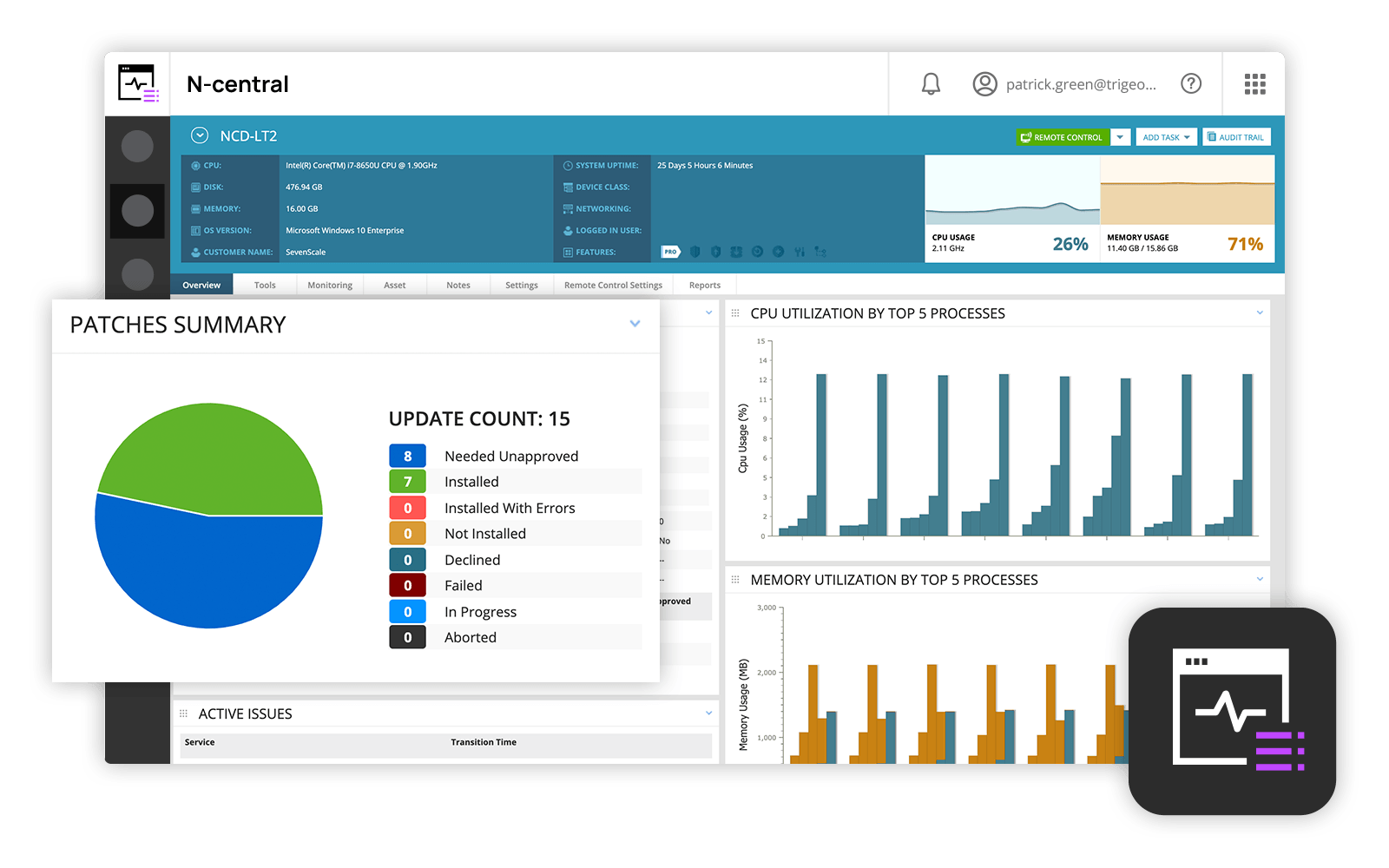
Screenshot of N-able N-central DashboardScreenshot of Remote desktop access with Take Control

NinjaOne Screenshots

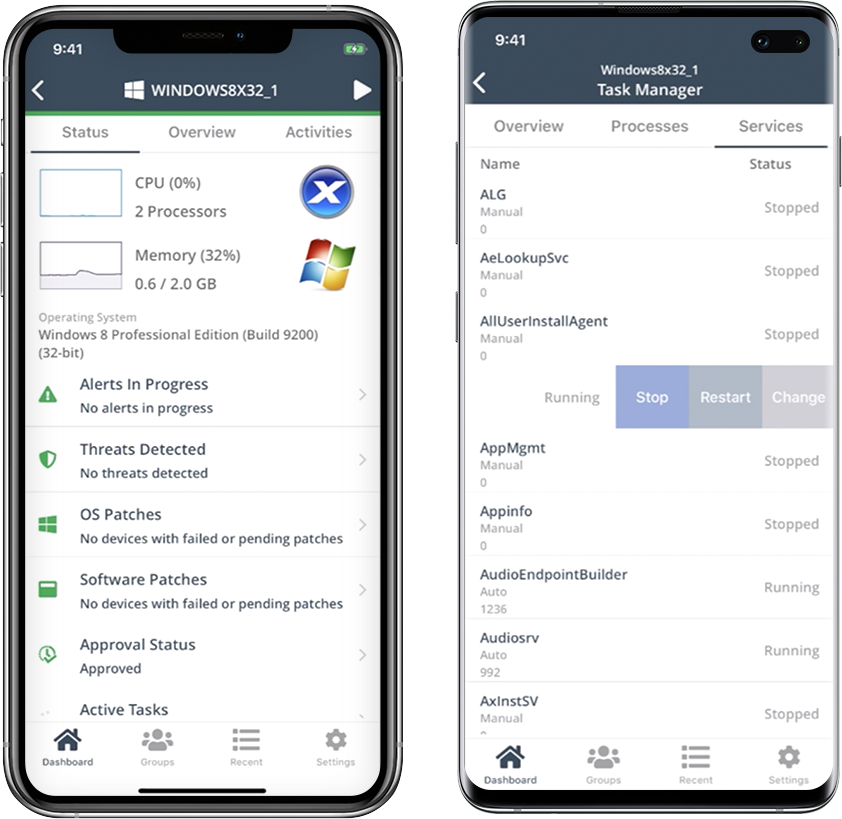
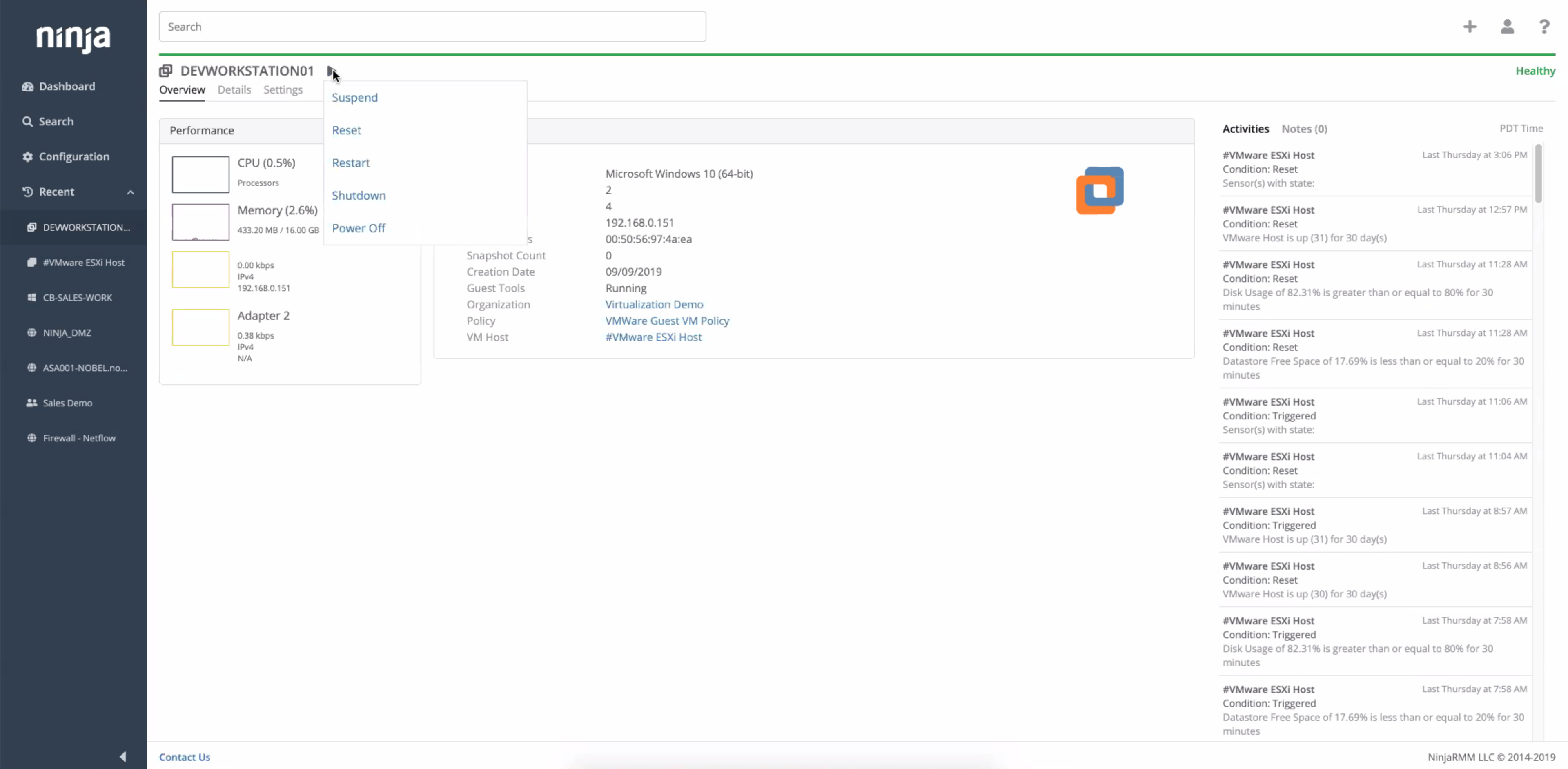
Screenshot of the NinjaOne dashboardScreenshot of the NinjaOne mobile appScreenshot of NinjaOne automationScreenshot of NinjaOne device detailsScreenshot of NinjaOne network monitoring - NetFlowScreenshot of NinjaOne virtual machine monitoring