Cisco Webex Support was a remote access and support tool that has been discontinued and is no longer available.
N/A
LogMeIn Rescue
Score 7.6 out of 10
N/A
LogMeIn Rescue is a remote
support solution for PCs, Macs, and mobile devices. LogMeIn Rescue is designed to help IT teams to
offer fast technical support and ensure a secure remote
support session for both the IT professional and the end user. From small
teams of IT helpdesk technicians to enterprise-level organizations, LogMeIn Rescue…
$1,299
per year
RealVNC Connect
Score 7.6 out of 10
N/A
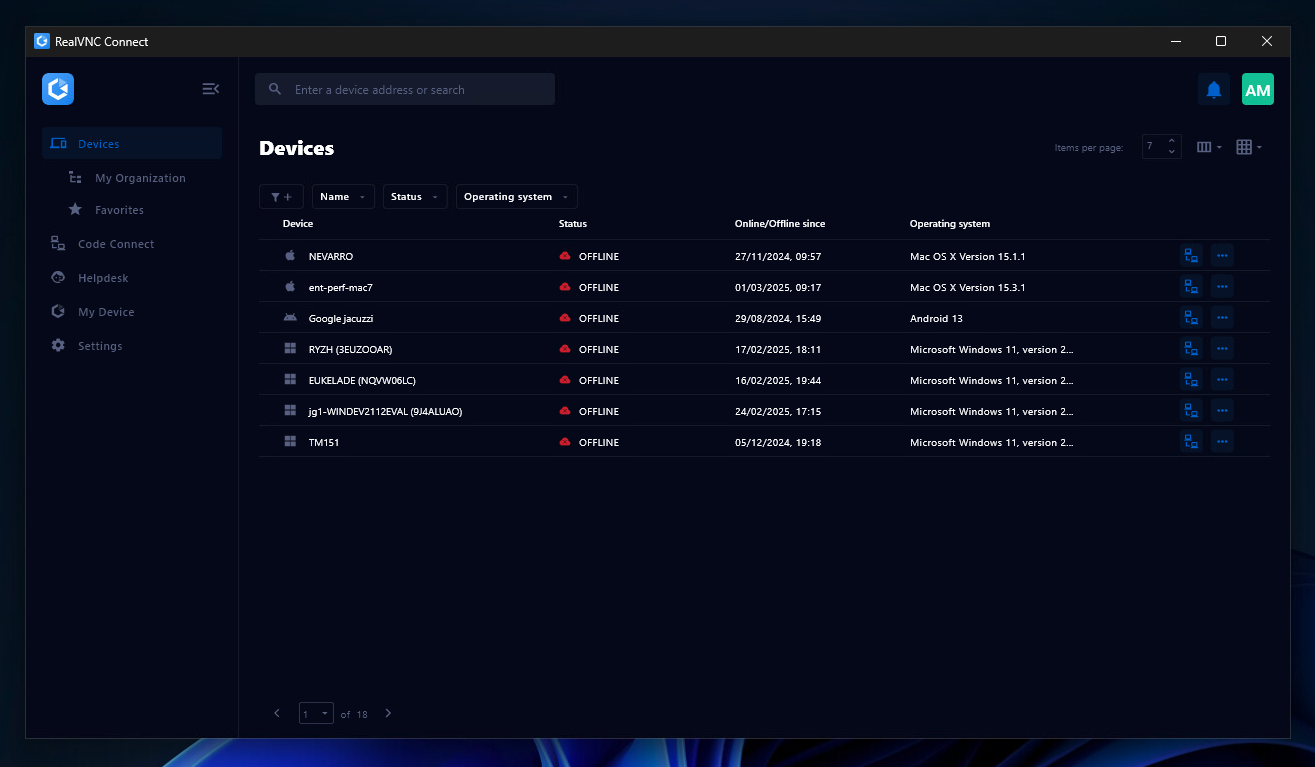
RealVNC® Connect is a secure remote access solution from RealVNC. It can be used to connect to a remote device anywhere in the world to view its desktop in real-time and take control as though sitting in front of it.
$99
per year (one concurrent session)
Pricing
Cisco Webex Support (discontinued)
LogMeIn Rescue
RealVNC Connect
Editions & Modules
No answers on this topic
No answers on this topic
Essentials
$8.25
per month (billed annually) per concurrent session
Plus
$16.50
per month (billed annually) per concurrent session (add up to 3)
Premium
$29.75
per month (billed annually) per concurrent session (add up to 5)
Enterprise
Custom Pricing
per year
Enterprise
Custom Pricing
Offerings
Pricing Offerings
Cisco Webex Support
LogMeIn Rescue
RealVNC Connect
Free Trial
No
Yes
Yes
Free/Freemium Version
No
No
Yes
Premium Consulting/Integration Services
No
No
No
Entry-level Setup Fee
No setup fee
No setup fee
No setup fee
Additional Details
—
—
Plans work on a Per Concurrent Session basis. Each plan gives access to a bundled number of devices, but limits apply to the amount of devices that can be connected at any given time.
The Premium plan includes On-Demand Assist, a useful tool for providing just-in-time remote support to end-users without them needing RealVNC Connect installed on their device.
GoToAssist was the product we used previously that we replaced with WebEx Support Center. While GoToAssist is certainly a good product and it worked quite well for us, we as a team feel that WebEx Support Center is a more robust overall product. They have a great deal of …
Logmein-GoToAssist is the product we used previously and still to some degree use with WebEx Support Center. It was not always reliable and suffered with network congestion but worked quite well for us, we as a team feel that WebEx Support Center is a more …
LogMeIn Rescue replaced TeamViewer and RealVNC for our companies. We had all of the tools at our disposal and updating is easier then it was with other products.
LogMeIn Rescue by GoTo is by far superior feature wise when it comes to other solutions we've trialed. The cost of rescue is the only part that makes you have to stop and think before procurement, we had to significantly justify our reasons for this product over some of the …
Light weighted, easy to use, fast, no hangs, file sharing.
Verified User
Technician
Chose LogMeIn Rescue
LogMeIn [Rescue] is simpler and less expensive than any competing product we have used. Other products require [a] lengthier set up and configuration before a connection could be established. Remote control and sharing are also complicated with other apps. The integrated …
Customer Service was our number one deciding factor. LogMeIn support teams are top-notch. We never had issues getting product updates, technical support, additional license purchases, and any product-related queries. The ability to run macro & micro level reporting is another …
LogMeIn Rescue provides an easier interface and clean and crisp icons to perform day to day tasks in service teams. Using other software can be more demanding and overwhelming due to the complexity and overabundance of options. Also there is an economical advantage as well. …
Verified User
Supervisor
Chose LogMeIn Rescue
Much better connectivity and performance than Webex in our experience. The MSP platform was very robust and contained a lot of management features that are not available within Rescue since it does not have an agent deployed on all the machines. However, its remote access …
LogMeIn Rescue has a much easier connection process than Webex Support Center; the UI is much more intuitive and has better labeling so that you know what each button does and don't have to hover over each one to figure out what it does. ScreenConnect did not have the same …
Have used TeamViewer, Bomgar, GoToAssist, GoToMeeting. LogMeIn Rescue is a light application that is easy to use in comparison to the other competitors. However, it's a bit pricey.
LogMeIn Rescue is an invaluable tool in my IT tool belt. I don't have to install any software on the client's computer, and they cut my access off whenever they want. In other new client's offices, I tend to see the previous IT guy left himself a few backdoors open using TeamVie…
While Windows RDP and RealVNC are easier to use from a technician standpoint, they potentially could leave security holes within your network infrastructure. LogMeIn Rescue provides the security and ease of use to provide clients the support they need.
RealVNC Connect
Verified User
Technician
Chose RealVNC Connect
With so many things tech-related we have many options and ways to accomplish the same thing. I think one of the important things to remember is the companies track record and support record for their users. In our experience, VNC Connect has been able to be competitive in all …
VNC Connect works just as well as the top products on the market. At the time VNC Connect was priced better and provided us with a simple reliable tool. VNC Connect works well cross-platform which is important to our institute as we are a 60/40 PC to Mac ratio. Reliability …
VNC works really well. It gives a superior level of access compared to far more expensive products such as GoToAssist or WebEx Support Center, and does so at a tiny fraction of the cost. It also consumes far fewer resources than either of those two competing products. It's an …
We use WebEx Support Center in the IT department to support users as well as work with vendors remotely. This applies to physical desktops, laptops, and Virtual Desktops. We have around 200 employees. Most employees work in one of our offices, but we do have at least 5-10 users who are more frequently remote than they are in the office. It helps us remotely access machines we wouldn't otherwise have access to, due to lack of physical access. It's excellent for troubleshooting access problems from users' personal machines, as well.
Most of the time it is great. Sometimes with iPads it is not great or too expensive for orgs to pay for an option to allow iPads to be logged into along with computers and windows computer tablets. When needing to view something a client is talking about. It is great to use login to understand the issue and possibly fix any issues we need.
It is very easy to use if the remote device is already set up to receive connections, so if you are setting up devices before deploying them, it is a great tool to have. It is well-suited to use when shadowing users or using it as a teaching tool. There are other products that are better if you are trying to help someone on a one-use basis.
Simple Remote Access - WebEx Support Center works with either a permanent install or temporary executable, so you don't have to worry about users being particularly comfortable or knowledgeable about software installation. It also doesn't matter if the user is on an account without admin rights, you can still connect and see what's going on using the temporary executable.
Robust Access Options - You can take see the user's screen, take control of their screen, send files, and retrieve files. It's a great tool for troubleshooting issues that users might be experiencing and doesn't depend on them being able to find the files that you need to properly troubleshoot their issues.
Great performance - Even when users don't have a particularly great internet connection, you can still typically get good results and help them quickly. You're not going to do it over dial-up (if that even still exists for anyone), but it works acceptably well even over very modest DSL or satellite internet connections.
VNC Connect does an excellent job in remotely connecting to a computer through either your local area network or even another computer on the internet. As long as the VNC Connect services is installed and the client is running in the background.
VNC Connect provides password protection to prevent unauthorized users from attempting to remotely access your computer. There's an option to have a separate password to remotely view vs view & access a computer. You can even add an additional level of security by turning on the feature to require Windows login credentials.
VNC Connect provides an additional set of controls after a remote connection has been established with another computer. You can have special keystrokes like Ctrl+Alt+Del sent as a command sequence to the other computer as well as access more than a single screen when in use at the remote computer location.
During initial setups it can be a little confusing.
The look and feel is a little rigid. It feels like it is in need of a smoother UI update.
When a new user is introduced to webex and they are asked to share their desktop, it maybe a little difficult for the user to navigate to the correct buttons.
The Enterprise package we purchased (Event Center, Remote Support, Meeting Center, and Training Center) for 100 users is the same annual price as GoToMeeting for 25 users. We will renew as it is a package deal. If it were just WebEx Remote Support, we would not renew at all.
It may not be used often in our smaller organization but it really is the only option with a remote workforce. We do not want to learn a new product so it is much better to keep with what we know works well and our staff is used to utilizing
VNC is a solid product for the price. It simply works and its reliable across different platforms. Some products state they work well in the Mac environment but don't deliver. This one does what it says. Connections are reliable, but of course, this depends on internet connections. The product works well over wireless connections as well. It delivers on what a remote tool should deliver on. My technicians are happy with the product and customers appreciate the ease of use when letting us connect to their systems. Some also appreciate the remote support while they are multi-task.
Honestly, there are people available. But none of them will help you with your issues. They just keep assigning new service engineers who are often clueless.
I believe that LogMeIn Rescue is extremely suitable for users of all levels of technical prowess. The user interaction is minimal, and the agent is available to take over at every step of the way. From problem resolution to training, LogMeIn Rescue can take care of it all. LogMeIn Rescue makes the user support process easier and faster so the user can have the issues resolved in a timely manner.
It's a niche product and in that niche they try to cater to as many use cases as they can. Other as a TCO aspect i don't see many use cases where you can't use this product as the one tool for all remote session use cases in your company
I'd say support for LogMeIn is ideal because I haven't ever been in a situation where additional support was necessary. The program runs so efficiently and simply that nothing was needed beyond initial training that was provided by my company. I am saying this as a user that strictly uses the technician console
VNC Connect is a reliable product that has been around for a long time. It is reasonably priced and works well in the Mac & PC environment. When you have a small team that supports many users we need tools that we can rely upon and that will get the job done on the first try. Many customers appreciate the quick assistance and can multi-task while our team works on their computer issues remotely. From a customer service point of view, this tool gives us transparency and efficient effectiveness.
The training is very informative, quick and to the point. All of the details one would need are present so the user doesn't have to go searching for additional information just to use the application. The layout of the training was also neat and concise, some of the other training sessions for other companies I've done in the past were confusing and not well thought out, this one is much more superior
I would say that Cisco Webex Support stacks up pretty evenly in capability, but in some regards (video clarity, toll-free access, etc.) they were even better. Where they did provide a better solution for toll-free access on audio bridges, their audio quality was worse for those that wanted to use VoIP for the audio conference bridge.
Truth be told, Rescue is the first and so far only solution from LogMeIn I started to use. However since it offers a wide range of tools specifically designed for remote support, it is highly effective for resolving technical issues. Additionally, Rescue provides various connection methods and customizable interfaces, allowing support teams like mine to tailor the experience to specific needs.
VNC is light and sleek with the quick setup, was impressed with the quick setup despite poor Internet connection outdoor. TeamViewer is good, but the pricing is not as good as VNC. Both do the basic job, but VNC still outperform TeamViewer in terms of performance and ease of use.
WebEx Support Center works pretty excellently for us as we are a small shop. We are experienced and have pretty good skill sets. WebEx Support Center is an excellent product for our use cases with our users and client to troubleshoot issues.
WebEx Support Center is more expensive than our previous product MXIE or Logmein. It has a more user-friendly UI, and overall performance is better and reliable.
It helps us to increase our remote resolution from offshore personnel, so you can redeploy the activity of a local resource at your facility to specifically address more of the hardware or physical IT problems.
Increase FCR "First Call Resolution" if you have this within your SLA
Improve end user experience, Non IT personnel doesn't have to struggle explaining an issue, it makes it very easy once you get on the affected user computer.
I have just used the software for about 1 month and so far so god. I am saving time whenever I can access my client's computers from my desk as opposed to having to leave my office to go to their offices. Saves me time and the client money.