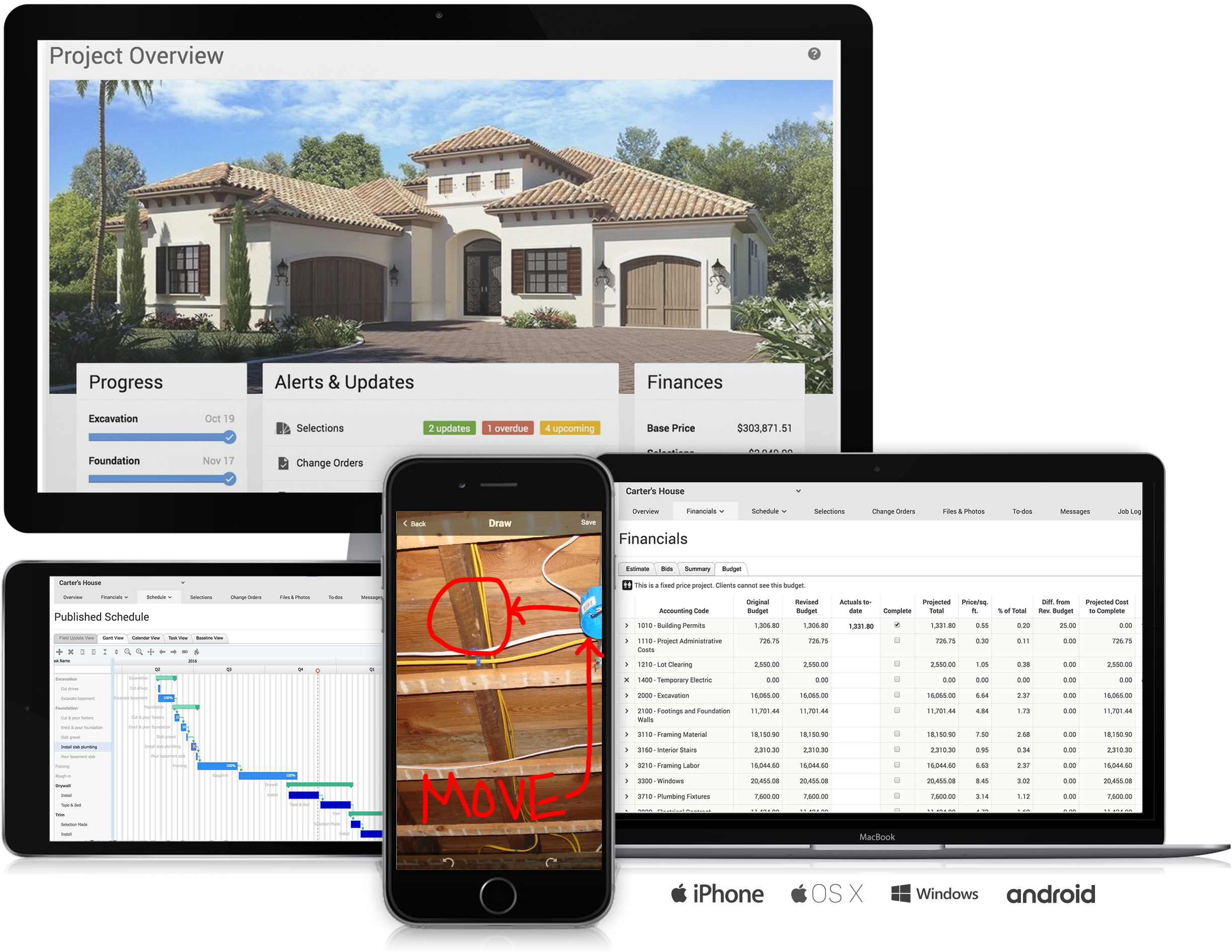
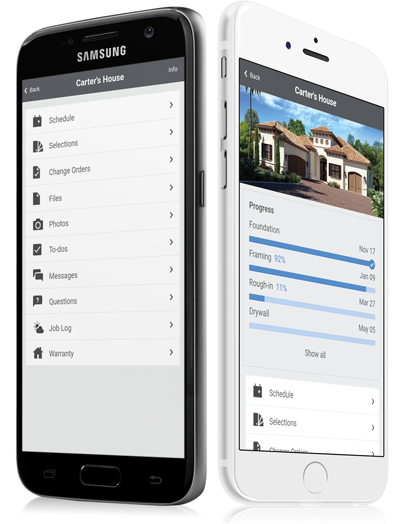
CoConstruct, from Buildertrend since the November 2021 acquisition, is a custom builder & remodeler software. It allows users to enter data once and have that information flow through the estimate, specs, selections, bids, proposals, change orders, and budgets, including to and from QuickBooks. In addition, CoConstruct includes scheduling and 3-way communication between builder, client, and trade partners. Everything is captured via email and texting. Login isn't required for…
$49
per month
Teamwork.com
Score 8.5 out of 10
N/A
Teamwork.com is a project management platform built specifically for client work. The platform helps users deliver work on time and on budget, eliminate client chaos, and understand profitability. Teamwork.com’s customers track and manage their projects with a suite of integrated solutions such as helpdesk, collaboration, knowledge sharing and customer relationship management add-ons, enabling Teamwork.com to be the ‘one-stop shop’ solution for business owners. Headquartered in Cork,…
$13.99
per month per user
Wrike
Score 8.6 out of 10
Mid-Size Companies (51-1,000 employees)
Wrike is a project management and collaboration software. This solution connects tasks, discussions, and emails to the user’s project plan. Wrike is optimized for agile workflows and aims to help resolve data silos, poor visibility into work status, and missed deadlines and project failures.
$240
per year 2 users (minimum)
Pricing
CoConstruct
Teamwork.com
Wrike
Editions & Modules
Ramp
$49
per month
Plus 5
$299
per month
Plus 10
$399
per month
Plus 15
$499
per month
Deliver
$13.99
per month per user
Grow
$25.99
per month per user
Free Forever
Free
Up to 5 users
Scale
Contact sales team
Wrike Free
$0
per month per user
Wrike Team
$10
per month (billed annually) per user (2-15 users)
Wrike Business
$25
per month (billed annually) per user (5-200 users)
Apex
Request a quote
per month per user
Pinnacle
Request a quote
per month per user
Offerings
Pricing Offerings
CoConstruct
Teamwork.com
Wrike
Free Trial
No
Yes
Yes
Free/Freemium Version
No
Yes
Yes
Premium Consulting/Integration Services
No
No
Yes
Entry-level Setup Fee
No setup fee
Optional
No setup fee
Additional Details
CoConstruct pricing is based on active job sites that have client access online, which means it is adaptable to builders & remodelers businesses. This means that there are an unlimited amount of projects available for estimates and proposals, so that customers only pay when they win a contract. Also built into the pricing are a myriad of services: a dedicated implementation coach, free estimate & scheduling templates based on industry best practices from successful builders and the NAHB, unlimited storage and users, software branded with the customer's logo, unlimited amount of warranty projects, and unlimited phone & email support. The vendor offers a money-back guarantee that is good for the first 90 days of service.
A discount is offered for annual billing.
Every premium plan begins with a 14-day trial period.
Teamwork Projects was much more deeper than Trello, but not as massive or unwieldy as Basecamp. It was similar in functionality to Wrike, but miles better in pricing and usability.
We used Basecamp extensively and really dislike that tool. Teamwork Projects is so much better. We evaluated Wrike and Asana before ultimately deciding on Teamwork Projects. We felt it was a better option over those two for our use case.
Teamwork stacks up very well with other project management products. I think it really just depends on what the company and team's needs are to determine which option is right for you. Some people and places will benefit greatly from something as robust and high quality as …
On the whole Teamwork Projects comes across as the preferred solution due to cost, speed of adoption, support for multiple devices, licensing models, support for internal/external users, email services, integration capability and the support services. Furthermore, the …
Two options were considered: Freed Camp, which was dismissed because it contains little advanced and too expensive of features, and Teamwork Projects, which has powerful features but is also very expensive. In the end, we decided on Wrike after evaluating what the product can …
After researching and experimenting with several other products, Wrike was chosen for it's customization capabilities, and because it was a product inherited due to a company merger.
Great for large project and/or complex projects. However there can be a learning curve. I would possibly choose a different platform if I am working with non-techy team members.
Wrike takes the best of aspects of many project management systems and packages them into one. We chose Wrike for its ease of use, all in one project workflow from task management, task dependencies, file and video proofing and reporting features.
Before we took on Wrike we made a comparison between Wrike, Smartsheet, Teamwork and Monday. Wrike was really the only one that ticked all the boxes (at least for our region) on what we needed. You can say that between them the features are quite similar. What we liked about …
Trello is a simpler, more visual project management tool. More situated for smaller, less technically savvy teams. Vs. Asana, Wrike it similar but has more customization options. Vs. Teamwork.com, they are comparable although it's easier to see the big picture using Wrike - the …
Asana is more like a very configurable super fast and easy to use spreadsheet. Wrike has more features, more options but is more for big teams. Asana is for more mature teams that do not communicate externally that much. Jira is just a software lifecycle development tool and …
Verified User
Project Manager
Chose Wrike
Wrike is the closest to a full force Microsoft Project in the cloud, in addition to supporting multiple workflows for different project management types. More complex than Asana and Trello, but easier for users compared to JIRA.
Wrike is much much easier to use than Teamwork. We switched from Asana to Teamwork because we liked its advanced options, hierarchical structure, and sharing options, but they didn't live up to the hype. It was also very difficult to use and navigate. Wrike has most, if not all …
Having the ability to completely manage a project from start to finish with one app is super helpful. The time reporting feature (when it works correctly) is a nice added bonus as it allows employees to switch from one task to another on the same project or to another project and task with ease, aiding in the accounting process of the total project. This was helpful for running analytics to see where we were spending too much time on certain tasks, thus allowing us to assess any training needs.
Teamwork is awesome for teams who need a flexible tool that supports all types of projects. Since it supports kanban it makes visualizing the work to be done and the work in progress very easy. The Gantt chart support is decent and helps to understand how a team is doing when it comes to getting work done in a given time frame. Teamwork isn't a great option for companies that have a bunch of projects going simultaneously due to the way Teamwork structures their billing based on a number of active projects.
I think that Wrike is customizable enough to fit most needs, so I would generally recommend it as a starting point to anyone that is looking for a project management tool. Some people on my team don't like it, but I think that is moreso due to lack of exposure than any flaws in the tool itself. I predominately taught myself many of the features, and I found it to be straightforward. There is lots of great documentation out there, plus the community forums are incredible helpful as well. Wrike might not be THE perfect tool for every single need, but I think that there would be very few situations where it would ultimately be incompatible with a team's workflow needs.
The integration of all aspects needed to run a remodeling company efficiently: project scheduling and management, financial planning and customer service. Since it’s an all-in-one suite and cloud-based, it enables our team to keep track of all our projects in real-time. Communication breakdown is the last thing we want, so being on the same page is not only desirable but makes for the best possible relationship with our clients.
Product education - We like how CoConstruct helps new users and get them to start using the tool right away. The dashboard resource materials are incredibly useful. We don’t have to spend a lot of time training new hires on the system and onboarding new clients.
Internal Communication - CoConstruct lacks the ability to tag-team members for internal communication using @mentions or any other means. This has been crippling for us and forced us to use alternative software for communicating among our team members.
Pipeline Management - CoConstruct's lead-tracking system feels clunky and hard to navigate and doesn't provide a pipeline view that's easy to navigate. We have moved our Pipeline Management outside of CoConstruct to make it easier for our sales team to track leads.
CRM - CoConstruct doesn't offer anything for customer follow-up after projects are completed. This, in addition to the lack of an effective pipeline system, has led to our decision to use Hubspot as our CRM. Moving projects into CoConstruct for Design and back our after Production.
Visualization needs to be improved, charts graphs are limited
Value stream mapping should be available to determine and prioritize the work.
Documentation should be available stepwise with export and printable facility.
It should be configurable like ERP with cross functionalities of different users, where users login, assign and approve the work, job or project details, where it should be collectively effected on a project.
Add many examples, little more AI, Machine learning required for suggestion and recommendation. It would be a plus point
We are already at an annual contract, and have been for the past 5 years; so far the system has delivered, and our personal is already trained in it. A major overhaul of our entire infrastructure (as in moving everything to a single, unified platform) might change the current continuity of Teamwork Projects on our organization, but that's not feasible in the near future.
I wish that Wrike had more drag and drop functionality that would be connected to assignee and also I wish that the finish date of a task would update to the date where you checked completed. It does not do that. Also finishing a task doesn't move the start date of the next task it "protects your time in that way", but our management team wants us to quickly see what we have down the pipeline rather than having to scroll down the list of upcoming tasks.
I give it a 9 out of 10, because there is a bit of a learning curve when you first start using Teamwork Projects because there is a lot to learn & recognize where to find it. They do offer a good range of tools that can be applied to every project - So say you're working on an internal project and don't need Milestones or Billing, you can shut those modules off. This can help simplify the interface for beginners. Once you've had a few days in Teamwork Projects, I think it's a 10/10 usability. It's very easy to accomplish your tasks and keep track of what you're managing.
It's easy as pie to use. I don't have any issues and only the oldest, most un-tech savvy of coworkers on my team seems to have issues with it. It's quick to pick up, intuitive, and effective. I have no criticism for it.
Over two years of (almost) daily usage without outages. Don't remember any errors. I give it 9 only because some Wrike plugins (for online document edit) are based on NPAPI architecture. These types of plugins are being phased out in new browsers, and NPAPI plugins are disabled by default in recent versions of Chrome so you have to do some browser adjustments when you switch browsers or move to another computer.
Wrike tasks loads fine, but I hate clicking files and wait for a bit of time since it is powerpoint or word, Wrike assumes I want to open those on Wrike. My suggestion is to link it to office 365 so we do not need Wrike based decoder for PPTX and DOCX
The support staff is brilliant; they don't operate on Australian time, so you can't just dial up support when you need it. The response times are quick, and the staff is knowledgeable. They are also well versed in most of the differences between buildings in the US and the building in Australasia. Despite their funny accents and strange use of the English language, we get by just fine!
We've been able to meet with the customer success team on multiple occasions to discuss the roadmap and learn about the company culture. Being based in Ireland, we occasionally have to wait until they wake up to get support requests handled in the states and larger conversations about big enhancement requests were politely collected but not followed up on
During my learning phase with Wrike, I initially struggled with setting up automation rules and request forms. However, Wrike support was always my go-to, resolving issues within seconds or minutes. Their assistance made the learning process much easier. My best experience was receiving step-by-step screenshots to follow, with the support team on standby until I was completely satisfied.
I love the Wrike training options. Wrike Discover has tons of courses, learning plans, certifications, etc. This is an area where Wrike definitely shines! I wish these resources were more in your face for new people, because it seems like a lot of coworkers didn't know all of this training was available to them.
There are a lot of bells and whistles in Wrike, and not all of it is easy or intuitive to understand once it's plopped in your lap. It's easier when there are a few choice people who understand Wrike as a platform and articulate it in such a way where it makes it easy to pass it along to others in the group
Products like Procore and PlanGrid are geared towards projects with huge projects teams, multiple stakeholders and dozens of subcontractors. CoConstruct can be used for projects big and small (value) and also with small project teams or large projects teams. For small partial renovation or addition projects CoConstruct is a good more cost effective option.
I spoke about this quite a bit before, but as far as usability goes, Microsoft Projects is totally useless for me, so I avoid it at all costs. Basecamp was just a task management app and had very small feature set beyond that. We had to rig it to do other things for us, but it failed at that. Asana was a very nice app to trial, but it lacked many of the features that we were looking for.
We use both monday.com and Wrike. While Monday does have a better user interface, Wrike allows us to have more visibility into tasks where multiple people are collaborating. And also to receive project brief-ins and requests for new projects. We use both differently and I would say for us Wrike is more the collaboration tool than the day to day individual task management tool - and it works great.
The sky is the limit for what can be done in Wrike. We started with 1 use case and within 5 months we migrated several key business practices over to Wrike because they were easier to manage. Use cases so far: process improvement, management review, corrective actions, maintenance requests, month-end financial closing, and document management. As we grow, it's easy to imagine putting even more into Wrike where it becomes a cornerstone for how we do business
Teamwork was a great starter into project management software. We were WAY more organized and efficient than we ever were with Trello boards and the PM software included with our accounting system.
Clients were mostly pleased with interacting with Teamwork, and appreciated the ability to track their comments and requests in one place.
Ultimately, we stopped using Teamwork after about 6 months because we need something more focused on web development projects specifically
Different teams (e.g., contracting, compliance, provider relations) can view updates in real time, comment directly on tasks, and escalate items when needed.
Wrike allows us to template the contracting process (from intake to signature) to ensure consistency across payers and reduce administrative overhead.
Leadership can see the status of negotiations at a glance, identify bottlenecks, and prioritize resources accordingly.