
Scott Trautwein
Director of Technology
Chose ScreenConnect
Price is cheaper for ConnectWise, and you just have to install the agent once.

| Product | Rating | Most Used By | Product Summary | Starting Price |
|---|---|---|---|---|
 ScreenConnect | N/A | ConnectWise ScreenConnect is a remote support, access, and meeting solution. With it, users can utilize remote support and access to repair computers, provide updates, and manage machines. Users can also conduct online seminars and presentations using remote meetings. | $39 per month | |
 Google Hangouts (Classic) | N/A | The classic version of Google Hangouts included messaging, voice, VoIP, and video call capabilities. It was replaced by the Hangouts Chat collaboration tool, and Google continues to support conferencing via the new Hangouts Meet. | N/A | |
 RingEX | N/A | RingEx is a cloud-based VoIP solution available via computer mobile application. It features video and audio conferencing, desktop phone rentals, collaboration tools, and integrations with other business applications. Plans are available on a monthly, per user subscription basis. | $29.99 per month |
| ScreenConnect | Google Hangouts (Classic) | RingEX | ||||||||||||||||||||||
|---|---|---|---|---|---|---|---|---|---|---|---|---|---|---|---|---|---|---|---|---|---|---|---|---|
| Editions & Modules |
| No answers on this topic | No answers on this topic | |||||||||||||||||||||
| Offerings |
| |||||||||||||||||||||||
| Entry-level Setup Fee | No setup fee | No setup fee | No setup fee | |||||||||||||||||||||
| Additional Details | — | — | Pricing above is per/month paid annually. Pricing increases when paid monthly. Essentials - $29.99/month (paid monthly) Standard - $37.99/month (paid monthly) Premium - $44.99/month (paid monthly) Ultimate - $59.99/month (paid monthly) | |||||||||||||||||||||
| More Pricing Information | ||||||||||||||||||||||||
| ScreenConnect | Google Hangouts (Classic) | RingEX | |
|---|---|---|---|
| Considered Multiple Products |  ScreenConnect Scott Trautwein Director of Technology Chose ScreenConnect Price is cheaper for ConnectWise, and you just have to install the agent once.  Michael Beals Technology Support Specialist Chose ScreenConnect ScreenConnect is by far a superior product, it has better tools, it is more secure, and by far it is easier for non-technical users to get up and running with remote support. The simple, intuitive UI allows us to focus more on support rather than ports and configurations for …  Marc Bressman President / IT Consultant Chose ScreenConnect Previously used LogMeIn, but their pricing became way too expensive and we wanted a self-hosted solution so that we could control it and manage it fully in-house (for security reasons and other reasons). ScreenConnect had the right feature set at a great price, as well as was … | Google Hangouts (Classic) No answer on this topic |  RingEX  Katie McKinlay Corporate Recruiter Chose RingEX RingEX has more functions than Google Hangouts had, which has benefitted our employees significantly. The updates and downtime are more frequent than what we experienced with Google Hangouts, but the functions available in RingEX outweighs that aspect.  Nick Bencivenga Chief Operating Officer Chose RingEX I'm wary of entering into yet another agreement with Comcast - RingEX won our business since this is "all they do" - and I like that. They do have a pretty solid product at a decent price. However, I do feel like from a tech-perspective, they leave a lot on the table. It feels …  Kaileigh Sutherland Assistant to the Finance Director Chose RingEX RingEX is all that we have used. We do not have the time to try different products right now and also do not have a desire. Because it works and does what we need we are very satisfied so we do not feel the need to search out or try any other products right now. |
| ScreenConnect | Google Hangouts (Classic) | RingEX | |||||||||||||||||||||||||||||||||||||||||||||||||||||||||||
|---|---|---|---|---|---|---|---|---|---|---|---|---|---|---|---|---|---|---|---|---|---|---|---|---|---|---|---|---|---|---|---|---|---|---|---|---|---|---|---|---|---|---|---|---|---|---|---|---|---|---|---|---|---|---|---|---|---|---|---|---|---|
| Remote Administration |
| ||||||||||||||||||||||||||||||||||||||||||||||||||||||||||||
| Cloud PBX |
| ||||||||||||||||||||||||||||||||||||||||||||||||||||||||||||
| Call Management |
| ||||||||||||||||||||||||||||||||||||||||||||||||||||||||||||
| VoIP system collaboration |
| ||||||||||||||||||||||||||||||||||||||||||||||||||||||||||||
| Mobile apps |
| ||||||||||||||||||||||||||||||||||||||||||||||||||||||||||||
| Performance & Compatibility of Online Events Software |
| ||||||||||||||||||||||||||||||||||||||||||||||||||||||||||||
| Screen Sharing |
| ||||||||||||||||||||||||||||||||||||||||||||||||||||||||||||
| Online Meetings / Events |
| ||||||||||||||||||||||||||||||||||||||||||||||||||||||||||||
| Online Events Collaboration |
| ||||||||||||||||||||||||||||||||||||||||||||||||||||||||||||
| Online Events Security |
| ||||||||||||||||||||||||||||||||||||||||||||||||||||||||||||
| Unified Communications Platform and Collaboration |
|
| ScreenConnect | Google Hangouts (Classic) | RingEX | |
|---|---|---|---|
| Small Businesses |  Getscreen.me Score 9.6 out of 10 |  CloudTalk Score 7.5 out of 10 |  Broadvoice | GoContact Score 9.2 out of 10 |
| Medium-sized Companies |  Remote Desktop Manager Score 9.5 out of 10 | CloudTalk Score 7.5 out of 10 |  Cisco Unified Communications Manager (Call Manager) Score 8.6 out of 10 |
| Enterprises | Remote Desktop Manager Score 9.5 out of 10 |  Cisco Business Edition 7000 (discontinued) Score 9.0 out of 10 | Cisco Unified Communications Manager (Call Manager) Score 8.6 out of 10 |
| All Alternatives | View all alternatives | View all alternatives | View all alternatives |
| ScreenConnect | Google Hangouts (Classic) | RingEX | |
|---|---|---|---|
| Likelihood to Recommend | 8.8 (626 ratings) | 8.0 (91 ratings) | 8.4 (191 ratings) |
| Likelihood to Renew | 10.0 (40 ratings) | 10.0 (1 ratings) | 8.9 (15 ratings) |
| Usability | 8.9 (55 ratings) | 8.0 (7 ratings) | 8.7 (11 ratings) |
| Availability | 10.0 (5 ratings) | - (0 ratings) | 9.2 (121 ratings) |
| Performance | 10.0 (9 ratings) | - (0 ratings) | 8.0 (2 ratings) |
| Support Rating | 8.2 (63 ratings) | 8.0 (36 ratings) | 5.3 (28 ratings) |
| In-Person Training | - (0 ratings) | - (0 ratings) | 7.3 (1 ratings) |
| Online Training | 7.5 (24 ratings) | - (0 ratings) | - (0 ratings) |
| Implementation Rating | 10.0 (20 ratings) | - (0 ratings) | 8.1 (6 ratings) |
| Configurability | 10.0 (5 ratings) | - (0 ratings) | 7.0 (1 ratings) |
| Contract Terms and Pricing Model | - (0 ratings) | - (0 ratings) | 1.0 (1 ratings) |
| Ease of integration | - (0 ratings) | - (0 ratings) | 9.0 (1 ratings) |
| Product Scalability | 10.0 (16 ratings) | - (0 ratings) | 10.0 (2 ratings) |
| Professional Services | - (0 ratings) | - (0 ratings) | 1.0 (1 ratings) |
| Vendor post-sale | 10.0 (4 ratings) | - (0 ratings) | 4.0 (1 ratings) |
| Vendor pre-sale | 5.0 (4 ratings) | - (0 ratings) | 8.0 (1 ratings) |
| ScreenConnect | Google Hangouts (Classic) | RingEX | |
|---|---|---|---|
| Likelihood to Recommend | ConnectWise
| Discontinued Products
| RingCentral
|
| Pros | ConnectWise
 Adam Friedli Level 2 Support Analyst | Discontinued Products
| RingCentral
|
| Cons | ConnectWise
| Discontinued Products
| RingCentral
|
| Likelihood to Renew | ConnectWise
| Discontinued Products No answers on this topic | RingCentral
 Justin Bongard Senior IT Support Technician |
| Usability | ConnectWise
 Sam Segura IT Services | Discontinued Products
| RingCentral
 Jon Shurtliff Vice President of Information Technology |
| Reliability and Availability | ConnectWise
| Discontinued Products No answers on this topic | RingCentral
|
| Performance | ConnectWise
 Tresha Ivey Project Manager | Discontinued Products No answers on this topic | RingCentral
 Kyle Eaton, CFP®, CDFA® Certified Financial Planner |
| Support Rating | ConnectWise
 Bradley Jones Co-Owner | Discontinued Products
 Kaleb-John Loo Senior Firmware Engineer | RingCentral
|
| In-Person Training | ConnectWise No answers on this topic | Discontinued Products No answers on this topic | RingCentral
|
| Online Training | ConnectWise
 Michael Dodd Support Resource and Community Manager | Discontinued Products No answers on this topic | RingCentral No answers on this topic |
| Implementation Rating | ConnectWise
| Discontinued Products No answers on this topic | RingCentral
|
| Alternatives Considered | ConnectWise
| Discontinued Products
 Chris Carpenter Danaher Business System Leader (DBSL), Awesomizer, Fixer, Maker, Collaboration Enabler | RingCentral
 Peter Van Opens Vice President |
| Contract Terms and Pricing Model | ConnectWise No answers on this topic | Discontinued Products No answers on this topic | RingCentral
|
| Scalability | ConnectWise
 David McCoy Provisioning Engineer | Discontinued Products No answers on this topic | RingCentral
|
| Return on Investment | ConnectWise
 Mike Vaughan AWS Infrastructure Architect - Contractor | Discontinued Products
| RingCentral
|
| ScreenShots | ScreenConnect Screenshots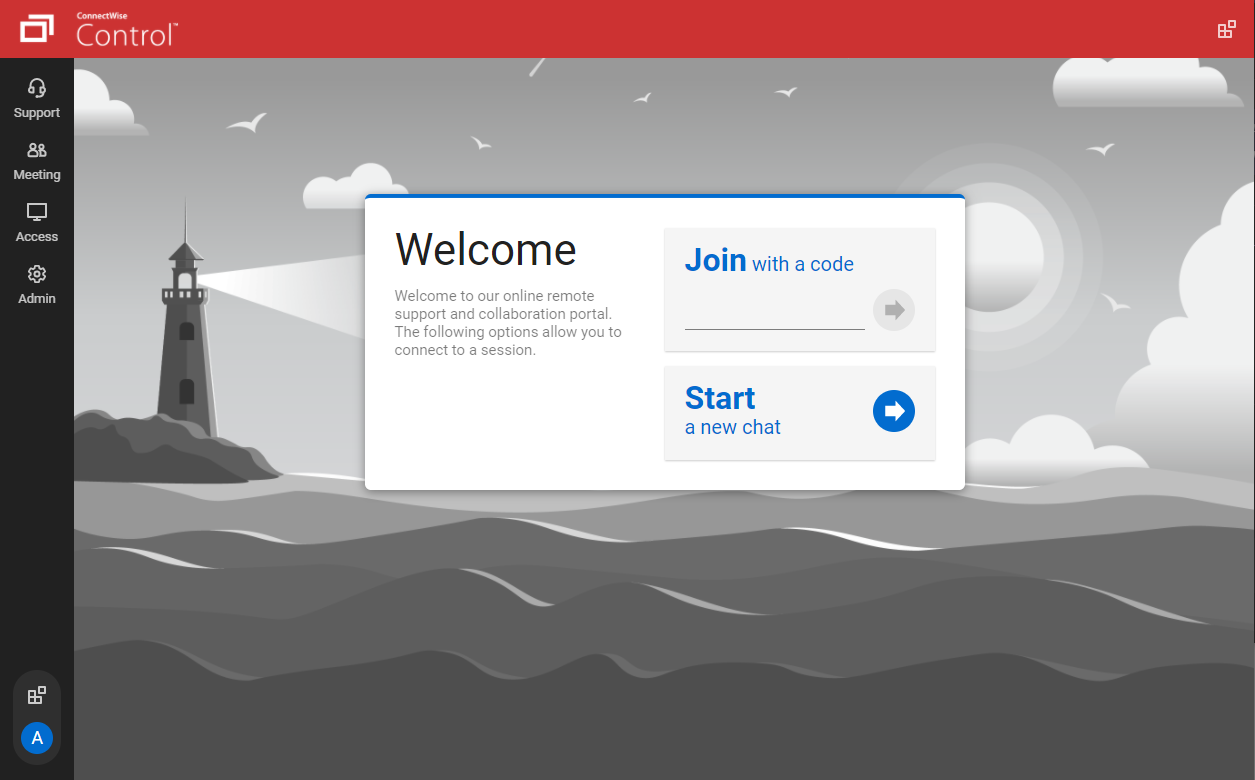   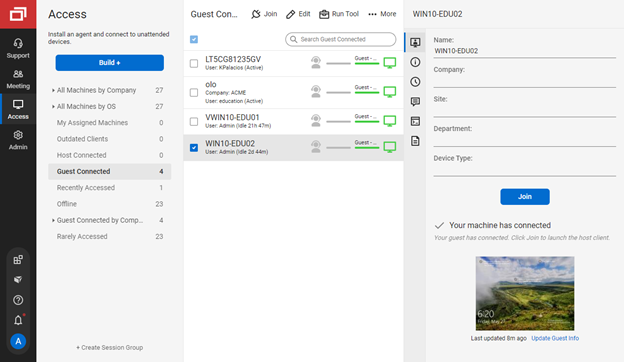   |