
Jörg Dennis Krüger
CEO (Chief Executive Officer)
Chose Convert Experiences
Excellent value for the price. Straightforward to use. Very reliable.

| Product | Rating | Most Used By | Product Summary | Starting Price |
|---|---|---|---|---|
 Convert Experiences | Mid-Size Companies (51-1,000 employees) | Convert Experiences is an experimentation platform that offers features and support to run A/B tests across multiple growth channels. Its enterprise-ready advanced features include full stack experimentation, multi-page testing, post-segmentation, sequential testing, targeting with 40+ filters, triggering tests based on data in other apps (data sources), dynamic triggers, complex goal tracking, and a secure API. It includes 90+ out-of-the box integrations in a… | $399 per month up to 100k tested users per month | |
 Google Analytics | N/A | Google Analytics is perhaps the best-known web analytics product and, as a free product, it has massive adoption. Although it lacks some enterprise-level features compared to its competitors in the space, the launch of the paid Google Analytics Premium edition seems likely to close the gap. | $0 per month | |
 Webtrends Optimize | N/A | Webtrends Optimize is a web optimization platform and is offered by the company of the same name. The product competes most often with Adobe Test and Target, Maxymiser, SiteSpect, and Optimizely. | N/A |
| Convert Experiences | Google Analytics | Webtrends Optimize | ||||||||||||||||||||||
|---|---|---|---|---|---|---|---|---|---|---|---|---|---|---|---|---|---|---|---|---|---|---|---|---|
| Editions & Modules |
|
| No answers on this topic | |||||||||||||||||||||
| Offerings |
| |||||||||||||||||||||||
| Entry-level Setup Fee | No setup fee | No setup fee | No setup fee | |||||||||||||||||||||
| Additional Details | 1. Annual contract or monthly payments available 2. Pricing is not feature dependent. Some features like integrations, goals, Live Logs are necessary to test successfully. This is why Convert caps by unique tested users - basically visitors who have been bucketed to see a variation and are unique to that variation. As a result the app tested users are always </= the site's net traffic. | — | There is no tiering and no different prices for different tools. The entire feature set is available to all users as standard at one price, agreed up front. | |||||||||||||||||||||
| More Pricing Information | ||||||||||||||||||||||||
| Convert Experiences | Google Analytics | Webtrends Optimize | |
|---|---|---|---|
| Considered Multiple Products |  Convert Experiences Jörg Dennis Krüger CEO (Chief Executive Officer) Chose Convert Experiences Excellent value for the price. Straightforward to use. Very reliable.  Dan Procter Managing Director Chose Convert Experiences Convert Experiences has a better UI, better reporting and is a faster platform.  Matt Beischel Founder & CEO Chose Convert Experiences Convert was selected based on price point, feature set, and UI/UX. All three are very friendly to new testers and small to mid-market size companies. Their UI and tool workflow is the best out of all of the non-enterprise solutions that I have tried. There is some small room …  Auke Vos Owner Chose Convert Experiences The biggest point for Convert Experiences is definitely the price and the completeness of their packages. Their Magento plugin makes it great for running tests on ecommerce stores. One thing that's missing for me is deeper insights into revenue (something Optimizely does …  Joshua Uebergang Head of Strategy Chose Convert Experiences Visual Website Optimizer costs too much and misses a lot of transactions due to third-party cookies. Optimizely flat out refused to support Shopify. They withdrew their app from the marketplace in 2014. |  Google Analytics No answer on this topic |  Webtrends Optimize  Stuart Brown Head of E-commerce Chose Webtrends Optimize  Robert Nowell Senior Account Executive Chose Webtrends Optimize Webtrends Optimize definitely gave me a more comphrensive overview of the product |
| Convert Experiences | Google Analytics | Webtrends Optimize | |||||||||||||||||||||||||||||||||||||||||||||||||||||||||||||||||||||||||||||||
|---|---|---|---|---|---|---|---|---|---|---|---|---|---|---|---|---|---|---|---|---|---|---|---|---|---|---|---|---|---|---|---|---|---|---|---|---|---|---|---|---|---|---|---|---|---|---|---|---|---|---|---|---|---|---|---|---|---|---|---|---|---|---|---|---|---|---|---|---|---|---|---|---|---|---|---|---|---|---|---|---|---|
| Testing and Experimentation |
| ||||||||||||||||||||||||||||||||||||||||||||||||||||||||||||||||||||||||||||||||
| Audience Segmentation & Targeting |
| ||||||||||||||||||||||||||||||||||||||||||||||||||||||||||||||||||||||||||||||||
| Results and Analysis |
| ||||||||||||||||||||||||||||||||||||||||||||||||||||||||||||||||||||||||||||||||
| Web Analytics |
|
| Convert Experiences | Google Analytics | Webtrends Optimize | |
|---|---|---|---|
| Small Businesses |  Unbounce Score 8.3 out of 10 |  StatCounter Score 9.0 out of 10 | Convert Experiences Score 9.9 out of 10 |
| Medium-sized Companies |  Dynamic Yield Score 9.0 out of 10 |  Optimal Score 9.1 out of 10 | Dynamic Yield Score 9.0 out of 10 |
| Enterprises | Dynamic Yield Score 9.0 out of 10 | Optimal Score 9.1 out of 10 | Dynamic Yield Score 9.0 out of 10 |
| All Alternatives | View all alternatives | View all alternatives | View all alternatives |
| Convert Experiences | Google Analytics | Webtrends Optimize | |
|---|---|---|---|
| Likelihood to Recommend | 9.9 (18 ratings) | 8.6 (193 ratings) | 7.4 (17 ratings) |
| Likelihood to Renew | 9.1 (1 ratings) | 9.0 (51 ratings) | 5.3 (5 ratings) |
| Usability | 8.0 (1 ratings) | 7.4 (19 ratings) | 7.0 (2 ratings) |
| Availability | - (0 ratings) | 10.0 (4 ratings) | 10.0 (1 ratings) |
| Performance | - (0 ratings) | 10.0 (2 ratings) | 10.0 (1 ratings) |
| Support Rating | 9.8 (9 ratings) | 7.0 (42 ratings) | 9.1 (2 ratings) |
| Online Training | - (0 ratings) | 10.0 (2 ratings) | 6.0 (1 ratings) |
| Implementation Rating | - (0 ratings) | 9.0 (7 ratings) | 7.0 (1 ratings) |
| Configurability | - (0 ratings) | 6.0 (2 ratings) | - (0 ratings) |
| Ease of integration | - (0 ratings) | 10.0 (1 ratings) | - (0 ratings) |
| Product Scalability | - (0 ratings) | 10.0 (2 ratings) | - (0 ratings) |
| Vendor post-sale | - (0 ratings) | 10.0 (1 ratings) | - (0 ratings) |
| Vendor pre-sale | - (0 ratings) | 9.0 (1 ratings) | - (0 ratings) |
| Convert Experiences | Google Analytics | Webtrends Optimize | |
|---|---|---|---|
| Likelihood to Recommend | Convert
 Scot Chandler Senior Consultant | Google
 sandro merkvilishvili Head of e-commerce deparment | Webtrends Optimize
|
| Pros | Convert
 Ken Hanson Growth Lead | Google
| Webtrends Optimize
 Michael O'Connor Senior Analytics Consultant & Optimization Lead |
| Cons | Convert
| Google
| Webtrends Optimize
|
| Likelihood to Renew | Convert
Ken Hanson Growth Lead | Google
| Webtrends Optimize
 David Reynolds-Gooch Group Manager, Interactive Marketing |
| Usability | Convert
| Google
 Victor Campos Web Developer | Webtrends Optimize
Michael O'Connor Senior Analytics Consultant & Optimization Lead |
| Reliability and Availability | Convert No answers on this topic | Google
| Webtrends Optimize
|
| Performance | Convert No answers on this topic | Google
| Webtrends Optimize
|
| Support Rating | Convert
 Art Bukowski CRO, UX and GA specialist | Google
 Sarah Hoffman Media Director | Webtrends Optimize
 Freddie Wilkinson Sales and Marketing Handler |
| Online Training | Convert No answers on this topic | Google
 Roy Morejon President | Webtrends Optimize
|
| Implementation Rating | Convert No answers on this topic | Google
 Joshua Van Horsen Marketing Manager | Webtrends Optimize
|
| Alternatives Considered | Convert
Matt Beischel Founder & CEO | Google
| Webtrends Optimize
 Magdalena Petrova E-Marketing Analyst |
| Scalability | Convert No answers on this topic | Google
| Webtrends Optimize No answers on this topic |
| Return on Investment | Convert
Scot Chandler Senior Consultant | Google
 Heide Rembold Director of Marketing & Analytics | Webtrends Optimize
 Chris Sharman Products.office.com UK Site Manager |
| ScreenShots | Convert Experiences Screenshots 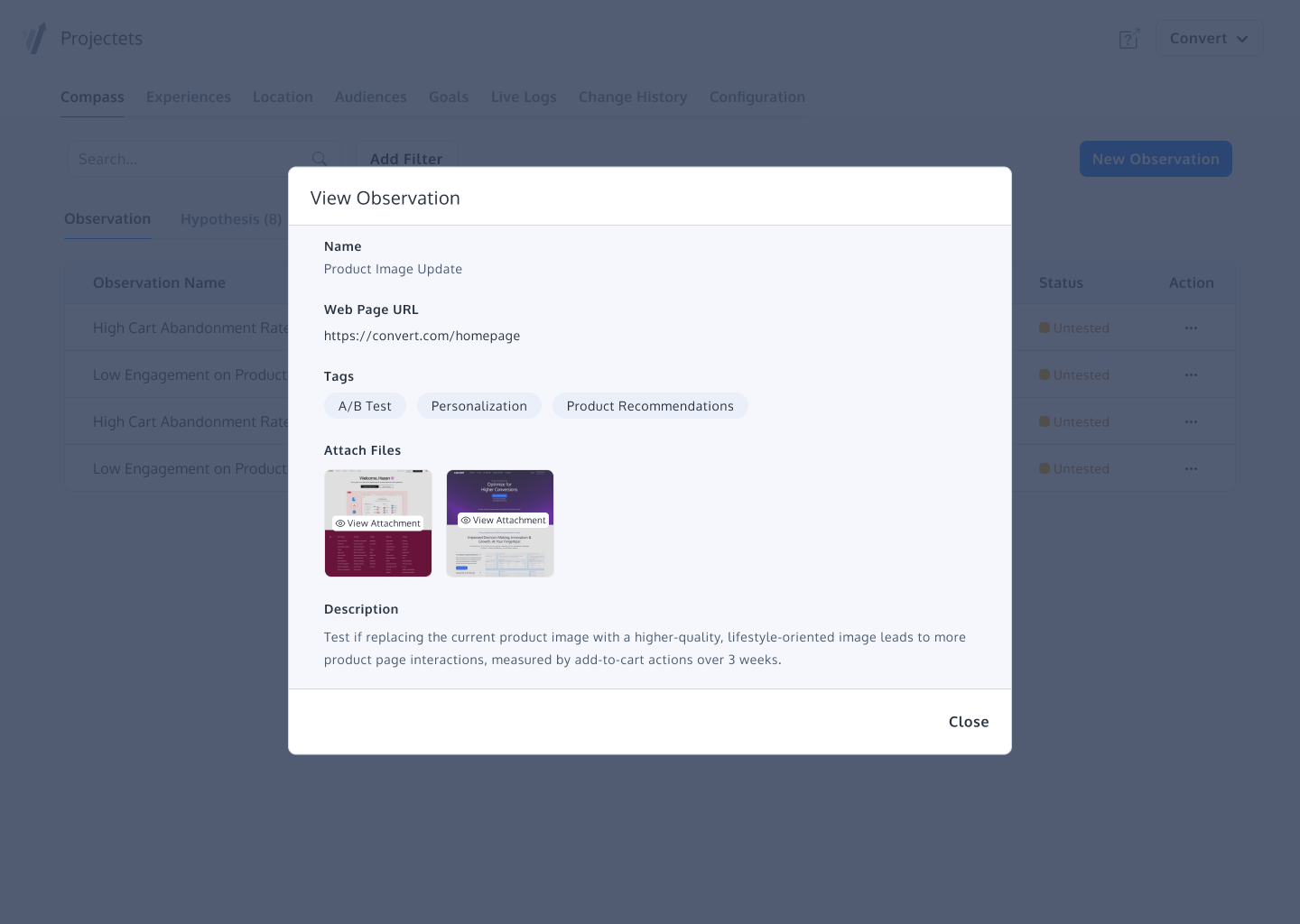     | Webtrends Optimize Screenshots 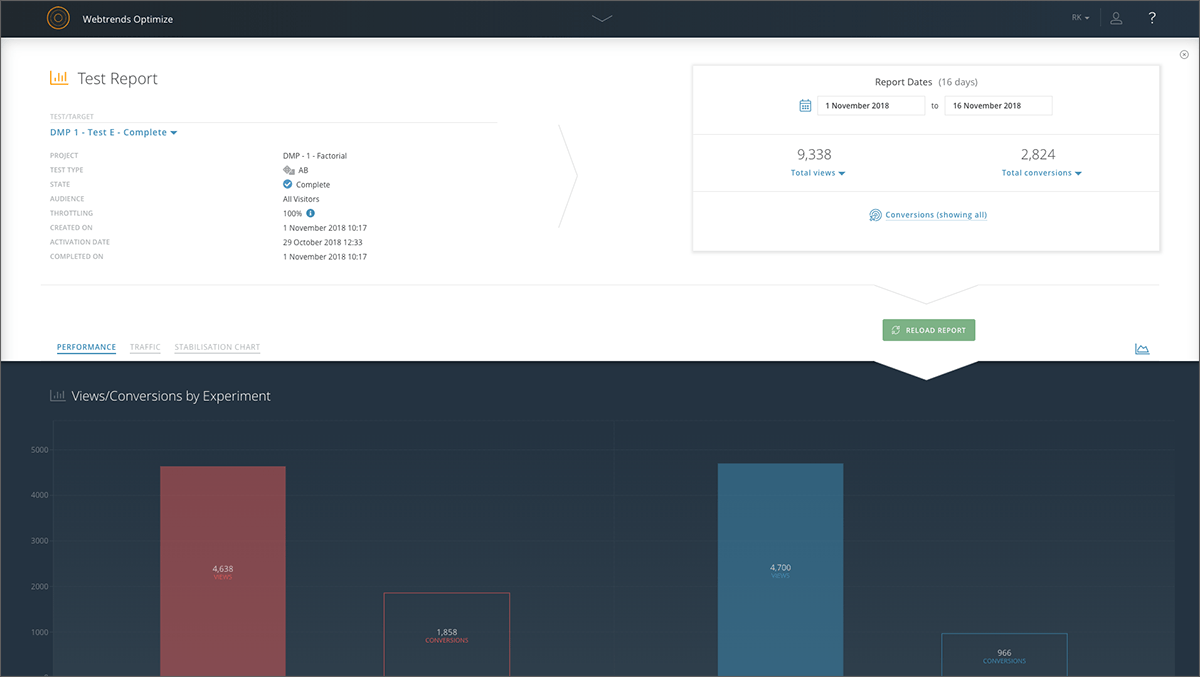    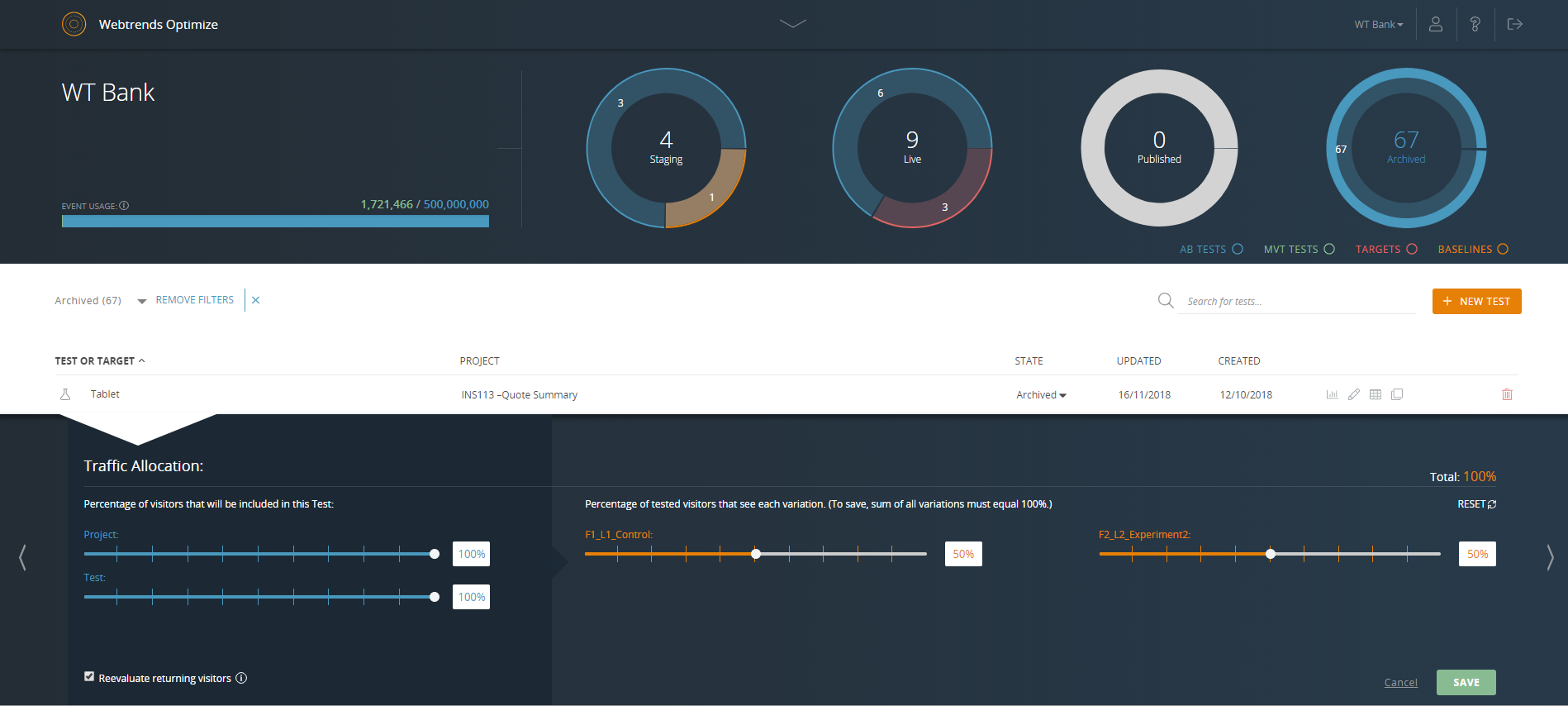 |