DocuWare’s document management software delivers digital workflow and document control to boost productivity without the need for IT resources. Its cloud and on-premises products are presented as a best-fit solution for companies seeking to digitize, automate and transform key processes. DocuWare is headquartered in New Windsor, NY, and their solution is presented as a DCM, or lightweight ECM.
$300
per month
Laserfiche
Score 9.1 out of 10
N/A
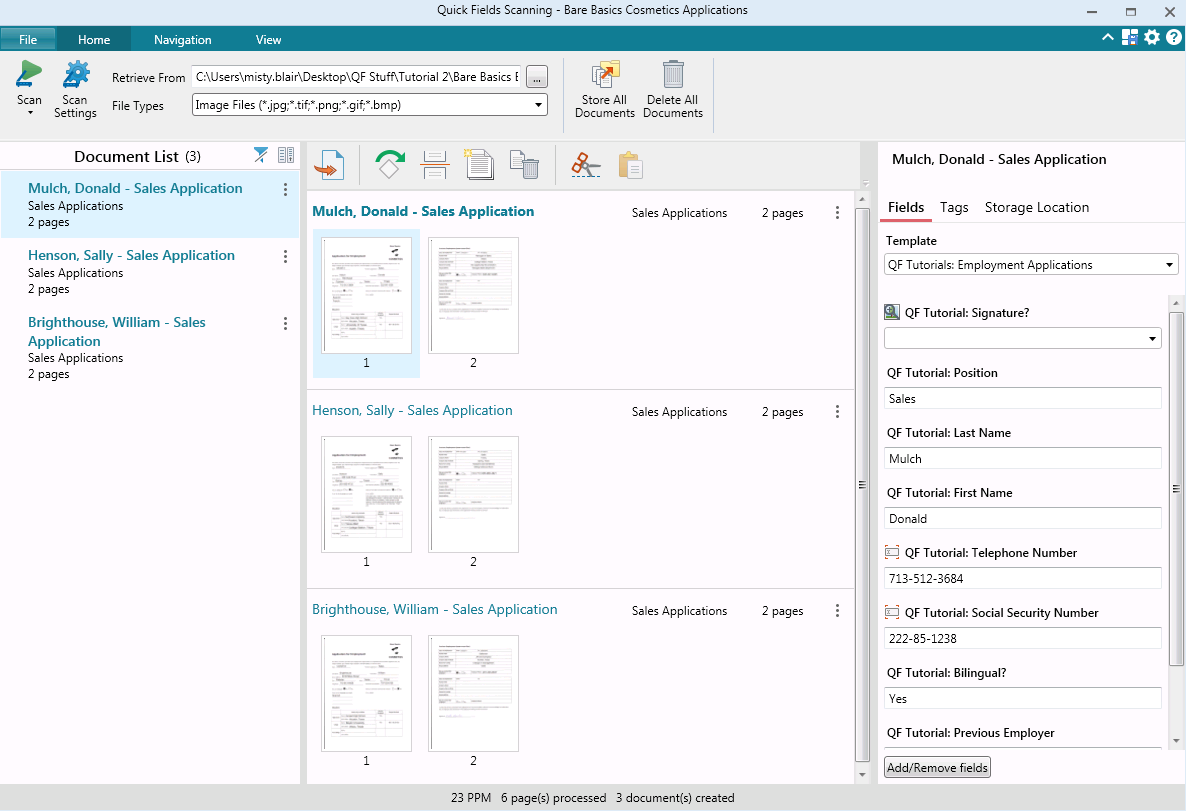
Laserfiche has two main editions: Rio and Avante: Laserfiche Rio is designed to meet the needs of large organizations that have more than 100 users. It combines content management functionality with business process management (BPM), security and auditing, unlimited servers and a thin-client interface. Add-ons include records management functionality, public Web portals and production-level document capture and processing.
Laserfiche Avante is an ECM suite for small to medium organizations with…
$540
per year per user
PandaDoc
Score 8.6 out of 10
N/A
PandaDoc headquartered in San Francisco offers their eponymous electronic signature platform for sales teams, containing sales proposal automation and CPQ (configure, price, quote) features, and integration with CRMs.
$35
per month per seat
Pricing
DocuWare
Laserfiche
PandaDoc
Editions & Modules
Base
$300
per month
Enterprise
1,500
per month
Pro
Contact sales team
Large Enterpriser
Contact sales team
Starter
$540
per year per user
Starter
$600
per year per user
Professional
$710
per year per user (starts at 10 users)
Professional
$830
per year per user (starting at 5 users)
Business
$830
per year per user (starts at 25 users)
Business
$950
per year per user (starting at 25 users)
Enterprise
Custom
Starter
$35
per month per seat
Business
$65
per month per seat
Enterprise
Contact Sales
Offerings
Pricing Offerings
DocuWare
Laserfiche
PandaDoc
Free Trial
Yes
Yes
Yes
Free/Freemium Version
No
No
No
Premium Consulting/Integration Services
No
No
Yes
Entry-level Setup Fee
No setup fee
No setup fee
Optional
Additional Details
—
—
PandaDoc offers a free eSign plan and 3 paid packages for eSigning and document automation. All plans include unlimited documents and eSignatures. Evaluations start with a free 14-day trial. Up to a 46% discount for annual pricing.
Primarily, the ease of the user comes for our colleagues as not losing time is our priority. Besides, comfortable administration is also striking to benefit from using Laserfiche. The form creation of Laserfiche in contrast to DocuWare is doing great that provides amazing …
We currently have a scenario where we print 1,000 documents per month, one for each resident. Because of DocuWare's ability to process barcodes, we dump that pdf to DocuWare and it files it into each resident's account. We then run scripting to add each of those documents to our cloud-based property management software. Saves having to process one document at a time per resident.
Laserfiche is well suited to the submission of simple routine reports to create a record repository. We use it for routine transport reports, audit reports, and anonymous citizen complaints. It creates a simple chronological record of routine events that can be reviewed and easily stored and recalled. Because the reports are in PDF format, it is not well suited to anything that needs to be imported into a common database or amended after submission.
Best suited for after demonstrations when requested by the prospect when they are looking for pricing with T&C. The data room is also great that acts like a drop box for opportunities and their contacts. Helps share pertinent information with others in the organization.
While Laserfiche has some powerful development tools, it is difficult to manage configurations while promoting code across environments. For example, SQL connections and other environment specific resources have to be manually configured in each environment.
Laserfiche forms are a newer addition to the product family and could use some product maturity. While easy to use for simple forms, once your forms become more complex, you need to accomplish tasks by heavy JavaScript coding.
Sometimes the fillable fields don't automatically map properly and you have to manually adjust.
Plan tiers and pricing recently changed, so now we get less value and less features (limited templates, no more pricing tables or invoicing/connected payment) for the same price, which is pricy for a small business.
Easier, integrated invoicing as an included feature (so we don't have to use a different software for invoicing/payment collection) would be ideal. You have to upgrade to the Business Plan for this.
We plan on renewing Laserfiche for the coming year but also have been considering a scanning and document management solution that can be purchased from our new accounting system company, we are implementing the accounting system this year. It will be a couple years before we make a decision to stay with Laserfiche or change.
The reason I gave it a rating of 7 is because it's probable, but not for sure. This is because there are a few little things we don't love about pandadoc. Mostly that there is not conditional logic such as: they must either fill this field out OR this one. Also it's a little pricey. But we'll probably stay because it's good enough and a pain to switch to something new
It has an intuitive design that feels very natural to any user that has ever used Outlook or Windows Explorer. There are multiple ways to perform every action in order to help users with various software experiences find the shortcuts and actions they seek quickly and effectively.
Once you get the hang of it, it's very easy to use. There can be a slightly steep learning curve to get fully in on the system. The new editor v2 has really improved usability and allows us to collaborate on documents simultaneously. Once the templates and library items are set up, a new document, whether it be a sales or HR document, takes very little time to complete.
I am very satisfied with Laserfiche. I have found that certain larger jobs may are slow. This may also be related to our infrastructure environment. We have been able to tune Laserfiche to increase performance on larger jobs.
Performance, of course, is largely dependent on the underlying environment. Laserfiche does its part with multi-threading, taking advantage of multi-core servers on scanning, workflows, and bots. A SQL-Server back-end is suitable for small to medium-sized company, but may not scale to large, where Oracle would be the better choice. Workflows can be poorly written and perform recursive work slowing down the system. It's better to run batch type workflows at night when possible.
The documents load quickly for the most part but sometimes if there are larger documents with a high number of variables it could take a bit longer to get the document to show up. Most of the time the document comes on the screen relatively quickly allowing for quick access to documents to be edited and sent out.
We use a third-party company to assist in the support process, and they have been great to work with. Quick turn around on issues and almost immediate communication concerning support tickets. They are more than willing to consult with our IT partners as well, which is a must for our business.
I have never had to wait for help from Laserfiche. If I cannot find the answer online, I can easily send an email to a customer support representative. I have always been helped the same day and my questions have always been resolved. The Empower conference is always a great learning opportunity and the online resources and webinars are top-notch.
Recently I could not upload a pdf to a contract - support was very responsive and easy to work with. They got back to me the next day with an apparent fix - however when I opened the document nothing had changed. I then could not respond to the rep who was helping me because it was a "no-reply address", the problem still has not been solved and we had to make alternate arrangements to get this to the client. Never had it happen before and was only with this one contract.
Easily accessible 24/7 so am able to complete courseware whenever time allows: Commute to work; waiting for friends or family; at night while relaxing [with a delicious glass of wine!]; whenever and wherever time and circumstances permit. Courseware is well written and presented in an easy to follow and understand format.
The core infrastructure of Laserfiche, and the end user experience, is vastly superior. OnBase has a TERRIBLE UI and administration console by comparison. The core architecture of OnBase is also more scattered, while all Laserfiche processes go through a single service. Overall, the Laserfiche product is easier and more intuitive to install, maintain, and use.
We used Dropbox back when it was still HelloSign. At the time, new templates were very hard to create. We had to upload a PDF and then add the fields from there. With PandaDoc, we are able to drag and drop the text, images, logos, and fields we need easily. This has saved our team an immense amount of time.
Laserfiche has increased the efficiency of our sales reps by giving making all of the historical sales deal information very simple and fast to retrieve.
Laserfiche has increased our efficiency with our AP department and gave department heads the ability to approve invoices where ever they are.
I would say the biggest ROI came with the transparency of the order process for new deals. Before there would be numerous phone calls made daily to find out where an order was within the process, and now you can simply look at all deals at any time.