Chose Google Analytics
Google Tag Manager is the best tool to use with Google analytics as it provides more in-depth analysis where users interact on the website.

| Product | Rating | Most Used By | Product Summary | Starting Price |
|---|---|---|---|---|
 Google Analytics | N/A | Google Analytics is perhaps the best-known web analytics product and, as a free product, it has massive adoption. Although it lacks some enterprise-level features compared to its competitors in the space, the launch of the paid Google Analytics Premium edition seems likely to close the gap. | $0 per month | |
 Google Tag Manager | N/A | From Google, the Google Tag Manager is a tag management application that facilitates creating, embedding, and updating tags across websites and mobile apps. It is a free option, vs. the company's enterprise-tier Google Tag Manager 360. | $0 | |
 Matomo Analytics | N/A | Piwik is an open source analytics platform that enables users to measure web and mobile apps as well as intranet portals. It protects the privacy of users through advanced privacy features and its approach to data ownership. Piwik offers On-premises and Cloud deployment options. Available in over 50 languages, it is fully customisable and vendor-independent. Piwik offers over 70 integrations with Content Management Systems, Ecommerce solutions, Forums as well as other mobile and web platforms.… | $0 |
| Google Analytics | Google Tag Manager | Matomo Analytics | ||||||||||||||||||||||
|---|---|---|---|---|---|---|---|---|---|---|---|---|---|---|---|---|---|---|---|---|---|---|---|---|
| Editions & Modules |
| No answers on this topic |
| |||||||||||||||||||||
| Offerings |
| |||||||||||||||||||||||
| Entry-level Setup Fee | No setup fee | No setup fee | Optional | |||||||||||||||||||||
| Additional Details | — | — | On-premise Edition is free to download and install on one's own servers. | |||||||||||||||||||||
| More Pricing Information | ||||||||||||||||||||||||
| Google Analytics | Google Tag Manager | Matomo Analytics | |
|---|---|---|---|
| Considered Multiple Products |  Google Analytics  Stephanie Erlita Arifin E-Commerce Manager at MASARISHOP.COM Chose Google Analytics After using Google Data Studio where I can read sales data much more easily, I prefer to read that daily rather than in Google Analytics.  victor pease solano General Manager Chose Google Analytics Certicom maybe is more accepted for some agencies but the reporting and monitoring tools are way more limited. The code client is not that straightforward.  Michael Baker Digital Marketing Manager Chose Google Analytics We tested Webtrends and purchased Omniture (which we used for 2 years). Webtrends wasn't a good fit overall. Omniture was too cumbersome and expensive. The support was HORRIBLE and for a paid product it lacked some basic, no-brainer features. |  Google Tag Manager  Ben Rubenstein Marketing Manager, HMX Chose Google Tag Manager We moved to GTM from a standard Google Analytics implementation. GTM is much more flexible and easier to make changes, especially as the changes relate to multiple sites and environments. While there is a learning curve when figuring out how to use GTM, I believe the change has …  Wadie Aroua Directeur technique et Co-fondateur Chose Google Tag Manager Google Analytics is too poor without Google Tag Manager  Travis Brown Account Manager and Tactical Projects Leader Chose Google Tag Manager Tag Manager works in conjunction with Google Analytics. I would describe analytics as a 101 level course, and Tag Manager as a 401 level course. Both are good, both are relevant, but one will far outpace the other as far as practical application and things that you will benefit …  Dave Becker Content Manager Chose Google Tag Manager My subscription with Adobe comes with the full suite of their products, including DTM. I tried using their tag manager but found that it was much more challenging to use than Google Tag Manager. It also seemed more limited in the way it worked with our AdWords account, which …  Tomer Nuni Founder, Director Chose Google Tag Manager Google Tag Manager does what others can't for Google Ads, for example. That's why it's a must-have for any website owner who plans to market their website. In addition, it makes the implementation of various other tracking tools very simple.  Santiago Valdés Cofounder / Marketing, Growth, Technology, Experience Chose Google Tag Manager So far we've only used Google Tag Manager, we haven't tried anything else.  Bobby Stemper Director of Marketing Chose Google Tag Manager I have not used or evaluated other products for this type of tracking.  Stefanie Cash Marketing Administrator Chose Google Tag Manager GTM is a completely different beast.  Benjamin Hale Digital Marketing Analyst Chose Google Tag Manager Google was free, powerful to use, and easy to pick up. We couldn't find any better reason to use it. I am sure there are advantages that some of the competitors have in the space, but for us, the ability to manage users and keep versions of changes, along with the familiarity …  Víctor Garnica Director de efectividad e innovación Chose Google Tag Manager GTM is powerful and free, don't need to pay more for the easy stuff. If you are a corporate guy with money to invest and really heavy use of advertising and analytics you may select Tealium. If you are a small or medium size company this [GTM] is the solution you are looking for.  Peter Jakus Web Analytics Lead Chose Google Tag Manager On most of my projects I never felt the need to use another Tag Management System. One client from a finance sector, wasn't able to use GTM because it is a cloud service. We were looking for TMS which would be possible to host in own infrastructure, but we haven't found any … | Matomo Analytics  Maison Tan Assistant Manager of Communications Chose Matomo Analytics I've used both Piwik and Google Analytic. I still prefer Piwik for it's more user friendly interface compared to Google Analytic. For most users, Piwik would be sufficient to provide the statistics required for planning. Google Analytics has more functions that complicates …  Andrew Meyer System Administrator Chose Matomo Analytics To be honest, I did not notice much of a difference between Piwik and Google Analytics, but I only provisioned the installation and added the users. Another team was processing the data from Piwik.  Cristian Bodnarasec Senior Software Development Manager Chose Matomo Analytics We have used Google Analytics before for one of our online tools and we switched to Matomo for the other web applications we have. We did that because Matomo is free but mostly since we wanted us to own the data on these sensitive apps and not share it with third parties. Since …  Ramon Khan Head of Marketing Chose Matomo Analytics It is much more robust out of the box, easier to set up and more intuitive to use. The reports are set up already and it requires little to no setup after installation to start gathering insights.  Baptiste THIVEND Freelance Software Engineer Chose Matomo Analytics Matomo allows complete control over your data. The setup is super easy, and deploying Matomo on multiple websites is a piece of a cake.  Sven Kalbitzer Teamleader Marketing Chose Matomo Analytics I've described this above but Matomo compares very, very favourably with GA. This is personal opinion of course but the look and feel alone are much improved.  Alireza Hassani Business Intelligence Analyst Chose Matomo Analytics The main and the most important advantage of Matomo to its competitors is cost. Solutions like Adobe Analytics might have more options for analysts but in the end, you need to pay extra which is not necessary for all the businesses. I would recommend Matomo to all the users …  Erik Rühling Director of IT & Web Development Chose Matomo Analytics I have used Google Analytics in the past and still do for our clients who wish to use it, although I am not absolutely familiar with its features. AWStats & Urchin of course analyze the raw server logs, but are not as feature rich or configurable as Piwik.  Stephan Miller PHP Developer Chose Matomo Analytics I have used Google Analytics, Site Catalyst, and Awstats as well as Piwik. There are some features that Google Analytics and Site Catalyst have that aren't available currently in Piwik, but most of those I don't currently need. Owning my data is more important to me than bells …  Sharon Hurley Hall Professional blogger, writer, journalist Chose Matomo Analytics I have used a number of analytics products, including Google Analytics, Clicky and GoSquared. The winning feature of Piwik is the compact, rich data tables, which make it a good addition to the analytics mix. While I'm not throwing out the others, I've continued to find Piwik …  Jeff Wallace Marketing Specialist - Marketing Technologist Chose Matomo Analytics We are a pretty small company and even smaller Marketing shop. We use tools from both Google and Bing but have not had the financial freedom to explore additional tools out there. I have looked at Moz and would really like to evaluate that one at some point. For real hard-core …  Hendrik Schaper Inhaber Chose Matomo Analytics Moz is not directly a competitor, but it lacked (and still lacks) Piwik integration. Compared with Google Analytics the most important advantage has been the different approach to Privacy, GA has long been not compatible with German law and data is not in your own hands. Second …  Preethi Menon Business Systems Analyst Chose Matomo Analytics Google Analytics  Mike Tihonchik Sr. Software Developer Chose Matomo Analytics I have used NewRelic in the past. Currently using Adobe Analytics. Overall, Piwik provides big volume of advanced data (just like its bigger competitors). Being easy to setup and maintain, as well as being free, is a huge plus. I liked the idea that I could access analytics data … |
| Google Analytics | Google Tag Manager | Matomo Analytics | |||||||||||||||||||||||||||||||||||
|---|---|---|---|---|---|---|---|---|---|---|---|---|---|---|---|---|---|---|---|---|---|---|---|---|---|---|---|---|---|---|---|---|---|---|---|---|---|
| Web Analytics |
| ||||||||||||||||||||||||||||||||||||
| Security |
| ||||||||||||||||||||||||||||||||||||
| Tag Management |
| ||||||||||||||||||||||||||||||||||||
| Data Management & Integrity |
|
| Google Analytics | Google Tag Manager | Matomo Analytics | |
|---|---|---|---|
| Small Businesses |  StatCounter Score 9.0 out of 10 |  Adobe Experience Platform Launch Score 7.8 out of 10 | StatCounter Score 9.0 out of 10 |
| Medium-sized Companies |  Optimal Score 9.1 out of 10 | Adobe Experience Platform Launch Score 7.8 out of 10 |  Siteimprove Score 9.0 out of 10 |
| Enterprises | Optimal Score 9.1 out of 10 |  Tealium Customer Data Hub Score 8.4 out of 10 | Optimal Score 9.1 out of 10 |
| All Alternatives | View all alternatives | View all alternatives | View all alternatives |
| Google Analytics | Google Tag Manager | Matomo Analytics | |
|---|---|---|---|
| Likelihood to Recommend | 8.5 (192 ratings) | 9.1 (71 ratings) | 10.0 (23 ratings) |
| Likelihood to Renew | 9.0 (51 ratings) | 7.0 (7 ratings) | 8.7 (13 ratings) |
| Usability | 7.4 (19 ratings) | 8.1 (16 ratings) | 10.0 (4 ratings) |
| Availability | 10.0 (4 ratings) | 9.1 (1 ratings) | - (0 ratings) |
| Performance | 10.0 (2 ratings) | - (0 ratings) | - (0 ratings) |
| Support Rating | 7.0 (42 ratings) | 2.0 (12 ratings) | 6.7 (3 ratings) |
| Online Training | 10.0 (2 ratings) | 7.3 (1 ratings) | - (0 ratings) |
| Implementation Rating | 9.0 (7 ratings) | 9.8 (2 ratings) | 9.0 (1 ratings) |
| Configurability | 6.0 (2 ratings) | - (0 ratings) | - (0 ratings) |
| Ease of integration | 10.0 (1 ratings) | - (0 ratings) | - (0 ratings) |
| Product Scalability | 10.0 (2 ratings) | - (0 ratings) | - (0 ratings) |
| Vendor post-sale | 10.0 (1 ratings) | - (0 ratings) | - (0 ratings) |
| Vendor pre-sale | 9.0 (1 ratings) | - (0 ratings) | - (0 ratings) |
| Google Analytics | Google Tag Manager | Matomo Analytics | |
|---|---|---|---|
| Likelihood to Recommend | Google
 sandro merkvilishvili Head of e-commerce deparment | Google
| Matomo
|
| Pros | Google
| Google
Santiago Valdés Cofounder / Marketing, Growth, Technology, Experience | Matomo
Sharon Hurley Hall Professional blogger, writer, journalist |
| Cons | Google
| Google
 J.P. VanderLinden Director of Digital Marketing | Matomo
|
| Likelihood to Renew | Google
| Google
| Matomo
Jeff Wallace Marketing Specialist - Marketing Technologist |
| Usability | Google
 Victor Campos Web Developer | Google
 Quentin Aisbett Digital Strategist | Matomo
Hendrik Schaper Inhaber |
| Reliability and Availability | Google
| Google No answers on this topic | Matomo No answers on this topic |
| Performance | Google
| Google No answers on this topic | Matomo No answers on this topic |
| Support Rating | Google
 Sarah Hoffman Media Director | Google
| Matomo
Alireza Hassani Business Intelligence Analyst |
| Online Training | Google
 Roy Morejon President | Google
 Stéphane Hamel Director of Innovation | Matomo No answers on this topic |
| Implementation Rating | Google
 Joshua Van Horsen Marketing Manager | Google
 David Gailey Front End Web Developer | Matomo
Erik Rühling Director of IT & Web Development |
| Alternatives Considered | Google
| Google
Ben Rubenstein Marketing Manager, HMX | Matomo
Ramon Khan Head of Marketing |
| Scalability | Google
| Google No answers on this topic | Matomo No answers on this topic |
| Return on Investment | Google
 Heide Rembold Director of Marketing & Analytics | Google
| Matomo
Cristian Bodnarasec Senior Software Development Manager |
| ScreenShots | Matomo Analytics Screenshots  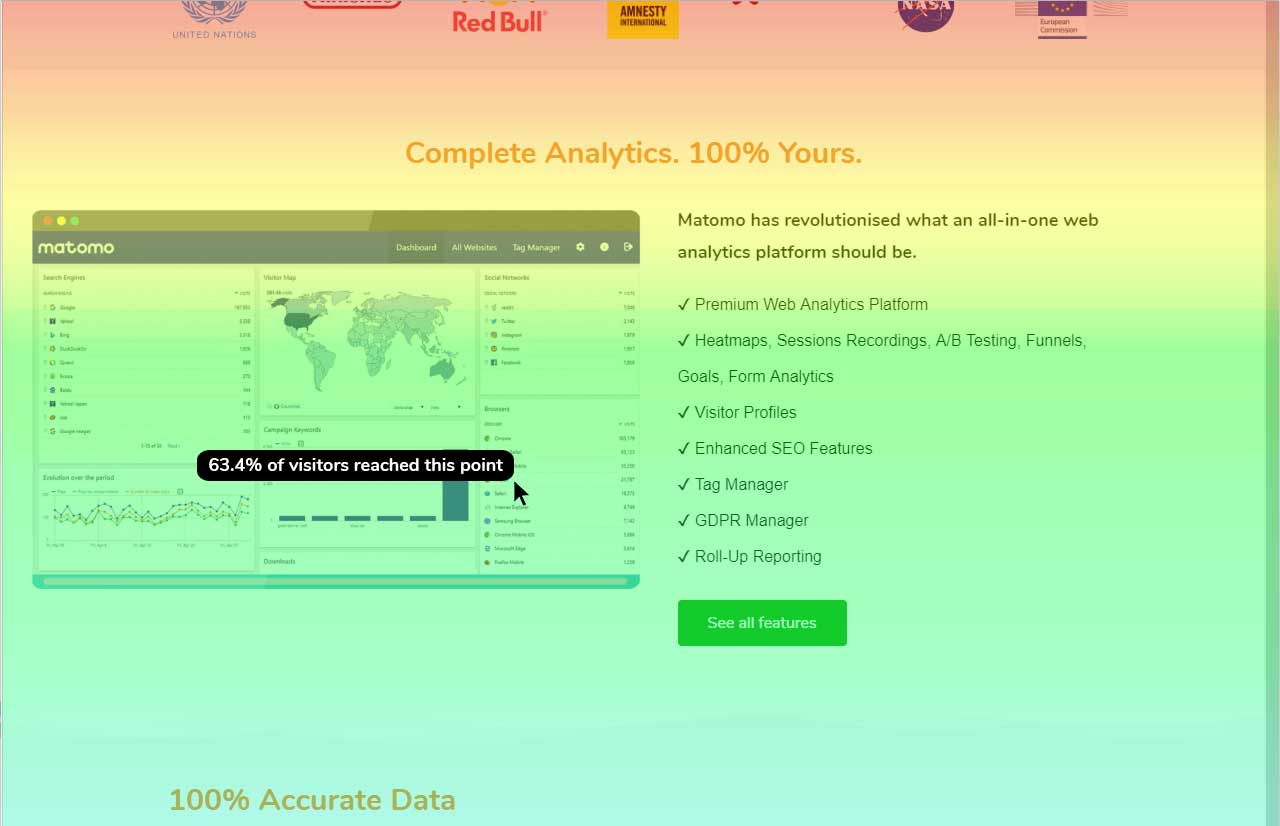 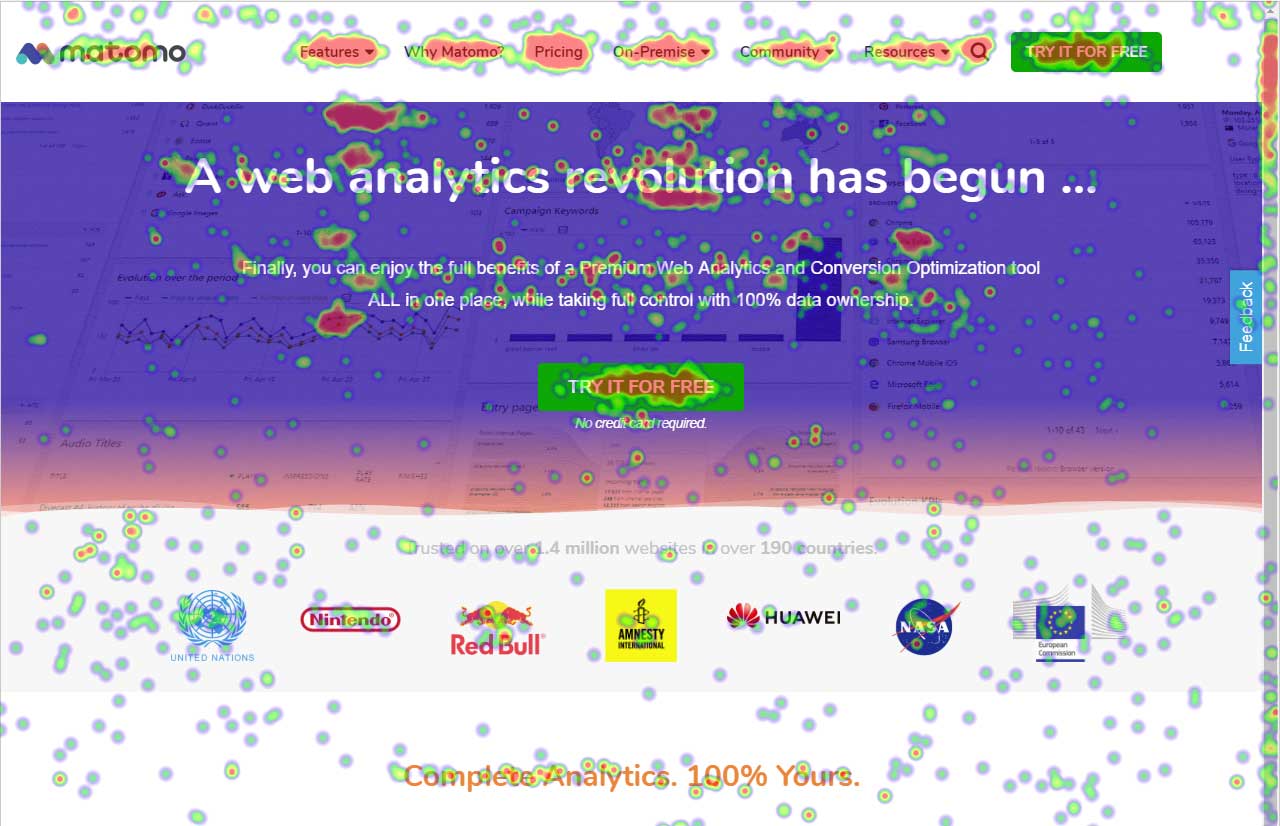  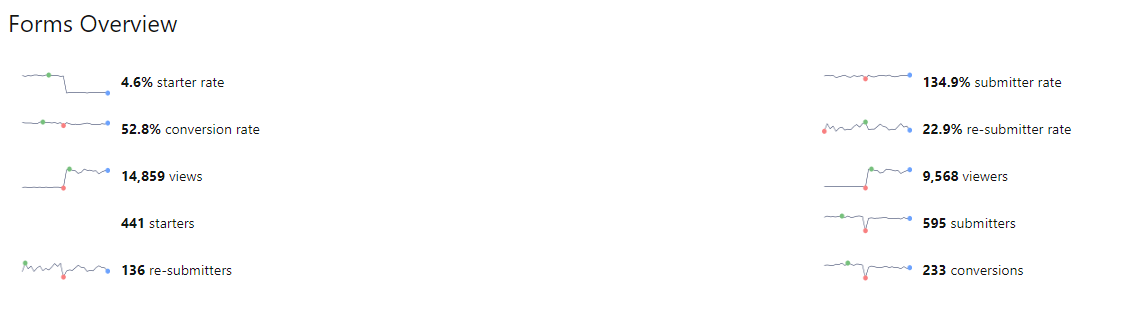 |