Google Analytics is perhaps the best-known web analytics product and, as a free product, it has massive adoption. Although it lacks some enterprise-level features compared to its competitors in the space, the launch of the paid Google Analytics Premium edition seems likely to close the gap.
$0
per month
Hotjar
Score 7.9 out of 10
N/A
Hotjar is a conversion rate optimization tool for digital marketers. Features include heatmapping, visual session recording, conversion funnel analytics, form analytics, feedback polls and surveys, and usability testing.
The tool is used by digital analysts, UX designers, web developers and product marketers. Hotjar was acquired by Contentsquare September 2021, and is now a Contentsquare brand.
$39
per month 100 daily sessions
Matomo Analytics
Score 8.6 out of 10
N/A
Piwik is an open source analytics platform that enables users to measure web and mobile apps as well as intranet portals. It protects the privacy of users through advanced privacy features and its approach to data ownership. Piwik offers On-premises and Cloud deployment options.
Available in over 50 languages, it is fully customisable and vendor-independent. Piwik offers over 70 integrations with Content Management Systems, Ecommerce solutions, Forums as well as other mobile and web platforms.…
$0
Pricing
Google Analytics
Hotjar
Matomo Analytics
Editions & Modules
Google Analytics 360
150,000
per year
Google Analytics
Free
Hotjar Observe - Plus
$39
per month 100 daily sessions
Hotjar Ask - Plus
$59
per month 250 monthly responses
Hotjar Ask - Business
$79
per month Starting from 500 monthly responses
Hotjar Observe - Business
$99
per month Starting from 500 daily sessions
Hotjar Scale - Business
$213
per month Starting from 500 daily sessions
Hotjar Ask - Scale
Contact Sales
per month unlimited volume
Free download (open source)
$0
Free 30 day trial
$0
limited to 30 days
Essential
$9
number of pageviews (monthly traffic)
Business
$29
number of pageviews (monthly traffic)
Enterprise
$199
your requirements and monthly traffic
Content Optimization Bundle
$579
per installation
Growth Bundle
$1,149
per installation
Premium Bundle
$1,499
per installation
Email Support Subscription
$2,090
per installation
Offerings
Pricing Offerings
Google Analytics
Hotjar
Matomo Analytics
Free Trial
No
Yes
Yes
Free/Freemium Version
Yes
Yes
Yes
Premium Consulting/Integration Services
No
No
Yes
Entry-level Setup Fee
No setup fee
No setup fee
Optional
Additional Details
—
Discount available for annual pricing.
On-premise Edition is free to download and install on one's own servers.
More Pricing Information
Community Pulse
Google Analytics
Hotjar
Matomo Analytics
Considered Multiple Products
Google Analytics
Verified User
Team Lead
Chose Google Analytics
Handles the basics better with minimal training and investment, but falls short at optimization work. Google Analytics has remained the backbone of our web analytics work for a very long time, so it is a nice "default" option to always have present in our programs even if we …
Microsoft Clarity is speedy, extremely tidy, and straight to the point, and it contains everything a SME would need to maintain a healthy SEO without the need for technical understanding; its UI is far superior to GA, and it also provides additional capabilities like as …
Honestly, I don't think any other options really stack up at all but these have a few great features... Matomo - planned integrations with Google Ads, Bing Ads, and Facebook Ads. Woopra - real-time, on-the-fly things like sending a message to a sales Slack channel right when a …
Google Analytics stacks up as some of the best among the competition, assuming you're using it for its intended purpose. It's been the easiest to integrate into our applications, as well as the easiest UI to use. We selected Google Analytics for security and budget reasons, but …
We have been using Google Analytics for over 10 years. Over that time we have periodically reviewed our analytics platforms a number of times. For us, it made more sense to stay with google analytics primarily because if we migrated to another platform we would lose the …
Certicom maybe is more accepted for some agencies but the reporting and monitoring tools are way more limited. The code client is not that straightforward.
I haven't seen a solution that visualizes the user experience and interactions in the way that Hotjar does, creating a video of how each user progressed through our app. Mixpanel and Google Analytics are leaders in the space but we've found the visual elements of Hotjar to be …
Sr. Director, Marketing Digital Experience & Design
Chose Hotjar
HotJar works better than Google Analytics when it comes to heatmap tracking. HotJar records all clicks, not just the clicks to other pages on the website.
Hotjar has the ability to give you a heatmap that shows you what section of our page has been clicked on the most by visitors. It also records what a user is doing on your website, which gives you great insight. Google Analytics doesn't have that feature but combined they help …
Ok Hotjar is more comparable with CrazyEgg, we haven't really [used] CrazyEgg since we get everything we need with Hotjar and the tools work just perfect, let's say HotJar is a very polished product and that's why we haven't changed it.Normal analytics like Google Analytics …
Google Analytics is a much more robust platform than Hotjar, but works great as a complement to Google Analytics - in other words, it was a matter of choosing both, not either/or. While there are workarounds for them on Google Analytics, heatmaps and screen recordings are much …
I have moved jobs, so that is why I am now using Hotjar. I think that Decibel Insight has more functionality than what Hotjar does, as it allows you to be able to automatically view pages and heatmaps, rather than needing to wait for the data to gather.
The fact that it has a trial period in which you can fully try each feature of the platform. The fact that is very intuitive for us to understand each feedback given by the users and to interpret how they move and what they observe on the pages we need to test.
There was not something specific negative that we noticed in the other products, hotjar came in the discussion through a referral from one of our colleagues, was covering all the tickboxes that we had set and decided to move forwards with it
Whatever software does, Hotjar does better. Integration and setup are really fast and you can have data to analyze in a few minutes. Also, the support team is very dedicated and there's a lot of documentation and examples you can follow.
Hotjar was significantly cheaper for us, and they’ve been brilliant at honouring their legacy pricing model which is much cheaper up until recently. We find that Hotjar also offers a wider range of tools that we would otherwise need to pay more for elsewhere like surveys. The …
Cmparing with other products in the same vertical, we found the UX UI for Hotjar the best. It is easier to integrate with and has lot many more features as compared to its nearest competitors. We fount the product to be robust and accurate with lot of customizable options to …
I liked the Hotjar User interface a little more and it seemed a little bit easier to set up. For some users with just the basic needs smart look was overly complicated. whereas in Hotjar everything you need is in one simple easy-to-view dashboard. Also, it offered more free …
Hotjar was relatively more known to the team and they had past experience as well with the tool which made the adoption relatively easier. As such we didn’t find a lot of difference between the two tools when it comes fulfilling our use cases so for us specifically both were …
Mouseflow matches nearly every feature that Hotjar offers – although, they may work a little differently. The most relevant difference is in data capture. Hotjar offers unlimited options for heat maps, recordings, forms and comments as long as you are a paying customer. In …
We evaluated Hotjar and Matomo. Matomo was more of an overhaul from an analytics perspective but offered things like heat maps and visitor recordings which is why we considered it. We also use it for another client. But for what we need, it's nice to start up Hotjar and shut it …
Hotjar had a better interface and a more intuitive setup. Lucky Orange wasn't bad, it just came in second. Hotjar also delivered more results for the price.
Hotjar is robust and incredibly affordable. It's insane how cheap it is for what it provides. Recordings and heatmaps alone are worth the price tag. Add on the other feedback gathering functionality and it's a really good bargain. It comes at a slight cost at the manual …
Video Capture - HotJars video capture of user sessions is nothing short of amazing. It is so useful (not to mention cool) to see, in real time, how users interact with our software. It makes our jobs so much easier and more enjoyable to get …
I didn't evaluate anyone else. I found Hotjar and it was exactly what I needed, and I've never looked back. From what I've heard from peers, Hotjar is one of the best.
The free version of hotjar is still incredibly useful, not severely limited as some other products are. They are also willing to work with you if it is necessary to bill annually, and the full version opens up a lot more specific kinds of targeting for more in depth research …
I've used both Piwik and Google Analytic. I still prefer Piwik for it's more user friendly interface compared to Google Analytic. For most users, Piwik would be sufficient to provide the statistics required for planning. Google Analytics has more functions that complicates …
Verified User
Engineer
Chose Matomo Analytics
When we were initially evaluating the replacement for our AWStats setup the first alternative we looked at was Google Analytics. The main reason we started with the Google product was because, well, it's Google, plus I had used the Google Webmaster Tools kit at several other …
To be honest, I did not notice much of a difference between Piwik and Google Analytics, but I only provisioned the installation and added the users. Another team was processing the data from Piwik.
We have used Google Analytics before for one of our online tools and we switched to Matomo for the other web applications we have. We did that because Matomo is free but mostly since we wanted us to own the data on these sensitive apps and not share it with third parties. Since …
Matomo's analytics tools have functions like the free Google Analytics.
It is easy to learn and has a good implementation guide. So, it is good for learning web analytics.
It is much more robust out of the box, easier to set up and more intuitive to use. The reports are set up already and it requires little to no setup after installation to start gathering insights.
Matomo Analytics offers the best of both worlds: detailed website analytics and the ability to be privacy-minded and compliant with data privacy regulations, up to and including GDPR. This allows for effective risk management, while also making compliance easy. And it doesn't …
I've described this above but Matomo compares very, very favourably with GA. This is personal opinion of course but the look and feel alone are much improved.
The main and the most important advantage of Matomo to its competitors is cost. Solutions like Adobe Analytics might have more options for analysts but in the end, you need to pay extra which is not necessary for all the businesses. I would recommend Matomo to all the users …
Most services do not give us the fine control over our own data. They have access to information they are choosing not to share with us, notably IP addresses. Even if it's anonymized (last digits dropped), we should have the access to this data!
I have used Google Analytics in the past and still do for our clients who wish to use it, although I am not absolutely familiar with its features. AWStats & Urchin of course analyze the raw server logs, but are not as feature rich or configurable as Piwik.
I have used Google Analytics, Site Catalyst, and Awstats as well as Piwik. There are some features that Google Analytics and Site Catalyst have that aren't available currently in Piwik, but most of those I don't currently need. Owning my data is more important to me than bells …
I have used a number of analytics products, including Google Analytics, Clicky and GoSquared. The winning feature of Piwik is the compact, rich data tables, which make it a good addition to the analytics mix. While I'm not throwing out the others, I've continued to find Piwik …
We are a pretty small company and even smaller Marketing shop. We use tools from both Google and Bing but have not had the financial freedom to explore additional tools out there. I have looked at Moz and would really like to evaluate that one at some point. For real hard-core …
Moz is not directly a competitor, but it lacked (and still lacks) Piwik integration. Compared with Google Analytics the most important advantage has been the different approach to Privacy, GA has long been not compatible with German law and data is not in your own hands. Second …
At the time we did try Google Analytics and Urchin, however, due to our need for the upmost privacy using a product hosted on Google was difficult to sell. If you are looking for something that you can maintain separately without giving your data to Google with most of the same …
I have used NewRelic in the past. Currently using Adobe Analytics. Overall, Piwik provides big volume of advanced data (just like its bigger competitors). Being easy to setup and maintain, as well as being free, is a huge plus. I liked the idea that I could access analytics data …
Features
Google Analytics
Hotjar
Matomo Analytics
Web Analytics
Comparison of Web Analytics features of Product A and Product B
Google Analytics is particularly well suited for tracking and analyzing customer behavior on a grocery e-commerce platform. It provides a wealth of information about customer behavior, including what products are most popular, what pages are visited the most, and where customers are coming from. This information can help the platform optimize its website for better customer engagement and conversion rates. However, Google Analytics may not be the best tool for more advanced, granular analysis of customer behavior, such as tracking individual customer journeys or understanding customer motivations. In these cases, it may be more appropriate to use additional tools or solutions that provide deeper insights into customer behavior.
Hotjar is good for a first pass at understanding user sentiment or locating potential usability issues. There are features such as "rage clicked" which shows recordings or instances when a user rage clicked or had an issue with your site. Hotjar has also been helpful to launch intercept surveys on mobile, desktop, and app, which not all competitor software allow. Hotjar recordings are fun to watch. "Watching Hotjar like Netflix" is a favorite pastime at work.
If you want to balance data-driven marketing and a privacy-minded approach to analytics, Matomo Analytics is for you. It's easy to be compliant with GDPR and other regulations while still having detailed (anonymized) analytics that help inform what content is resonating vs what content is not resonating. And of course you also get all of the rich referral, campaign, and goal conversion data to help you optimize your marketing.
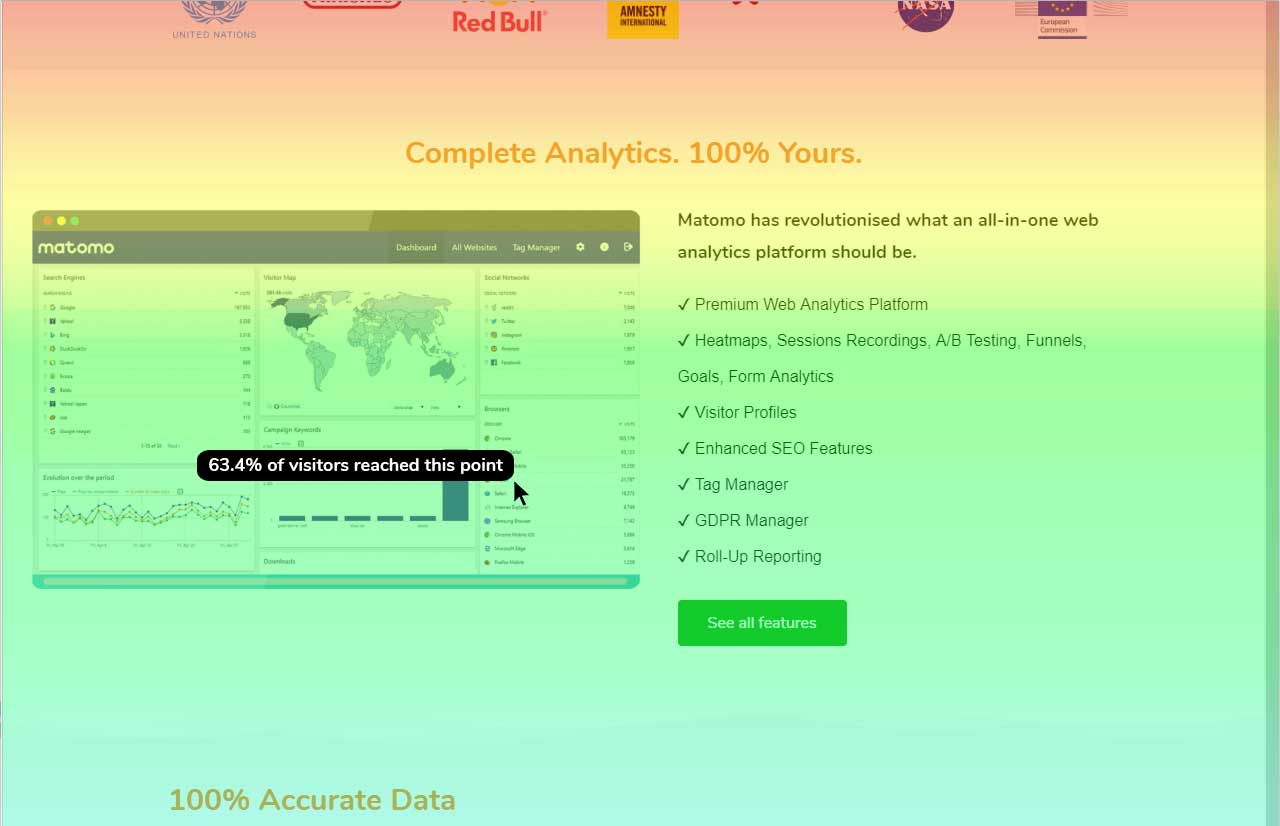
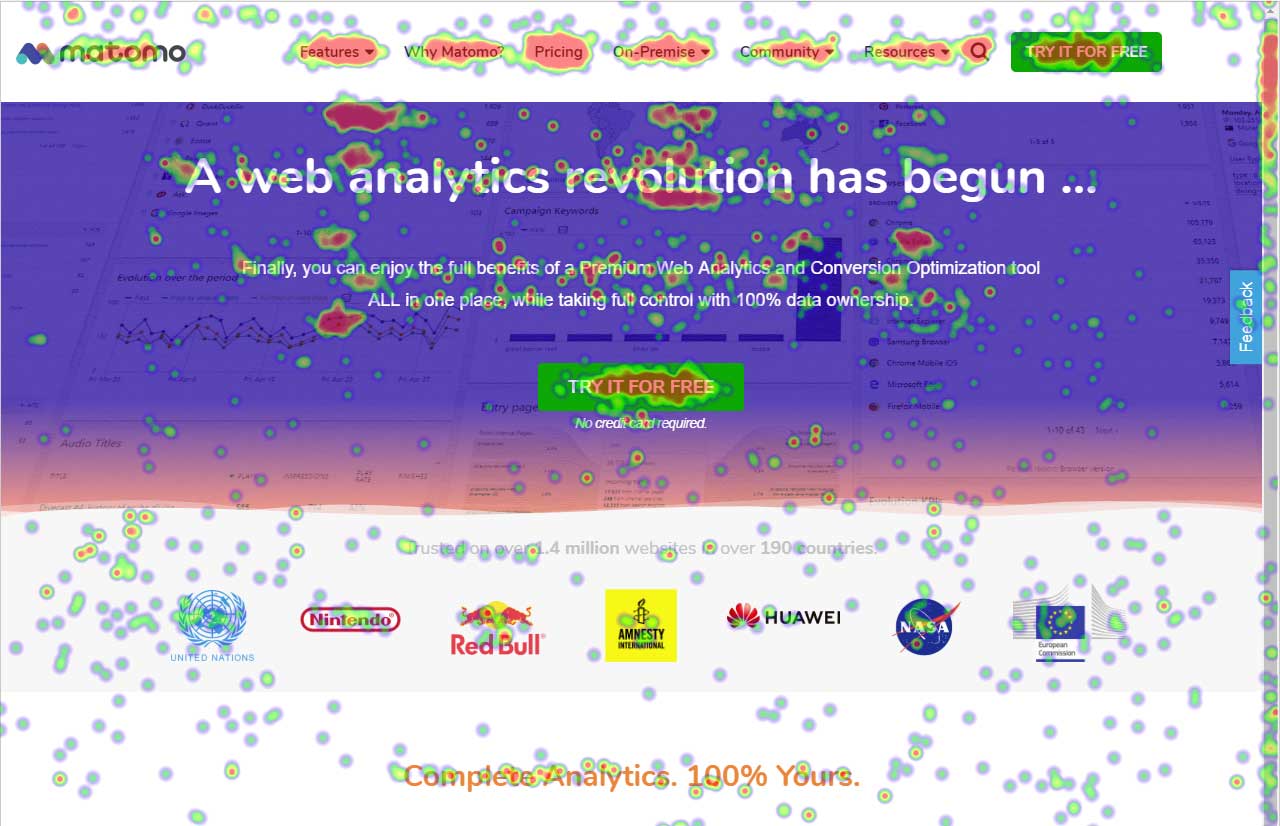
Heat mapping is great on Hotjar. It is a good place to start when you are looking at the UX & CRO on your website. You can see the % of people clicking on elements on a page, how far they scroll, and mouse movements.
Hotjar is great for session recordings. These record the mouse movements, clicks, pages and scrolls of a user in video format. You can watch these to investigate what works well on a site and identify potential roadblocks and bugs.
Hotjar is great as it ensures that users details are anonymous; for instance, if you are watching a session recording, you cannot see what a user types in a form field, as Hotjar blanks this out.
Hotjar has a poll function, so you can have polls on your website.
One of Piwik's strengths is the provision of customizable widgets for different bits of analytics data. The ability to add and remove them, change dates and more makes this a flexible way to visualize data.
The visitor log section is also rich, providing date, keywords, actions and more in a single table, which makes it easy to identify your most effective content.
And the visitor actions table includes both bounce rate and time on site, so you can quickly tell which pages have the most engagement.
Data display is a strength for Piwik, as you have access to overview charts while simultaneously being able to drill deeper.
From a user security standpoint it would be useful to provide users the ability to have two-factor authentication. While stats data is not necessarily sensitive in aggregate, some users may feel that certain portions need to be more secure.
It would be nice if there was a tighter integration with the Google search/referrer API so that "keyword not defined" would be replaced more often with the actual keyword that is being used to send a visitor to a site.
An easier branding method, maybe in the form of an API function set, that pulled branding URLs from a set of database fields would be great as well.
We will continue to use Google Analytics for several reasons. It is free, which is a huge selling point. It houses all of our ecommerce stores' data, and though it can't account for refunds or fraud orders, gives us and our clients directional, real time information on individual and group store performance.
Even though the heat maps and user recordings were useful, our website was significantly slowed down after we installed Hotjar, so much so, that it took over a minute for our blog to load. The data that we gathered was not worth the length that it took our website to load.
At this point, there is not a single conceivable reason as to why we would not renew and continue to use Piwik Analytics. Especially since it is a free program and open source. The product will only get better over time as more people look into it and donate to cause so that development can continue.
Google Analytics provides a wealth of data, down to minute levels. That is it's greatest detriment: find the right information when you need it can be a cumbersome task. You are able to create shortcuts, however, so it can mitigate some of this problem. Google is continually refining Analytics, so I do not doubt there will be improvements
So easy and simple to use! Straightforward anyone in the team is able to easily go in and set up anything in Hotjar. The UI is really simple. Whenever you give feedback to Hotjar they continously take on board the feedback and improve the tool.
Piwik succeeds in presenting me (and my associates and my clients...) large amounts of data in a user friendly way. The interface and functionality can easily be customized. While some enhancements do need technical background (API calls by programming language from the webserver or javascript), others are easy to use (goal / event tracking)
We all know Google is at top when it comes to availability. We have never faced any such instances where I can suggest otherwise. All you need is a Google account, a device and internet connection to use this super powerful tool for reporting and visualising your site data, traffic, events, etc. that too in real time.
This has been a catalyst for improving our site's traffic handling capabilities. We were able to identify exit% from our sites through it and we used recommendations to handle and implement the same in our sites. We have been increasing the usage of Google Analytics in our sites and never had any performance related issues if we used Analytics
The Google reps respond very quickly. However, sometimes they can overly call you to set up an apportionment. I'm very proficient and sometimes when I talk to reps, they give beginner tutorials and insights that are a waste of time. I wish Google would understand my level of expertise and assign me to a rep (long-term) that doesn't have to walk me through the basics.
Hotjar is a SaaS-based company, and as such has a good support service. Users can quickly submit support tickets through Hotjar's online portal. Enterprise customers get access to additional support members and have SLAs to support their larger, more complex needs. Overall, Hotjar is extremely reliable and I've never had to reach out to customer support.
The best thing about the Matomo support is that they have a forum which basically you can find the answer to almost all of your questions and most of the time you don't need to contact them regarding your questions and problems but if you need help they will answer in a reasonable time slots.
love the product and training they provide for businesses of all sizes. The following list of links will help you get started with Google Analytics from setup to understanding what data is being presented by Google Analytics.
I think my biggest take away from the Google Analytics implementation was that there needs to be a clear understanding of what you want to achieve and how you want to achieve it before you start. Originally the analytics were added to track visitors, but as we became more savvy with the product, we began adding more and more functionality, and defining guidelines as we went along. While not detrimental to our success, this lack of an overarching goal resulted in some minor setbacks in implementation and the collection of some messy data that is unusable.
I have not used Adobe Analytics as much, but I know they offer something called customer journey analytics, which we are evaluating now. I have used Semrush, and I find them much better than Google Analytics. I feel a fairly nontechnical person could learn Semrush in about a month. They also offer features like competitive analysis (on content, keywords, traffic, etc.), which is very useful. If you have to choose one among Semrush and Google Analytics, I would say go for Semrush.
Video Capture - HotJars video capture of user sessions is nothing short of amazing. It is so useful (not to mention cool) to see, in real time, how users interact with our software. It makes our jobs so much easier and more enjoyable to get this type of d
User Surveys - The ease and flexibility of surveys we can make available on our website are an awesome tool to get additional data.
Simple implementation - Adding a very small amount of code to our website gives us the ability to use all of HotJars features without having to touch our code again.
It is much more robust out of the box, easier to set up and more intuitive to use. The reports are set up already and it requires little to no setup after installation to start gathering insights.
Google Analytics is currently handling the reporting and tracking of near about 80 sites in our project. And I am not talking about the sites from different projects. They may have way more accounts than that. Never ever felt a performance issue from Google's end while generating or customising reports or tracking custom events or creating custom dimensions
We have fixed many issues, for example, checkout usability problems with the video recording feature. You can catch bugs and get an overall idea of how a particular page is working.
Polls have helped us pair intent with the video sessions, so we can understand better why certain users answered different things. You get greedy and try to ask everything but that won't work. Keep it simple and it will give you small but important insights.