Adobe Connect is a web conferencing platform that enables users to create presentations, online training materials, and learning modules. The product is entirely Adobe Flash-based and has several add-ons for customizing its software to suit each users’ unique needs.
$50
per host/per month
ScreenConnect
Score 8.3 out of 10
N/A
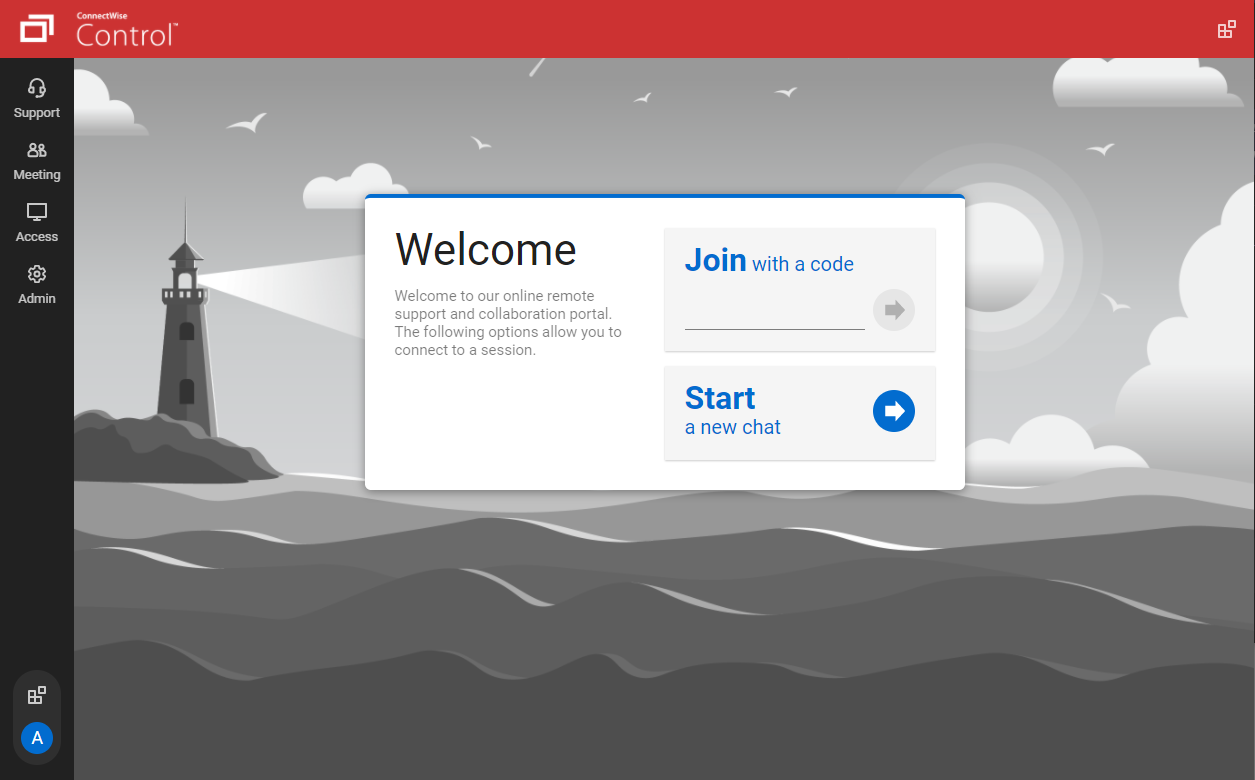
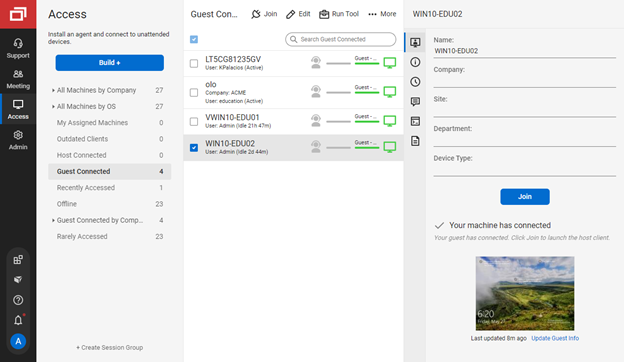
ConnectWise ScreenConnect is a remote support, access, and meeting solution. With it, users can utilize remote support and access to repair computers, provide updates, and manage machines. Users can also conduct online seminars and presentations using remote meetings.
$39
per month
ON24
Score 7.6 out of 10
N/A
ON24 is an intelligent engagement platform, that enables customers to continuously engage audiences with AI-powered, hyper-personalized webinar, virtual event and content experiences.
N/A
Pricing
Adobe Connect
ScreenConnect
ON24
Editions & Modules
Meetings
$50
per host/per month
Webinars & Learning
$130
per host/per month
Small Meetings
Free
Forever free for up to 3 participants
One
$39
per month
Standard
$59
per month
Premium
$69
per month
No answers on this topic
Offerings
Pricing Offerings
Adobe Connect
ScreenConnect
ON24
Free Trial
Yes
Yes
No
Free/Freemium Version
No
No
No
Premium Consulting/Integration Services
No
Yes
No
Entry-level Setup Fee
No setup fee
No setup fee
No setup fee
Additional Details
—
—
—
More Pricing Information
Community Pulse
Adobe Connect
ScreenConnect
ON24
Considered Multiple Products
Adobe Connect
Verified User
Program Manager
Chose Adobe Connect
In my own opinion, if you compare the aspect of hosting a webinar online, it is pretty similar to other tools out there. When Adobe Connect is used for training purposes and mainly the virtual breakout session feature, that is where the tool really stands out and shine! I …
RVIBE is platform agnostic so we know and use any and all virtual platforms depending on our clients requirements. Platforms like WebEx, GoToMeeting, Zoom, Blue Jeans, On24, Skype, Google Hangouts, Lync, Wiggio, ect all have similar options and their own niches in the virtual …
We used to use GoToMeeting. The problem was how do you take someone who can't grasp the basics of iTunes, and expect them to download GoToMeeting. Screenconnect just makes it easier to connect with the professional who is struggling. Also, it allows us to see issues that we …
We had many problems with Adobe Connect when we were using them. Between lines getting dropped, sound coming over the line, and slides not aligning with the presentation, ON24 has been a big improvement. It does a better job allowing for only registrants to attend the webinar, …
ON24 is more reliable/stable than GoToWebinar and easier to switch between presenters, however GTW offers a much fuller list of local dial in numbers for speakers (most significant countries). Adobe Connect is more complex to learn from a admin console perspective but easier …
ON24 vs. Webex/Adobe Connect - ability to do a breakout room in webex/Adobe Connect, white boarding. ON24 vs. Articulate Storyline - more advanced / polish / feature to create eLearning/web-based learnings vs. ON24. However, you need a designer/someone that is more versed in Art…
ON24, INXPO and Zoom are all very similar in what they can do. I had not evaluated any other webinar companies besides Adobe Connect when I decided to go with ON24. I may go with INXPO once my current contract with ON24 expires though.
We use Adobe Connect in other areas. For a webinar platform, ON24 is solid. Adobe does provide some benefits in the areas of training and learning and that is why our training team decided to go with Adobe. Also, I think it is more expensive and so that was another reason …
With Adobe Connect we were missing on a lot of things like engagement (polling within the presentation), multiple resources to include, a call-to-action button (to register for the next webinar), reporting, and registration source tracking.
The best part in my view is running in a browser. This is such a great thing because you get around companies having firewall or security software that can block it from running properly.
In my experience, ON24 is the most user friendly webinar tool. It is easy to set up and run webinars, whilst also providing an excellent customer experience.
The ON24 webinars is simple to use and is constantly updated to keep up with new technologies. Their assistance is typically valuable. I really like the webinars they provide. It always tells us what technology we might be employing or adding to our day-to-day operations, and …
In the end, it boiled down to video quality and ease of use. The video had to be in HD and stay in sync, plus it had to be easy for a contractor to sign in and participate. ON24 gave me the ability to customize the user experience. I could pre-set the user dashboard, but they …
I think ON24 is superior to both Webex and Adobe webinar products because, at its price point, it is very customizable, easy to use, and offers great reporting features.
I have used multiple other meeting platforms and I have found that ON24 not only is the viewer experience pretty seamless but the organization user experience is easy to understand and use once you do some training. In addition, during live events, troubleshooting issues with …
ON24 provides the most flexibility, options for customization, ease of use, and best reporting platform for external, consumer-facing lead generation events. It's too bloated and expensive for basic video streaming or internal training, where some of the other options would …
ON24 is a better tool for us given its detailed metrics and ability to be accessible across platforms without the need to download an app or special software.
On24 is the best broadcasting platform compared to the others, as it is fully web integrated, allows the client to join using their computer and browser, any iOS device and just about any way they want to join. The preview of slides from the PMXD tool is excellent and gives you …
Adobe Connect is wonderful for repeatable branded learning experiences or webinars. They allow for creating an event with a series of similar layouts. The ability to alter these are easy, and duplicating layouts makes for fast alterations. Changing between layouts also creates visual interest as learners see things shift. Adobe Connect also is great for accessibility, the captions allow for resizing and placing the captions in various sections. The recordings also can have a searchable transcript to get to the information you want fast. Adobe Connect allows for running fun games/events as well, there are lots of apps that make the experience unique, and allows for managing content on screen as you'd like.
We often need to create an ad-hoc session with a device that is not under our management. We find ourselves doing this more than ever in the COVID world. Many people are working from home on personal machines with their employer, our client's permission and we are facilitating more support for these personal machines. Connectwise Control [(formerly ScreenConnect)] gives us a robust resource to control the device, navigate anywhere we need, execute various commands, and engage in an on-screen chat with the client. The session is very simple to create and very user-friendly to initiate. We do not recommend it for Android, Apple, or Chromebook applications. There is little to no support for these platforms.
I find that ON24 caters for all types of organisations, having it allows for more choice/options. The experience around virtual events if fantastic and the ON24 team is constantly improving the platform. If you want to run a virtual events programme where you want to generate leads and track engagement, then ON24 is the platform for you
It's a quick method to exchange files, file, documents, and videos from a web app. Real-time conversation, and screen-sharing are all supported. It has a highly user-friendly interface. It is really simple to assist the teams.
Even team engagements is beneficial since it allows them to share their expertise with others, and the big benefit is the security of the rooms' access is fairly simple to manage.
The interface, which include features like notes, chat, pods, etc. When we're trying to gather rapid and exact information, simplify our work as much as possible.
Adobe Connect's features since they allow team members to express their ideas during meetings without causing disruptions, thereby bypassing the current international boundary of distance.
The interface is easy to use and makes sense. It's easy to understand how to organize a large number of machines involving multiple clients. But, it's also applicable for smaller set of machines too.
The connection speed is very quick. I've used solutions in the past that take a variable amount of time to connect, or they just take a long time every time. Control is quick every time. It doesn't get in the way of being able to support the machines on the other end.
The connections are reliable. I haven't experienced random disconnects throughout hundreds of instances. It was a breath of fresh air coming from the previous solution we used. I consider Control a gold standard for what a great remote connection solution can be.
I'd like to see the ability to selectively log off the remote machine via a button on the toolbar. Currently it's a setting to always lock on disconnect, or never lock on disconnect, requiring the tech to manually lock the machine if called for at the end of a session. Its a small time save that would add up!
The chat feature could be expanded to be a lot more useful. Allowing clients to start conversations, and have conversations ping an email address if no one is monitoring the dashboard would be extremely valuable.
Some clarity on licensing when providing host-passes to guest technicians would be a boon, especially for one-off support sessions with vendors.
There was a recent update within the past year where the UX designer or developer thought it would be best to wide all titles from the audience view until they placed their mouse on top of the window. That was the worst mistake, as we have a moderator script where we tell the audience what each of the tool bars are and they can’t grasp what the tool is without putting their mouse there. From an accessibility standpoint point, it’s back to 1999 when there was no laws about accessibility.
Number one above is a major pain point.
ON24 needs to do a better job of introducing features and soliciting feedback from their customers vs making a high impactful change like #1 described above.
The longer you use Adobe Connect, the longer you are likely to use it. Because you can build more and more resources over time, creating rooms that you re-use, recorded content you can repurpose, and tools that form the basis of ever increasing productivity, the more you use Connect, the more productive you become. Unlike competing products where, with every meeting you essentially start over -- setting up your resources for each meeting -- in my Connect rooms, I have highly tuned tools to accomplish my knowledge transfer goals. When I want to conduct another session - I send a link out to the appropriate room and instantly we are all focusing on getting a job done together. This ability of Adobe Connect to make you productive at an ever quickening rate is a competitive advantage
I would recommend this product for both internal remote control of end user workstations and remote access to other clients over the internet. It provides a secure and feature rich product that allows me to complete any necessary tasks without ever leaving the office. I will continue to renew as I'm eager to see what they do next. I would however wish the cloud service had a better API to work in conjunction with team collaboration or chat services to make it easier to connect with end users who use multiple workstations. (Slack or Stride provide this functionality)
ON24 is everything we expected and everything we needed. It's simple to use, extremely customizable, and scales very easily. The integration to our CRM makes ON24 major lead generator for our sales team from our established webinars series. We can automate lead delivery to our sales team as well. If anything, we will look to expand our partnership in the future.
I gave it a 6 because it does have lots of functionality, has a strong brand and reputation following, etc. but it does have its glitches and experiences with low bandwidth issues. I believe it has more features than my organization fully leverages, so some of those pieces haven't been explored yet. But there are opportunities for improvement in their online resource support, stability at high usages as well.
On the whole SC is a very powerful tool that is a vital part of the IT service arsenal. On-site visits are an "emergency" only type of scenario. Just "showing your face" is not winning any browny points for me. If my client sees my face, it's usually just to upgrade hardware or to deal other aspects of business. SC provides me and my client the bulk of the info I need to get projects done.
97% of our attendees say it is the best trainings they have every attended. But they other 3% have a horrible experience (while watching the event live) interesting fact. On24 uses two different encoders for live vs OnDemand. I have never had issues with the On-Demand experience. My only complaints come during live events
ON24 is always available when I have a question about a new feature, if I'm having issues during a live webinar, or if I'm having issues with a webinar on the backend. Our client support specialist, Heather Haines, has always been incredibly consistent with getting me the answers I need when I need them.
It performs well. It also has full control over windows security and does not get hung up like GoToMeeting when trying to install remote software at the prompt to install as admin / override. I have used TeamViewer, WebEx, LogMeIn and GoToMeeting. This is by far the best at spontaneous, remote control. It is also very easy to get a novice user connected to the session.
Sometimes (it may be my computer) i cant login to ON24. I create a new PW and then i still cant get in. I clear cache/try new browser etc. and nothing works. I come back in a few hours and its like the problem never existed, its the strangest thing. Outside of that everything works pretty seamless. We've ran into a few bumps with Marketo talking to ON24 and passing reg through but have that figured out now. Not being able to be on a VPN when connecting to webcam on the presenter side does cause issues for our government speakers.
The customer support of Adobe connect is professional and well-skilled for resolving our minor and major issues. Moreover, it has almost all the features that will provide you a secure connection, with people across the world. Education institutes can also implement this software. On the basis of its quality and technology, I will surely advise you to try it once.
There have been two times when something has went wrong and I needed immediate assistance in order to be able to use Screenconnect to be able to help clients and response has not been immediate. The response time has been within 24 hours. Both times if there had been easier to navigate self help I would have been able to help myself. With better self help and a speedier response it would definitely be a 10 as they always respond and help. Just a little more difficult or slow than it should be at times
ON24 support is really good with the 24/5 support chat line, where someone actually responds within 30 seconds. The customers success team is also really good and our rep is very helpful with all our questions. Whenever we have more technical questions, she will bring on a IT designer or a tech specialist on our calls for additional comments and help.
The ability to have most of the functionality of a full LMS at a fraction of the cost is huge. I can create manage and deploy both synchronous and asynchronous training based on the situation and all of my training is tracked through a series of easily created reports
I find ScreenConnect to be very simple and effective overall, with the main problem being that a number of my clients can't download the app due to existing firewalls and so on. Otherwise it does its job well, and I'm happy with it.
On24 has amazing ON-Demand trainings that you can use at anytime and they walk you through step by step on different topics/ they are always updating and innovating and putting out new trainings. I would highly reccomend the trainings and reading the documents they have created. They also do live webinars on a rolling basis that are filled with so much knowledge and Information
Prices do not seem to vary much among resellers of the Adobe Connect hosted license; the only price variation you're likely to find are among the audio providers. When implementing, you may also wish to look into expanding the amount of storage you are allowed on the server to avoid any problems later on as your library of files starts to build up
ConnectWise has done everything they could to help us in any situation. Great support team and their new updates are always providing features that we need. Its a simple solution that works the way we need it to. Their legacy pricing model is still much better than their subscription based model however it is still fair pricing
We had a few training's, which were broken up, and focused on specific areas of how to use the platform. Mostly though, a lot of it is just dedicating your time to learning and exploring what the possibilities are for enhancing your webinars
Actually, it was the other way around....we were using Adobe Connect, company-wide, then switched over to Zoom, mostly, I think, as a cost-cutting measure. But some Learning & Development folks campaigned to be allowed to retain some Adobe Connect licenses (for example, one L&D area had literally over 250 room layouts that their course facilitators could just jump into and use to deliver a course on short notice), which also allows some of us to continue to publish Presenter and Captivate modules to the Adobe server. (But, even those of us who still have Adobe Connect licenses use Zoom for most regular business meetings.)
I have worked with Citrix, AnyDesk, LogMeIn, VNC Connect, and many others. I ultimately installed ConnectWise as a self-hosted solution, based on the incredible list of features and capabilities, and the pricing at the time. I continue to use the product as it is still one of the best solutions out there and is certainly capable of growing and expanding to meet the needs of my business.
From what I've seen, ON24 is built specifically to meet the needs of event marketing (or marketing generally), versus the other platforms which are more about simply providing a mechanism to hold virtual meetings. The integration with sales and marketing systems is really valuable. I don't know about pricing differences, but if the competitors were comparable, I would still select ON24.
I have used multiple remote desktop support software in the past (Bomgar, Team Viewer, Logmein and Join.me) and this is far the easiest of the bunch to use. It is very easy to create a session and easy to maintain remote desktops from their access view (where you install the software and can get in at any time) I highly recommend this product from ConnectWise!
The ON24 platform is straightforward to use and train clients on, which is a huge plus. Clients appreciate its features and simplicity. Internally, we receive valuable analytical data from webinar events, enabling the organization to make data-driven decisions. This helps us optimize strategies and drive success for B2B businesses effectively.
Save on time - our instructors and people that use the platform can teach more classes and more often than in-person training and time traveling.
We cut down on spending. When we offer training using Connect - we do not have to spend on meals, hard copy materials, and reserving a venue to deliver training.
We increase our training sales significantly but offering Connect as an alternative - any unforeseen cancellations to a public class can result in transferring to a remote online Connected class.
Instead of waiting 30+ seconds to initiate sessions, they initiate and display a desktop in two or three seconds. The amount of frustration this avoids is immeasurable.
Once installed it doesn't need more handholding, i.e., having the remote enter a username/password. It is always just there.