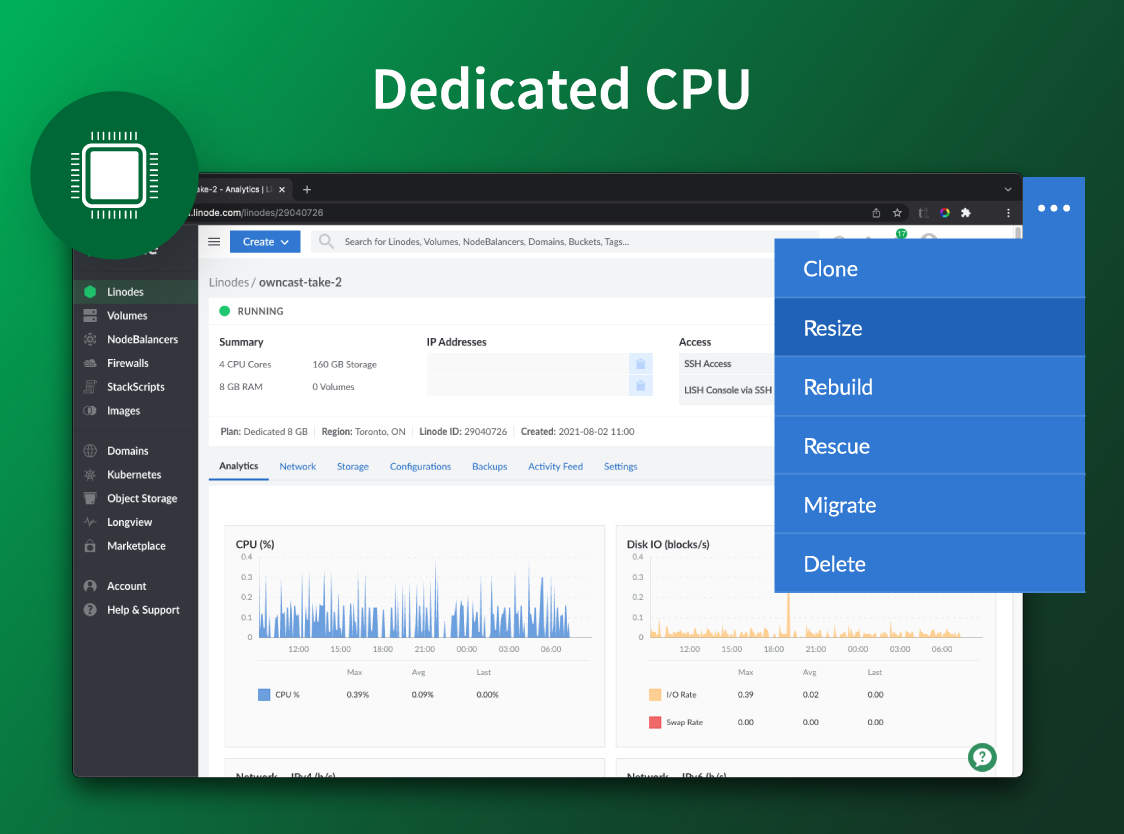
Akamai Cloud Computing (formerly Linode) include scalable and accessible Linux cloud solutions and services. These products and services support developers and enterprises as they build, deploy, secure, and scale applications.
$5
per month
Apple iCloud
Score 8.2 out of 10
N/A
Apple iCloud is a document management software offering from Apple. It includes features such as access to music, photos, calendars, contacts, and documents, and it is built into every new iOS device.
$0.99
per month
Google Drive
Score 8.6 out of 10
N/A
Google Drive is a cloud file storage, synchronization, and collaboration platform and service, that features Google Docs, Sheets, and Slides for document editing and presentation.
$6
per month
Pricing
Akamai Cloud Computing
Apple iCloud
Google Drive
Editions & Modules
No answers on this topic
50GB
$0.99
per month
200GB
$2.99
per month
2TB
$9.99
per month
Basic
$6.00
per month
Business
$12.00
per month
Enterprise
Contact Vendor for Quote
per month
Offerings
Pricing Offerings
Akamai Cloud Computing
Apple iCloud
Google Drive
Free Trial
Yes
No
Yes
Free/Freemium Version
No
No
Yes
Premium Consulting/Integration Services
Yes
No
No
Entry-level Setup Fee
Optional
No setup fee
No setup fee
Additional Details
CPU, transfer, storage, and RAM are bundled into one price. Storage capacity can be increased with additional Block Storage or S3-compatible Object Storage. Instant Backups can be added with complete independence to the stack. Linode NodeBalancers ensure applications are available.
—
Discounts are available for students, educators, and non profit organizations.
More Pricing Information
Community Pulse
Akamai Cloud Computing
Apple iCloud
Google Drive
Considered Multiple Products
Akamai Cloud Computing
Verified User
Manager
Chose Akamai Cloud Computing
I have used Amazon Web Services (AWS) before this and both are reliable. AWS is just as easy to use, but the costs are harder to understand, because they are not fixed, they are dependent on usage. If you have a low usage but an abnormal process the costs can spiral without …
Before I came to Linode, I was a shared hosting customer. I tried several providers over several years. All of them sucked...there were no good options only the "least bad" option. The "least bad" option quickly joined the rest of the "just plain bad" pack very quickly. The …
Law of Attraction, Meditation & Spiritual Life Coach | Public Speaker
Chose Apple iCloud
Google Drive comes packaged with my GSuite account so I still use it but it doesn't sync all of my Apple devices together. As a result, the device syncing makes iCloud a more important cloud service for my business. I do find that upload speeds to Google Drive tend to be faster …
For a Mac user in a Mac-only shop, iCloud is by far the best of breed. If your company has a mix of Mac and Windows users, it will not be the right primary tool (go to Google Drive for that). iCloud is a necessary and built-in part of a Mac user's experience and so will …
I prefer Google Drive to Apple iCloud. That being said, iCloud does have a huge and very loyal fanbase, and as I have seen in my career it is not going anywhere. If you need a cloud platform just for filesharing, I would pick Dropbox or Google Drive over iCloud. If you need a …
Google Drive is great and it offers way more free storage than Apple iCloud, however, Google is known for sharing their user's data much more freely than Apple. To some people, this might not be a big deal. I prefer to pay a few dollars for added security.
Initially, I was using Google Drive and I was completely satisfied with its services. But after sometimes when I upgraded my mobile device and computer system to Mac OS and iOS, I shifted to iCloud because iCloud works flawlessly in the Apple ecosystem and It also provides a …
Apple iCloud is extremely similar to Google Drive. You’re able to access files from anywhere, even a PC, without needing to be on the device where the file was originally created.
Overall, iCloud performs quite well against some of its larger competitors. In my opinion, iCloud may be better suited for personal and social sharing compared to business cloud platforms like OneDrive and Google Drive. iCloud is incredibly strong if your organization is fully …
Apple iCloud works as well or almost as well as OneDrive. I also use OneDrive fairly extensively because I have free storage and it came along with my other Microsoft software. I only pay for additional storage on iCloud. I suppose it's because I operate in both Windows and …
Google Drive is similar to Apple iCloud, but since I prefer Apple products and have operated within the Apple ecosystem for many years, I use iCloud. Some clients who don't use Apple share documents with me in Google Drive so I have experience with the product, but I prefer …
For me Apple iCloud is the superior choice. Google Drive is acceptable but it feels much less safe (to me). I disliked MS Azure and would never use that system.
The biggest thing is Apple doesn't lose versions and changes. With Office 365 and various Google corporate programs, they would track versions — but not well. If someone sat with a file open and later closed it after a colleague had made changes, some of those changes would get …
As I have mentioned, the seamless integration across Apple's ecosystem is what keeps us using this product. However, the robust value of the Microsoft 365 Business Premium suite and functionality of their AI companion - Copilot - makes it superior at an organization level. The …
Apple iCloud allows to track devices when lost and uses end-to-end encryption for data such as iMessages of Health data. It also includes features of shared albums to optimize storage and can access these items through any Apple device in a quick and efficient way.
They are different platforms but both reliable and easily used by those who need to access and use it. I am a happy customer for both Apple iCloud and Boomr and would highly recommend them to anyone who is looking to use and purchase something to give them the reassurance and …
Already a part of the Apple ecosystem, so if it suits our needs, we will use it. We have a Department shared Dropbox account specifically for sharing large projects with vendors, so Apple iCloud is for lighter internal projects such as shared spreadsheets for project …
iCloud is probably the best option for someone who uses primarily Apple devices and services. If you are multi-platform in your technology use I would make sure you test out the free version of iCloud before you make the switch, Apple likes to play nice with Apple, which means …
The basic premise among these is the same. Where Apple iCloud stands apart for our team is that there is not a separate app to be downloaded to access these features on most phones or tablets (most of our staff has iPhones, and we provide iPads). This allows everyone to obtain …
The security and functionality of iCloud beats out any other products I've tried. While two-factor authentication is available elsewhere, Apple seems to take security a step further with notifications across all devices. In addition, the pricing is right - the low cost of 1TB …
Unlike other solutions, iCloud automatically backs up data without the user needing to download an additional application. Additionally, iCloud is the only application to keep and manage iPhone backups. Lastly, iCloud's pricing options are much more favorable than the other …
I selected Apple icloud mainly because it is the best for using with pesky apple file types, but overall it does a pretty poor job against competitors. It is more expensive, offers less storage, and is much more difficult to use. I'd stick to an alternative program if it were …
Apple does offer an alternative to Office & the Google Docs family but trusting to use it with both internal and external parties is tough. Google is more universal and easier for 3rd parties to collaborate with. Apple works well for a closed internal group that is native to …
Apple iCloud works on mobile devices, tablets, and computers. We are an all-apple school so using iCloud was a no brainer in comparison to using google for password management.
Google Drive provides a richer, enterprise-grade experience for business users. Apple iCloud is relegated to personal use only. Dropbox does not provide as rich of permissions and security structuring tools as Google Drive.
Microsoft OneDrive shines when using Windows operating system, which is extremely common in almost every business. Apple iCloud on the other hand excels when using Apple products such as iPhones, iPads and Macs. Google Drive is useful in every situation, so it represents a …
Verified User
Analyst
Chose Google Drive
I am using Apple iCloud also, but that is available for Apple devices only. For other devices, I use Google Drive. Both software are very good, but Google Drive has much more features than iCloud. I prefer it for my office related work since it is very well synced with …
Apple Drive dosn't offer that much storage and doesn't provide vast features with collaborative tools like docs , spreadsheet and forms etc. Google drive also allows you to search for files and folders that contain certain words in their title or content in any perticular file. …
Verified User
Manager
Chose Google Drive
Google drive is easier to use and integrates well with different applications. It is also less expensive.
Box and Dropbox, two other significant names in the online file syncing service industry, also provide their document kinds for collaboration: Box with Note and Dropbox with Paper. Both integrate the Google and Microsoft editors into their services, allowing you to create a new …
Google Drive stacks up against Dropbox and other competitors by being the most accessible, mainstream, smooth-running application across a broad spectrum of devices at an affordable rate. Dropbox was more expensive, less organized, and did not upload or download quite as …
Out of the all the ones listed above, the only one that comes close is Dropbox, and their storage and pricing are not as good. OneDrive, while you get a bucket load of free storage with a O365 subscription, has less functionality and integration options. iCloud and IDrive are …
The Google Drive facility has no comparison. It's free, you can have it on your cell phone and you only need a connection to the internet. Everything is saved and safe in your Gmail email address. That is an advantage that other programs do not offer. That is why Google Drive …
iCloud, Dropbox, OneDrive, the list goes on and on and on. The cloudy skies are becoming more and more crowded by the day with providers. Google is a huge company and brand. While there is always the risk that they will disable a product such as Google Reader or create a …
I have used ownCloud and Dropbox for file storage and they do a decent job of allowing me to backup, share and access my files. iCloud is still new and while it's getting better, there is no Enterprise edition and they only start you out with 5 GBs of space, for all of your …
Akamai Connected Cloud Linode would be a good service to host a content delivery network (CDN) because of its edge network but I'd prefer not to use Akamai Connected Cloud Linode for tasks that need GPU power such as Machine Learning or Artificial Intelligence (AI) because Akamai Connected Cloud Linode lacks deep GPU compute compared to AWS or Google Cloud or Microsoft Azure
Our growing organization uses about 95% Apple hardware. The Apple iCloud functionality across our organization ensures interfaces and synchronization that makes information workflow seamless. The cost structure and limited AI functionality keeps us dependent on products like Microsoft and Google and unable to put all of our cloud "eggs" into the Apple basket.
It is possible to share files and folders with up to 200 email addresses, as well as with persons outside the company.Use the drop-down arrow to select who may see, comment on, or change the file or folder before sending out an invitation.I am very much impressed with this feature
Syncing files, appointments, Notes and contacts. If I'm away from home, and set an appointment using my phone, that appointment automatically updates real time to my home laptop and vice-versa.
Any user with access can store a file using different platforms like Android, IOS, Windows, or Ubuntu (Desktop version)
You can share files with any number of different users with different access rights or you can even keep it public by providing the access link and assign different rights for public access
You can open Excel/Word files using google software Sheets/Docs in the browser environment without having to install software like Microsoft Office etc on your Windows OS
Customization - iCloud is great at the stuff it does well. But it lacks features that some competitors (in Google Drive or Dropbox) do really well. API support for third-party apps is really great for some other people.
Remote use - Managing or accessing information from iCloud while not on one of your logged-in apple devices can sometimes be an issue. From a work computer for example. It doable, but the experience is much less user-friendly.
Ability to edit documents on the cloud similar to google docs or some other competitors
Having a little bit more control and clarity over what is shared and how it is shared would be a useful improvement.
Could be more robust and flexible as far as assigning restrictions.
Google Sheets could be enhanced because Excel really is not there yet as a product with equal capabilities as there are still quite a few limitations to the functionality.
I've been with them a long time. They provide me with the capabilities I need coupled with knowledgeable support that's not pay-for-extra. However, if I move to a non-Linux OS, the level of support by necessity will drop off. I can still ask questions about the infrastructure but I my ability to ask about OS features will decrease.
It's so seamless that I can't imagine another product doing a better job synchronizing all of my devices. I simply do not think about it at all. Everything happens behind the scenes and I'm confident that Apple keeps my data safe and secure. I'm a happy customer as far as this is concerned. I have not had a bad experience with this service.
It's perfect for me. It keeps things saved and is easy to remove items if needed. Also, I very much enjoy the formatting options. Along with the integrations it has for SSO. Overall, this is the most user friendly system I have ever come across.
Simple and clear, no BS interface. From a design perspective it's no Apple or Stripe, but it does what it needs without making me want to stick a fork in my eyes, like when being forced to use Azure, AWS or GCP.
While it may be great to use with other Apple products, I find it's an absolutist-style workflow to be debilitating and to lead to many problems. When you sign into the cloud, it completely takes over your device in many ways that you don't notice at first until there is a problem.
It's easy enough to use for computer users of all ages and skill levels. I am an advanced user, and I think the hardest part might be showing someone how to download and set up the app on their device if they weren't too familiar with computers, but overall it is very easy to understand.
There is very little planned downtime. Whenever planned downtime is necessary I'm always given lots of advanced notice and an explanation that I can pass along to my users that they'll understand. I really appreciate that Linode appreciates my commitment to reliable service to my users. It shows that they believe they've been successful when I'm successful.
Servers are well dimensioned and price performant. Of course one always wants more, so if they were to upgrade their hardware for the same price I'd consider moving more workloads. Networking - never had an issue. Hardware speeds - disks are fast and can grow to great size.
Occasionally, large files that haven't yet been synced require a few minutes to pull down but I've rarely noticed delays. It does a good job of keeping data cached on my local machines while updating them with changes from other machines transparently.
The documents load fairly quickly and also update in real time, especially given the fact that multiple people can be using it at once. The "Offline" feature works great to allow the user to make edits and access the document without access to the internet, and then sync changes later once they're back.
Support was excellent and fast. The documentation is extensive and helpful. I learned many things from their online documentation. I did not contact them by phone, but email took a day or less. Complex problems would probably need a service contract. I liked the friendly and polite tone of the support.
Apple customer service is fantastic. iCloud is built with Apple in mind and its design is extremely intuitive and user-friendly. Additionally, whenever our team has encountered issues, the speed of Apple support has been more than timely in addressing our issues and solving our request. We have encountered relatively few issues in my time with the platform and this only improves our overall score for those who keep the platform stable.
It takes a few days for customer support to get back to you. Although, I have not had to use support too often. Once you get an email back, they are very thorough and work hard to fix the problem quickly. It is a really great resource and a great way to get the help you need if you're stuck. A phone call also works quickly but you have to call during specific times.
The effective google workspace using training that my organization received and was conducted by me (as a team lead of the ICT team) was mind-blowing and as a result, our staff is performing well in terms of using the application for their daily jobs than before. Now, in my institution, all teachers and all the administrative personnel are very much interested in cloud storage facilities, in previous my institution was afraid of losing all important documents in the cloud storage. But, after having received the training they are now realized that if anyone has only one google account then he or she can use 15GB of cloud storage freely and they are now happy because now it is not necessary for anyone to carry the traditional pen drive.
We got kick started with an initial walkthrough along with some free credits. The initial walkthrough helped us to understand Linode's ecosystem and start our hands on with Linode. We tried out some apps from Marketplace initially with the free credits, which not only helped us understand Linode better, but also those apps. We had implemented many such apps to our customers with Linode
We're a small organization. The implementation of our Linode solution was trivial. Once I justified a cloud server to my bosses over a co-location -- the co-lo wasn't as fast as our linode server in load tests -- it was a matter of moving one Linux implementation to another. Trivial.
It's an extremely easy software to implement, once you sign up for a google account you automatically have access to google drive with a set amount of storage space. The business or Google Suite accounts have more storage space than a regular free account, but setting up and accessing google drive is very easy in both cases
We switched to Linode from Namecheap due to poor uptime, and never had any issues with stability ever again after switching. We also cut our costs in half by switching. We compared Linode to DigitalOcean and Vultr, with the primary factor that caused us to go with Linode initially being their documentation. After using Linode for 3 years, their amazing support is another reason why we wouldn't consider anyone else at this point.
Google Drive is similar to Apple iCloud, but since I prefer Apple products and have operated within the Apple ecosystem for many years, I use iCloud. Some clients who don't use Apple share documents with me in Google Drive so I have experience with the product, but I prefer iCloud. I do think photos syncing is superior in iCloud.
In short, Google Drive is better for independent users who store a normal amount of stuff. OneDrive makes more sense for businesses and teams that are doing heavy-duty storage or large-scale syncing. Realistically, though, most users will fall somewhere in between the two, where either platform would meet their needs.
Although I use only a fraction of their product offerings, the total set makes scalability an easy goal to shoot for. As I said, I have a few customers that use the services my Linode provides...and I like it that way. However, should I need to scale up, I can...without incurring any more cost than I need to.
Apple's iCloud service can run very slow in countries where they aren't very focussed, like India.
Apple did not back up videos over the cloud for a long time and needed manual sync. You will see similar issues like not allowing mobile data for some tasks.