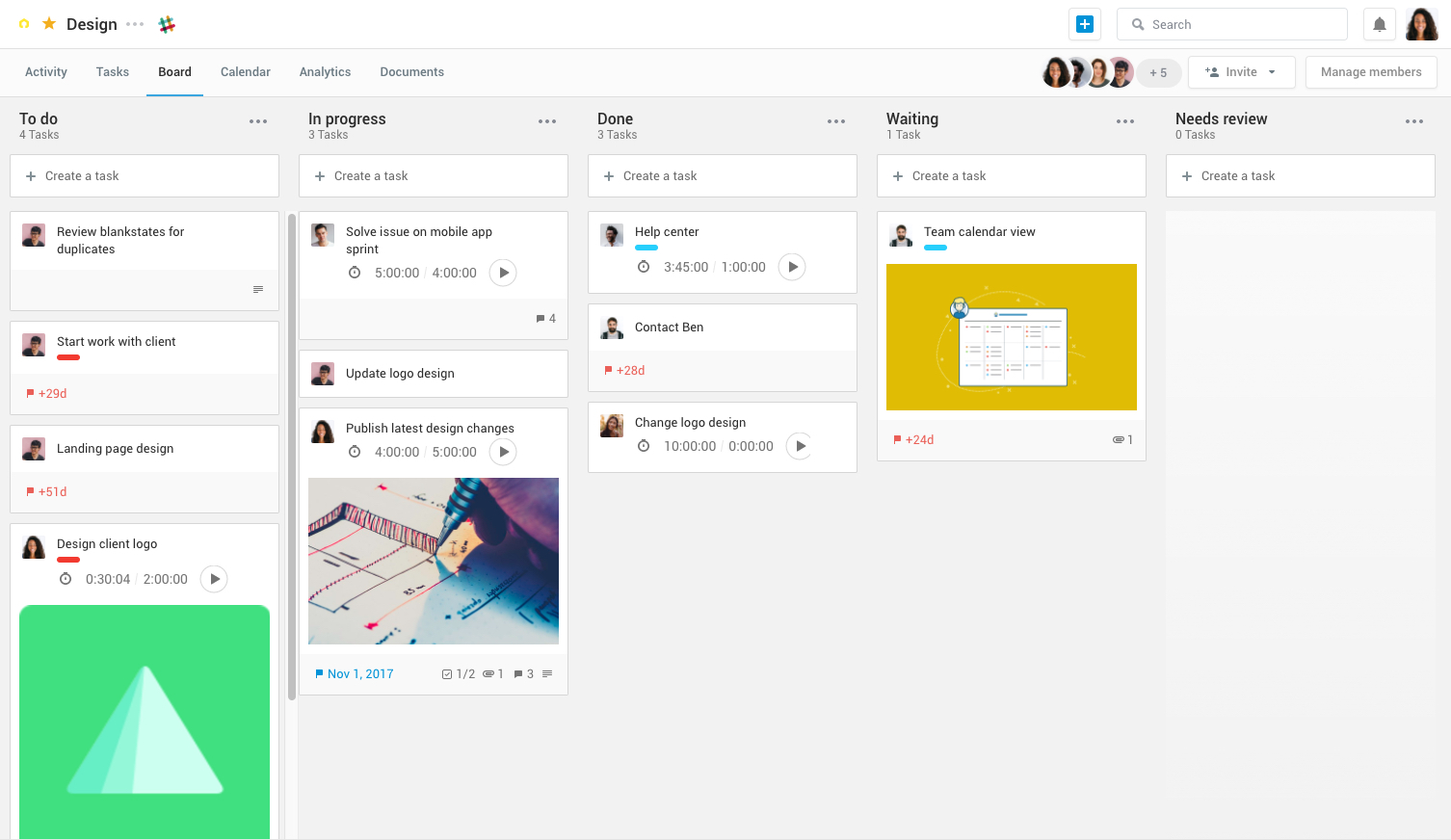
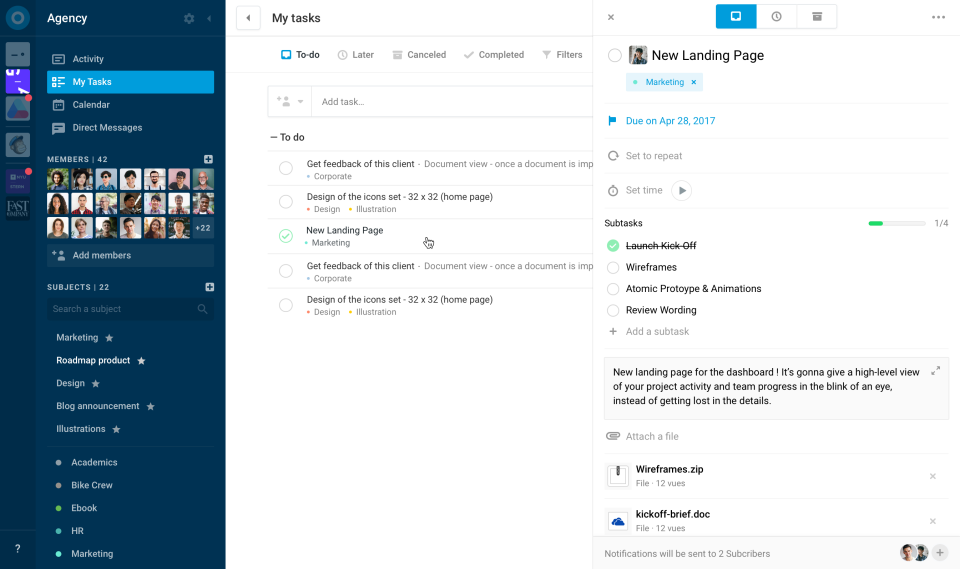
Azendoo is a work management application to help teams work more effectively by giving them the tools to communicate, plan and execute together. Azendoo is designed to make teams collaborate in a more transparent and positive way while making work more enjoyable. Conversations are held in threads shared on projects to see through every piece of information and eventually take action by creating a task based on a conversation. Tasks allow team members to see all of their work in one…
$7.50
per user
Basecamp
Score 8.7 out of 10
N/A
Basecamp is a web-based project-management tool. Basecamp offers features standard to project management platforms, as well as mobile accessibility, unlimited users, and 3rd party integrations. Basecamp is priced by space requirements and concurrent projects.
$15
per month per user
Wrike
Score 8.4 out of 10
Mid-Size Companies (51-1,000 employees)
Wrike is a project management and collaboration software. This solution connects tasks, discussions, and emails to the user’s project plan. Wrike is optimized for agile workflows and aims to help resolve data silos, poor visibility into work status, and missed deadlines and project failures.
$240
per year 2 users (minimum)
Pricing
azendoo
Basecamp
Wrike
Editions & Modules
Team plan
$7.50
per user
Business plan
$14.00
per user
Enterprise plan
custom pricing
per user
Basecamp Plus
$15
per month per user
Basecamp Pro Unlimited
$299
per month (billed annually)
Basecamp Free
Free
Limited Capabilities
Wrike Free
$0
per month per user
Wrike Team
$10
per month (billed annually) per user (2-15 users)
Wrike Business
$25
per month (billed annually) per user (5-200 users)
Wrike Enterprise
Request a quote
per month per user
Pinnacle
Request a quote
per month per user
Offerings
Pricing Offerings
azendoo
Basecamp
Wrike
Free Trial
Yes
Yes
Yes
Free/Freemium Version
No
Yes
Yes
Premium Consulting/Integration Services
Yes
No
Yes
Entry-level Setup Fee
$7.50 per user
No setup fee
No setup fee
Additional Details
Add some time tracking: +$5.00 user/month
Scheduled and accumulated time per task
—
Every premium plan begins with a 14-day trial period.
azendoo has a very easy-to-understand interface, allows for scaling in a way that Basecamp doesn't, and is constantly reinventing the platform (and appears to take customer feedback very seriously). Overall, while many project management platforms seem very similar, and I've …
Azendoo, unlike Trello, is a tool that provides a much more organized interface and features that provide more effective project management and direct communication. Trello is based on a slightly older interface and still requires different tools to be ideal for carrying out …
Wrike is nice, but not nearly as nice as Basecamp, although Wrike does have a free account to try it out. They also have non-profit discounts, which Basecamp doesn't have.
Comparatively, Basecamp has been found to be the easiest to use and onboard new users. Additionally the cost model for our organisation is much lower on Basecamp compared to the competition.
Other products are more aligned with Agile practices but for most of our operational …
Basecamp is perfect for small-time collaboration. It's suited for projects that need organization but not granular detail. When you need more than a simple little bit of help, you'll be looking at other solutions at that point. Very straight forward and to the point but that is …
It is an easy tool to use, organize your activities so that you can complete your projects, and allows you to do what is necessary to achieve it, unify your work team, assign tasks, reminders in a simple way, makes you more productive, you manage to plan in such a way that your …
Haven't tried any other software or platform other than Basecamp, but before the purchase process we reviewed other products and they seem very similar and the decision that got us to buy Basecamp was because of the price and the understanding of the web page related to the …
If you are working with Basecamp, it means itis enough for both working with your projects and events and also it turns your organization to the most communicative and easily collaborative one. There are tons of awesome features such as groups, subgroups, threats, emails, …
Wrike blows Basecamp out of the water. It's very user-friendly and easy to find and manage your workload. It makes document management and the review process SO MUCH EASIER.
So Wrike is a great blend of the functionality of Basecamp and Trello. Basecamp is a good time/date stamp on messaging internally and externally. Trello is a slick way to drag and drop tasks in a workflow and to check them off when they are complete. Both of the competitors …
Overall, it is very similar to Asana more so than Basecamp. The concept is really similar. The difference is I've been able to dive much deeper into Wrike and utilizing the task features where for Asana for me was much more for casual and personal use rather than corporate. But …
We continue to use these products throughout our company; however, Smartsheet required a significant amount of time for onboarding and training a champion user, and Basecamp didn't provide the visibility or functionality that Wrike offered. We used Basecamp as a team for a …
The features and automations in Wrike definitely overshadow the previous tools I've used. I think Asana has a slightly better visual appeal to it and I found navigation simpler vs Wrike but how detailed you can get with a tool like Wrike is unparalleled. Basecamp was actually …
Wrike is more robust and stacks well due to the amount of features and customization for project tracking. I would have Monday as the next contender for visualizing project management and Jira would be more for managing dev. tasks but full campaign management would be more in …
After researching and experimenting with several other products, Wrike was chosen for it's customization capabilities, and because it was a product inherited due to a company merger.
Wrike is way more robust than other platforms I have used. I also really enjoy the customer service and having a dedicated account person to reach out to if we need and provide training. It has more features and is more customizable and 'smart.'
Wrike provides more extensive project planning and collaboration features compared to Trello. Wrike is a better choice for organizations with complex projects, extensive task dependencies, and resource allocation needs.
While the UI may not be the most modern Wrike's flexibility and ability to integrate with other tools sold us in the long run. The ability to plug in directly with Integrate and access Wrike's API allows us to have everything flow through a single point.
It is easier to search and find the correct project and you can create versions of files and images. You can see the changes you requested from version 1 to version N. The view to the project is a folder with task inside.
Slack is nice but more for chats and messages I found rather than workflow. Wrike was more well known and my company valued it more based on satisfaction and popularity.
Except Todoist, which is more geared toward a personal to do list (rather than team project management), every other similar product I've used is better than Wrike in every way. They're all more user friendly and intuitive and easier to visualize project progress.
Wrike is competitive by offering a wide range of integrations
with other popular tools and apps, allowing you to sync data, collaborate in
familiar settings, and maximize efficiency. Its integration with apps like
Trello in my opinion is the easiest for me because everything is columnized. I want the ability to see the full scope of a project on 1 single page. I have to go to different pages for different tasks and all pages look similar. For me it's a UI problem. Dummy it up a bit.
Wrike just has so many more features as well as a more modern UI. It also has a very responsive support team that quickly implements suggestions if they find them useful.
I think Azendoo is suited well to small office tracking projects and tasks together. The shared projects/calendar use is helpful and can make work easier if everyone uses it in a similar manner. The ability to add things from other sources (Dropbox, Evernote, etc) does make it a useful platform because you can integrate other things into the app well. The visibility and shared spaces provide good accountability and follow up for work being done.
Basecamp is a wonderful tool for teams of varying degrees of technical knowledge, teams managing lots of different types of "agifall" and waterfall projects, and teams that are remotely distributed. It's probably less useful for more strictly agile-focused development teams, compared to other more flexible software applications like Jira and Asana.
Wrike is great to keep track of the status of a project: who is doing what, when an item is due, and assigning and reassigning tasks as needed. The one thing I don't like is that, although it is convenient to add links, it opens them in the Wrike window instead of a new tab in your internet browser. I think it is a good platform for projects that have 10 or fewer steps/action items - otherwise, your main page becomes overwhelming.
Software Updates - The azendoo interface is constantly being updated with new features which are helpful to our organization. For example, they just rolled out the ability to assign subtasks, so that we don't have to manually update the assignee on each step of a large, multi-step task.
Email Notifications - azendoo provides complete customization over the amount of notification emails you receive. Some of us prefer to be emailed with each update made within a task, whereas others prefer just a once-daily notification email.
Levels of organization - azendoo provides many tiers of structure within the platform, making it easy for us to layer levels of detail for a single project. For example, at the workspace level we can define where our teams "live" on azendoo, and at the subject level we can categorize projects for tracking purposes. With the new addition of subtasks, we now have an additional layer of organization which helps us keep track of where a task is at in its lifecycle.
Task management - It is very easy to add, organize and discuss tasks within Basecamp's interface.
The "Campfire" function is great for communicating when you just have a quick question for someone on the team.
Notifications - Basecamp lets you decide how often and about what you'd like to be notified. The ability to respond to messages in Basecamp directly via email saves a lot of time.
High Learning Curve. It's true that it can be easy to use, but to use well and effectively takes some time to learn. It's recommended to have an agreed-upon system in your team of what tools to use and when.
Notification Overload. If people aren't careful they could send a notification to everyone when only a couple people were meant to be prompted. And since emails are sent by default, you could have your mailbox overloaded with unnecessary updates. This is where it takes a bit of training in your team to have an agreed-upon system.
Lack of organization with Archived Projects. I will often need to reference an archived project to make a new one, but there is only a list of archived projects in alphabetical order, with no way to organize by archive date, or even search.
Finding projects easier. Unless I pin a project, it can be hard to find again even by searching
It would be nice to have an option to add the project name to the end of task names. I implemented this in our workflow when i was a PM and it helps find tasks when you are moving assets or things from one task to the next
When I bring new people onto a project, it's immediately obvious how to use Basecamp. I don't have to worry about teaching them the features or walking them through it, it's just incredibly user-friendly. For this reason, I'll continue to renew my subscription even as new people are brought onto production jobs or the client changes.
I wish that Wrike had more drag and drop functionality that would be connected to assignee and also I wish that the finish date of a task would update to the date where you checked completed. It does not do that. Also finishing a task doesn't move the start date of the next task it "protects your time in that way", but our management team wants us to quickly see what we have down the pipeline rather than having to scroll down the list of upcoming tasks.
It is easy to use, even for clients who have no experience with the platform. It can only get a little cumbersome to ensure that a client can't see certain documents you might want to keep in the Docs & Files folders. And sometimes, getting a client to actually use an unfamiliar platform can be a challenge.
The platform is intuitive, easy to navigate, and flexible enough to accommodate the complexity of payer contracting workflows. Features such as custom workflows, automated reminders, and real-time collaboration make it simple for our team to stay aligned and efficient. Wrike allows us to track negotiations and related tasks without needing extensive training or technical expertise, which has driven adoption across departments and ensured consistent usage.
I've never experienced downtime while using Basecamp, or been unable to access it when I needed it. That's not to say they've never had downtime, but I've been lucky enough not to encounter any, and I work odd hours, including late nights when maintenance is often undertaken.
Over two years of (almost) daily usage without outages. Don't remember any errors. I give it 9 only because some Wrike plugins (for online document edit) are based on NPAPI architecture. These types of plugins are being phased out in new browsers, and NPAPI plugins are disabled by default in recent versions of Chrome so you have to do some browser adjustments when you switch browsers or move to another computer.
Wrike tasks loads fine, but I hate clicking files and wait for a bit of time since it is powerpoint or word, Wrike assumes I want to open those on Wrike. My suggestion is to link it to office 365 so we do not need Wrike based decoder for PPTX and DOCX
For the many reasons I've given, Basecamp is a very strong program. There are a few features I can imagine that might make it even better, but I don't have a basis for comparison to be able to say that there is definitely a better one out there. I've noticed that Basecamp has evolved a bit from the time I started using it until now, so that makes me think that the producer of this program values it and believes in continuous improvement. If you could use the features offered by Basecamp, I would think you could use it with confidence.
During my learning phase with Wrike, I initially struggled with setting up automation rules and request forms. However, Wrike support was always my go-to, resolving issues within seconds or minutes. Their assistance made the learning process much easier. My best experience was receiving step-by-step screenshots to follow, with the support team on standby until I was completely satisfied.
I love the Wrike training options. Wrike Discover has tons of courses, learning plans, certifications, etc. This is an area where Wrike definitely shines! I wish these resources were more in your face for new people, because it seems like a lot of coworkers didn't know all of this training was available to them.
Decide the process before implementation - i.e. when it's due 8/9 does that mean 8am, noon, 5pm, 11:59pm? Check your to-do list frequently Set-up templates - just not with the dates (they can be funky)
There are a lot of bells and whistles in Wrike, and not all of it is easy or intuitive to understand once it's plopped in your lap. It's easier when there are a few choice people who understand Wrike as a platform and articulate it in such a way where it makes it easy to pass it along to others in the group
azendoo is a different tool, meant for a different project type. While it's a good program on its own, Evernote ultimately had all I needed as a single employee/student is the only person within my workspaces. I did not need to network and as such, I did not find it applicable. Later down the road in a shared office, I might feel differently.
Pretty good, but [Basecamp] has its drawbacks. Honestly I find the interface non-intuitive and sometimes have trouble figuring out how to change the status of a task. Perhaps it has something to do with the way it was originally set up by the admin, but I'm not sure. I liked Jira's drag and drop obvious functionality, but the project management side of the software was lacking. Smartsheet has excellent project management functionality, but the task management isn't as good.
We use both monday.com and Wrike. While Monday does have a better user interface, Wrike allows us to have more visibility into tasks where multiple people are collaborating. And also to receive project brief-ins and requests for new projects. We use both differently and I would say for us Wrike is more the collaboration tool than the day to day individual task management tool - and it works great.
The sky is the limit for what can be done in Wrike. We started with 1 use case and within 5 months we migrated several key business practices over to Wrike because they were easier to manage. Use cases so far: process improvement, management review, corrective actions, maintenance requests, month-end financial closing, and document management. As we grow, it's easy to imagine putting even more into Wrike where it becomes a cornerstone for how we do business
azendoo's integration with Google Drive has been valuable to our organization, as we are heavy users of Drive. We've been able to seamlessly attach documents to tasks which has been very helpful from a collaboration perspective.
Training new team members - It's relatively easy to get new team members up-to-speed on what's going on in the department, as they can just log into azendoo and catch up on all of our existing projects and things coming down the pipeline.
App - azendoo's mobile app has been great for keeping up with progress on items while many of us are out of office or working away from the office. The app has a great user experience and is much easier than keeping tabs via email.
It has saved me time when having to get the same message out to multiple restaurants
It has helped us make smarter operational decisions because we can all collaborate on an answer in a shorter amount of time (instead of calling a meeting!!!)
The calendar function allows us to plot out our marketing agenda for the month and add/change it together as needed. The chef will post his recipe, the managers will cost it out, the social media manager will post pictures on it, and ultimately we will get that information out on an info sheet to the staff by printing the page.
Wrike has improved our resource management significantly.
Wrike has improved the request intake process for us.
One negative impact of using Wrike is that we had to include Workato for some customised automations, which were not supported by Unito, but this can be on a need-to basis.