ScreenConnect vs. N-able Take Control vs. Splashtop

Overview
ProductRatingMost Used ByProduct SummaryStarting Price
ScreenConnect
Score 8.4 out of 10
N/A
ConnectWise ScreenConnect is a remote support, access, and meeting solution. With it, users can utilize remote support and access to repair computers, provide updates, and manage machines. Users can also conduct online seminars and presentations using remote meetings.
$39
per month
N-able Take Control
Score 7.3 out of 10
N/A
N-able™ Take Control is a cloud-based remote control solution for MSPs, to access & troubleshoot end devices. With support for Windows®, Mac®, and Linux® machines, MSPs can work from these or iOS® or Android® devices with the N-able native app.
$45
per month
Splashtop
Score 9.0 out of 10
N/A
Splashtop is a software solution for both remote access and remote support. Boasting 30+ million customers worldwide and users among both large and small organizations across the globe, Splashtop presents their solution as secure, high-performing, and fit to specific use-cases. Splashtop is ISO certified, SOC 2 and GDPR compliant. Splashtop Remote Access provides remote desktop connections for business professionals and teams to work from anywhere, using any device.…
$6
per month per user, billed annually
Pricing
ScreenConnectN-able Take ControlSplashtop
Editions & Modules
One
$39
per month
Standard
$59
per month
Premium
$69
per month
Take Control Plus
$45
per month
Take Control Plus
Contact Vendor
Take Control
Contact Vendor
Splashtop Remote Access Solo
$6.00
per month per user, billed annually
Splashtop Remote Access Pro
$8.25
per month per user, billed annually
Splashtop Remote Access Performance
$13.00
per month per user, billed annually
Splashtop Remote Support Enterprise
Contact Sales
per month per concurrent technician, billed annually
Splashtop Remote Access Enterprise
Contact Sales
per month per user, billed annually
Splashtop On-Prem
Contact Sales
Splashtop Autonomous Endpoint Management (AEM)
Contact Sales
per month per endpoint, billed annually
Splashtop Remote Support SOS
Starting at $22.00
per month per concurrent technician, billed annually
Offerings
Pricing Offerings
ScreenConnectN-able Take ControlSplashtop
Free Trial
YesYesYes
Free/Freemium Version
NoNoNo
Premium Consulting/Integration Services
NoNoNo
Entry-level Setup FeeNo setup feeNo setup feeNo setup fee
Additional DetailsNo credit card required. Login info sent directly to your email. Access technical support during your trial.
More Pricing Information
Community Pulse
ScreenConnectN-able Take ControlSplashtop
Considered Multiple Products
ScreenConnect
Chose ScreenConnect
Very inexpensive for agent licences annual, no costs per device and no on-site hardware to maintain.
Chose ScreenConnect
ScreenConenct is easier to use and simply allows you to connect easily. ScreenConnect also allows you to save the access session or make it a one off session. LogMeIn always wanted to save the session and sometimes the customer could get lost in the shuffle.
Chose ScreenConnect
AnyDesk, TeamViewer and Chrome Remote Desktop
Chose ScreenConnect
We prefer ScreenConnect as it is much better for an MSP with thousands of client machines, the other options don't provide an easy way of accessing a machine quickly enough. We have also had an issue with the other software's reliability to connect. ScreenConnect's integration …
Chose ScreenConnect
Although ScreenConnect is more expensive than the competition, you get what you pay for. ScreenConnect is easy to use as an admin, and end user. It is easy to set up and configure, and it allows you to quickly view the status of devices and access them remotely from one dashboard
Chose ScreenConnect
I used anydesk when i was in my previous company. I dont know much about anydesk, but it was almost similar to this. Most of the features that are there in ScreenConnect are also there in anydesk.
Chose ScreenConnect
Its lightweight and it is slightly cheaper than TeamViewer at least at the time of buying ScreenConnect. But we are exploring any desk and splash top again.
Chose ScreenConnect
For cost and management capabilities, I found ScreenConnect to be the best option. Some of the other services offered easier connection opportunities for my clients, but overall, I liked the tools and price point of ScreenConnect.
Chose ScreenConnect
TeamViewer is more more limited than what ConnectWise ScreenConnect offers. ConnectWise ScreenConnect has more trust built into it by installing running processes on the client computers. The tools work reliably and TeamViewer is not the better choice for use across multiple …
Chose ScreenConnect
I think ConnectWise ScreenConnect is by far the superior product to all of these. It is way ahead and does do not even come close. It has way more options and features and is much easier to use and manage.
Chose ScreenConnect
ConnectWise Control is far superior just on price alone. Logmein Rescue's pricing is ridiculous in comparison. The ease of use from the end user is similar with both products. However, the technician side of the software is significantly better on the ConnectWise Control …
Chose ScreenConnect
ConnectWise Control gives you a lot of the features that the other products provide, but nothing that you won't use. Nothing is worse than a clunky remote session where you are fighting for CPU/RAM resources, and ConnectWise Control beats them all hands down. This product is …
Chose ScreenConnect
ConnectWise Control was more reliable and cheaper than TeamViewer and LogMeIn however the support wasn't as good when there was an issue.
ConnectWise Control is a faster solution however we did experience crashes every now and again.
Chose ScreenConnect
TeamViewer is great functionality-wise, but for new users, it's difficult to install and start using it. Also it turns out to be very pricey.
Chose ScreenConnect
We have used Beyond Trust occasionally for one of our White Label clients, but have found it is not as robust as ConnectWise Control. The seamless integration of Control with ConnectWise Automate makes it the best and most effective choice for our technical teams to deploy and …
Chose ScreenConnect
ConnectWise Control does a better job with on demand access with our clients PCs, than BeyondTrust. However they have better access when it comes to PCs we dont have anything installed on and need them to go to our website to access their PCs.
Chose ScreenConnect
In terms of overall ease of use ConnectWise Control (formerly ScreenConnect), is so much easier to setup and use. Create and download the installer, and then run it once. I've never had any issues with remote machines being behind a firewall or having to be on the AD. There are …
Chose ScreenConnect
We like the functionality of ConnectWise and the ability to create custom groups and packages that help with deployment of the agent on our client workstations. Overall it's a more robust and flexible solution that suits our needs.
Chose ScreenConnect
ConnectWise is easy to implement, the software functions and feature support our users equipments. Deployment agents is simple, can be run on demand with url and email. Agent could be pre-install and provide constantly remote access to user PC or equipment. It also offer a …
Chose ScreenConnect
To be honest it holds it's own against Teamviewer, Teams, Timbuktu, Anydesk etc, but has nothing that makes it better or worse.
Chose ScreenConnect
RDP is fine for what it is, but there's a lot you can't usually do like connect from outside the network without opening up the firewall.
As for Kaseya, I can't recall what their remote options were, but they left a lot to be desired. One method was similar to an RDP session and …
Chose ScreenConnect
ConnectWise works very well. As well as any other remote connection software I have used. It's biggest draw back is lack of support for Chrome/Mobile OS's. This is something that a competitor I have used does very well and it be great if they added this in the future. I am …
Chose ScreenConnect
There's no comparison. ConnectWise Control is the clear winner. The interface is much more intuitive and easy to use.
N-able Take Control
Chose N-able Take Control
I selected this system because it advertised easy management of computers and servers.
Chose N-able Take Control
N-Able has a lot more control and monitoring in comparison.

Remote control is on a whole nother level compared to competitors with screen blanking, mouse and keyboard locking and even remote laser pointing.
Chose N-able Take Control
In my previous job we used Dameware which was a very good tool but lacked the managing capabilities of N-able. It has been a few years, so maybe Dameware has improved in that regard.
Chose N-able Take Control
Bad experiences with ConnectWise platforms in general ruled it out for us at this point in time. To be fair this was not really ConnectWise's fault more the team that set things up poorly leading to significant issues across the system.

Teamviewer had long been our go to, but …
Chose N-able Take Control
N-able Take Control combines AV and Internet Security with Remote control whereas the others are isolated products and requires multiple products to achieve what N-able Take Control can
Chose N-able Take Control
It's not half as easy as Solarwinds, and Solarwinds has more features.
Chose N-able Take Control
Take Control's feature set blows LogMeIn out of the water, however LogMeIn's general performance once connected, destroys anything that Take Control can currently provide.
Chose N-able Take Control
We were primarily a team-viewer customer before this point but the continued increases on cost, feature issues as well as core functionality and load issues we were beginning to see on the host machines we started looking for other options. As we were already a solar-winds …
Chose N-able Take Control
Take Control can be accessed through a browser whereas Windows Remote Desktop requires settings on the PC and device to remote into the end device. Installing the end devices application has mostly been a flawless install with limited setting configurations. GoToMyPC has …
Chose N-able Take Control
I use both SolarWinds MSP Anywhere and ScreenConnect.
SolarWinds MSP Anywhere is perfect for MSP clients on account and with an agent installed. It's integrated and makes all the connected tasks easier and the workflow is improved.
Splashtop
Chose Splashtop
Splashtop Enterprise was easier for our clients to use than LogMeIn Rescue that we used to use. It is a more lightweight and robust feeling software. The biggest benefit for us was the cost of Splashtop vs LogMeIn.
Chose Splashtop
Teamviewer is good for IT support individual remote computers, when doing connection, what we need is only remote party's ID and password, no other authentication is needed. The authentication is verbally over the phone when IT talks to the supported customers. However, this is …
Chose Splashtop
I prefer TeamViewer but it costs a lot more. We do also use TeamViewer for unattended access but the cost is so great that we might look at alternatives when our license expires. If the price was not an issue I would pick TeamViewer Quick Support over Splashtop SOS but for …
Chose Splashtop
cost, it is only a fraction of the cost of Teamviewer, also, same number of features for remote desktop but more new features for remote IT management of the computers with the client installed. No brainer.
Chose Splashtop
Teamviewer and Logmein were just to expensive, VNC has issues with windows 10 and RDP requires port forwarding in the router, so its fine for servers, but not ideal as a remote support system. Splashtop was easier or cheaper than anything else we tried.
Chose Splashtop
  • Team viewer is expensive
  • Chrome Remote Desktop is hard to use at times, makes the screen smaller, and is hard to use on multi-user screens
  • Windows Remote Desktop does not let you sign in as the local user
Chose Splashtop
Splashtop Business Enterprise is actually easier to implement and get it up and running, all users have to do is download the standard or personalize file and run it, then share the code with you and you are all set to go, i like it because you can even do it from your phone if …
Chose Splashtop
After evaluating several possible remote support products, Splashtop SOS represented the best value for money to a small business owner. This was largely due to its tiered licensing structure, with the base Splashtop SOS solution providing all the features I needed. This …
Chose Splashtop
[In my experience] TeamViewer is just too expensive for what I consider marginal benefit. Splashtop SOS works incredibly well, and while [I feel] TeamViewer does have a performance edge, I just can't justify the massive increase in cost. Plus, to my knowledge, TeamViewer's …
Chose Splashtop
Competitors did not have the same great level of performance. Had more disconnects with those as well.
Chose Splashtop
It's certainly not as feature rich or the same level of remote management system, but Splashtop SOS is a fraction of the cost and does exactly what I need it to do.
Chose Splashtop
Cost is the best competing factor.
Chose Splashtop
Simply put, Splashtop SOS works. The remote control feature of SOTI's MobiControl just didn't work for us. We spent countless hours working with SOTI to get additional apps to support remote control for various Lenovo tablets. It was a huge burden and it just didn't work. …
Chose Splashtop
I have not looked at TeamViewer in quite some time but I found Splashtop SOS for me to be at least a 1 to 1 feature switch. And right now connecting to mobile devices to see a customers screen is included with Splashtop SOS and it is a real value add. I hope it says that way. …
Chose Splashtop
Splashtop SOS is similar [for remote control and support] to N-able RMM, and Teamviewer. The selection of Splashtop SOS is primarily for cost control.
Chose Splashtop
I find that Splashtop SOS is as easy or easier to use. LogMeIn was a very great deal more expensive and I would not be able to regain much return on that investment.
Chose Splashtop
Splashtop SOS is significantly more affordable than its competitors for smaller operations like ours. The base subscription is more than adequate for our use, whereas most competitors overkill single-user capacity. Additionally, competitive products frequently restrict the …
Chose Splashtop
Price and easy of setup plus connection setup is better with Splashtop [SOS]
Chose Splashtop
Initially, it was the cost but, I almost went with TeamViewer because at the time of evaluation Splashtop [SOS] did not support user switching while staying connected (running as a service). This was a deal-breaker for me due to my clients not being an admin. I was going to go …
Features
ScreenConnectN-able Take ControlSplashtop
Remote Administration
Comparison of Remote Administration features of Product A and Product B
ScreenConnect
8.3
Ratings
5% above category average
N-able Take Control
7.9
Ratings
0% above category average
Splashtop
7.8
Ratings
1% below category average
Screen sharing9.80 Ratings8.00 Ratings9.30 Ratings
File transfer8.60 Ratings10.00 Ratings9.00 Ratings
Instant message8.30 Ratings5.00 Ratings7.90 Ratings
Secure remote access with Smart Card authentication7.00 Ratings8.20 Ratings00 Ratings
Access to sleeping/powered-off computers6.70 Ratings1.00 Ratings3.00 Ratings
Over-the-Internet remote session10.00 Ratings10.00 Ratings9.30 Ratings
Initiate remote control from mobile7.10 Ratings9.00 Ratings7.60 Ratings
Remote management of servers & workstations9.00 Ratings10.00 Ratings9.00 Ratings
Remote Active Directory® management9.10 Ratings10.00 Ratings00 Ratings
Centralized management dashboard7.80 Ratings7.00 Ratings7.10 Ratings
Session record8.10 Ratings8.00 Ratings7.20 Ratings
Annotations7.80 Ratings9.00 Ratings9.00 Ratings
Monitoring and Alerts9.00 Ratings8.00 Ratings6.00 Ratings
Multi-platform remote control8.40 Ratings7.00 Ratings8.70 Ratings
Best Alternatives
ScreenConnectN-able Take ControlSplashtop
Small Businesses
Getscreen.me
Getscreen.me
Score 9.7 out of 10
Getscreen.me
Getscreen.me
Score 9.7 out of 10
Getscreen.me
Getscreen.me
Score 9.7 out of 10
Medium-sized Companies
Remote Desktop Manager
Score 9.6 out of 10
Remote Desktop Manager
Score 9.6 out of 10
Remote Desktop Manager
Score 9.6 out of 10
Enterprises
Remote Desktop Manager
Score 9.6 out of 10
Remote Desktop Manager
Score 9.6 out of 10
Remote Desktop Manager
Score 9.6 out of 10
All AlternativesView all alternativesView all alternativesView all alternatives
User Ratings
ScreenConnectN-able Take ControlSplashtop
Likelihood to Recommend
8.8
(0 ratings)
6.0
(0 ratings)
9.0
(0 ratings)
Likelihood to Renew
10.0
(0 ratings)
-
(0 ratings)
9.2
(0 ratings)
Usability
8.9
(0 ratings)
8.0
(0 ratings)
8.6
(0 ratings)
Availability
10.0
(0 ratings)
-
(0 ratings)
9.1
(0 ratings)
Performance
10.0
(0 ratings)
-
(0 ratings)
9.1
(0 ratings)
Support Rating
8.2
(0 ratings)
-
(0 ratings)
8.7
(0 ratings)
Online Training
7.5
(0 ratings)
-
(0 ratings)
-
(0 ratings)
Implementation Rating
10.0
(0 ratings)
-
(0 ratings)
9.0
(0 ratings)
Configurability
10.0
(0 ratings)
-
(0 ratings)
9.1
(0 ratings)
Ease of integration
-
(0 ratings)
-
(0 ratings)
10.0
(0 ratings)
Product Scalability
10.0
(0 ratings)
-
(0 ratings)
9.1
(0 ratings)
Vendor post-sale
10.0
(0 ratings)
-
(0 ratings)
9.1
(0 ratings)
Vendor pre-sale
5.0
(0 ratings)
-
(0 ratings)
9.1
(0 ratings)
User Testimonials
ScreenConnectN-able Take ControlSplashtop
Likelihood to Recommend
I feel [ConnectWise Control (formerly ScreenConnect)] works on all sizes of implementations. I've used it with about 1000 endpoints and I've even used it for managing a couple family machines to make remote support easier. It works super well and does exactly what you want it to. It has not disappointed me at all and I'd recommend it to any employers I work for as well.
Read full review
It is phenomenal as a remote service tool, as well as a Teamviewer alternative for end users. But its per device interface is lacking, as well as how technicians are set-up. Once you learn the ins and outs its quite easy to use from both sides. However, it can be a little quirky when initially set-up.
Read full review
Based on the price of their basic plan, Splashtop is easily the best solution available for small installations like mine. I am confident with their security implementation and reconnection to devices after a remote restart have never failed me. They feature many higher-level tools and solutions but I've just never needed to use them.
Read full review
Pros
  • Self-hosted - this is great for me and makes it easy to control my data, which is important for my clients.
  • Mobile Access - being able to quickly diagnose and resolve an issue while on the road is great.
  • Persistent - "always on" connections with screen capture.
  • Great User Interface and chat works exceptionally well.
Read full review
  • Take Control is really good at accessing a device with no end-user involvement. The user doesn't have to click on permissions or visit a particular site. We simply can take control of their device from the RMM dashboard.
  • If Microsoft issues a patch/update, I can schedule a release of a mass install to all client sites at the click of a mouse from within my office.
Read full review
  • Seamless RMM Integration - Splashtop’s integration into Syncro is functionally invisible, but in a good way. I don't have to manage a separate contact list or worry about syncing credentials between my RMM and my remote tool. I click "Remote Desktop" in Syncro, and Splashtop launches instantly.
  • High Performance Graphics & Low Latency - The frame rate and refresh speed are consistently superior to competitors I’ve used in the past. Even when connecting to a client with a dual monitor setup or a slower upload speed, the lag is minimal. The picture quality is crisp enough that I can read fine print on error logs without squinting.
  • "SOS" Ad-Hoc Workflow - r clients who aren't on a managed contract (my "break/fix" customers), the SOS feature is a lifesaver. I don't have to walk a non-technical user through a complex installation. I just tell them to go to the site, give me the 9-digit code, and I'm in!
Read full review
Cons
  • If CWC integrated with more RMM software other than LabTech it would be great as LabTech is way too expensive and convoluted at this point so we discontinued using it in favor of a simpler and much less expensive option.
  • Though it does support multiple monitors well, it would be nice to have the ability to have it automatically pop each remote monitor out to the local monitors if so desired.
  • Right now it uses email for multifactor authentication, I would rather it use an electronic key that can be stored on cell phone or user desktop.
  • The ability for it to automatically login to a Windows desktop would be a big help as well. It will store a username and password but you must manually send a control-alt-delete and then click a button to have it fill. Tying to something like Lastpass along with an autologin feature would be great.
Read full review
  • Performance on low-end machines.
  • Verbosity when changing stream quality.
  • File manager needs improving, dragging files causes graphical issues.
  • Connection time needs to be reduced.
  • Ability to adjust re-connection time.
  • Integration with more password-storage applications.
  • Screen blanking is buggy in some instances and makes the session unusable.
Read full review
  • Every so often one of our connections needs to be "woken" and that requires calling the support team as opposed to having a simple solution that can be done on our own. It is a rare event, but has happened more than once.
Read full review
Likelihood to Renew
I would recommend this product for both internal remote control of end user workstations and remote access to other clients over the internet. It provides a secure and feature rich product that allows me to complete any necessary tasks without ever leaving the office. I will continue to renew as I'm eager to see what they do next. I would however wish the cloud service had a better API to work in conjunction with team collaboration or chat services to make it easier to connect with end users who use multiple workstations. (Slack or Stride provide this functionality)
Read full review
No answers on this topic
Splashtop has been one of the best investments our firm has made, and we have become proud partners. The ROI is off the charts for a law firm since more time can be billed now. This is aside from all the quality of life improvements Splashtop has rolled out in the past couple of years that makes IT administration notably easier in multiple ways on a daily basis.
Read full review
Usability
If you're a support noobie or a seasoned admin, this product is everything you are looking for. Join with a code - CHECK! Hop onto a permanent session installed on a PC/Server - YOU GOT IT! Wake up a remote sleeping computer - no problem. Need to customize access to different roles in your organization - BUILT RIGHT IN!
Read full review
The interface needs a lot of updating. It's just too "busy."
Read full review
It's hard to find any significant faults with Splashtop. It offers a very responsive remote access experience with clear and simple interface. There's very little learning curve as it's toolbar mimics other popular remote access solutions graphical user interface. It's gives you access to your remote computer quickly and stays out of your way
Read full review
Reliability and Availability
In my 5 years of using the product, I am only aware of one time when the service was down and is was due to a backbone outage upstream.
Read full review
No answers on this topic
I recall one outage, and it wasn't very long. We use QuickAssist when someone's having a problem connecting with Splashtop on a Windows machine. Fortunately, that doesn't happen very often. QuickAssist is for the QUICK Assist. Splashtop is far better for addressing more complex support needs.
Read full review
Performance
It performs well. It also has full control over windows security and does not get hung up like GoToMeeting when trying to install remote software at the prompt to install as admin / override. I have used TeamViewer, WebEx, LogMeIn and GoToMeeting. This is by far the best at spontaneous, remote control. It is also very easy to get a novice user connected to the session.
Read full review
No answers on this topic
I've raved and rambled about Splashtop's utterly shocking performance nearly endlessly. One of the key reasons our firm adopted Splashtop was because I could demonstrate the unbelievable performance to our Tech Committee. Before finding Splashtop, the thought of being able to start a remote connection to another PC and smoothly watch a full 1080p video through that remote connection was unthinkable. Yet, Splashtop achieved this. I was blown away, and our committee was impressed. In fact, in my testing environment prior to onboarding, I was have 2 PC's next to each other on different networks and internet sources with a Splashtop connection from one to the other with a 1080p YouTube video playing. I was astounded that the audio I was hearing on the "connect from" PC matched in perfect synch with the "connect to" PC. Unbelievable!! And keep this between us, but when I was working late one night at the office waiting for some server to finish a long upgrade, I was able to actually Splashtop to my home gaming PC and play a full-quality FPS with no lag through the connection. Shocked, astounded, flabbergasted! The adjectives could be endless!
Read full review
Support Rating
There have been two times when something has went wrong and I needed immediate assistance in order to be able to use Screenconnect to be able to help clients and response has not been immediate. The response time has been within 24 hours. Both times if there had been easier to navigate self help I would have been able to help myself. With better self help and a speedier response it would definitely be a 10 as they always respond and help. Just a little more difficult or slow than it should be at times
Read full review
No answers on this topic
I've only needed support once - three years ago, and I don't remember what it was about - but they got me fixed and on my way within 15 minutes. Heck, I might have been calling myself - that's the kind of service I try to provide to my clients.
Read full review
Online Training
the one I attended didn't grab my attention the way I thought it would. Maybe because of the way I use the product; or because of how I am using an online instance, not a locally installed version. Some of the discussion got more technical and off the topic, it seemed.
Read full review
No answers on this topic
Implementation Rating
ConnectWise has done everything they could to help us in any situation. Great support team and their new updates are always providing features that we need. Its a simple solution that works the way we need it to. Their legacy pricing model is still much better than their subscription based model however it is still fair pricing
Read full review
No answers on this topic
It couldn't have been any easier to setup and I have had no issues with it since it was implemented. It's a great product and makes remotely connecting to another device so simple and quick. I can't recommend it enough
Read full review
Alternatives Considered
We have used Beyond Trust occasionally for one of our White Label clients, but have found it is not as robust as ConnectWise Control. The seamless integration of Control with ConnectWise Automate makes it the best and most effective choice for our technical teams to deploy and manage our client machines.
Read full review
Bad experiences with ConnectWise platforms in general ruled it out for us at this point in time. To be fair this was not really ConnectWise's fault more the team that set things up poorly leading to significant issues across the system. TeamViewer had long been our go to, but pricing increases, the inclusion of ads (in a not inexpensive product) is infuriating for some. and ongoing poor business behavior reports in the industry lead us to look elsewhere
Read full review
I have not looked at TeamViewer in quite some time but I found Splashtop SOS for me to be at least a 1 to 1 feature switch. And right now connecting to mobile devices to see a customers screen is included with Splashtop SOS and it is a real value add. I hope it says that way. TeamViewer is just too expensive in comparison.
Read full review
Scalability
As far as I can see there are no real barriers to scaling up - as and when we need more subscriptions, we can add them in with no negative impact to the existing way that we're using the tool
Read full review
No answers on this topic
I bought service for 250 unattended machines. I anticipate the next level will be very expensive, so I may stop at 250. It works very well for our needs. Only recently have I needed to add a second team to add a group of computers, but it's all been great.
Read full review
Return on Investment
  • Quite simply our business could not function without a form of remote control software. Control has done an amazing job at filling a core foundation pillar of our business model as an MSP, having some clients in very remote destinations, we can still service them through the use of Control.
  • We pay per technician for an unlimited number of endpoints, and this pricing model has served us very admirably. As a smaller startup MSP, the cost of paying per endpoint would only serve to hurt our growth. Being able to pay a flat rate based on staffing is very desirable.
  • The whole experience using Control is polished and speedy. I couldn't imaging going back to a slower solution, the value Control brings is palpable in our business model.
Read full review
  • We we're able to bundle Take Control into our RMM pricing removing the need to pay for a separate system and maintain its intergration
  • Remote access is only a click away saving our techs time
  • Reliable connection mean issues are resolved without having to 'fix' the remote access first
Read full review
  • Our prior solution had become so unstable and poor performing that we couldn't provide good technical support with it. Splashtop lets us just get in and get work done.
  • We didn't have to spend a lot more to get a better product, we just had to switch.
Read full review
ScreenShots

ScreenConnect Screenshots

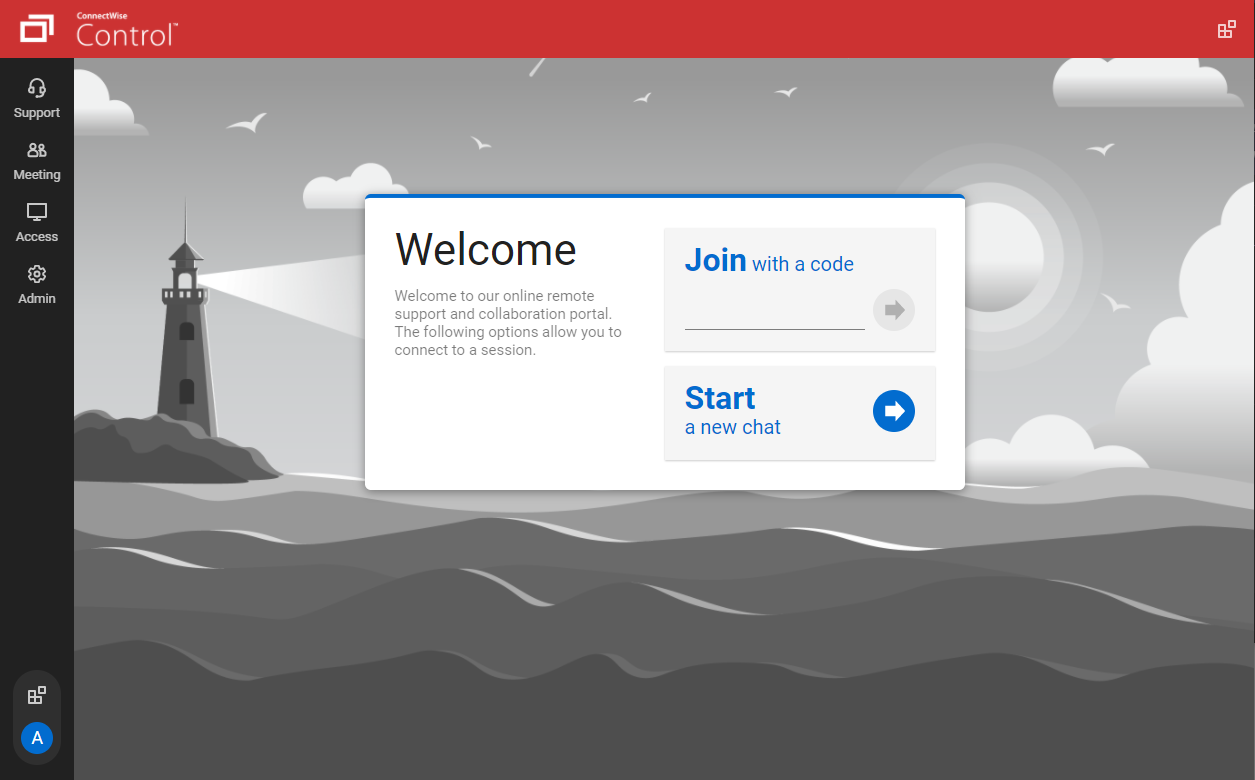
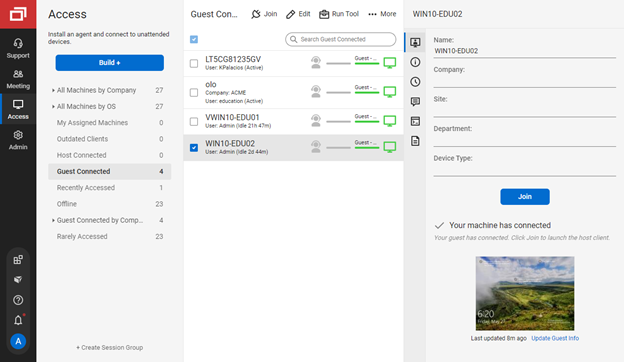
Screenshot of the guest page, where end-users enter a code to join a session with a technicianScreenshot of connecting from a Windows machine to a macOS machineScreenshot of the Extension Marketplace, where administrators can install and configure new features and integrationsScreenshot of the Access view of the Host page, where a technician can connect to unattended machinesScreenshot of the toolbox menu, which allows technicians to store and run executables, scripts, and other frequently-used filesScreenshot of the Host page, where a command can be run directly without connecting to the machine

N-able Take Control Screenshots

Screenshot of N-able Take Control DashboardScreenshot of Take Control - home

Splashtop Screenshots

Screenshot of Splashtop Streamer: Used to connect to and remote into computers.
Splashtop Business App: Used to connect from and remotely access other computers.Screenshot of Splashtop SOS - Accessed with a 9-digit session code, it can be customized with a brand, logo and text.Screenshot of a view of computer sessions.Screenshot of where users can transfer files and folders from local and remote computers during a session.Screenshot of Splashtop Remote Support Enterprise : On-demand support with service desk capabilities.Screenshot of a dashboard - This offers key insights on endpoint status, security metrics, and scheduled tasks.