Google Analytics is perhaps the best-known web analytics product and, as a free product, it has massive adoption. Although it lacks some enterprise-level features compared to its competitors in the space, the launch of the paid Google Analytics Premium edition seems likely to close the gap.
$0
per month
Unbounce
Score 8.3 out of 10
Mid-Size Companies (51-1,000 employees)
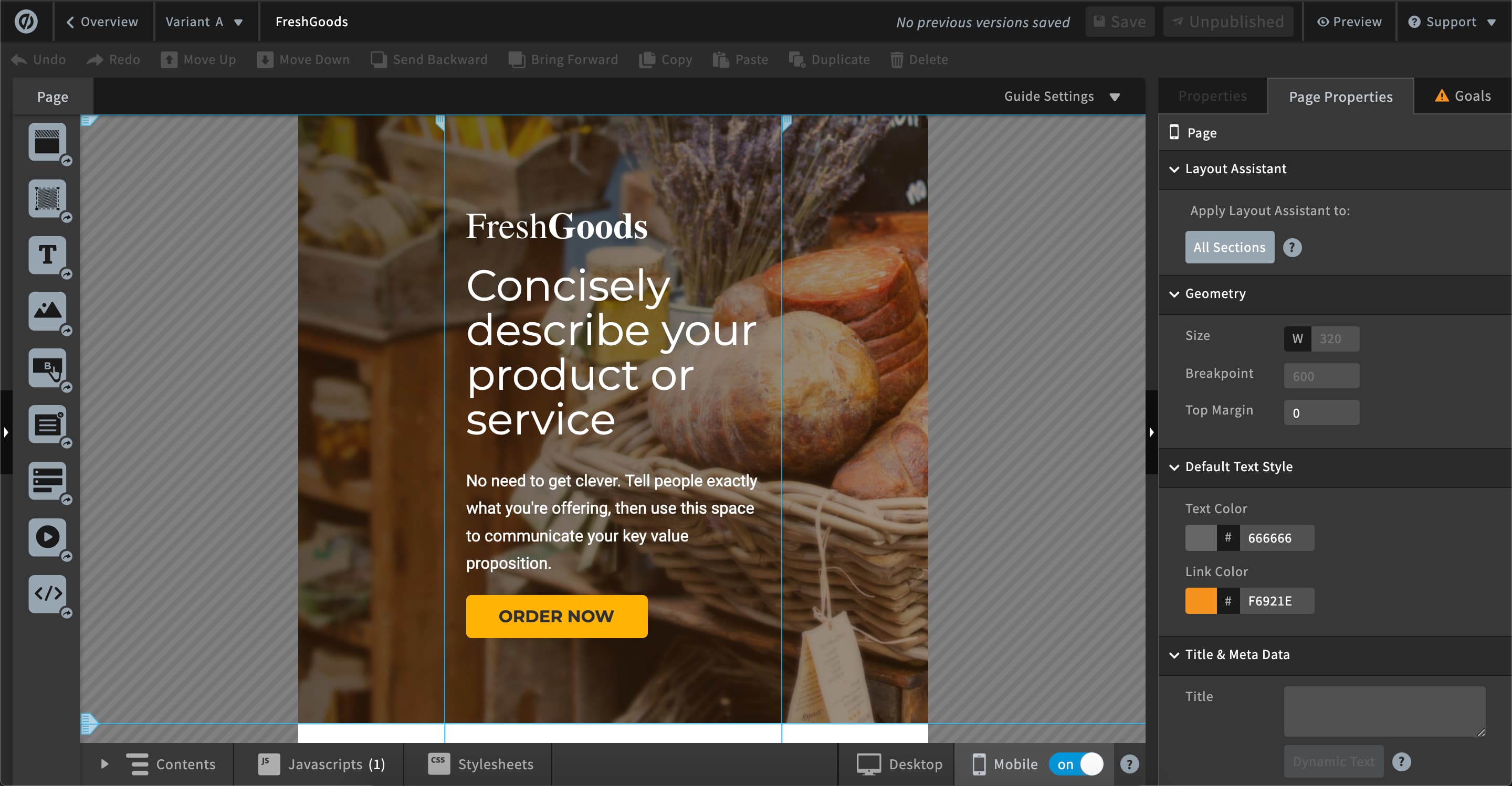
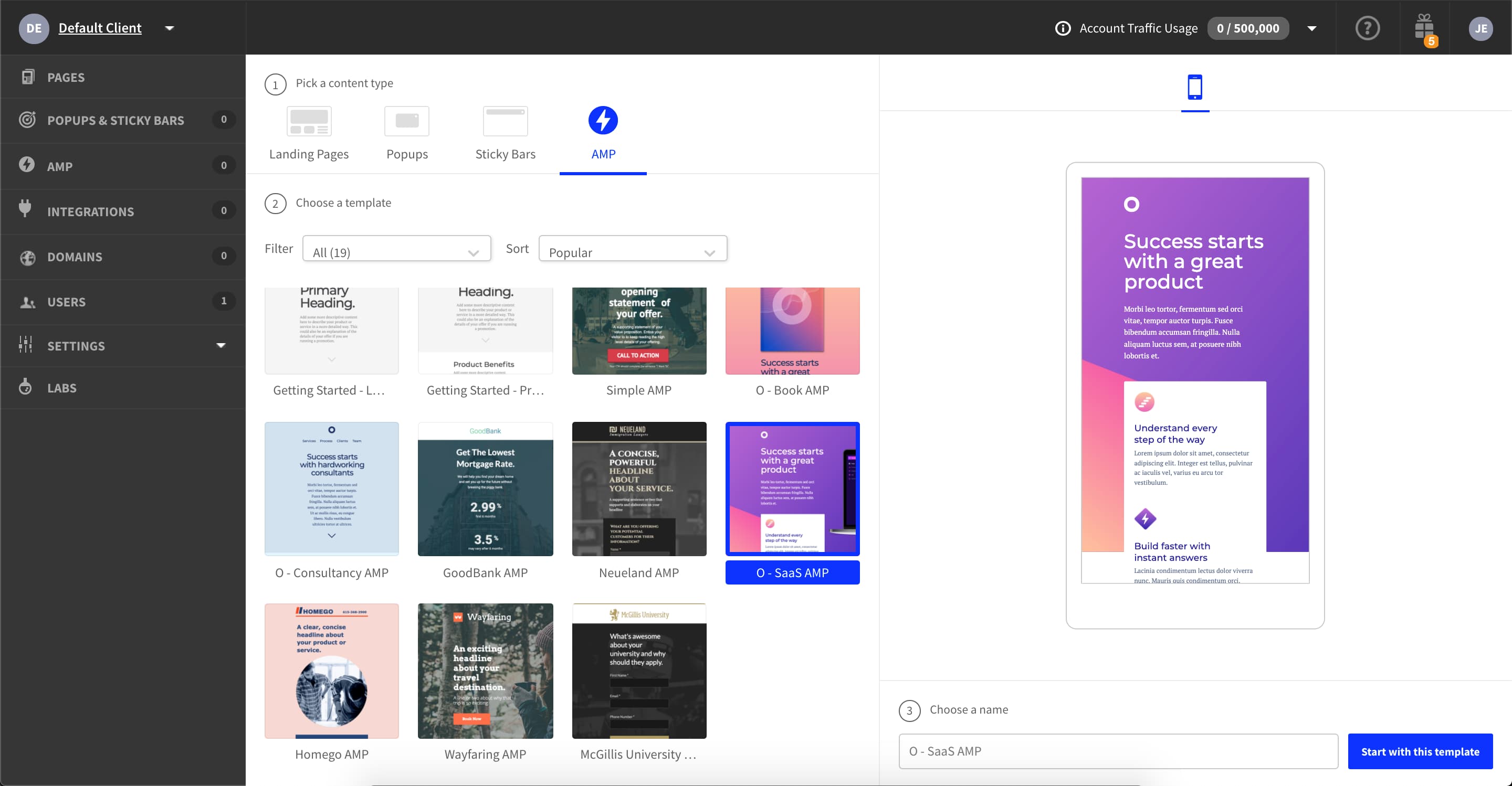
Unbounce is a landing page builder for marketers. Marketers can use the drag and drop platform to create customized, responsive landing pages for their marketing campaigns.
$99
per month
Pricing
Crazy Egg
Google Analytics
Unbounce
Editions & Modules
Crazy Egg
$24.00
per month
Google Analytics 360
150,000
per year
Google Analytics
Free
Build
$99
per month
Experiment
$149
per month
Optimize
$249
per month
Agency
Contact Sales
Offerings
Pricing Offerings
Crazy Egg
Google Analytics
Unbounce
Free Trial
No
No
Yes
Free/Freemium Version
No
Yes
No
Premium Consulting/Integration Services
No
No
Yes
Entry-level Setup Fee
No setup fee
No setup fee
Optional
Additional Details
—
—
All plans include: Unlimited conversions, Unlimited subdomains, 1000+ integrations, Built-in AI copywriting, and Customer support. Discount available for annual pricing.
I'm an advanced user of Google Analytics and have used their 'In Page Analytics' reporting before quite a bit. Google Analytics has one advantage in this regard, in that the click maps within these tools are integrated into all of the other metrics which GA provides. That said, …
Google Analytics has its place and is very useful but Crazy Egg provides that extra visual benefit that makes the analytics easy to understand for everyone involved.
Google Analytics offers features similar to Crazy Egg, but Crazy Egg's heatmap takes it over the edge. The heatmap goes beyond what a click-log offers by offering a big-picture view of user behavior.
Crazy Egg is much better than Google Analytics at user experience analysis and making real, practical improvements to the website, but falls short on audience demographic information. We use both for different types of analysis. I prefer the user experience and ease of use in …
We felt that Crazy Egg is easy to set up and use when compared to other tools. Also, the pricing is affordable so we gave it a try and it works for us.
We selected Crazy Egg because it was cheaper and simpler to implement than other tools we evaluated. Other tools felt too complicated for the first step in heat mapping, but as a growing organization trying to learn more about our users, it felt like the optimal first step for …
I have not used another software all that similar to Crazy Egg. I find Crazy Egg to be a unique tool to incorporate into your analytics, though I have seen similar software out there.
There are a lot of tools with similar feature and closely equal pricing- This factor is the most confusing. As we need something for our website and not every tool has everything and it took time for us to understand this. We choose Crazy Egg for its ease of using and anyone …
Crazy Egg a bit low on features and has a not so friendly interface. But depending on the complexity of your team/projects/experience in digital marketing, it is a great place to start. It's budget friendly. If you have an advanced analytics or A/B testing solution it's a nice …
The company actually still uses Optimizely and Google Analytics as well. Optimizely works well with Crazy Egg because we can do beta testing not only to see if the conversion rate goes up (Optimizely), but also see how the user is interacting with the change (Crazy Egg). Google …
Crazy Egg is a heat-mapping program that shows where users are clicking on a page, even if there isn't a link. It's a great companion piece to Google Analytics, but I wouldn't use it as a one-for-one replacement. Together, they can provide a great deal of help. VWO allows for …
Handles the basics better with minimal training and investment, but falls short at optimization work. Google Analytics has remained the backbone of our web analytics work for a very long time, so it is a nice "default" option to always have present in our programs even if we …
Google Analytics, hands-down, provides a greater scope and higher-level of data availability ACROSS multiple platforms. Not only does Google Analytics natively allow for a vast array of data collection, analysis, reporting, and visualization opportunities, but it also affords …
Instapage is like Unbounce, but Unbounce has more customization options and better ratings. Hubspot on the other hand is a complete package, just that I think their Drag and drop builder is not easy to grasp and it is more complicated than Unbounce.
ClickFunnels might be a slightly easier page builder to build within, but they have outages that are unpredictable and drove me crazy to try to work through when campaigns were running.
WordPress has a lot of great themes and page builders available, but they each require their …
I don't recall the other products that were looked at since unbounce was one of the first few to stand out and have everything we needed. It made the option to purchase them really easy.
Unbounce is the only landing page platform we've used at our company. For the price, Unbounce is a great platform that includes most everything we need to have to run the best campaigns for our clients. We work to have high quality scores to keep our client's costs down and …
Unbounce is purpose built for landing page testing. Squarespace and other webpage builders are not set up to handle this efficiently. A/B testing tools like Optimizely are too isolated from the broader business use case. Other products like Google Analytics require too much …
Unbounce is slightly different from Optimizely, Visual Website Optimizer and Google Content Experiments because it is essentially a tool for building landing pages rather than testing any aspect of your website. Unbounce solved a problem for us because we wanted to build …
+ I strongly believe that this tool helps when a firm has good user count (depends on business model) as most of these tools are data friends. More data - more valuable insights+ Best fit if someone who is looking for deeper insights of individual page - Not suggested for very fewer visits of a website. Suggested toimprove better visit count
Google Analytics is particularly well suited for tracking and analyzing customer behavior on a grocery e-commerce platform. It provides a wealth of information about customer behavior, including what products are most popular, what pages are visited the most, and where customers are coming from. This information can help the platform optimize its website for better customer engagement and conversion rates. However, Google Analytics may not be the best tool for more advanced, granular analysis of customer behavior, such as tracking individual customer journeys or understanding customer motivations. In these cases, it may be more appropriate to use additional tools or solutions that provide deeper insights into customer behavior.
As I am using this platform for a long time, I believe I am happy with the services I am getting from this outstanding software. It has made my landing page experience better than ever without any coding knowledge to apply. It has upgraded my business in a positive direction and I believe I am using this software for many years to come.
Provides heatmaps that shows you the elements on your site that are and aren't performing well.
Provides scrollmaps so you can see how far down a page users are scrolling and which content never gets seen.
Screenshots show you how your website looks across a variety of different devices.
Provides a type of clickmap called confetti that enables you visualise clicks by segments - device, new/returning visitors, campaigns and other metrics.
AB testing is simple to set up. Clone a page make your changes and pit one or more against each other. Set the number of views and you're told the winner once the test is done. Simple
Tracking code is easy to add. Follow the straightforward instructions in the back end
Easy to add multiple domains to your account. So you can use the landing pages you build on numerous sites if you so desire
The largest thing we've struggled with is the Optimizely integration. I've contacted customer service a few times to get it properly setup. Customer Service is always friendly and helpful; they provide clear steps to get it setup. Unfortunately despite clear instructions, they are tedious, and if not completed in the correct order, the integration with Optimizely does not work. My success rate with the integration is less than 55%.
One of the cons of Unbouncewas the learning curve. We are very familiar now with the ends and outs but in the beginning, it would have been super helpful to have some sore of learning up front.
The pricing structure is not great for our particular organization. We will never need unlimited page views but we do often need more landing pages we make it work but the pricing model could be improved.
The reporting could be a little better. We supplement with some of our own trackings but for the most part, the reporting from Unbounce is a basic level understanding of how the page is performing.
It's a great tool considering how inexpensive it is. If used correctly and you have a plan for tracking your websites, this tool can make a world of a difference. If you are not going to sit down and take the time to make a plan for how to use this tool, I would say it is not worth your time. Yes, you can look at items on your website that need to be changed, but without a consistent plan, other important items that need changing can be lost in the mix. Make sure you have enough time and energy to invest in this and it will be well worth it
We will continue to use Google Analytics for several reasons. It is free, which is a huge selling point. It houses all of our ecommerce stores' data, and though it can't account for refunds or fraud orders, gives us and our clients directional, real time information on individual and group store performance.
The nonprofit discount makes it so affordable that my client was happy to continue their subscription all year round. They have used it to build landing pages to capture expressions of interest for their next recruitment window. It hasn't quite produced the sort of results we were hoping for, but I'm not sure that's Unbounce's fault.
Crazy Egg is extremely easy to set up and use, and very well done from a user experience standpoint. It is really helpful that I can give stakeholders access to the interface and get them interacting with it with minimal training. The A/B testing is the easiest I have ever used, with minimal performance impact to the website.
Google Analytics provides a wealth of data, down to minute levels. That is it's greatest detriment: find the right information when you need it can be a cumbersome task. You are able to create shortcuts, however, so it can mitigate some of this problem. Google is continually refining Analytics, so I do not doubt there will be improvements
Unbounce made it easy for my team to build landing pages for website and email. We gained valuable A/B testing insights and gathered information from visitors effectively converting them to leads. The Editor is straight forward and I was able to learn to use it on my own without instruction. CRM integration was easy and consistently worked.
It's slow to post data, and slow to get a snapshot to finally be active (i.e. not pending). Not intolerable, but would be nice to see data within a couple hours. Often have to wait to the next day.
We all know Google is at top when it comes to availability. We have never faced any such instances where I can suggest otherwise. All you need is a Google account, a device and internet connection to use this super powerful tool for reporting and visualising your site data, traffic, events, etc. that too in real time.
This has been a catalyst for improving our site's traffic handling capabilities. We were able to identify exit% from our sites through it and we used recommendations to handle and implement the same in our sites. We have been increasing the usage of Google Analytics in our sites and never had any performance related issues if we used Analytics
I think support is an area where Crazy Egg is lacking. I would love to have a quarterly check-in with a Crazy Egg rep to understand what kinds of changes have been made to the platform and what is on the horizon. I also think a quick consulting sessions with a rep could be extremely beneficial, as I'm sure there are ways to use the tool that we haven't even thought about yet that would be extremely insightful for our team.
The Google reps respond very quickly. However, sometimes they can overly call you to set up an apportionment. I'm very proficient and sometimes when I talk to reps, they give beginner tutorials and insights that are a waste of time. I wish Google would understand my level of expertise and assign me to a rep (long-term) that doesn't have to walk me through the basics.
Unbounce customer support is very strong. We have been able to connect with them via email and telephone mediums. They are very knowledgeable and can effectively help resolve difficult problems that are slowing us down. Overall Unbounce customer support is very professional. Our wait times have always been small or at least reasonable.
love the product and training they provide for businesses of all sizes. The following list of links will help you get started with Google Analytics from setup to understanding what data is being presented by Google Analytics.
I think my biggest take away from the Google Analytics implementation was that there needs to be a clear understanding of what you want to achieve and how you want to achieve it before you start. Originally the analytics were added to track visitors, but as we became more savvy with the product, we began adding more and more functionality, and defining guidelines as we went along. While not detrimental to our success, this lack of an overarching goal resulted in some minor setbacks in implementation and the collection of some messy data that is unusable.
Choose a subdomain that is appropriate for multiple types of pages. You don't want to have to keep changing it. Think about using Google Tag Manager to manage your Google Analytics code and event tracking. Build one landing page to completion. Then make a copy of it if you need to create variant pages.
I will say that I didn't evaluate or select Crazy Egg, it's been a legacy tool that has been at the company before me. Honestly, we're not even sure of all of the features/functionality that we can use. Me, as a UXR, I think there are some other tools that would help me more in gaining visibility into what our users are doing on our website. I've evaluated other tools that are more aligned with UXR. However, if we properly paired it with experimentation, this might be more of a valuable tool for us.
I have not used Adobe Analytics as much, but I know they offer something called customer journey analytics, which we are evaluating now. I have used Semrush, and I find them much better than Google Analytics. I feel a fairly nontechnical person could learn Semrush in about a month. They also offer features like competitive analysis (on content, keywords, traffic, etc.), which is very useful. If you have to choose one among Semrush and Google Analytics, I would say go for Semrush.
Despite my review for unbounce being not the greatest review or score in the world, when stacked up against its two biggest competitors, I'd prefer Unbounce over Leadpages and Instapage. Leadpages drag and drop editor, integrations, and overall UI/UX is 10x worse than unbounce and unbounce really leads in the category of nice templates and quickness to a production landing page with much better options and integrations.
Its reliability (not scaleability, as the question asks for, sorry) is pretty good but through our testing we know that some clicks do not get recorded. It doesn't bother us a lot because we look at the aggregate of thousands of visits, but we do know it misses things. As for scaleability, it's about right. You really don't want zillions of clicks per snapshot - the screen just turns to 100% dots and you lose the ability to differentiate different screen areas. We find that 25,000 clicks for a page gives us a really good view.
Google Analytics is currently handling the reporting and tracking of near about 80 sites in our project. And I am not talking about the sites from different projects. They may have way more accounts than that. Never ever felt a performance issue from Google's end while generating or customising reports or tracking custom events or creating custom dimensions
Unbounce has positively impacted PPC Director's ability to provide clientele with the service of building informative, relevant, and high-converting landing pages. For instance, the traceable effectiveness of landing pages built by PPC Director in Unbounce remains directly correlated to long-term client retention.