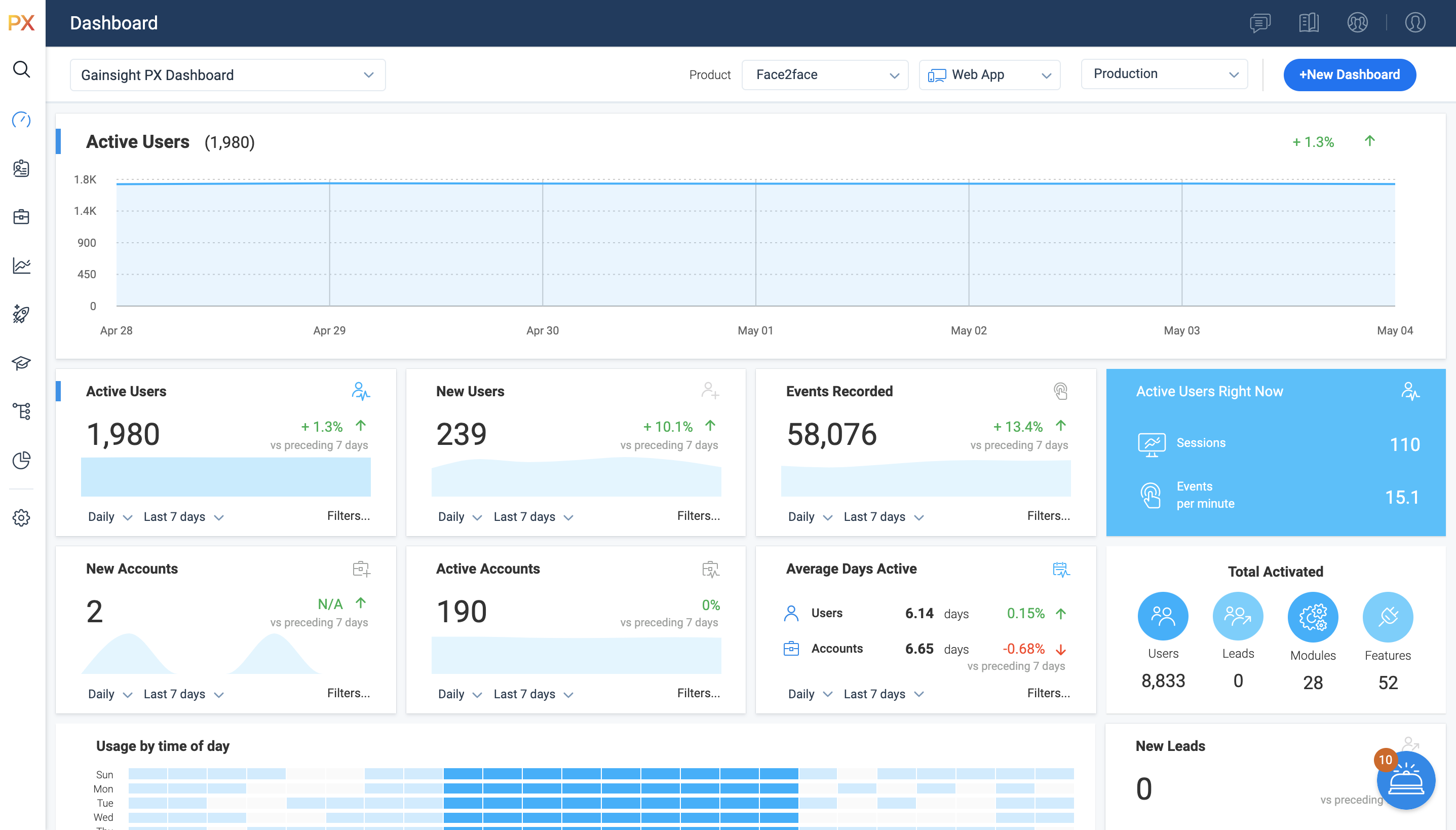
For SaaS products, Gainsight's product experience software enables companies to track every step of their user's journey and fully understand how they're interacting with a product over time.
$0
100 or less MAUs (Monthly Active Users)
Google Analytics
Score 8.2 out of 10
N/A
Google Analytics is perhaps the best-known web analytics product and, as a free product, it has massive adoption. Although it lacks some enterprise-level features compared to its competitors in the space, the launch of the paid Google Analytics Premium edition seems likely to close the gap.
$0
per month
Heap
Score 8.2 out of 10
Mid-Size Companies (51-1,000 employees)
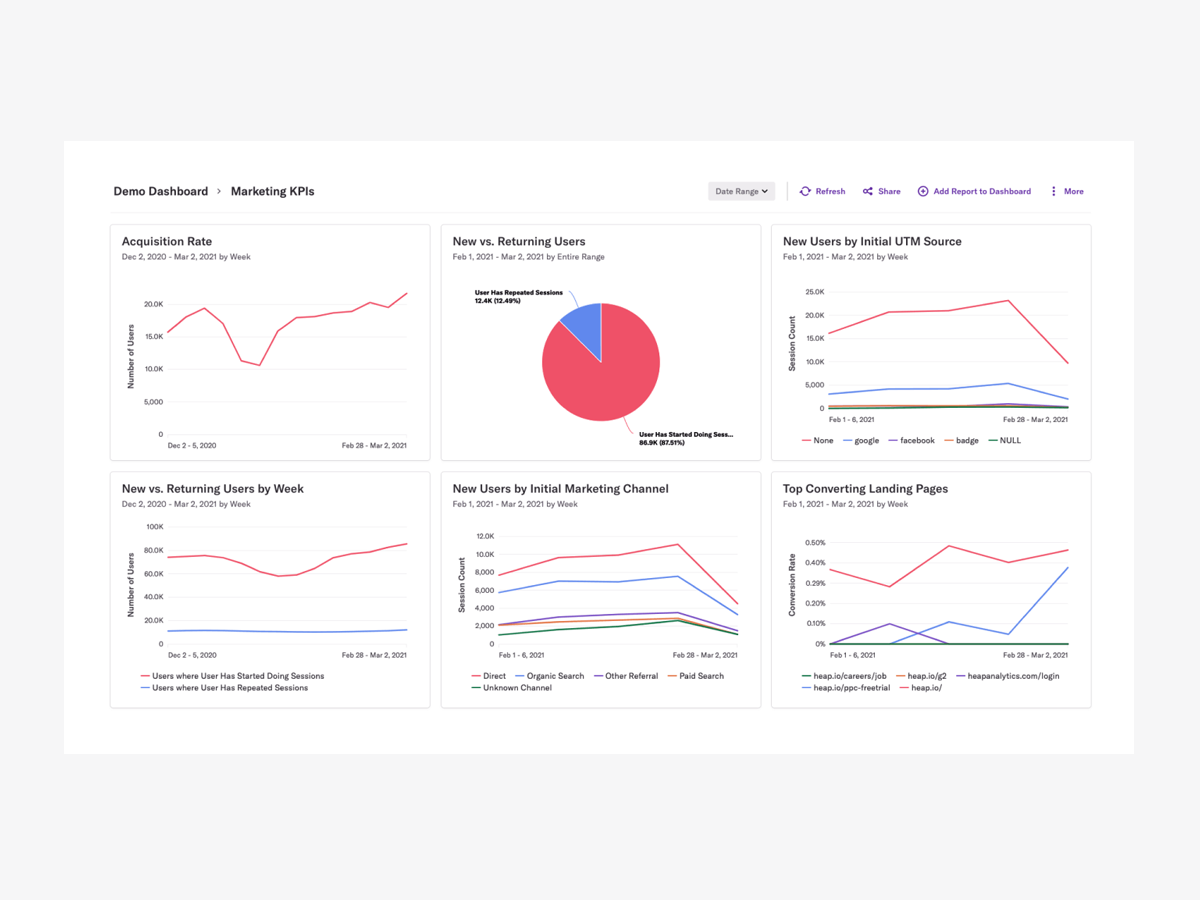
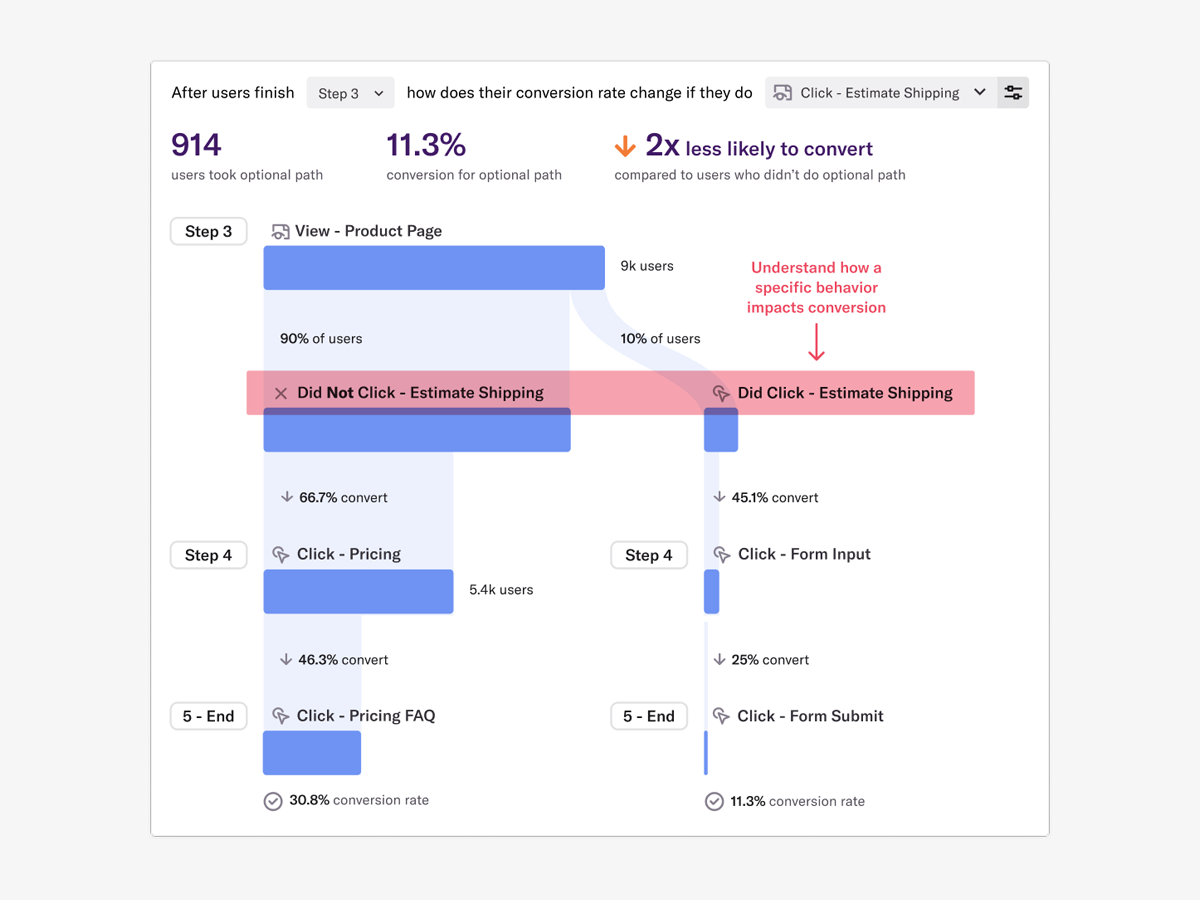
Heap is a web analytics platform captures every user interaction on web iOS with no extra code. The tool allows you to track events and set up funnels to understand user flow and dropoff. It also provides visualization tools to track trends over time.
$0
per month
Pricing
Gainsight PX
Google Analytics
Heap
Editions & Modules
Starter (Free)
$0
100 or less MAUs (Monthly Active Users)
Starter
Starting at $400/M
500+ MAUs (Monthly Active Users)
Growth
Custom
Per MAUs (Monthly Active Users) and more
Google Analytics 360
150,000
per year
Google Analytics
Free
Free
$0
Up to 10k sessions/month
Growth
Starting at $3,600 annually
Up to 300k sessions/year
Pro
Contact Heap Sales
Custom sessions per month and unlimited projects
Premier
Contact Heap Sales
Custom sessions per month
Offerings
Pricing Offerings
Gainsight PX
Google Analytics
Heap
Free Trial
Yes
No
Yes
Free/Freemium Version
Yes
Yes
Yes
Premium Consulting/Integration Services
Yes
No
Yes
Entry-level Setup Fee
No setup fee
No setup fee
Optional
Additional Details
—
—
Heap pricing is based on session volume. A session is a period of activity from a single user on your app or website. It can include many pageviews or events.
More Pricing Information
Community Pulse
Gainsight PX
Google Analytics
Heap
Considered Multiple Products
Gainsight PX
Verified User
Manager
Chose Gainsight PX
The feature on Gainsight PX are easy to understand and implement in the solution, the pricing is also very competitive and functionalities like Customer health score, Customer monitoring, playbooks, surveys etc helps us to provide great insight to the team.
Heap has a great value proposition and very nice user experience. But it lacks the clear funnel analysis that Gainsight PX provides. Plus Heap also does not have integration with a lot of CRMs and Customer data platforms. Also, Additionally if you go in the market to find Heap …
From a startup perspective, Heap is one of the best and fastest ways to go from 0 analytics to nearly all of what one would need with the least amount of effort. It's faster and easier to implement than many above and it's better suited for quick quantifiable analytics that …
Heap is way, way more intuitive, and easy to use than Google Analytics 4. It took so much effort to set up the simplest reports in the GA4 interface, which is also a huge mess at the moment. Heap obviously lacks the tighter integration with Google products, meaning you have to …
We evaluated Heap against Mixpanel but realized that Mixpanel was a non-starter for us. (Kudos to their sales rep, who quickly identified this and told us.) We inherited a Google Analytics implementation but have since had to stop using it due to GDPR restrictions.
I prefer Google Analytics to Heap, but that's probably because I used it first and for longer, so I've gotten very used to it. Heap is about as similar to Google Analytics as cheese is to filing your tax return, so switching from one to the other was difficult, and, as I said …
During the procurement process, we looked at Google Analytics and Amplitude. Google Analytics is free, and it is a platform we are already using frequently at my company; however, it does not have the dynamic product analytics capabilities that we need. Amplitude is more …
I didn't select heap. Someone else did. I wasn't consulted during the process either, it was there before I arrived and we recently renewed, but I wasn't part of that process. Hotjar was alright, the heapmap is a neat way to quickly show non-experts where we might have an …
Heap is much easier to use versus Google Analytics. Previously, I was using Segment to get channel level data. However, Segment is not a customizable tool to understand top of funnel/web performance in the same way Heap does. Heap Connect is excellent when it comes to creating …
Heap blows away the competition in this space in my opinion. Amplitude was the closest competitor but did not have the ease of instrumentation that Heap offers out of the box. Google Analytics has gotten worse year after year and was borderline worthless for our business, as …
Heap had an edge over Google Analytics in many ways. Few points to consider Heap over GA. 1. Low code implementation and less involvement of engineering team. 2. Great reporting dashboard with additional feature of of showing user journey, that helps understand user behaviour
Google Analytics stacks up for high level traffic and marketing data but not ideal for enterprises looking user level product interactions in detail. On the other hand Heap stood out for its automatic data capturing, faster onboarding, easy to use dashboards, Highly integrable …
For me, Heap is much simpler to utilize. I've previously used Google and Adobe Analytics but switched to Heap because it provide better features and is easy to integrate. Without a specialist's assistance, I am able to construct dashboards and am convinced that they are useable …
The ability to view events in real time as they occur, restrict them to just show mine, and then create dashboards using those events is the finest feature for me. It eliminates the requirement for constant 100% accuracy in documentation maintenance and guessing. I can monitor …
Heap was the clear winner in our comparison as it had a clear interface which allows for easy graph and table making. The best part of Heap is that it saves each and every action performed on all of our webpages. Even if a certain event is not defined, it can still be created …
We didn't choose Heap over the others listed above. But we use Heap in conjunction with several other platforms in order to better understand our user base. Heap has been a great addition to our repertoire of usable tools and we love how it has integrated with other …
Compared to GA, Heap provides a much better UI, and its a much better product analytics tool (considering GA's main functionality is not for Product analytics) Overall, of you, are searching for Product analytics I would choose Heap instead of GA.
Heap is much easier for me to use. With Adobe Analytics, I needed to work exclusively with a product analyst whose whole job is working in Adobe Analytics. I can create dashboards without help from a specialist and feel confident that they are functional, actionable, and usable …
Mix panel did not have automated event tracking so a developer would need to manually add every single event which was not functional. Outside of that, many core features were the same although mix panel did allow for custom reporting and querying. Mix panel felt much more …
One of the key features of Heap compared to other tools is auto-capture. Heap is now introducing session recordings, thereby covering features from other competitors as well.
It’s a robust tool that allows you to easily map and track key features and actions within your products. It also allows for in app communications to help guide the user through the path you want them to follow. The ability to connect with Gainsight CS also allows you to leverage that data to drive actions for the account team, incorporate it in health scoring, and use it to trigger digital programs. You do need a well thought out strategy for management of the platform, the data and how you will use it.
Google Analytics is particularly well suited for tracking and analyzing customer behavior on a grocery e-commerce platform. It provides a wealth of information about customer behavior, including what products are most popular, what pages are visited the most, and where customers are coming from. This information can help the platform optimize its website for better customer engagement and conversion rates. However, Google Analytics may not be the best tool for more advanced, granular analysis of customer behavior, such as tracking individual customer journeys or understanding customer motivations. In these cases, it may be more appropriate to use additional tools or solutions that provide deeper insights into customer behavior.
Scenarios when Heap was well suited: It is when a user claims that he encountered a bug without giving us the details of the error message. Scenarios where it is less appropriate: Its when we try to capture user interaction in our mobile app
Gainsight PX provides powerful segmentation capabilities to help marketers target the right customers with the right message. Through its segmentation capabilities, Gainsight PX enables marketers to create custom segments based on user behavior, demographics, and other criteria to ensure that the right message is delivered to the right customer.
Gainsight PX offers robust analytics capabilities to help marketers gain insights into customer behavior and engagement. Through its analytics capabilities, Gainsight PX enables marketers to track user engagement, identify customer trends, and gain insights into customer behavior.
Gainsight PX provides an intuitive user interface to help marketers quickly and easily create and manage campaigns. Through its user interface, Gainsight PX enables marketers to create and manage campaigns with ease, allowing them to quickly launch campaigns and track their progress.
Dashboards. There is no way to provide notes to others which would be very beneficial in consuming data across a team. Lacking functionality - no resizing, no organization options, run into bugs when using it frequently, overall hard to design a layout that is easy to follow.
No way to identify what features/elements are being used but aren't tagged. This would be a huge value add.
Retention Analyzer. Default view doesnt allow for filtering and includes test data. In our case this doesnt allow for a true comparison between two segments.
Segments. You can't use segments in areas you should be able to. I shouldnt have to recreate a segment as a saved filter.
We will continue to use Google Analytics for several reasons. It is free, which is a huge selling point. It houses all of our ecommerce stores' data, and though it can't account for refunds or fraud orders, gives us and our clients directional, real time information on individual and group store performance.
It's a great platform. I'm glad that one of our product managers introduced it because it has allowed us to create all kinds of new functionality. We're not only able to create a better product experience from our communications because of Heap, but we're also able to generate all kinds of helpful analysis.
It is a good product, but like with every product, there is room for improvement or even just things I, as a user, would prefer, such as the ability to click on a company and have it go to Salesforce instead of Insight. It can also be difficult to find certain reports.
Google Analytics provides a wealth of data, down to minute levels. That is it's greatest detriment: find the right information when you need it can be a cumbersome task. You are able to create shortcuts, however, so it can mitigate some of this problem. Google is continually refining Analytics, so I do not doubt there will be improvements
On a scale from 1-10, I find Heap to be incredibly user-friendly and easy to use. I enjoyed the training videos available and was quickly able to pick up how to create events and reports to track user interactions on our product. I would recommend Heap for its usability first and foremost.
We all know Google is at top when it comes to availability. We have never faced any such instances where I can suggest otherwise. All you need is a Google account, a device and internet connection to use this super powerful tool for reporting and visualising your site data, traffic, events, etc. that too in real time.
I've never run into any issues with Heap's availability, Heap is always there when I need it. I haven't run into any issues like application errors or unplanned outages during my 2+ years of using Heap. Each and every time I log in to Heap I have a completely functional experience
This has been a catalyst for improving our site's traffic handling capabilities. We were able to identify exit% from our sites through it and we used recommendations to handle and implement the same in our sites. We have been increasing the usage of Google Analytics in our sites and never had any performance related issues if we used Analytics
Heap doesn't affect page load times considerably nor has a large impact [on] our overall score, as far as page loading times inside of the tool its pretty reliable to retrieve data as much as "instant" that it can be the delay seems to be on data getting tracked into the servers to be read but it's not significant.
I have not had to contact support frequently but when I have I used the chat and my questions were answered immediately. I've also used their knowledge center, help documentation and training videos which are all very thorough. The support we've received from our Customer Success Manager has been helpful as well.
The Google reps respond very quickly. However, sometimes they can overly call you to set up an apportionment. I'm very proficient and sometimes when I talk to reps, they give beginner tutorials and insights that are a waste of time. I wish Google would understand my level of expertise and assign me to a rep (long-term) that doesn't have to walk me through the basics.
Heap support has allowed us to troubleshoot and test a lot of different items. Their support team is always helpful and friendly, even when we come to them with the most complicated questions. I think this greatly improves the value proposition of the product because their support team is knowledgable and friendly.
love the product and training they provide for businesses of all sizes. The following list of links will help you get started with Google Analytics from setup to understanding what data is being presented by Google Analytics.
I think my biggest take away from the Google Analytics implementation was that there needs to be a clear understanding of what you want to achieve and how you want to achieve it before you start. Originally the analytics were added to track visitors, but as we became more savvy with the product, we began adding more and more functionality, and defining guidelines as we went along. While not detrimental to our success, this lack of an overarching goal resulted in some minor setbacks in implementation and the collection of some messy data that is unusable.
The implementation was smooth and easy. The Heap team helped us with implementation and it went great! Within a few weeks, we were fully up and running and utilizing the platform to its full capability. This is an additional thing that has made this platform so great and we couldn't recommend it enough.
Heap has a great value proposition and very nice user experience. But it lacks the clear funnel analysis that Gainsight PX provides. Plus Heap also does not have integration with a lot of CRMs and Customer data platforms. Also, Additionally if you go in the market to find Heap implementors or SI vendors, you won't find any.
I have not used Adobe Analytics as much, but I know they offer something called customer journey analytics, which we are evaluating now. I have used Semrush, and I find them much better than Google Analytics. I feel a fairly nontechnical person could learn Semrush in about a month. They also offer features like competitive analysis (on content, keywords, traffic, etc.), which is very useful. If you have to choose one among Semrush and Google Analytics, I would say go for Semrush.
Heap offers a ton of functionality on a single platform.It also has an smart data science layer to offers suggestions for next steps in the analysis, allowing us to explore alternative paths we may not think to take. The low-code option for updating data is appealing, and there is a lot of automation with minimal engineering effort.
Google Analytics is currently handling the reporting and tracking of near about 80 sites in our project. And I am not talking about the sites from different projects. They may have way more accounts than that. Never ever felt a performance issue from Google's end while generating or customising reports or tracking custom events or creating custom dimensions
The most challenging part of using Heap in a growing organization is the naming and structure in which reports and dashboards are organized. I work within the marketing department and our Heap leader internally works within the IT/Product department, which makes it challenging because we often don't speak the same language, so the learning curve has been steep without any specific use-case examples to leverage online.
Allow us to integrate actual product usage with Salesforce.
Too much developer time went into it, especially when the premise was that this was mostly going to be handled by the Product team. This was mostly because the Gainsight PX event editor doesn't support more complex querying on events.