HubSpot’s CRM enables growth-minded businesses to optimize their relationships with leads and customers. Through harnessing the power of carefully crafted sales, marketing, customer service, content management, and operations tools, the software aims to make it easy to unify team strategy and drive conversion. Additionally, the software allows users to connect with over 875 integration apps, APIs, and solutions partners to create a customizable user experience that suits the way teams work.…
$0
Per Month [Unlimited Users]
Salesloft
Score 7.7 out of 10
N/A
Salesloft’s Revenue Orchestration Platform uses AI to help market-facing teams prioritize and take action on what matters most, from first touch to upsell and renewal.
N/A
Yesware
Score 8.3 out of 10
N/A
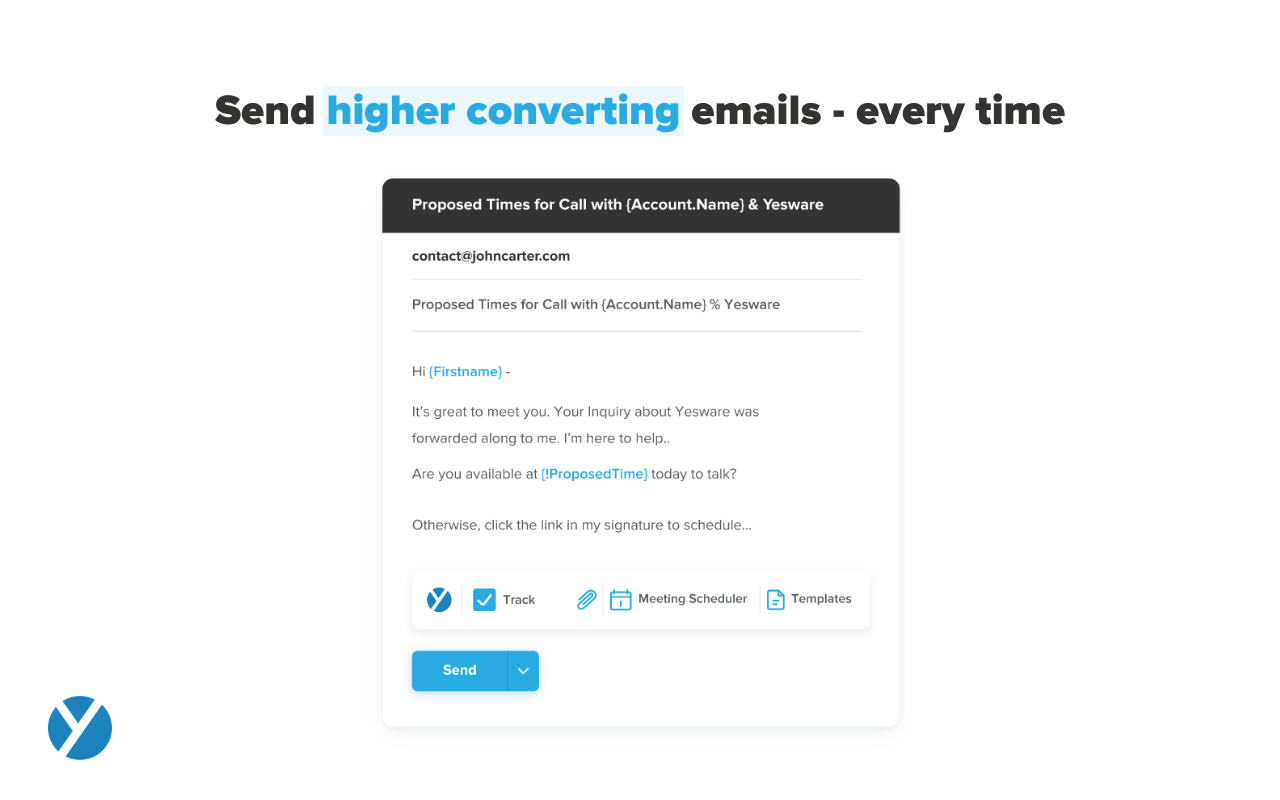
Yesware, from Vendasta since the October 2022 acquisition, is a service for salespeople that helps them close deals faster. An email service tracks email, templates responses and syncs to CRM.
Salesloft is primarily a sales engagement tool that is focused on helping sales teams improve their outreach and lead management. While it does offer some basic marketing capabilities, it is not as robust as HubSpot CRM. In the end, I chose HubSpot CRM because it offered a …
Like I mentioned previously, I love the built-in sequencing software that is in HubSpot. You don't need to spend extra money to pay for services like Outreach and Salesloft, and it's much cheaper than Salesforce!
As I mentioned before, I have used similar prospecting tools like Salesforce's Salesloft and Outreach and they are very similar tools in that they provide the ability to create and execute sequences to prospect to prospective accounts. I feel Hubspot has a better interface and …
We use HubSpot CRM for certain products/services that we sell. The reason we use it is that it's extremely easy to use and we already use it for all of our marketing needs. It made the most sense. The one thing Salesloft has that Hubspot CRM doesn't have is international calling.
Hubspot CRM just simply works out of the box, as compared to SFDC which requires a significant amount of resources when it comes to implementation. ClickUp is similar in nature where it works out of the box as a CRM, but lacks other features that my reps use such as the …
As I mentioned, HubSpot CRM is much easier to use than groove (anything is) but groove was a web based app and so there was no functional "back" button, among myriad other issues. Salesloft is great until it isn't. The gmail extension almost never worked, and the platform was …
Hubspot is the easiest to use by far. Salesloft is alright but it is too complex and the information is too jumbled up. Zoominfo is the most complicated, too many filters that you have to add to find what you are looking for.
I found that HubSpot CRM is the go to CRM solution on the market for sales.
I have tried other CRMs which I often found were lacking features meaning you couldn't do half the things you wanted to, or they were on the other end of the spectrum where they were too specialised in …
Honestly, I think Salesforce would be a better option, it's a little harder to learn how to use but when you do I feel like the data and metrics sync better and give you better reports, also there is a lot of integrations that bring better results. However, the reason why we …
Verified User
Account Manager
Chose HubSpot CRM
HubSpot is user friendly, great overview and doesn't crash. Much better overall.
It is not as good as slaesloft but I do not have to have multiple account I can do everything in Hubspot so I prefer Hunbspot over salesforce and al the things I have to add on.
We used Yesware prior to using SalesLoft and in comparison, I wouldn't go back to Yesware. SalesLoft is easier to use and gives us a lot more options. Though SalesLoft has issues with call quality at times, Yesware was much, much worse. We looked into quite a few sales …
SalesLoft is by far the best I have used. I've used Yesware before for email templates. I've also used Salesforce for CRM Management and very basic emailing (copy and paste). Yesware was good because it allowed us to store email templates, but the biggest negative was that we …
My organization selected SalesLoft. I used Outreach at a previous employer, and I found it very difficult to navigate. There were many automations to choose from and various call dispositions when using the built-in dialer, but it wasn't very user friendly. I was in charge of …
We used to be a XANT/Yesware shop and were disappointed with the experience because multiple sets of fields were required for streamlined activity reporting and the babysitting needed for administration of 2 applications. We compared Outreach to SalesLoft when moving to Sales …
we used Yesware mainly to create template emails and to see the opening of our emails. SalesLoft is winning by far as the product is much more complete, allows more automation, calendar functionality and so on. Our company selected SalesLoft because it was recommended to us and …
Salesloft is noticeably easier and more user-friendly than Salesforce, offering a smoother experience for outreach and prospect engagement. However, Salesforce provides more comprehensive reporting capabilities and serves as the primary repository for our historical data. …
SalesLoft showed us a higher level of functionality than HubSpot, not only in the integration to SFDC, but also overall record management. After some time(roughly two years) and improvements made by HubSpot, they seemed to have caught up to SalesLoft but switching and …
We switched from InsideSales Playbooks to SalesLoft. Salesloft is much easier to use and more intuitive. We had previously used Inside SalesPlaybooks before they changed their name just so we had the powerdialer plug in in Salesforce then tried implementing PlayBooks and it was …
Salesloft from my experience is better than Pipedrive in functionality, but is probably slightly behind Hubspot. Management decided to move from Hubspot to Salesforce for a more sales-focused platform and possibly the price.
CRM's typically have enablement tools built in, but they are designed to solve macro business problems and this is one of the areas in which they fail. SalesLoft focuses purely on engagement and results from that engagement, which it does fantastically. I would recommend it …
We actually used Outreach for a year before moving to Sales Loft. When we first looked at the two systems, Outreach looked like the better system. When it came to functionality, it did not have the same effect. The looks were deceiving. Once we were finished with our Outreach …
As discussed in previous questions, another tool with "similar" qualities would be HubSpot. I was introduced to HubSpot a couple years ago and used it proficiently for all my day to day tasks, calls, planning, emails, cadences, etc. When I came to Kofax SalesLoft was just being …
We did not evaluate any other solutions, however, there are tons of other sales engagement platforms like Outreach (very similar) or less advanced solutions that are more focused on early stage startups with lower sales stack budgets. We went with SalesLoft based on positive …
Yesware is much more efficient than its competitors and gives much more real-time results compared to SalesLoft for example that in my experience has lagged. Yesware is much more dynamically priced as well which makes it easy to fit any business's needs. We selected Yesware for …
I evaluated both Yesware and SalesLoft. I found that SalesLoft offered a ton of additional features that weren't necessary for our needs and had a price point to reflect the additional functionality. Yesware fits our needs with its product offering and price.
Yesware is extremely limited in functionality compared to something like SalesLoft, which is a much more comprehensive tool. We originally moved to Yesware from SalesForce Inbox and Engage as that did not offer the flexibility to deploy templates and was much more cumbersome …
Our team evaluated Salesloft, Saleshandy, RightInbox, and Boomerang. We felt that the Yesware integration with GMail was simple and unobtrusive. While none of these tools integrate directly with our CRM, Yesware's ability to upload contacts via .csv files helped ease that pain …
Yesware is far superior to the free or included-in CRM email trackers I have tried over the year; it is just more accurate and tracks the opens more reliably, and can filter out your opens and opens from people in your own organization so you don't get any false positive results.
WE were looking for a sophisticated tool to solve our outbound efforts and one name keep popping up. Outreach. We tried to set up meetings with them but they discovered us over an email and told us that someone from my org tried to look for their solution however it is not best …
Yesware is much more reliable compared to others. The tracking feature is the most outstanding feature of this software which is not provided to the same extent by other software. Users can track each and every email, whether email has been opened or not, which device has been …
Yesware's main benefit versus the 3 other apps that we use/have used are the ease of use and stability - it performs well while not overloading users with a ton of options.
I prefered Yesware over ClearSlide. Much cleaner functionality, however yesware does not have the screensharing capabilities that ClearSlide has. I find that Outreach although it has glitches, is much cleaner when looking to track stats regarding drip campaigns.
Yesware was preselected. I did a side-by-side comparison of Yesware and Sidekick. They both offer very similar product features in regards to customizable templates, email tracking and Salesforce tracking but Yesware has a better price point per user and has an iPhone app.
I am giving it a 9 rating out of 10 because it has saved my job and helped my team to cracks very big deals. Last year, we were supposed to give a presentation to a client as we were about to sign him for a project. The client asked for our numbers in a real meeting, but we hadn't prepared them for our presentation. I logged in to HubSpot CRM and created a small report that included the relevant numbers. This turned out to be a very good decision for our company, as we subsequently signed that client.
I find it to be the best resource for scheduling calls with clients. Specifically when the call includes multiple people using Salesloft, it's so simple and easy to use to send open times to client and then to be able to send active links to the client where with one click the calendar invite shows up on my calendar? it's the best most efficient tool I have in my toolbelt at the moment. When it comes to logging, it's also simple but I wish I could add a contact to SL from the Microsoft integration.
It works for my company and my problems. If you need a Sales CRM you can go for higher-end products that will give you what Yesware gives along with other stuff. Wherein we had specific problems we wanted to solve. -We needed a solution for a smaller team within our bigger sales team. -We needed a solution to be easy to use point and click and did not require any setup. -We needed to have a better solution to YAMM.
Timeline view and conversation log is extremely helpful and an underrated feature; this is in addition to the entire user profile view.
Task management is simple but effective.
Deal and company tracking with stakeholder management inside companies / deals is very handy; we know what is happening even though we might not be directly working on it.
Gmail integration is quite smooth along with email tracking.
Tracking open rates, link click rates, and reply rates. This allows us to compare different templates in order to see which allows for the most interactions and meetings set directly from email engagement.
Seeing exactly when someone opens an email and whether it is in their normal location. Also if they are opening on a mobile device versus a computer to be able to organize the set up of the email in a more beneficial way.
Being able to save Templates for Mail Merges to avoid the duplication of effort that other mass email systems utilize.
More of an integration issue I think than a problem with HubSpot CRM, but we have AirCall integrated for direct phone lines and synching with individual users for outbound calls. Opening Aircall to make an outbound call automatically generates a new client - unattached to a company record as an orphan.
Historical records with activities is awesome but when creating a deal it isn't always a choice to capture last 30 days of history. When it is an option and you click to add that to a deal you can see all the activity items and people who have done anything with the "file".
I would like to see more native options for automation.
Would be nice to have custom reporting available. Coming from Salesforce, the included canned reports are useful but I like to roll my sleeves up and build exactly what I want.
Conversations will record meetings booked via MSTeams but requires the BDR/SDR to hit record. Other solutions (e.g. Chorus.ai) join as a participant and don't require a user hitting the "record" button. We have to change our flow to make this work and it is a bit clunky.
The ability to unwrap iframe embeds on email (e.g. if I send a Vimeo link over email, have that video thumbnail show and link out to a video)
Removing recipients from a campaign. If my ruleset is to remove a contact from a sequence after he/she replies, sometimes a person will reply from another email and Yesware doesn't recognize it. (e.g. if I add jeff@amazon.com to my campaign and jeff.bezos@amazon.com replies to my thread, Yesware will still send an email to jeff@amazon.com unless he is manually removed)
Thus far, our company has found HubSpot CRM to be a reliable service that serves its purpose well: a centralized business contacts database, accessible remotely, with a simple and visually-pleasing interface. Issues are non-existent or resolved quickly, and when the service is experiencing interruptions, notifications and/or updates are sent regularly.
SalesLoft is absolutely VITAL to our daily operations. We could not function without it or a program like it. Speaking as a Sales Person who has had to operate without a product like this, the difference is night and day. The ability to stay organized, automate tasks, easily log activities and notes, review calls, and coach team members is an absolute gamechanger.
I like the product, but due to the limitations I don't love it. I'm curious to revisit other options, particularly in lieu of Yesware's recent price increases (although I'm on a legacy plan). Some of my challenges to be browser related (I'm on an older computer) -- I'll have to see how things go when I receive my new computer. If the glitches (especially with regard to tracking accuracy and send later feature) go away, I'd be much more inclined to renew
I am giving it this rating because it has helped us keep track of leads, it saved us a lot of time by automating tasks, and it makes it easy for different teams to work together. It is user-friendly and has improved our approach to communicating with customers and closing deals.
Drift was extremely easy for both our demand gen team and SDR to jump right into. It was feature rich and purpose-built for marketers—it was remarkably easy to connect our marketing automation, CRM, and more to the platform and get everything to work together. Now the ability to create digital experiences and conversation landing pages is democratized—empowering our team to do better work and provide better prospect/customer experience.
Yesware is easy to setup and get connected in existing systems. We were able to get started sending the day we puchased our subscription because of the addon for Gmail and easy connection to our CRM. It's also very easy to use in the day to day, kicking off campaigns and seeing their status to as about as easy as it gets. I have not concerns about usability
The availability is pretty good, we do sometimes have errors or delays in syncing activities but nothing that has been too detrimental to our workflow. Most recently we had an issue with Lofting through Outlook due to a change in security token that took a few weeks to resolve but it is fixed now.
Yes timely and easy to use. The only delays we have are when we run our big month sales blitz and activities take some time to sync to the reporting as well as SalesForce
Because when I needed help HubSpot responded immediately and provided me with the information I needed which enabled me to realize that HubSpot was even more customizable and easier to use than I thought! And I already thought HubSpot was very user friendly and easy to use, and then Support showed me how to manipulate the settings, columns and the appearance of the tool.
The support team was very responsive but at the end of the day they took a long time to fix our issue. The issue did get fixed, though, so that is what matters. Very nice people who are there to help in any way they can.
Because it deserves this rating. The features and functionality provided are great. Our Sales team is very satisfied with this software as it integrates very well with our other software like Outlook, Salesforce, etc. Yesware provides great follow up with customers, which is essential for sales. Meeting scheduling is also flawless.
We had some virtual training with our CSM which was very well constructed. It took some time to get into the full swing of things but with a few weeks of hands on experience I was feeling confidant. The SL team was always available to answer questions or jump an a call to walk us through stuff. I also used the Customer Help Center for a few self guided learnings on how to use specific features related to reporting and team management.
If you've had any prior experience with cloud based marketing automation or group communication tools, you can do the implementation without paid outside support. Though getting to a SLA (service level agreement) would be best achieved with the help of a third party who can facilitate
We've been using Hubspot for years and don't foresee making any changes away from it. It has been fully integrated into how our business operates. We ultimately selected HubSpot CRM because it had all the features and functions that our marketing, sales, and operations teams wanted. And it offered those features and functions at the right price point for our organization.
Salesloft blows outreach out of the water in all aspects. One of the biggest issues I had was their unwillingness to listen to customer feedback. I had requested several small changes to be made when I had previously used the platform that unfortunately fell onto deff ears. I am much happier using Salesloft and the positive results I've experienced are a direct result of that.
All of these tools do what Yesware does, and more; but Yesware does the follow-up email portion best, in my experience. It is reasonably priced and is regularly adding new functionality to make it a sticky license for us to have. Yesware does not have predictive analytics or a particularly strong dialer solution, but it does provide team-wide and template efficacy tracking, and a basic dialer.
I have been with a company that was using Salesloft, but moved to a competitor. I can't say it was exactly the competitors fault, as a lot of other internal changes were happening, (hence leaving the system that was working well), but we had the worst sales year in company history that year. Reps who consistently performed at or above quota were suddenly struggling to keep their pipelines in order, and the middle of the pack reps were going on PiPs and being let go.
Is it the dialer, or the leadership? You decide.
But the leadership also changed the dialer - so maybe it's both?
I think net positive ROI from generating meetings that lead to closed deals. Ultimately very difficult to quantify the ROI since it is essentially automating a lot of the manual prospecting done by BDRs/AEs - so ROI is likely higher than just that quantifiable number around deals closed.