Microsoft Dynamics SL is one of the ERP products in the Dynamics family.
This product was acquired from Solomon 2000.
The product is typically used by SMBs, particularly in project-based businesses (e.g. construction). It has strong accounting and project management capabilities.
N/A
Paychex
Score 6.9 out of 10
N/A
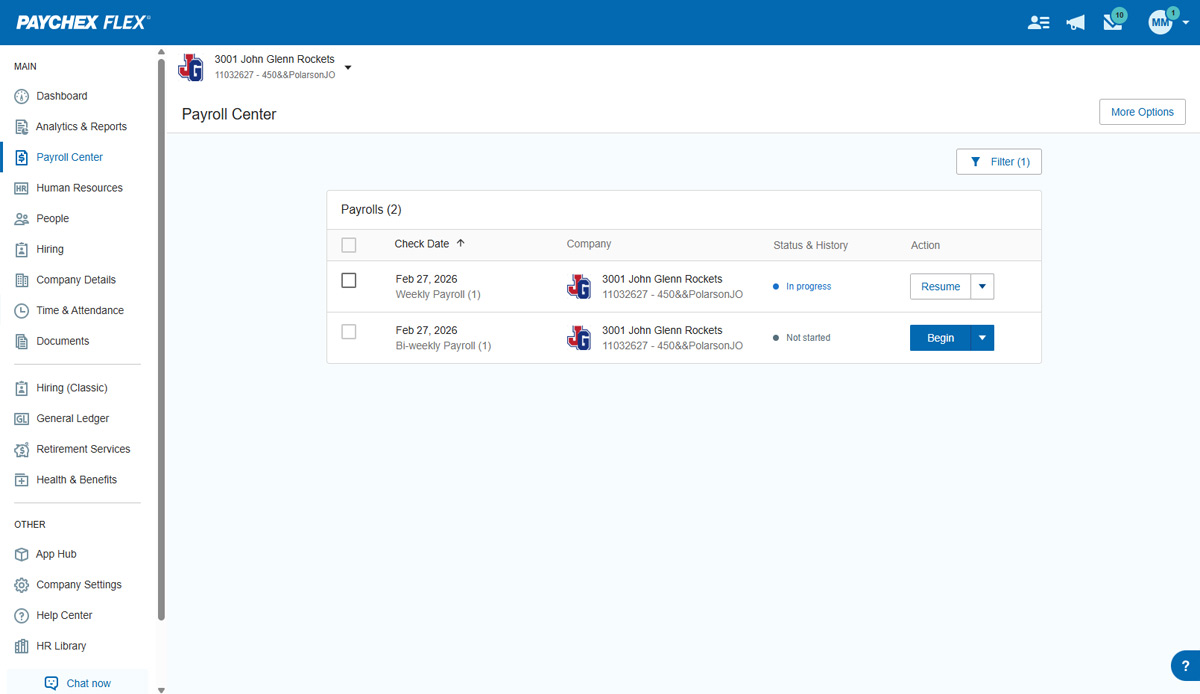
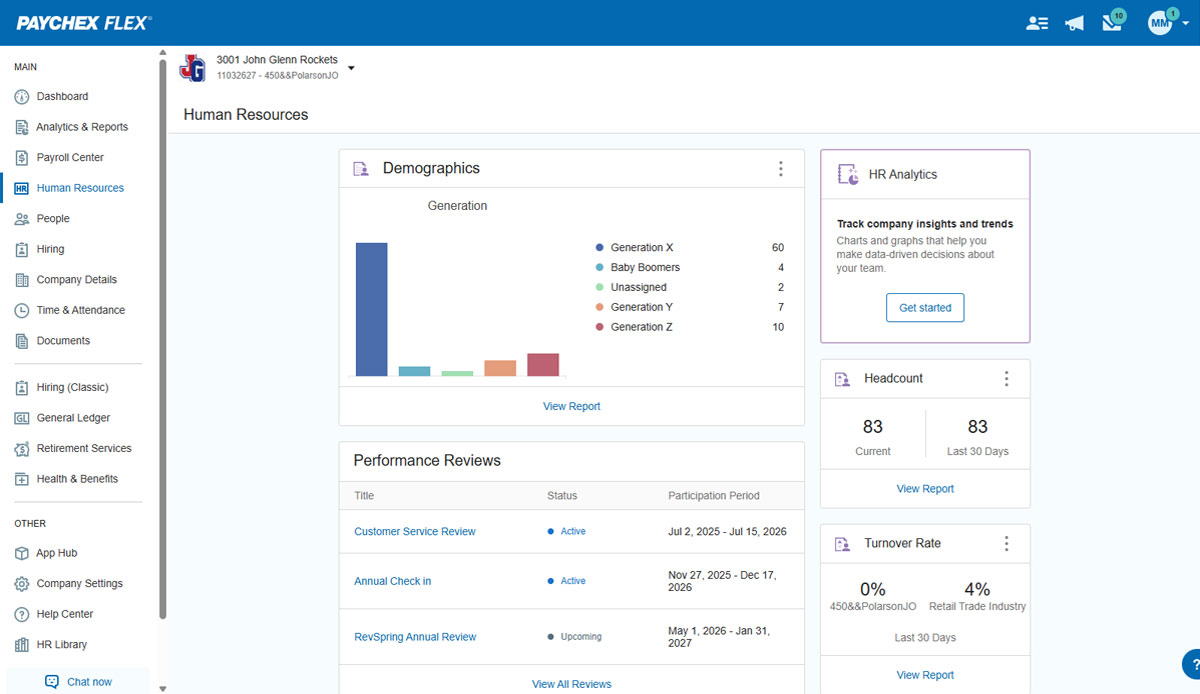
Paychex Flex, of Paychex' Online Payroll Services, is a cloud-based human resource management and payroll platform. Paychex offers core and specialized services, and scales to meet the needs of small businesses, SMBs, and large enterprises.
N/A
Paycom
Score 8.5 out of 10
N/A
Paycom is an automated HCM platform, built on a single database that eliminates redundant data entry through automation. A payroll and HR software solution, Paycom is used by organizations of all sizes to access employee data without navigating multiple systems.
Gusto is more intuitive than Paychex and easier for smaller companies. Paychex has better customer support than Paylocity. Paychex is easier to navigate than Paycom.
Paychex has been around for a long time and have used it at other organizations. The payroll functionality is the best out of the other systems I have used. They all are great with handling the HR needs of our organization but Paychex is the most streamlined.
All solutions we have reviewed offer the same solutions, and all have pros/cons. Price is a factor, and we have found slightly less costly solutions, though any cost savings are negated in transition costs.
Most of the reporting is a little easier to find and create in Paychex Flex. Most of the web interfaces for submitting payroll are fairly easy just like Paychex Flex.
Paycom seems to be more robust than Paylocity and offers more of the features we need and could use. Paychex Flex didn't offer all the areas we were looking for and doesn't have the features we want. We were looking for a system that could perform well in several areas of HR, …
Verified User
Vice-President
Chose Paycom
I mean I've used Paychex before. I've used ADP before. Paychex was nothing like this, not comparable in terms of the version I was using. I think I was using Paychex Flex, but this was much more comprehensive, much more coherent, and it did a lot more on the ADP side. I don't …
Paycom is faster, more efficient, and more proactive. Paycom is more hands on, I appreciate that I have a customer service rep for day to day questions, and we have a rep who checks in quarterly to ensure we are getting the most from the system. They never feel pushy and are …
Paycom has a much wider range of functionality and the site is user friendly. The app is also better organized and easier to use with the self service portal and manager access in one place. The reviews and goal tracking is much more efficient than the other competitors I’ve …
We selected Paycom due to their system being one totally organic system. We have worked with systems who purchase other modules and they do not communicate well with each other. When changes are made in Paycom they flow to all the different sections needed to ensure the …
Much more user friendly. Easier and more responsive web time clock. If I had a problem with Paychex I waited days for a response and was rerouted through 6 different departments, now with Paycom I wait minutes for a helpful answer to my questions.
Paycom is very user-friendly. Managers can review and approve employee timecards easily. The entire HRIS system allows information to flow together seamlessly. Your general ledger is tailored to your payroll and reporting needs. You no longer need multiple systems, you can do …
No comparison. Using Paycom has been the exact opposite of Paychex in the best way possible. I feel more in control and in the know about what's happening in my business.
Paycom is much more user friendly, reports are easier to work through and build, and Time & Attendance/Employee Self Service is much more user friendly for our employees
Paycom is head and shoulders above the above mentioned products. Other products over promise and under deliver, are not as user friendly or do not have as many modules as Paycom.
Paychex was very poor in the way they handled taxes. In addition, we went through 7 client support representatives in less than a year. We would not be told when someone left or was transferred. If the representative was off for any reason you may have to wait days until you …
Paycom has far exceeded our expectations. Its ease of use and the overall cost is mind blowing. They have thought of almost everything a company might encounter and have built a system around it. All of their staff is readily available and will do what they can when they can …
Did not like Paychex system, the whole program seemed like it was separate programs that did not work that well together. The system was not user friendly.
We ended up selecting Paycom as we thought it was the best match for our organization. We were looking at a few factors: service, communication, technology, functions/capabilities, reporting and of course financials. While Paycom wasn't the cheapest option, in fact, one of the …
We used to have Paychex and the system is pretty reliable, but too outdated. My HR used to take 24 to 48 to enter time cards on that system, and switching to Paycom saved us a lot of work in this part. Another concern we used to have was that it was too complicated to train our …
Much less problems. When I was using Paychex at a previous company, every pay period there was a problem with my direct deposit. I was either over, or underpaid probably 6-7 times. While using Paycom, I have not had a single issue with anything related to payment or any …
Verified User
Supervisor
Chose Paycom
Paycom has some features that the others don't have. But we found that we couldn't rely on the data being correct so that required extra work to verify reports, etc. What I have appreciated about UltiPro is that they will tell you if something isn't going to work and then you …
Paycom blows the competition away. Price, technology, customer service - These were all points of consideration when we evaluated other solutions. We were not impressed with the likes of companies that tried to offer the breadth of solutions Paycom offers today. Whether …
Features
Microsoft Dynamics SL
Paychex
Paycom
Payroll Management
Comparison of Payroll Management features of Product A and Product B
Microsoft Dynamics SL
8.5
2 Ratings
14% above category average
Paychex
7.7
313 Ratings
5% below category average
Paycom
8.3
460 Ratings
2% above category average
Pay calculation
9.62 Ratings
8.0295 Ratings
8.7447 Ratings
Direct deposit files
9.01 Ratings
8.4294 Ratings
9.3447 Ratings
Off-cycle/On-Demand payment
00 Ratings
7.2153 Ratings
9.115 Ratings
Benefit plan administration
00 Ratings
6.9174 Ratings
8.2388 Ratings
Salary revision and increment management
00 Ratings
8.0209 Ratings
8.2372 Ratings
Reimbursement management
00 Ratings
7.7118 Ratings
8.4254 Ratings
Support for external payroll vendors
00 Ratings
00 Ratings
6.447 Ratings
Customization
Comparison of Customization features of Product A and Product B
Microsoft Dynamics SL
6.0
6 Ratings
21% below category average
Paychex
-
Ratings
Paycom
-
Ratings
API for custom integration
6.06 Ratings
00 Ratings
00 Ratings
Plug-ins
6.04 Ratings
00 Ratings
00 Ratings
Security
Comparison of Security features of Product A and Product B
Microsoft Dynamics SL
8.7
10 Ratings
4% above category average
Paychex
-
Ratings
Paycom
-
Ratings
Single sign-on capability
7.49 Ratings
00 Ratings
00 Ratings
Role-based user permissions
10.09 Ratings
00 Ratings
00 Ratings
Reporting & Analytics
Comparison of Reporting & Analytics features of Product A and Product B
Microsoft Dynamics SL
8.0
10 Ratings
9% above category average
Paychex
-
Ratings
Paycom
-
Ratings
Dashboards
8.06 Ratings
00 Ratings
00 Ratings
Standard reports
8.010 Ratings
00 Ratings
00 Ratings
Custom reports
8.010 Ratings
00 Ratings
00 Ratings
General Ledger and Configurable Accounting
Comparison of General Ledger and Configurable Accounting features of Product A and Product B
Microsoft Dynamics SL
7.1
11 Ratings
8% below category average
Paychex
-
Ratings
Paycom
-
Ratings
Accounts payable
6.011 Ratings
00 Ratings
00 Ratings
Accounts receivable
6.08 Ratings
00 Ratings
00 Ratings
Global Financial Support
6.02 Ratings
00 Ratings
00 Ratings
Primary and Secondary Ledgers
6.63 Ratings
00 Ratings
00 Ratings
Journals and Reconciliations
3.04 Ratings
00 Ratings
00 Ratings
Configurable Accounting
8.03 Ratings
00 Ratings
00 Ratings
Standardized Processes
6.03 Ratings
00 Ratings
00 Ratings
Inventory Management
Comparison of Inventory Management features of Product A and Product B
Microsoft Dynamics SL
5.7
6 Ratings
33% below category average
Paychex
-
Ratings
Paycom
-
Ratings
Inventory tracking
5.06 Ratings
00 Ratings
00 Ratings
Location management
6.03 Ratings
00 Ratings
00 Ratings
Order Management
Comparison of Order Management features of Product A and Product B
Microsoft Dynamics SL
6.2
4 Ratings
23% below category average
Paychex
-
Ratings
Paycom
-
Ratings
Pricing
6.03 Ratings
00 Ratings
00 Ratings
Order entry
3.04 Ratings
00 Ratings
00 Ratings
Credit card processing
7.02 Ratings
00 Ratings
00 Ratings
Cost of goods sold
7.03 Ratings
00 Ratings
00 Ratings
Subledger and Financial Process
Comparison of Subledger and Financial Process features of Product A and Product B
Microsoft Dynamics SL
5.7
4 Ratings
27% below category average
Paychex
-
Ratings
Paycom
-
Ratings
Billing Management
6.02 Ratings
00 Ratings
00 Ratings
Cash and Asset Management
7.33 Ratings
00 Ratings
00 Ratings
Travel & Expense Management
5.01 Ratings
00 Ratings
00 Ratings
Budgetary Control & Encumbrance Accounting
6.32 Ratings
00 Ratings
00 Ratings
Period Close
6.04 Ratings
00 Ratings
00 Ratings
Project Financial Management
Comparison of Project Financial Management features of Product A and Product B
Microsoft Dynamics SL
4.7
3 Ratings
47% below category average
Paychex
-
Ratings
Paycom
-
Ratings
Budgeting and Forecasting
7.33 Ratings
00 Ratings
00 Ratings
Project Costing
6.33 Ratings
00 Ratings
00 Ratings
Cost Capture
2.12 Ratings
00 Ratings
00 Ratings
Capital Project Management
8.01 Ratings
00 Ratings
00 Ratings
Project Revenue Recognition
2.01 Ratings
00 Ratings
00 Ratings
Grants Management
Comparison of Grants Management features of Product A and Product B
Microsoft Dynamics SL
6.3
1 Ratings
16% below category average
Paychex
-
Ratings
Paycom
-
Ratings
Award Lifecycle Management
6.01 Ratings
00 Ratings
00 Ratings
Manufacturing
Comparison of Manufacturing features of Product A and Product B
Microsoft Dynamics SL
6.0
1 Ratings
21% below category average
Paychex
-
Ratings
Paycom
-
Ratings
Production Management
6.01 Ratings
00 Ratings
00 Ratings
Supply Chain
Comparison of Supply Chain features of Product A and Product B
Microsoft Dynamics SL
6.0
1 Ratings
17% below category average
Paychex
-
Ratings
Paycom
-
Ratings
Inventory Planning
6.01 Ratings
00 Ratings
00 Ratings
Human Resource Management
Comparison of Human Resource Management features of Product A and Product B
Microsoft Dynamics SL
-
Ratings
Paychex
6.7
272 Ratings
19% below category average
Paycom
7.9
452 Ratings
3% below category average
Employee demographic data
00 Ratings
7.8219 Ratings
8.9409 Ratings
Employment history
00 Ratings
8.1242 Ratings
7.8393 Ratings
Job profiles and administration
00 Ratings
7.8177 Ratings
8.0396 Ratings
Workflow for transfers, promotions, pay raises, etc.
00 Ratings
7.8172 Ratings
7.5396 Ratings
Organizational charting
00 Ratings
1.01 Ratings
7.3309 Ratings
Organization and location management
00 Ratings
7.5158 Ratings
7.6347 Ratings
Compliance data (COBRA, OSHA, etc.)
00 Ratings
6.8146 Ratings
8.3330 Ratings
Leave and Attendance Management
Comparison of Leave and Attendance Management features of Product A and Product B
Microsoft Dynamics SL
-
Ratings
Paychex
7.3
159 Ratings
11% below category average
Paycom
8.4
405 Ratings
3% above category average
Approval workflow
00 Ratings
7.3113 Ratings
8.6386 Ratings
Balance details
00 Ratings
7.5151 Ratings
8.2385 Ratings
Annual carry-forward and encashment
00 Ratings
7.0119 Ratings
8.4320 Ratings
Employee Self Service
Comparison of Employee Self Service features of Product A and Product B
Microsoft Dynamics SL
-
Ratings
Paychex
7.8
270 Ratings
5% below category average
Paycom
8.5
461 Ratings
4% above category average
View and generate pay and benefit information
00 Ratings
7.8248 Ratings
9.0452 Ratings
Update personal information
00 Ratings
7.9260 Ratings
8.8457 Ratings
View company policy documentation
00 Ratings
7.7121 Ratings
8.0405 Ratings
View job history
00 Ratings
7.9184 Ratings
7.9366 Ratings
Employee recognition
00 Ratings
00 Ratings
8.7221 Ratings
Asset Management
Comparison of Asset Management features of Product A and Product B
Microsoft Dynamics SL
-
Ratings
Paychex
5.0
43 Ratings
47% below category average
Paycom
4.9
26 Ratings
49% below category average
Tracking of all physical assets
00 Ratings
5.043 Ratings
4.926 Ratings
HR Reporting
Comparison of HR Reporting features of Product A and Product B
Microsoft Dynamics SL
-
Ratings
Paychex
5.9
177 Ratings
25% below category average
Paycom
7.1
399 Ratings
6% below category average
Report builder
00 Ratings
6.3147 Ratings
7.8392 Ratings
Pre-built reports
00 Ratings
6.3165 Ratings
7.7389 Ratings
Ability to combine HR data with external data
00 Ratings
5.191 Ratings
5.855 Ratings
Onboarding
Comparison of Onboarding features of Product A and Product B
Microsoft Dynamics SL
-
Ratings
Paychex
6.4
173 Ratings
22% below category average
Paycom
8.1
396 Ratings
2% above category average
New hire portal
00 Ratings
6.7165 Ratings
8.1393 Ratings
Manager tracking tools
00 Ratings
6.1108 Ratings
8.1341 Ratings
Recruiting / ATS
Comparison of Recruiting / ATS features of Product A and Product B
Microsoft Dynamics SL
-
Ratings
Paychex
5.2
70 Ratings
40% below category average
Paycom
7.0
285 Ratings
10% below category average
Job Requisition Management
00 Ratings
5.536 Ratings
7.2254 Ratings
Company Website Posting
00 Ratings
5.334 Ratings
7.0249 Ratings
Publish to Social Media
00 Ratings
4.828 Ratings
6.3196 Ratings
Job Search Site Posting
00 Ratings
5.235 Ratings
6.9231 Ratings
Duplicate Candidate Prevention
00 Ratings
4.834 Ratings
6.8218 Ratings
Applicant Tracking
00 Ratings
4.839 Ratings
7.0259 Ratings
Notifications and Alerts
00 Ratings
5.964 Ratings
7.9268 Ratings
Performance and Goals
Comparison of Performance and Goals features of Product A and Product B
Microsoft Dynamics SL
-
Ratings
Paychex
-
Ratings
Paycom
6.1
230 Ratings
27% below category average
Corporate goal setting
00 Ratings
00 Ratings
4.236 Ratings
Individual goal setting
00 Ratings
00 Ratings
7.8213 Ratings
Line-of sight-visibility
00 Ratings
00 Ratings
4.835 Ratings
Performance tracking
00 Ratings
00 Ratings
7.6225 Ratings
Performance Management
Comparison of Performance Management features of Product A and Product B
Microsoft Dynamics SL
-
Ratings
Paychex
-
Ratings
Paycom
7.6
287 Ratings
4% below category average
Performance plans
00 Ratings
00 Ratings
7.7266 Ratings
Performance improvement plans
00 Ratings
00 Ratings
7.4250 Ratings
Review status tracking
00 Ratings
00 Ratings
7.8258 Ratings
Review reminders
00 Ratings
00 Ratings
7.8264 Ratings
Multiple review frequency
00 Ratings
00 Ratings
7.3236 Ratings
Succession Planning
Comparison of Succession Planning features of Product A and Product B
For a small to mid-size business, MS Dynamics SL is effective. We are capable of managing our finances with a very low risk of error. We have worked with MS Dynamics for almost 15 years and have more than doubled the size of our business in that time with very few issues from the program. We have exponentially increased our revenue and reporting demands and have found SL to be very dependable and stable. The program does have the occasional glitch and those are sometimes outside of the realm of expertise of our IT department. SL support is excellent, but their timeliness is not as urgent as ours.
Paychex is great option for smaller employers as the site offers perk benefits to employees at no cost to the employer. I don't see anything like this being offered at competitors such as ADP RUN/Total Source, Bamboo, Trinet, Justworks or Gusto. Also, the initial set up is relatively easy and the dedicated support for set up is great along with our regular dedicated payroll support.
well suited for smaller businesses. most of our functions are housed in the payroll system, so that makes things easier. Not sure how sophisticated the labor allocation and job costing system would work with a large organization. We have to closely monitor tax profiles and multi-state things. Hard to follow and understand at times.
Provides flexibility for complex project based cost accounting
Strong and flexible allocation processer for cost allocations, markups, and pricing
A "Flexible Billing" module under the project controller series that allows for multiple billing formats ranging from fixed price schedule of values, T&M or Cost Plus, and scheduled billing.
Flexible reporting with options using Crystal Reports, SSRS, a Quick Query tool, and ability to tie into MS Office tools such as MS Access and MS Excel
Tight integration with Financials, but also the ability to integrate with modules such as Sales Order, Inventory, and Field Service
Customization abilities ranging from a VBA (visual basic for application) foundation to allow customizing existing forms to the ability to use the SDK (Software Development Kit) to build more complex customizations that integrate with Dynamics SL.
Before Paycom we were using Paylocity and in about six months of running payroll with Paylocity, we never once had 100% accuracy from a payroll standpoint. So we had disgruntled employees because either their time was off or their pay was off. With Paycom, we've never had a case where our payroll was not 100% accurate.
Reporting in the Project module is lacking functionality. I understand that most companies have specific needs when it comes to tracking project information but the standard reports are not good.
I would recommend a product like Management Reporter that is for Projects only. Project Reporter should allow users to pull in all Project related data into reports.
Fixing suspended batches. Obviously all of us users have experienced this mess. SL knows what needs to be corrected and there could be some step by step fixes in a separate repair module to do the steps we do in Query Analyzer.
I understand logging you out is a security function, but I'd prefer it not to log you out so soon.
The training we received for the team's meeting was subpar, in my opinion. Probably better geared for people with little to no computer experience. Very slow pace; we could have easily received all of this from some tutorials in a few minutes.
I think that when we do need a response back, which is very unlikely from the contact about something that's happening or going on, it can take a little long to get back to us. Longer than we would like because obviously it's an emergency to us, but we understand they have tons of emergencies they have to solve. But I think that's the only aspect.
I know from a payroll standpoint, which I'm not really privy to because I don't work on the payroll side, there have been some little hiccups that about certain formulas used, certain credits being issued that we've already filed for tax credits that we filed for. So I know that my CFO's already on top of it and pay comes on top of it as well and it's getting resolved, but obviously that's a big issue that needs some work there.
Unfortunately, Dynamics' lack of ability to smoothly integrate with our CRM system is causing us to look at other solutions. The efficiencies that we gain by using Dynamics for our day to day accounting are lost in the constant headaches of getting sales quotes to import properly into the system for invoicing. Another major issue for us has been budgeting and reporting. We currently do all of our budgeting and board reporting in Excel, which is too time consuming and inefficient, especially when a system as robust as Dynamics should easily be able to handle this relatively simple task.
Overall I like the features that Paychex Flex offers. I am sure that there are other features that I am unaware of, so I am excited to see if there is more that Flex is capable of to make my job easier. The basic features are really user friendly and easy to access. If there ever is an issue customer service is great
we are having no problems with how the system works and our support system at paycom is the best - we are learning more and using the system in more ways all the time the only thing that could be better is pricing on some things
I rate it a 10 because we have removed the fields we don't need so users can really crank the data into the system. The software was designed for the professional services firm in mind but does a tremendous job for construction firms and "blended" companies that are both distribution firms but project centric as well. Perhaps they drop ship inventory to a project where their employees or subs need to work on a project for example.
Employee usability is very good and user-friendly. For the most part, the employer usability is good, but for complicated rules and policies, it requires technical assistance, which in our case, was clunky and slow in implementation. Once is place, everything works as it should
The interface is very intuitive, you can navigate it pretty well. Everything's pretty much spelled out and the features just flow really well. They make it easy for you to go back and forth with the UX/UI type of interface. So I think it was built pretty well.
We have had only one unplanned outage for 2 hours in the last 30 months. We shut down for 30 min to 1 hour once a month, but that is for Microsoft OS updates to the servers. Being a 24/7 world wide operation, the reliability is really important. We do get an 8 hour window on the weekend that we can be down for a short period to install Microsoft Dynamics SL updates, but we do not have many of those. On our last version upgrade, we shut the users out at 9:30 am and were fully operational in less than 6 hours. The upgrade was New SQL server, New SL server and 2 new Citrix servers.
We have not experienced any difficulties with unplanned outages. Notifications are always made for outages, and they do not effect normal business operations.
Unless there is lag time within the internet, the Paychex Flex website loads exceptional fast, pages load quickly and reports that I need to print or download load quickly. If I need to create a specialized report, once I complete it I receive an e-mail telling me my report is ready to be downloaded. Changing between web pages is fast as well.
Support is only used when needed, so unfortunately ,they get all the odd issues. It's a difficult business, but Microsoft and our firm do a great job of meeting customer needs. We get routine feedback that our support services are very good.
Chat has been helpful but the person I chat with isn't always able to help me with my questions. Phone support is ok, depending on your payroll specialist. We have a great one currently, but the few before that were never available and did not return calls.
Our TSR has been wonderful to work with. Every step of the way he was quick to respond and answer any questions we had. I knew I could reach him at any time (day or night) and he would be available to assist. Implementing a new HRIS system is obviously a huge task and I contribute all our success to our rep Kurt! Of course, with any implementation, there were bumps along the way and issues. But I always knew we would work as a team to get those issues figured out. Working in the Paycom system has been smooth and easy to learn and I enjoy the employee self-service interface. Our managers have had positive things to say and are all excited about the changes we have been able to make to our organization due to Paycom being implemented.
It was easy to understand and follow along. I do like the informational videos that we can utilize before we opt to call in for customer service support. It has made a difference since sometimes that resolves the issue I may have had and saved myself a phone call to Paychex support.
All the online training modules were short and straight to the point. Every module teach you how to use the system. If there is one thing they know how to do is training. We did implementation during the pandemic so all had to be done online or via zoom meetings.
Just to let it take its course. The implementation for me once I became a part of my former organization was pretty seamless. Just get to know the basics and call the support team to ask questions if you need help on an issue, should they arise. They are ready, willing, and able to help!
Implementation was very smooth. The most cumbersome task was entering the current employees into the system during initial set up, but Paychex staff handled most of that and verified against prior system reports as well as internal reports provided to ensure 100% accuracy.
Not at all satisfied it was a nightmare we spent over 8 months with the implementation team having issues after issues all related to the Puerto Rico regulations (half my employees are in Puerto Rico) and at the end we were moved over from the implementation team to the production team without all the issues being resolved
Of the comparable mid-range ERP systems, Dynamics SL competes at the lower end based on price, but also above the high-end based on flexibility, data, and reporting. Being able to stay with the same core accounting from a $100 million dollar company to a $3 billion dollar company shows the range of capabilities.
We still use QB Desktop Pro to maintain a Check Register / Overall Balance for the company, but once having tried QB Payroll Online for about 3 months prior to finding Paychex Flex I can tell you that there's just no comparison. QB online is VERY EXPENSIVE and not so user-friendly. I hated every minute of those 6 payrolls we ran through QB online.
We really only had Paychecks and that was our biggest problem is that with several different companies, it was very hard If you had a salary employee and didn't terminate them in the prior company, they get paid twice, so this has really been definitely a big help for us.
I generally do payroll at the office, however I have had to go remote due to internet issues and also had to take payroll on vacation with me. Very easy to log in wherever you are and manage your TAA and payroll
I would think the most time would come from applicant tracking and I don't think that's a Paycom issue necessarily. I think it was a training issue during implementation. I would say that that has improved now that we had onsite training. But initially the applicant tracking piece can be difficult when you're used to just using an ATS. That's specifically for talent acquisition because there's a lot of nuances that goes into the system that Paycom bills.