Active Collab is a project management solution built around features such as task management, collaboration, time tracking, and invoicing.
$8
per member/per month
ProProfs Project
Score 8.3 out of 10
Mid-Size Companies (51-1,000 employees)
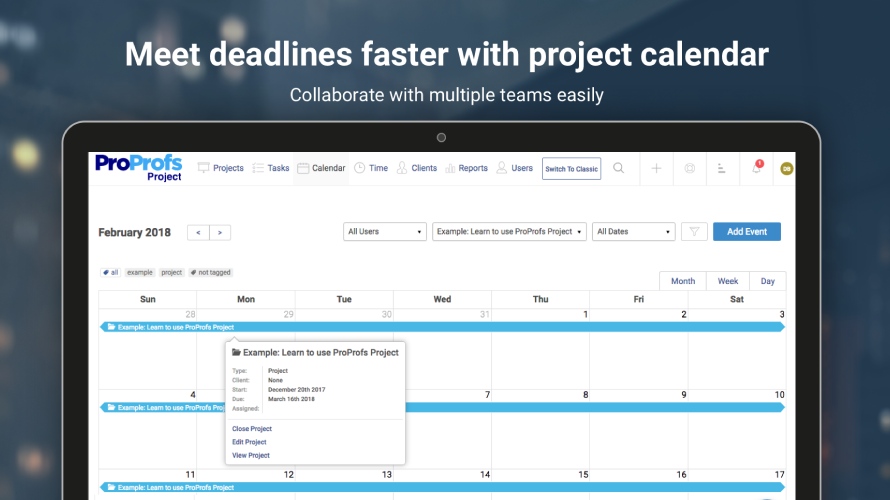
ProProfs Project is an online project management software for managing both teams and multiple projects on one dashboard. From creating project goals and objectives to tracking work progress, this PM tool aims to allow users to meet project deadlines efficiently. The PM tool allows users to communicate with in-house or remote teams - anytime, anywhere. Moreover, the vendor says users can generate insightful reports and accurate invoices in just a few clicks. Along with these features,…
$0
3 Projects
Pricing
ActiveCollab
ProProfs Project
Editions & Modules
ActiveCollab Project Management
$8
per member/per month
Self-Hosted Plan
$999.00
license
Forever Free
$0.00
3 Projects
Solopreneur
$19.00 per month
10 Projects
Team
$49.00 per month
50 Projects
Unlimited
$199.00 per month
Unlimited Projects
Offerings
Pricing Offerings
ActiveCollab
ProProfs Project
Free Trial
Yes
Yes
Free/Freemium Version
Yes
Yes
Premium Consulting/Integration Services
Yes
No
Entry-level Setup Fee
$6.25 per member, per month, annual billing
No setup fee
Additional Details
—
—
More Pricing Information
Community Pulse
ActiveCollab
ProProfs Project
Features
ActiveCollab
ProProfs Project
Project Management
Comparison of Project Management features of Product A and Product B
ActiveCollab
3.6
13 Ratings
73% below category average
ProProfs Project
8.6
6 Ratings
10% above category average
Task Management
5.112 Ratings
9.56 Ratings
Resource Management
1.08 Ratings
8.86 Ratings
Gantt Charts
3.07 Ratings
9.06 Ratings
Scheduling
1.011 Ratings
8.36 Ratings
Workflow Automation
7.01 Ratings
9.01 Ratings
Team Collaboration
6.113 Ratings
8.86 Ratings
Support for Agile Methodology
7.07 Ratings
8.54 Ratings
Support for Waterfall Methodology
7.01 Ratings
8.54 Ratings
Document Management
3.08 Ratings
7.26 Ratings
Email integration
4.09 Ratings
10.06 Ratings
Mobile Access
1.110 Ratings
7.75 Ratings
Timesheet Tracking
2.09 Ratings
8.25 Ratings
Change request and Case Management
1.08 Ratings
00 Ratings
Budget and Expense Management
2.07 Ratings
8.65 Ratings
Professional Services Automation
Comparison of Professional Services Automation features of Product A and Product B
Scenarios where ActiveCollab works well 1) ActiveCollab works well for small teams specifically T&M teams.Its invoicing feature is unique & can make your life easy. 2) It is very easy to use & posses good range of filters like on the task list, we can drag/drop tasks, Filter by assignee's, tasks lists, due dates, or completed tasks. 3) It has some simple but awesome features like when you're in the middle of writing something i.e a comment on story and get interrupted, it retains what you wrote. 4) It allows you to tag team members in threads of comments to grab their attention, its really needed when teams are distributed. Thus helping team members to collaborate easily & stay on same page. 5) It integrates pretty well with other web apps like quickbooks , Slack, Trello, HubSpot, Zapier etc Scenarios where ActiveCollab did not work well 1) Tasks can not have multiple assignee's here so if two members are working on same task it did not allow you to reflect that. 2) Sorting capability is not their under invoicing 3) It did not work well for larger teams 4) Search option is not very detailed & you may end up wasting lot of time searching one particular bug or issue.
If you’re executing creative projects, this tool will offload a lot of your work. It lets you clearly define the assignees and the associated timelines. You can even extract insightful reports to monitor team performance and project progress on the go.
It isn't possible to set members of staff as part time, so if someone is unavailable on certain days you must manually enter them as OOO every single day that they are not in, that other teammates work. Hours also can't be edited individually - everyone is treated as working the same hours in a day, rendering capacity planner useless for flexi working teams
Subtasks cannot be assigned their own hours and deadlines, meaning the To Do list view can't be seen in actual date order and capacity planner does not reflect all time allocated to an individual's schedule unless every task is set up as a separate task rather than subtask
There is no way to see all tasks of a certain type across multiple campaigns (e.g all copywriting tasks vs all technical tasks) - support team suggested exporting data and making spreadsheets
Kanban view isn't available for people's own task lists ('board' view here shows a list)
Not possible to have one task be assigned to more than one person
Notifications are not sent when tasks are updated, so you have to leave comments and tag people each time
We have not required support for ActiveCollab as it works pretty seamlessly. We didn't have any issues with using the platform or with any billing issues. The self-service aspect of the platform is robust and easy to navigate so we have not encountered any errors that required assistance from the support team.
I personally have not had to contact ProProfs Project Customer Support. I know that our media / marketing manager has used this tool for a while and is very comfortable with it. He has never expressed any issues or frustrations that I know of. The product is simple and easy to use and does not seem to require much support.
ActiveCollab is easier to use and simpler in its setup. It has the right mix of features and simplicity. It's also project-oriented which is important for our workflow. Other tools are often too task-oriented, making it hard to track projects. Overall, ActiveCollab has a great mix of simplicity with good features.
I think Project Bubble is way more streamlined than the others mentioned, as well as way more cost-effective! It is simple enough for my clients to access and keep track of their status, without having to explain or train them in the process. For value of money, customer support, and ease of use, I give it my highest recommendation.