Chose Adobe Analytics
Adobe Analytics and Google Analytics are pretty similiar. Due to the better demo and higher rating our company went with Adobe.

| Product | Rating | Most Used By | Product Summary | Starting Price |
|---|---|---|---|---|
 Adobe Analytics | N/A | Adobe acquired Omniture in 2009 and re-branded the platform as SiteCatalyst. It is now part of Adobe Marketing Cloud along with other products such as social marketing, test and targeting, and tag management. SiteCatalyst is one of the leading vendors in the web analytics category and is particularly strong in combining web analytics with other digital marketing capabilities like audience management and data management. Adobe Analytics also includes predictive marketing capabilities that help… | N/A | |
 Google Analytics | N/A | Google Analytics is perhaps the best-known web analytics product and, as a free product, it has massive adoption. Although it lacks some enterprise-level features compared to its competitors in the space, the launch of the paid Google Analytics Premium edition seems likely to close the gap. | $0 per month | |
 Oracle Service | N/A | Oracle Service is the help desk and customer experience management platform from Oracle. The technology was developed and supported by RightNow Technologies as RightNow CX for cloud-based call center automation, until that company's acquisition by Oracle in 2011 for about $1.5 billion. | N/A |
| Adobe Analytics | Google Analytics | Oracle Service | ||||||||||||||||||||||
|---|---|---|---|---|---|---|---|---|---|---|---|---|---|---|---|---|---|---|---|---|---|---|---|---|
| Editions & Modules | No answers on this topic |
| No answers on this topic | |||||||||||||||||||||
| Offerings |
| |||||||||||||||||||||||
| Entry-level Setup Fee | Optional | No setup fee | No setup fee | |||||||||||||||||||||
| Additional Details | — | — | — | |||||||||||||||||||||
| More Pricing Information | ||||||||||||||||||||||||
| Adobe Analytics | Google Analytics | Oracle Service | |
|---|---|---|---|
| Considered Multiple Products |  Adobe Analytics  Damon Hall Sr. Marketing Manager of Web Analytics and Personalization Chose Adobe Analytics Adobe Analytics far surpasses Google Analytics in the following arenas: journey analysis. Adobe Analytics very clearly portrays user journey data unlike any other web analytics tool.  Aaron Henderson Marketing Specialist Chose Adobe Analytics I chose Adobe Analytics at the time because Google was just for Google. But they are changing, so it may be worth another look  Lee Preston Conversion Rate Optimisation Lead Chose Adobe Analytics Clients usually select Adobe Analytics because it suits them better than the alternatives and they want more customisation than GA4 offers. Also because they might be with Adobe Experience Cloud for a few other things like tag management, A/B testing, audience manager, campaign … |  Google Analytics  Michael Weissberg Senior Digital Marketing Manager Chose Google Analytics Google Analytics is free! And while Adobe Analytics is arguably more powerful, it's paid. Additionally, Google Analytics' integrations are vastly well known, thoroughly well (and more) documented, and used by more people. That means that it's also easy to find people that are …  Víctor Garnica Professional Services Lead Chose Google Analytics Adobe Analytics has been in the market for a long time; some people still know it as Omniture or SiteCatalyst. It seems that some great ideas from Google Analytics, such as Enhanced Ecommerce and the new way of measuring events with GA4, are adapted from the traditional Adobe …  Thomas (TC) Riley Senior Director, Information Services Chose Google Analytics Adobe Analytics and Google Analytics 360 are both paid/premium options for website tracking. Though there are certain use cases when these might make sense (you operate entirely in the Adobe suite, you're a massive company/site that doesn’t mind the price tag on Google …  sandro merkvilishvili Head of e-commerce deparment Chose Google Analytics Ease of use: Google Analytics is known for its user-friendly interface and straightforward setup process, making it accessible for beginners. Adobe Analytics has a steeper learning curve and requires more technical expertise. Features: Adobe Analytics offers a more comprehensive …  Francois Salvert Web Analytics and Dashboarding Chose Google Analytics Google Analytics is for me the default one to implement especially for business starting in analytics. The time (aka cost) of implementation is very low and it provides results in a matter of hours. The integration with the Google ecosystem is also a plus especially when …  Martha McNeil Data Management Analyst Chose Google Analytics Built-in reports are beneficial but you can create custom reports if you need more details with different dimensions and metrics it also provides insights which is just little data about your site traffic in sentence format its the best way to know which strategy you are on …  Rafael Grandizoli Gerente de Operações Chose Google Analytics Google Analytics had the best price (it's free for major of our clients), and it was easy to find professionals that had experience on using it.  Ellen Moon Senior Manager Chose Google Analytics Google Analytics provides everything you need in terms of straight forward analytics needs. The tool is not very flexible compared to other software such as adobe, and if you want to upgrade to premium or add in a bunch of custom situations, that can be become very [tedious] …  J.P. VanderLinden Director of Operations Chose Google Analytics Google Analytics is the industry standard, integrates seamlessly with most site setups, and cannot even be compared on cost. While it falls short in some areas like individual user tracking and cross-device reporting, it provides 80-90% of the needed visibility for online … Chose Google Analytics Google Analytics is the web's gold standard. We also use StatCounter for redundancy sake and because its visitor tracking and basic reporting are spectacular. But Google is a must-have no matter what else you end up using. The redundancy issues plays out in terms of data …  Ryan Sparks Software Engineer Chose Google Analytics Google Analytics stacks up as some of the best among the competition, assuming you're using it for its intended purpose. It's been the easiest to integrate into our applications, as well as the easiest UI to use. We selected Google Analytics for security and budget reasons, but …  Brandon Mitchell Email Marketing Specialist / Paid Search Analyst Chose Google Analytics Both are great, just different. Most clients believe Google is the golden standard due to the strong presence of Google's brand everywhere, but Adobe seems to have stronger, drill down tracking at the expense of a harder to use interface.  Lindsay Halsey Co-Founder Chose Google Analytics We like Google Analytics because it's free and powerful. And it works well for websites small to large.  Adam Hatfield Head of Digital Chose Google Analytics We have been using Google Analytics for over 10 years. Over that time we have periodically reviewed our analytics platforms a number of times. For us, it made more sense to stay with google analytics primarily because if we migrated to another platform we would lose the … |  Oracle Service No answer on this topic |
| Adobe Analytics | Google Analytics | Oracle Service | |||||||||||||||||||||||||||||||||||
|---|---|---|---|---|---|---|---|---|---|---|---|---|---|---|---|---|---|---|---|---|---|---|---|---|---|---|---|---|---|---|---|---|---|---|---|---|---|
| Web Analytics |
| ||||||||||||||||||||||||||||||||||||
| Incident and problem management |
| ||||||||||||||||||||||||||||||||||||
| Self Help Community |
| ||||||||||||||||||||||||||||||||||||
| Multi-Channel Help |
|
| Adobe Analytics | Google Analytics | Oracle Service | |
|---|---|---|---|
| Small Businesses |  StatCounter Score 9.0 out of 10 | StatCounter Score 9.0 out of 10 |  Agiloft Service Desk (discontinued) Score 9.0 out of 10 |
| Medium-sized Companies |  Siteimprove Score 9.0 out of 10 | Siteimprove Score 9.0 out of 10 | Agiloft Service Desk (discontinued) Score 9.0 out of 10 |
| Enterprises |  Optimal Score 9.1 out of 10 | Optimal Score 9.1 out of 10 |  SysAid Score 8.9 out of 10 |
| All Alternatives | View all alternatives | View all alternatives | View all alternatives |
| Adobe Analytics | Google Analytics | Oracle Service | |
|---|---|---|---|
| Likelihood to Recommend | 8.3 (230 ratings) | 8.5 (192 ratings) | 8.9 (89 ratings) |
| Likelihood to Renew | 8.5 (95 ratings) | 9.0 (51 ratings) | 10.0 (9 ratings) |
| Usability | 8.0 (80 ratings) | 7.4 (19 ratings) | 6.0 (5 ratings) |
| Availability | 8.1 (12 ratings) | 10.0 (4 ratings) | 10.0 (1 ratings) |
| Performance | 8.0 (11 ratings) | 10.0 (2 ratings) | 9.0 (1 ratings) |
| Support Rating | 3.6 (41 ratings) | 7.0 (42 ratings) | 8.7 (6 ratings) |
| In-Person Training | 1.1 (5 ratings) | - (0 ratings) | 9.0 (1 ratings) |
| Online Training | 7.0 (5 ratings) | 10.0 (2 ratings) | - (0 ratings) |
| Implementation Rating | 8.1 (10 ratings) | 9.0 (7 ratings) | 9.0 (4 ratings) |
| Configurability | - (0 ratings) | 6.0 (2 ratings) | 9.0 (1 ratings) |
| Contract Terms and Pricing Model | 7.3 (6 ratings) | - (0 ratings) | - (0 ratings) |
| Ease of integration | - (0 ratings) | 10.0 (1 ratings) | 5.0 (11 ratings) |
| Product Scalability | 10.0 (2 ratings) | 10.0 (2 ratings) | 10.0 (1 ratings) |
| Professional Services | 7.9 (5 ratings) | - (0 ratings) | - (0 ratings) |
| Vendor post-sale | - (0 ratings) | 10.0 (1 ratings) | - (0 ratings) |
| Vendor pre-sale | - (0 ratings) | 9.0 (1 ratings) | - (0 ratings) |
| Adobe Analytics | Google Analytics | Oracle Service | |
|---|---|---|---|
| Likelihood to Recommend | Adobe
| Google
sandro merkvilishvili Head of e-commerce deparment | Oracle
|
| Pros | Adobe
| Google
| Oracle
 Elizabeth Cassidy Senior Analyst, Customer Analytics |
| Cons | Adobe
| Google
| Oracle
|
| Likelihood to Renew | Adobe
 Natasha Watts UI/UX Designer | Google
| Oracle
|
| Usability | Adobe
| Google
 Victor Campos Web Developer | Oracle
 Mig Ponce CRM Project & Solutions Manager |
| Reliability and Availability | Adobe
| Google
| Oracle
|
| Performance | Adobe
| Google
| Oracle
|
| Support Rating | Adobe
 Saurav Khawas Analytics Manager | Google
 Sarah Hoffman Media Director | Oracle
 Kristine Tannert Product Manager |
| In-Person Training | Adobe
 Nicholas Dragon Regional Marketing Specialist | Google No answers on this topic | Oracle
|
| Online Training | Adobe
| Google
 Roy Morejon President | Oracle No answers on this topic |
| Implementation Rating | Adobe
 Jonathon Frampton Manager of Web Analytics | Google
 Joshua Van Horsen Marketing Manager | Oracle
|
| Alternatives Considered | Adobe
 Steve Biggs Lead Digital Analyst | Google
| Oracle
 Frank Watts - CPIM, CIRM, MBA Operations Mgt Business Development Director - TCS Oracle Practice, Americas |
| Contract Terms and Pricing Model | Adobe
| Google No answers on this topic | Oracle No answers on this topic |
| Scalability | Adobe
| Google
| Oracle
|
| Professional Services | Adobe
| Google No answers on this topic | Oracle No answers on this topic |
| Return on Investment | Adobe
| Google
 Heide Rembold Director of Marketing & Analytics | Oracle
|
| ScreenShots | Adobe Analytics Screenshots      | Oracle Service Screenshots    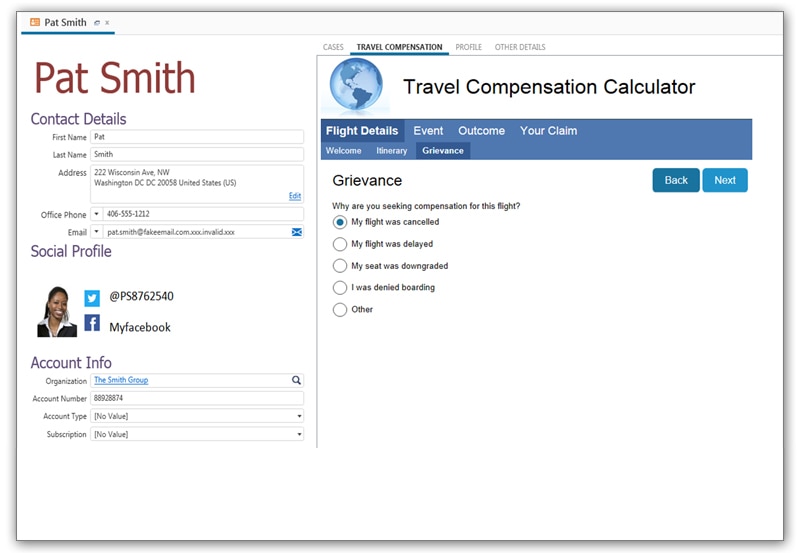  |
