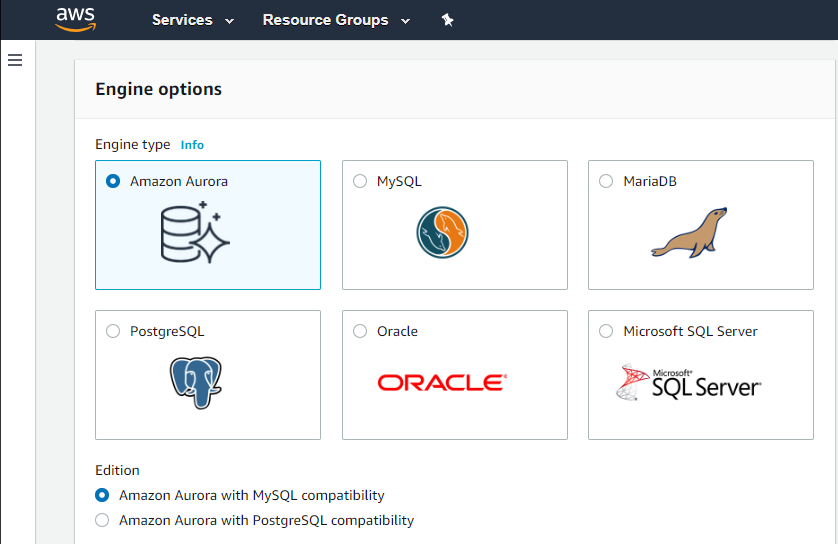
Amazon Relational Database Service (Amazon RDS) is a database-as-a-service (DBaaS) from Amazon Web Services.
N/A
DigitalOcean
Score 8.6 out of 10
N/A
DigitalOcean is an infrastructure-as-a-service (IaaS) platform from the company of the same name headquartered in New York. It is known for its support of managed Kubernetes clusters and “droplets” feature.
$5
Starting Price Per Month
Pricing
Amazon Relational Database Service (RDS)
DigitalOcean
Editions & Modules
Amazon RDS for PostgreSQL
$0.24 ($0.48)
per hour, R5 Large (R5 Extra Large)
Amazon RDS for MariaDB
$0.25 ($0.50)
per hour, R5 Large (R5 Extra Large)
Amazon RDS for MySQL
$0.29 ($0.58)
per hour, R5 Large (R5 Extra Large)
Amazon RDS for Oracle
$0.482 ($0.964)
per hour, R5 Large (R5 Extra Large)
Amazon RDS for SQL Server
$1.02 ($1.52)
per hour, R5 Large (R5 Extra Large)
1GB-16GB
$5.00
Starting Price Per Month
8GB-160GB
$60.00
Starting Price Per Month
Offerings
Pricing Offerings
Amazon RDS
DigitalOcean
Free Trial
No
No
Free/Freemium Version
No
No
Premium Consulting/Integration Services
No
No
Entry-level Setup Fee
Optional
No setup fee
Additional Details
—
—
More Pricing Information
Community Pulse
Amazon Relational Database Service (RDS)
DigitalOcean
Considered Both Products
Amazon RDS
Verified User
Professional
Chose Amazon Relational Database Service (RDS)
Amazon Relational Database Service (RDS) is very well integrated with AWS services like CloudWatch, Lambda, IAM, Secrets Manager, S3, etc. It is AWS managed database service. It provides a serverless version using Aurora with auto-scaling features. Its features like …
If your application needs a relational data store and uses other AWS services, AWS RDS is a no-brainer. It offers all the traditional database features, makes it a snap to set up, creates cross-region replication, has advanced security, built-in monitoring, and much more at a very good price. You can also set up streaming to a data lake using various other AWS services on your RDS.
DigitalOcean is perfect for hosting client websites, running marketing tools, and managing media storage with Spaces and CDN. The use of Droplets to quickly launch landing pages or WordPress sites for campaigns is a Godsend. It’s great for fast, cheap, and scalable solutions. But for complex microservices or projects needing strict compliance (like HIPAA), DigitalOcean may not always be the best fit, but that depends heavily on your project.
Automated Database Management: We use it for streamlining routine tasks like software patching and database backups.
Scalability on Demand: we use it to handle traffic spikes, scaling both vertically and horizontally.
Database Engine Compatibility: It works amazingly with multiple database engines used by different departments within our organization including MySQL, PostgreSQL, SQL Server, and Oracle.
Monitoring: It covers our extensive monitoring and logging, and also has great compatibility with Amazon CloudWatch
It is a little difficult to configure and connect to an RDS instance. The integration with ECS can be made more seamless.
Exploring features within RDS is not very easy and intuitive. Either a human friendly documentation should be added or the User Interface be made intuitive so that people can explore and find features on their own.
There should be tools to analyze cost and minimize it according to the usage.
Some products/services available on other Cloud providers aren't available, but they seem to be catching up as they add new products like Managed SQL DBs.
While they have FreeBSD droplets (VMs), support for *BSD OSs is limited. I.e. the new monitoring agent only works on Linux.
There are no regions available on South America.
They don't seem to offer enterprise-level products, even basic ones as Windows Server, MS SQL Server, Oracle products, etc.
We do renew our use of Amazon Relational Database Service. We don't have any problems faced with RDS in place. RDS has taken away lot of overhead of hosting database, managing the database and keeping a team just to manage database. Even the backup, security and recovery another overhead that has been taken away by RDS. So, we will keep on using RDS.
I've been using AWS Relational Database Services in several projects in different environments and from the AWS products, maybe this one together to EC2 are my favourite. They deliver what they promise. Reliable, fast, easy and with a fair price (in comparison to commercial products which have obscure license agreements).
I honestly can't think of an easier way to set up and maintain your own server. Being able to set up a server in minutes and have fully control is awesome. The UX is incredibly intuitive for first-time users as well so there's no reason to be intimidated when it comes to giving DigitalOcean a shot.
I have only had good experiences in working with AWS support. I will admit that my experience comes from the benefit of having a premium tier of support but even working with free-tier accounts I have not had problems getting help with AWS products when needed. And most often, the docs do a pretty good job of explaining how to operate a service so a quick spin through the docs has been useful in solving problems.
They have always been fast, and the process has been straight-forward. I haven't had to use it enough to be frustrated with it, to be honest, and when I have an issue they fix it. As with all support, I wish it felt more human, but they are doing aces.
Amazon Relational Database Service (RDS) stands out among similar products due to its seamless integration with other AWS services, automated backups, and multi-AZ deployments for high availability. Its support for various database engines, such as MySQL, PostgreSQL, and Oracle, provides flexibility. Additionally, RDS offers managed security features, including encryption and IAM integration, enhancing data protection. The pay-as-you-go pricing model makes it cost-effective. Overall, Amazon RDS excels in ease of use, scalability, and a comprehensive feature set, making it a top choice for organizations seeking a reliable and scalable managed relational database service in the cloud.
DigitalOcean is an inexpensive product as compared to other products available in the market. The UI is easy and the beginner can also understand the UI with the step by step guide. It provides a lot of custom features and the user needs to pay only for what they are using. Amazon has a complex UI and is on the expensive side. DigitalOcean is simple to use and is easily manageable and the servers can easily be set up without additional cost and such.
Positive - Elastic computer instances make it possible to pay for only for what you need.
Positive - Competitive pricing - some of the products that DigitalOcean offers are much cheaper than those offered by competitors.
Negative - Having to go to other cloud computing platforms for more specific, advanced services like Computer Vision optimized services, GPU cloud compute instances, etc...