Basecamp is a web-based project-management tool. Basecamp offers features standard to project management platforms, as well as mobile accessibility, unlimited users, and 3rd party integrations. Basecamp is priced by space requirements and concurrent projects.
$15
per month per user
InEight
Score 8.4 out of 10
N/A
InEight's modular project controls software connects complex project data to improve visibility and delivery in capital construction.
N/A
Teamwork.com
Score 8.5 out of 10
N/A
Teamwork.com is a project management platform built specifically for client work. The platform helps users deliver work on time and on budget, eliminate client chaos, and understand profitability. Teamwork.com’s customers track and manage their projects with a suite of integrated solutions such as helpdesk, collaboration, knowledge sharing and customer relationship management add-ons, enabling Teamwork.com to be the ‘one-stop shop’ solution for business owners. Headquartered in Cork,…
$13.99
per month per user
Pricing
Basecamp
InEight
Teamwork.com
Editions & Modules
Basecamp Plus
$15
per month per user
Basecamp Pro Unlimited
$299
per month (billed annually)
Basecamp Free
Free
Limited Capabilities
No answers on this topic
Deliver
$13.99
per month per user
Grow
$25.99
per month per user
Free Forever
Free
Up to 5 users
Scale
Contact sales team
Offerings
Pricing Offerings
Basecamp
InEight
Teamwork.com
Free Trial
Yes
No
Yes
Free/Freemium Version
Yes
No
Yes
Premium Consulting/Integration Services
No
No
No
Entry-level Setup Fee
No setup fee
No setup fee
Optional
Additional Details
—
InEight offers a modular, integrated project controls platform. Because the InEight platform covers the entire construction lifecycle, customers purchase the software based on their specific needs – purchasing stand-alone products, a bundle of products, or the entire platform. As a result, the pricing will vary depending on the specific product, number of users and length of contract. Once InEight has identified the highest impact areas, they offer potential customers a custom proposal. The options they consider include:
Per user pricing: typically annual subscriptions.
Revenue-based: using a percentage of the customer’s revenue.
Project-based: software use dedicated to a specific project or program of work.
There is a simplicity that basecamp offers where most other project management systems seem to miss. They've worked hard at keeping the right things in place and not adding so many of the extra features that just get in the way of getting work done. The thing I liked most …
Comparatively, Basecamp has been found to be the easiest to use and onboard new users. Additionally the cost model for our organisation is much lower on Basecamp compared to the competition.
Other products are more aligned with Agile practices but for most of our operational …
Basecamp links all of the functionalities of a messenger feature (thanks to Pings) with task delegating and managing the project. Marketer's life became much easier with Basecamp.
I'd say Teamwork is a very robust platform, more than Basecamp but that was actually what threw me off. Basecamp wins in its simplicity and interface. Trello is easy to use but limited and in some ways hard to follow. Basecamp wins in its features. Asana however presents the …
We started with Basecamp and switched to Teamwork Projects because of it's greater flexibility with tasks especially. After using both I do prefer Teamwork Projects because of the many features. However, we aren't completely happy with it and are looking into other software …
Teamwork Projects was a better fit for us. With Basecamp, we had to set up tasks as milestones to assign due dates. At the time we reviewed it, you could assign tasks to milestones but would not have a date associated with it; we lost the ability to see if we were on target …
Teamwork Projects is better organized than other online tools. It is well though out and organized. Having the ability to set priorities and order on lists is a big deal for us. The best part was being able to toggle from lists to cards and get a visual indication of what is …
We used Basecamp extensively and really dislike that tool. Teamwork Projects is so much better. We evaluated Wrike and Asana before ultimately deciding on Teamwork Projects. We felt it was a better option over those two for our use case.
We used Basecamp for many years until about 2017. When Basecamp was getting upgraded from 2.0 to 3.0, I believe we found that we couldn't migrate our projects easily. So we started to look for new solutions and found that Teamwork Projects had much more customizability than Base…
Teamwork is way better than ProWorkflow in every way, especially design (UI). PWF was hard to use and that resulted in people not using it and logging time--which caused a whole bunch of business problems. Compared to Basecamp, TW Proejcts is way more organized and easy to …
Teamwork is definitely an upgrade when compared to Basecamp or Trello. It has more customizing capabilities, time tracking, file sharing, messaging and much more. The nifty feature is being able to give your clients selective access, so they can follow the progress without …
Teamwork Projects has a better feature set than Basecamp and we also found the pricing to be more attractive since we only needed a handful of users. The pricing structure of Basecamp with unlimited users would be more attractive for larger teams and for future-proofing growth. …
I prefer Teamwork over monday.com and Google Drive, but it could still use more functionality. We primarily use the Gantt chart, but I wish there was more functionality. There aren't as many features as I would like and I wish we didn't need to pay per user. I like things like B…
Basecamp's user interface isn't as friendly, and it's much harder to find your way around. As web developers ourselves, if we can find our way around a web-based tool, we can't recommend it to our clients, so we tried Teamwork, found it was very easy to use, and have since …
Every application has its own Pros &Cons but Basecamp pricing is not much flexible either they had flat per month rate for businesses. Teamwork Graphical user interface is better and their free version is also a plus point. Basecamp only offers 30 days free trial.
I spoke about this quite a bit before, but as far as usability goes, Microsoft Projects is totally useless for me, so I avoid it at all costs. Basecamp was just a task management app and had very small feature set beyond that. We had to rig it to do other things for us, but it …
Teamwork was the choice for us during the first few years, as it was accessible and affordable. Later on, Asana and monday.com delivered superior features and functionality.
For my purposes, Teamwork blows all other project management systems out of the water. They are providing more frequent updates as well so the software is always improving. Teamwork's mobile app isn't as good as some other's, but that is not my main device, so that doesn't …
Our team overwhelmingly preferred Teamwork Projects to other project management tools. It is reasonably priced while still offering an equal or better product.
Teamwork has not only a Kanban view and Gantt chart view, but it also shows a calendar view, board view, and list view. It's very comprehensive and gives its users freedom to customize the viewing experience where several other competitor platforms only show one or two views.
We have tried a lot of different tools, but settled on the robust solution that Teamwork Projects provided. The others just seemed to lack in what we needed.
The size of our organization (75 employees) and the type of projects we manage, we selected the least robust platform that could still allow us to perform project management well. We are really proud of what we have accomplished with Teamwork and we can recommend it to anyone …
We chose to migrate to Teamwork Projects after a recommendation to try it. We believe the platforms are very similar but that Teamwork Projects is potentially better suited for us as we continue to scale and grow out team.
On the whole Teamwork Projects comes across as the preferred solution due to cost, speed of adoption, support for multiple devices, licensing models, support for internal/external users, email services, integration capability and the support services. Furthermore, the …
Teamwork Projects stacks up against them with one feature and it is tracking time. It is intuitive, but you need to give it some time - at first it may be a bit of an overwhelming tool, simply too difficult to use and enjoy.
Basecamp is a wonderful tool for teams of varying degrees of technical knowledge, teams managing lots of different types of "agifall" and waterfall projects, and teams that are remotely distributed. It's probably less useful for more strictly agile-focused development teams, compared to other more flexible software applications like Jira and Asana.
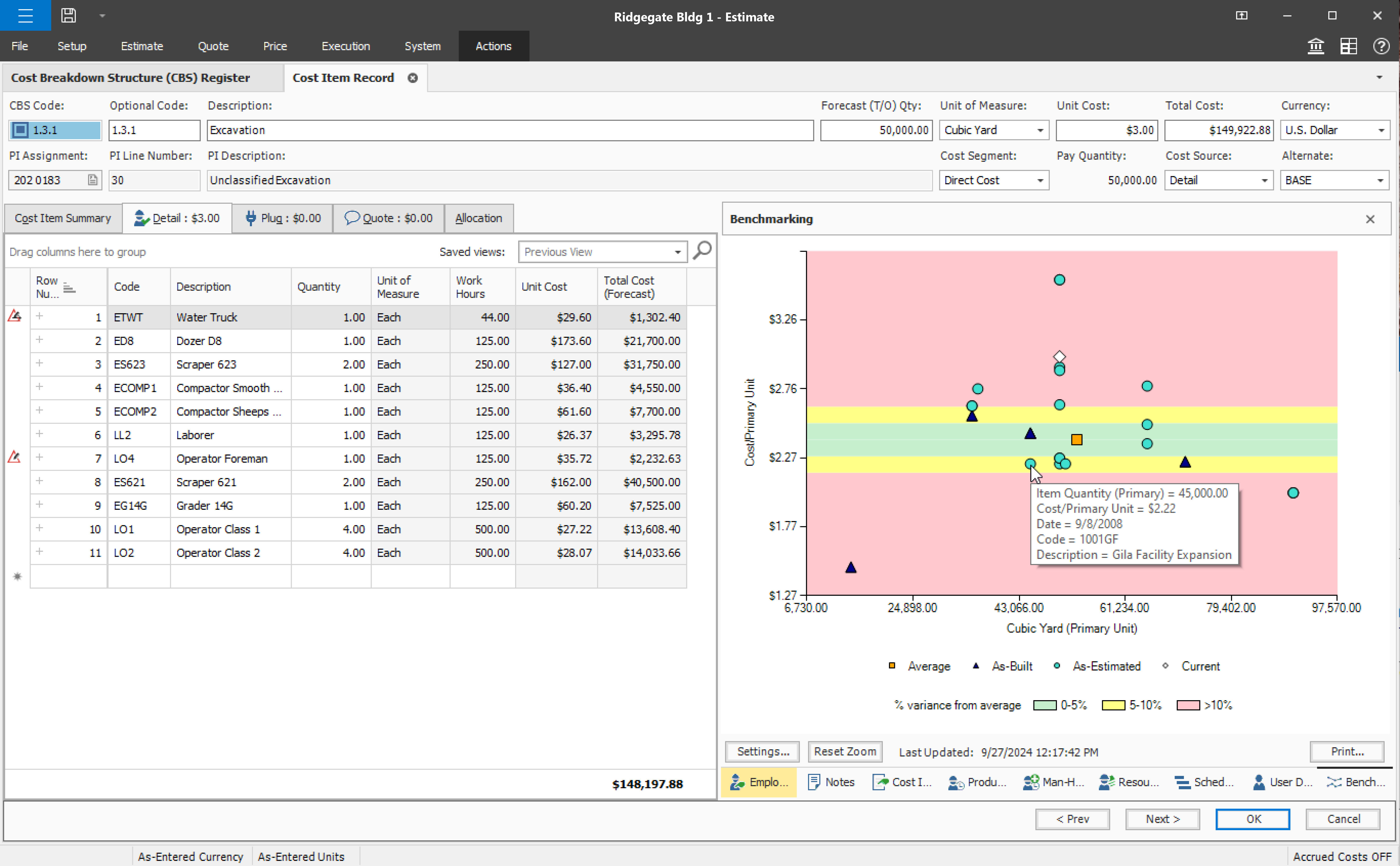
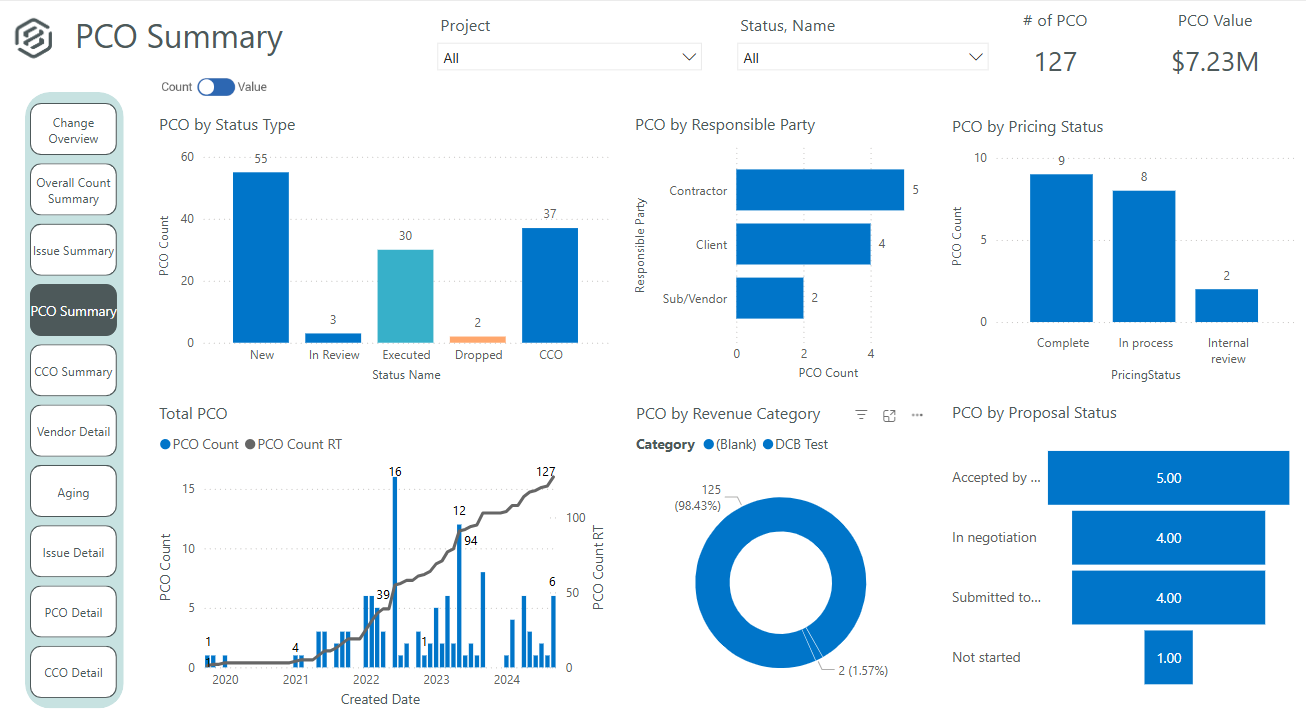
It's definitely a good tool for progress tracking, as well as time tracking. The ability to forecast quantities provide an even better scenario, closer to the reality, supporting even change management. The change management is also a good method, besides the fact of rework if you think in the whole process of issue creation, promoting to PCO, promote to CCO, execute the issue, move to change in controls, and so on... just now I think having all in a single place would minimize the manual work and maybe increase the engagement on it. About a negative point, I'd use a feature that appears to be in all modules. It's pretty much a cosmetic, but it impact in the productivity, a lot. For all fields you will fill with information, whenever your mouse hover over it, a tooltip appears, impeding you to continue, so you have to walk around, click in a place that's not being covered by that tooltip, go back to your keyboard and continue... again, it's a cosmetic, but having this in a Monday, with a full job to plan, claim quantities, and whatever else, it's annoying.
Teamwork is awesome for teams who need a flexible tool that supports all types of projects. Since it supports kanban it makes visualizing the work to be done and the work in progress very easy. The Gantt chart support is decent and helps to understand how a team is doing when it comes to getting work done in a given time frame. Teamwork isn't a great option for companies that have a bunch of projects going simultaneously due to the way Teamwork structures their billing based on a number of active projects.
Task management - It is very easy to add, organize and discuss tasks within Basecamp's interface.
The "Campfire" function is great for communicating when you just have a quick question for someone on the team.
Notifications - Basecamp lets you decide how often and about what you'd like to be notified. The ability to respond to messages in Basecamp directly via email saves a lot of time.
User defined views and descriptions for all screens.
Customizable ribbons to provide an efficient use of the software.
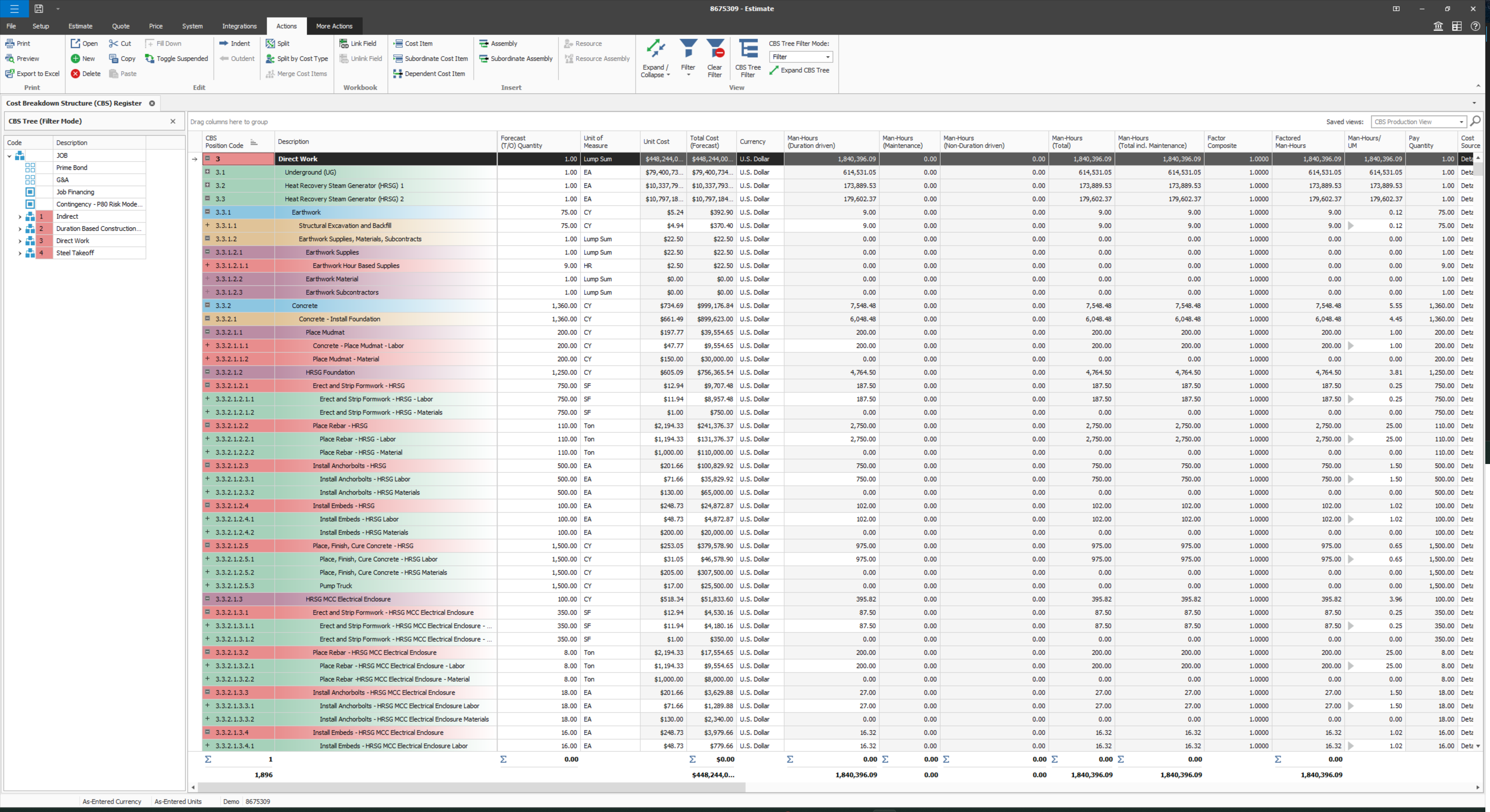
Multiple layers/dependents to allow for an extreme drill down of the work and the ability to roll up to a more useful level for upper management review.
You can bid the work as you would build it, in detail.
High Learning Curve. It's true that it can be easy to use, but to use well and effectively takes some time to learn. It's recommended to have an agreed-upon system in your team of what tools to use and when.
Notification Overload. If people aren't careful they could send a notification to everyone when only a couple people were meant to be prompted. And since emails are sent by default, you could have your mailbox overloaded with unnecessary updates. This is where it takes a bit of training in your team to have an agreed-upon system.
Lack of organization with Archived Projects. I will often need to reference an archived project to make a new one, but there is only a list of archived projects in alphabetical order, with no way to organize by archive date, or even search.
Provide a simpler version (cliff notes) of the knowledge database
Offer versions of InEight for smaller companies, i.e. less than 20 emplyees, under $5M in revenue
When an estimate is complete, offer a dialog box to ask if the job was won, lost, or still in progress. We tend to leave most of our estimates in the bidding column. This is a user error, but the prompt would be helpful.
Visualization needs to be improved, charts graphs are limited
Value stream mapping should be available to determine and prioritize the work.
Documentation should be available stepwise with export and printable facility.
It should be configurable like ERP with cross functionalities of different users, where users login, assign and approve the work, job or project details, where it should be collectively effected on a project.
Add many examples, little more AI, Machine learning required for suggestion and recommendation. It would be a plus point
When I bring new people onto a project, it's immediately obvious how to use Basecamp. I don't have to worry about teaching them the features or walking them through it, it's just incredibly user-friendly. For this reason, I'll continue to renew my subscription even as new people are brought onto production jobs or the client changes.
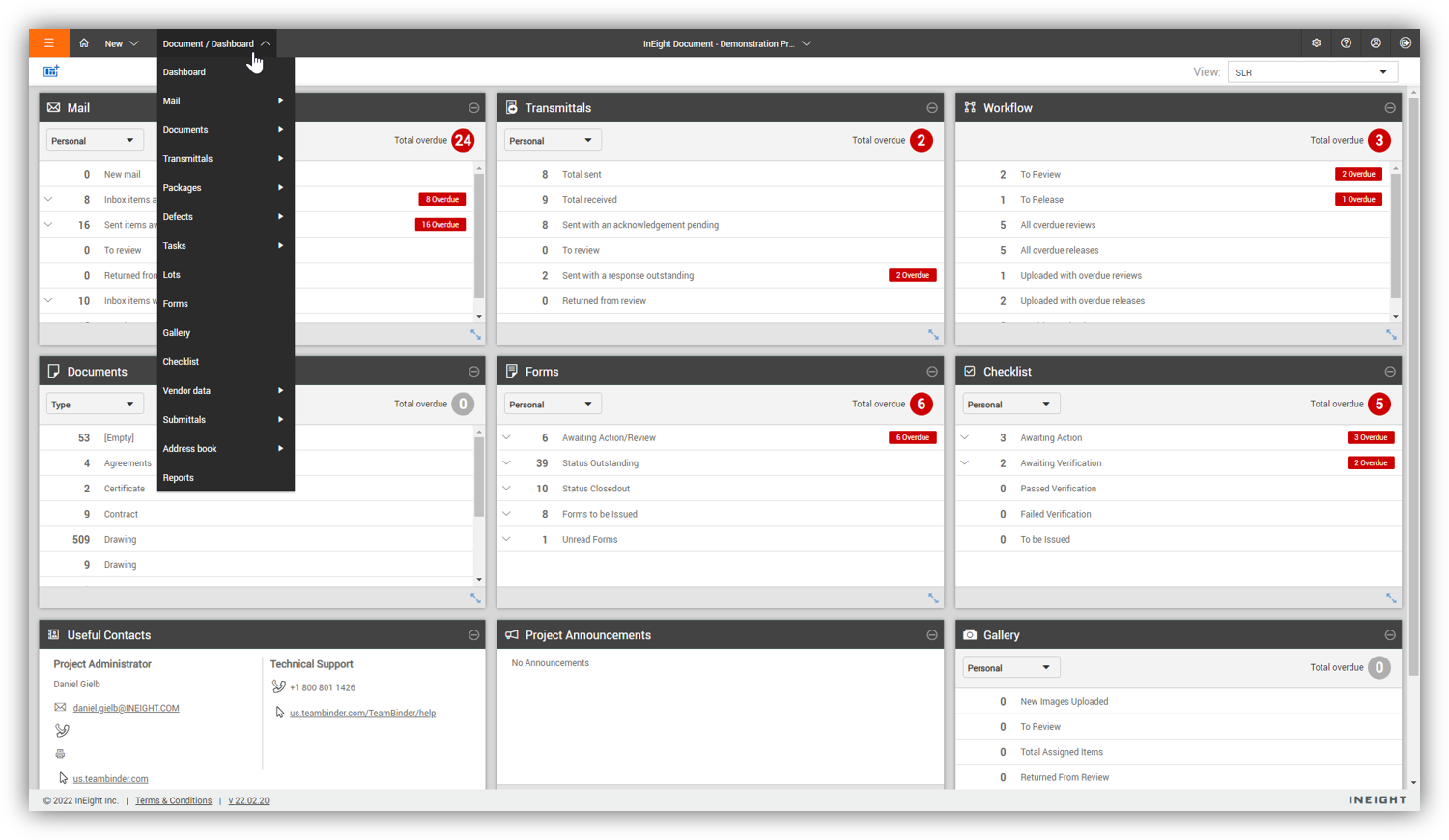
Some features with InEight's TeamBinder are worthy of single use, however the review feature and subsequent revision and version numbering could be improved. We will be aiming to roll out the package to encompass our internal documentation in the near future and will be in a better position to judge the usability after that point in time.
We are already at an annual contract, and have been for the past 5 years; so far the system has delivered, and our personal is already trained in it. A major overhaul of our entire infrastructure (as in moving everything to a single, unified platform) might change the current continuity of Teamwork Projects on our organization, but that's not feasible in the near future.
It is easy to use, even for clients who have no experience with the platform. It can only get a little cumbersome to ensure that a client can't see certain documents you might want to keep in the Docs & Files folders. And sometimes, getting a client to actually use an unfamiliar platform can be a challenge.
I would give it an 8 out of 10 because the software can be a bit cumbersome to new users. It also takes a long time to set up the library and input all of your companies needs so that the software will provide the level of service required to estimate projects. However, once the software is set up it is a powerful tool. We only use a portion of what the software is capable of delivering
I give it a 9 out of 10, because there is a bit of a learning curve when you first start using Teamwork Projects because there is a lot to learn & recognize where to find it. They do offer a good range of tools that can be applied to every project - So say you're working on an internal project and don't need Milestones or Billing, you can shut those modules off. This can help simplify the interface for beginners. Once you've had a few days in Teamwork Projects, I think it's a 10/10 usability. It's very easy to accomplish your tasks and keep track of what you're managing.
I've never experienced downtime while using Basecamp, or been unable to access it when I needed it. That's not to say they've never had downtime, but I've been lucky enough not to encounter any, and I work odd hours, including late nights when maintenance is often undertaken.
For the many reasons I've given, Basecamp is a very strong program. There are a few features I can imagine that might make it even better, but I don't have a basis for comparison to be able to say that there is definitely a better one out there. I've noticed that Basecamp has evolved a bit from the time I started using it until now, so that makes me think that the producer of this program values it and believes in continuous improvement. If you could use the features offered by Basecamp, I would think you could use it with confidence.
We are new to the use of the system, and so far, we have not reached out for any support. The only support we have requested so far is the development of a training program that involves other staff - some are to learn the use of the program, and some are for informational purposes in understanding the capabilities of InEight.
We've been able to meet with the customer success team on multiple occasions to discuss the roadmap and learn about the company culture. Being based in Ireland, we occasionally have to wait until they wake up to get support requests handled in the states and larger conversations about big enhancement requests were politely collected but not followed up on
Decide the process before implementation - i.e. when it's due 8/9 does that mean 8am, noon, 5pm, 11:59pm? Check your to-do list frequently Set-up templates - just not with the dates (they can be funky)
Since the original inception, I have been required to overhaul the system so that it is more user friendly and combines both aspects of our business, documentation and drawings. Being able to control revision and version numbering has been a key struggle that only staff training has been able to mark this as complete.
Pretty good, but [Basecamp] has its drawbacks. Honestly I find the interface non-intuitive and sometimes have trouble figuring out how to change the status of a task. Perhaps it has something to do with the way it was originally set up by the admin, but I'm not sure. I liked Jira's drag and drop obvious functionality, but the project management side of the software was lacking. Smartsheet has excellent project management functionality, but the task management isn't as good.
We looked at HCSS and Bid 2 Win but chose Ineight due to the fact that it seemed more user friendly, plus I had used it at a former company when it was available from the Grantlun Corporation and was very familiar with it in its ease of use and reliability.
I spoke about this quite a bit before, but as far as usability goes, Microsoft Projects is totally useless for me, so I avoid it at all costs. Basecamp was just a task management app and had very small feature set beyond that. We had to rig it to do other things for us, but it failed at that. Asana was a very nice app to trial, but it lacked many of the features that we were looking for.
InEight is a good system that has scaled nicely as the company has grown. the tools are still readily available and applicable for our larger scope of work. It has kept up with the growth of the company very nicely
It has saved me time when having to get the same message out to multiple restaurants
It has helped us make smarter operational decisions because we can all collaborate on an answer in a shorter amount of time (instead of calling a meeting!!!)
The calendar function allows us to plot out our marketing agenda for the month and add/change it together as needed. The chef will post his recipe, the managers will cost it out, the social media manager will post pictures on it, and ultimately we will get that information out on an info sheet to the staff by printing the page.
Teamwork was a great starter into project management software. We were WAY more organized and efficient than we ever were with Trello boards and the PM software included with our accounting system.
Clients were mostly pleased with interacting with Teamwork, and appreciated the ability to track their comments and requests in one place.
Ultimately, we stopped using Teamwork after about 6 months because we need something more focused on web development projects specifically