BeyondTrust Remote Support (formerly Bomgar) helps support teams of all sizes improve business performance by enabling secure, controlled remote support to nearly any device or system, anywhere in the world. BeyondTrust offers deployment options that can fit a company’s business needs. The vendor says their on-premises physical and virtual appliances have helped enterprises satisfy regulatory requirements for years. Additionally, the vendor says the unique segmentation capabilities of…
N/A
ScreenConnect
Score 8.3 out of 10
N/A
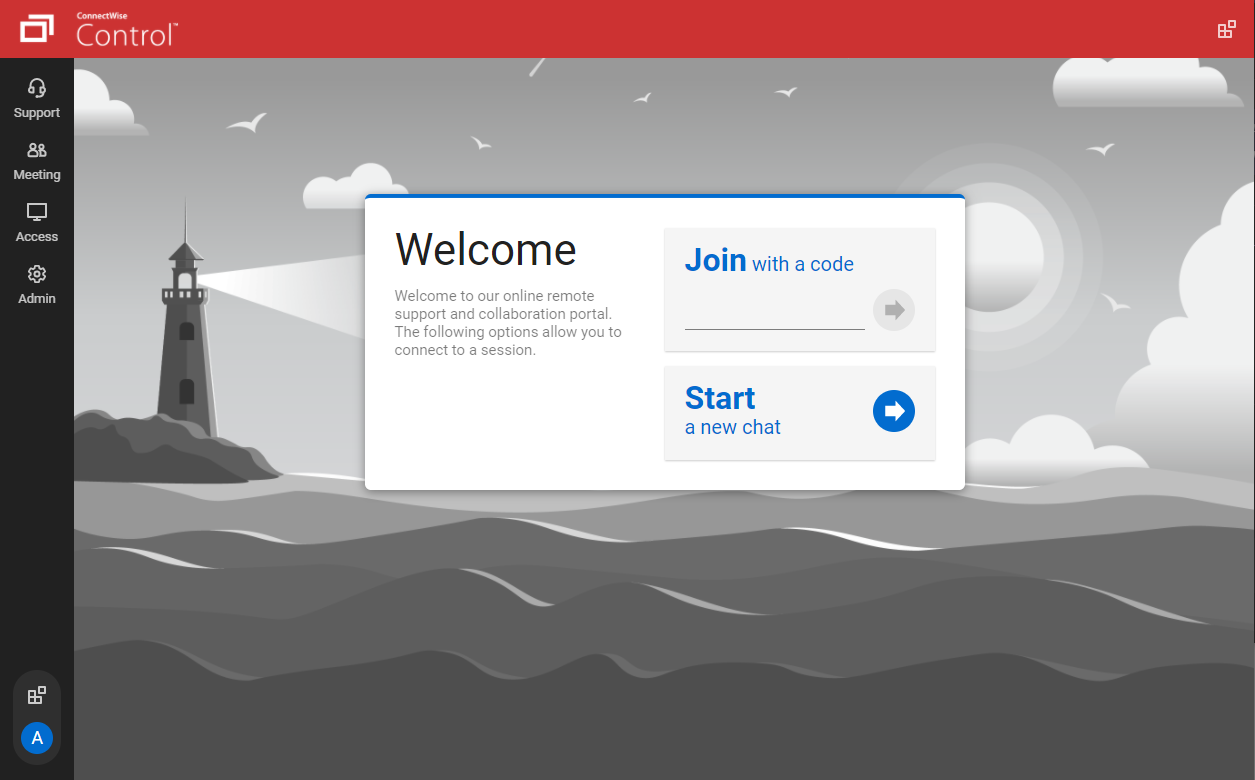
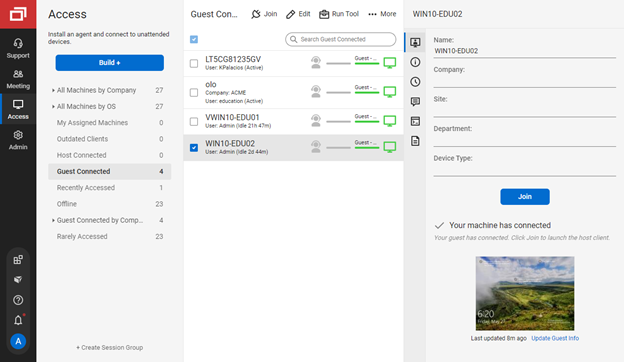
ConnectWise ScreenConnect is a remote support, access, and meeting solution. With it, users can utilize remote support and access to repair computers, provide updates, and manage machines. Users can also conduct online seminars and presentations using remote meetings.
$39
per month
Splashtop
Score 9.0 out of 10
N/A
Splashtop is a software solution for both remote access and remote support. Boasting 30+ million customers worldwide and users among both large and small organizations across the globe, Splashtop presents their solution as secure, high-performing, and fit to specific use-cases. Splashtop is ISO certified, SOC 2 and GDPR compliant. Splashtop Remote Access provides remote desktop connections for business professionals and teams to work from anywhere, using any device.…
$99
per year per user
Pricing
BeyondTrust Remote Support
ScreenConnect
Splashtop
Editions & Modules
No answers on this topic
One
$39
per month
Standard
$59
per month
Premium
$69
per month
Splashtop Remote Access Solo
$6.00
per month per user, billed annually
Splashtop Remote Access Pro
$8.25
per month per user, billed annually
Splashtop Remote Access Performance
$13.00
per month per user, billed annually
Splashtop Remote Support Enterprise
Contact Sales
per month per concurrent technician, billed annually
Splashtop Remote Access Enterprise
Contact Sales
per month per user, billed annually
Splashtop On-Prem
Contact Sales
Splashtop Autonomous Endpoint Management (AEM)
Contact Sales
per month per endpoint, billed annually
Splashtop Remote Support SOS
Starting at $22.00
per month per concurrent technician, billed annually
BeyondTrust has better support, account managers, an interface, better documentation for using their solution, and more support for rolling out their solution to endpoints (whether Mac or Windows). They also demonstrate a desire to resolve issues quickly rather than consuming …
Although ScreenConnect is more expensive than the competition, you get what you pay for. ScreenConnect is easy to use as an admin, and end user. It is easy to set up and configure, and it allows you to quickly view the status of devices and access them remotely from one dashboard
Its lightweight and it is slightly cheaper than TeamViewer at least at the time of buying ScreenConnect. But we are exploring any desk and splash top again.
We have used Beyond Trust occasionally for one of our White Label clients, but have found it is not as robust as ConnectWise Control. The seamless integration of Control with ConnectWise Automate makes it the best and most effective choice for our technical teams to deploy and …
ConnectWise Control gives you a lot of the features that the other products provide, but nothing that you won't use. Nothing is worse than a clunky remote session where you are fighting for CPU/RAM resources, and ConnectWise Control beats them all hands down. This product is …
ConnectWise Control does a better job with on demand access with our clients PCs, than BeyondTrust. However they have better access when it comes to PCs we dont have anything installed on and need them to go to our website to access their PCs.
ConnectWise is easy to implement, the software functions and feature support our users equipments. Deployment agents is simple, can be run on demand with url and email. Agent could be pre-install and provide constantly remote access to user PC or equipment. It also offer a …
ScreenConnect is more efficient, is easier to learn for newer technicians, is far more feature rich, and the cost was a major deciding factor. ScreenConnect has more features for far less cost, with much more control. The add-ins for the software make it easy to customize and …
Cost, cost, cost. As a non-profit, our resources are extremely limited. Other resources were strong but I had used ScreenConnect for a number of years as an MSP. ConnectWise Control is an extremely strong product for the cost. We looked briefly at GoToMyPC and TeamViewer but …
ConnectWise Control has better value for our use cases than other solutions that we evaluated. Some of the competing solutions pile on lots of unnecessary features so they can justify high prices. ConnectWise Control has the features that most users need and doesn't clutter the …
Bomgar was very expensive and very difficult to manage, use, and deploy. I wanted both in-house and cloud options available and needed the product to be simple to manage, deploy, and to lower my operating costs. I also needed the licensing for agents to be reasonable.
ConnectWise Control (formerly ScreenConnect) is faster, renders screens better, is more reliable, runs smaller, scales better, and is more dependable than the competition.
While the Bomgar appliance has been quite reliable and only requiring an occasional reboot, ConnectWise Control has been 100% reliable. Bomgar was complex to set up, however, the ongoing management isn't overly complex. ConnectWise Control can integrate with Office 365 for …
LogMeIn was a very good product with excellent features. Our biggest problem was cost and limitation on number of devices in a price range we could afford. Price instability was a concern as well.
We also reviewed Bomgar and liked a lot of the features. However, there was a …
Due to the nature of my business, I'm taking calls, not incoming remote sessions, so all of my remotes are outgoing. Screenconnect is best suited for this. Logmein provides that option but requires more steps. Again, price was a grace point. The other providers mentioned (and …
We selected ConnectWise Control for it's easy licensing model, because it is easy to use, has a fast remote connection, and has good remote support for our customers. We also evaluated TeamViewer, LogMeIn, Bomgar, and other competitors, but ConnectWise Control fits perfectly …
ConnectWise Control has more control options that both of the listed products but the only issue is TeamViewer and Splashtop make the initial connection process muck easier.
Bomgar is a good product but we are actually not evaluating them as a replacement for ScreenConnect. I would say this tool can do more on a privilege level. That would be my future [assesment] of this tool.
LogMeIn has always been the gold standard for remote support. In recent years, LogMeIn's pricing has outgrown the software's usefulness. Bomgar and TeamViewer are both priced very well and stack up side by side in features and functionality with Control. Control is the best …
ConnectWise Control costs less, is easier to configure, is easier to use, has a better UI and UX, doesn't get in its own way, and for lack of a better phrase, absolutely rocks.
I did a lot of research and when you compare price and functionality, ConnectWise Control is the definite winner! When comparing all the features in our original planning phase of multiple softwares, screenconnect or connectwise control did the most for the best price. Another …
I also checked out Bomgar, but ultimately opted for ConnectWise Control due to cost. It was important to me to have unattended access capability, which allows for remote access to a computer even if no user is present. If I remember correctly, Bomgar sold unattended access …
After evaluating several possible remote support products, Splashtop SOS represented the best value for money to a small business owner. This was largely due to its tiered licensing structure, with the base Splashtop SOS solution providing all the features I needed. This …
In our line of work, the ability to provide a seamless and fast forward approach to support is important. It reflects positively on our support staff and teams when we can resolve issues quickly and effectively whether that's on servers, workstations, mobile devices etc. We have found the software to not be as beneficial on Linux Servers.
We often need to create an ad-hoc session with a device that is not under our management. We find ourselves doing this more than ever in the COVID world. Many people are working from home on personal machines with their employer, our client's permission and we are facilitating more support for these personal machines. Connectwise Control [(formerly ScreenConnect)] gives us a robust resource to control the device, navigate anywhere we need, execute various commands, and engage in an on-screen chat with the client. The session is very simple to create and very user-friendly to initiate. We do not recommend it for Android, Apple, or Chromebook applications. There is little to no support for these platforms.
Based on the price of their basic plan, Splashtop is easily the best solution available for small installations like mine. I am confident with their security implementation and reconnection to devices after a remote restart have never failed me. They feature many higher-level tools and solutions but I've just never needed to use them.
Remote access for macOS computers. We support primarily businesses that use Macs and good macOS support is very important.
Maintains logs and screen sharing videos of all sessions. It's peace of mind for us and also helps meet compliance standards that we can tell exactly what happened, every time we access a machine remotely.
Allows for easy management of hundreds of computers in a single app. We support hundreds of computers for dozens of companies. Finding the right computer to access is very easy and able to be done with just a few clicks.
The interface is easy to use and makes sense. It's easy to understand how to organize a large number of machines involving multiple clients. But, it's also applicable for smaller set of machines too.
The connection speed is very quick. I've used solutions in the past that take a variable amount of time to connect, or they just take a long time every time. Control is quick every time. It doesn't get in the way of being able to support the machines on the other end.
The connections are reliable. I haven't experienced random disconnects throughout hundreds of instances. It was a breath of fresh air coming from the previous solution we used. I consider Control a gold standard for what a great remote connection solution can be.
Seamless RMM Integration - Splashtop’s integration into Syncro is functionally invisible, but in a good way. I don't have to manage a separate contact list or worry about syncing credentials between my RMM and my remote tool. I click "Remote Desktop" in Syncro, and Splashtop launches instantly.
High Performance Graphics & Low Latency - The frame rate and refresh speed are consistently superior to competitors I’ve used in the past. Even when connecting to a client with a dual monitor setup or a slower upload speed, the lag is minimal. The picture quality is crisp enough that I can read fine print on error logs without squinting.
"SOS" Ad-Hoc Workflow - r clients who aren't on a managed contract (my "break/fix" customers), the SOS feature is a lifesaver. I don't have to walk a non-technical user through a complex installation. I just tell them to go to the site, give me the 9-digit code, and I'm in!
Only issue I really have is the jump client goes to queu when our remote vendors shut down their machine. Works in our favor if we lose our connection but that never happens. And this is such a small issue but had to put something in here.
I'd like to see the ability to selectively log off the remote machine via a button on the toolbar. Currently it's a setting to always lock on disconnect, or never lock on disconnect, requiring the tech to manually lock the machine if called for at the end of a session. Its a small time save that would add up!
The chat feature could be expanded to be a lot more useful. Allowing clients to start conversations, and have conversations ping an email address if no one is monitoring the dashboard would be extremely valuable.
Some clarity on licensing when providing host-passes to guest technicians would be a boon, especially for one-off support sessions with vendors.
Compared to our prior solution, Splashtop does not "organize" devices nearly as well. They need some some sort of tagging solution so that you can, say, pull up a list of "all machines at this campus" or "All Macs at this site"
The Business App that runs locally feels clunky, and is presented in a weirdly-sized window
Bomgar has improved the support we have given as an ICT department and improved the ICT department reputation within the organisation. We have had no issues with Bomgar as a product and it works well. The team at Bomgar are also a pleasure to work with, they follow up with us to see how they can help us use more of the features of the system and really take time to get to know their users and how they use the product.
I would recommend this product for both internal remote control of end user workstations and remote access to other clients over the internet. It provides a secure and feature rich product that allows me to complete any necessary tasks without ever leaving the office. I will continue to renew as I'm eager to see what they do next. I would however wish the cloud service had a better API to work in conjunction with team collaboration or chat services to make it easier to connect with end users who use multiple workstations. (Slack or Stride provide this functionality)
I believe that I will renew Splashtop without any problems in the coming years as eating stable costs without increases even in critical periods such as the Covid virus, Splashtop allows access to 25 unattended stations and has continuous updates and new features. It also allows resale to users with sub-accounts
RemoteSupport has the most modern-looking interface I have seen. Its number of features, both nice to have and necessary, is better than any other competing solution on the market. They also prioritize security, so you can be confident that only the people you want accessing a given endpoint have access because their security can be configured to be role-based or as granular as you want.
On the whole SC is a very powerful tool that is a vital part of the IT service arsenal. On-site visits are an "emergency" only type of scenario. Just "showing your face" is not winning any browny points for me. If my client sees my face, it's usually just to upgrade hardware or to deal other aspects of business. SC provides me and my client the bulk of the info I need to get projects done.
It's hard to find any significant faults with Splashtop. It offers a very responsive remote access experience with clear and simple interface. There's very little learning curve as it's toolbar mimics other popular remote access solutions graphical user interface. It's gives you access to your remote computer quickly and stays out of your way
As far as uptime is concerned, Since Bomgar creates the Hardware and Software, they can make it the most reliable box in our datacenter, and they also have options for availability and redundancy that we didn't need to utilize, we have a manual fail-over process that we can invoke, but there are configurations that would allow for an automated failover as well.
I recall one outage, and it wasn't very long. We use QuickAssist when someone's having a problem connecting with Splashtop on a Windows machine. Fortunately, that doesn't happen very often. QuickAssist is for the QUICK Assist. Splashtop is far better for addressing more complex support needs.
There is no lag-time at all, no matter how many users we have on the box, it is always entirely dependant on the customers internet speed (as we have a very fast connection), that is the only issue I've EVER seen with Bomgar, no matter how many sessions we run the box is always up, always fast, always working.
It performs well. It also has full control over windows security and does not get hung up like GoToMeeting when trying to install remote software at the prompt to install as admin / override. I have used TeamViewer, WebEx, LogMeIn and GoToMeeting. This is by far the best at spontaneous, remote control. It is also very easy to get a novice user connected to the session.
I've found occasional speed bumps and disconnects that are annoying. I don't know who or what to blame. If there was a way for Splashtop to survive through dropped packets, that might help. A tool like Microsoft Remote Desktop disconnects far more easily than Splashtop does, but Splashtop sometimes requires three to four sessions, or at least shows 3-4 sessions in the logs/reports for a given support call.
The support team at Bomgar always goes beyond the call of duty. No question seems to little or big for them to handle. They are there with you from the time you initiate a session or call with them until there is a resolution. You get awesome service. Their reps are always friendly and knowledgeable
There have been two times when something has went wrong and I needed immediate assistance in order to be able to use Screenconnect to be able to help clients and response has not been immediate. The response time has been within 24 hours. Both times if there had been easier to navigate self help I would have been able to help myself. With better self help and a speedier response it would definitely be a 10 as they always respond and help. Just a little more difficult or slow than it should be at times
The phone number is in the top right of each page of the website and app and when called, the person who picks up (before any automation delays the call) is ready to assist or immediately recognize the appropriate place for a transfer. If transferred to a different department, that department picks up immediately and each person is fully trained to help resolve a (typically user error) call.
we didn't have in-person training because their online training was so overwhelmingly well done. Start by looking at the docs: http://www.bomgar.com/docs/content/index.htm if that alone doesn't answer all your questions, there will be a window that pops up asking if you would like to chat with a sales representative, or a support engineer. Either of them can answer all of your questions as easily as if they were standing there with you, or talking to you on the phone, it is truly the power of Bomgar!
Since we have installed and been running Bomgar software for quite some time now, we have taken the opportunity to attend various web trainings, and they are always very prompt, informative and open to questions/discussions. We appreciate the work that Bomgar does to keep their customer community informed of new features and discussions of further product developments.
I find ScreenConnect to be very simple and effective overall, with the main problem being that a number of my clients can't download the app due to existing firewalls and so on. Otherwise it does its job well, and I'm happy with it.
It was easy to get going. You have to pick your features to enable disable and then configure any customizations for the enabled features. It could not be easier to get started. The number of options can be a bit overwhelming at first
ConnectWise has done everything they could to help us in any situation. Great support team and their new updates are always providing features that we need. Its a simple solution that works the way we need it to. Their legacy pricing model is still much better than their subscription based model however it is still fair pricing
It couldn't have been any easier to setup and I have had no issues with it since it was implemented. It's a great product and makes remotely connecting to another device so simple and quick. I can't recommend it enough
When we used Webex our customers often had issues because staff in medical offices don't always have easy access to browse the internet. We could send them an invitation but we would often go round and round with them. With BeyondTrust Remote [Support (Legacy)] we don't have that problem as it allows easy access for these customers.
I have worked with Citrix, AnyDesk, LogMeIn, VNC Connect, and many others. I ultimately installed ConnectWise as a self-hosted solution, based on the incredible list of features and capabilities, and the pricing at the time. I continue to use the product as it is still one of the best solutions out there and is certainly capable of growing and expanding to meet the needs of my business.
I have not looked at TeamViewer in quite some time but I found Splashtop SOS for me to be at least a 1 to 1 feature switch. And right now connecting to mobile devices to see a customers screen is included with Splashtop SOS and it is a real value add. I hope it says that way. TeamViewer is just too expensive in comparison.
A colleague got a significantly better deal that did not allow him to use Groups. His savings/pricing was far more attractive than mine was. I tried to get that from sales, and they told me it was not an option. That was disappointing.
Since the Bomgar Box is BOTH hardware and software, it can be purchased in any capacity deemed necessary, so scalability isn't an issue, Bomgar has the experience necessary to create a design that can support as many customer and agent sessions as you can throw at it. We have never had any issues with the Bomgar box and licenses that we have installed.
I have used multiple remote desktop support software in the past (Bomgar, Team Viewer, Logmein and Join.me) and this is far the easiest of the bunch to use. It is very easy to create a session and easy to maintain remote desktops from their access view (where you install the software and can get in at any time) I highly recommend this product from ConnectWise!
I bought service for 250 unattended machines. I anticipate the next level will be very expensive, so I may stop at 250. It works very well for our needs. Only recently have I needed to add a second team to add a group of computers, but it's all been great.
Instead of waiting 30+ seconds to initiate sessions, they initiate and display a desktop in two or three seconds. The amount of frustration this avoids is immeasurable.
Once installed it doesn't need more handholding, i.e., having the remote enter a username/password. It is always just there.
Remote support makes my business possible, period.
Switching from TeamViewer to Splashtop has made a huge difference to my operation: the cost is both lower and more predictable, and getting from "answering the phone from a client in trouble" to "satisfied client" is much faster and easier.
I apologize that I don't actually have hard numbers, but I can sincerely recommend Splashtop and Splashtop SOS. It will make your life and business better!