Chose ScreenConnect
Cheaper than LogMeIn Rescue. More feature rich than TeamViewer.

| Product | Rating | Most Used By | Product Summary | Starting Price |
|---|---|---|---|---|
 ScreenConnect | N/A | ConnectWise ScreenConnect is a remote support, access, and meeting solution. With it, users can utilize remote support and access to repair computers, provide updates, and manage machines. Users can also conduct online seminars and presentations using remote meetings. | $39 per month | |
 Google Hangouts (Classic) | N/A | The classic version of Google Hangouts included messaging, voice, VoIP, and video call capabilities. It was replaced by the Hangouts Chat collaboration tool, and Google continues to support conferencing via the new Hangouts Meet. | N/A | |
 TeamViewer | N/A | Teamviewer offers secure remote access, IT support and device management on a scalable platform. It speeds up problem resolution, reduces downtime and enhances control through automation, unattended access and complete visibility of every device and location. | $299 per year |
| ScreenConnect | Google Hangouts (Classic) | TeamViewer | ||||||||||||||||||||||
|---|---|---|---|---|---|---|---|---|---|---|---|---|---|---|---|---|---|---|---|---|---|---|---|---|
| Editions & Modules |
| No answers on this topic |
| |||||||||||||||||||||
| Offerings |
| |||||||||||||||||||||||
| Entry-level Setup Fee | No setup fee | No setup fee | Optional | |||||||||||||||||||||
| Additional Details | — | — | — | |||||||||||||||||||||
| More Pricing Information | ||||||||||||||||||||||||
| ScreenConnect | Google Hangouts (Classic) | TeamViewer | |
|---|---|---|---|
| Considered Multiple Products |  ScreenConnect  Sudhashen Naicker Co Owner Chose ScreenConnect Screenconnect just works and is less fiddly than TeamViewer. The UI and functionality make more sense. Less costly than TeamViewer licenses.  Rick Castellini Owner Chose ScreenConnect For cost and management capabilities, I found ScreenConnect to be the best option. Some of the other services offered easier connection opportunities for my clients, but overall, I liked the tools and price point of ScreenConnect.  Jonathan Armstrong Senior Systems Officer Chose ScreenConnect I prefer ScreenConnect's ability to self-host.  John Besedic Owner Chose ScreenConnect Used Logmein until it became too expensive to use. Used Teamviewer and again it is cost prohibitive for my company to use and afford. Labtech replace logmein, which was the last platform solution we used before moving to screenconnect.  Michael Nelson Owner Chose ScreenConnect ConnectWise Control is far superior just on price alone. Logmein Rescue's pricing is ridiculous in comparison. The ease of use from the end user is similar with both products. However, the technician side of the software is significantly better on the ConnectWise Control … | Google Hangouts (Classic)  Horacio Carcamo Product Development Asst. Chose Google Hangouts (Classic) I think that just knowing that it comes from Google makes someone confident that the product will be effective for the purpose he or she wants. It is very well designed and the user interface has a strong appearance. |  TeamViewer  Eli Heller IT Consultant Chose TeamViewer I think AnyDesk might be a superior product and I might switch to it, screenconnect however is slower and is only accesible via a web interface Chose TeamViewer Apple Remote Desktop requires a VPN connection to the LAN to be useful, but it is still necessary to use it when TeamViewer will not connect. Datto RMM seems very solid, and I like it, though I only have access to it from our MPS. It can often connect when the TV cannot. Screen…  Robert Holman Network Administrator/ IT Operations Chose TeamViewer TeamViewer stacked up very well. Has most of the same type of features and It also has a free personal version to use. I like all the features and the direction TeamViewer is heading. We picked TeamViewer because of its ease of use and its secure connection. And the many …  Steve Smith owner Chose TeamViewer I have partnered with another company from time to time, and he uses it. I am not a big fan based on having to install their app on clients' computers and their lack of features or security.  Derek Schroeder Service Manager Chose TeamViewer LogMeIn Central remains the go-to product for remote desktop. Splashtop is on the same level as TeamViewer. GoToMyPC is more of a temporary, attended remote support application. VNC Connect is very basic, but also stable and feature-rich.  Tom Cheever President Chose TeamViewer Team Viewer is easier to use. Screen Connect offers a much better white label option. If your clients are going to have access to their remote computers as well, I recommend Screen Connect. If your team is the only one who needs access to remote computers, I recommend Team …  Clint Freeman Software Engineer Chose TeamViewer TeamViewer was more robust, professional and polished than the competition we checked out. We use TeamViewer for our remote meetings and to record quick toturials. We have been very pleased with its performance. Remote access is great and simple with Teamviewer. GoToConnect …  Marcelo Davis Help Desk Analyst, IT Chose TeamViewer Many times while using ConnectWise Control I can't find users laptops, the user has to reboot a few times or restart services which can be a tough task if the user is not very tech savy. TeamViewer's connection using ID and password makes it easy and comfortable to the user to …  Rahul Dhangar Senior Web Developer Chose TeamViewer I use the above-mentioned options when there is a need for connecting on a lower bandwidth internet or if the budget is stringent. Two more good alternatives I use are: AnyDesk and Ammyy Admin which works great. I wonder why these two software packages are not available in the …  Daniel Cauley Co-Owner Chose TeamViewer I selected TeamViewer over another provider because the cost is still less than most, and it's well known to my clients. It's not as cheap as ConnectWise ScreenConnect, but it's still very good and works well as my back-up remote client for my clients when recovery needs to be …  Sirish Vadala Applications Developer Information Technology Specialist Chose TeamViewer TeamViewer is much faster and had fewer connectivity issues as well as configuration issues as compared to GoToMeeting and LogMeIn. TeamViewer also has a free version that can be used for non-commercial personal use that makes it easily accessible. TeamViewer is competitively …  Tanner Campbell Principle and Narrator Chose TeamViewer Frankly, TeamViewer does not stack up against these other options, it competes with them to some degree but is, in my opinion, the least of the four. Where it does excel is in its advanced feature set - in that it has many features available - even though those features are … |
| ScreenConnect | Google Hangouts (Classic) | TeamViewer | |||||||||||||||||||||||||||||||||||||||||||||||||||||||||||
|---|---|---|---|---|---|---|---|---|---|---|---|---|---|---|---|---|---|---|---|---|---|---|---|---|---|---|---|---|---|---|---|---|---|---|---|---|---|---|---|---|---|---|---|---|---|---|---|---|---|---|---|---|---|---|---|---|---|---|---|---|---|
| Remote Administration |
| ||||||||||||||||||||||||||||||||||||||||||||||||||||||||||||
| Cloud PBX |
| ||||||||||||||||||||||||||||||||||||||||||||||||||||||||||||
| Call Management |
| ||||||||||||||||||||||||||||||||||||||||||||||||||||||||||||
| VoIP system collaboration |
| ||||||||||||||||||||||||||||||||||||||||||||||||||||||||||||
| Mobile apps |
| ||||||||||||||||||||||||||||||||||||||||||||||||||||||||||||
| Security |
| ||||||||||||||||||||||||||||||||||||||||||||||||||||||||||||
| Platform & Infrastructure |
| ||||||||||||||||||||||||||||||||||||||||||||||||||||||||||||
| Remote Access |
|
| ScreenConnect | Google Hangouts (Classic) | TeamViewer | |
|---|---|---|---|
| Small Businesses |  Getscreen.me Score 9.7 out of 10 |  CloudTalk Score 7.4 out of 10 | Getscreen.me Score 9.7 out of 10 |
| Medium-sized Companies |  Remote Desktop Manager Score 9.6 out of 10 | CloudTalk Score 7.4 out of 10 |  Action1 Score 9.5 out of 10 |
| Enterprises | Remote Desktop Manager Score 9.6 out of 10 |  Cisco Business Edition 7000 (discontinued) Score 9.0 out of 10 | Remote Desktop Manager Score 9.6 out of 10 |
| All Alternatives | View all alternatives | View all alternatives | View all alternatives |
| ScreenConnect | Google Hangouts (Classic) | TeamViewer | |
|---|---|---|---|
| Likelihood to Recommend | 8.8 (626 ratings) | 8.0 (91 ratings) | 8.7 (593 ratings) |
| Likelihood to Renew | 10.0 (40 ratings) | 10.0 (1 ratings) | 8.2 (67 ratings) |
| Usability | 8.9 (55 ratings) | 8.0 (7 ratings) | 9.0 (58 ratings) |
| Availability | 10.0 (5 ratings) | - (0 ratings) | 9.1 (5 ratings) |
| Performance | 10.0 (9 ratings) | - (0 ratings) | 9.1 (5 ratings) |
| Support Rating | 8.2 (63 ratings) | 8.0 (36 ratings) | 9.5 (50 ratings) |
| In-Person Training | - (0 ratings) | - (0 ratings) | 9.1 (2 ratings) |
| Online Training | 7.5 (24 ratings) | - (0 ratings) | 9.1 (4 ratings) |
| Implementation Rating | 10.0 (20 ratings) | - (0 ratings) | 8.8 (148 ratings) |
| Configurability | 10.0 (5 ratings) | - (0 ratings) | 9.1 (4 ratings) |
| Ease of integration | - (0 ratings) | - (0 ratings) | 9.1 (5 ratings) |
| Product Scalability | 10.0 (16 ratings) | - (0 ratings) | 9.1 (5 ratings) |
| Vendor post-sale | 10.0 (4 ratings) | - (0 ratings) | 8.4 (5 ratings) |
| Vendor pre-sale | 5.0 (4 ratings) | - (0 ratings) | 9.1 (5 ratings) |
| ScreenConnect | Google Hangouts (Classic) | TeamViewer | |
|---|---|---|---|
| Likelihood to Recommend | ConnectWise
| Discontinued Products
| TeamViewer
|
| Pros | ConnectWise
 Adam Friedli Level 2 Support Analyst | Discontinued Products
| TeamViewer
|
| Cons | ConnectWise
| Discontinued Products
| TeamViewer
 Sander de Beus IT Service Coördinator |
| Likelihood to Renew | ConnectWise
| Discontinued Products No answers on this topic | TeamViewer
 Yvonne Graber President, Owner |
| Usability | ConnectWise
 Sam Segura IT Services | Discontinued Products
| TeamViewer
|
| Reliability and Availability | ConnectWise
| Discontinued Products No answers on this topic | TeamViewer
|
| Performance | ConnectWise
 Tresha Ivey Project Manager | Discontinued Products No answers on this topic | TeamViewer
 Mike Robinson Internet Director / UNIX Administrator |
| Support Rating | ConnectWise
 Bradley Jones Co-Owner | Discontinued Products
 Kaleb-John Loo Senior Firmware Engineer | TeamViewer
 Andrew Shannon Senior System Administrator |
| In-Person Training | ConnectWise No answers on this topic | Discontinued Products No answers on this topic | TeamViewer
|
| Online Training | ConnectWise
 Michael Dodd Support Resource and Community Manager | Discontinued Products No answers on this topic | TeamViewer
 Jordan Paquette IT Support Technician |
| Implementation Rating | ConnectWise
| Discontinued Products No answers on this topic | TeamViewer
 J Rio Fultz CEO |
| Alternatives Considered | ConnectWise
| Discontinued Products
 Chris Carpenter Danaher Business System Leader (DBSL), Awesomizer, Fixer, Maker, Collaboration Enabler | TeamViewer
|
| Scalability | ConnectWise
 David McCoy Provisioning Engineer | Discontinued Products No answers on this topic | TeamViewer
|
| Return on Investment | ConnectWise
 Mike Vaughan AWS Infrastructure Architect - Contractor | Discontinued Products
| TeamViewer
|
| ScreenShots | ScreenConnect Screenshots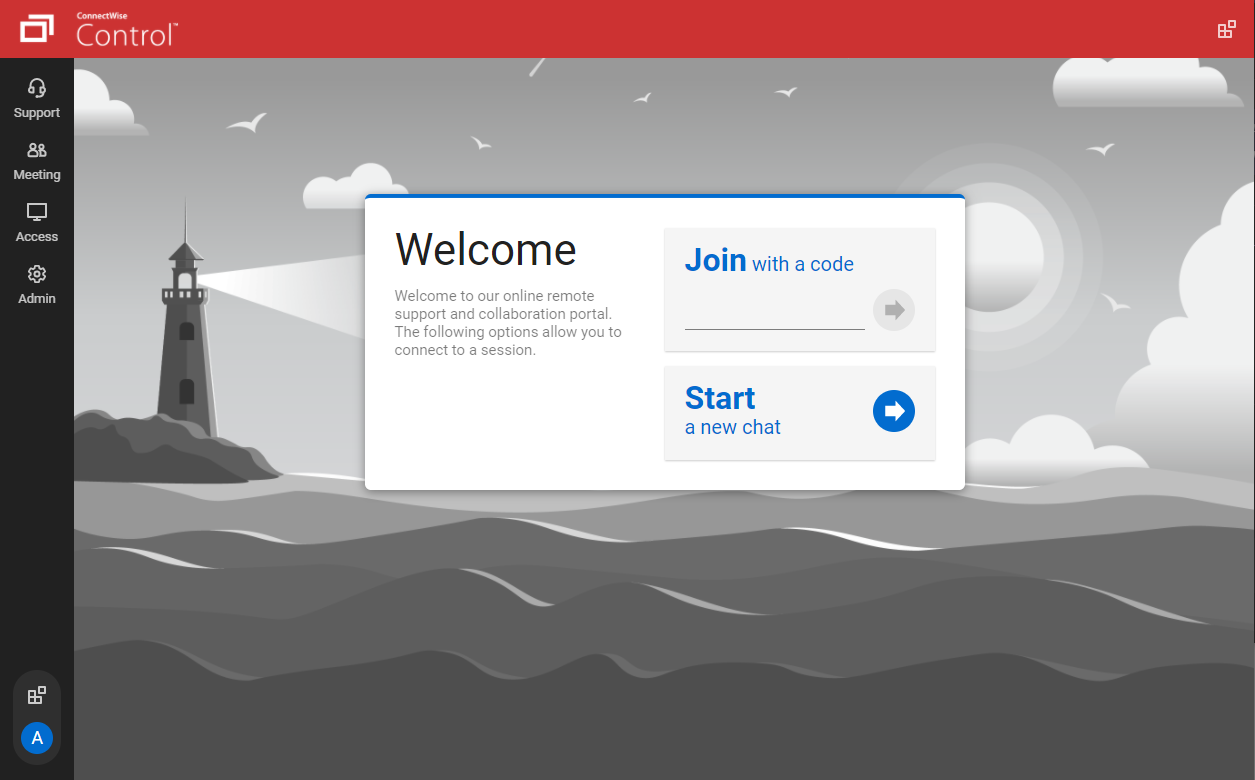   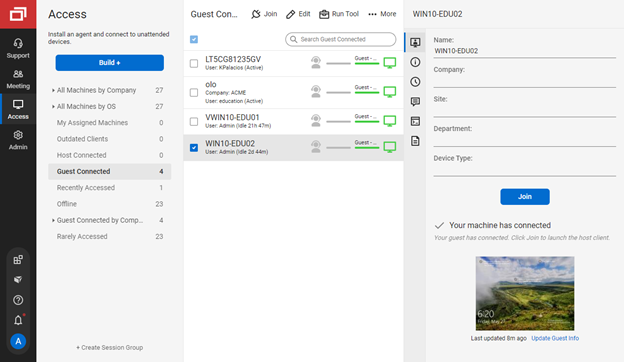   | TeamViewer Screenshots    |
