Constant Contact is a full-featured email marketing solution with capabilities such as social media integration, drag-and-drop editing, and real-time reporting. It is a bulk email tool designed for SMB customers. Since 2019, Constant Contact also offers marketing automation features, a website and landing page builder, and other tools to support midsize businesses.
$12
per month
Optimizely Web Experimentation
Score 8.7 out of 10
N/A
Whether launching a first test or scaling a sophisticated experimentation program, Optimizely Web Experimentation aims to deliver the insights needed to craft high-performing digital experiences that drive engagement, increase conversions, and accelerate growth.
N/A
VerticalResponse
Score 10.0 out of 10
N/A
VerticalResponse is an email campaign management software and services platform from Deluxe. In addition to providing email marketing tools, VerticalResponse offers fully managed email marketing services from campaign launch and management to reporting and analysis.
$9
per month
Pricing
Constant Contact
Optimizely Web Experimentation
VerticalResponse
Editions & Modules
Lite
Starting at $12.00
per month
Standard
Starting at $35.00
per month
Premium
Starting at $80.00
per month
No answers on this topic
Basic
$11.00
per month
Pro
$16.00
per month
Pro Plus
$196.00
per month
Offerings
Pricing Offerings
Constant Contact
Optimizely Web Experimentation
VerticalResponse
Free Trial
Yes
Yes
Yes
Free/Freemium Version
No
No
No
Premium Consulting/Integration Services
No
Yes
No
Entry-level Setup Fee
No setup fee
Optional
No setup fee
Additional Details
The SMS Marketing tool can be added to any Standard or Premium Constant Contact account. SMS is only available in the US for Standard and Premium paid plans. SMS can be added when logged in to an account after purchase. Plans start at $10/month for up to 500 messages.
Constant Contact has long been an industry leader for email campaign and list management. It's reliable and a great go-to for many of our clients. MailChimp is most likely its biggest competitor in my opinion, giving Constant Contact a literal run for its money with equivalent …
Constant Contact and Vertical Response were on my shortlist. Ultimately I chose Constant Contact because of budget and functionality.
Optimizely Web Experimentation
No answer on this topic
VerticalResponse
Verified User
Manager
Chose VerticalResponse
I think Vertical Response is a lot more user-friendly than Constant Contact and allows for more features that Constant Contact does not. I like the email WYSIWYG feature better on here and it allows us to preview our emails before we send them out to our entire customer base.
Vertical Response is most akin to Constant Contact. No frills, agile, easy to use. The one advantage that it has over Constant Contact is that you don't need to be locked into a month-to-month plan, which is what I needed. Salesforce and HubSpot aren't fair comparisons--these …
Co-Owner, Executive Director of Marketing & Public Relations
Chose VerticalResponse
In addition to using Vertical Response personally I also manage email marketing for clients that already use Mailchimp, Robly and Constant Contact. While most of these platforms all offer similar features I choose Vertical Response first if the client does not have a platform …
Vertical Response was already in use when I joined the organization. It was selected for affordability. In comparison to other email marketing platforms, it was harder to use for an end user, but we were able to hire a developer to create some custom templates, and that worked …
VR, MailChimp and Constant Contact all provide similar experience and provide the same function. I use many different tools.
Verified User
Board Member
Chose VerticalResponse
Constant Contact, MailChimp. Vertical Response covered our basic needs - contacts management, newsletter and marketing email activity analysis, templates/wizards, etc. and was free for non-profits up to 10,000 contacts/month.
Features
Constant Contact
Optimizely Web Experimentation
VerticalResponse
Email & Online Marketing
Comparison of Email & Online Marketing features of Product A and Product B
Constant Contact
8.7
120 Ratings
8% above category average
Optimizely Web Experimentation
-
Ratings
VerticalResponse
9.9
8 Ratings
21% above category average
WYSIWYG email editor
9.1102 Ratings
00 Ratings
10.07 Ratings
Dynamic content
9.1104 Ratings
00 Ratings
10.05 Ratings
Ability to test dynamic content
8.582 Ratings
00 Ratings
10.04 Ratings
Landing pages
8.878 Ratings
00 Ratings
10.04 Ratings
A/B testing
8.073 Ratings
00 Ratings
10.05 Ratings
Mobile optimization
8.686 Ratings
00 Ratings
10.05 Ratings
Email deliverability reporting
9.6116 Ratings
00 Ratings
10.08 Ratings
List management
9.0118 Ratings
00 Ratings
10.08 Ratings
Triggered drip sequences
7.862 Ratings
00 Ratings
9.02 Ratings
Reporting & Analytics
Comparison of Reporting & Analytics features of Product A and Product B
Constant Contact
8.4
117 Ratings
9% above category average
Optimizely Web Experimentation
-
Ratings
VerticalResponse
10.0
9 Ratings
26% above category average
Dashboards
8.488 Ratings
00 Ratings
10.09 Ratings
Standard reports
9.3115 Ratings
00 Ratings
10.09 Ratings
Custom reports
7.558 Ratings
00 Ratings
10.06 Ratings
Pre-Send Testing
Comparison of Pre-Send Testing features of Product A and Product B
Constant Contact
8.3
69 Ratings
3% above category average
Optimizely Web Experimentation
-
Ratings
VerticalResponse
10.0
1 Ratings
21% above category average
URL Validation
8.231 Ratings
00 Ratings
10.01 Ratings
Link Tracking
7.934 Ratings
00 Ratings
10.01 Ratings
Image Validation
8.832 Ratings
00 Ratings
10.01 Ratings
Inbox Display
8.635 Ratings
00 Ratings
10.01 Ratings
Email Accessibility Tools
7.928 Ratings
00 Ratings
10.01 Ratings
Spelling and Grammar Check
9.356 Ratings
00 Ratings
10.01 Ratings
Spam Testing
6.026 Ratings
00 Ratings
10.01 Ratings
Email Previews
9.768 Ratings
00 Ratings
10.01 Ratings
Testing and Experimentation
Comparison of Testing and Experimentation features of Product A and Product B
Constant Contact
-
Ratings
Optimizely Web Experimentation
8.0
163 Ratings
5% below category average
VerticalResponse
-
Ratings
a/b experiment testing
00 Ratings
9.0163 Ratings
00 Ratings
Split URL testing
00 Ratings
8.5135 Ratings
00 Ratings
Multivariate testing
00 Ratings
8.4139 Ratings
00 Ratings
Multi-page/funnel testing
00 Ratings
7.9126 Ratings
00 Ratings
Cross-browser testing
00 Ratings
8.197 Ratings
00 Ratings
Mobile app testing
00 Ratings
8.175 Ratings
00 Ratings
Test significance
00 Ratings
8.4147 Ratings
00 Ratings
Visual / WYSIWYG editor
00 Ratings
8.1133 Ratings
00 Ratings
Advanced code editor
00 Ratings
8.0125 Ratings
00 Ratings
Page surveys
00 Ratings
6.217 Ratings
00 Ratings
Visitor recordings
00 Ratings
8.418 Ratings
00 Ratings
Preview mode
00 Ratings
7.6145 Ratings
00 Ratings
Test duration calculator
00 Ratings
7.8112 Ratings
00 Ratings
Experiment scheduler
00 Ratings
8.2112 Ratings
00 Ratings
Experiment workflow and approval
00 Ratings
7.890 Ratings
00 Ratings
Dynamic experiment activation
00 Ratings
7.574 Ratings
00 Ratings
Client-side tests
00 Ratings
7.896 Ratings
00 Ratings
Server-side tests
00 Ratings
7.250 Ratings
00 Ratings
Mutually exclusive tests
00 Ratings
8.180 Ratings
00 Ratings
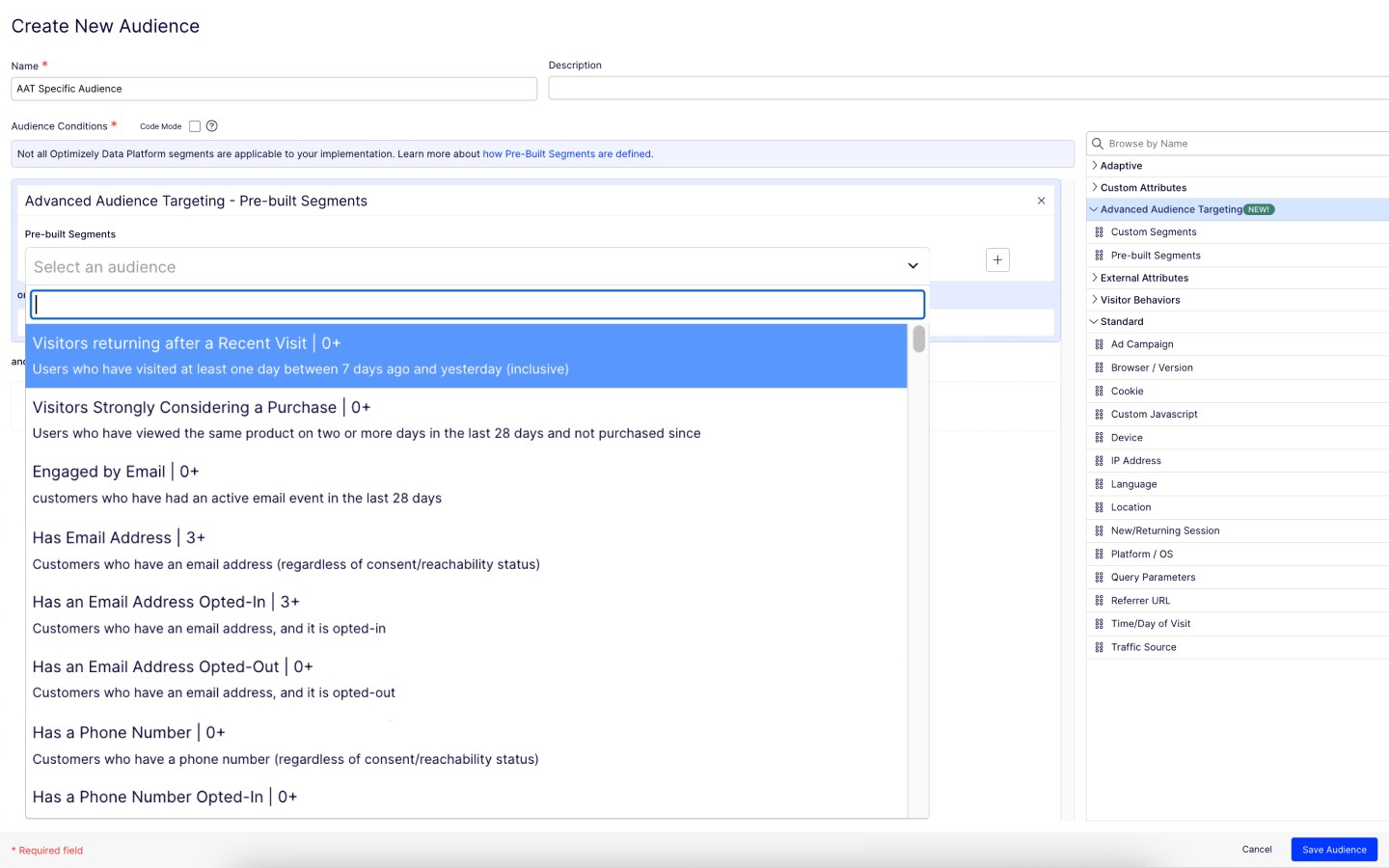
Audience Segmentation & Targeting
Comparison of Audience Segmentation & Targeting features of Product A and Product B
Constant Contact
-
Ratings
Optimizely Web Experimentation
8.2
152 Ratings
7% below category average
VerticalResponse
-
Ratings
Standard visitor segmentation
00 Ratings
8.4147 Ratings
00 Ratings
Behavioral visitor segmentation
00 Ratings
7.7122 Ratings
00 Ratings
Traffic allocation control
00 Ratings
9.1144 Ratings
00 Ratings
Website personalization
00 Ratings
7.8111 Ratings
00 Ratings
Results and Analysis
Comparison of Results and Analysis features of Product A and Product B
Constant Contact is an excellent tool for sending out flyers and newsletters. However, I feel the content's appearance is typically all the same. When I receive an email from Constant Contact, I can immediately identify it - the templates usually all look the same. When sending out communications with images, it is easy to use Constant Contact and link webpages. However, the email layout is always vertical and can get very lengthy. I prefer a more flip-book approach with options to flip the page.
I think it can serve the whole spectrum of experiences from people who are just getting used to web experimentation. It's really easy to pick up and use. If you're more experienced then it works well because it just gets out of the way and lets you really focus on the experimentation side of things. So yeah, strongly recommend. I think it is well suited both to small businesses and large enterprises as well. I think it's got a really low barrier to entry. It's very easy to integrate on your website and get results quickly. Likewise, if you are a big business, it's incrementally adoptable, so you can start out with one component of optimizing and you can build there and start to build in things like data CMS to augment experimentation as well. So it's got a really strong a pathway to grow your MarTech platform if you're a small company or a big company.
For businesses requiring advanced email marketing features like sophisticated automation, in-depth analytics, and extensive customization, VerticalResponse might fall short due to its limited featuresVerticalResponse is ideal for small businesses or freelancers who need a simple, straightforward email marketing tool. Its ease of use and basic features make it suitable for those without extensive technical expertise in email marketing
Market segmentation is great: my main segmentation is by region because that's how our sales team is divided.
Lists: making customized email lists is easy and intuitive; the custom fields allow some flexibility in case our fields don't exactly line up with Constant Contact's.
Campaigns: creating campaigns is quick and simple. I especially appreciate the 'resend to non-openers' option. I am constantly using this feature.
Subject line generator: I like using the recommended subject lines. I'm able to plug in their recommended ideas, or sometimes, this feature helps me generate my own ideas.
The Platform contains drag-and-drop editor options for creating variations, which ease the A/B tests process, as it does not require any coding or development resources.
Establishing it is so simple that even a non-technical person can do it perfectly.
It provides real-time results and analytics with robust dashboard access through which you can quickly analyze how different variations perform. With this, your team can easily make data-driven decisions Fastly.
I love the ease of list builder because we often times have a lot of data to import. It would be simply impossible without this tool, considering the amount of customer data we have for any one given email.
We really enjoy the ease of use of the HTML wizard as well. It helps even a novice be able to make a beautiful and attention grabbing email.
The dashboard is functional and easy to find when you need with a quick search.
It would be nice if we had more customizable options for emails - like moving around pictures and text boxes, rather than a set spot for everything to go.
I would like it if multiple people could work on a document at one time. So if I'm in charge of graphics, I can get those updated while someone else is entering content, etc.
The type face is small. Not sure if this is to avoid overwhelming the reader, but I could see this being an issue with vision-impaired people or people who don't see small print well.
Sometimes I find it takes multiple clicks to make one simple change. I wish there was a search field at the top of the screen that allowed me to jump directly to a client's entry to update it there.
There is no doubt that we are going to renew Constant Contact. We have not just invested a lot of time in learning and creating a great looking product but we have developed a strong database of information that allows us to track how we are doing for each newsletter. This supports our goals of creating products that residents desire and are excited to receive.
I rated this question because at this stage, Optimizely does most everything we need so I don't foresee a need to migrate to a new tool. We have the infrastructure already in place and it is a sizeable lift to pivot to another tool with no guarantee that it will work as good or even better than Optimizely
Product is easy for both technical and non-technical people to use. A cost effective solution for sending out large number of messages. We can manage unsubscribes by individual accounts, so we can have multiple multiple accounts combined to maximize our buying power on credits. Effective API for sending/receiving data makes tool a valuable asset.
There is always room for improvement. I don't know how they test their systems, but they should invite not-so computer savvy people to test it. If I, as an expert have problems, they need to think like the technophobe. Since I've used Constant Contact in the past as part of my former employment, I have not viewed any of the tutorials and just jumped in to work on my client's newsletter. With that said, I found some areas easy and some a bit cumbersome
Optimizely Web Experimentation's visual editor is handy for non-technical or quick iterative testing. When it comes to content changes it's as easy as going into wordpress, clicking around, and then seeing your changes live--what you see is what you get. The preview and approval process for sharing built experiments is also handy for sharing experiments across teams for QA purposes or otherwise.
I truly love this product. We are moving to an all-in-one system next year and my greatest fear in doing so is how much I will miss this platform. Although we are excited for things ahead, I will always keep Vertical Response in my back pocket incase I don't love the new platform as much
I would rate Optimizely Web Experimentation's availability as a 10 out of 10. The software is reliable and does not experience any application errors or unplanned outages. Additionally, the customer service and technical support teams are always available to help with any issues or questions.
The system seemed quite slow sometimes. Specifically, there was sometimes a delay in sends if it was during a high traffic period. There were time-outs when uploading new code for an email, and a lag in reporting analytics which was sometimes as long as 72 hours
I would rate Optimizely Web Experimentation's performance as a 9 out of 10. Pages load quickly, reports are complete in a reasonable time frame, and the software does not slow down any other software or systems that it integrates with. Additionally, the customer service and technical support teams are always available to help with any issues or questions.
I think the overall support for Constant Contact has always been incredible; I have nothing negative to say. Our customer support representative was attentive, easy to understand, and very knowledgeable. I never felt like I wasn't a priority of his and my issues, while very small, were fixed in a very short time frame.
They always are quick to respond, and are so friendly and helpful. They always answer the phone right away. And [they are] always willing to not only help you with your problem, but if you need ideas they have suggestions as well.
At Vertical Response the help desk associates are courteous, knowledgeable and helpful. You can tell they enjoy what they do. And clearly, they are well trained because most times, the first point of contact is able to resolve any issue you may have. There have been very few times where an associate has needed to get back to me or escalate me to a supervisor
The tool itself is not very difficult to use so training was not very useful in my opinion. It did not also account for success events more complex than a click (which my company being ecommerce is looking to examine more than a mere click).
Basic functions and online help...we used what was needed, at the time, and will continue to explore other online trainings as our functional needs expand
Implementation is very easy for someone who wants to send out the “batch and blast” type newsletters. If you want to use their templates with no customizations, the product works fine. However, the more customizations you get into involving link color, etc, that’s where things can get tricky for someone who may not be familiar with coding
In retrospect: - I think I should have stressed more demo's / workshopping with the Optimizely team at the start. I felt too confident during demo stages, and when came time to actually start, I was a bit lost. (The answer is likely I should have had them on-hand for our first install.. they offered but I thought I was OK.) - Really getting an understanding / asking them prior to install of how to make it really work for checkout pages / one that uses dynamic content or user interaction to determine what the UI does. Could have saved some time by addressing this at the beginning, as some things we needed to create on our site for Optimizely to "use" as a trigger for the variation test. - Having a number of planned/hoped-for tests already in-hand before working with Optimizely team. Sharing those thoughts with them would likely have started conversations on additional things we needed to do to make them work (rather than figuring that out during the actual builds). Since I had development time available, I could have added more things to the baseline installation since my developers were already "looking under the hood" of the site.
Constant Contact is much more intuitive for people who are not tech-savvy. Also, while sendgrid offered more options in it's drag and drop interface, it displayed differently across different email clients, which made it very cumbersome to use. It also took much longer to upload contact lists and it was harder to manage existing contacts. Performance in sendgrid was much slower as well, and the Preview feature was quite buggy. Our team initially chose sendgrid because of the integration options that it's API offered, but we ultimately switched to Constant Contact because it was much easier to build campaigns and better suited our requirements.
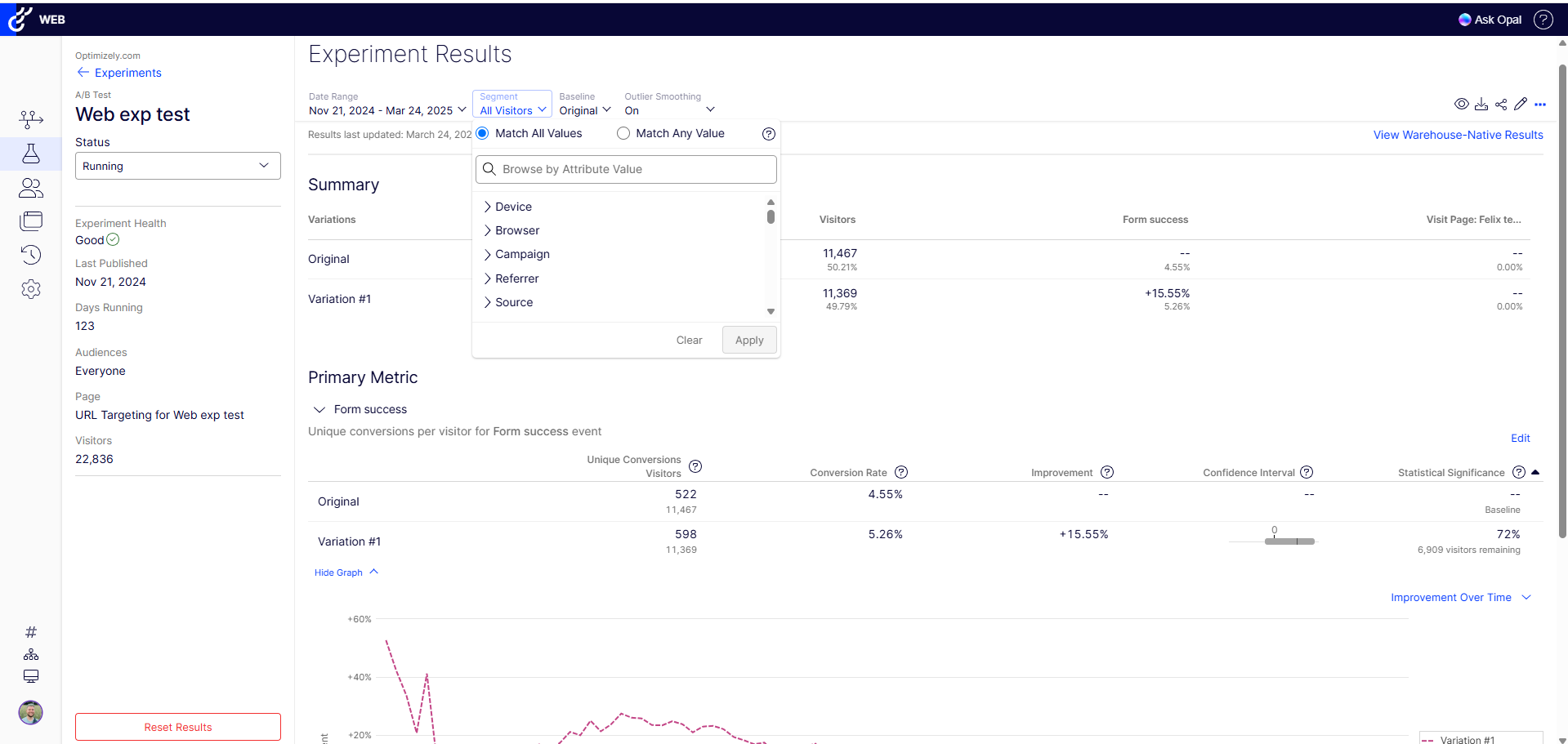
The ability to do A/B testing in Optimizely along with the associated statistical modelling and audience segmentation means it is a much better solution than using something like Google Analytics were a lot more effort is required to identify and isolate the specific data you need to confidently make changes
In addition to using Vertical Response personally I also manage email marketing for clients that already use Mailchimp, Robly and Constant Contact. While most of these platforms all offer similar features I choose Vertical Response first if the client does not have a platform in place. Typically I am also teaching the client how to use this tool and the Vertical Response visual interface is very easy for me to teach a client how to navigate and create their own campaigns.
Very reliable in sending email campaigns and controlling the recipients so that no contact is sent the same email more than once, even if they are on a resent list
We can use it flexibly across lines of business and have it in use across two departments. We have different use cases and slightly different outcomes, but can unify our results based on impact to the bottom line. Finally, we can generate value from anywhere in the org for any stakeholders as needed.
I have had nothing but positive impacts from using Constant Contact.
The church is large, and there are many subgroups and axillary groups within the church. Setting up specific groups based on responsibility, interest, member goals, and service needs allows me to send information quickly, saving valuable time for other tasks.
Constant Contact allows leadership to stay personally engaged with the members I work with, without over-taxing my time. It feels so seamless.
We're able to share definitive annualized revenue projections with our team, showing what would happen if we put a test into Production
Showing the results of a test on a new page or feature prior to full implementation on a site saves developer time (if a test proves the new element doesn't deliver a significant improvement.
Making a change via the WYSIWYG interface allows us to see multiple changes without developer intervention.