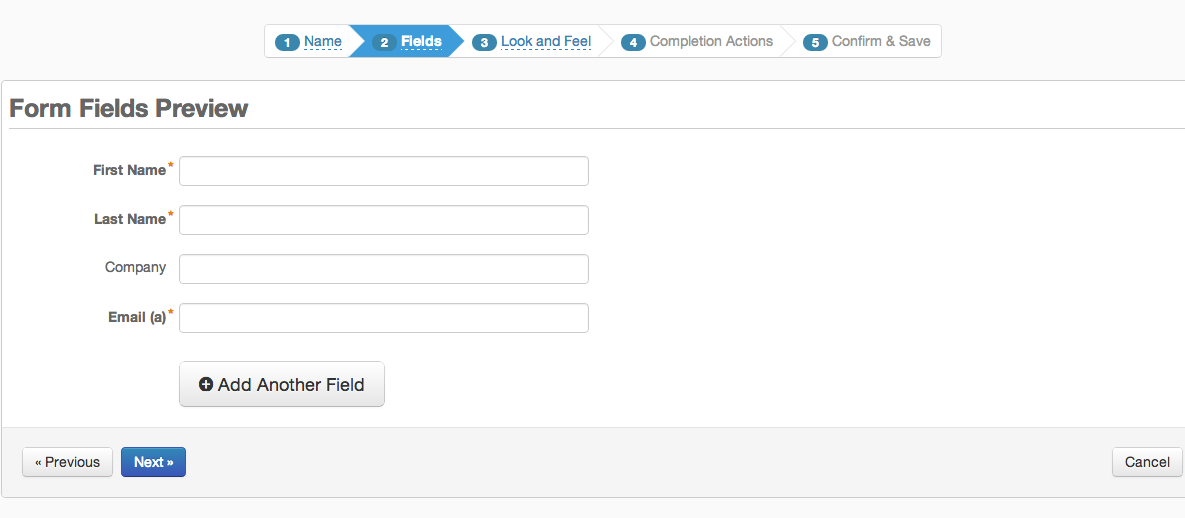
Google Forms is an app for creating forms and surveys, and is part of Google Apps for Work. The product focuses on ease of use; the interface is similar to a document editor, with drop down lists of options and drag and drop question re-ordering. Users can embed images and video into surveys. Users can also program the question flow with custom logic. Google sends users basic summaries of the survey results automatically, or users can export the raw survey results data and analyze it via…
N/A
Agentforce Marketing
Score 7.7 out of 10
N/A
Marketing Cloud is a cloud-based digital marketing platform, used by marketers can segment their audience, deliver personalized messages, track campaign performance, engage leads and accounts, and optimize strategies based on real-time insights.
$1,250
per month per installation
SurveyMonkey
Score 8.2 out of 10
N/A
SurveyMonkey provides free, customizable surveys, and a suite of paid, back-end programs that include data analysis, sample selection, bias elimination, and data representation tools. SurveyMonkey also offers large-scale, enterprise options for companies interested in data analysis, brand management, and consumer focused marketing.
$99
per month
Pricing
Google Forms
Salesforce Agentforce Marketing
SurveyMonkey
Editions & Modules
No answers on this topic
Account Engagement
$1,250
per month
Engagement
$1,250
per month
Intelligence
$3,000
per month
Loyalty Management
$20,000
per month
Personalization
$100,000
per year
Data Cloud for Marketing
$108,000
per year
Team Advantage
$25
per month (billed annually) per user (starting at 3 users)
Team Premier
$75
per month (billed annually) per user (starting at 3 users)
Google Forms has been much easier to use for our team since we already use Google for other services. The integration between their products works well for what we needed. SurveyMonkey is what we used in the past. They were easy to set up and send out to our team, however, …
Previously I have used SurveyMonkey, a paid survey program, for similar tasks that we can perform with Google Forms for free. For the level of use we had, Google Forms made more sense.
SurveyMonkey has a lot more features to customize your form, but using Google Forms is just the easiest method because it's already connected to our Gmail accounts.
If I was basing the design element on a Google Forms vs their nearest competitor, SurveyMonkey, Hands down, SurveyMonkey has them beat. If I want something quick to load, I don't care about the design Google Forms is the way to go. The forms themselves aren't being sent outside …
Google Forms is like SurveyMonkey, but with a fraction of the features. It does feel like an underpowered SurveyMonkey, but it is much more affordable. The free version of Google Forms is fine for smaller internal surveys, but if you needed to do usability testing or utilize …
Google Forms is much more simple and straightforward than Qualtrics or SurveyMonkey. Google Forms also integrates with Google Drive where data can be stored alongside other important and related documents and materials.
SurveyMonkey is great but it costs money to get its full power while Google Forms can do a lot of the same but for free. When it comes to simply surveys/data intake, Google Forms is far easier to use and much cheaper.
Google Forms is easy to use and affordable. The biggest benefit, however, is that our organization already uses other Google products heavily. Because of this Google Forms was our top choice. Some smaller departments in our organization still use other solutions, such as SurveyM…
Google Forms is more basic than Typeform in terms of design style options and flexibility, but it has an easier-to-use interface. It is slightly less robust in terms of logic and crowd-sourced responses than SurveyMonkey. In general, it's a good option for generating a quick, …
I use both SurveyMonkey and Google Forms. Google Forms are nice for quick and simple everyday information collecting. SurveyMonkey is used for a more robust detailed information collecting where I can dive into analytics/results in a more detailed manner.
SurveyMonkey works well for serious surveys, but it would be too difficult and expensive to use it for every small event. QuestionPro Live Polls is also good, but it is primarily used during specific events, such as Zoom webinars, to collect questions from participants. Google …
Verified User
Manager
Chose Google Forms
Google Forms is much easier to use than other form/survey platforms like Qualtrics or SurveyMonkey. While the others have much more advanced features, Google Forms can handle about 90% of the forms/surveys that I create.
Google Forms excels at offering a simple way to collect data; however, it lacks robust features like logic questions, email communications (beyond an email confirmation), or dynamic functionality like the ability for respondents to edit responses. For some use cases, the …
Google Forms is the low cost, easy to use option. In reality, this positions Google Forms as truly a unique product. The only instance where Google Forms doesn’t apply is when you need to source respondents or need to conduct live interviews. But, Google Forms is the best for …
They are pretty similar, but Google Forms is better from a cost perspective. They are both simple to use and are great options for creating + sending out surveys.
For strictly forms with data driven insights Google forms is the most efficient and hands down easiest choice to go with. It offers a ton of vast and robust features that helps with integrations and many more.
Google Forms is a much more basic tool for collecting feedback. It's better for small events or very basic responses. Survey Monkey is better for getting in-depth insights into data, including insights trends and a better presentation of the data in exportable graphs. But …
I selected Google Forms because of its efficient and quick customer service. I had used other platforms earlier and had trouble connecting with their team for issues.
Google Forms is great because it is free and easy to use. Formative has great features because it is able to give live feedback of responses and it has multiple question types but it is also expensive to subscribe to. Google Forms is very powerful because, in addition to the …
Google Forms definitely isn't as robust as some of the more professional tools out there. However, in my experience, I usually don't need a robust survey tool. I just need to quickly set up a survey or screener. In addition, I love how simple it is to add collaborators to …
The only thing I really like about Google Forms is that it's free. So for an individual wanting to create a quiz or poll for people, it's great. However, for a company wanting to appear professional, I'd use Pardot forms every time. I can fully create and adjust the CSS for …
I have used Survey Monkey in the past to conduct surveys. Google Forms has so much more capabilities than Survey Monkey and is much easier to use. Survey Monkey served mainly as a platform to conduct surveys, but Google Forms offers more than just surveys. It's an incredible …
I like Google Forms more than Survey Monkey. Especially for a company that uses G-Suite, it's easy to have everything under the Google umbrella under one platform. I don't think there's another platform that is as simple and to the point as Google Forms. Again, it's not …
The decision for our organization to switch to Pardot was a global decision and was not very popular. Countries in our company who were using Marketo were very happy and we seem to have limited ourselves by going with Pardot. Overall, Pardot works fine, but Marketo has much …
We selected Pardot primarily because it is native to Salesforce and we felt that long term it would be the better solution for our needs, based on our commitment to Salesforce. HubSpot seemed to be targeted more towards a small business, based on our experience using that …
I especially like the advantage of Google Forms with collaborations on the survey. You can add as many questions as you want. SurveyMonkey's help features are although easier to use. SurveyMonkey itself is also easier to use. Google Forms is a little more cumbersome to work …
I have only really used SurveyMonkey (I used Google Forms for a day and I did not know how to use it correctly), so I cannot give an opinion about another platform, except that the process with Google Forms was a bit tangled so that's why I abandoned it. But the truth is that …
I once tried the survey feature of SharePoint (2010). It was far too complicated
to build the survey, I didn't even get to the distribution options. So, even though we pay for SP, we still pay also for SurveyMonkey too. I
know Google Forms is an easy to use and cheap (not to …
SurveyMonkey is much easier to use, with more branding templates, form templates, and easy tracking of results, as well as results exports. In actual use, SurveyMonkey has had a heavy preference by our team, so much so that Google Forms are no longer used at all.
We use Google Forms for giving shout outs at the beginning of each work week- I can't do a true comparison of Google Forms and SurveyMonkey because we use the products for two different purposes, but in general, I feel that SurveyMonkey is a better platform and also has more …
We actually use Google Forms more often than SurveyMonkey because it's free; however, for our bigger annual projects we usually switch to SurveyMonkey. We select SurveyMonkey when we're not needing to collaborate as much and when we need to be able to ask our questions in more …
While Google Forms is free, the ability to design and customize forms/surveys would prove to be beneficial to the end user. Google Forms is very limited to multiple editors while SurveyMonkey provides viewing, editing, and commenting to editors. Additionally, the access to 200 …
In my opinion, SurveyMonkey is the gold standard. Google Forms and Google Surveys, while being able to connect easily to other Google tools, are not as adept or intuitive as SurveyMonkey is. Google is trying to be all things for all people, and while it does a lot of those …
SurveyMonkey has more analytic data options than what I found using Google Forms. Otherwise, if you use the Google Suite of products you may find it easier to just use Google Forms. When it comes to our website forms we have switched to JotForm as it has a better display on our …
SurveyMonkey is the least used between Wufoo, Titan Forms, and Google Forms. It is a solid program, however, for our uses the other programs provide additional features such as syncing to our CRM database, accepting Stripe payments, or automatically syncing with my already …
SurveyMonkey has the most options in terms of available question formats, analysis and participant tracking, and customizability. Google Forms is a more basic interface with fewer options for tracking and analysis, and Typeform is better in terms of design and branding options …
Building forms on SurveyMonkey is much easier and prettier than it is with HubSpot CRM, although I love that form responses map to our contact properties in HubSpot. Google Forms is less professional and clean looking and feeling than SurveyMonkey. I wouldn't want to put a …
SurveyMonkey is easier to customize and provides much more in depth analytics. SurveyMonkey also provides better templates providing us with a better presentation to our employees. SurveyMonkey also comes with a more trustworthy platform that ensures confidentiality, which is …
Honestly, SurveyMonkey was on our radar before most of these other options, and as it has met basically all our needs, we've felt no need to switch. For the record, Typeform's interfaces for their surveys are much more beautiful and enjoyable to use.
I like both tools. I think they do their job well, but Survey Monkeys has much better templates and they make you look like a professional. The facility that offers you to send surveys by mail, is what I liked the most. It is a program that is easy to use and you do not need to …
Google Forms is great for simple surveys, such as quick polls, but any logic beyond conditional pages is not supported. Google Forms is best used when the survey participants have and are permitted to use a Google Account to fill out the form; we ran into issues with hospital IT departments. I don't believe there's a better free tool out there than Google Forms, though.
I think the product, by definition, is meant for marketing — and we use it exactly for that, for running campaigns. That’s the best-suited use case for the product. I don’t think it’s really meant to be used for anything else — that’s just not how it’s designed.
SurveyMonkey is well suited for external, professional, client-facing forms and complex question types. I've tried generating forms on HubSpot, and it's not nearly as intuitive or clean-looking, and not all question types are supported (e.g. Likert scales). For quick, internal forms that don't need to be as pretty or professional, I find that Google Forms is the quickest and easiest to pull together, especially since it has a single, universal respondent link. If I wanted to embed a link in a mass email, SurveyMonkey doesn't allow multiple respondents to use the same link on my plan.
Live results: When a user completes the form the results are added instantly.
Easy to create: Google Forms has a simple interface that allows for a wide range of question types. Google will even try to guess the question type based on the question (but this can be overridden).
Answers export to Google Sheets: It is easy to have each response to your form add a row to a Google Sheet, allowing for further analysis or processing.
Ability to automatically collect email addresses within a domain: If you have a form that has been shared with users in your domain, you can set it to automatically collect the users' email addresses without them needing to type it in. Makes checking whether all students have completed the form easy.
Being able to close the survey at a set time without having to remember to do so.
Takes the guess work out of response collecting.
Makes it easy to categorize responses within the same survey. Being able to add tags to open-ended questions makes it easy for us to identify patterns in responses.
An array of survey options and questions.
An all around great product that meets multiple needs.
Can have multiple collectors for the same survey to included manual input.
Sometimes finding the output -- a Google Sheet with all responses-- is a little difficult. It's also sometimes confusing to figure out how to get back into the Google Form Survey itself.
As always, sharing among an institutional Google account and your personal Google account can be frustrating. You have to make a copy and can't share across the two different accounts very easily.
I would like to have more customizable options for branding it to our hospital colors. Some survey options allow you to enter html color codes. SurveyMonkey allows you to change colors and you have to pick from selected options.
Embedding the surveys into a webpage, like WordPress is not as seamless as other services.
I will definitely renew my use of Google Forms because I really like the ease of use and the number of tools that Google forms provide. I also love that I can administer a test in real-time and get results in a timely manner
As of right now we have not seen any other program that integrates as seamlessly into our Salesforce platform. We have barely scratched the surface of all the features and use cases. It would be irresponsible to make a move to another platform in the near future. We have not come up against any limitations that would prompt a need to switch
Compared to other competitors in the market (including a few I've used internally), if you're looking for a survey application, this one does the job and it's quite inexpensive too. Considering the fact that it comes with a handy mobile application too (on iOS and Android), you also get flexibility thrown in the deal too.
Overall ease of use for staff, volunteers, and adult learners, and easy to get reports and to share reports via Sheets. As a free tool, it does more than expected. Easy to change the look and brand it to your organization, or just make it more fun, depending on what you want to use it for.
You won't find another solution that has as many features as Salesforce Marketing Cloud Interaction Studio. We all know Salesforce, we all know how big they are and it's not for nothing... Their tools do most of the things you want, need and even imagine. Using it is complicated, but the usability is infinite.
It does everything a survey software should do, and it does it very well. I can't speak for how well it would work for a business that was surveying tens of thousands of people - but for a small business of 50 employees with a couple of thousand clients, it does everything it needs to do.
In the years I've used GoogleForms I've never ran into any issues with the reliability or availability. Google is a gigantic company with essentially limitless resources which makes it very easy to trust that I will continue to be able to enjoy the same reliability I've come to know and expect from GoogleForms
Upgrades and timing of the upgrades were communicated well and planned during off hours for our work. If we did have a campaign scheduled during that time, it would kick-off after the system was back active. There were a few unplanned system down times, but it was a rare occurrence and those times were also short in duration.
One of the things that comes as a benefit of the lack to create complex logic branching and truly custom design is that there isn't lot of room to bog down the software. GoogleForms has always loaded just as fast as my internet service and device would allow it. I'm not sure about front end integrations or integrations into the form itself, as I've never explored it, but on the backend, I've never had any issues with integrations channeling from GoogleForms from the GoogleForms's end of things.
Though the make up of MA apps is not built this way today, it would be nice to see them become more real-time. The integration between Salesforce and Pardot is not a true real-time integration. If I modify something in Salesforce, those changes are not automatically reflected in Pardot immediately. There is a delay of about 15 minutes before the systems sync. This delay, although not long, is less than ideal We would love the systems to be integrated real time such that changes are propagated from one system to the other immediately.
We haven't used much official support for Google Forms. However, because it is so widely used, there are a ton of articles and guides available online to help administrators of varying technical abilities to work through problems that arise. Additionally, Google provides an official support forum where there are discussions with other users as well as Google developers that can help address issues if needed.
They are really responsive and more than not solve the problem or give you insight to how you can manage the solution yourself. I do find however sometimes a long delay on the more complex issues when they need to loop in other departments. but overall a good experience with support
I've never had to contact the SurveyMonkey customer care team directly, but they have a pretty good library of help articles on their website. Everything from designing and executing your survey to account and billing questions. I never had a need for further support from Survey Monkey.
The trainers at the Pardot user conference (Elevate and Connections) were very knowledgeable and presented the material well. Again, the content was targeted to more of a new user audience, and was not really relevant for folks who had been using the product for 2+ years.
Pardot's online training touches on all topics briefly and vaguely without much indepth exploration into how a final outcome could look, such as Nurturing Campaigns, Email templates, landing page templates, etc... The only true way to uncover Pardot's full capabilities is to have Front End design and coding experience. Without this key skill set, I would not recommend Pardot to another business.
Google Forms doesn't really require "implementation": simply log into GDrive and create a survey! You can configure settings per survey to, for example, automatically write responses to a GSheet.
From an IT perspective, once you set up the Javascript beacon and start collecting data there is a waiting game. During this time you can start labeling your site actions which can be labor intensive for a single person, but you don't really have the final end-users on the platform yet. We did a lot of training so users were experienced, but it wasn't until they had their first tasks to accomplish that they started using the system and had questions. I'd recommend setting up some immediate goals for an end-user to start segmenting for the purpose of displaying message campaigns so you can jump start end-user action.
Although both platforms offer similar functionalities, Google Form has a personal advantage and it is the impeccable integration with the different applications of the Google suite, this allows to make use of all of them in a transparent way, which in the work environment allows to perform work efficiently and without affecting the quality of it.
We use Salesforce Marketing Cloud for lead management, generating reports, tracking customer and dealer information, inputting orders, and more. I prefer HubSpot for email marketing and automation because it is easier to use and the emails are designed much better. We currently use Salesforce and HubSpot, and we are very happy to have both, as they have different pros/cons.
SurveyMonkey is easier to customize and provides much more in depth analytics. SurveyMonkey also provides better templates providing us with a better presentation to our employees. SurveyMonkey also comes with a more trustworthy platform that ensures confidentiality, which is incredibly important to our employees and means we're getting more reliable results from the surveys.
GoogleForms lacks the ability for complex logic branching and the ability to truly design it in a custom manner. It's pretty obvious when you land on a GoogleForm that it is in fact a GoogleForm. This rating solely reflects the lack of flexibility which in turn makes it something that wouldn't usually be scaled. That being said, if needing to scale a simple solution, GoogleForms would be up for the job.
Prior to this, we had no solution and literally were doing things on paper in a world where technology is outpacing paper. Having this process optimized has made it easier for the sales and marketing people to change information. From the training perspective, it has allowed us to see holes in where we could create additional support training, so the ROI here has been a lot more than just the optimization of a process.
Salesforce Marketing Cloud allows us to more efficiently reach out to a higher number of prospects.
Salesforce Marketing Cloud allows us to nimbly communicate important messages in a timely fashion to facilitate conversion.
Salesforce Marketing Cloud allows us to track who is opening our messages so that we can stop sending to those not interested and focus on the most engaged audiences.
The speed at which we can develop, program, execute and generate actual usable results provides significant value, particularly when we need fresh numbers to illustrate a point.
The fact that we can execute a research project so quickly means that new research is always a primary option when we're developing campaigns. That's a huge value proposition.