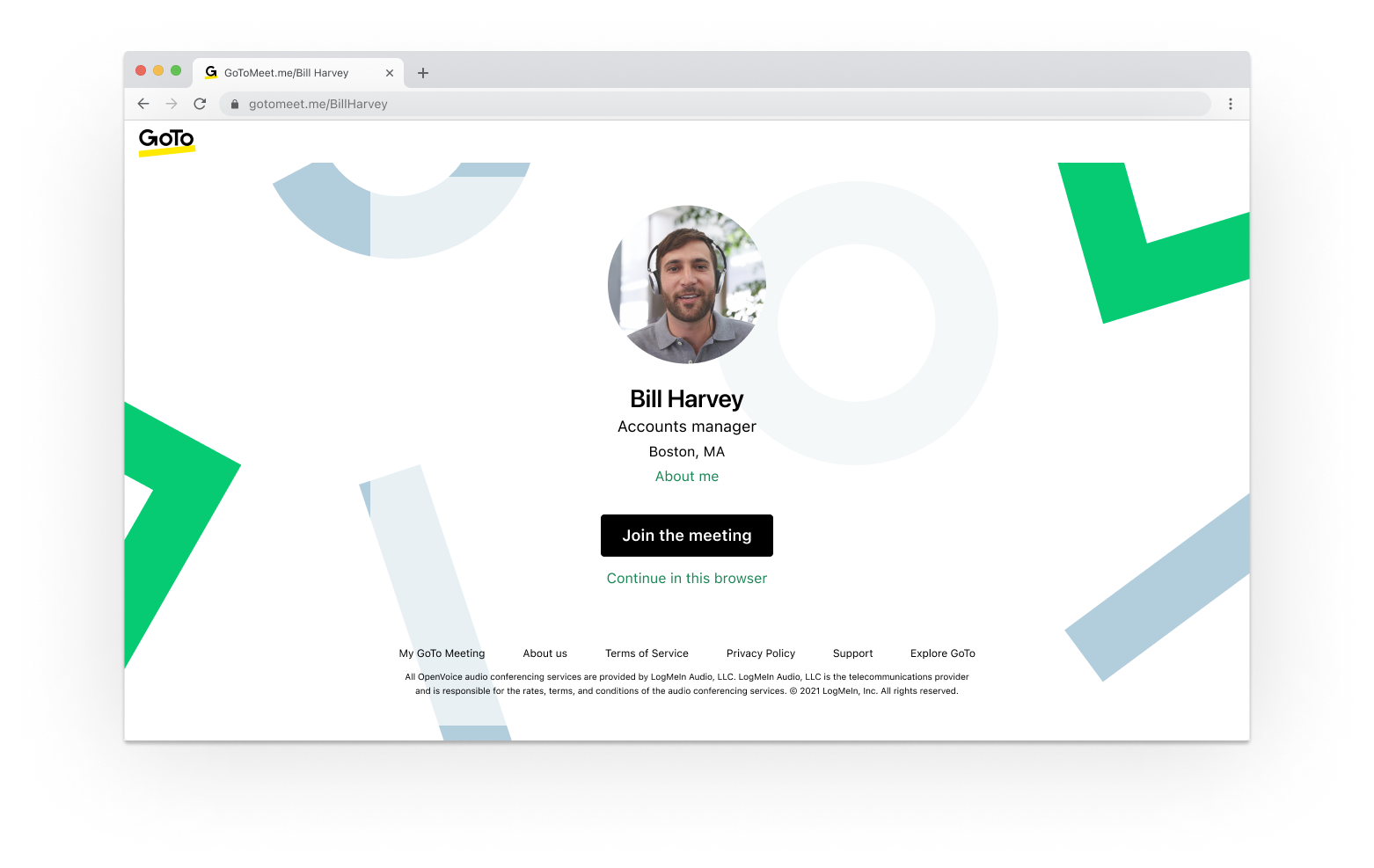
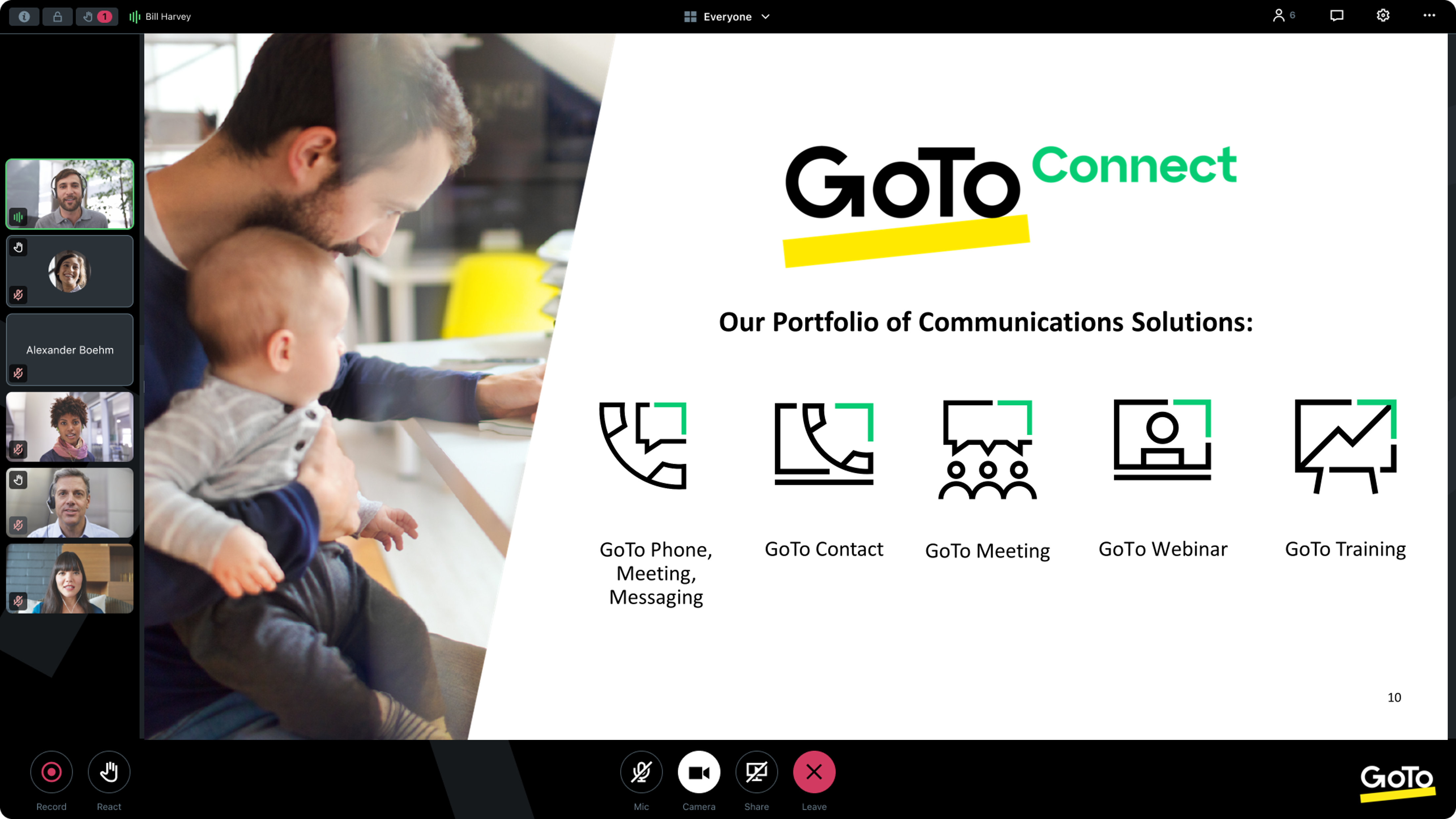
From GoTo (formerly LogMeIn), GoToMeeting is an online meeting, desktop sharing, and video conferencing software that enables users to connect via the internet. It hosts a suite of online meeting tools, including real-time screen sharing and integrated audio.
$12
per month
Vidyard
Score8.3 out of 10
N/A
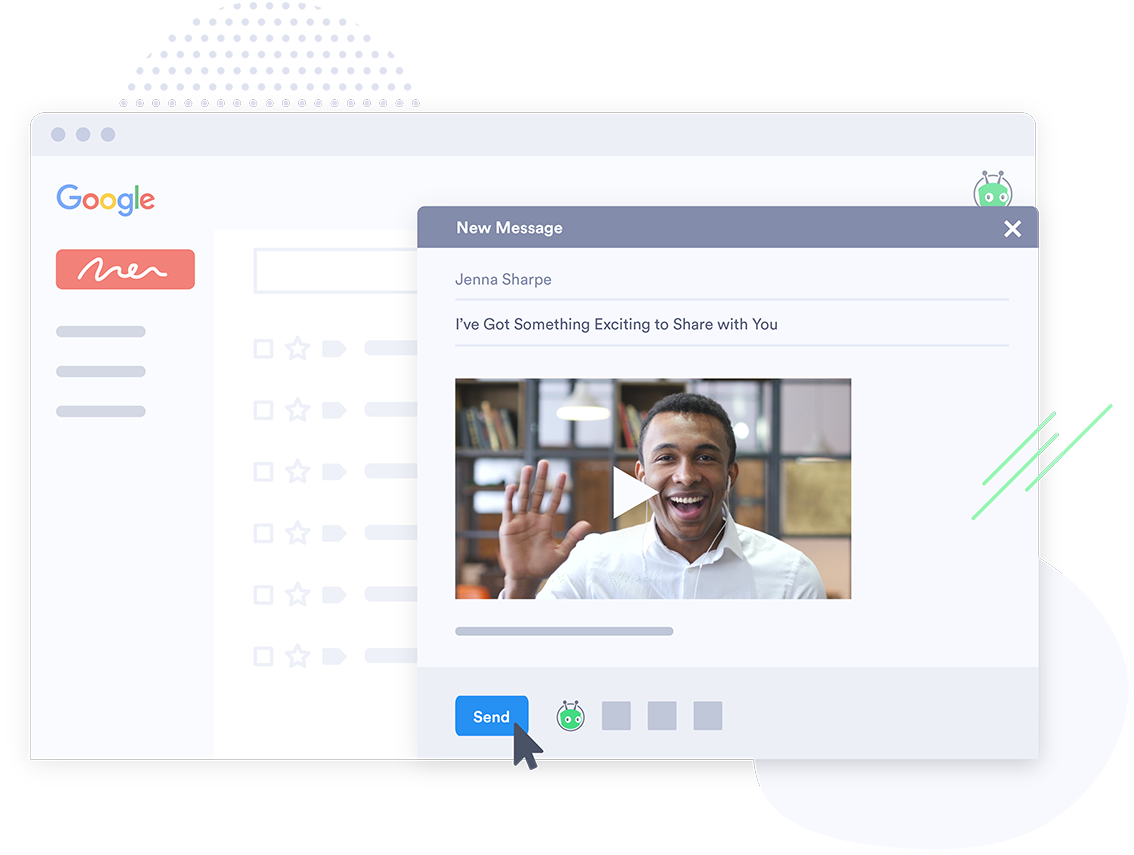
Vidyard is an enterprise video platform built to turn viewers into customers with in-depth insights and robust integrations with different customer relationship management (CRM) and marketing automation platforms.
$0
Zoom Workplace
Score8.6 out of 10
N/A
Zoom Workplace, Zoom’s open collaboration platform with an AI Companion, empowers teams to be more productive, and strengthen customer relationships throughout the customer lifecycle with Zoom’s Business Services for sales, marketing, and customer experience teams, including Zoom Contact Center.
$16.99
per month per user
Pricing
GoTo Meeting
Vidyard
Zoom Workplace
Editions & Modules
Professional
$12.00
Per Organizer / Per Month for 150 Participants [billed annually]
Business
$16.00
Per Organizer / Per Month for 250 Participants [billed annually]
Enterprise
Custom Pricing
3,000 Participants
Free
$0
per month per user
Starter
$59
per month per user
Enterprise
Custom Pricing
per year
Teams
Contact Sales
per month per user
Add-On Zoom Translated Captions
$5
per month per license
Pro
$16.99
per month per user
Business
$21.99
per month per user
Add-On - Conference Room Connector
$499
per year
Basic
Free
Enterprise
Custom
Add-On - Zoom Whiteboard
starting at $2.49
per month per user
Add-On - Large Meetings
starting at $600
per year
Add-On - Cloud Storage
starting at $120
per year
Add-On Audio Conferencing
starting at $1200
per year
Add-On Zoom Phone Power Pack
Starting at $300
per year per user
Add-On - Quality of Service Subscription
Contact Sales
Offerings
Pricing Offerings
GoTo Meeting
Vidyard
Zoom Workplace
Free Trial
Yes
Yes
Yes
Free/Freemium Version
No
Yes
Yes
Premium Consulting/Integration Services
Yes
Yes
Yes
Entry-level Setup Fee
No setup fee
No setup fee
No setup fee
Additional Details
Pricing available by monthly or annual subscription, with discounts for annual commitments.
A de minimis incentive was given to thank the reviewer for their time. The incentive was not used to bias or drive a particular response, nor was the incentive contingent on a positive endorsement. More Info
Verified User
Chose GoTo Meeting
GoTo Meeting has feature parity with Zoom Workplace in terms of setting up and hosting web meetings.
A de minimis incentive was given to thank the reviewer for their time. The incentive was not used to bias or drive a particular response, nor was the incentive contingent on a positive endorsement. TR verified that a representative sample of customers was invited. More Info
Verified User
Chose GoTo Meeting
GoTo Meeting was more affordable and easier to implement than these options.
A de minimis incentive was given to thank the reviewer for their time. The incentive was not used to bias or drive a particular response, nor was the incentive contingent on a positive endorsement. More Info
A de minimis incentive was given to thank the reviewer for their time. The incentive was not used to bias or drive a particular response, nor was the incentive contingent on a positive endorsement. TR verified that a representative sample of customers was invited. More Info
Verified User
Chose GoTo Meeting
For meetings, it stacks reasonably well, although pricey for larger firms.
A de minimis incentive was given to thank the reviewer for their time. The incentive was not used to bias or drive a particular response, nor was the incentive contingent on a positive endorsement. TR verified that a representative sample of customers was invited. More Info
Verified User
Chose GoTo Meeting
Our CIO made the decision - all the products work well. He travels a lot and preferred the GoTo Meeting mobile app over the other applications' mobile capability. The cost basis was similar to both Zoom and Microsoft Teams. Our users had familiarity with GoTo Meeting which …
A de minimis incentive was given to thank the reviewer for their time. The incentive was not used to bias or drive a particular response, nor was the incentive contingent on a positive endorsement. More Info
Verified User
Chose GoTo Meeting
GoTo Meeting's privacy, security, and hacking protection are much better than Zoom. Aside from that, Zoom also gave us too many technical issues using it and we didn't feel comfortable hosting important meetings or conducting interviews while worrying that some random person …
A de minimis incentive was given to thank the reviewer for their time. The incentive was not used to bias or drive a particular response, nor was the incentive contingent on a positive endorsement. More Info
Verified User
Chose GoTo Meeting
We value GoTo Meeting’s consistent performance. There are fewer technical issues throughout the meetings. One reason to select GoTo is the user-friendly and self-explanatory interface. The seamless calendar integration keeps our meetings organized and ensures that all …
A de minimis incentive was given to thank the reviewer for their time. The incentive was not used to bias or drive a particular response, nor was the incentive contingent on a positive endorsement. More Info
Verified User
Chose GoTo Meeting
From a standard meeting perspective GoTo Meeting is on par with all of these offerings. From a classroom perspective Zoom offers the most comprehensive set of tools for the educator. Tools like switching the chat from private to public at the presenter's level is excellent to …
A de minimis incentive was given to thank the reviewer for their time. The incentive was not used to bias or drive a particular response, nor was the incentive contingent on a positive endorsement. TR verified that a representative sample of customers was invited. More Info
Verified User
Chose GoTo Meeting
We use Zoom for the entire organization because it’s far more cost effective. But, my role as training manager requires my use of GTM to allow all the required features that make my training sessions the most productive. I would always prefer to use GTM over Zoom because the …
A de minimis incentive was given to thank the reviewer for their time. The incentive was not used to bias or drive a particular response, nor was the incentive contingent on a positive endorsement. TR verified that a representative sample of customers was invited. More Info
Verified User
Chose GoTo Meeting
In my opinion, it is not as efficient, and we are much more used to using the Teams commands over the GoTo commands and actions. The learning curve was quick, and I do not know if transcribe is an option in GoTo like in Teams, which makes sharing calls very helpful.
A de minimis incentive was given to thank the reviewer for their time. The incentive was not used to bias or drive a particular response, nor was the incentive contingent on a positive endorsement. TR verified that a representative sample of customers was invited. More Info
Verified User
Chose GoTo Meeting
GoTo Connect is a great product with an All in one solution. We are evaluating it in our organization and hope to roll it out
A de minimis incentive was given to thank the reviewer for their time. The incentive was not used to bias or drive a particular response, nor was the incentive contingent on a positive endorsement. More Info
Human Resources in Human Resources at Singapore Airlines (Airlines/Aviation, 10,001+ employees)
Chose GoTo Meeting
GoTo Meeting is a real-time meeting platform that works in an extraordinary way, adjusting to the needs of each team, they are meetings that we easily start with just one click, meetings that allow us to get closer to colleagues, clients, employees, teammates, partners and …
A de minimis incentive was given to thank the reviewer for their time. The incentive was not used to bias or drive a particular response, nor was the incentive contingent on a positive endorsement. More Info
Cyber Analyst in Information Technology at iQuasar Cyber (Computer & Network Security, 1-10 employees)
Chose GoTo Meeting
It is excellent. It has also introduced a recording option. Very user-friendly. Google Meet is very easy to use and doesn't require any special setup. All you need is a Google account, and you can start a meeting with just a few clicks. With Google Meet, you can share your …
A de minimis incentive was given to thank the reviewer for their time. The incentive was not used to bias or drive a particular response, nor was the incentive contingent on a positive endorsement. More Info
A de minimis incentive was given to thank the reviewer for their time. The incentive was not used to bias or drive a particular response, nor was the incentive contingent on a positive endorsement. More Info
Verified User
Chose GoTo Meeting
I am end user. GoTo Meeting helped to remote sharing with on low bandwidths. The audio quality is better when we have low bandwidths and from Mobile data. Our OEM provides GoTo Meeting to attend their webinars, trainings and support assistance.
A de minimis incentive was given to thank the reviewer for their time. The incentive was not used to bias or drive a particular response, nor was the incentive contingent on a positive endorsement. More Info
Director Operations in Product Management at TimeValue Software (Computer Software, 11-50 employees)
Chose GoTo Meeting
Been using GoTo Meeting for over 10 years and it is easy for us to navigate and direct customers. Tried other products but they have other issues with logging in and have never replaced GoTo Meeting. GoTo Meeting is good but not great as if has some issues with our customers …
A de minimis incentive was given to thank the reviewer for their time. The incentive was not used to bias or drive a particular response, nor was the incentive contingent on a positive endorsement. More Info
Owner in Professional Services at Lake Tahoe Yoga (Health, Wellness and Fitness, 1-10 employees)
Chose GoTo Meeting
Zoom is my preferred meeting product. It is easy to use, integrates with my systems, and allows me to easily connect with even the most non-techy of my clients.
A de minimis incentive was given to thank the reviewer for their time. The incentive was not used to bias or drive a particular response, nor was the incentive contingent on a positive endorsement. More Info
Senior Staffing Manager in Marketing at Anansys Staffing, LLC (Information Technology & Services, 11-50 employees)
Chose GoTo Meeting
I really like GoTo Meeting because it is a wonderful tool that provides me with a quality service, with innumerable features which are extremely flexible and adapt to my needs and are very wonderful, nothing is missing to add to this program. I really like that It gives me …
A de minimis incentive was given to thank the reviewer for their time. The incentive was not used to bias or drive a particular response, nor was the incentive contingent on a positive endorsement. More Info
Director Of Communications, Technology, Marketing at The Suzuki School (Education Management, 51-200 employees)
Chose GoTo Meeting
GoTo Meeting was more reliable because they had the features in place already and didn't employ a questionable method of forcing people to pay more to use anything (like Zoom). I needed a program that could be used by those who didn't KNOW these kinds of programs. Zoom had a …
A de minimis incentive was given to thank the reviewer for their time. The incentive was not used to bias or drive a particular response, nor was the incentive contingent on a positive endorsement. More Info
Verified User
Chose GoTo Meeting
in terms of security is less known makes it safer. We still use the software because we rely on it since day one. We understand that new alternatives are widely used but we still trust this software for its reliability. For corporate use is cheaper than its competitors.
A de minimis incentive was given to thank the reviewer for their time. The incentive was not used to bias or drive a particular response, nor was the incentive contingent on a positive endorsement. TR verified that a representative sample of customers was invited. More Info
Verified User
Chose GoTo Meeting
GoTo Meeting is more secure than the listed similar products and allows for more engagement and collaboration. We currently pay for Zoom and have Google Meet through a bundled package through Google. Zoom was more utilized for situations where audio and video quality are the …
A de minimis incentive was given to thank the reviewer for their time. The incentive was not used to bias or drive a particular response, nor was the incentive contingent on a positive endorsement. TR verified that a representative sample of customers was invited. More Info
Network Systems Administrator in Information Technology at Johnson County Library (Libraries, 201-500 employees)
Chose GoTo Meeting
Along with everyone else during the pandemic, we had to scramble to find ways to have useful team meetings, especially with the ability to collaborate on documents or see workflows. We initially chose GoTo Meeting because of cost, but the product actually falls short compared …
A de minimis incentive was given to thank the reviewer for their time. The incentive was not used to bias or drive a particular response, nor was the incentive contingent on a positive endorsement. TR verified that a representative sample of customers was invited. More Info
ESL Teacher at Mastery Charter Schools of Camden (Education Management, 501-1000 employees)
Chose GoTo Meeting
GoTo Meeting is just an all-around faster program. GoTo Meeting is a less clunky program than its competitors. The meetings we have when using this program are often smoother than the virtual meetings we have had using programs such as Zoom. I hope we use this program more in …
A de minimis incentive was given to thank the reviewer for their time. The incentive was not used to bias or drive a particular response, nor was the incentive contingent on a positive endorsement. TR verified that a representative sample of customers was invited. More Info
Vidyard
Verified User
Chose Vidyard
Perhaps, these competitors have upped their game since I last used them, but I find Vidyard to be quicker to integrate into websites in that it takes less troubleshooting overall. Also, I'm not sure if these companies have quite the same ease of use when it comes to screen cap …
A de minimis incentive was given to thank the reviewer for their time. The incentive was not used to bias or drive a particular response, nor was the incentive contingent on a positive endorsement. More Info
Lead Designer at DSG Consulting (Professional Training & Coaching, 11-50 employees)
Chose Vidyard
We wanted a platform that would host our videos securely without any of their branding. We wanted the videos to be seamless on the website, but also to have a dashboard for the engagement and analytics for each video. Vidyard was the best option for video embeds that we could …
A de minimis incentive was given to thank the reviewer for their time. The incentive was not used to bias or drive a particular response, nor was the incentive contingent on a positive endorsement. More Info
Account Executive in Sales at LeadIQ (Computer Software, 11-50 employees)
Chose Vidyard
Vidyard is best for making quick videos to send to prospects while sharing your screen as well as your face. Cloudapp is great for internal use, taking screenshots and making quick GIFs. Vimeo and Wistia look like great tools to house all of the content we make in one central …
A de minimis incentive was given to thank the reviewer for their time. The incentive was not used to bias or drive a particular response, nor was the incentive contingent on a positive endorsement. More Info
Zoom
Verified User
Chose Zoom Workplace
Zoom Workplace was in place before we had Microsoft Teams, so it was grandfathered in. But when comparing Zoom Workplace to meetings features in our various phone systems over the years, as well as meeting platforms like UberConference, gotomeeting and MS Teams - I think Zoom …
A de minimis incentive was given to thank the reviewer for their time. The incentive was not used to bias or drive a particular response, nor was the incentive contingent on a positive endorsement. More Info
Verified User
Chose Zoom Workplace
i find Zoom Workplace comparable to GoTo Meeting in most aspects. i find zoom superior to LogMeIn and Teams for taking control of client computers - it's support of shortcuts is perfect, while the other products don't handle shortcuts correctly - they fire the shortcut on your …
A de minimis incentive was given to thank the reviewer for their time. The incentive was not used to bias or drive a particular response, nor was the incentive contingent on a positive endorsement. More Info
Principal in Professional Services at @The Office (Information Technology & Services, 1-10 employees)
Chose Zoom Workplace
Zoom's more cost-effective compared to the competitors. Initially, Zoom also offers a free option for the first 40 minutes of use. Zoom is easier to install and implement compared to other competitors. Even Microsoft Teams offers a Zoom plug-in to allow for Teams to access …
A de minimis incentive was given to thank the reviewer for their time. The incentive was not used to bias or drive a particular response, nor was the incentive contingent on a positive endorsement. More Info
Junior Integration Developer in Information Technology at Experian (Information Services, 10,001+ employees)
Chose Zoom Workplace
GoToMeeting has a higher cost than Zoom, so we decided to stay with this platform. I think both platforms have similar functions. In addition, we also consider that the quality of audio and video is much better.
A de minimis incentive was given to thank the reviewer for their time. The incentive was not used to bias or drive a particular response, nor was the incentive contingent on a positive endorsement. More Info
Verified User
Chose Zoom Workplace
I think that Zoom and Webex are by far the two strongest in this industry and the features are similar. I think the capabilities are far superior to what you find with GoToMeeting and Blackboard Collaborate. I chose Zoom over the others for this specific group of users …
A de minimis incentive was given to thank the reviewer for their time. The incentive was not used to bias or drive a particular response, nor was the incentive contingent on a positive endorsement. More Info
Verified User
Chose Zoom Workplace
Zoom has much higher up time than GoToMeeting. I always had to have back up free accounts just in case GoToMeeting went down because it happened so often. I've been using Zoom for 2 years now and it has always been up.
A de minimis incentive was given to thank the reviewer for their time. The incentive was not used to bias or drive a particular response, nor was the incentive contingent on a positive endorsement. More Info
Verified User
Chose Zoom Workplace
As mentioned before, I do sometimes use Hangouts instead of Zoom because it cuts out a little bit of time when I just need a meeting for a small number of participants (fewer steps, no need to auth again for Hangouts since I'm a Google cal user). However, Hangouts crashes far …
A de minimis incentive was given to thank the reviewer for their time. The incentive was not used to bias or drive a particular response, nor was the incentive contingent on a positive endorsement. More Info
Revenue Operations Manger in Information Technology at SquadLocker (Sports, 51-200 employees)
Chose Zoom Workplace
Going to the meeting was more difficult for the external stakeholders. Zoom allowed people outside of our org to easily join a meeting without forcing them to download anything.
A de minimis incentive was given to thank the reviewer for their time. The incentive was not used to bias or drive a particular response, nor was the incentive contingent on a positive endorsement. More Info
Verified User
Chose Zoom Workplace
Zoom Workplace is a one-stop shop for conferencing and phone needs--and with Zoom being a global name in the industry, there is no bounds to its reach and compatibility. Simply put, it just works, and Zoom's plan offerings are a steal in comparison to purchasing separate …
A de minimis incentive was given to thank the reviewer for their time. The incentive was not used to bias or drive a particular response, nor was the incentive contingent on a positive endorsement. More Info
Director of Customer Success in Customer Service at Followup CRM (Computer Software, 11-50 employees)
Chose Zoom Workplace
Zoom Workplace is superior in my opinion. It is the best for training clients and allows for annotation. Teams does not allow you to annotate and that makes it VERY hard to direct someone where to go on a screen.
A de minimis incentive was given to thank the reviewer for their time. The incentive was not used to bias or drive a particular response, nor was the incentive contingent on a positive endorsement. More Info
A de minimis incentive was given to thank the reviewer for their time. The incentive was not used to bias or drive a particular response, nor was the incentive contingent on a positive endorsement. TR verified that a representative sample of customers was invited. More Info
Verified User
Chose Zoom Workplace
Features are more roboust. The price is comparable based on the features. Integration has more options. SOme of the competitors just limit you to their software/products only.
A de minimis incentive was given to thank the reviewer for their time. The incentive was not used to bias or drive a particular response, nor was the incentive contingent on a positive endorsement. More Info
Verified User
Chose Zoom Workplace
I think Zoom Workplace is more widely adopted and familiar to our partners that we meet with. It's interface and quality of calls seems superior.
A de minimis incentive was given to thank the reviewer for their time. The incentive was not used to bias or drive a particular response, nor was the incentive contingent on a positive endorsement. More Info
Verified User
Chose Zoom Workplace
While Slack is nice, I wanted a more all-in-one solution. We almost went with Teams, as we are Microsoft Office users, but it was too clunky and error-prone, and we were concerned our users wouldn't be able to learn and use it well. User adoption was a top concern, so we …
A de minimis incentive was given to thank the reviewer for their time. The incentive was not used to bias or drive a particular response, nor was the incentive contingent on a positive endorsement. More Info
A de minimis incentive was given to thank the reviewer for their time. The incentive was not used to bias or drive a particular response, nor was the incentive contingent on a positive endorsement. More Info
Verified User
Chose Zoom Workplace
Zoom Workplace's ease of annotation and ability to easily screen share has been the clear divider for us.
A de minimis incentive was given to thank the reviewer for their time. The incentive was not used to bias or drive a particular response, nor was the incentive contingent on a positive endorsement. More Info
A de minimis incentive was given to thank the reviewer for their time. The incentive was not used to bias or drive a particular response, nor was the incentive contingent on a positive endorsement. More Info
A de minimis incentive was given to thank the reviewer for their time. The incentive was not used to bias or drive a particular response, nor was the incentive contingent on a positive endorsement. More Info
Verified User
Chose Zoom Workplace
Honestly not sure why someone would choose one over the other. I was told by my company that all client meetings need to be done on Zoom. They said internal can be conducted on Google Meet. All 3 applications are extremely similar.
A de minimis incentive was given to thank the reviewer for their time. The incentive was not used to bias or drive a particular response, nor was the incentive contingent on a positive endorsement. More Info
Sales Manager in Information Technology at Chain One Ltd (Business Supplies & Equipment, 51-200 employees)
Chose Zoom Workplace
Compared to its competitors, Zoom is more cost-effective, as well as simpler to install and use. It's also more reliable, as Google Meet's call quality has been poor for meetings larger than one-on-one. Even Microsoft Teams has a Zoom plug-in for teams to use. I chose Zoom, so …
A de minimis incentive was given to thank the reviewer for their time. The incentive was not used to bias or drive a particular response, nor was the incentive contingent on a positive endorsement. More Info
Human Resources Business Specialist in Human Resources at BOLD Technology Systems Pvt. Ltd. (Internet, 501-1000 employees)
Chose Zoom Workplace
I think without any doubt Zoom is an amazing application. so there was no question in choosing another product over Zoom. Most of the people use Zoom so people doesn't have to add any tool to run the application
A de minimis incentive was given to thank the reviewer for their time. The incentive was not used to bias or drive a particular response, nor was the incentive contingent on a positive endorsement. More Info
Blogger in Product Management at Self-employed (Health, Wellness and Fitness, 1-10 employees)
Chose Zoom Workplace
Zoom and Teams both support online meetings, chats, calls, screen sharing, and file sharing, among other capabilities. The main distinction between the two is Microsoft's integration of Teams with its Office 365 suite. Zoom's ability to display up to 49 individuals on one …
A de minimis incentive was given to thank the reviewer for their time. The incentive was not used to bias or drive a particular response, nor was the incentive contingent on a positive endorsement. More Info
Verified User
Chose Zoom Workplace
Zoom is an overall simpler and cost-efficient platform. It has managed to make a mark among its competitors. I was recommended by a friend to use the Zoom platform and since then, it has been a part of our meetings.
A de minimis incentive was given to thank the reviewer for their time. The incentive was not used to bias or drive a particular response, nor was the incentive contingent on a positive endorsement. More Info
Verified User
Chose Zoom Workplace
I did not list all of the software we have tried here, but we have literally tried and used everything, nothing works as seamlessly and easily as Zoom.
A de minimis incentive was given to thank the reviewer for their time. The incentive was not used to bias or drive a particular response, nor was the incentive contingent on a positive endorsement. More Info
I provide regular training as a big portion of my job. There is weekly training with an infinite number of users in attendance on any given date—GoTo Meeting is not the best option for this because I would have to mute users as they join the meeting. However, I also provide frequent training sessions to a small number of users that feature more individualized content, and having them able to mute/unmute at will is a better fit for a smaller group with in-depth materials.
A de minimis incentive was given to thank the reviewer for their time. The incentive was not used to bias or drive a particular response, nor was the incentive contingent on a positive endorsement. More Info
Vidyard has been critical for our team in many ways. One way that we didn't realize how much we'd be using it is for training new teammates while we're all working remotely. I frequently use the chrome extension to record a video of how to do something to send to our whole team or certain teammates. There are other products that do that, but this seems to be the most efficient, easiest, and quickest. Vidyard is incredibly useful for both inbound, and outbound sales and marketing strategies. It helps us increase our open and click rate for emails and overall engagement for our customer journey.
A de minimis incentive was given to thank the reviewer for their time. The incentive was not used to bias or drive a particular response, nor was the incentive contingent on a positive endorsement. TR verified that a representative sample of customers was invited. More Info
In most cases, and I mean almost all, Zoom is vastly superior to Teams in terms of functionality and ease of use. Case in point: I recently tried to join a Teams meeting in the web browser, and it took me multiple attempts to access it. This NEVER happens with a Zoom link.
A de minimis incentive was given to thank the reviewer for their time. The incentive was not used to bias or drive a particular response, nor was the incentive contingent on a positive endorsement. TR verified that a representative sample of customers was invited. More Info
A de minimis incentive was given to thank the reviewer for their time. The incentive was not used to bias or drive a particular response, nor was the incentive contingent on a positive endorsement. More Info
A de minimis incentive was given to thank the reviewer for their time. The incentive was not used to bias or drive a particular response, nor was the incentive contingent on a positive endorsement. More Info
Audio quality of phone calls is spot on. Calls are clear and crisp.
Video quality of video meetings are clear and there aren't any pixelization artifacts that some systems can have.
Having AI summaries have been life changing for us. We no longer have to concentrate on note taking, like we did in the past. The summaries are accurate and enable us to put our efforts in the meeting or conversation. Plus, we can save them into our practice management system as required.
A de minimis incentive was given to thank the reviewer for their time. The incentive was not used to bias or drive a particular response, nor was the incentive contingent on a positive endorsement. More Info
A de minimis incentive was given to thank the reviewer for their time. The incentive was not used to bias or drive a particular response, nor was the incentive contingent on a positive endorsement. More Info
A de minimis incentive was given to thank the reviewer for their time. The incentive was not used to bias or drive a particular response, nor was the incentive contingent on a positive endorsement. More Info
Allow a way to group individual people chats - not channels just individual peeps into groups for ease of finding - like how you can group shared calendars into sections in Outlook
A de minimis incentive was given to thank the reviewer for their time. The incentive was not used to bias or drive a particular response, nor was the incentive contingent on a positive endorsement. More Info
We used other software like goto meetings but found it best because of its user friendly interface and easy interfacing. It helped us in COVID and now we can say we are depending on it and love it. We recommend it to our friends company and they are also using it. It is very affordable and easy to integrate with system
A de minimis incentive was given to thank the reviewer for their time. The incentive was not used to bias or drive a particular response, nor was the incentive contingent on a positive endorsement. More Info
Vidyard has truly become an essential part of our organization. It's useful for our day to day communication internally amongst departments and externally with our customers. This platform has allowed us to create knowledge base articles, training portals, webinars and communicate effectively with our customers. We receive raving feedback from customers on how helpful the videos are that they receive. We also like the ability to view metrics, insights, etc. of the videos. Always allows us to pivot accordingly based on the feedback we receive
A de minimis incentive was given to thank the reviewer for their time. The incentive was not used to bias or drive a particular response, nor was the incentive contingent on a positive endorsement. More Info
We're sticking with Zoom for the foreseeable future--given its compelling feature set, ease of use, and advanced technology, there's just no other competition to be excited about. Plus it's a Gartner-recognized industry leader, so it's a rather easy choice.
The simplicity of GoToMeetings desktop, mobile, and web-based applications make it a very robust and user-friendly meeting solution. At times, it may be more complex than needed, but it is nice to have so many features that can be used if needed. Once installed, it is very easy to use and navigate.
A de minimis incentive was given to thank the reviewer for their time. The incentive was not used to bias or drive a particular response, nor was the incentive contingent on a positive endorsement. More Info
Vidyard is super easy for new people to pick up - I've never had to spend time explaining the UI or menu, which is a testament so how easy it is. The plugin also makes it quite user-friendly. There's no need to go anywhere else - it's all on the browser.
A de minimis incentive was given to thank the reviewer for their time. The incentive was not used to bias or drive a particular response, nor was the incentive contingent on a positive endorsement. More Info
Zoom is made for the non tech office. It has features that can be made to do what you need to run things on a day to day basis. Immediately we we able to get meetings going with remote employees. The ability to be able to add smartphone connected people was a big plus. Zoom met our needs at the time.
A de minimis incentive was given to thank the reviewer for their time. The incentive was not used to bias or drive a particular response, nor was the incentive contingent on a positive endorsement. More Info
Absolutely, the unpredictable nature of technology always keeps us on our toes. However, I'm pleased to share that my experience with Vidyard has been remarkably consistent and reassuring. To date, I haven't encountered any instances of service outages. This unparalleled reliability and dependability have instilled a high level of confidence in the platform, making it a stalwart companion in our digital endeavors. While the tech landscape can be uncertain, Vidyard's track record of steadfast performance has truly set it apart.
A de minimis incentive was given to thank the reviewer for their time. The incentive was not used to bias or drive a particular response, nor was the incentive contingent on a positive endorsement. More Info
There have been less than a handful of outages during our two years with Zoom, and whenever there was one, an email informing us of the outage went out immediately, and they had the issue resolved shortly thereafter.
A de minimis incentive was given to thank the reviewer for their time. The incentive was not used to bias or drive a particular response, nor was the incentive contingent on a positive endorsement. More Info
It performs very well. I have never had any bugs while recording, and none of the videos have been impaired or corrupted. I don't believe it integrates with any other software but you could contact the company to learn more. I am not sure if it is only available on Chrome.
A de minimis incentive was given to thank the reviewer for their time. The incentive was not used to bias or drive a particular response, nor was the incentive contingent on a positive endorsement. TR verified that a representative sample of customers was invited. More Info
Zoom has among the best performance of any video conference platform, as I've mentioned several times. Besides that, their Chat platform works great, and their back end always runs smooth. It's unfortunate that reporting can now only be done by one month at a time, but nonetheless, it only takes a second to run any kind of Zoom report, whether it's an attendee report, Poll results, a user report, a list of meetings from the past month, etc.
When we have issues, they seem to respond quickly and do everything they can to help us. They have even tried to find other ways we could get more use out of their product, or improve the way we are currently using it. Overall, their support has been fairly good for us.
A de minimis incentive was given to thank the reviewer for their time. The incentive was not used to bias or drive a particular response, nor was the incentive contingent on a positive endorsement. More Info
Customer support at Vidyard has always been good. When I first looked into the product, the salesperson took a consultative approach that allowed me to see how Vidyard would benefit our specific use case. Since coming on board, the customer service team has been quick to respond if I have any questions.
A de minimis incentive was given to thank the reviewer for their time. The incentive was not used to bias or drive a particular response, nor was the incentive contingent on a positive endorsement. More Info
Because I got a response right away, and was assigned one specific individual to work with me from the beginning to the resolution. I had an actual email address and direct contact with this person without having to start over and over every time I contacted Zoom - this singular individual remained attentive and was well informed on the subject matter and quite able to resolve my needs.
A de minimis incentive was given to thank the reviewer for their time. The incentive was not used to bias or drive a particular response, nor was the incentive contingent on a positive endorsement. More Info
The training experience proved to be tremendously valuable. Our dedicated representative exhibited an exceptional level of helpfulness and patience as she skillfully addressed all of our inquiries. Notably, she went beyond merely answering questions, providing us with a wealth of resources and sharing best practices that are pivotal for our success in utilizing the software.Her guidance transcended the boundaries of a conventional training session, empowering us with insights that extend far beyond the immediate
A de minimis incentive was given to thank the reviewer for their time. The incentive was not used to bias or drive a particular response, nor was the incentive contingent on a positive endorsement. More Info
The online training experience proved to be incredibly valuable. Our dedicated representative demonstrated exceptional patience and unwavering support in addressing our queries and requests, which greatly contributed to our learning process. Their guidance was pivotal in helping us navigate the intricacies of the training, ensuring that we absorbed the material effectively.
A de minimis incentive was given to thank the reviewer for their time. The incentive was not used to bias or drive a particular response, nor was the incentive contingent on a positive endorsement. More Info
A de minimis incentive was given to thank the reviewer for their time. The incentive was not used to bias or drive a particular response, nor was the incentive contingent on a positive endorsement. More Info
It's pretty straightforward. The bulk of the work goes on outside of Vidyard - it's the time required to add different videos to your website - that was probably the only difficult part and had nothing to do with Vidyard.
A de minimis incentive was given to thank the reviewer for their time. The incentive was not used to bias or drive a particular response, nor was the incentive contingent on a positive endorsement. More Info
If you receive any pushback from higher ups, point to any of the various positive reviews like this one. Or show Zoom's excellent Gartner report, or articles describing Zoom's partnership with Sequoia capital. It's not difficult to show how Zoom is a trustworthy industry leader with best-in-class technology.
Many times, it seems like GoTo Meeting requires less bandwidth to run. We noticed with a few test machines that if you have over twenty video streams, this product could handle the load better than if we used Microsoft Teams and had many video streams.
A de minimis incentive was given to thank the reviewer for their time. The incentive was not used to bias or drive a particular response, nor was the incentive contingent on a positive endorsement. More Info
I've never evaluated another product like Vidyard. I just used screen recordings with RingCentral before, and I remember the file size being very large and having to add the video as an attachment. So this was a major improvement to be able to shoot videos and easily share with my clients.
A de minimis incentive was given to thank the reviewer for their time. The incentive was not used to bias or drive a particular response, nor was the incentive contingent on a positive endorsement. More Info
Zoom Workplace is typically on the more expensive end against other options, but it's the industry leader for a reason. It has the most brand credibility by far, but that doesn't mean it's perfect. There are limitations when it comes to technical performance, customization and video/audio quality. I prefer Slack myself for communication apps, but Zoom Workplace is a good alternative.
A de minimis incentive was given to thank the reviewer for their time. The incentive was not used to bias or drive a particular response, nor was the incentive contingent on a positive endorsement. TR verified that a representative sample of customers was invited. More Info
The billing and price model is really fair for so many functions that they offer, our remote work requires each of the features that Zoom offers, so accepting payment for a tool like this is the least we can do. I like that billing arrives on time and that they offer opportunities and payment times.
The product exhibits an exceptional degree of scalability, accommodating diverse usage scenarios across various departments within our organization. This remarkable flexibility has enabled us to harness the software's potential in ways tailored to the unique needs of each team.In particular, the impact on our communication efforts with both potential and existing customers has been truly transformative.
A de minimis incentive was given to thank the reviewer for their time. The incentive was not used to bias or drive a particular response, nor was the incentive contingent on a positive endorsement. More Info
Because the Basic licenses are completely free, and because it's very easy to configure and install Zoom, and because anyone can join Zoom from a link without needing an account, scaling is a Breeze. There are absolutely no roadblocks. My company keeps adding more Zoom Pro license every week since it's so in demand. We were able to convert users from several different platforms onto Zoom with no trouble at all.
Zoom is perfect for our business. We use it to video chat with prospective clients. The name recognition alone gives us credibility and it is very easy to screen share and send content out.
Any collaboration app these days are now a great addition for those organizations which have more than one office and they need to collaborate with each other.
GoTo Meeting can contribute to cost savings by reducing the need for extensive travel, accommodation, and related expenses associated with in-person meetings especially in case like us as we have multiple branches.
A de minimis incentive was given to thank the reviewer for their time. The incentive was not used to bias or drive a particular response, nor was the incentive contingent on a positive endorsement. More Info
We save hundreds of dollars a month because we don't have to send out nearly as many physical samples for customers to review. We can send them a video that shows off the product and they love it!
We have improved conversion rates as a result of using Vidyard to communicate with new leads.
Our sales reps are clearly more engaged in the sales process. Each week we discuss how Vidyard helped them win a deal.
A de minimis incentive was given to thank the reviewer for their time. The incentive was not used to bias or drive a particular response, nor was the incentive contingent on a positive endorsement. More Info
We have not lost much productivity in our teamwork during the pandemic because of the ability to have Zoom video calls and keep everyone in touch. This is definitely a positive.
We are able to have more people participate in coaching sessions (described earlier) because we don't have room space limitations. This is a big positive.
Being able to start a meeting instantly is great when we are doing support and/or training with a client over the phone and need to be able to share a visible
A de minimis incentive was given to thank the reviewer for their time. The incentive was not used to bias or drive a particular response, nor was the incentive contingent on a positive endorsement. More Info