
Douglas E Brown
Editor in Chief
Chose Brevo
Better service, deliverability and prices than Constant Contact.

| Product | Rating | Most Used By | Product Summary | Starting Price |
|---|---|---|---|---|
 Brevo | N/A | Brevo, formerly known as Sendinblue, is the leading customer relationship management (CRM) suite designed to fully cultivate long-term customer relationships and to empower businesses to expand in a fast changing digital world. With Brevo, businesses have a unified view of the customer journey in one easy-to-use platform thanks to intuitive and scalable marketing and CRM tools such as Email, SMS, WhatsApp, Chat, Marketing Automation, Meetings, and much more. | $0 per month | |
 Constant Contact | N/A | Constant Contact is a full-featured email marketing solution with capabilities such as social media integration, drag-and-drop editing, and real-time reporting. It is a bulk email tool designed for SMB customers. Since 2019, Constant Contact also offers marketing automation features, a website and landing page builder, and other tools to support midsize businesses. | $12 per month | |
 Oracle Marketing | N/A | Oracle CX Marketing (formerly Oracle Marketing Cloud) is a solution designed to enable marketers to plan and execute automated marketing campaigns via email, display search, video advertising, and mobile while delivering a personalized customer experience for their prospects. | $2,000 per month |
| Brevo | Constant Contact | Oracle Marketing | ||||||||||||||||||||||
|---|---|---|---|---|---|---|---|---|---|---|---|---|---|---|---|---|---|---|---|---|---|---|---|---|
| Editions & Modules |
|
| No answers on this topic | |||||||||||||||||||||
| Offerings |
| |||||||||||||||||||||||
| Entry-level Setup Fee | No setup fee | No setup fee | Optional | |||||||||||||||||||||
| Additional Details | SendinBlue pricing is based on the number of email messages sent, rather than the number of contacts you keep in your account. Try SendinBlue with a free account and send up to 9,000 emails per month (300 emails per day). As your business grows, you can upgrade to a plan that meets your needs without breaking the bank! Send up to 40,000 emails per month for just $7.37 -- or send even more emails at great prices. | The SMS Marketing tool can be added to any Standard or Premium Constant Contact account. SMS is only available in the US for Standard and Premium paid plans. SMS can be added when logged in to an account after purchase. Plans start at $10/month for up to 500 messages. | CX Marketing pricing is a function of usage. | |||||||||||||||||||||
| More Pricing Information | ||||||||||||||||||||||||
| Brevo | Constant Contact | Oracle Marketing | |
|---|---|---|---|
| Considered Multiple Products |  Brevo Douglas E Brown Editor in Chief Chose Brevo Better service, deliverability and prices than Constant Contact.  Jason Shindler Director Of Technology Chose Brevo Constant Contact lacked the drip campaign functionality and was far more expensive. MailChimp was also more expensive. We chose SendinBlue based on those two reasons and nothing else.  Beverly Nickelson Senior Marketing Associate Chose Brevo Sendinblue's pricing is more flexible and more affordable for a small business than both Mailchimp and Constant Contact. Sendinblue's email design is more attractive and easier to use than Mailchimp. Chose Brevo On the outbound campaign side, Brevo is pretty no-frills, but it's more than good enough if you want to be out of the Intuit ecosystem and don't want to fuss with Constant Contact's legacy vibe. Brevo is superlative email with marketing tacked on rather than vice versa. If you …  Darcy Knapp, MBA CEO (Chief Executive Officer) Chose Brevo Sendinblue offers an unlimited list capacity and only charges based on send, which is much better for most clients, and much more affordable for clients with larger segmented lists.  Caleb Brown Founder Chose Brevo I found SendinBlue to be quite affordable even when working with a large email list. I found SendinBlue after pricing similar services for my startup with 50,000+ email subscribers. Their API made it easy to integrate signups.  Justin Germino Owner of Dragon Blogger Technology Chose Brevo SendinBlue is more affordable and has nearly the same amount of features when using it just for email/SMS marketing including triggers, analytics, custom templates and more. SendinBlue does not yet have an RSS to Email offerings like AWeber, or a direct broadcast of the …  Kenny Williamson Systems Administrator Chose Brevo SendinBlue had better a report so I would be able to see real time analytics on a campaign once I sent it out. The custom ip address with SendinBlue is not shared like it is with our systems. The responsive templates and the ability to do inbox testing before it sends out were …  David Cohen-Tanugi Cofounder Chose Brevo SendinBlue is a less polished, simpler competitor of MailChimp that mostly distinguishes itself by its highly competitive pricing. It still lacks important features like A/B testing and automated marketing, but may be a good solution for budget-minded organizations.  Cameron Andrews Owner Chose Brevo The newsletter plug-in for WordPress accomplished the automation tasks but delivery was slow. It also didn't manage the subscriber lists well and often had problems with broken links when using the tags functionality. Mailjet accomplished the objective but customer service was …  Christopher Belcher Marketing Consultant Chose Brevo Cost. Constant Contact was costing us $150/month. SendInBlue costs us $7/month for basically the same service. You do the math! |  Constant Contact  Lisa Parshan Digital Content Manager Chose Constant Contact I know what CC offers (but not sure if the others offer this or Retargetting - CC automatically retargets any of our customers with abandoned carts. We also set triggers on our promotional email system, and for follow-ups. This has been very helpful in targeting and retargeting … Darcy Knapp, MBA owner Chose Constant Contact Constant Contact is the best value for the investment. There are cheaper solutions - but not better. When you want to make a good impression, you want Constant Contact to be your provider (when we see Mailchimp emails we just delete!) |  Oracle Marketing  Maria Wilson Manager, Marketing Automation and Web Operations Chose Oracle Marketing These other platforms lack the robust capabilities or ability to customize your output. These platforms are plug and play, but you can only produce within the limits of what you are allowed to. I regularly push Eloqua to do things that are not natural capabilities. I've not … |
| Brevo | Constant Contact | Oracle Marketing | |||||||||||||||||||||||||||||||||||||||
|---|---|---|---|---|---|---|---|---|---|---|---|---|---|---|---|---|---|---|---|---|---|---|---|---|---|---|---|---|---|---|---|---|---|---|---|---|---|---|---|---|---|
| Email & Online Marketing |
| ||||||||||||||||||||||||||||||||||||||||
| Reporting & Analytics |
| ||||||||||||||||||||||||||||||||||||||||
| Pre-Send Testing |
| ||||||||||||||||||||||||||||||||||||||||
| Lead Management |
| ||||||||||||||||||||||||||||||||||||||||
| Campaign Management |
| ||||||||||||||||||||||||||||||||||||||||
| Social Media Marketing |
| ||||||||||||||||||||||||||||||||||||||||
| Platform & Infrastructure |
|
| Brevo | Constant Contact | Oracle Marketing | |
|---|---|---|---|
| Small Businesses |  Vbout Score 9.9 out of 10 | Vbout Score 9.9 out of 10 | Vbout Score 9.9 out of 10 |
| Medium-sized Companies |  VerticalResponse Score 10.0 out of 10 | VerticalResponse Score 10.0 out of 10 |  PFL Direct Mail Platform Score 9.0 out of 10 |
| Enterprises |  Emma by Marigold Score 9.3 out of 10 | Emma by Marigold Score 9.3 out of 10 | PFL Direct Mail Platform Score 9.0 out of 10 |
| All Alternatives | View all alternatives | View all alternatives | View all alternatives |
| Brevo | Constant Contact | Oracle Marketing | |
|---|---|---|---|
| Likelihood to Recommend | 9.3 (231 ratings) | 9.2 (135 ratings) | 7.0 (246 ratings) |
| Likelihood to Renew | 10.0 (10 ratings) | 9.9 (23 ratings) | 10.0 (92 ratings) |
| Usability | 9.2 (28 ratings) | 10.0 (12 ratings) | 10.0 (15 ratings) |
| Availability | 9.1 (1 ratings) | 9.0 (2 ratings) | 8.1 (9 ratings) |
| Performance | 9.1 (1 ratings) | 10.0 (2 ratings) | 6.6 (5 ratings) |
| Support Rating | 9.9 (13 ratings) | 10.0 (9 ratings) | 9.9 (16 ratings) |
| In-Person Training | - (0 ratings) | - (0 ratings) | 7.3 (3 ratings) |
| Online Training | - (0 ratings) | 10.0 (1 ratings) | 7.6 (11 ratings) |
| Implementation Rating | 9.1 (2 ratings) | 10.0 (5 ratings) | 8.8 (10 ratings) |
| Configurability | - (0 ratings) | 10.0 (1 ratings) | 6.4 (1 ratings) |
| Ease of integration | - (0 ratings) | - (0 ratings) | 2.0 (2 ratings) |
| Product Scalability | 9.1 (1 ratings) | 10.0 (1 ratings) | 8.5 (120 ratings) |
| Vendor post-sale | - (0 ratings) | - (0 ratings) | 6.4 (1 ratings) |
| Vendor pre-sale | - (0 ratings) | - (0 ratings) | 7.3 (1 ratings) |
| Brevo | Constant Contact | Oracle Marketing | |
|---|---|---|---|
| Likelihood to Recommend | Brevo (Sendinblue, Inc)
| Constant Contact
| Oracle
|
| Pros | Brevo (Sendinblue, Inc)
 Maxime Zelis Infographiste | Constant Contact
| Oracle
 Frank Debras Niel IT Analyst |
| Cons | Brevo (Sendinblue, Inc)
| Constant Contact
| Oracle
|
| Likelihood to Renew | Brevo (Sendinblue, Inc)
Cameron Andrews Owner | Constant Contact
 Ty Swartz, CPP, USN Ret. Multimedia Communications Supervisor | Oracle
 Dan Allis Marketing Systems Manager |
| Usability | Brevo (Sendinblue, Inc)
 Angelica Soler Directora | Constant Contact
 Giselle Aguiar Owner, Consultant | Oracle
 Gwen Lafleur eCommerce Website Manager |
| Reliability and Availability | Brevo (Sendinblue, Inc)
 Nathaniel Bradley Website Manager | Constant Contact
| Oracle
|
| Performance | Brevo (Sendinblue, Inc)
Nathaniel Bradley Website Manager | Constant Contact
| Oracle
|
| Support Rating | Brevo (Sendinblue, Inc)
Justin Germino Owner of Dragon Blogger Technology | Constant Contact
| Oracle
|
| In-Person Training | Brevo (Sendinblue, Inc) No answers on this topic | Constant Contact No answers on this topic | Oracle
|
| Online Training | Brevo (Sendinblue, Inc) No answers on this topic | Constant Contact No answers on this topic | Oracle
|
| Implementation Rating | Brevo (Sendinblue, Inc)
Kenny Williamson Systems Administrator | Constant Contact
| Oracle
Gwen Lafleur eCommerce Website Manager |
| Alternatives Considered | Brevo (Sendinblue, Inc)
| Constant Contact
| Oracle
 Harmonys Jacey Marketing Department Specialist |
| Scalability | Brevo (Sendinblue, Inc)
Nathaniel Bradley Website Manager | Constant Contact
| Oracle
 Rajiv Chidambaram, BE, MBA Subscriptions Marketing Manager |
| Return on Investment | Brevo (Sendinblue, Inc)
| Constant Contact
| Oracle
|
| ScreenShots | Brevo Screenshots  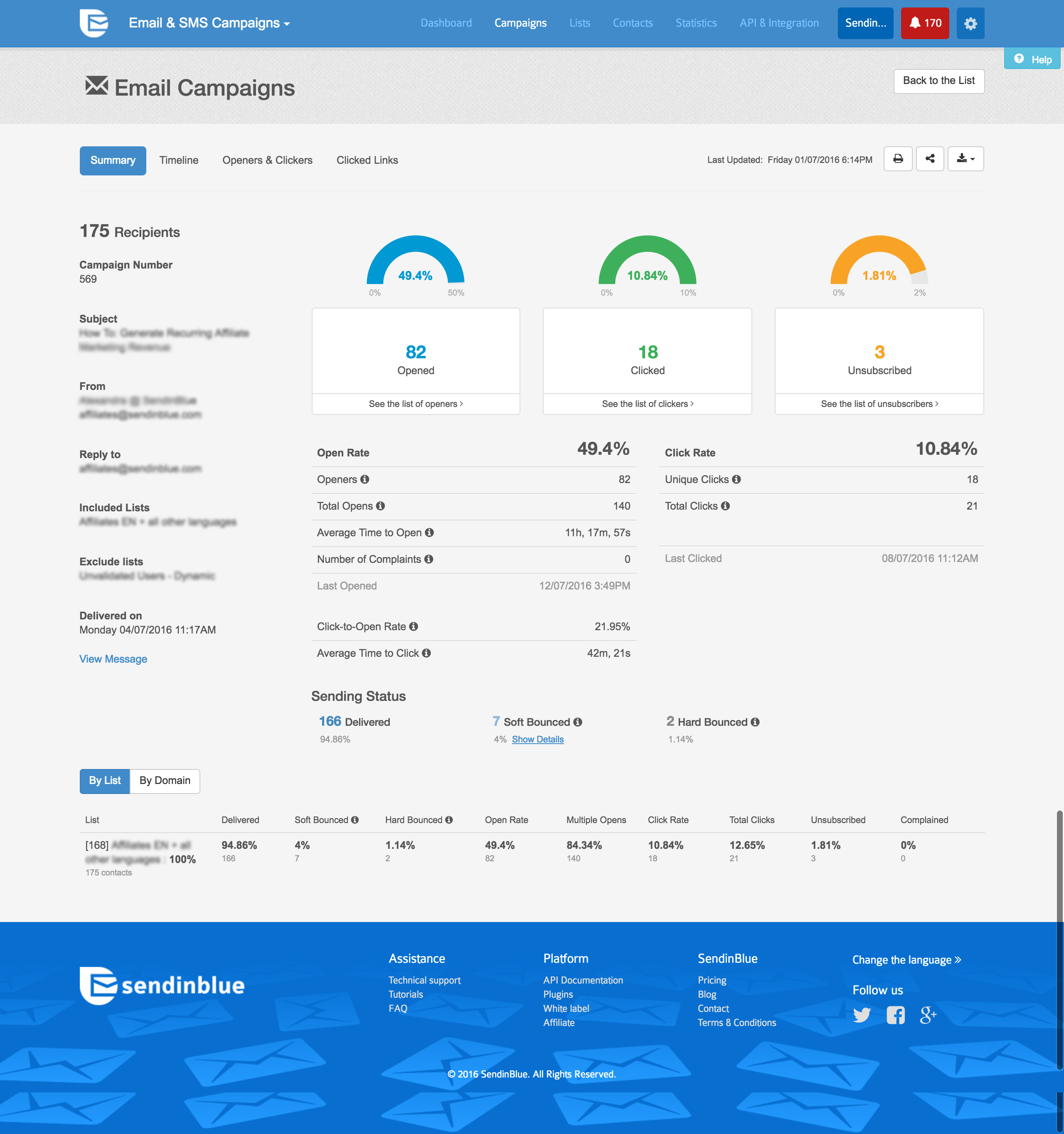  | Constant Contact Screenshots      | Oracle Marketing Screenshots   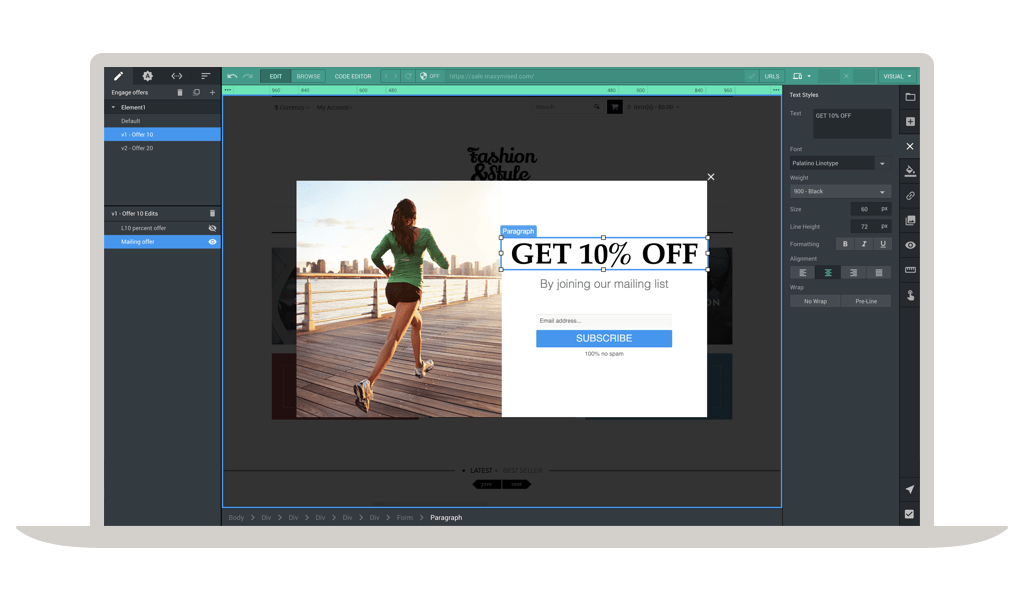   |
