Dayforce is a people platform that simplifies HR operations. As a unified HCMS, it delivers HR, payroll, benefits, workforce management, talent, and analytics—helping organizations boost productivity, stay compliant, and make smarter decisions with embedded intelligence and personalized experiences.
N/A
Paymo
Score 8.9 out of 10
N/A
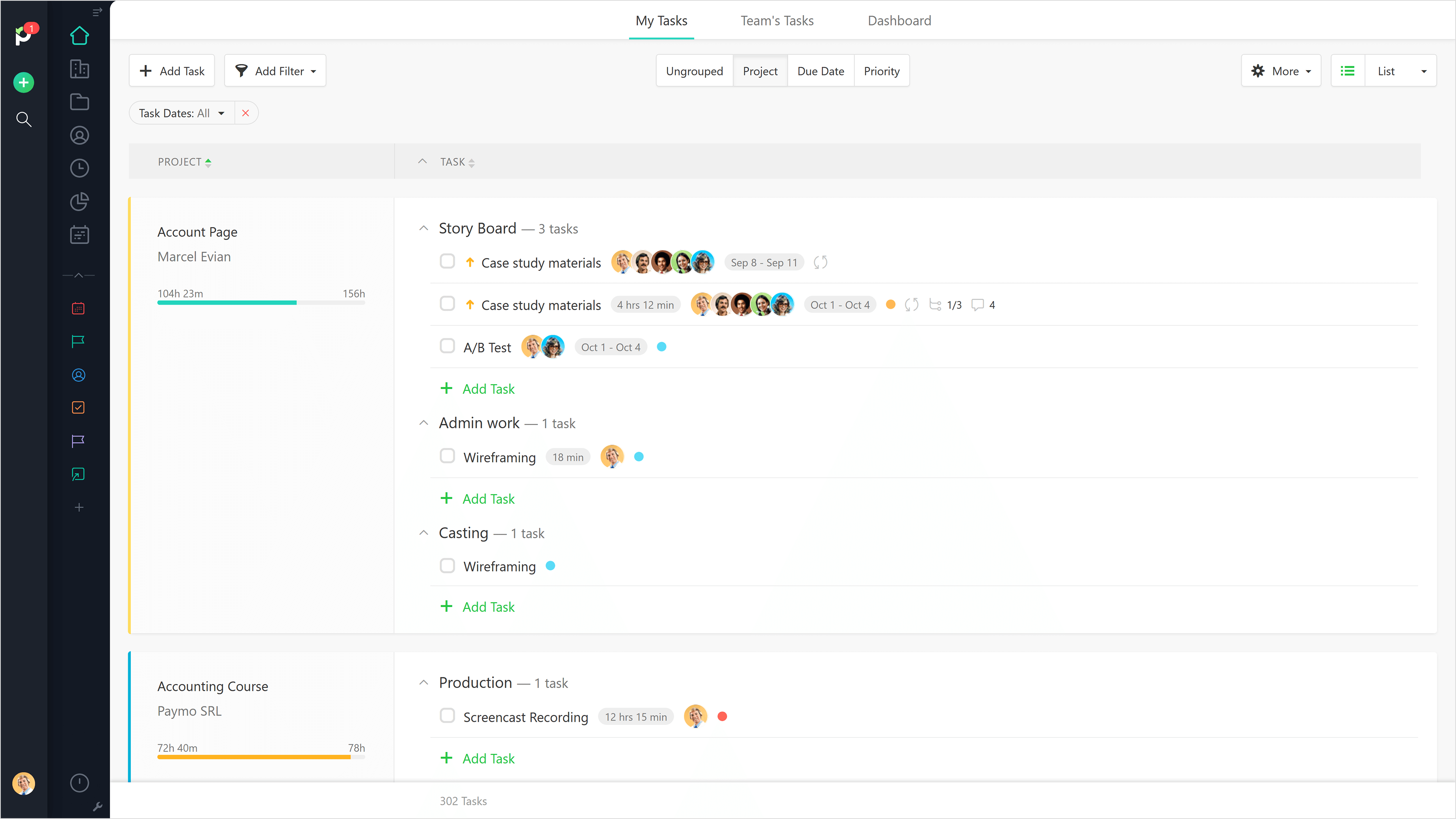
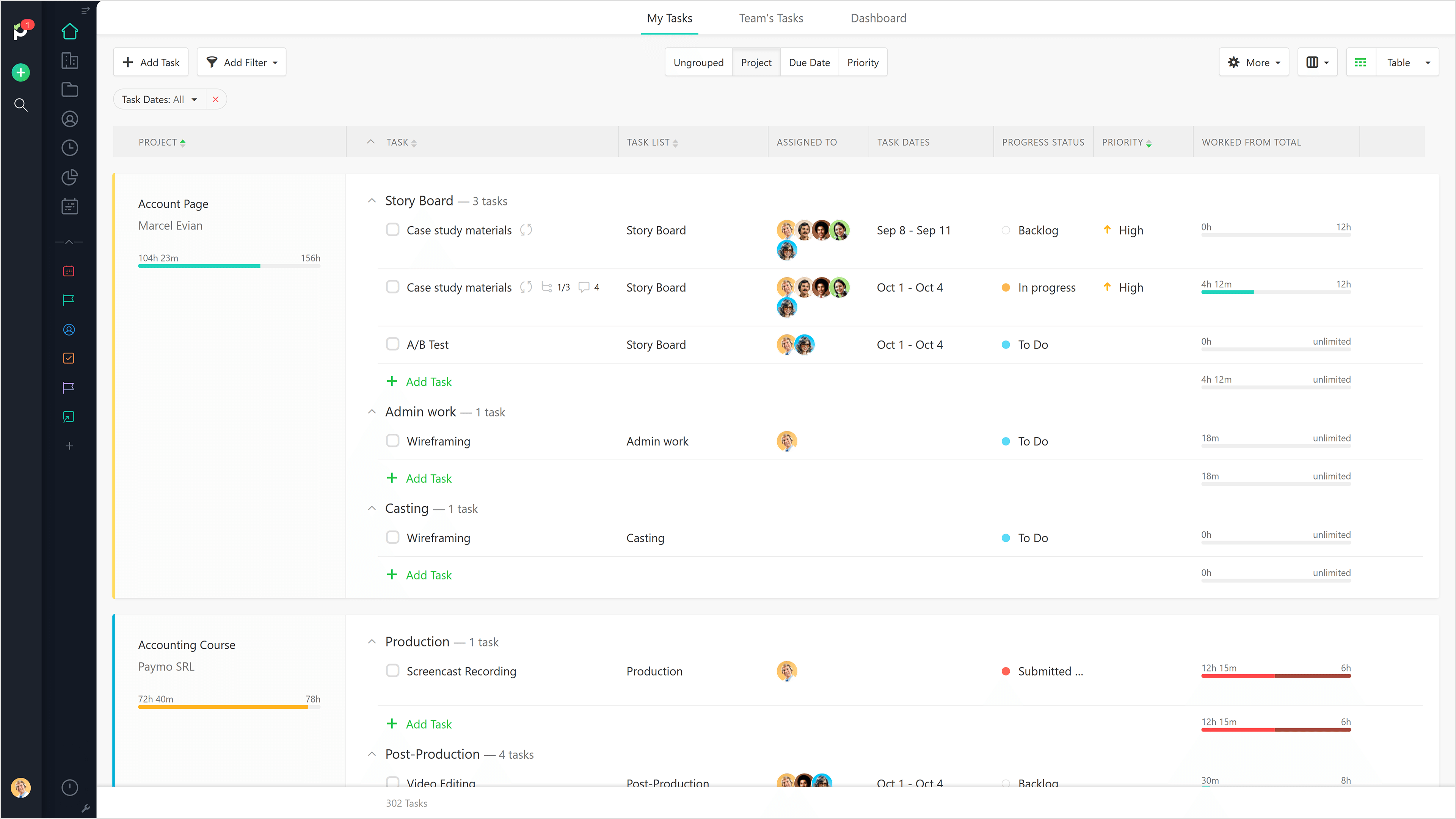
Paymo is a collaborative work management platform that helps track team progress, collaborate in context, and make smarter decisions. It acts as a single source of truth, where project planning, resource scheduling, file proofing, time tracking, and billing feed into each other to co-exist under the same roof.
$0
Up to 10 users
Trello
Score 8.4 out of 10
N/A
Trello from Atlassian is a project management tool based on a Kanban framework. Trello is ideal for task-management in a to-do list format. It supports sharing boards and cards across users or teams. The product offers a free version, and paid versions add greater automation, collaboration, and administrative control.
$6
per month per user
Pricing
Dayforce
Paymo
Trello
Editions & Modules
No answers on this topic
Free
$0
Up to 10 users
Small Office
$11.95
per user/per month
Business
$18.95
per user/per month
Standard
$6
per month per user
Premium
$12.50
per month per user
Enterprise
$17.50
per month per user
Free
Forever Free
Offerings
Pricing Offerings
Dayforce
Paymo
Trello
Free Trial
No
Yes
No
Free/Freemium Version
No
Yes
Yes
Premium Consulting/Integration Services
Yes
No
No
Entry-level Setup Fee
Optional
No setup fee
No setup fee
Additional Details
—
Free version available for freelancers.
A discount is offered for annual billing and for larger numbers of users.
More Pricing Information
Community Pulse
Dayforce
Paymo
Trello
Considered Multiple Products
Dayforce
Verified User
Project Manager
Chose Dayforce
Dayforce HCM has Payroll, HR, Time and Benefits in a single application. Much better than having employees log in and have to use several different platforms for each task. It's very good. I haven't used other products to compare them to, but I am very happy with Ceridian …
We still use Trello and Slack, but Basecamp and HubSpot are too much for our operation to manage or integrate. Paymo is missing some of the tracking features of HubSpot and isn't as universally used as Basecamp but we've been with them for 8 years and they seem to know what …
Toggle was confusing. I couldn't figure out how to work a task within a project and would mix up tracking different tasks along with projects. I didn't understand why tagging is needed. Paymo was super easy and intuitive, and I didn't want to bother spending time to learn how …
I think Dayforce is a great option for a large and/or Global organization. I do not think it would be the best fit for a very small company or business. It really shines for enterprise organizations with multi-locations. While a small business could use it, I would say it has too many bells and whistles that might feel overwhelming to a smaller organization.
Beautiful interface throughout, easy setup, most natural progressions are fluid and easy to use. Browser functionality allows us to use it cross-platform. Very reasonable pricing model as well. We have had a little trouble using Paymo for the entire creative process to have proofs reviewed and approved. Also, have to use external forms to have work submitted from campus.
For teams or individuals with lots of individual tasks/details to track, Trello is perfect! It basically removes the need for a paper checklist. For those that need an overall project management tool that requires less tasks and more overarching goals, collaboration amongst various teams, and gantt charts I would suggest monday.com
The ability to code exactly what time I worked on a project enables me to bill clients more accurately and within different minimums, which besides more accurately tracking time, this has been extremely helpful as I negotiate contracts for services and offer different deals with potential clients. Some are billed to the minute, some in 15-minute minimums, and some in 20-minute blocks.
The live reports are great, showing time spent in the minimums that I've set, while also including as much detail as I wish to share.
I've now started just writing my notes into the tracker, which are then carried into the live reports - this eases my needing to send logs to clients, as well as helping me to keep projects on track.
There have been a few instances of users being locked out of Ceridian due to recent upgrades. Not ideal when an employee wants to see their paystub and is suddenly have login issues.
Not the best for when an employee is transferred to another country as their employee number is locked to their SIN or SSN. And, we are required to create a new user record with a new employee number for the new country.
It would be really helpful if on the timer tool, they asked you to switch projects when you stop the timer, so it could fill that time in right away for you.
I never use the 'My Tasks' because I don't fully understand how to integrate it to be useful to what our purposes are in Paymo. Some Youtube tutorials might be helpful
We are highly invested in Ceridian's Dayforce product. It give us the flexibility and scaling that our growing company needs. Its potential reaches beyond the basic HR functions to the decision making that our Management Team needs. Ceridian is always innovating the employee and employee experiences to offer cutting edge options.
I am very likely to renew Trello, because it doesn't cost anything to do so. I am also very likely to use Trello's upgraded features in the future because a lot of my team's data is stored on there and they have already gotten used to the platform. Trello is very easy for new team members to pick up, making the onboarding and usability very streamlined.
I think it's very usable for the employee. I don't think it is as easy for the HR/PR admins - especially if there is an issue. There are so many setup screens that need to be looked at to try to figure out why payroll isn't calculating properly, hours aren't feeding over correctly, or benefits are not calculating properly. For the most part, they can't do their own troubleshooting. The same is true for the managers. Our managers find it cumbersome to go into make any schedule changes after the schedules have been generated.
It is a complete, a bit overambitious app but with many features that are needed. I didn't need most of the features but managed to make the most of the two I was using. Also, I think it is a well-rounded app and I am considering moving some team collab there.
Trello is incredibly intuitive, both on desktop and mobile right away. It is also full of helpful features that make it even easier to use, and is flexible enough to suit almost any organizational need. Onboarding for the software is thorough, but concise, and the service is frequently updated with even more QOL improvements.
Dayforce's high availability ensures that our HR processes are supported around the clock, which is critical for a global organization like ours. The platform is cloud-based, offering reliable access from any location at any time, allowing our employees, managers, and HR teams to stay connected regardless of time zones or geographic locations. This level of availability ensures that payroll processing, employee self-service, and real-time data access continue uninterrupted, even during peak periods or unforeseen disruptions. The system’s robust infrastructure minimizes downtime, which is vital for operations that span multiple regions. Additionally, having a centralized platform that’s always available helps keep our teams aligned, ensures compliance, and facilitates timely decision-making across all our locations.
We haven't noticed any slow-down due to the integration of Dayforce WFM with our Ceridian HPL products (HRIS and Payroll). The new HTML view of the timesheets don't load as quickly as the old Silverlight view - however, we have gotten used to the change.
Most of the time the support is great; it's not always super efficient but I always get the help I need. Occasionally it takes a lot longer than we had hoped or get conflicting responses. We had one ticket recently where we were told we would have to pay the service team to support us on the project and then another person called the next day with the solution to our query and was able to find a solution easily. Generally, though, the response is great and they either walk me though how to do something via a Zoom Meeting or they email step-by-step instructions on how to do it and say if I have questions we can set up a meeting to discuss further.
Good! Fast, excellent, speedy responses. They always wanted to know why and how they could improve on something (good on receiving feedback, too). Not that they were much needed, but my limited experience with them is good; they were really keen to understand what the problem was really about and how they could help with it.
I haven't reached out to their support very often and their support is very limited anyway for the free users. They do have tons of great articles and videos in their Help Center and constantly send emails with updates and add-ons to the product. The fact that I've barely ever had to contact their support team means that they've developed a great product.
The courses are very interactive and informative. There are classes for every topic, which allows you to make the most of the system. There are also some "go at your own pace" course which is a great option for a busy schedule.
Have a strong internal team. Communicate with your implementation team - they are there to make it work for you. Take the time to really think about how you want the system to work for you - in some cases, you may need to rethink your own business practices to see if you are working harder when the system could do it for you
For our small business, getting a few of us started well on Trello was the key, I think. As long as a couple of us were really comfortable with the interface, we could lead others and help them with any questions. From now on, anyone who works with us just naturally uses Trello for information sharing - it's just part of what we do.
I can't speak much to how it would be if we had all of these features separately since I started with Dayforce all being integrated and have no other experience, but having it all in one place has made the completion of all of these HR tasks seamless. We can direct all of our energies into the same system, and it makes it easier to field employee inquiries and to troubleshoot when we need to
We still use Trello and Slack, but Basecamp and HubSpot are too much for our operation to manage or integrate. Paymo is missing some of the tracking features of HubSpot and isn't as universally used as Basecamp but we've been with them for 8 years and they seem to know what matters most to their user base
Trello is more simple and not as "robust" as the other tools, but it's easier to use and manage and understand and ACTUALLY get stuff done with. It's simplicity is part of the beauty of using it. You don't need a million options that nobody uses, you just need to get stuff done.
Overall, we are extremely happy with the Dayforce WFM module. Our biggest pain point is concerning the twice annual software upgrades - which is the only reason I haven't rated them as a '10'. Because every customer is configured differently, the upgrades can sometimes have adverse effects on our current configured policies/rules. And although they roll-out the upgraded version in a test environment several weeks before go-live, not all testing is accurate in that environment. Some issues do not present themselves until you are working with live punches.
Performance Reviews/Comp used to be handled via paper and tracking/reporting was a nightmare - having all of that in the system is so much more efficient and provides huge ROI
Our organization used to have big problems with hiring managers going rogue and hiring positions that aren't approved by Finance - we built an approval workflow in the system that triggers before any req is approved which has completely solved this problem
Dayforce Wallet has been a huge perk for our employees - it's heavily used and our crew love it
Gives me more accurate time that I've spent on projects compared to older methods I've used.
Has data that I can pull together, for example my boss wanted to know the percentage of time I'd spent working on projects for one client compared to everything else - I was able to give them an accurate percentage.
Forces you to stay on top of jobs, which can lengthen the time to complete something
Trello keeps me organized, focused, and on track. I could filter the Trello board to only see my issues and understand what I needed to work on and when.
Trello helped our team implement an agile structure. It's a very simple kanban method of viewing all of your team's tasks and statuses. You can completely customize the columns to your team's specific workflow and create tags relevant to your work.
Trello helps reduce unnecessary communications between teams. When I want to request translations, I simply create a card on the localization Trello board -- no need to directly message anyone on the team, and I can watch the status of the card change from "in progress" to "in review" to "translated," all without having to directly ask for updates.