
Chose TeamViewer
Five9 vs. TeamViewer vs. RealVNC Connect
Five9 vs. TeamViewer vs. RealVNC Connect
| Product | Rating | Most Used By | Product Summary | Starting Price |
|---|---|---|---|---|
 Five9 | N/A | Five9 is cloud contact center software for inbound, outbound, blended, or multi-channel operations. This solution includes management capabilities such as campaign management, quality monitoring, real-time and historical reporting, and call recording. | $119 per month | |
 TeamViewer | N/A | Teamviewer offers secure remote access, IT support and device management on a scalable platform. It speeds up problem resolution, reduces downtime and enhances control through automation, unattended access and complete visibility of every device and location. | $299 per year | |
 RealVNC Connect | N/A | RealVNC® Connect is a secure remote access solution from RealVNC. It can be used to connect to a remote device anywhere in the world to view its desktop in real-time and take control as though sitting in front of it. | $99 per year (one concurrent session) |
| Five9 | TeamViewer | RealVNC Connect | ||||||||||||||||||||||
|---|---|---|---|---|---|---|---|---|---|---|---|---|---|---|---|---|---|---|---|---|---|---|---|---|
| Editions & Modules |
|
|
| |||||||||||||||||||||
| Offerings |
| |||||||||||||||||||||||
| Entry-level Setup Fee | No setup fee | Optional | No setup fee | |||||||||||||||||||||
| Additional Details | Five9 offers pricing options to suit your business needs: Monthly On-Demand —Companies looking to quickly scale their operations with minimum costs Per-Minute Fees — Products such as voice message broadcasting or IVR with Speech recognition Annual Contracts — Reduced fee compared to monthly on-demand pricing | — | Plans work on a Per Concurrent Session basis. Each plan gives access to a bundled number of devices, but limits apply to the amount of devices that can be connected at any given time. The Premium plan includes On-Demand Assist, a useful tool for providing just-in-time remote support to end-users without them needing RealVNC Connect installed on their device. | |||||||||||||||||||||
| More Pricing Information | ||||||||||||||||||||||||
| Five9 | TeamViewer | RealVNC Connect | |
|---|---|---|---|
| Considered Multiple Products |  Five9 No answer on this topic |  TeamViewer  Derek Schroeder Service Manager Chose TeamViewer LogMeIn Central remains the go-to product for remote desktop. Splashtop is on the same level as TeamViewer. GoToMyPC is more of a temporary, attended remote support application. VNC Connect is very basic, but also stable and feature-rich.  Vitor Mageste Gerente de produto Chose TeamViewer Compared to other similar tools, teamviewer stands out for its simplicity of deployment, and easy management of users and devices. I can manage access centrally, there is not so much complexity for firewall releases on customers. In addition, for the end user, the installation …  Eugenio Fajardo Jefe de Proyectos de Cómputo Chose TeamViewer In the various tests we conducted for about a month with ten users with different roles and responsibilities, TeamViewer scored best in all parameters of our evaluation matrix. Cost/benefit and ease of use were the highest rated. All applications suffer a lot in Internet …  Gal Avraham Partner Chose TeamViewer Better security, stack of features, much better user friendliness and so on and so forth. Also the mobile support is a good edge. They keep updating the product and securing it.  Junaid Ghani System Administrator Chose TeamViewer  Matt Wipf Wood Truss Designer Chose TeamViewer TeamViewer is a 10 compared to the alternative. In office sessions are easy to set up but mobile and other users not within our organization takes too much time to set up for remote sessions. TeamViewer is ahead of the game compared to most features offered. Installation is …  Jerica Gilley System Administrator Chose TeamViewer When I tried LogMeIn and VNC, I discovered that TeamViewer was more reliable, quicker to set up, and more consistent in terms of connection stability and reliability. All in all, it is a more cost-effective and efficient solution that can be deployed without the need to open …  Joyal John Peter Network Engineer Chose TeamViewer Security is a major concern for any organization as well as clients. Choosing a remote access solution comes with its risks. TeamViewer is so far the best option and has a good safety track record to ensure that you and your data and client are safe. Other competitors didn't …  Mauro Biefeni Head of Information Technology Chose TeamViewer TeamViewer works really well and is easy to use when all versions are in sync. So our choice for overall ease of use would be TeamViewer but due to version issues and pricing issues, it is not our primary remote support platform. Should they improve the versioning issues and …  Troy Alcorn Owner/Operator Chose TeamViewer Teamviewer does everything the others do, if not more, but the cost was much better at the time of our purchase. I don't know what the price difference is currently.  Michael Hylek IT Specialist Chose TeamViewer I’ve used GoToAssist and in my experience GoToAssist is better for the end-user experience. Skype for Business is better for meetings but that is kind of out of scope for TeamViewer. VNC is best for inside the organization. |  RealVNC Connect  Michael Mei Senior Web & Database developer Chose RealVNC Connect RealVNC existed before TeamViewer, and that's why we stay with RealVNC. Now it seems like when we try to connect from outside the network, only TeamViewer can do that job very well. So far I don't see RealVNC has a similar feature that we need without changing any setting from …  Seth Arnoff Security and Compliance Coordinator Chose RealVNC Connect TeamViewer seems to crash often, causing the TeamViewer host to have to be restarted. The performance isn't comparable to RealVNC and the GUI isn't very intuitive. TeamViewer does shine better when using it for external connections, but RealVNC is moe lightweight and adaptable …  Rob Hamlin Director: Solution Engineering Chose RealVNC Connect Real VNC Displaced TeamViewer for my work.  Paul Li Senior Associate Chose RealVNC Connect VNC Connect stacks up very well to other competitors. With this simple program, you can remotely connect and access other computers with the same VNC Connect agent installed. The only reason we're moving away from using this is that our current Ninja RMM Tools computer …  Samuel Dickinson Research & Development Project Manager Chose RealVNC Connect Overall the VNC Connect software outperforms the TeamViewer software in most areas however, the TeamViewer billing model can be more appropriate for some situations.  Nicholas Bates Network Administrator Chose RealVNC Connect I have used TeamViewer and while both are great programs, VNC just seem more minimalist and tuned to doing EXACTLY what I need it to do. |
| Five9 | TeamViewer | RealVNC Connect | |||||||||||||||||||||||||||||||||||||||||||||||||||||||
|---|---|---|---|---|---|---|---|---|---|---|---|---|---|---|---|---|---|---|---|---|---|---|---|---|---|---|---|---|---|---|---|---|---|---|---|---|---|---|---|---|---|---|---|---|---|---|---|---|---|---|---|---|---|---|---|---|---|
| Contact Center Software |
| ||||||||||||||||||||||||||||||||||||||||||||||||||||||||
| Workforce Optimization (WFO) |
| ||||||||||||||||||||||||||||||||||||||||||||||||||||||||
| Security |
| ||||||||||||||||||||||||||||||||||||||||||||||||||||||||
| Remote Administration |
| ||||||||||||||||||||||||||||||||||||||||||||||||||||||||
| Platform & Infrastructure |
| ||||||||||||||||||||||||||||||||||||||||||||||||||||||||
| Remote Access |
|
| Five9 | TeamViewer | RealVNC Connect | |
|---|---|---|---|
| Likelihood to Recommend | 8.5 (44 ratings) | 8.7 (591 ratings) | 9.5 (38 ratings) |
| Likelihood to Renew | 10.0 (1 ratings) | 8.2 (67 ratings) | 8.0 (8 ratings) |
| Usability | 7.7 (8 ratings) | 9.0 (57 ratings) | 8.0 (4 ratings) |
| Availability | 9.0 (1 ratings) | 9.1 (5 ratings) | - (0 ratings) |
| Performance | 8.0 (1 ratings) | 9.1 (5 ratings) | - (0 ratings) |
| Support Rating | 9.0 (9 ratings) | 9.5 (50 ratings) | 8.0 (2 ratings) |
| In-Person Training | - (0 ratings) | 9.1 (2 ratings) | - (0 ratings) |
| Online Training | 10.0 (1 ratings) | 9.1 (4 ratings) | 7.0 (2 ratings) |
| Implementation Rating | 10.0 (1 ratings) | 8.8 (146 ratings) | 8.0 (2 ratings) |
| Configurability | 9.0 (1 ratings) | 9.1 (4 ratings) | - (0 ratings) |
| Contract Terms and Pricing Model | 8.0 (1 ratings) | - (0 ratings) | - (0 ratings) |
| Ease of integration | 9.0 (1 ratings) | 9.1 (5 ratings) | - (0 ratings) |
| Product Scalability | 9.0 (1 ratings) | 9.1 (5 ratings) | - (0 ratings) |
| Professional Services | 9.0 (1 ratings) | - (0 ratings) | - (0 ratings) |
| Vendor post-sale | 8.0 (1 ratings) | 8.4 (5 ratings) | - (0 ratings) |
| Vendor pre-sale | 8.0 (1 ratings) | 9.1 (5 ratings) | - (0 ratings) |
| Five9 | TeamViewer | RealVNC Connect | |
|---|---|---|---|
| Likelihood to Recommend | Five9
| TeamViewer
| RealVNC
|
| Pros | Five9
| TeamViewer
| RealVNC
Paul Li Senior Associate |
| Cons | Five9
| TeamViewer
 Sander de Beus IT Service Coördinator | RealVNC
|
| Likelihood to Renew | Five9
| TeamViewer
 Yvonne Graber President, Owner | RealVNC
|
| Usability | Five9
 Revanth Thokachichu Software Engineer | TeamViewer
| RealVNC
|
| Reliability and Availability | Five9
| TeamViewer
| RealVNC No answers on this topic |
| Performance | Five9
| TeamViewer
 Mike Robinson Internet Director / UNIX Administrator | RealVNC No answers on this topic |
| Support Rating | Five9
| TeamViewer
 Andrew Shannon Senior System Administrator | RealVNC
|
| In-Person Training | Five9 No answers on this topic | TeamViewer
| RealVNC No answers on this topic |
| Online Training | Five9
| TeamViewer
 Jordan Paquette IT Support Technician | RealVNC
 Matt Medley Systems Analyst |
| Implementation Rating | Five9
| TeamViewer
 J Rio Fultz CEO | RealVNC
Michael Mei Senior Web & Database developer |
| Alternatives Considered | Five9
| TeamViewer
| RealVNC
|
| Contract Terms and Pricing Model | Five9
| TeamViewer No answers on this topic | RealVNC No answers on this topic |
| Scalability | Five9
| TeamViewer
| RealVNC No answers on this topic |
| Professional Services | Five9
| TeamViewer No answers on this topic | RealVNC No answers on this topic |
| Return on Investment | Five9
 Matt Zemon President & CEO | TeamViewer
| RealVNC
 William Waks Partner |
| ScreenShots | Five9 Screenshots    | TeamViewer Screenshots    | RealVNC Connect Screenshots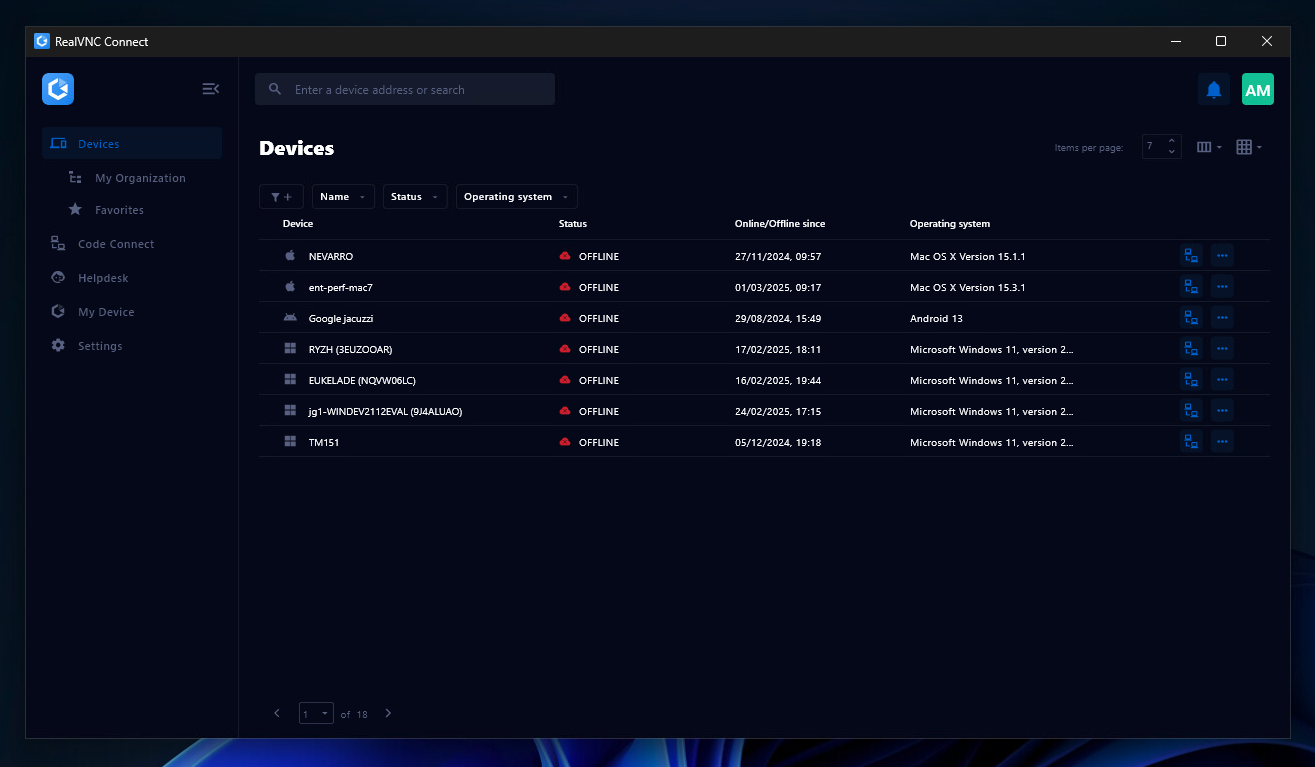  |
