
Freedcamp vs. Notion
| Product | Rating | Most Used By | Product Summary | Starting Price |
|---|---|---|---|---|
 Freedcamp | Score8.2 out of 10 | N/A | The vendor states Freedcamp helps tens of thousands of teams around the world manage their work. Their free plan contains tasks(in list and kanban view), milestones, discussions, calendar, time-tracking and password management. On their premium plans, they also offer Gantt charts, Wikis, Issue Tracking, CRM and Invoices+. | $2.49 per month |
 Notion | Score8.7 out of 10 | N/A | Notion aims to present users with an all-in-one workspace — for notes, tasks, wikis, and databases, from Notion Labs in San Francisco. | $5 per month per user |
| Freedcamp | Notion | |||||||||||||||
|---|---|---|---|---|---|---|---|---|---|---|---|---|---|---|---|---|
| Editions & Modules |
|
| ||||||||||||||
| Offerings |
| |||||||||||||||
| Entry-level Setup Fee | No setup fee | No setup fee | ||||||||||||||
| Additional Details | — | A discount is offered for annual billing. | ||||||||||||||
| More Pricing Information | ||||||||||||||||
| Freedcamp | Notion | |
|---|---|---|
| Considered Both Products | No answer on this topic | No answer on this topic |
| Key User Insights | ||
| Would buy again | ||
No answers on this topic | 93% Would buy again 75 Answers | |
| Delivers good value for the price | ||
No answers on this topic | 97% Delivers good value for the price 60 Answers | |
| Happy with the feature set | ||
No answers on this topic | 98% Happy with the feature set 79 Answers | |
| Lived up to sales and marketing promises | ||
No answers on this topic | 96% Lived up to sales and marketing promises 45 Answers | |
| Implementation went as expected | ||
No answers on this topic | 93% Implementation went as expected 53 Answers | |
| Freedcamp | Notion | ||||||||||||||||||||||||||||||||||
|---|---|---|---|---|---|---|---|---|---|---|---|---|---|---|---|---|---|---|---|---|---|---|---|---|---|---|---|---|---|---|---|---|---|---|---|
| Project Management |
| ||||||||||||||||||||||||||||||||||
| Professional Services Automation |
| ||||||||||||||||||||||||||||||||||
| Communication |
| ||||||||||||||||||||||||||||||||||
| File Sharing & Management |
| ||||||||||||||||||||||||||||||||||
| Freedcamp | Notion | |
|---|---|---|
| Small Businesses |  Any.do Score8 out of 10 |  Flock Score9.5 out of 10 |
| Medium-sized Companies |  KanbanFlow Score7.3 out of 10 |  Troop Messenger Score9.8 out of 10 |
| Enterprises |  Microsoft To Do Score7.9 out of 10 |  Cisco Business Edition 7000 (discontinued) Score9 out of 10 |
| All Alternatives | View all alternatives | View all alternatives |
| Freedcamp | Notion | |
|---|---|---|
| Likelihood to Recommend | 8.1 | 8.6 |
| Likelihood to Renew | 10.0 | 10.0 |
| Usability | 8.7 | 8.4 |
| Support Rating | 10.0 | - |
| Data Sharing and Collaboration | - | 8.4 |
| Data Sources | - | 4.7 |
| Freedcamp | Notion | |
|---|---|---|
| Likelihood to Recommend |
|
|
| Pros |
|
|
| Cons | No answers on this topic |
|
| Likelihood to Renew |
|
|
| Usability |
|
|
| Support Rating |
| No answers on this topic |
| Alternatives Considered |
|
|
| Return on Investment |
|
|
| ScreenShots | Freedcamp Screenshots 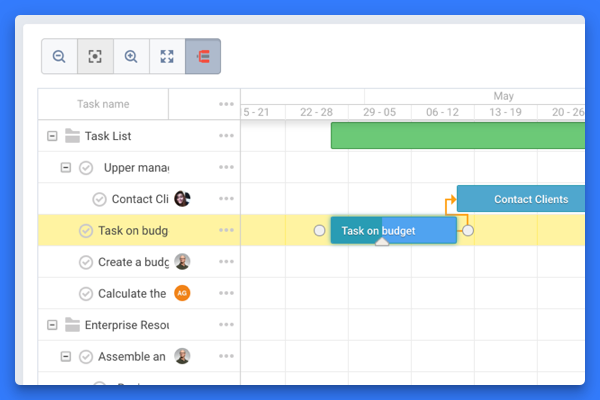   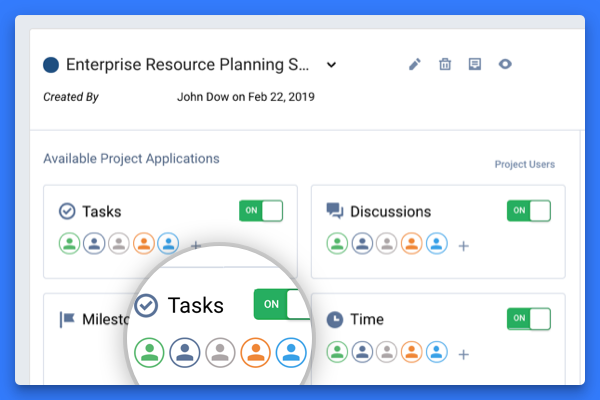 |



