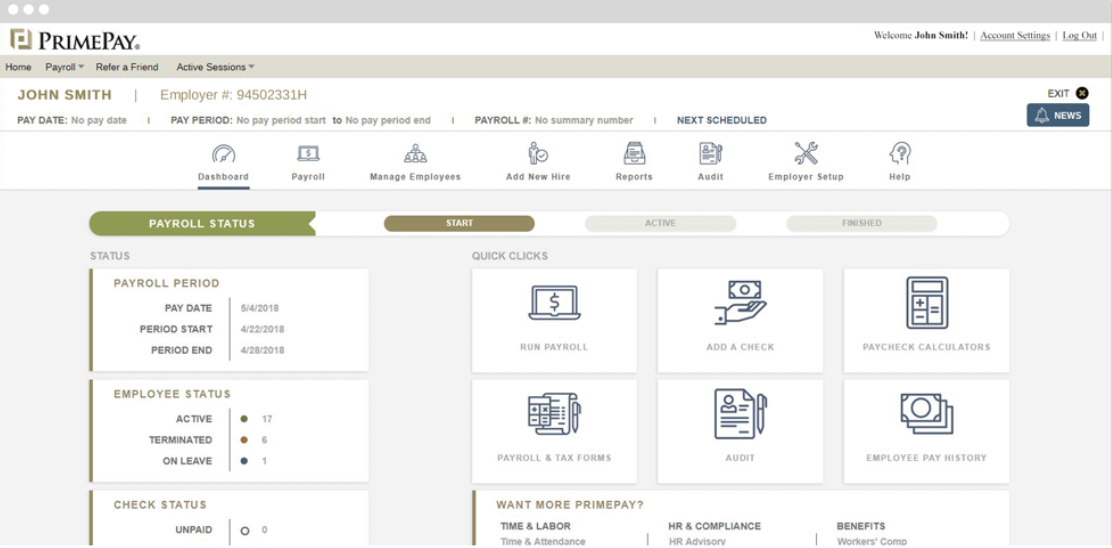
PrimePay is an HR management software that provides employers with tools to use from recruiting to onboarding to offboarding. PrimePay offers support for applicant tracking, payroll, benefits administration, and time tracking to streamline several HR processes.
N/A
Rippling
Score 8.9 out of 10
N/A
Rippling’s platform for HR, IT, payroll, and spend management automates the entire employee lifecycle, ensures compliance, supports device management, and provides real-time financial visibility from a central dashboard.
$8
per month per user
Pricing
PrimePay
Rippling
Editions & Modules
No answers on this topic
Recommended
$8.00
starting price per user, per month
Offerings
Pricing Offerings
PrimePay
Rippling
Free Trial
No
No
Free/Freemium Version
No
No
Premium Consulting/Integration Services
No
Yes
Entry-level Setup Fee
No setup fee
No setup fee
Additional Details
Pricing is available online for their time clock service only. For all other services or for companies with more than 150 employees, reach out to the vendor for a custom quote.
For additional pricing details visit the Rippling pricing page.
More Pricing Information
Community Pulse
PrimePay
Rippling
Features
PrimePay
Rippling
Human Resource Management
Comparison of Human Resource Management features of Product A and Product B
PrimePay
9.4
1 Ratings
15% above category average
Rippling
9.0
1119 Ratings
10% above category average
Employee demographic data
9.01 Ratings
8.9795 Ratings
Employment history
10.01 Ratings
8.9821 Ratings
Job profiles and administration
9.01 Ratings
9.1934 Ratings
Workflow for transfers, promotions, pay raises, etc.
10.01 Ratings
9.2832 Ratings
Organizational charting
10.01 Ratings
9.1967 Ratings
Organization and location management
10.01 Ratings
9.2862 Ratings
Compliance data (COBRA, OSHA, etc.)
8.01 Ratings
9.0663 Ratings
Payroll Management
Comparison of Payroll Management features of Product A and Product B
PrimePay
9.4
1 Ratings
15% above category average
Rippling
9.3
1166 Ratings
14% above category average
Pay calculation
10.01 Ratings
9.31050 Ratings
Benefit plan administration
9.01 Ratings
9.01019 Ratings
Direct deposit files
10.01 Ratings
9.51022 Ratings
Salary revision and increment management
10.01 Ratings
9.4789 Ratings
Reimbursement management
8.01 Ratings
9.3692 Ratings
Off-cycle/On-Demand payment
00 Ratings
9.0737 Ratings
Leave and Attendance Management
Comparison of Leave and Attendance Management features of Product A and Product B
PrimePay
9.0
1 Ratings
10% above category average
Rippling
9.3
1046 Ratings
13% above category average
Approval workflow
9.01 Ratings
9.41009 Ratings
Balance details
9.01 Ratings
9.3962 Ratings
Annual carry-forward and encashment
9.01 Ratings
9.3717 Ratings
Employee Self Service
Comparison of Employee Self Service features of Product A and Product B
PrimePay
9.2
1 Ratings
12% above category average
Rippling
9.2
1213 Ratings
12% above category average
View and generate pay and benefit information
10.01 Ratings
9.41148 Ratings
Update personal information
10.01 Ratings
9.51199 Ratings
View company policy documentation
9.01 Ratings
9.41000 Ratings
Employee recognition
8.01 Ratings
8.6669 Ratings
View job history
9.01 Ratings
9.0861 Ratings
Asset Management
Comparison of Asset Management features of Product A and Product B
PrimePay
10.0
1 Ratings
22% above category average
Rippling
8.8
519 Ratings
9% above category average
Tracking of all physical assets
10.01 Ratings
8.8519 Ratings
HR Reporting
Comparison of HR Reporting features of Product A and Product B
PrimePay
10.0
1 Ratings
28% above category average
Rippling
9.0
632 Ratings
18% above category average
Report builder
10.01 Ratings
8.8612 Ratings
Pre-built reports
10.01 Ratings
9.0578 Ratings
Ability to combine HR data with external data
10.01 Ratings
9.2524 Ratings
Onboarding
Comparison of Onboarding features of Product A and Product B
PrimePay
10.0
1 Ratings
23% above category average
Rippling
9.4
864 Ratings
17% above category average
New hire portal
10.01 Ratings
9.5840 Ratings
Manager tracking tools
10.01 Ratings
9.3658 Ratings
Performance and Goals
Comparison of Performance and Goals features of Product A and Product B
PrimePay
9.0
1 Ratings
12% above category average
Rippling
9.0
513 Ratings
12% above category average
Corporate goal setting
9.01 Ratings
9.1441 Ratings
Individual goal setting
9.01 Ratings
8.9471 Ratings
Line-of sight-visibility
9.01 Ratings
9.1437 Ratings
Performance tracking
9.01 Ratings
8.9468 Ratings
Performance Management
Comparison of Performance Management features of Product A and Product B
PrimePay
8.4
1 Ratings
7% above category average
Rippling
9.3
590 Ratings
17% above category average
Performance plans
9.01 Ratings
9.2521 Ratings
Performance improvement plans
9.01 Ratings
9.2493 Ratings
Review status tracking
8.01 Ratings
9.2524 Ratings
Review reminders
8.01 Ratings
9.4555 Ratings
Multiple review frequency
8.01 Ratings
9.3480 Ratings
Recruiting / ATS
Comparison of Recruiting / ATS features of Product A and Product B
PrimePay
8.9
1 Ratings
13% above category average
Rippling
9.0
497 Ratings
14% above category average
Job Requisition Management
9.01 Ratings
9.0395 Ratings
Company Website Posting
9.01 Ratings
9.0379 Ratings
Publish to Social Media
9.01 Ratings
9.1336 Ratings
Job Search Site Posting
9.01 Ratings
8.9347 Ratings
Duplicate Candidate Prevention
8.01 Ratings
9.0345 Ratings
Applicant Tracking
9.01 Ratings
8.9381 Ratings
Notifications and Alerts
9.01 Ratings
9.0467 Ratings
Succession Planning
Comparison of Succession Planning features of Product A and Product B
syncHR is designed for mid to large size companies, typically 200-2000 employees. Any organization that has a strong reporting need and/or a complicated payroll process could benefit from the unique features built into the platform
It has a favourites section for commonly used functions. This is perfect for logging in pre-sift and managing my timekeeping. It is easy to view my payslip. It is well-documented and accurate, and it also provides me with an accurate timeline for when to expect my pay to clear. Overall, very easy to use and great interface.
Automated retroactive change processing and mid-period rate changes – completely automated with no manual intervention needed - If you ever need to give someone a merit increase and make it retroactive or if an employee is entitled to enroll in health benefits on their first day employment but has 30 days to enroll, syncHR will automatically handles these retro changes.
A single application designed from the ground up that gives equal weight to HR, payroll, and benefit functions - syncHR is designed as a true unified solution with no back-end mainframes or separate front-ends vs backends. Everything is processed real-time in the cloud which has eliminated all discrepancies.
Customer Service - syncHR provides a designated account manager as your single point of contact. Since the The StaffWell Group is a 24/7 business, I needed a company that was available when I needed them. syncHR delivered with 24/7 emergency support.
Event-driven employee self service - Other systems we have used rely on employees to make the correct choices as to what is required when completing an employee initiated transaction. With syncHR, the system always directs the employee to the next step reducing both errors and calls to our support staff. I believe this is also the reason why we had a 40% increase in the adoption of ESS.
Dynamic Security & Workflows - syncHR has no static pages which allows security and workflows to be updated automatically whenever a change is made. This has virtually eliminated the time and effort required from HR to manually update workflows to the correct personnel.
Learning Management System- syncHR currently does not offer an LMS system. They only track and report training dates, licenses and certifications.
Although syncHR is a global solution it is somewhat limited to tracking employee headcount, HR documents, paperless on boarding and benefit information. There is no international payroll option like the one they provide for domestic employees. Although the system can handle multiple languages and currencies, I would like to see a global payroll option.
Succession Planning - syncHR provides little functionality for succession planning. The system can track budgets vs actuals, goals and ratings but does not offer a true succession planning module
Rippling could improve their payment days. Currently they make employee payments around the 15th and 30th of the month, but it varies slightly with every month. It would make more sense to do this payment on every other Friday or every other Monday.
I've been fully impressed with the tool so far in my 6 months of being a daily user. It's rare to run into an issue that can't be solved. Customer service is quick to respond and are usually very helpful. The price is great for the upgrade we got from our past tool. We hit our ROI within the first month.
Overall the system is very easy to navigate but more importantly my employees find it so easy to use. The percentage of employees who now use ESS went up by 40%
I think you are redundant with these questions. I have mentioned how easy of to use and a great tool for tracking activity. It wastes no time and has what you need. I am pleased with its usability, and if it were up to me, I would keep using it.
I like that the availability in using Rippling at any given time is useful to me. Getting on the site freely when I need gives me security of knowing that I can be in control of viewing health insurance and hours information. I have yet to get any errors in using the Rippling app.
Rippling's performance has been great, no errors or glitches yet so far. I am confident that Going from one page to the next and all its complexity usage does not lag or times out, it works effectively and efficiently. While using Rippling and other apps it does not tend to slow it down, works great. No complaints.
Whenever we need support our designated account manager is there to provide answers for us. If she doesn't have or know the answer, additional support is provided via a service matter expert in that field. Support hours are 24/7
They have been quite responsive to questions and clarifying settings, approaches, listening to feedback. Their knowledge base and training seem well-established and user-focused. Really like their offerings in Rippling U to help orient admins on features, functionality, and best practices. The IT implementation specialist was kind, efficient, and walked us through each screen, explaining different scenarios as we got things configured. They followed up after each call with action items, recommendations, and made themselves available between working sessions. The whole process felt very productive.
During the first few weeks of implementation it is important to have all key members participate in meetings. Finance, HR, Payroll and Benefits should be involved from the early stages to ensure that the solution is designed to meet your specific requirements. Since syncHR personalizes their solution for each company a few wrong steps early on regarding the design we wanted caused us to spend extra time later. The more info you provide syncHR upfront the better they can take all of your rules and needs into account from day one. In our case, finance did not get involved right away and therefore some of the items that we needed for our GL needed to be re-done. SyncHR was very accommodating though as they spent extra time with us to update some of the allocations so that finance got what they needed
It's really easy to implement in comparison to other tools or applications. Different key points are easily configured and implemented as per need, having different configurations in systems. Implementation is something which binds the different parameters of an organization in a single row. Implementation of rippling is much easier, quicker, and error free than any other software. I recommend it strongly!
As I mentioned I have used UltiPro, ADP, Ceridian as well as several others and none of them seem to offer half of the functionality and service that syncHR provides. Although we had some problems from time to time, I hold companies in high regard by how they resolve these problems. It's a comfort knowing that my HCM provider truly cares about me and my business so if for no other reason than this, I feel syncHR is far and away the best system I have used. The system works as advertised which is all I could ask for
Rippling far outshines Employment Hero from an LMS perspective; the EH LMS is really bad and has very little functionality, as well as being completely user-unfriendly. The UE is much better with Rippling, no more searching for things that are in obscure places or running reports that need refining to the extreme.
I can go on here and see all my hours and pto plus health benefits. I like to have the work handbook handy to refer to legal things. How to work my role within it's limits. Being able to put in my hours and view when they are approved is a huge benefit for me.
Due to complexity of our payroll, it would typically take us almost 3 full days to verify hours and perform retro changes before actually running payroll. With so many retroactive changes and manual calculations it was a time consuming and error prone process. With syncHR, the accuracy of payroll has increased tremendously and the amount of time we now spend preparing to process payroll decreased to less than 4 hours per week. All approved time seamlessly moves from the T&A module into payroll and all retro transactions are automatically processed.
When I initially selected syncHR I was a little hesitant because I never heard of them before and was concerned about their viability as a company and customer service. Several years later I'm happy to say that syncHR has provided better support than any of the better know competitors ever did.
Although no system is ever perfect, overall syncHR has exceeded most of my expectations. The sales and implementation process was wonderful, the salesperson was responsive and did not oversell what the system could do.
Training & Implementation - syncHR spent a considerable amount of time learning my business rules in order to build the system to meet my requirements. Training was provided on all aspects of the system until my team felt comfortable enough to handle things on their own. I never felt as though we had a set number of hours of training or that our questions, no matter how redundant or simple were a bother to them.