Adobe acquired Omniture in 2009 and re-branded the platform as SiteCatalyst. It is now part of Adobe Marketing Cloud along with other products such as social marketing, test and targeting, and tag management.
SiteCatalyst is one of the leading vendors in the web analytics category and is particularly strong in combining web analytics with other digital marketing capabilities like audience management and data management.
Adobe Analytics also includes predictive marketing capabilities that help…
N/A
Alteryx Platform
Score 9.1 out of 10
N/A
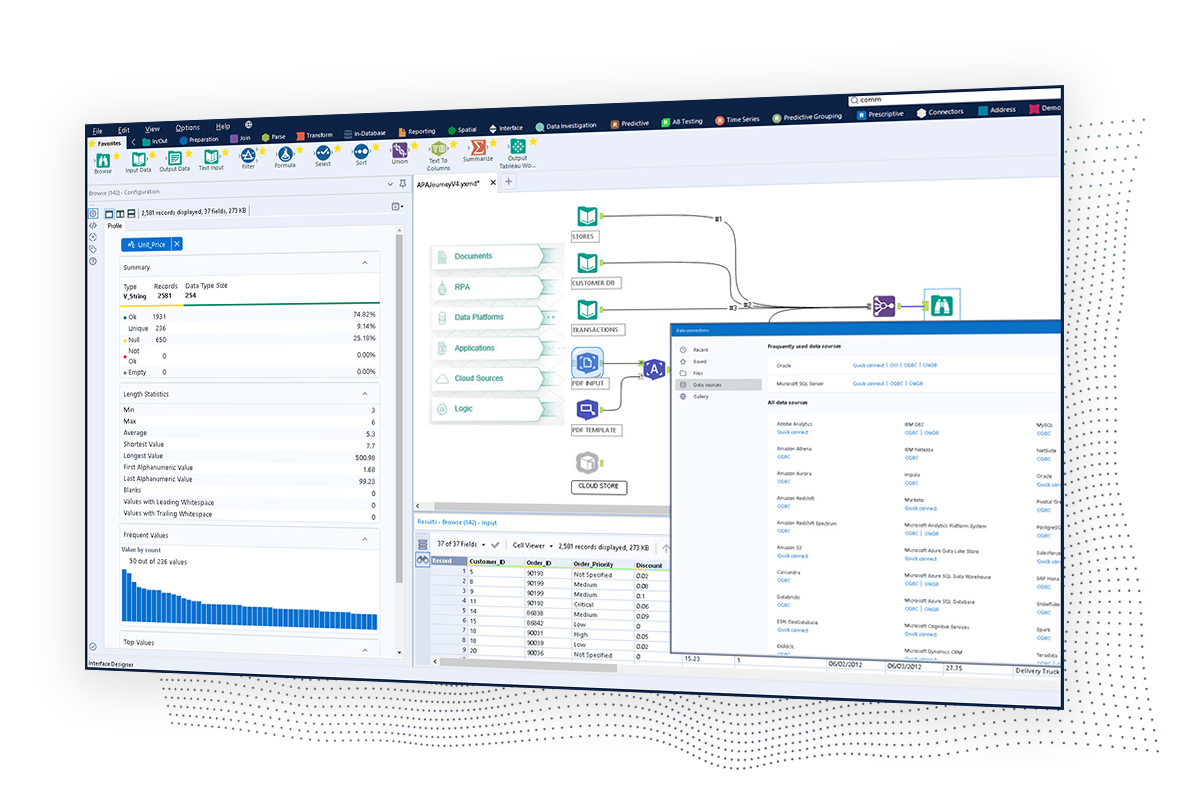
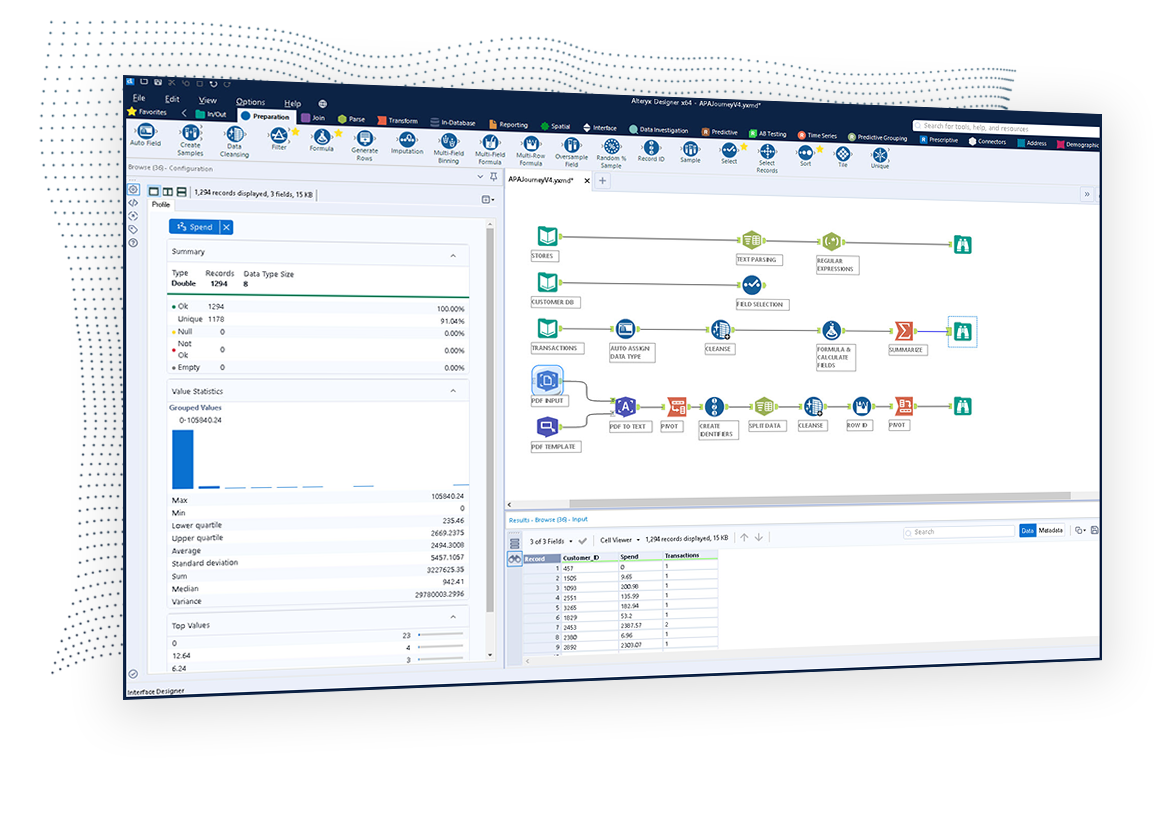
The Alteryx AI Platform gives organization automated data preparation, AI-powered analytics, and machine learning with embedded governance and security. Its self-service functionality, with self-service data prep, machine learning, and AI-generated insights, gives enterprise teams with a simplified user experience allowing everyone to create analytic solutions that improve productivity, efficiency, and the bottom line. Alteryx Designer can be used to automate every analytics step…
$14,850
per year 3 users (minimum), cloud edition
Google Analytics 360 (discontinued)
Score 8.3 out of 10
N/A
Google Analytics 360 (formerly Google Analytics Premium) was an enterprise-level analytics solution that was sunset in July of 2024.
It helps to understand what channels and devices are users using and what route they are taking to convert. It helps to check the funnels and drop offs at each stage
Google Analytics comes across more of a reporting tool whereas Adobe Analytics is more of an Enterprise level analytics tool. Contentsquare provides some traffic and flow capabilities but not to the same level as Adobe Analytics. However, Contentsquare's major advantage is its …
Adobe Analytics is just the easiest to read in my opinion. The drag and drop Lego set functionality of it to me is what makes it so easy to understand and it's easy to teach, too. Because you can just go in and real quickly show like, "all right, you search for things here and …
Adobe Analytics is better because there's just so much more you can do. A lot of those analytics tools, they're very narrow-focused. They're great, but a lot of times it's justextracting the data from those tools and then putting it in Excel and doing your own thing to it. …
Google Analytics (inc. 360): Target is less intuitive than Google on a number of fronts: layout, naming conventions, default reporting views, but offers more flexible reporting options without having to swap to tools like BigQuery. In a lot of instances, its faster than Google …
Adobe Analytics allows for the comparison of the same metric with and without various segments applied. Google Analytics is an all-or-nothing situation; either you apply a segment to metric or you do not. This makes it difficult for segment vs. non-segment and creating …
As the implementation involves multiple products to be integrated together like Adobe Experience Manager, Target, Adobe Audience Manager, We recommended Adobe Analytics as the best suitable product for analytics, as the tracked data would be seamlessly available to other …
Adobe's Analysis Workspace offers a significantly better interface than Google Analytics. It has an improved data model versus Google Analytics and there is no limit to data segmentation in the platform. Adobe also offers many more dimension and metric options for analytics …
Senior Business Intelligence Manager at Sky Betting and Gaming
Chose Adobe Analytics
Adobe Analytics is a more in-depth tool with some of the advanced features making it much easier for users to deep-dive themselves into problems. The workspace functionality is much better in terms of conducting analysis than tweaking the standard reporting functionality that Go…
Adobe Analytics is better for scale and customization. Google 360 lacks the ability to pull in as many data sources. Google Analytics doesn't give in-depth data. Tableau Desktop isn't a measurement platform, but it does perform better as [a] data visualization and reporting …
Adobe Analytics outperforms Google Analytics and Snowplow when comparing the feature sets, but the other tools bring advantages and flexibility that Adobe does not. The features and capabilities just within the tool are unmatched as Adobe Workspace and the segment and …
Not all the platforms above are a direct competitor to Adobe Analytics, as some of them are advertising platforms and not analytics only. Saying that, I think Adobe Analytics is most probably the best out of them all and this is due to Marin having a slightly "older" look and Go…
When it comes to reporting on a website, Adobe Analytics is by far the most superior tool in my opinion. It is also very good when you have several platforms like web, mweb and app. Then you can see the customer data across all platforms in one tool.
Adobe analytics is very similar to Google Analytics 360. The one thing I say that turns us off from using Adobe Analytics on more clients is the fact that it isn't easy to set up compared to Analytics. Google Analytics focuses more on your website as a whole, versus Adobe …
Adobe and Google are the market leaders and way ahead in market share as compared to other providers in the market. Between Adobe and Google, there are few nuances that differentiate at the feature level. If an organization is using other products of Adobe experience cloud, …
We decided to implement the Adobe Analytics service in our organization because compared to other alternatives, Adobe Analytics is a very reliable and accurate service. The recommendations we were given about this service allowed us to verify its high functionality, and I …
Adobe Analytics and Google Analytics are most often compared. Google Analytics has become a favorite for ease and cost. But Adobe Analytics still is the most advanced for robust enterprise implementation. I recommend GA for smaller clients and Adobe Analytics when it is the …
Adobe Analytics has a more modern and friendlier user interface and it's easier to use for me. Google analytics has better compatibility with other Google products
Adobe Analytics has better features for finding problems and highlighting areas of improvement on a website, but the Google products seem to integrate better into third-party tools, which can be very valuable in a complex business environment. All of the listed tools take care …
Adobe analytics has been selected as a platform to be used across a huge company, which tracks the performance of a hundreds of thousands pages with different type of content. It's believed to be the most accurate tool and the support on the side of the platform has been always …
Google Analytics Premium is the more user friendly experience of the two. If you want people in your organization, outside of your analytics/web department to look at and occasionally use the tool, then this would be the ideal choice. However, the amount of times you are going …
Google Analytics and Adobe Analytics are very similar. I wasn't involved in the decision making process at my organization, as we had GA well before I began in my position. However, GA has a suite of other tools that complement Web Analytics that makes it extremely easy to …
Google Analytics Premium is more simple and focused on marketers' needs with a clear advantage for driving improvements to advertising, especially with the Google tech stack. Adobe Analytics is very complex and great for enterprises, especially those that want to measure …
Adobe Analytics is a robust tool, feature-rich, and good reporting. It has focused on understanding user behavior and e-commerce performance at its core. However, with the sophistication comes difficulty in use and the ability for simple reporting and analysis. The setup of Ado…
Unless you have very complex and edge case analytics needs, Google Analytics [360 (formerly Google Analytics Premium)] is likely going to be the best choice. From both a cost and usability stand point, Google wins. Adobe has the edge case when you need to create really custom …
Google Analytics and Adobe Analytics are both great products and solutions. Each has advantages and disadvantages that need to be evaluated based on your business needs and the people you have to leverage them. Google Analytics is a lower overall investment than Adobe Analytics …
As long as the budget isn't in question, then I think you get a lot more for your money for 360. Having more confidence in the data is essential, your typical GA suite is good but there are limitations. These limitations unfortunately mean that a lot of the time you are having …
Features like user segmentation and visualization of user behavior and journey.
Custom reporting and creating custom tables with different metrics is what we miss.
Big Query, Google Optimize and other features.
Google Analytics is much more user friendly and requires less day to day management. Google Analytics should be the platform of choice unless there are complex business reasons to choose Adobe.
HubSpot spends too much time trying to sell you on other products instead of assisting you with your current product in a consultative manner. Google customer support doesn't consult per se, but they do focus on the current product at hand without constantly trying to upsell …
Compared to other products out there, I believe Adobe Analytics is a good all around product to give your business greater insight into your web traffic. It has the ability to drill down into multiple domains and compile a comprehensive dashboard. It could improve the ability to analyze bot activity more.
I would 100% recommend Alteryx to a friend, for me its friendly interface is the best, it has all the tools I need without the headache that programming is. It can be used for simple or complex analysis, so honestly, I don’t see a scenario where it wouldn’t suit. I’ve used Alteryx to make simple things I could do in Excel, for example, but it was less complex and faster to do in Alteryx, so why not? Its a very versatile tool.
As I have discussed previously their insights were very useful. The second thing is since it is a Google product you will connect the data very easily from other platforms like Bigquery, Google Drive, etc. and even you can connect Google marketing platform. through this tool, you can track your live campaign how they were performing, and how it will be engaging your customer as well.
It summarizes large complex data better than any other analytics solution I've dealt with without the need for sampling, gives the right level of detail, does the right level of breakdowns, aggregation. I consistently not only use Adobe Analytics, but I use other data sets and compare against Adobe Analytics. And as I go into Adobe Analytics and compare, as long as I've done the query right and the other systems, they're very, very close. And if anything, with a lot of Adobe's newer products, they've gotten more accurate over time. So that's basically, you asked me what I liked about it. I like that it's accurate. I like that I don't have to do a lot of explaining. There's enough explaining in the world of web analytics to have to go back and explain why data's problematic. And so like I said, provided that the implementation is correct, it's a very easy conversation. Even if people may not like the answer.
Pulling data from multiple disparate data sources.
Allows users to see the data at every step of the workflow to be able to cleanse, analyze, and optimize the data.
Provides an analytics platform that is easy for users of all levels to thrive in whether they are just starting out in their analytics journey or they have a master's degree in Data Science.
It is an excellent cloud analytics platform that is easy to install and configure and easy to deploy and use, allowing us to measure web traffic and other tools.
It is an entirely online tool; it does not take up hard disk space like other desktop tools.
Since this tool is draggable, Google is constantly adding more features.
Even beginners who do not have a custom dashboard can get information. If there is a problem somewhere on the site that needs to be investigated, Google Analytics 360 will notify you.
Support. I mentioned this earlier and we don't know what we don't know. Researching the massive amounts of documentation isn't realistic with bandwidth constraints, and our rep getting frustrated with us when we go through what we are seeing is disappointing.
Education. More please, and designed more towards the "business side". I get with the many many many different implementations (every company is different!), that it's tough, but even a basic of the basics would be nice for situations that everyone is looking at, like the engagement with the merchandising on the home page (or any certain page).
Steeper Learning Curve: Alteryx can have a steep learning curve for users who are new to the platform or have limited experience with data analytics. Enhancements to the user interface and user onboarding resources could help make the learning process more intuitive and accessible to a wider range of users.
Enhanced Data Visualization Capabilities: Alteryx offers basic data visualization capabilities, but there is room for improvement in terms of advanced visualizations and interactive dashboarding features. Adding more sophisticated chart types, interactive widgets, and customization options would enhance the data visualization capabilities within the platform.
Improved Error Handling and Debugging: Alteryx provides error handling mechanisms, but enhancing the error reporting and debugging capabilities would be beneficial. Improved error messages, better visibility into data flow, and debugging tools could help users troubleshoot and resolve issues more efficiently.
Generally I think there is a lot you can do within the tool, but as it is a Google product it means there is limited support - something which I think lets all of the platform stacks down
There could be more visual signifiers to identify if a feature is a normal or 360 feature. This would mean you can really get to grips with what the extra more advanced elements are
It's always our business or our agencies. They compel us to look for GA as a simpler tool, so that's why I reduce that one point. We always have that in our mind, but as an enterprise organization, we would like to stick to Adobe.
We've developed a working partnership with Alteryx. As an enablement suite, we're continuing to innovate and deliver great products with use of Alteryx in our solutions. Alteryx use expands to our global product development teams and is in use in multiple parts of our organization. Alteryx also delivers Experian demographic content to other clients in their product offering. We're highly likely to renew, but that decision is way above my pay grade.
Google Analytics 360 is an upgraded version of the most widely used web/app analytics tracking tools in the market. The price is stable and predictable making it a long-term product of choice. It's easy to use and pairs so well with other Google Marketing Platform products.
Sometimes the processing times are very long. I have had reports or dashboards time out multiple times during presentations. It could be improved. It is understandable since there is a huge data set that the tool is processing before showing anything, however for a company that large they should invest in optimizing processing times.
I've found that while some things might take a little longer to create, the flexibility of Alteryx allows you to perform any function needed. I haven't found a use that was not available in Alteryx yet. APIs and XMLs can be created to perform certain functions. In addition, CMD line commands can be sent using Alteryx to perform certain functions as well.
The UI is very easy to navigate and use. The features are well designed and intuitive. As long as the user has a good understanding of basic digital analytics definitions and capabilities, this tool should be quite easy to use. I consider Google Analytics Premium to be the easiest of all of the enterprise solutions out there to use.
I do not ever recall a time when Adobe Analytics was unavailable to me to use in the 8 or so years I have been an end user of the product. My most-used day-to-day analytics tool Parse.ly however, generally has a multiple hours planned offline maintenance every two to four weeks, and sometimes has issues collecting realtime analytics that last anywhere between 15 minutes to an hour, and happen anywhere between 1 to 5 times a month.
I use many programs and compared to others, Alteryx virtually never goes down, freezes up or gives an application error. Over a 4 year time period that I have used this program, any of these may have happened 3 times. It is an incredibly stable program that I feel completely confident in.
Again, no issues here. Performance within the day updates hourly. other reports are updated overnight and available to access by the next morning. Pages load quickly, the site navigates easily and the UX is quite straightforward to get command over. On this front, I give Adobe kudos for building a great experience to work within
I already gave the example of journal entries created in less than a second. What else can I tell you about.... I can tell you those 2 journal entries have historically had to be split into separate accounting systems so the outputs had to be very different (D365 vs Intacct) such that they are exactly ready for uploading. I can tell you I used to have some tire and battery queries hitting a line item detail table and they took hours to run UNTIL I asked IT for a view in SQL and now they're ready in about 5 minutes total. I guess I'd say if anything does take a long time - do some research with others and figure out what would speed them up
I barely see any communication from Adobe Analytics. The content on the web is also not that great or easy to read. I would recommend a better communication about the product and the new addons information to come to its user by a better mean.
Stellar, bar-none. Some of the best support folks of any vendor. The Alteryx Community is the most responsive and supportive. On the rare occasion of a release issue or bug, we've been able to get quick help to solve the core problem. Alteryx does not play the blame game. They genuinely help the users solve their issues or respond to questions
If you purchase Premium through a reseller like LunaMetrics, you are going to be taken care of. The additional amount of support and services that a reseller provides to make sure you have the best experience with the product is the reason why the reseller program exists to begin with. Support doesn't have to be just reactive, it can be proactive as well.
It was a one-day training several years ago that cost the organization several thousand dollars. There were only about 10 people in the training class. Adobe tried to cram so much information into that one-day class that none of our users felt like they really learned anything helpful from the experience. Follow-up training is too expensive
1st level of trainings which I've attended in Paris was easy and I was already knowing %90, that learning could have been an e-learning instead of in-person
The online training for Adobe SiteCatalyst consists of short product videos. These are ok, but only go so far. For a while Adobe charged a fee for this, but recently made these available for free. There are many great blog posts that help users learn how to apply the product as well.
Very good, detailed online trainings which you can take at your own pace, and strong certifications exists, certifications are extremely detailed and hard...
There is a ton of information online about Google Analytics, but Google Analytics Premium users will have dedicated support and training from Google or an Authorized Reseller.
One of the benefits and obstacles to successfully using Adobe Analytics is a great / more accurate implementation, make sure your analytics group is intimate with the details of the implementation and that the requirements are driven by the business.
There is really not much to it (the installation, that is). Once you get it installed, along with any of the add-ons (demographics, R, etc.), you are up and running almost immediately. There is really no additional setup. You can immediately begin blending data, running demographics, performing spatial queries, running predictive analysis, etc. And for many of these functions, the learning curve is quite easy.
If you already have the basic version of GA installed, "getting" GA Premium happens immediately through a virtual flipping of the switch - no need to re-implement. You'll want to expand your use of custom dimensions and metrics (you get 10x the amount with Premium). Ideally, you'll be using a tag management solution to talk with GA Premium, in concert with implementing a dataLayer (to note, Google's Tag Manager platform is covered under the same GA Premium SLA, and it's free). There are some welcomed "configurations" with GA Premium, such as integrating with DoubleClick products, activating data driven attribution models, and building roll-up executive reports - but all of these are easy point and click solutions. In comparison with any other enterprise analytics solution, implementing GA and GA Premium is traditionally easier and more flexible. And if you have any trouble or need an extra set of hands for implementation, GA Certified Partners like LunaMetrics can help
Google Analytics comes across more of a reporting tool whereas Adobe Analytics is more of an Enterprise level analytics tool. Contentsquare provides some traffic and flow capabilities but not to the same level as Adobe Analytics. However, Contentsquare's major advantage is its Zoning (Heatmapping), Impact Quantification and Find 'n' Fix modules; none of which are knowingly available in Adobe Analytics.
Alteryx is MUCH more user friendly. both provide the ability to code within them, but Alteryx has much nicer interface. The formula tools have a more simple language that is easier to learn than formulae in SSIS. Alteryx is easy to read with multi colored tools identifying what each one does. It also allows for macros. You can build your own tool to process records of data or batch records together.
Unless you have very complex and edge case analytics needs, Google Analytics [360 (formerly Google Analytics Premium)] is likely going to be the best choice. From both a cost and usability stand point, Google wins. Adobe has the edge case when you need to create really custom reports, dimensions, metrics, etc. In my experience, this is rarely the case and you end up biting off more than you can chew. Stick with Google unless you are or plan on hiring an Adobe Analytics expert.
Adobe Analytics is relatively affordable compared to other tools, given it provides a range of flexible variables to use that I have not found in any other tools so far. It is worth investing in if your company is medium or large-sized and brings a steady flow of revenue. For small companies, it can be overpriced.
My organization uses Adobe Analytics across a multitude of brand portfolios. Each brand has multiple websites, mobile apps and some even have connected TV apps/channels on Roku and similar devices. Adobe can handle the multitude of properties that have simple, small(ish) websites and the larger brand properties that include web, mobile and connected TVs/OTT devices.
Each of those larger brands has multiple categories and channels to keep track of. We can see the data by channel/device or aggregate all the data together. This gives our executive teams the full picture and the departmental teams the view they need to see their own performance.
Individual analysts can quickly generate results using their own copy of Alteryx Designer. But using the Server and developing macros for more complex needs can be time consuming.
The professional services team is one of the best teams for complex adobe analytics implementations, especially for clients having multiple website and mobile applications. However, the cost of professional services is a bit high which makes few clients opt out of it, but for large scale implementations they are very helpful
Adobe Analytics impacts nearly every aspect of a billion plus dollar revenue eCommerce business. From measuring the impact of new build features to marketing campaigns.
We are saving substantial money and resource effort by consolidating all of our properties to Adobe Analytics from alternative solutions, at which point we will finally be able to report on Total Digital, rather than disparate reports.
We support experimentation on every platform and the performance is only known through Adobe Analytics tagging.
Error handling - allows controls to be built into workflows easily and allows them to be isolated and spat into control reports that can be easily reviewed and audited, thanks to the ability to create multiple outputs in one go.
Time-saving - saved huge amounts of time, especially when moving Excel processes into Alteryx.
Product development - allowed my firm to create products that we have been able to market and sell to clients.