Chrome Remote Desktop from Google is a cross-platform remote administration and remote desktop tool that requires the Chrome browser and an extension. It is free to use.
$0
TeamViewer
Score 8.6 out of 10
N/A
TeamViewer provides software for both remote management and online collaborations. With TeamViewer, users have access to fully integrated online conference solutions for audio and video communication, including interactive screen sharing and remote access features.
$299
per year
RealVNC Connect
Score 7.6 out of 10
N/A
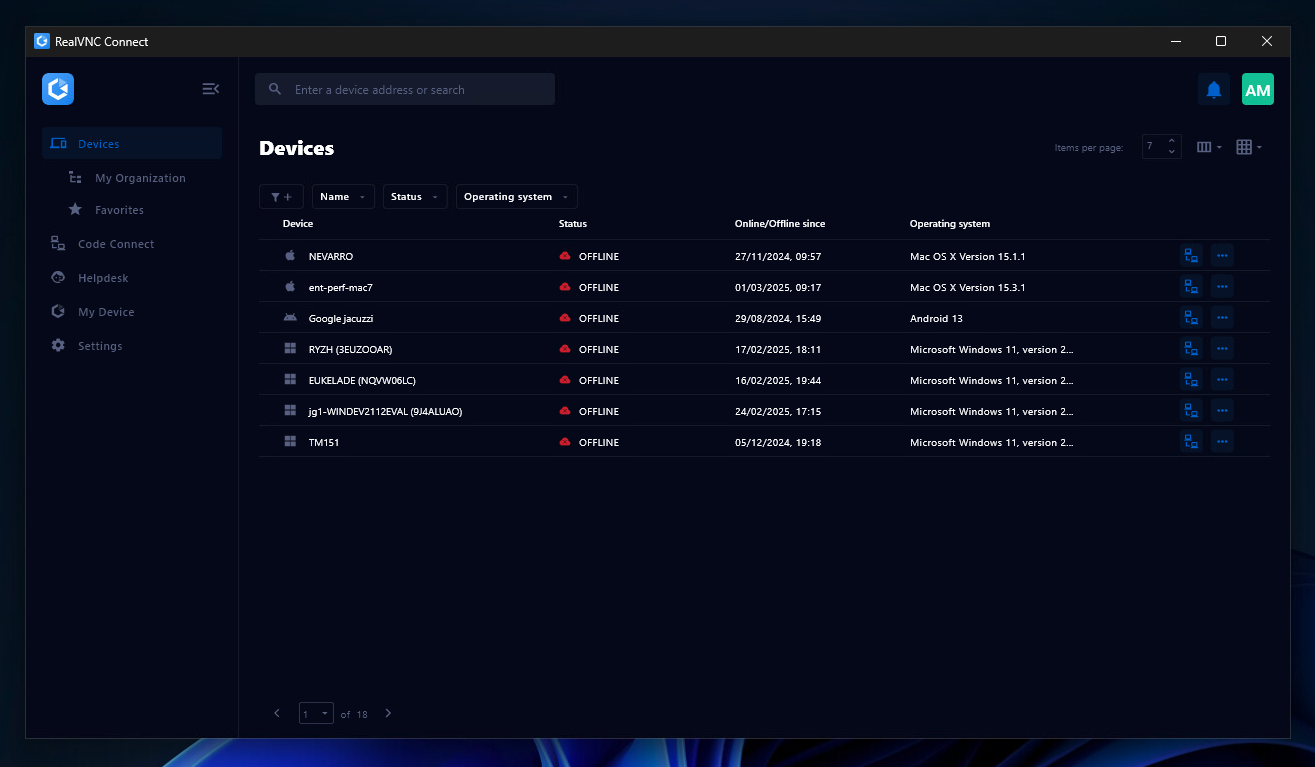
RealVNC® Connect is a secure remote access solution from RealVNC. It can be used to connect to a remote device anywhere in the world to view its desktop in real-time and take control as though sitting in front of it.
$99
per year (one concurrent session)
Pricing
Chrome Remote Desktop
TeamViewer
RealVNC Connect
Editions & Modules
No answers on this topic
Remote Access
$24.90
per month (billed annually) 1 Licensed User
Business
$50.90
per month (billed annually) 1 Licensed User
Premium
$102.90
per month (billed annually) 15 Licensed Users
Corporate
$206.90
per month (billed annually) 30 Licensed Users
Essentials
$8.25
per month (billed annually) per concurrent session
Plus
$16.50
per month (billed annually) per concurrent session (add up to 3)
Premium
$29.75
per month (billed annually) per concurrent session (add up to 5)
Enterprise
Custom Pricing
per year
Enterprise
Custom Pricing
Offerings
Pricing Offerings
Chrome Remote Desktop
TeamViewer
RealVNC Connect
Free Trial
No
Yes
Yes
Free/Freemium Version
Yes
Yes
Yes
Premium Consulting/Integration Services
No
Yes
No
Entry-level Setup Fee
No setup fee
Optional
No setup fee
Additional Details
—
—
Plans work on a Per Concurrent Session basis. Each plan gives access to a bundled number of devices, but limits apply to the amount of devices that can be connected at any given time.
The Premium plan includes On-Demand Assist, a useful tool for providing just-in-time remote support to end-users without them needing RealVNC Connect installed on their device.
TeamViewer is much easier for less tech-savvy users to set up, and you can walk them through it over the phone if necessary ("Just google 'TeamViewer' and click 'Download'". However, TeamViewer wants to update VERY regularly and sometimes doesn't connect reliably. We've never …
TeamViewer is good but it won't let you connect to your devices as seamlessly as Chrome Remote Desktop does. Also, TeamViewer is pricey. Some of our non-technical users faced slight challenges learning on how to operate TeamViewer, which definitely is not the case ever since we …
I loved working with Chrome rather than TeamViewer as It gives me better and more features.
Verified User
Technician
Chose Chrome Remote Desktop
Chrome Remote Desktop seems to be a an easy to use and efficient program. Such as TeamViewer, however TeamViewer offers more program features such as able to control a device's function (shutting down, restarting, audio input, cmd etc). With those added program features I …
Most of the other software solutions come at a cost for the licensing, and it is usually not cheap, given that you need to have commercial licensing for a business/organization. Also, with the other remote desktop solutions, there is more of a learning curve in order to use, …
No one can beat Chrome Remote Desktop's price! But that price (free) means something--missing features, limited support. For true business use, access to multiple machines, robust support, etc., I'd go with one of the more expensive options.
Chrome Remote Desktop compliments the Google for Work Admin suites perfectly, you can deploy this application to all your devices via policy from google, it's easy to use from the operators point of view and allows for a quick seamless connection to your device, the cost is …
AnyDesk is very helpful, almost equally usable compared to TeamViewer. Zoho Assist needs to develop a lot more to be equal with TeamViewer. Chrome Remote Desktop is a regular extension of chrome so it does not have all the special features of TeamViewer.
Its simple to use and secure. AnyDesk is pretty open and if you are not very careful anyone can connect who has your username, to keep yourself secure you need to check if you have turned off those settings and if any desk is working or not. Chrome Remote Desktop is good too …
Chrome Remote Desktop was an okay application for remote access to devices. It is free software that performs the necessary task of remote access to a computer, although TeamViewer offers many more useful features. Despite Chrome Remote Desktop being free and my organization …
TeamViewer is a go-to product for almost all newbies and smaller organizations, allowing multiple simultaneous connections and the ability to transfer files, letting you serve multiple clients at once.
TeamViewer is a little more robust than many of the other options that we have compared it to. The patching and package deployment option alone sets it apart. The ability to conduct file transfers from machine to machine also gives it an edge where other options have come up …
Pricing wise, the TeamViewer license is a lot more costly, but makes up for it in feature-richness and reliability. Pulseway has the benefit of having the possibility to keep an eye the IT infrastructure so you can catch things before they go wrong but our main focus was a …
Compared to other software, TeamViewer is one of the most complete, allowing multiple simultaneous connections and file transfers in a very smooth manner, enabling you to serve several clients at once. Furthermore, you can control frequently used connections as favorites, …
In general, TeamViewer is positioned better for cross-platform support, and it is most common on enterprise infrastructure machines. It integrates easily and offers a level of security. Also, access is possible to users who are not admins, unlike AnyDesk, which allows us to …
Very easy, no advanced config needed. Highly reliable even on low bandwidth. Strong encryption, 2fA session logging. Work on cross-platfrom like windows, Linux, macOS etc. Smooth even under average network. Session recording, unattended accessc and chat. Strong enterprise …
I am using above listed software's. TeamViewer is best for IT Teams for remote troubleshooting. It has advance features like file transfer, session recording and multidevice support. It is secured and trusted platform as using this from so many years. It provides cross platform …
For our purposes, each is roughly equivalent in features and usability. I do actually use all three of them and have used TeamViewer primarily when jointly supporting clients with other contractors.
We selected TeamViewer due to its unique suite of features. Comparing connection latency with other platforms, TeamViewer outperformed them while being more performant, using fewer system resources. Unlike other platforms, which keep alerts about usage plans and advertise the …
TeamViewer includes extensive features like remote control, file transfer, remote printing, session recording, and remote access to unattended devices.
Compared to other similar tools, teamviewer stands out for its simplicity of deployment, and easy management of users and devices. I can manage access centrally, there is not so much complexity for firewall releases on customers. In addition, for the end user, the installation …
TeamViewer stands out as the Free and best solution for remote accessing devices across operating systems. TeamViewer offers several remote access features that fit the unique needs for all kinds of users. Teamviewer also allows users to record their remote access sessions inc …
In the various tests we conducted for about a month with ten users with different roles and responsibilities, TeamViewer scored best in all parameters of our evaluation matrix. Cost/benefit and ease of use were the highest rated. All applications suffer a lot in Internet …
So far, I've used the software described above, but I prefer TeamViewer because it easily solves our problem and has a user-friendly interface. Because of the various features that TeamViewer offers, it outperforms other programs on the market for accessing remote devices. The …
At the beginning, we tried those options, since they are cheaper or even for free, and although they were easy to learn and to implement, they didn't offer the features that we were expecting to have, specially in the security and trust terms, that's why we started to use …
TeamViewer offers a decent price listing. However, free software like AnyDesk offers faster transfer rates, fluidity while connected to the host ensuring safe communication. The remote desktop software also offers prices and licenses for organizations or companies which enables …
Verified User
Team Lead
Chose TeamViewer
TeamViewer is a one click solution that doesn’t require the client to be a networking tech savvy to set it up. With TeamViewer, no need to worry about private and public IPs nor firewalls and reverse proxies as the connection can be established through the TeamViewer servers …
RealVNC existed before TeamViewer, and that's why we stay with RealVNC. Now it seems like when we try to connect from outside the network, only TeamViewer can do that job very well. So far I don't see RealVNC has a similar feature that we need without changing any setting from …
TeamViewer seems to crash often, causing the TeamViewer host to have to be restarted. The performance isn't comparable to RealVNC and the GUI isn't very intuitive. TeamViewer does shine better when using it for external connections, but RealVNC is moe lightweight and adaptable …
VNC Connect stacks up very well to other competitors. With this simple program, you can remotely connect and access other computers with the same VNC Connect agent installed. The only reason we're moving away from using this is that our current Ninja RMM Tools computer …
Overall the VNC Connect software outperforms the TeamViewer software in most areas however, the TeamViewer billing model can be more appropriate for some situations.
I like VNC over TeamViewer and Microsoft Remote Desktop Services. TeamViewer seems slower than VNC and is more expensive. Microsoft RDP takes over the console so users cannot interact in any way.
TeamViewer is another easy to use remote connectivity software that I like for fast connection and little lag. TeamViewer is good for screen sharing. I often prefer VNC Connect for its cross platform compatibility and its mobile access capability. TeamViewer is a little …
VNC is light and sleek with the quick setup, was impressed with the quick setup despite poor Internet connection outdoor. TeamViewer is good, but the pricing is not as good as VNC. Both do the basic job, but VNC still outperform TeamViewer in terms of performance and ease of use.
Security is a big deal, even more so these days. We needed a remote access tool that we could trust to be secure and constantly evolve to modern standards. VNC Connect came at eh right price for us and provides all the tools we need.
The best part is that [the] VNC Connect application supports multi-platform compatibility with Windows and Linux systems. In addition, it is simple, and the session is approved or unapproved, which enables us to provide quick support in the business process. The running service …
With so many things tech-related we have many options and ways to accomplish the same thing. I think one of the important things to remember is the companies track record and support record for their users. In our experience, VNC Connect has been able to be competitive in all …
It is well suited in cases where your company/organization is looking for a low/no cost remote desktop solution, or is looking for something that can be used by most anyone right away. Most organizations don't want things to be too complex, especially with a remote desktop solution, which is generally not very complex software to begin with. It would be less appropriate in cases where the company/organization has already purchased licensing for a commercial product, and/or has been heavily using a commercial product for some time.
I think it works well for IT management and help desk support of end users. I find it very useful to help users and send files to their desktop. Remote Workers still run into some problems with MFA and updates, both to the TV Host app and OS updates. However, it does give us secure direct access without the need of a VPN.
It is very easy to use if the remote device is already set up to receive connections, so if you are setting up devices before deploying them, it is a great tool to have. It is well-suited to use when shadowing users or using it as a teaching tool. There are other products that are better if you are trying to help someone on a one-use basis.
Unlike Microsoft's Remote Desktop, this program is the same across platforms, which is helpful for users.
This program also allows direct control over the desktop (like TeamViewer) and doesn't give you a simulated log on (like Remote Desktop). This is advantageous for seeing exactly what's on the screen but can make it a little laggy.
The interface is very nice and clear once it's set up. It's obvious which computer is which and it's just a couple of clicks from opening the program to a connection.
VNC Connect does an excellent job in remotely connecting to a computer through either your local area network or even another computer on the internet. As long as the VNC Connect services is installed and the client is running in the background.
VNC Connect provides password protection to prevent unauthorized users from attempting to remotely access your computer. There's an option to have a separate password to remotely view vs view & access a computer. You can even add an additional level of security by turning on the feature to require Windows login credentials.
VNC Connect provides an additional set of controls after a remote connection has been established with another computer. You can have special keystrokes like Ctrl+Alt+Del sent as a command sequence to the other computer as well as access more than a single screen when in use at the remote computer location.
With an iPad, you can't take control of the device, so you have to tell someone what to do. Which can be a challenge because the end user doesn't know what to do
With the free version of TeamViewer you cant enter Admin credentials because TeamViewer blocks the windows to fill in the credentials
The free version can be really limited which can be putting off people because they don't see the full potential of TeamViewer
A very easy lightweight tool that is completely scalable and deployed via google admin platform. The tool is free to use and works extremely well with the chrome devices we currently have deployed. Any organization using chrome or google suites should look into this tool as it's much easier to use then other remote software in the market
We need this tool in our day to day business. It is what we do all day remoting into clients devices. In this day and age we can access devices all over the world as long as we have secure internet connection. It certainly saves money in gas, and even if you are away you can help.
VNC is a solid product for the price. It simply works and its reliable across different platforms. Some products state they work well in the Mac environment but don't deliver. This one does what it says. Connections are reliable, but of course, this depends on internet connections. The product works well over wireless connections as well. It delivers on what a remote tool should deliver on. My technicians are happy with the product and customers appreciate the ease of use when letting us connect to their systems. Some also appreciate the remote support while they are multi-task.
Just a great product that has saved countless hours of commute to work and given the flexibility to be able to work from anywhere, whether at home or when away on holiday overseas. I love that it is a free product and is just as great as its competitors' products. It has also allowed me to prepare for work for the following day.
TeamViewer is a reliable and really strong tool for accessing remote IT platforms secure and fast. We don't know any product that provide us such strong functionality to make our life as a internationally recognized MES provider with DIAMES with an international clientele so easy. We look forward for any new TeamViewer functionality that supports us even more.
It's a niche product and in that niche they try to cater to as many use cases as they can. Other as a TCO aspect i don't see many use cases where you can't use this product as the one tool for all remote session use cases in your company
The only support I ever accessed were help files and web tutorials. I never tried to access personal support, mostly because I don't believe much of it is available. As a free service, my expectations for support are pretty low; that said, Chrome Remote Desktop is easy enough to configure and troubleshoot even with limited technical knowledge.
the few times i have had to contact teamviewer support, they were very responsive and give me quick answers and seemed to understand my problems quickly and easily. I did not have to sit on the phone for hours on hold or get passed around to multiple phone support techs before finding a solution to my issues, so i would rate their support very highly.
VNC Connect is a reliable product that has been around for a long time. It is reasonably priced and works well in the Mac & PC environment. When you have a small team that supports many users we need tools that we can rely upon and that will get the job done on the first try. Many customers appreciate the quick assistance and can multi-task while our team works on their computer issues remotely. From a customer service point of view, this tool gives us transparency and efficient effectiveness.
As expected without any problem! Alternate in-person training is another efficient way to learn how a product works. There are many third party supporters for TeamViewer courses available that can give additional ideas how to use TeamViewer for specific functions and features as we did require in respect of our usage.
I have never used the online training either. I have watched a few informational videos that were helpful when learning how to do a specific procedure within TeamViewer and get the most out of the software by utilizing one of the many features that are available with the software. Again, 5 if for neutral.
The training is very informative, quick and to the point. All of the details one would need are present so the user doesn't have to go searching for additional information just to use the application. The layout of the training was also neat and concise, some of the other training sessions for other companies I've done in the past were confusing and not well thought out, this one is much more superior
TeamViewer installation and deployment to other devices is pretty straightforward and does not require much technical know-how. This makes ease of use attractive when supporting both new and existing clients with limited technical knowledge. I think ease of use is a huge factor in getting new clients. TeamViewer handles that extremely well.
Chrome Remote Desktop seems to be a an easy to use and efficient program. Such as TeamViewer, however TeamViewer offers more program features such as able to control a device's function (shutting down, restarting, audio input, cmd etc). With those added program features I believe Chrome Remote Desktop can almost be up to par with TeamViewer.
TeamViewer's cost is much lower than that of other solutions, and its security is far superior to RemotePC's. TeamViewer is also a request-based remote session manager, unlike other software that allows indefinite connection time. TeamViewer's free version makes it even better for one end of the group to find support, while the other end has the paid version.
VNC is light and sleek with the quick setup, was impressed with the quick setup despite poor Internet connection outdoor. TeamViewer is good, but the pricing is not as good as VNC. Both do the basic job, but VNC still outperform TeamViewer in terms of performance and ease of use.
I have just used the software for about 1 month and so far so god. I am saving time whenever I can access my client's computers from my desk as opposed to having to leave my office to go to their offices. Saves me time and the client money.