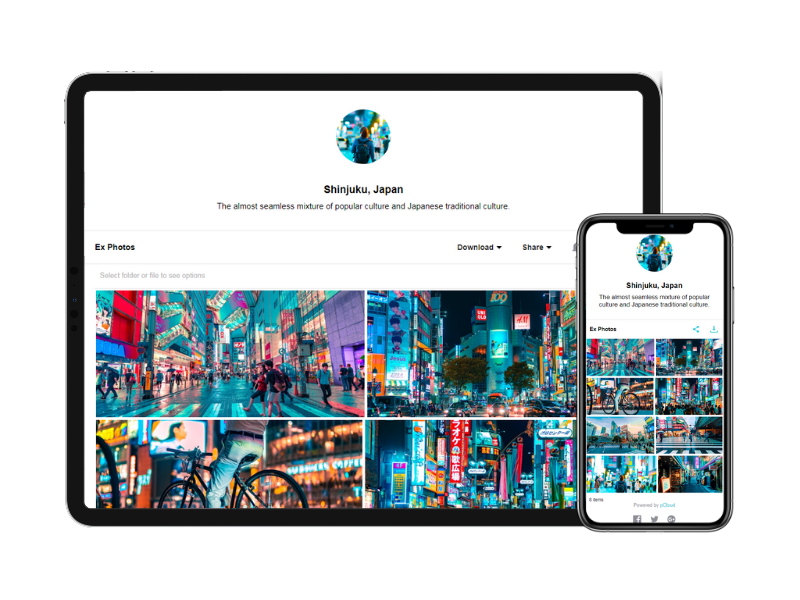
Dropbox is a cloud storage solution, equipped with features that help users to save time, improve productivity, and collaborate with others. Users can edit PDFs, share videos, sign documents, and collaborate with stakeholders without leaving Dropbox.
$9.99
per month
Evernote
Score 8.5 out of 10
N/A
Evernote is a suite of software and services designed for notetaking and archiving. A "note" can be a piece of formatted text, a full webpage or webpage excerpt, a photograph, a voice memo, or a handwritten "ink" note. Notes can also have file attachments. Notes can be sorted into folders, then tagged, annotated, edited, given comments, searched and exported as part of a notebook. Evernote supports a number of operating system platforms (including OS X, iOS, Chrome OS, Android, Microsoft…
$7.99
per month
pCloud
Score 6.9 out of 10
N/A
pCloud is a cloud- based digital asset management platform that provides access to all digital content including images,video, audio, documents, and more, anytime, anywhere, on any device. Users can keep important files safe and centralized in one place, and share with team members, clients, etc. across the globe with controlled access and permissions to the digital library. The vendor says that the product has a user-friendly interface that clearly shows where everything is located and…
$29.97
per month 3 users
Pricing
Dropbox
Evernote
pCloud
Editions & Modules
Plus
$9.99
per month
Essentials
$18
per month
Business
$20
per month per user
Business Plus
$26
per month per user
Basic
Free
Premium
$7.99
per month
Business
$14.99
per month
pCloud Business
$9.99
per month per user (1 TB storage per user, 3+ users)
Business Pro
$19.98
per month per user (2 TB storage per user, 3+ users)
Of all the options we tried, Dropbox was at the top in terms of performance, reliability, and features.
Nextcloud is a self-hosted solution, and is the system preferred by our IT department — mainly because it is free or has no annual subscription cost. However, it's UI is …
pCloud has better user management. Mega has encryption. pCloud also offers a lot more generous storage than Dropbox. I like how pCloud offers you a virtual hard disk.
Verified User
Director
Chose Dropbox
My company switched from Evernote to Dropbox exclusively before I joined, but my experience with Dropbox has been easy and user friendly.
Verified User
Professional
Chose Dropbox
I don't use Dropbox for forms at all; not sure how I would do so. But Google Forms has its own real shortcomings, so I would be happy to try out a Dropbox alternative! The most useful improvements for me would be in facilitating cloning prior forms (e.g. for iterative, but …
I selected Dropbox because it’s not platform specific and can be used across all devices and is accessible on any platform. The pricing is competitive and product innovation is fast and continual. Because Dropbox has been around for so long it’s widely used and understood by …
Verified User
Executive
Chose Dropbox
I use all of the drives shown as well as Dropbox. However, Dropbox is my mail file storage. I use it for Personal and Business items. Some of these items are stored in others as well, but in a different format and not as many. Also Dropbox has an affordable plan for the amount …
Verified User
C-Level Executive
Chose Dropbox
I try to never touch Microsoft Teams if I can help it. I know it's asking for more characters but honestly it makes me want to run screaming whenever I have to set foot in a Microsoft Teams file organization system. The number of tabs called "Files" that could belong to who …
I've tried pretty much all of them. In my opinion, Dropbox just works better; better web UI, faster syncing, compatible with more apps. Integrates into the OS better.
Versatility and Integration: we value a user-friendly interface, seamless collaboration, and extensive third-party integrations. Collaboration Across Platforms: Dropbox's compatibility across various operating systems suits our teams' diverse device preferences. Focus on File …
Ease of use and sharing are superior with Dropbox. We have better collaboration and storge amongst the team. Much easier to navigate and share documents amongst the organization.
I didn't specifically make the decision at the time- however, when we decided on Dropbox in early 2010's, there weren't many options on the market. Later on, OneDrive and Google Drive really came onto the scene. However, even though we use Microsoft Outlook, and OneDrive might …
Verified User
Engineer
Chose Dropbox
We briefly considered Mozy and Carbonite as solutions against Dropbox, but their focus is backup first. To be honest, I'm not sure if either even offers a file sync feature any longer. They didn't solve the problem that Dropbox does in an elegant way. Apple iCloud is very …
Along the way, I have used various products such as Google Calendar, Dropbox for sharing and even paper. Evernote made a difference in that is was easy to use - similar to a Google Calendar for reminders, fast - similar to Dropbox for documents & emails, mainly, and highly …
As a professional, I chose to spend my own money on Evernote because it gives me the most value for the cost. Microsoft Office 365 is so prevalent in the workplace, that I expect that my employer would pay for that service. Dropbox for Business is incredibly expensive for what …
Evernote is a very simple collaboration tool. It was first in the market and provided a great cross-platform solution to share notes. However, other tools like OneNote, Slack, Dropbox, and Box provided easier solutions. Evernote could not keep up with the trends and innovation. …
Evernote is more user friendly and flows better during collaboration events as long as everyone in your team is using it. Organization of files, reports, photos and even video files has been helpful with Evernote and the program makes it easy to send those files to coworkers. …
Honestly, Trello is my favorite now that I've been using it, but Evernote is a strong close contender. It is an easy to use program and has premium features for a price. I think that there are now really good competitors in the market and they should ensure that they are able …
Verified User
Contributor
Chose Evernote
Previously, I worked on OneNote a few times since it has released but have never really liked the software. Microsoft's OneNote interface is far too big and cumbersome for my low-resolution on tablets. OneNote's UI takes up about half the screen with wasted space between …
I have tried using Apple notes and Samsung notes, and they are also pretty good products, but both of those products don't work if you ever switch from an Apple device to a Samsung or vice versa, so Evernote is the best because it works on both platforms really well.
Evernote is not a great cloud drive or to-do list tool. However, Evernote allows one to organize resources in a way none of the other tools do. I can search in Evernote based on tags which is something I cannot do in a cloud drive (at least not that I know). This is important …
Box was too expensive for the features. OneDrive and iCloud are catching up but have limited storage and no Web Clipping function nor internal document search. SugarSync was more of a backup solution than an indexing tool.
OneNote is the best alternative to Evernote. OneNote is structured just like a standard notebook. Google Keep is good for taking notes but it's in basic stages.
The team at Evernote really know their stuff. I tried out a number of different systems and found this one to be the easiest and fastest to use. I was finding that I needed my information available on mobile, desktop, and tablet and this was by far the easiest.
Verified User
Project Manager
Chose Evernote
Evernote organizes information where Dropbox doesn't. It's also better than having stickies and notes all over your computer desktop. It's a really great solution storing short format writing.
There a lot of products on the market - some great and a lot of 'not so great', but it's all a matter of finding the right fit. Some examples: PBworks vs Evernote: Evernote is a simpler way of managing your files. PBworks has deeper levels of managing different areas of your …
I've definitely tried other solutions, but aside from DropBox (which is a little heavier of an application), I haven't been able to find anything I like as much as Evernote.
Verified User
Employee
Chose Evernote
Onenote
pCloud
Verified User
Consultant
Chose pCloud
pCloud has a wonderful UI that is very simple for anyone to use as compared to another device. It also has crypto technology which makes it highly secure and efficient. Other platform doesn't have that level of security in them. It also has great features to use like pCloud …
The reason why we love pCloud over similar tools is because of its neat and clean interface. We also love options for file encryption through pCloud Crypto, which is unavailable on Google Drive, Dropbox, or OneDrive. Also, the upload speed on pCloud is fantastic and it is a lot …
When compared to other devices, pCloud offers a superb user interface that is incredibly simple for anyone to navigate. It also incorporates cryptographic technology, which makes it extremely safe and efficient. Other platforms do not have the same level of protection as ours, …
pCloud's pricing is cheaper than alternatives. pCloud is modern and easy to understand.pCloud has mobile sync which is an amazing feature for me. Even it allows me to upload from a direct download link! pCloud has every feature that an average user required as a cloud backup or …
Let me describe a scenario that happened recently in our organization's marketing team storing thousands of images videos and pdfs and Dropbox is done a great perfomer in this situation by the product features which is very helpful for the team, such as smart sync reduces disc usage, preview support for many media formats & Integrate with Adobe Creative Cloud.
Evernote is an excellent tool for keeping track of client relationships and taking notes. The indexing is excellent, with text in images and text. However, a Wiki might be better for large-scale collaboration. It is a perfect use case for it, and it is hard to beat. To-do lists that need to be tracked or have due dates assigned do not work well in Evernote. It's almost like a library that anyone can add to, edit, tag, and reference. Evernote has a limited checklist function in terms of tasks meant to be kept in one place rather than reviewed and organized over time.
I need to store and share a lot of files. These include videos and other documents. Before using pCloud, I constantly had to clean up and delete files from my hard drive to free up space for new files. Sharing files and also using files on my website is now easier with pCloud's public folder.
I can make projects available to editors so that they can do their work.
Dropbox is a place where I can store files that I can access from anywhere, even if I don't have my laptop with me at the time.
I have an old friend who is an acting professor in Tokyo. He loves the dialogue that I write in my novels. He converts chapters into scenework for his acting students. They get very excited when there's new material!
pCloud helps us to store data very well and it is accessible from anywhere. It makes it easy for anyone to use it and secure the data. It is easy to upload data and access it while having a meeting with our client.
pCloud easily stores files from another platform as well like Google Drive or Dropbox. It easily exchanges information like images, videos, and documents. This feature is amazing as it gives access to files from other storage.
It had one feature known as pCloud Crypto which gives high-end security to the data when stored. It is highly secure and encrypted. It uses blockchain technology which requires a key to use called Crypto Pass to unlock your data. Really like it.
I’d like to be able to hover over an image/document and have it expand/enlarge without actually opening it
I’d love to see a carousel that lets me thumb through more quickly
I’m almost always in thumbnail view. I’d like to see them re-organize automatically when something is moved or deleted instead of leaving an empty space.
Dropbox is a user-friendly, easy tool which requires little to no skill and they offer a free version with a good amount of storage available. There are other file sharing tools available however at a cost. Dropbox free version I have used for years and it serves every purpose I need.
I can't really imagine how much they'd have to charge me to make me quit Evernote. I can't really think of any technology that has changed my life as much without going back to email in the 90s, or the introduction of the iPhone. I know I sound ridiculous, but it would be really tough for me to live without it. If I were forced to choose between my smart phone (and keep in mind that I get lost in my driveway) and my Evernote, I'd probably choose my Evernote.
It works extremely well, and we have never had any issues with connecting or sharing files. It's very easy to use, and any team member can share, add, and delete files to a virtual drive. This is extremely helpful, and it's an amazing tool to use, ensuring everyone can connect and work together effectively.
Basic visual organization - ability to create a notebook and store user notes inside of it.
Basic easy navigation - You can quickly move in and out of files and notes.
User intuitive addition - whatever you need to add to your document, it's relatively easy to understand and use.
We find overall that we still want some functionality in creating better task lists, boards, and other things that we find in Notion - which is the tool that we use as a team notebook/storage space.
It is very easy to use, fast loading and the product team keeps adding updates. Like now I can listen to all my audiobooks from a playlist in pCloud. I am ask for files or send files easier than ever before. I also have access to all my files whereever I am.
I really recommend the product for the Dropbox availability is a great having very very less downtimes, they errors are less I have been faced yet, due to connectivity sometimes we are getting errors. Only sometimes the limitations of some features show some errors.
Generally issues are by connectivity and not Evernote availability but I have had issues in the past with cross-client consistency of data which Evernote Support has ID'd as bugs that are still unresolved as far as I know
Dropbox is really useful, you can access any file from anywhere and you can upload and even edit files online, but, sometimes it can be slow. Downloading, uploading, and syncing is a bit slow, it can take several minutes. Furthermore, the search engine for large amounts of data can be slow too and it is not powerful.
They immediately responded like in an example that I gave where one of our staff members accidentally deleted the whole Special Hope Network Dropbox, we immediately contacted Dropbox they walked us through the steps of how to retrieve the information and luckily enough we were able to retrieve the entire Dropbox and we have had back and forth with Dropbox on what to do when an employee leaves how to remove them how to add another employee.
I bet you won’t even need to call their support. Their product has never failed me. Simply put. But if you were to email them to gather some details or help, I bet they won’t disappoint you. Don’t worry about the support, it’s the last thing you should worry about this product.
The person for corporate product dealing and knowledge of the product explore and better and secure use are properly handover to us. Also provide full software and tool training from the basic to the pro level with each and every possible explanation. Provide many sessions regarding every doubt. Also Guide better suitable options for our business to migrate and integrate for the expansion in all places employee smoothly.
I did not personally take any training for Dropbox so I am self taught but I know when our Vice President selected Dropbox, he personally did do some training modules on it and I'm assuming it was very easy and simple to understand since he now acts like he is a pro at it!
I needed to stay current in improving my daily operations. Dropbox was suggested to me by a former colleague two-years ago and I've been using it just fine ever since.
Make sure you think about your tags. If you end up with multiple similar tags then things aren't grouped together as you might prefer. For instance if you have a tag called Disney and Walt Disney, this will split up your articles. Evernote makes it simple to correct, but I suggest you make sure your users look closely at the existing tags before creating new ones.
I prefer the layout and visual aspect of Dropbox as it mirrors my files on my computer. I feel that I am more organized, and it's easier to find my files in Dropbox than it was with Google Drive.
The most similar program I have used is OneNote by Microsoft, and other note taking programs exist like Notepad and Microsoft Word but those programs do not offer syncing like Evernote does. There are newer programs in the space like Dropbox Paper and Google Docs which would be on a list of ones to consider.
The reason why we love pCloud over similar tools is because of its neat and clean interface. We also love options for file encryption through pCloud Crypto, which is unavailable on Google Drive, Dropbox, or OneDrive. Also, the upload speed on pCloud is fantastic and it is a lot better than Dropbox or Google Drive
I would recommend to this product directly to the sales team of Dropbox for the best deal provide to my referred person and provide the best service to them.
It's easy to integrate with the systems of Windows and Linux, easy to have web versions accessible, which provide the web login credentials. Also, it can be installed for individuals for the best autosync features.
When it works (usually if a client already has Dropbox, so they don't get the solicitation to sign up), it works flawlessly.
I've had multiple clients not see the "continue with download only" at the bottom and email me to resend the media another way because they don't have a Dropbox account.
Evernote has allowed our school's over 3000 students and staff members to work more efficiently instead of spending time on making physical notes, clicking pictures, and uploading them to the cloud in order to share them
The investment in Evernote Premium has also allowed for heavier files to be attached in each note such as student work that allows teachers to be certain that students have followed deadlines and finished assigned tasks
Evernote has allowed our school to smoothly transition in and out of online learning as the local COVID-19 protocols change and student work requires one platform to be based on throughout
pCloud had worked very well for us. It had given the best service and features to us whenever we needed our data. It was there safe and secure.
The Synchronization issue is there with pCloud Data Storage. It needs to be updated by the developers if possible.
pCloud has helped us with the improvement of our business requirements, as it makes our work easier and fast enough to deliver the project details on time to clients.